
How to Reset Maintenance Required on a Toyota Grand Highlander

The “Maintenance Required” light on your Toyota Grand Highlander is a helpful service reminder, not an emergency. It illuminates based on your driving mileage and time since the last reset. Resetting it is a simple, tool-free process you can do yourself after completing the necessary maintenance, like an oil change. However, it is crucial to only reset it after the actual service work is done—simply turning off the light without performing maintenance is unsafe and can damage your vehicle over time.
Key Takeaways
- The wrench icon means it’s time for scheduled service. This light is a reminder based on mileage/time intervals for items like oil changes, tire rotations, and inspections.
- It is NOT a check engine light. A solid wrench means maintenance is due; a flashing wrench indicates a more urgent issue. The check engine light is a separate, usually yellow, engine-shaped icon.
- You can reset it yourself in under 30 seconds. The standard procedure uses only your ignition and odometer reset button—no special tools are required for most models.
- Only reset AFTER completing the required maintenance. Resetting the light without changing the oil or performing services is deceptive and leads to engine wear and potential breakdowns.
- If the light returns quickly, something is wrong. A properly reset light should stay off until the next service interval. If it comes back soon after, have a technician diagnose the issue.
- The process is similar across many Toyota models. While button locations can vary slightly, the core method of using the odometer button with the ignition is consistent across the Toyota lineup, including the Highlander and other Toyota SUVs and trucks.
- Consult your owner’s manual for your specific model year. While this guide covers the common method for the Grand Highlander, your manual is the final authority for your vehicle.
[FEATURED_IMAGE_PLACEHOLDER]
📑 Table of Contents
- Understanding the “Maintenance Required” Light on Your Toyota Grand Highlander
- Why Resetting the Light is Important (And Why You Should Never Skip the Actual Service)
- Method 1: The Standard Tool-Free Reset Procedure
- Method 2: Using an OBD2 Scanner (For Advanced Users or Persistent Issues)
- Common Mistakes and Troubleshooting
- When to Seek Professional Help
- Conclusion: Keeping Your Grand Highlander’s Reminder System Trustworthy
Understanding the “Maintenance Required” Light on Your Toyota Grand Highlander
That little wrench icon glowing on your dashboard isn’t trying to annoy you. It’s your Toyota Grand Highlander’s way of having a polite, scheduled conversation with you. This “Maintenance Required” light is a sophisticated, software-driven reminder system built into your vehicle’s computer. Its primary job is to alert you that your SUV is due for its next recommended service interval, which typically includes critical tasks like an oil and filter change, tire rotation, multi-point inspection, and sometimes other scheduled maintenance items based on your specific model year and driving conditions.
Think of it as your car’s personal service scheduler. Unlike the ominous check engine light, which signals an immediate fault or malfunction, the maintenance required light is proactive. It illuminates based on a combination of engine run time, mileage accumulation, and sometimes even driving style data. For the Toyota Grand Highlander, this light is designed to come on approximately 5,000 miles (or 6 months, whichever comes first) after the last time it was manually reset. This interval aligns with the severe service maintenance schedule recommended for many drivers, making it a crucial tool for keeping your three-row SUV in peak condition for family adventures and daily commutes.
How the System Works: More Than Just a Mileage Counter
The system isn’t a simple clock. Your Grand Highlander’s Engine Control Unit (ECU) monitors several parameters. It tracks the total distance you’ve driven since the last reset. It also counts engine run time, which is important because even if you don’t drive high miles, time-based degradation of fluids like engine oil occurs. Some advanced systems can even adjust the interval slightly based on data that suggests “severe” driving conditions—frequent short trips, extreme temperatures, heavy loads, or dusty environments—which are common for a family hauler like the Grand Highlander. When the predetermined threshold is reached, the ECU triggers the wrench icon on your instrument cluster.
It’s important to recognize that this light is part of Toyota’s commitment to long-term reliability. By prompting you for service at the optimal time, it helps prevent minor issues from becoming major, costly repairs. Ignoring it is like ignoring the “change oil” sticker your mechanic puts on your windshield—eventually, your engine will suffer. The good news is that once you’ve completed the necessary service, you are in full control. Resetting this light is a user-performable action that tells the car’s computer, “The scheduled work is done. Start the countdown to the next reminder.” This process is straightforward and requires no special automotive knowledge, just a few seconds of your time.
Why Resetting the Light is Important (And Why You Should Never Skip the Actual Service)
This is the most critical section of this guide. Resetting the maintenance required light is not a magic “turn off the warning” button. It is the final step in a maintenance cycle. Performing the reset without first completing the required service is one of the most counterproductive things a vehicle owner can do. It creates a false sense of security and directly contradicts the purpose of the system.
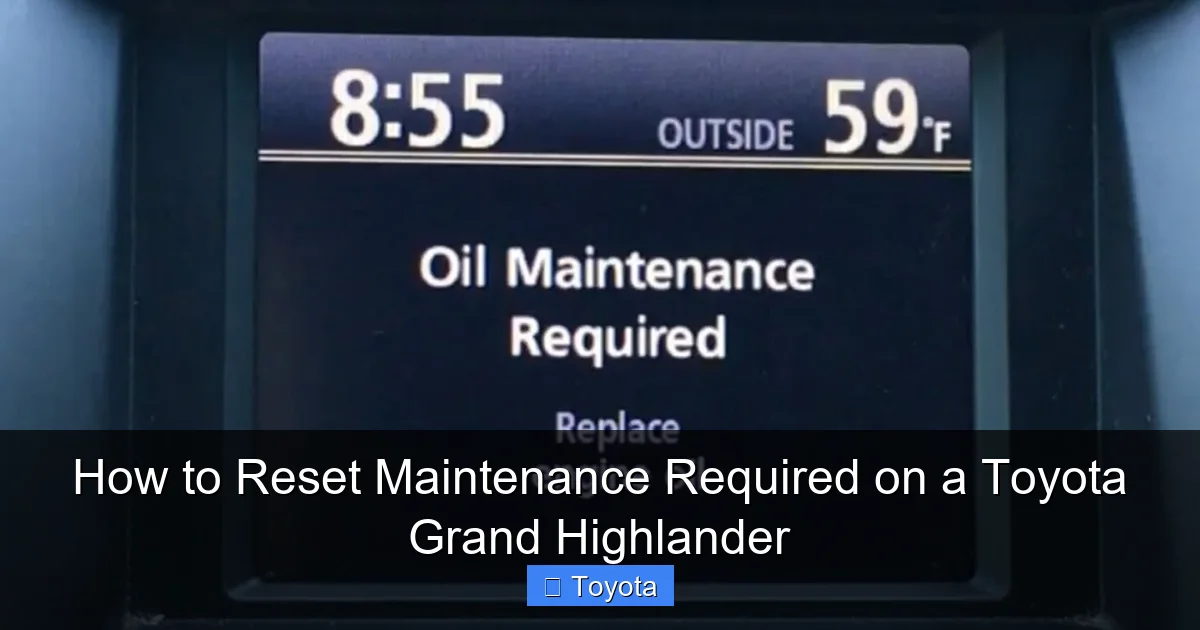
Visual guide about How to Reset Maintenance Required on a Toyota Grand Highlander
Image source: i.ytimg.com
Let’s be clear: the light coming on is not a suggestion; it’s a calculation based on engineering data. Engine oil, for example, breaks down over time and with heat cycles. Even if you only drive 3,000 miles in six months, that oil has been sitting in the engine, exposed to moisture and combustion byproducts, and its lubricating and protective properties are diminished. The same goes for other fluids, belts, and filters. The maintenance schedule is designed to address these wear items proactively. By resetting the light without doing the work, you are essentially telling your Grand Highlander’s computer to stop reminding you about essential care, paving the way for accelerated wear, reduced fuel efficiency, and potentially catastrophic engine failure.
Furthermore, if you ever plan to sell your Grand Highlander, a maintenance history with properly documented service intervals and corresponding light resets is invaluable. It proves to a potential buyer that the vehicle has been cared for according to manufacturer specifications. A car with a history of ignored service lights or reset without records is a red flag. Always prioritize the maintenance first. Gather your receipts, change the oil, rotate the tires, and then, as the last step of your DIY service or after picking up your car from the shop, perform the reset. This simple act closes the loop on the service cycle and ensures your vehicle’s reminder system remains accurate and trustworthy.
Method 1: The Standard Tool-Free Reset Procedure
For the vast majority of Toyota Grand Highlander owners, this is the method you’ll use. It requires no tools, no apps, and no special knowledge. It works directly through your vehicle’s instrument cluster using the ignition and the odometer/trip meter reset button, which is typically located on the dashboard near the speedometer. This method is consistent with the procedure found in the owner’s manual for most recent model years.
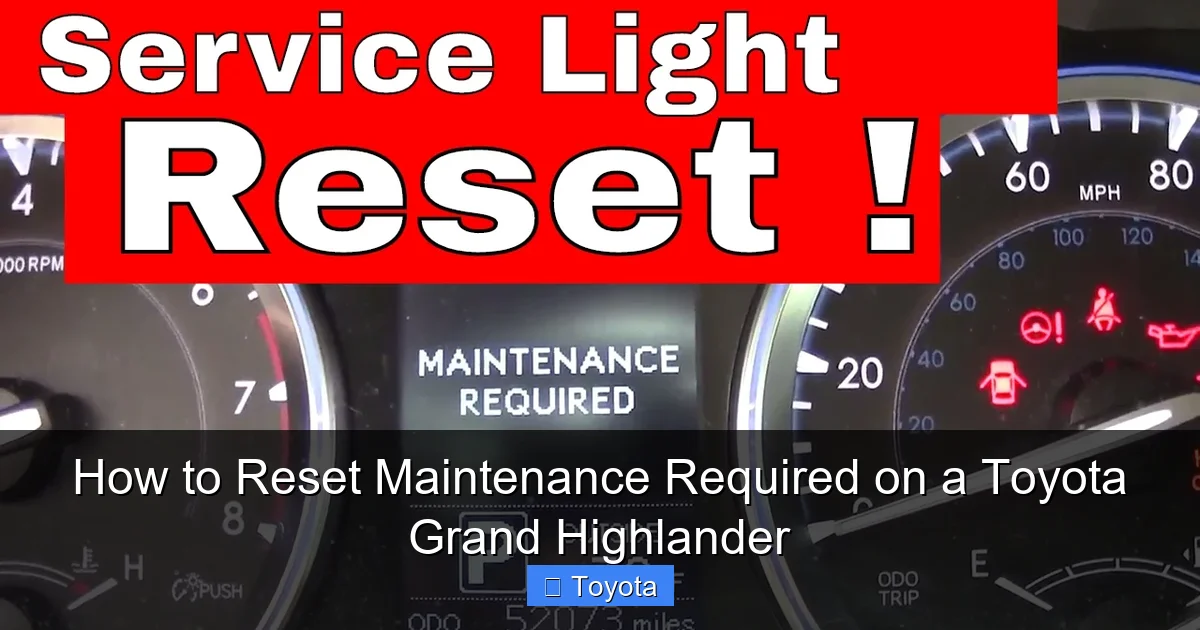
Visual guide about How to Reset Maintenance Required on a Toyota Grand Highlander
Image source: i.ytimg.com
Here is your step-by-step guide:
- Start with the ignition OFF. Ensure your Grand Highlander is parked safely with the parking brake set. The engine should be completely off, and you should have the key fob with you (if you have a keyless entry system).
- Turn the ignition to the “ON” position. Do not start the engine. Press the ENGINE START/STOP button once (or turn the key to the “ON” or “ACC” position) so that all dashboard lights illuminate, but the engine remains off. You should see all the warning lights, including the maintenance required wrench, come on briefly as a system check.
- Locate the Odometer/Trip Meter Reset Button. This is the button you normally press to cycle between your odometer reading and trip meters A and B. It is usually a small, black button labeled “Trip/Odo” or simply a knob you can press and turn on the instrument cluster itself.
- Press and hold the reset button. While the ignition is in the “ON” position (engine off), press and hold down the odometer reset button. Hold it down firmly.
- Observe the display. After holding the button for approximately 5-10 seconds, you should see the maintenance required light (the wrench icon) begin to blink. It may blink a few times, or you may see the mileage on the odometer display change or flash.
- Release the button. Once the wrench icon blinks or you see the display change, release the button. The maintenance required light should now be extinguished.
- Confirm the reset. Turn the ignition completely off, wait a few seconds, and then turn it back to the “ON” position. The wrench light should remain off. Start the engine. The light should not reappear.
If the light does not go out after following these steps carefully, double-check that you held the button long enough to see the blink. Some model years might require you to cycle the trip meter display while holding the button. If it still doesn’t work, your Grand Highlander may have a slightly different procedure, or there could be an underlying electrical issue. In that case, consult your owner’s manual or move to Method 2.
Pro Tip: Always perform this reset immediately after your service is complete. If you change your own oil, do the reset right there in the driveway before you even start the engine. If you take it to a shop, confirm with the service advisor that they have reset the light before you drive away. Many shops will do this automatically, but it’s always good to verify.
Method 2: Using an OBD2 Scanner (For Advanced Users or Persistent Issues)
While the manual button method is standard, there is another way to reset the maintenance required light: using an OBD2 (On-Board Diagnostics) scanner or code reader. This method is particularly useful if the manual method fails for some reason, or if you already own a scanner for other diagnostic purposes. It’s also the universal method that works across virtually all modern vehicles, including your Toyota Grand Highlander.
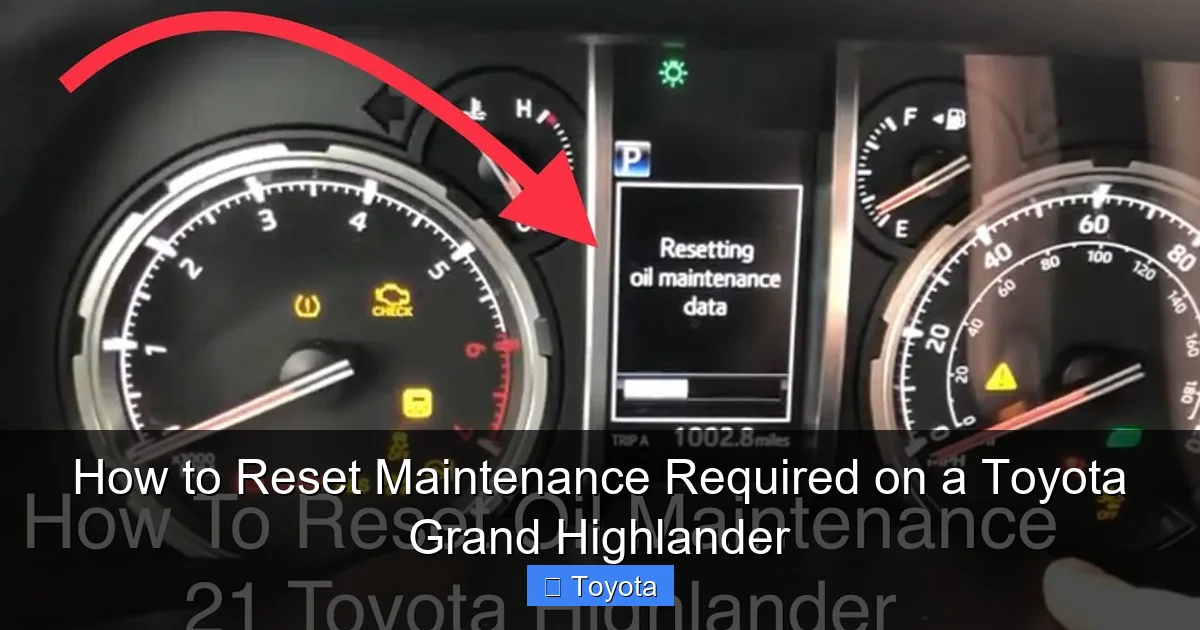
Visual guide about How to Reset Maintenance Required on a Toyota Grand Highlander
Image source: i.ytimg.com
You will need a compatible OBD2 scanner. Not all basic code readers have the capability to reset service lights; many only read and clear engine diagnostic trouble codes (DTCs). You need a scanner that explicitly lists “Maintenance Reset,” “Service Reset,” or “Oil Reset” as a function. Many mid-range and professional-grade scanners from brands like Autel, Launch, or even higher-end Bluetooth adapters paired with a smartphone app (like Torque Pro with the right adapter) can perform this function. Before you begin, ensure your scanner is compatible with your Grand Highlander’s model year and has the necessary service reset function.
Steps for OBD2 Reset:
- Prepare the vehicle. The ignition should be in the “ON” position (engine off), just like with the manual method.
- Locate the OBD2 port. This is the 16-pin diagnostic port, usually found under the dashboard, just below the steering column on the driver’s side. It might have a plastic cover over it.
- Connect the scanner. Plug the OBD2 scanner’s cable firmly into the port.
- Navigate the scanner menu. Turn on the scanner (if it’s a standalone unit) or open the app on your phone. Follow the on-screen prompts to establish a connection with your vehicle’s computer. You may need to select your vehicle’s make (Toyota), model (Grand Highlander), and year.
- Find the Service/ Maintenance Reset function. This is often found under a menu like “Service,” “Maintenance,” “Oil Service Reset,” or “Special Functions.” The exact wording varies by manufacturer. Select the appropriate reset function for your Grand Highlander.
- Follow the on-screen instructions. The scanner will guide you through any required steps, which might include confirming the reset or selecting which service interval to reset (e.g., “Oil & Filter,” “Inspection”). Confirm the action.
- Complete and verify. The scanner should indicate a successful reset. Disconnect the scanner, turn the ignition off and back on, and confirm the wrench light is off.
This method is foolproof if you have the right tool. It’s also how a professional technician at a dealership or repair shop will reset the light. If you are having persistent trouble with the manual method, investing in a capable OBD2 scanner can solve this problem and many others, making it a worthwhile tool for any Toyota owner. For specific procedures on other Toyota models, you can reference guides for the 2022 Highlander or even the Tacoma pickup, as the underlying OBD2 protocol and service reset functions are very similar across the brand.
Common Mistakes and Troubleshooting
Even with a simple procedure, things can sometimes go wrong. Knowing the common pitfalls can save you frustration. The most frequent mistake is attempting to reset the light before the actual maintenance is performed. Remember, the reset acknowledges that the service is complete. If you reset it first and then forget to do the oil change, your engine is now running on degraded oil with no reminder.
Another common error is not holding the odometer button long enough. The sequence requires a firm, continuous press for about 5-10 seconds. A quick tap won’t trigger the reset sequence. You must see the wrench icon blink or the odometer display change. If you release the button too early, nothing happens, and you’ll need to start over. Also, ensure you are in the correct mode. You must be viewing the odometer (total mileage) display, not one of the trip meters (A or B), when you start the procedure on most models. If you are on the trip meter screen, the reset command may not register.
If the light comes back on immediately or within a very short distance after a successful reset, this indicates a problem. It could mean the service was not performed correctly (e.g., the oil filter was not changed, a sensor was not reconnected), or there is a fault in the maintenance reminder system itself. A persistent light after a proper reset is your cue to take the vehicle to a trusted mechanic. They can use their professional-grade scan tool to verify if the maintenance interval data was stored correctly and check for any related diagnostic codes. Do not keep resetting a light that returns instantly; this masks a real issue.
Finally, be aware of model-year variations. While the Grand Highlander (reintroduced for 2024) follows the standard Toyota procedure, some very new or specific trims might have subtle differences. The button might be on the steering wheel stalk instead of the dash, or the sequence might involve the “Menu” button on a digital gauge cluster. Your owner’s manual is your single most reliable source. If you don’t have a physical copy, Toyota often provides digital versions on their website. Searching for “maintenance reset” in your manual’s index will give you the definitive procedure for your exact vehicle.
When to Seek Professional Help
Resetting the maintenance required light is a DIY task for most people. However, there are clear situations where you should hand the keys to a professional. First and foremost, if you are not comfortable or confident performing basic vehicle maintenance like an oil change, do not attempt to reset the light yourself. Have a certified technician at a dealership or reputable independent shop perform the service. They have the expertise, the correct fluids and filters, and the proper disposal methods for old oil. After they complete the work, they will reset the light for you as part of the service. It is perfectly acceptable—and often wise—to pay for this simple reset as part of a professional oil change service.
Secondly, seek help if the light will not reset after you have definitively completed all the required maintenance. Follow the manual method meticulously. If it fails, try the OBD2 scanner method if you have access to one. If both methods fail, the issue is likely electronic. A technician can use a more advanced diagnostic tool to access the vehicle’s body control module or instrument cluster to manually clear the reminder or diagnose a faulty sensor or module.
Thirdly, and most importantly, if the maintenance required light is accompanied by other warning lights, unusual noises, vibrations, or performance issues (like loss of power, rough idling, or poor fuel economy), do not just reset the light. These are symptoms of a larger problem. The wrench icon is a reminder for scheduled care, but if your car is also telling you something else is wrong via other lights or behaviors, you need a diagnosis. Driving with an unresolved mechanical issue can cause severe and expensive damage. In these cases, a professional diagnostic is non-negotiable.
Conclusion: Keeping Your Grand Highlander’s Reminder System Trustworthy
Your Toyota Grand Highlander is engineered for longevity and reliability, and its maintenance required light is a key part of that engineering. Understanding what it means and how to properly reset it empowers you as a vehicle owner. It transforms that glowing wrench from a source of annoyance into a useful tool for maintaining your SUV’s health and preserving its value. The process itself is remarkably simple—a matter of a few button presses after you’ve done the real work of servicing the vehicle.
Remember the golden rule: service first, reset second. Never use the reset procedure as a shortcut to avoid maintenance. The system is designed to protect your investment. By adhering to the recommended service intervals and resetting the light only after those services are complete, you ensure your Grand Highlander’s engine, transmission, and other critical systems receive the care they need to provide you and your family with years of safe, dependable, and enjoyable driving. Treat the reminder system with respect, and it will serve you well. Now that you know how, you can confidently tackle that light the next time it illuminates, knowing you’re doing right by your vehicle.
Frequently Asked Questions
What does the “Maintenance Required” wrench light mean on my Toyota Grand Highlander?
It means your vehicle is due for its scheduled maintenance service, typically an oil change, tire rotation, and inspection, based on the mileage or time since the last service. It is a reminder, not an indication of a current malfunction.
Can I reset the maintenance light without changing the oil or doing the service?
Technically yes, but you should never do this. Resetting the light without performing the required maintenance is dangerous and will lead to engine damage and other problems. The light is a calculation based on oil degradation and wear; ignoring it defeats the purpose of the system.
How often does the maintenance required light come on?
For most Toyota models, including the Grand Highlander, the light is programmed to illuminate approximately every 5,000 miles or 6 months, whichever comes first. This aligns with the “severe service” maintenance schedule recommended for many drivers.
What should I do if the maintenance light won’t reset after I’ve done the service?
First, double-check you followed the reset procedure correctly (hold the odometer button for 5-10 seconds with ignition on, engine off). If it still won’t reset, there may be a minor electrical glitch or the system may require a scan tool. A quick visit to a dealership or mechanic can resolve this.
Will resetting the maintenance light affect my vehicle’s warranty?
No. Resetting the light is simply acknowledging that a service was performed. However, failing to perform the required maintenance as outlined in your owner’s manual can void certain warranty coverage if it leads to a component failure. Always keep service records.
Is the procedure the same for all Toyota Highlander models?
The core method using the ignition and odometer button is very similar across most modern Toyota vehicles, including the standard Highlander and Tacoma. However, the exact button location or sequence can vary slightly by model year and trim. Always confirm with your specific owner’s manual for your Grand Highlander.
