
How to Start a Dodge Charger Without a Key Fob

Losing your Dodge Charger key fob can be stressful, but you’re not stranded. This guide covers backup ignition methods, emergency procedures, and when to call a professional—so you can get back on the road safely and legally.
Losing your Dodge Charger key fob might feel like hitting a dead end—especially when you’re running late or stuck in an unfamiliar area. But don’t panic. Your Charger is designed with multiple fail-safes to help you regain access and start the engine, even when the fob isn’t working. Whether your fob’s battery died, it got misplaced, or it simply stopped responding, there are legitimate, manufacturer-approved ways to get your car running again.
Modern Dodge Chargers come equipped with advanced security features like electronic immobilizers and push-button ignitions, which rely heavily on the key fob’s communication with the vehicle. However, Chrysler (now Stellantis) anticipated real-world scenarios where drivers might lose or damage their fobs. That’s why every Charger includes a backup mechanical key and a hidden emergency start procedure. These aren’t hacks or shortcuts—they’re built-in solutions meant to keep you mobile without compromising your car’s security.
In this guide, we’ll walk you through step-by-step methods to start your Dodge Charger without a functioning key fob. We’ll cover everything from using the physical key blade to accessing the backup start slot, troubleshooting common issues, and knowing when it’s time to call in the experts. Our goal is to give you peace of mind and practical know-how—so the next time your fob gives out, you’ll know exactly what to do.
Key Takeaways
- Use the physical key blade: Most Dodge Chargers have a hidden mechanical key inside the fob for door access.
- Access the backup start button: Insert the key fob into the designated slot near the steering column to start the engine.
- Check battery life first: A dead fob battery is the most common reason for startup failure—replace it promptly.
- Never attempt hot-wiring: Modern Chargers have immobilizer systems that prevent unauthorized starts and may trigger alarms.
- Contact a certified dealer or locksmith: For lost or damaged fobs, professional reprogramming ensures security and compatibility.
- Keep a spare fob handy: Prevent future issues by storing a programmed backup in a safe, accessible location.
- Use Uconnect app as a temporary fix: If equipped, remote start via the app can bypass fob dependency (requires active subscription).
📑 Table of Contents
Understanding Your Dodge Charger’s Key System
Before diving into solutions, it’s important to understand how your Charger’s key system works. Unlike older cars that used traditional metal keys, today’s Chargers rely on a smart key fob that communicates wirelessly with the vehicle via radio frequency signals. This fob doesn’t just unlock doors—it also authenticates your identity to the car’s computer before allowing the engine to start.
The key fob contains a small transponder chip and a battery-powered transmitter. When you press the start button, the car sends a signal to the fob. If the fob responds with the correct code, the engine fires up. This system, known as an immobilizer, prevents theft by ensuring only authorized fobs can start the vehicle.
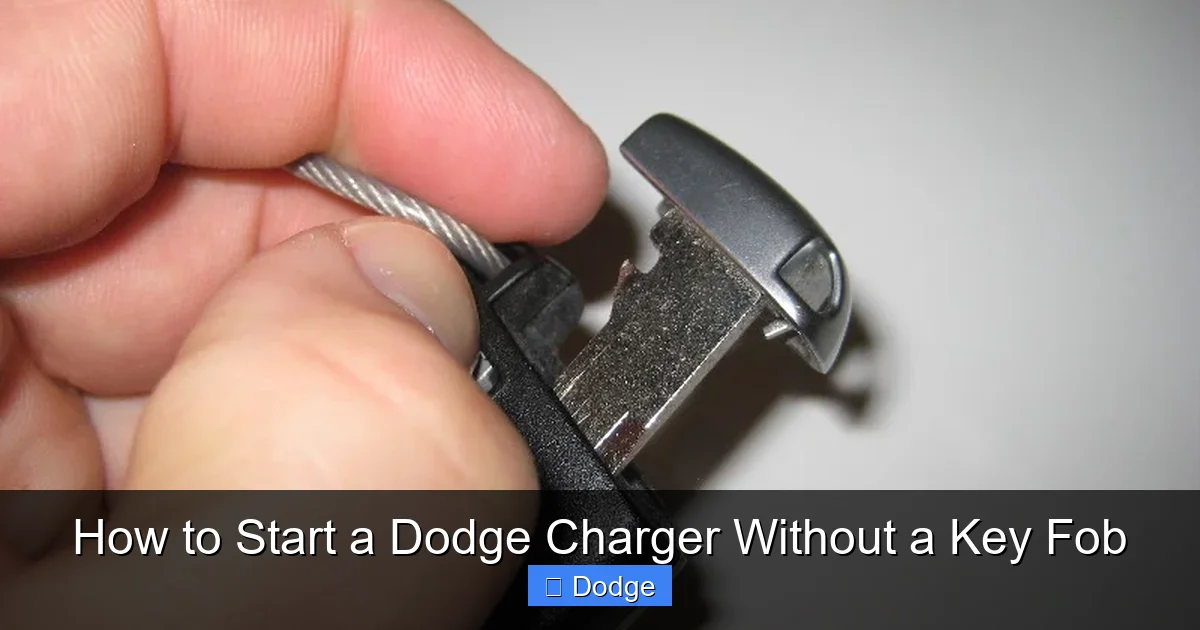
But here’s the good news: Dodge built redundancy into this system. Every fob has a hidden mechanical key blade tucked inside, usually released by pressing a small button or sliding a latch. This key can unlock the driver’s door manually—giving you physical access to the cabin. Once inside, you can use a backup method to start the car even if the fob’s electronics aren’t working.
It’s also worth noting that some newer Charger models (especially those with the Uconnect 5 system) support smartphone-based remote start through the Dodge Connect app. If you’ve set this up beforehand, you might be able to start your car from your phone—no fob needed. However, this requires an active SiriusXM Guardian subscription and prior configuration.
Method 1: Using the Hidden Mechanical Key
Visual guide about How to Start a Dodge Charger Without a Key Fob
Image source: paulstravelpictures.com
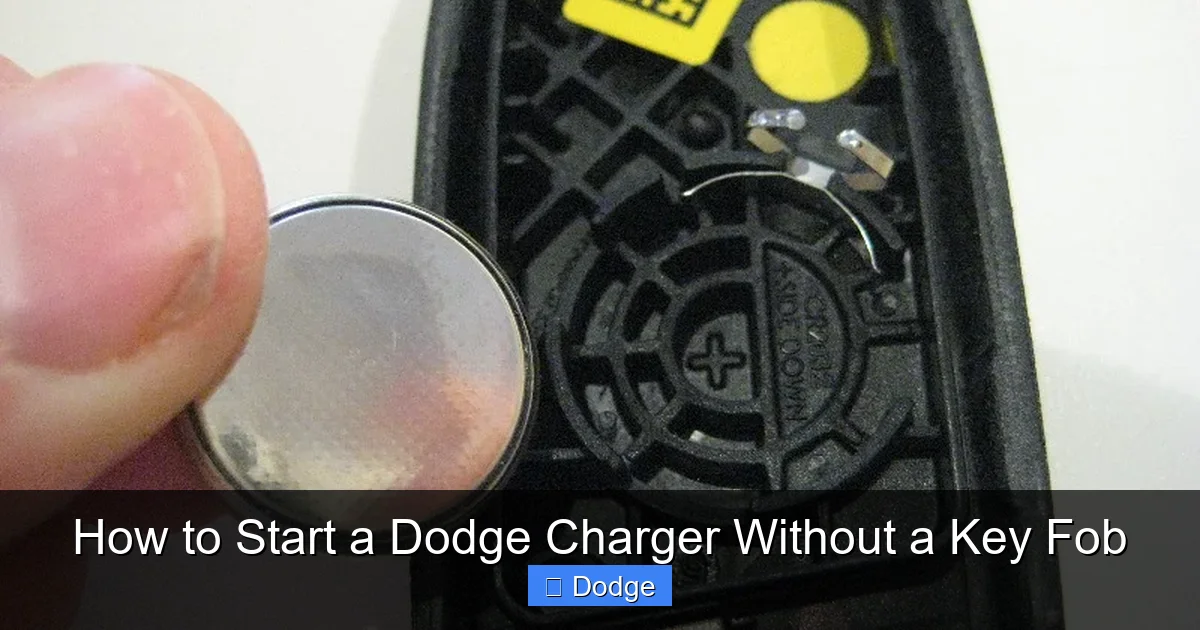
The first and simplest step when your key fob fails is to use the physical key blade stored inside it. This isn’t just a spare—it’s your primary backup for gaining entry when the electronic lock system won’t respond.
Locating the Key Release
Most Dodge Charger key fobs have a small release button or slider on the side. Press or slide it, and the metal key blade will pop out. On some models, you may need to gently pry open a small compartment. The key is typically flat and resembles a house key, designed specifically to fit the driver’s door lock.
Unlocking the Door Manually
Once you’ve extracted the key, locate the keyhole on the driver’s door handle. It’s often hidden behind a small cover—you might need to gently pull or twist the cover to reveal it. Insert the key and turn it clockwise to unlock the door. This bypasses the power locks and gives you access to the interior.
Tip: If the door feels stiff or doesn’t turn easily, don’t force it. Check that the key is fully inserted and aligned properly. Forcing it could damage the lock mechanism.
What to Do After Entry
Now that you’re inside, you still need to start the car. Simply having the key blade won’t activate the ignition—you’ll need to use one of the backup start methods described below. But getting into the cabin is the critical first step, especially if you’re locked out in bad weather or a remote location.
Method 2: Starting the Engine with the Backup Fob Slot
Visual guide about How to Start a Dodge Charger Without a Key Fob
Image source: paulstravelpictures.com
Once inside your Charger, the next step is to start the engine using the vehicle’s emergency start feature. This method works even if your fob’s battery is dead or the electronics are unresponsive.
Finding the Backup Start Slot
Look near the steering column, usually on the right side of the ignition button. You’ll see a small, recessed slot labeled “Key Fob Start” or simply a circular indentation. This is where you insert the entire key fob—not just the blade—to trigger the backup authentication process.
On some Charger models (particularly 2015–2023 trims), this slot is located inside the center console storage compartment. Open the armrest, and you’ll find a small slot or cradle designed to hold the fob during emergency starts.
Inserting the Fob Correctly
Turn the fob so the buttons face upward or as indicated by any markings near the slot. Gently push the fob all the way in until it clicks or sits flush. The car’s system will detect the fob’s transponder chip—even if the battery is dead—and allow you to start the engine.
Once the fob is inserted, press the brake pedal (for automatic transmissions) and then press the START/STOP button. The engine should crank and start normally.
Important: Do not remove the fob while the engine is running. The car may shut off if it loses communication with the fob, even in backup mode.
Troubleshooting If It Doesn’t Work
If the engine still won’t start after inserting the fob:
– Double-check that the fob is fully seated in the slot.
– Try repositioning the fob slightly—sometimes alignment matters.
– Ensure the car is in Park (for automatics) or Neutral (for manuals).
– Wait 30 seconds and try again—the system may need time to recognize the fob.
If none of these steps work, the issue may be deeper than a dead battery—such as a faulty ignition switch or immobilizer problem—and you should seek professional help.
Method 3: Replacing a Dead Key Fob Battery
Visual guide about How to Start a Dodge Charger Without a Key Fob
Image source: paulstravelpictures.com
A dead battery is the most common reason a key fob stops working. Fortunately, replacing it is quick, inexpensive, and often solves the problem immediately.
Identifying a Dead Battery
Signs include:
– The fob doesn’t unlock doors when buttons are pressed.
– The range has significantly decreased (you have to be right next to the car).
– The backup start slot method fails to work.
– The dashboard shows a “Key Fob Battery Low” warning.
Most Charger fobs use a CR2032 coin-cell battery, which costs under $5 at any hardware or electronics store.
Replacing the Battery Step-by-Step
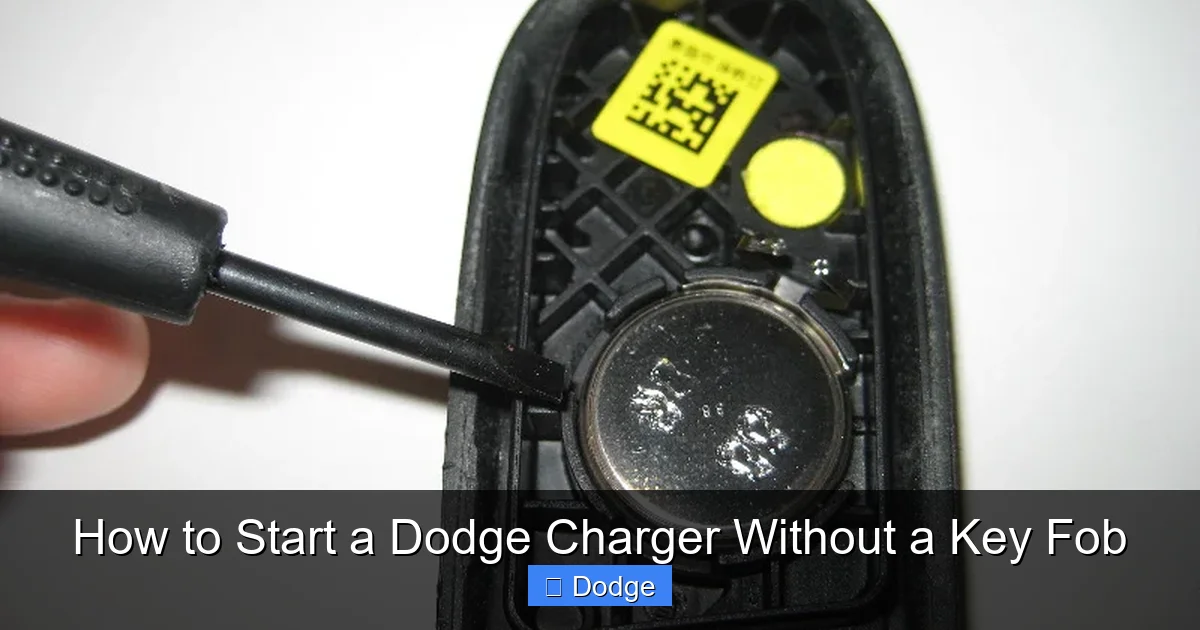
1. Use the mechanical key to open the fob casing. Insert the key into the small slot on the fob’s edge and twist gently to separate the halves.
2. Carefully remove the old battery, noting its orientation (positive side up or down).
3. Insert the new CR2032 battery in the same position.
4. Snap the fob back together firmly.
5. Test the fob by pressing the lock button near the car—you should see the lights flash.
After replacement, try starting the car normally. If it works, great! If not, proceed to the backup slot method.
Preventing Future Battery Issues
To avoid being stranded again:
– Keep a spare CR2032 battery in your glove compartment.
– Replace the battery every 1–2 years as preventive maintenance.
– Avoid exposing the fob to extreme heat or moisture, which can shorten battery life.
Method 4: Using the Uconnect App (If Equipped)
If your Dodge Charger is a 2018 or newer model with Uconnect 4C NAV or Uconnect 5, you may have access to remote start via the Dodge Connect app (formerly SiriusXM Guardian).
How It Works
The app connects to your car through a built-in cellular modem. With an active subscription, you can lock, unlock, and even start your Charger from your smartphone—no fob required.
Steps to Remote Start
1. Open the Dodge Connect app on your phone.
2. Tap the “Remote Start” icon.
3. Confirm the action when prompted.
4. The car will start automatically and run for a preset time (usually 10–15 minutes).
Note: The car must be locked, in Park, and have sufficient fuel. Also, remote start won’t work if the hood is open or if there’s a fault detected by the system.
Limitations and Requirements
– You must have set up the app and linked it to your vehicle beforehand.
– A paid subscription is required (typically $149/year after a trial period).
– Not all trims include this feature—check your owner’s manual or Uconnect settings.
While not a permanent replacement for a fob, the app is a powerful backup tool—especially if you frequently misplace your keys or live in extreme climates where remote start is convenient.
When to Call a Professional
Sometimes, despite your best efforts, the car still won’t start. In these cases, it’s time to call in the experts.
Signs You Need Help
– The backup slot method fails repeatedly.
– The dashboard shows error messages like “No Key Detected” or “Service Theft System.”
– You’ve lost the fob entirely and need a replacement programmed.
– The ignition button feels stuck or unresponsive.
Options for Professional Assistance
1. **Dodge Dealership:** The safest and most reliable option. They can program a new fob, diagnose immobilizer issues, and ensure full compatibility with your Charger’s security system. Expect to pay $200–$400 for a new fob and programming.
2. **Certified Automotive Locksmith:** Many locksmiths specialize in modern key fobs and can program replacements at a lower cost than dealerships. Look for one with experience in Chrysler/Dodge vehicles and immobilizer systems.
3. **Roadside Assistance:** If you’re stranded, call your insurance provider or Dodge’s roadside service (if enrolled). They may send a technician to jump-start the system or tow you to a service center.
Important: Avoid unlicensed “key programmers” or DIY programming kits sold online. These can damage your car’s computer or void your warranty.
Preventing Future Key Fob Problems
An ounce of prevention is worth a pound of cure—especially when it comes to car keys.
Keep a Spare Fob
Purchase and program a second key fob as soon as possible. Store it in a secure but accessible place—like a locked drawer at home or with a trusted family member. Having a backup eliminates most emergency situations.
Protect Your Fob
– Use a protective case to prevent drops and water damage.
– Keep it away from magnets, microwaves, and other electronics that can interfere with signals.
– Don’t leave it in hot cars—heat can degrade the battery and internal components.
Regular Maintenance
– Test your fob monthly by standing 10–15 feet from your car and pressing the lock button.
– Replace the battery annually, even if it seems fine.
– Update your Uconnect system regularly to ensure app compatibility.
By taking these simple steps, you’ll reduce the chances of being locked out or stranded due to a key fob issue.
Starting your Dodge Charger without a working key fob isn’t just possible—it’s built into the vehicle’s design. From the hidden mechanical key to the emergency start slot, Dodge has equipped your Charger with smart backups for real-life emergencies. While losing or breaking your fob can be frustrating, knowing these methods puts you back in control.
Remember: always try the simplest solutions first—replace the battery, use the physical key, and access the backup slot. Avoid risky shortcuts like hot-wiring, which can trigger alarms, damage electronics, or even get you in legal trouble. And when in doubt, trust the professionals at a Dodge dealership or certified locksmith.
With a little preparation and the right knowledge, you’ll never have to worry about being stuck because of a missing or dead key fob again. Keep this guide handy, store a spare fob, and drive with confidence—your Charger is ready when you are.
Frequently Asked Questions
Can I start my Dodge Charger if the key fob battery is dead?
Yes, you can. Use the physical key blade to unlock the door, then insert the entire fob into the backup start slot near the ignition button. The car will detect the transponder chip even without battery power.
Is it safe to hot-wire a Dodge Charger?
No, it’s not safe or legal. Modern Chargers have immobilizer systems that prevent unauthorized starts. Attempting to hot-wire can trigger alarms, damage the vehicle’s computer, or result in legal consequences.
How much does it cost to replace a Dodge Charger key fob?
A new fob typically costs $150–$300 for the hardware, plus $50–$150 for programming at a dealership. Certified locksmiths may offer lower rates.
Can I program a new key fob myself?
Generally, no. Most Dodge Chargers require specialized equipment and software to program a new fob. Only dealerships or certified locksmiths can do this securely.
What if my Charger doesn’t have a backup start slot?
All Dodge Chargers from 2011 onward include a backup start method. If you can’t find the slot, check your owner’s manual or look inside the center console storage area.
Does the Uconnect app work without a key fob?
Yes, but only if you’ve set it up in advance and have an active subscription. The app can remotely start your car, lock/unlock doors, and locate your vehicle—no fob needed during use.
