
How to Unlock a Dodge Charger Without a Key Fob

Getting locked out of your Dodge Charger without a key fob can be frustrating, but there are several reliable ways to regain access. From using a physical key hidden in the fob to leveraging Uconnect apps or calling roadside assistance, this guide covers practical, step-by-step solutions to help you get back in quickly and safely.
Key Takeaways
- Use the physical key inside the fob: Most Dodge Charger key fobs contain a hidden metal key that can unlock the driver’s door manually.
- Access the key release button: Look for a small button or switch on the fob to eject the physical key when the fob is unresponsive.
- Leverage the Uconnect app: If your Charger is equipped with Uconnect, you can remotely unlock the doors using the smartphone app—no fob needed.
- Call Dodge Roadside Assistance: Owners with active warranties or service plans can request professional help to unlock their vehicle.
- Use a slim jim or coat hanger (with caution): In emergencies, manual tools can work, but they risk damaging door components if used improperly.
- Check for valet mode or low battery: Sometimes the issue isn’t a missing fob but a drained battery or accidental activation of valet mode.
- Prevent future lockouts: Keep a spare key in a magnetic case under the car or use a keyless entry backup system.
📑 Table of Contents
- How to Unlock a Dodge Charger Without a Key Fob
- Method 1: Use the Hidden Physical Key in the Key Fob
- Method 2: Use the Uconnect Smartphone App
- Method 3: Call Dodge Roadside Assistance
- Method 4: Use a Slim Jim or Manual Tool (With Caution)
- Method 5: Check for Valet Mode or Low Fob Battery
- Preventing Future Lockouts
- Conclusion
How to Unlock a Dodge Charger Without a Key Fob
We’ve all been there—rushing to your Dodge Charger, arms full of groceries or coffee, only to realize your key fob is missing, dead, or just not working. Your heart sinks as you pull on the door handle and it doesn’t budge. You’re locked out, and the fob that usually makes everything so convenient is nowhere to be found.
But don’t panic. Just because you don’t have your key fob doesn’t mean you’re stranded. Modern vehicles like the Dodge Charger are designed with backup systems to help drivers in exactly these situations. Whether your fob battery died, you left it inside the car, or it simply stopped responding, there are several safe and effective ways to unlock your Charger without a working key fob.
In this comprehensive guide, we’ll walk you through every practical method—from simple manual tricks to tech-savvy solutions—so you can regain access to your vehicle quickly and without causing damage. We’ll also share tips on how to avoid future lockouts and what to do if you’re in a tight spot with no tools or help nearby. Whether you’re a daily driver or weekend cruiser, knowing these steps can save you time, stress, and potentially hundreds of dollars in locksmith fees.
Method 1: Use the Hidden Physical Key in the Key Fob
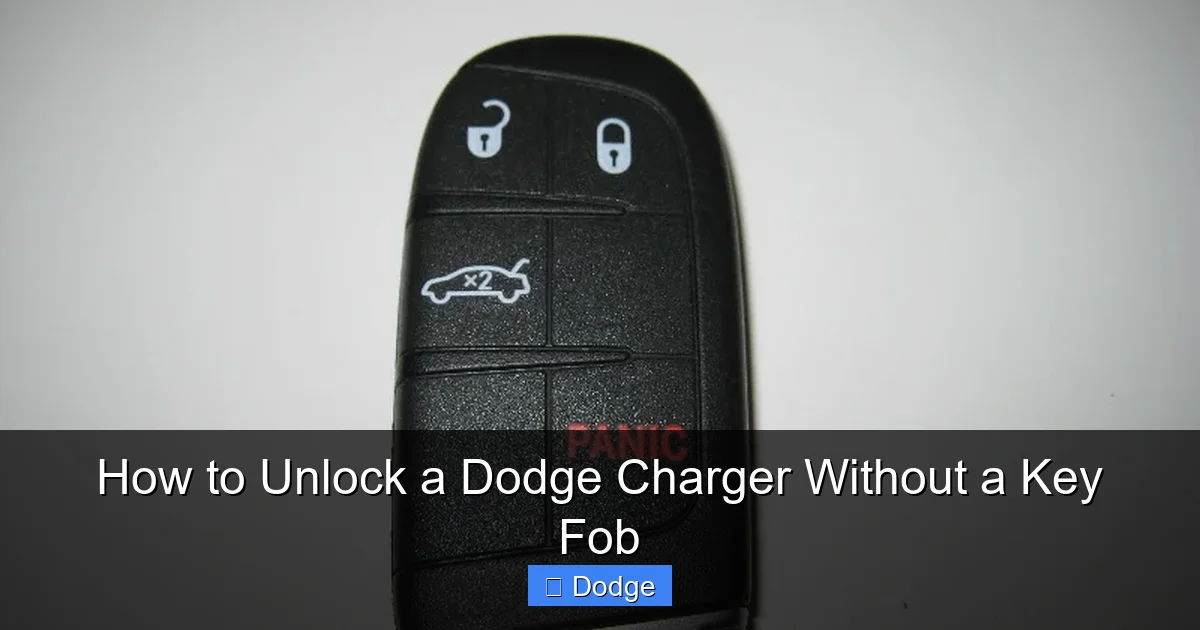
Visual guide about How to Unlock a Dodge Charger Without a Key Fob
Image source: paulstravelpictures.com
One of the most common and reliable ways to unlock a Dodge Charger without a working key fob is by using the physical key that’s hidden inside the fob itself. Dodge has included this feature for years as a fail-safe, so even if the electronic components fail, you’re not completely locked out.
Locating the Key Release Button
Most Dodge Charger key fobs have a small button or switch on the side or top of the fob. This button is designed to release the metal key blade when pressed. Look for a tiny button near the base of the fob—often labeled with a small key icon or arrow. On newer models like the 2020–2024 Chargers, the button is typically on the side, while older models may have it on the top.
Press and hold this button firmly. You should feel a slight click, and the metal key blade will pop out from a slot on the fob. If it doesn’t come out easily, try pressing the button again while gently pulling the key. Don’t force it—most keys are spring-loaded and will release with minimal pressure.
Using the Key to Unlock the Door
Once you’ve extracted the key, locate the keyhole on the driver’s side door. On most Dodge Chargers, the keyhole is hidden behind a small plastic cover near the door handle. Gently pry off the cover using your fingernail or a flat tool like a butter knife or credit card. Be careful not to scratch the paint.
Insert the key into the keyhole and turn it clockwise to unlock the door. On some models, you may need to turn it fully to the right, while others unlock with a partial turn. Once unlocked, you can open the door and get inside.
After unlocking, remember to replace the plastic cover and return the key to the fob by sliding it back in until it clicks into place. This ensures the fob remains functional for future use.
Pro Tip: Keep the Key Accessible
If you frequently experience fob issues, consider keeping the physical key separate from the fob—perhaps in your wallet or a small pouch. This way, even if the fob is lost or damaged, you’ll still have access to the key. Just make sure it’s stored safely to avoid losing it.
Method 2: Use the Uconnect Smartphone App
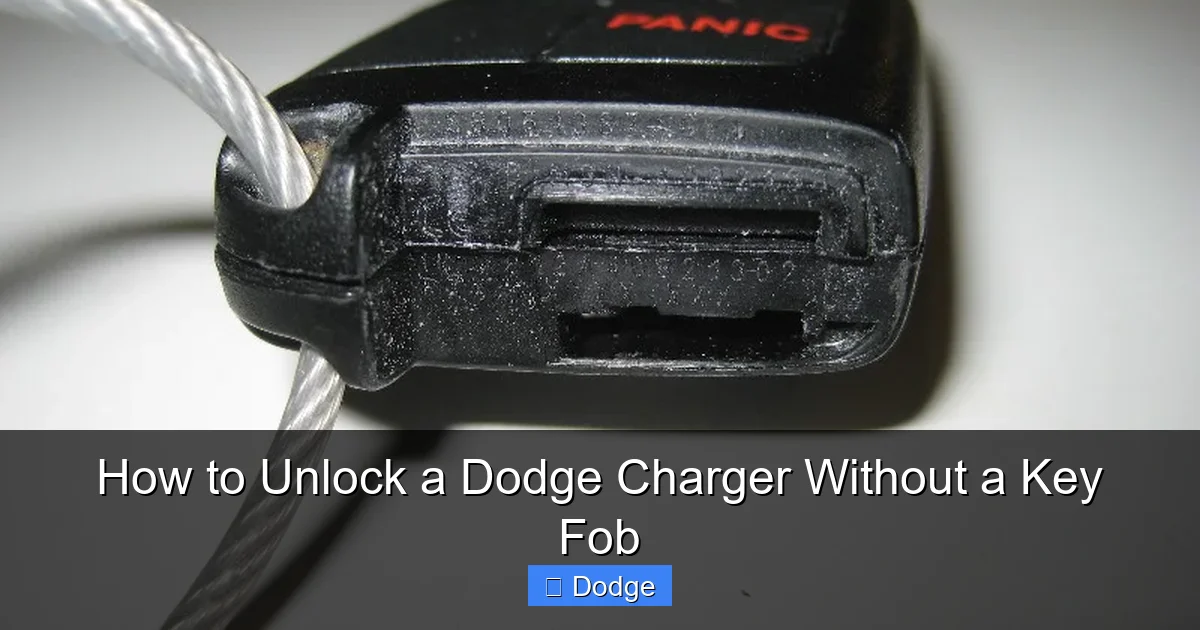
Visual guide about How to Unlock a Dodge Charger Without a Key Fob
Image source: paulstravelpictures.com
If your Dodge Charger is equipped with Uconnect—Dodge’s advanced infotainment and connectivity system—you may be able to unlock your vehicle remotely using the Uconnect app on your smartphone. This is one of the most convenient and modern solutions, especially if you’ve lost your fob or it’s out of range.
How the Uconnect App Works
The Uconnect app allows you to perform a variety of remote functions, including locking and unlocking doors, starting the engine, and even locating your vehicle. To use it for unlocking, your Charger must be connected to the internet via a built-in cellular modem (available on most models from 2018 onward). You’ll also need to have set up the app and linked it to your vehicle through your Dodge account.
Once connected, simply open the Uconnect app on your phone, select your vehicle, and tap the “Unlock” button. The app will send a signal to your Charger, and the doors should unlock within seconds. This works even if you’re miles away, making it ideal for situations where you’ve left your fob at home or in another location.
Setting Up the Uconnect App
If you haven’t already set up the Uconnect app, here’s how to get started:
1. Download the “Uconnect” app from the Apple App Store or Google Play Store.
2. Create an account or log in with your existing Dodge credentials.
3. Add your vehicle by entering the VIN (Vehicle Identification Number), which you can find on your registration or the driver’s side dashboard.
4. Follow the on-screen prompts to verify ownership and activate remote services.
5. Ensure your vehicle is within range of a cellular signal and that the ignition is off.
Once activated, you’ll have full access to remote features, including door unlocking. Note that some features may require a subscription to Uconnect services, which is often included for the first 12 months with a new vehicle.
Limitations and Tips
While the Uconnect app is incredibly useful, it’s not foolproof. If your phone has no service, the app won’t work. Also, if your vehicle’s battery is completely dead, the cellular modem may not function, preventing remote access. To avoid this, keep your phone charged and consider keeping a portable charger in your car.
Additionally, always ensure your Uconnect account is secure with a strong password and two-factor authentication to prevent unauthorized access to your vehicle.
Method 3: Call Dodge Roadside Assistance
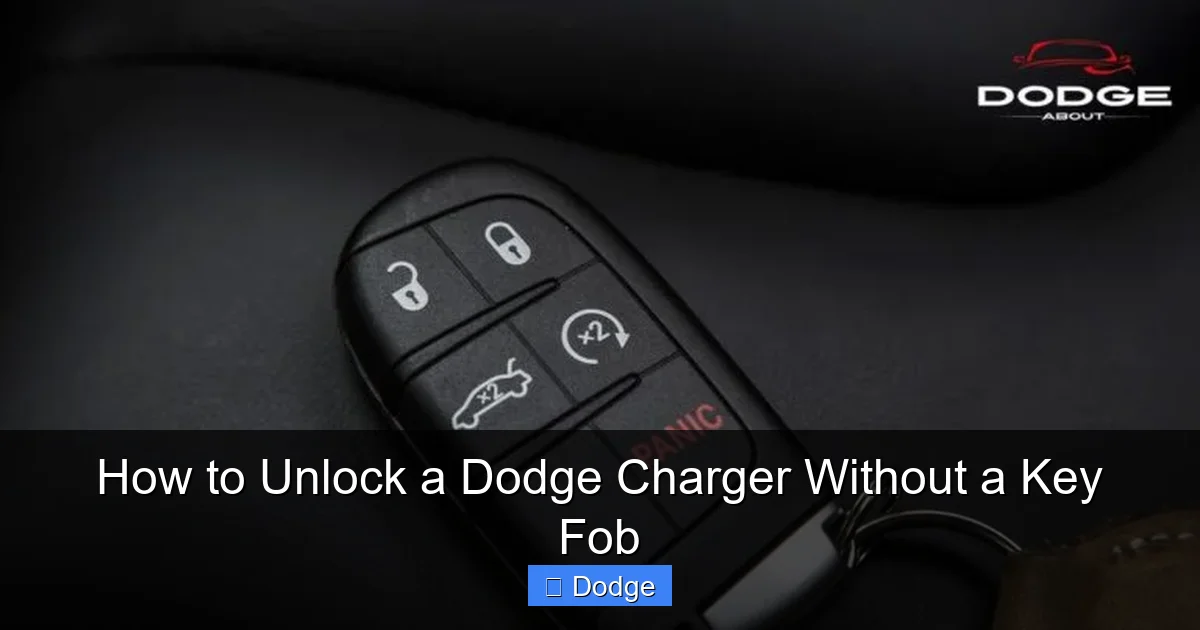
Visual guide about How to Unlock a Dodge Charger Without a Key Fob
Image source: dodgeabout.net
If you’re unable to unlock your Charger using the physical key or Uconnect app, your next best option is to contact Dodge Roadside Assistance. This service is often included with new vehicle warranties or available through extended service plans, and it can be a lifesaver in lockout situations.
How Roadside Assistance Can Help
Dodge Roadside Assistance offers professional help for a variety of issues, including lockouts, flat tires, dead batteries, and towing. When you call, a representative will verify your identity and vehicle information, then dispatch a technician to your location. The technician will use specialized tools to safely unlock your door without damaging the vehicle.
This service is especially helpful if you’re in a remote area, it’s late at night, or you’re uncomfortable attempting manual methods. Technicians are trained to handle modern vehicles like the Charger and can often unlock the door in under 10 minutes.
How to Contact Roadside Assistance
To request help, call the Dodge Roadside Assistance hotline at 1-800-423-6343 (U.S.) or check your owner’s manual for regional numbers. You’ll need to provide your name, vehicle identification number (VIN), location, and a description of the issue.
If you’re a member of AAA or another roadside service, they may also be able to assist, though they might charge a fee depending on your plan.
What to Expect
Once help arrives, the technician will assess the situation and use non-invasive tools to unlock the door. In most cases, they’ll use a slim jim or air wedge to gently manipulate the lock mechanism. After unlocking, they may also check your fob battery or suggest next steps if the fob is damaged.
Keep in mind that while the first call is often free under warranty, repeated lockouts may incur charges. Use this service wisely and consider it a last resort after trying other methods.
Method 4: Use a Slim Jim or Manual Tool (With Caution)
In emergency situations where no other options are available, some drivers turn to manual tools like a slim jim or straightened coat hanger to unlock their Charger. While this method can work, it comes with significant risks and should only be attempted if you’re confident and have no other choice.
Understanding the Risks
Modern vehicles like the Dodge Charger have complex door mechanisms with wiring, airbags, and electronic locks. Using a slim jim or similar tool can damage these components, leading to expensive repairs. Additionally, improper use can trigger the airbag system or break the window regulator.
For this reason, we strongly recommend trying other methods first. Only consider this option if you’re in a safe location, it’s an emergency, and you have experience with manual lock tools.
How to Use a Slim Jim (Step-by-Step)
If you decide to proceed, here’s a general guide:
1. Obtain a slim jim—a flat, metal tool designed for car locks. You can purchase one online or at an auto parts store.
2. Locate the door seal between the window and the door frame. Gently insert the slim jim into the gap, aiming for the lock mechanism.
3. Feel for the locking rod—a vertical metal rod connected to the lock. Once you locate it, hook the slim jim around it.
4. Pull upward to disengage the lock. You should hear a click, and the door may unlock.
5. Open the door carefully and remove the tool.
Alternative: The Coat Hanger Method
If you don’t have a slim jim, a straightened wire coat hanger can work in a pinch. Bend it into a hook shape and insert it through the door seal. Try to hook the lock rod and pull up. This method is less precise and more likely to cause damage, so use it only as a last resort.
Safety Tips
– Never force the tool—gentle pressure is key.
– Avoid touching wires or airbag components.
– If you’re unsure, stop and call for help.
– Consider this a temporary fix—have your locks inspected afterward.
Method 5: Check for Valet Mode or Low Fob Battery
Sometimes, the issue isn’t a missing fob but a simple setting or power problem. Before assuming you’re locked out, check if your Charger is in valet mode or if the fob battery is dead.
What Is Valet Mode?
Valet mode is a security feature that limits access to certain vehicle functions, such as the trunk or glove box, and disables remote start. If activated, it can also prevent the doors from unlocking with the fob. This mode is often used when leaving your car with a valet or mechanic.
To check if valet mode is on, look for a small light on the dashboard or door panel. If it’s illuminated, valet mode is active. To disable it, insert the physical key into the driver’s door and turn it to the “lock” position, then back to “unlock.” Repeat this three times within 10 seconds. The valet light should turn off, and the doors should unlock.
Replacing the Fob Battery
If your fob isn’t responding, the battery may be dead. Most Dodge Charger fobs use a CR2032 coin cell battery. To replace it:
1. Use the physical key to open the fob (as described earlier).
2. Carefully pry apart the fob casing.
3. Remove the old battery and insert a new CR2032, ensuring the positive side faces up.
4. Snap the fob back together and test it.
A new battery often restores full functionality, allowing you to unlock the car remotely.
Preventing Future Lockouts
The best way to handle a lockout is to avoid it altogether. Here are some practical tips to keep your Dodge Charger accessible:
– Keep a spare key in a magnetic key holder under the car or in a secure location.
– Store a backup fob battery in your glove box.
– Use the Uconnect app regularly to stay connected.
– Avoid leaving the fob inside the car—especially when parked in public areas.
– Consider a keyless entry backup system like a fingerprint scanner or numeric keypad (aftermarket options available).
By taking these precautions, you’ll reduce the chances of being locked out and ensure you’re prepared if it happens again.
Conclusion
Being locked out of your Dodge Charger without a key fob is inconvenient, but it’s rarely a permanent problem. With the right knowledge and tools, you can regain access safely and efficiently. Start with the simplest solution—using the hidden physical key—then move to the Uconnect app or roadside assistance if needed. Avoid risky methods like slim jims unless absolutely necessary, and always prioritize safety.
Remember, prevention is key. Keep spare keys accessible, maintain your fob battery, and stay connected with Uconnect. By following the steps in this guide, you’ll be ready for any lockout scenario and can get back on the road with confidence.
Frequently Asked Questions
Can I unlock my Dodge Charger if the key fob battery is dead?
Yes, you can still unlock your Charger using the physical key hidden inside the fob. Simply press the release button to eject the key and use it to manually unlock the driver’s door.
Does the Uconnect app work if my phone has no service?
No, the Uconnect app requires an active cellular connection on your phone to send remote commands to your vehicle. If you’re in an area with poor signal, the app won’t function.
Is it safe to use a slim jim on a Dodge Charger?
Using a slim jim can damage door components, wiring, or airbag systems. It should only be used as a last resort and with extreme caution. Professional help is safer.
How do I know if my Charger is in valet mode?
Look for a valet mode indicator light on the dashboard or door panel. If it’s on, use the physical key to cycle the lock three times to disable it.
Can I get a replacement key fob from Dodge?
Yes, you can order a replacement fob from a Dodge dealership. You’ll need to provide proof of ownership and your VIN. Programming may require a technician.
What should I do if I lost my key fob and don’t have the physical key?
Contact Dodge Roadside Assistance or a licensed locksmith. They can help unlock your vehicle and may be able to program a new fob on-site.
