
How to Turn on Subaru Eyesight (2023)

Turning on Subaru EyeSight in 2023 models is simple and takes just a few steps. This advanced driver assistance system enhances safety with features like pre-collision braking and lane departure warning—once activated, it works seamlessly during every drive.
Key Takeaways
- EyeSight is standard on most 2023 Subaru models: Including Outback, Forester, Legacy, and Crosstrek, it comes pre-installed but may need activation.
- Activation is done via the steering wheel or touchscreen: Use the “i” button or vehicle settings menu to access EyeSight controls.
- Ensure the windshield is clean and unobstructed: The cameras behind the rearview mirror must have a clear view to function properly.
- Calibration may be required after windshield replacement: Visit a Subaru dealer if the system isn’t responding after glass work.
- Customize settings for your driving style: Adjust following distance, alert sensitivity, and more through the infotainment system.
- EyeSight works best in clear weather and well-lit conditions: Heavy rain, snow, or fog can reduce effectiveness.
- Regular maintenance ensures optimal performance: Keep sensors clean and check for software updates at service visits.
📑 Table of Contents
- What Is Subaru EyeSight and Why Should You Use It?
- Step-by-Step Guide: How to Turn On Subaru EyeSight (2023)
- Customizing Your EyeSight Settings for Maximum Comfort
- Troubleshooting Common EyeSight Issues
- Maintaining Your EyeSight System for Long-Term Performance
- EyeSight and Real-World Safety: What the Data Says
- Conclusion: Make the Most of Your Subaru EyeSight
What Is Subaru EyeSight and Why Should You Use It?
Subaru EyeSight is one of the most trusted driver assistance technologies on the market. Introduced over a decade ago, it has evolved into a sophisticated suite of safety features designed to help prevent accidents and reduce driver fatigue. In 2023, EyeSight comes standard on nearly every Subaru model—from the compact Crosstrek to the rugged Outback—making it accessible to a wide range of drivers.
At its core, EyeSight uses dual forward-facing cameras mounted behind the windshield, near the rearview mirror. These cameras act like a second set of eyes, constantly scanning the road ahead for vehicles, pedestrians, lane markings, and traffic signals. Using this real-time data, the system can alert you to potential hazards or even intervene automatically to avoid a collision.
But EyeSight isn’t just about emergency braking. It includes a full range of features like adaptive cruise control, lane keep assist, lane departure warning, and lead vehicle start alert. Whether you’re commuting in stop-and-go traffic or cruising down the highway, EyeSight helps you stay safe, centered, and in control. And the best part? Once it’s turned on, it works quietly in the background—no extra effort required.
How EyeSight Enhances Everyday Driving
Imagine driving on a rainy morning with low visibility. Your windshield is slightly fogged, and the road markings are hard to see. Without assistance, staying in your lane could become stressful. But with EyeSight active, the system detects the lane edges and gently steers your vehicle back if you begin to drift. That’s the power of proactive safety.
Or picture this: you’re stuck in heavy traffic, constantly braking and accelerating. With adaptive cruise control enabled, EyeSight maintains a safe distance from the car ahead, automatically slowing down or speeding up as needed. This not only reduces stress but also improves fuel efficiency by promoting smoother driving patterns.
These examples show how EyeSight isn’t just for emergencies—it’s a daily companion that makes driving easier, safer, and more enjoyable. And the good news? Turning it on is easier than you might think.
Step-by-Step Guide: How to Turn On Subaru EyeSight (2023)
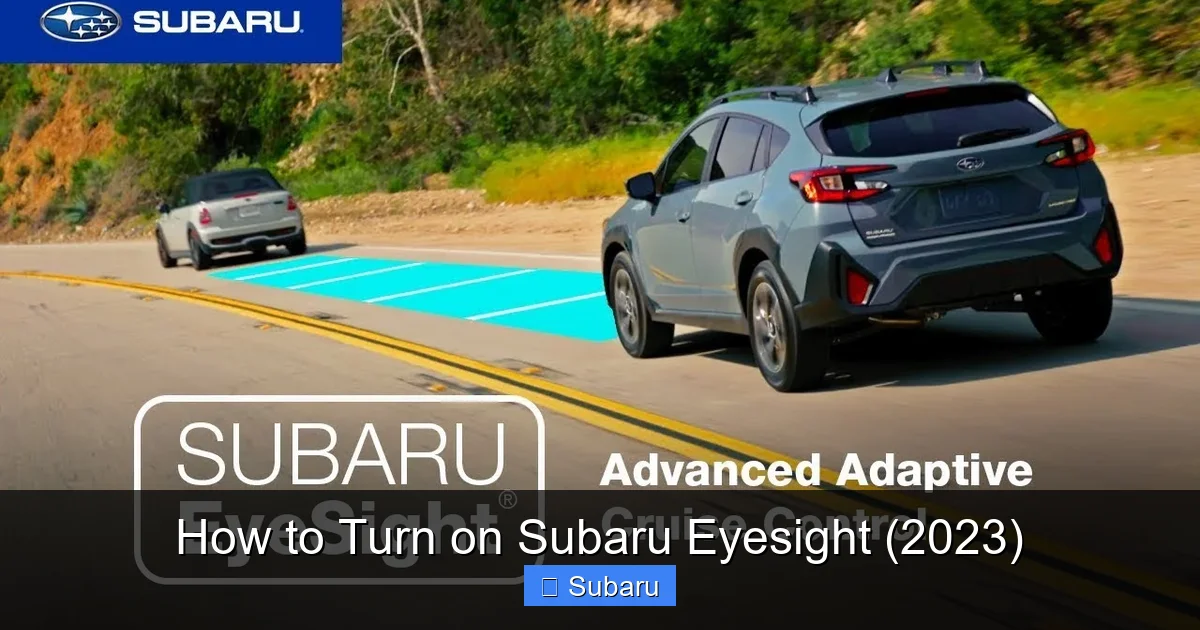
Visual guide about How to Turn on Subaru Eyesight (2023)
Image source: i.ytimg.com
Activating EyeSight in your 2023 Subaru is a straightforward process. Whether you’re a new owner or just haven’t used the system yet, these steps will get you up and running in under five minutes. The exact method may vary slightly depending on your model and trim level, but the core process remains consistent across the lineup.
Method 1: Using the Steering Wheel Controls
The most common way to turn on EyeSight is through the buttons on your steering wheel. Here’s how:
1. Start your vehicle and ensure the ignition is in the “On” position.
2. Locate the “i” button on the left side of the steering wheel. This is the information or settings button.
3. Press the “i” button once. This will bring up the vehicle settings menu on your instrument cluster display.
4. Use the arrow buttons (up/down) to navigate to the “EyeSight” option.
5. Press the “Enter” or “OK” button to select it.
6. You’ll see options like “Enable,” “Disable,” or “Settings.” Choose “Enable” to activate the system.
7. Confirm your selection. The EyeSight indicator light on your dashboard should illuminate, confirming activation.
Once enabled, the system will remain active for all future drives unless manually turned off.
Method 2: Using the Touchscreen Infotainment System
If your 2023 Subaru has a larger touchscreen (like the 11.6-inch display in the Outback or Forester), you can also control EyeSight through the vehicle settings menu:
1. Tap the “Settings” icon on the home screen of your infotainment system.
2. Select “Vehicle” from the menu options.
3. Scroll down and tap “EyeSight.”
4. Toggle the switch to “On” to activate the system.
5. You can also access customization options here, such as adjusting alert sensitivity or following distance.
This method is especially helpful if you prefer using the touchscreen over steering wheel buttons. It also gives you access to more detailed settings in one place.
Verifying EyeSight Is Active
After turning on EyeSight, it’s important to confirm it’s working properly. Look for the EyeSight indicator light on your instrument cluster—it typically appears as a green icon with two camera lenses. If the light is on, the system is active.
You can also test it by driving at moderate speed on a straight road. If lane keep assist is enabled, you’ll feel gentle steering corrections if you drift out of your lane. For adaptive cruise control, press the “SET” button on the steering wheel while driving to engage it.
If the system doesn’t respond, double-check that the cameras are unobstructed and that the vehicle is in a well-lit area. In rare cases, a system reset or dealer calibration may be needed.
Customizing Your EyeSight Settings for Maximum Comfort
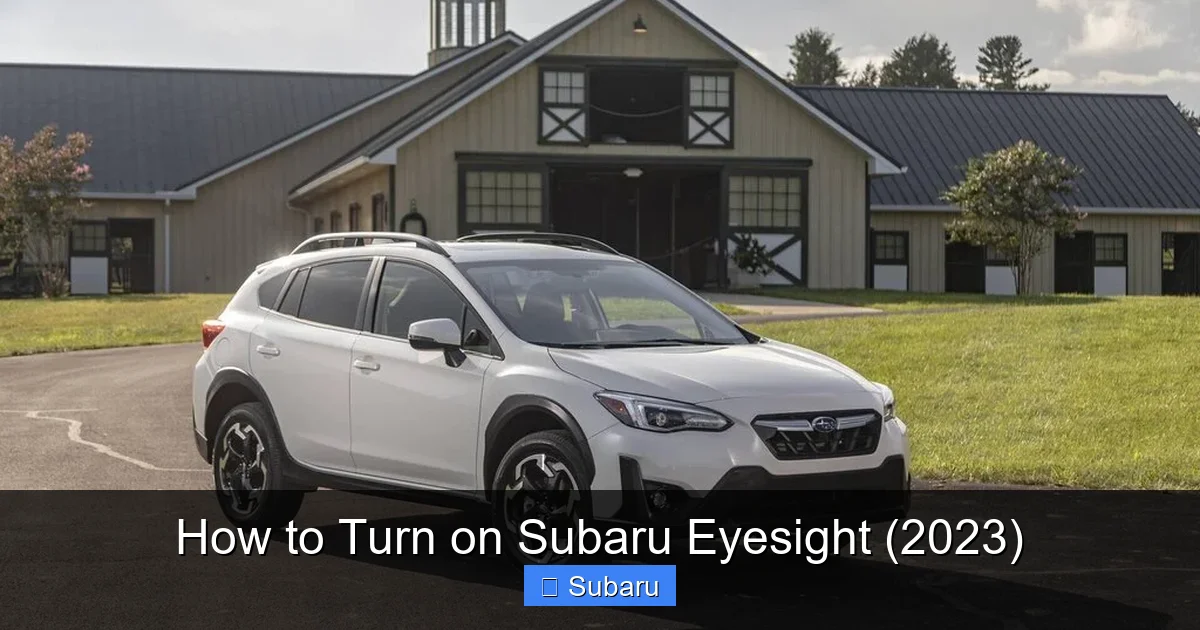
Visual guide about How to Turn on Subaru Eyesight (2023)
Image source: i.gaw.to
One of the best things about Subaru EyeSight is its flexibility. You’re not stuck with one-size-fits-all settings. Instead, you can tailor the system to match your driving style, road conditions, and personal preferences. This customization ensures EyeSight works for you—not the other way around.
Adjusting Following Distance in Adaptive Cruise Control
Adaptive cruise control (ACC) is one of EyeSight’s most popular features. It automatically maintains a set speed and distance from the vehicle ahead. But not all drivers prefer the same following gap.
To adjust the distance:
– While ACC is active, press the “Distance” button on the steering wheel (usually labeled with a car icon and arrows).
– Each press cycles through three settings: short, medium, and long.
– Choose the one that feels most comfortable for your driving style.
For example, if you frequently drive in heavy city traffic, a shorter distance might help you keep up with stop-and-go flow. On highways, a longer distance provides more reaction time and reduces unnecessary braking.
Changing Alert Sensitivity
EyeSight can alert you to lane departures, forward collisions, and when the car ahead starts moving. But sometimes, these alerts can feel too frequent or too subtle.
To adjust sensitivity:
– Go to the EyeSight settings menu (via steering wheel or touchscreen).
– Select “Alert Sensitivity” or “Warning Timing.”
– Choose from options like “High,” “Medium,” or “Low.”
If you find the lane departure warning too aggressive, lowering the sensitivity can reduce unnecessary beeps. Conversely, if you want earlier warnings, set it to “High” for maximum awareness.
Enabling or Disabling Specific Features
Not every driver uses every EyeSight feature. Maybe you prefer to control your speed manually and only want lane keep assist. You can disable individual functions without turning off the entire system.
For example:
– Turn off pre-collision braking if you find it too sensitive.
– Disable lead vehicle start alert if it beeps too often at traffic lights.
– Keep lane keep assist on for highway driving but turn it off in tight city streets.
This level of control lets you use EyeSight exactly how you want—enhancing safety without adding frustration.
Troubleshooting Common EyeSight Issues
Even the most reliable systems can occasionally run into problems. If your EyeSight isn’t working as expected, don’t panic. Most issues are easy to fix with a few simple steps.
EyeSight Light Is Off or Flashing
If the EyeSight indicator light is off or flashing, the system may be disabled or experiencing a fault. First, check if it was accidentally turned off using the steering wheel or touchscreen. Re-enable it and see if the light turns solid green.
If the light continues to flash, it could indicate a problem with the cameras or sensors. Common causes include:
– Dirt, snow, or ice on the windshield near the rearview mirror.
– Obstructions like stickers, toll tags, or sun visors blocking the camera view.
– A recent windshield replacement without proper calibration.
Clean the windshield thoroughly, especially the area behind the mirror. If the issue persists, visit a Subaru dealer for a diagnostic check.
System Not Responding to Lane Departures
If lane keep assist isn’t working, the cameras may not be detecting lane markings. This often happens in poor weather, on poorly marked roads, or at night.
Try driving during daylight on a well-marked highway. If the system still doesn’t respond, check for:
– Smudges or condensation on the inside of the windshield.
– A misaligned camera due to impact or repair.
In some cases, the system may need recalibration. Subaru dealers have specialized tools to realign the cameras and restore full functionality.
Adaptive Cruise Control Won’t Engage
If you press the “SET” button and nothing happens, the system may be disabled or waiting for the right conditions. Adaptive cruise control typically requires:
– A minimum speed (usually 20 mph or higher).
– Clear road visibility.
– No active warnings or faults.
Ensure you’re driving above the minimum speed and that the road ahead is visible. If the problem continues, restart the vehicle and try again. A simple reboot often resolves temporary glitches.
Maintaining Your EyeSight System for Long-Term Performance
Like any advanced technology, EyeSight works best when properly maintained. A little care goes a long way in ensuring it’s always ready when you need it.
Keep the Windshield Clean
The cameras behind the rearview mirror need a clear view of the road. Even small smudges, bugs, or water spots can interfere with detection.
Make it a habit to clean the inside and outside of your windshield regularly. Use a glass cleaner and microfiber cloth to avoid streaks. Pay special attention to the area around the mirror mount.
Check for Software Updates
Subaru periodically releases software updates to improve EyeSight performance and add new features. These updates are usually installed during routine service visits.
Ask your dealer if your vehicle has the latest software version. Some models may also support over-the-air updates via the infotainment system.
Schedule Regular Inspections
During oil changes or maintenance visits, ask the technician to inspect the EyeSight system. They can check camera alignment, clean sensors, and verify all features are functioning correctly.
This proactive approach helps catch small issues before they become big problems.
EyeSight and Real-World Safety: What the Data Says
Subaru EyeSight isn’t just a marketing buzzword—it’s backed by real-world data. Studies from organizations like the Insurance Institute for Highway Safety (IIHS) show that vehicles equipped with EyeSight have significantly lower crash rates.
For example, a 2022 IIHS report found that Subaru models with EyeSight had 40% fewer front-to-rear crashes and 60% fewer pedestrian-related accidents compared to similar vehicles without the technology. These numbers highlight the system’s effectiveness in preventing common collisions.
Moreover, EyeSight has earned top safety ratings from the National Highway Traffic Safety Administration (NHTSA) and IIHS year after year. In 2023, multiple Subaru models received “Top Safety Pick+” awards—partly due to EyeSight’s strong performance.
But beyond the stats, drivers consistently report feeling more confident and less stressed behind the wheel. Whether it’s avoiding a sudden stop or staying centered in a lane, EyeSight provides peace of mind that’s hard to put a price on.
Conclusion: Make the Most of Your Subaru EyeSight
Turning on Subaru EyeSight in your 2023 model is one of the smartest things you can do for your safety and driving experience. It’s quick, easy, and makes a real difference on the road. From preventing accidents to reducing fatigue, this advanced system is designed to support you every mile of the way.
Remember, EyeSight works best when it’s clean, calibrated, and customized to your needs. Take a few minutes to enable it, adjust the settings, and keep the windshield clear. And if you ever run into issues, don’t hesitate to visit a Subaru dealer for help.
With EyeSight active, you’re not just driving—you’re driving smarter, safer, and with confidence. So go ahead, hit that “Enable” button, and enjoy the peace of mind that comes with Subaru’s award-winning safety technology.
Frequently Asked Questions
How do I know if my 2023 Subaru has EyeSight?
Most 2023 Subaru models come standard with EyeSight, including the Outback, Forester, Legacy, and Crosstrek. Check your window sticker, owner’s manual, or look for the dual cameras behind the rearview mirror. You can also verify in the vehicle settings menu.
Can I turn off EyeSight if I don’t want to use it?
Yes, you can disable EyeSight at any time using the steering wheel or touchscreen settings. However, it will reset to “on” each time you start the vehicle, so you may need to turn it off repeatedly if you prefer not to use it.
Does EyeSight work in bad weather?
EyeSight works best in clear, well-lit conditions. Heavy rain, snow, fog, or glare can reduce its effectiveness. The system may temporarily disable certain features until visibility improves.
What should I do if EyeSight stops working after a windshield replacement?
The cameras may need recalibration after windshield work. Visit a Subaru dealer to have the system realigned. This ensures accurate detection and full functionality.
Can I use EyeSight while towing?
Yes, EyeSight can be used while towing, but adaptive cruise control and lane keep assist may be less effective due to changes in vehicle dynamics. Use extra caution and monitor the system closely.
Does EyeSight require a subscription or monthly fee?
No, EyeSight is a built-in feature with no ongoing costs. Once activated, it works automatically without any subscriptions or fees.
