
How to Change the Clock in a Subaru Forester

Changing the clock in your Subaru Forester is simpler than you think—whether you drive a 2008 model or a 2024 Forester, this guide covers every method. From touchscreen infotainment systems to traditional button controls, we’ll walk you through each step so your dashboard always shows the correct time.
If you’ve ever glanced at your Subaru Forester’s dashboard only to realize the clock is off by 20 minutes—or worse, stuck in last decade’s time zone—you’re not alone. Whether it’s daylight saving time, a recent battery replacement, or just a glitch in the system, having an inaccurate clock can throw off your entire routine. From missing appointments to arriving late for school pickup, that tiny digital display plays a bigger role in your daily life than you might think. The good news? Resetting or changing the clock in your Subaru Forester is usually quick, straightforward, and doesn’t require a trip to the dealership.
But here’s the catch: not all Foresters are created equal when it comes to clock settings. Depending on your model year, trim level, and infotainment system, the process can range from a simple two-button press to navigating a multi-layer touchscreen menu. That’s why it’s essential to know exactly which method applies to your vehicle. In this comprehensive guide, we’ll walk you through every possible scenario—from the earliest 2003 Forester to the latest 2024 models—so you can get your clock back on track in under five minutes. Whether you’re a DIY enthusiast or someone who just wants their car to tell the right time, this article has you covered.
Key Takeaways
- Know your model year: Clock-setting methods vary significantly between older analog systems and newer touchscreen interfaces.
- Use the “Settings” menu on newer Foresters: Models from 2014 onward typically require navigating the Starlink infotainment system.
- Older models rely on physical buttons: Pre-2014 Foresters use a combination of the “CLOCK” and “SET” buttons near the radio.
- Sync with GPS for automatic updates: Enable GPS time sync on compatible models to keep your clock accurate without manual input.
- Battery disconnects may reset the clock: Always check and readjust the time after jump-starting or replacing the car battery.
- Daylight Saving Time requires manual adjustment: Most Subaru Foresters don’t auto-adjust for DST, so plan to update twice a year.
- Consult your owner’s manual: It’s the most reliable source for your specific trim and infotainment version.
📑 Table of Contents
Why Your Subaru Forester’s Clock Might Be Wrong
Before diving into the how-to steps, it helps to understand why your Forester’s clock might be inaccurate in the first place. Knowing the root cause can save you time and frustration—and sometimes prevent the problem from happening again.
One of the most common reasons is a recent battery disconnect or replacement. When the 12-volt battery is disconnected—whether for maintenance, jump-starting, or replacement—the vehicle’s internal memory systems lose power. This includes the clock, radio presets, and even seat position memory on higher trims. Once power is restored, the clock often defaults to 12:00 or another preset time, requiring a manual reset.
Another frequent culprit is daylight saving time (DST). Unlike smartphones or smartwatches, most Subaru Foresters—even recent models—do not automatically adjust for DST. That means twice a year, you’ll need to manually advance or roll back the clock by one hour. If you forget, you might find yourself showing up an hour early (or late) to your next meeting.
Signal interference or weak GPS reception can also affect newer models equipped with GPS-based time synchronization. While this feature is designed to keep your clock accurate by syncing with satellite signals, it can sometimes fail in areas with poor coverage—like underground parking garages, dense urban canyons, or remote mountain roads. In these cases, the system may fall back to the last known time or stop updating altogether.
Finally, software glitches in the infotainment system—especially after a firmware update or system reboot—can cause the clock to freeze or display incorrect information. This is more common in models with the Starlink system introduced around 2014. A simple reboot of the infotainment unit often resolves the issue, but if not, a manual clock adjustment may be necessary.
How to Change the Clock in Older Subaru Foresters (2003–2013)
Visual guide about How to Change the Clock in a Subaru Forester
Image source: cdn.onderdelenlijn.nl
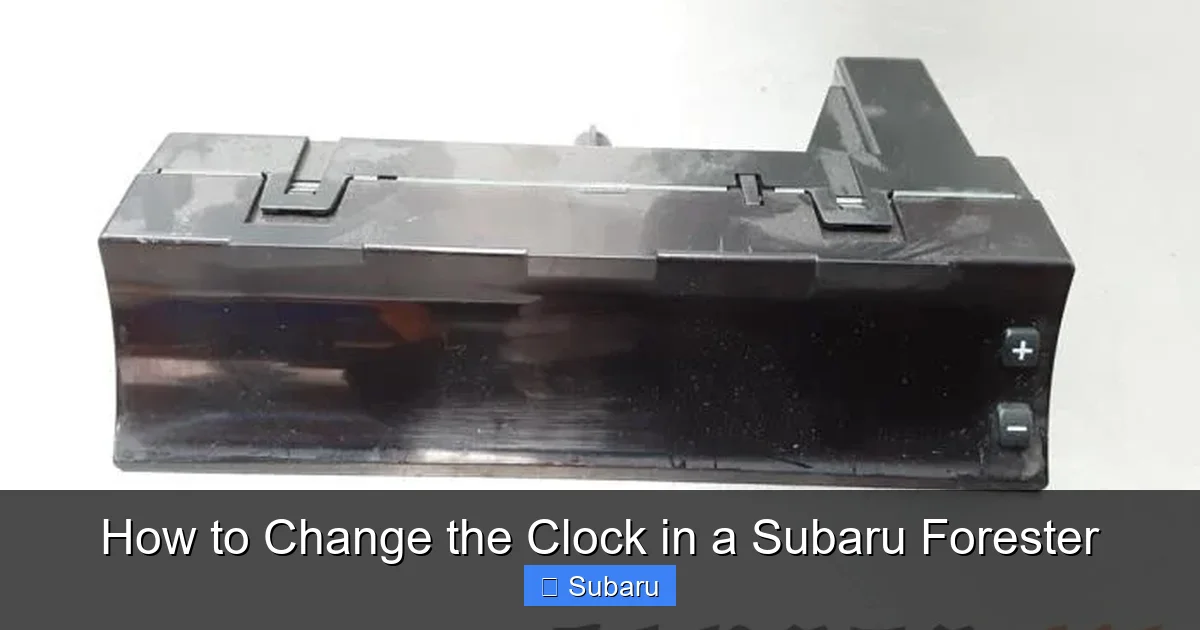
If you drive a Subaru Forester from 2003 to 2013, you’re likely working with a more traditional analog-style dashboard and radio system. These models don’t have touchscreens or advanced infotainment suites, so adjusting the clock relies on physical buttons—usually located near the radio or climate controls.
Step-by-Step Guide for 2003–2013 Models
Start by turning on your vehicle’s ignition. You don’t need to start the engine, but the accessory mode must be active so the dashboard lights up. Look for two small buttons labeled “CLOCK” and “SET” near the radio faceplate. On some models, these buttons are part of the radio unit itself; on others, they’re integrated into the climate control panel.
Press and hold the “CLOCK” button for about three seconds until the display starts blinking. This indicates that the clock is now in adjustment mode. Once blinking, use the “SET” button to advance the time. Each press typically increases the minutes by one. If you need to adjust the hour, continue pressing “SET” until the hour changes—some models require you to cycle through all 60 minutes to reach the next hour.
For faster adjustments, try holding down the “SET” button. On many older Foresters, this causes the time to increment rapidly, saving you from pressing the button dozens of times. Once the correct time is displayed, press the “CLOCK” button again to confirm and exit adjustment mode. The display should stop blinking and return to normal operation.
Tips and Common Pitfalls
One common mistake is not holding the “CLOCK” button long enough. If you tap it briefly, nothing will happen—you need to press and hold for at least two to three seconds. Also, be patient: the system may take a moment to respond, especially in colder temperatures.
If your Forester has a navigation system (available on higher trims like the 2009–2013 Limited), the process might differ slightly. In these cases, the clock is often controlled through the navigation menu. Use the “Menu” button on the nav unit, then navigate to “Settings” > “Clock” > “Manual Adjust.” From there, use the touchscreen or joystick to set the correct time.
Another tip: always double-check the AM/PM setting if your model uses a 12-hour format. It’s easy to accidentally set the clock to 3:00 AM instead of 3:00 PM, especially if you’re adjusting it in the evening. Some older models don’t clearly distinguish between AM and PM, so pay close attention to the context—like whether the sun is up or down.
Changing the Clock in Newer Subaru Foresters (2014–2024)

Visual guide about How to Change the Clock in a Subaru Forester
Image source: clockspringexperts.com
Starting in 2014, Subaru began equipping the Forester with the Starlink infotainment system, which introduced a touchscreen interface and more advanced features—including GPS-based time synchronization. While this technology offers greater accuracy, it also means the clock-setting process has moved from physical buttons to digital menus.
Using the Starlink Touchscreen (2014–2024)
To adjust the clock on a 2014 or newer Forester, start by turning on the ignition. Tap the “Home” button on the touchscreen—usually represented by a house icon—to access the main menu. From there, select “Settings,” which is typically indicated by a gear or cogwheel symbol.
Scroll through the settings menu until you find “Clock” or “Time & Date.” Tap on it to open the clock adjustment screen. Here, you’ll see options for both manual time entry and automatic GPS synchronization. If you prefer to set the time manually, toggle off “Auto Time Sync” or “GPS Time Sync.”
Once manual mode is enabled, you can adjust the hours and minutes using the on-screen +/- buttons or by typing in the time directly if your model supports it. Some newer Foresters allow you to tap the hour or minute field and use a virtual keypad to enter the exact time. After setting the correct time, tap “Save” or “OK” to confirm.
Enabling GPS Time Sync for Automatic Updates
One of the biggest advantages of newer Foresters is the ability to sync the clock with GPS satellites. This feature ensures your clock stays accurate without any manual intervention—even across time zones. To enable it, return to the “Clock” settings menu and toggle “Auto Time Sync” or “GPS Time Sync” to “On.”
Keep in mind that this feature requires a clear view of the sky to receive satellite signals. If you park in a garage or drive through a tunnel, the system may temporarily lose sync. However, it should automatically update once you’re back in an open area. This is especially useful for road trips or frequent travelers who cross time zones.
Troubleshooting Touchscreen Issues
Sometimes, the touchscreen may become unresponsive or freeze during the clock adjustment process. If this happens, try restarting the infotainment system by turning the car off completely, waiting 30 seconds, and then restarting it. In rare cases, a software glitch may require a system reset.
To perform a soft reset, locate the small reset button—usually found behind a small hole near the USB ports or near the volume knob. Use a paperclip or SIM tool to press and hold the button for 10–15 seconds. This reboots the system without affecting your saved settings. After the restart, try adjusting the clock again.
Special Cases: Hybrid and Wilderness Trims

Visual guide about How to Change the Clock in a Subaru Forester
Image source: cdn.onderdelenlijn.nl
Subaru introduced the Forester Hybrid in select markets and the rugged Wilderness trim in 2022, both of which come with unique infotainment setups. While the basic clock-setting principles remain the same, there are a few nuances to be aware of.
Forester Hybrid (2014–2016)
The Forester Hybrid uses a slightly different version of the Starlink system, with a smaller screen and fewer touch capabilities. To adjust the clock, press the “Menu” button on the steering wheel or center console, then navigate to “Vehicle Settings” > “Clock.” Use the arrow buttons to adjust the time manually. GPS sync is available but may be less reliable due to the older hardware.
Forester Wilderness (2022–2024)
The Wilderness trim features the latest Starlink system with an 8-inch touchscreen and enhanced connectivity. The clock adjustment process is identical to other 2022–2024 models, but the system also includes a “Drive Mode” indicator that can affect display brightness. If the screen is too dim to see the settings, switch to “Normal” or “Sport” mode for better visibility.
Additionally, the Wilderness trim includes off-road navigation features that may interfere with GPS time sync in remote areas. If you frequently drive in locations with poor satellite reception, consider keeping manual time adjustment enabled as a backup.
Pro Tips for Maintaining an Accurate Clock
Even with the right method, keeping your Forester’s clock accurate over time requires a bit of maintenance. Here are some pro tips to ensure your clock stays on point year-round.
First, always check the clock after any service that involves disconnecting the battery. This includes oil changes, brake work, or even replacing the cabin air filter if it requires removing the battery tray. Make it a habit to glance at the clock the next time you start the car.
Second, mark your calendar for daylight saving time changes. Set a reminder on your phone for the second Sunday in March (spring forward) and the first Sunday in November (fall back). That way, you won’t forget to adjust the clock—and avoid showing up an hour late to brunch.
Third, if you frequently travel across time zones, consider using the GPS sync feature but also carry a backup method. For example, set your phone to automatically update time zones and use it as a reference when adjusting your car’s clock. This is especially helpful on long road trips.
Finally, keep your owner’s manual handy. While this guide covers most scenarios, your specific Forester may have unique features or settings based on trim, region, or optional packages. The manual is the most accurate source for your vehicle.
When to Seek Professional Help
In rare cases, the clock may refuse to update despite following all the correct steps. This could indicate a deeper issue, such as a faulty clock module, damaged wiring, or a software bug in the infotainment system.
If you’ve tried multiple methods and the clock still won’t change—or if it resets every time you turn off the car—it’s time to visit a Subaru dealership or certified mechanic. They can run diagnostics on the vehicle’s electrical system and determine whether a hardware replacement or software update is needed.
Additionally, if the entire dashboard display is malfunctioning—showing garbled text, flickering, or going completely dark—this could signal a problem with the instrument cluster itself. In such cases, professional intervention is essential for safety and functionality.
Conclusion
Changing the clock in your Subaru Forester might seem like a small task, but it’s one that impacts your daily routine, punctuality, and overall driving experience. Whether you’re driving a classic 2005 model with simple button controls or a cutting-edge 2024 Forester with GPS sync, knowing how to adjust the time ensures you’re always on schedule.
From understanding why the clock goes wrong in the first place to mastering the settings menu on your touchscreen, this guide equips you with everything you need to keep your Forester’s clock accurate and reliable. Remember to check the time after battery work, adjust for daylight saving, and use GPS sync when possible. And when in doubt, your owner’s manual is always the best first stop.
With these tips and techniques, you’ll never be late—or early—because of a faulty clock again. Your Subaru Forester is built for adventure, reliability, and everyday convenience. Now, its clock can be too.
Frequently Asked Questions
How do I change the clock in a 2008 Subaru Forester?
For a 2008 Forester, press and hold the “CLOCK” button near the radio until the display blinks. Then use the “SET” button to adjust the minutes and hours. Press “CLOCK” again to save.
Can I set my Forester’s clock automatically?
Yes, if your Forester has GPS (2014 or newer), enable “Auto Time Sync” in the Starlink settings menu. This syncs the clock with satellite time for accuracy.
Why does my Forester’s clock keep resetting?
This usually happens after a battery disconnect or replacement. The system loses power and defaults to 12:00. Simply readjust the clock using the manual method.
Does the Forester adjust for daylight saving time automatically?
No, most Subaru Foresters require manual adjustment for daylight saving time. You’ll need to change the clock twice a year.
What if the clock won’t change on my 2020 Forester?
Try restarting the infotainment system by turning the car off for 30 seconds. If that doesn’t work, check if “Auto Time Sync” is enabled—it may be overriding manual changes.
Where is the clock button on a 2012 Forester?
On 2012 models, the “CLOCK” and “SET” buttons are usually located near the radio or climate controls. Look for small, unmarked buttons below the display.
