
Do You Need Subaru Starlink to Use Apple Carplay?

You do NOT need Subaru Starlink to use Apple CarPlay. Apple CarPlay works independently through a wired or wireless connection from your iPhone to compatible Subaru infotainment systems. Starlink enhances connectivity but isn’t required for basic CarPlay functionality.
Key Takeaways
- Apple CarPlay works without Subaru Starlink: You can use Apple CarPlay in supported Subaru models even if you don’t subscribe to or activate Starlink services.
- Starlink enhances, but doesn’t enable, CarPlay: While Starlink offers remote features like vehicle locator and emergency assistance, it’s not needed for navigation, music, or calls via CarPlay.
- Wired and wireless CarPlay options: Many newer Subaru models support both USB-connected and wireless Apple CarPlay, depending on trim and year.
- Check your model and infotainment system: Not all Subaru vehicles support CarPlay—verify compatibility based on model year and trim level.
- Starlink subscription is optional: You can enjoy full CarPlay features without paying for a Starlink plan, though some connected services may require it.
- Setup is simple and user-friendly: Connecting your iPhone to CarPlay takes just a few steps, with or without Starlink active.
- Future updates may improve integration: Subaru continues to refine infotainment systems, so staying updated ensures the best CarPlay experience.
📑 Table of Contents
- Do You Need Subaru Starlink to Use Apple CarPlay?
- What Is Apple CarPlay?
- What Is Subaru Starlink?
- Can You Use Apple CarPlay Without Subaru Starlink?
- How to Set Up Apple CarPlay in Your Subaru
- Benefits of Using Apple CarPlay in Your Subaru
- Should You Get Subaru Starlink?
- Future of CarPlay and Starlink in Subaru Vehicles
- Conclusion
Do You Need Subaru Starlink to Use Apple CarPlay?
If you’re a Subaru owner—or considering buying one—you’ve probably heard about Apple CarPlay and Subaru Starlink. Both are popular features that enhance your driving experience, but there’s often confusion about how they work together. The big question many people ask is: Do you actually need Subaru Starlink to use Apple CarPlay?
The short answer is no—you don’t need Subaru Starlink to use Apple CarPlay. These are two separate systems that serve different purposes, though they can complement each other. Apple CarPlay lets you mirror key iPhone functions—like Maps, Messages, Music, and Podcasts—onto your car’s touchscreen. Subaru Starlink, on the other hand, is a connected services platform that offers remote start, vehicle health reports, emergency assistance, and more.
Understanding the difference between these two technologies is key to getting the most out of your Subaru. In this guide, we’ll break down what each system does, how they interact (or don’t), and whether you really need one to use the other. Whether you’re driving a 2020 Outback or a 2024 Forester, this article will help you make informed decisions about your infotainment setup.
What Is Apple CarPlay?
Visual guide about Do You Need Subaru Starlink to Use Apple Carplay?
Image source: inside-digital.de
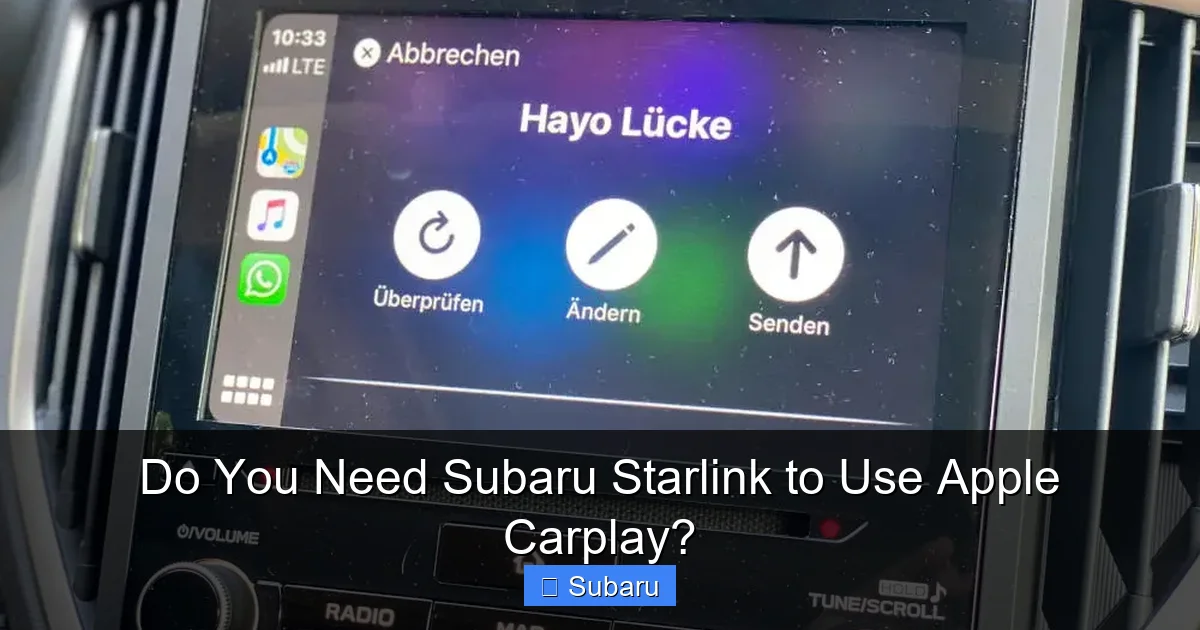
Apple CarPlay is a smart interface developed by Apple that allows iPhone users to access essential apps and functions safely while driving. Instead of fumbling with your phone, CarPlay mirrors a simplified version of your iPhone screen onto your vehicle’s infotainment display. You can use voice commands via Siri, tap the screen, or use steering wheel controls to navigate.
With CarPlay, you can:
– Get turn-by-turn directions using Apple Maps or Google Maps
– Send and receive text messages hands-free
– Listen to music, podcasts, or audiobooks from apps like Apple Music, Spotify, or Audible
– Make phone calls using your contacts
– Use third-party navigation apps like Waze
CarPlay is designed to minimize distractions. It uses large icons, voice control, and integrates seamlessly with your car’s audio system. The interface is clean, intuitive, and familiar to anyone who uses an iPhone.
One of the best things about CarPlay is that it works independently of other vehicle systems. As long as your car has a compatible infotainment unit and the right connection (USB or wireless), you can use CarPlay right away—no subscriptions, no extra hardware, no monthly fees.
How Apple CarPlay Connects to Your Subaru
Apple CarPlay connects to your Subaru in one of two ways: wired or wireless.
Wired Connection: This is the most common method. You plug your iPhone into the USB port using a Lightning cable (or USB-C for newer iPhones). Once connected, CarPlay automatically launches on the infotainment screen. This method is reliable and ensures a stable connection, especially for navigation and streaming.
Wireless Connection: Available on many newer Subaru models (typically 2020 and later), wireless CarPlay lets you connect without plugging in. Your iPhone pairs via Bluetooth and Wi-Fi, allowing CarPlay to start automatically when you enter the vehicle. This is convenient, but it may use more battery and can occasionally lose connection in areas with weak signals.
To use wireless CarPlay, your Subaru must have the right hardware and software. Not all trims support it, so check your owner’s manual or Subaru’s website for details.
Which Subaru Models Support Apple CarPlay?
Apple CarPlay is available on most Subaru vehicles from 2017 onward, but availability depends on the trim level and infotainment system. Here’s a quick breakdown:
– 2017–2019 Models: CarPlay is available on higher trims (e.g., Limited, Touring) with the 8-inch Starlink Multimedia Plus or Starlink Multimedia Nav systems.
– 2020–2024 Models: CarPlay is standard on nearly all trims, including base models like the Impreza L and Crosstrek Base. Wireless CarPlay is often included on Premium, Sport, Limited, and Touring trims.
– Popular Models with CarPlay: Outback, Forester, Crosstrek, Ascent, Legacy, and WRX (from 2022 onward).
Always confirm with your specific VIN or consult Subaru’s official compatibility tool to be sure.
What Is Subaru Starlink?

Visual guide about Do You Need Subaru Starlink to Use Apple Carplay?
Image source: adventureforester.files.wordpress.com
Subaru Starlink is a suite of connected vehicle services designed to enhance safety, convenience, and entertainment. Think of it as Subaru’s version of GM’s OnStar or Toyota’s Safety Connect. Starlink uses an embedded cellular modem in your vehicle to connect to Subaru’s network, enabling a range of remote and in-car features.
Starlink is divided into two main categories: Safety & Security and Multimedia & Connectivity.
Safety & Security Features
These features are designed to protect you and your vehicle:
– Automatic Collision Notification: If your airbags deploy, Starlink can automatically alert emergency services and send your location.
– Stolen Vehicle Recovery: If your car is stolen, Subaru can help law enforcement track it using GPS.
– SOS Emergency Assistance: Press the SOS button to connect with a live agent who can dispatch help.
– Remote Door Unlock: If you lock your keys in the car, you can unlock it remotely via the MySubaru app.
– Maintenance Alerts: Get reminders for oil changes, tire rotations, and other service needs.
These services typically require a paid Starlink subscription after a trial period (usually 1–3 years, depending on the model and purchase date).
Multimedia & Connectivity Features
This side of Starlink focuses on entertainment and convenience:
– Wi-Fi Hotspot: Turn your Subaru into a mobile Wi-Fi hotspot for passengers’ devices. This requires a data plan.
– Remote Start: Start your car from your smartphone to warm it up in winter or cool it down in summer.
– Vehicle Locator: Find your parked car using GPS through the MySubaru app.
– Destination Search & Send-to-Car: Search for destinations on your phone and send them directly to your navigation system.
While these features are useful, they are not required for Apple CarPlay to function.
Do You Need a Starlink Subscription?
No, you don’t need a Starlink subscription to use Apple CarPlay. The infotainment system that runs CarPlay is separate from the Starlink connected services module. You can use CarPlay with or without an active Starlink plan.
However, some features—like the Wi-Fi hotspot or remote start—do require a subscription. If you don’t activate Starlink, those features simply won’t be available. But your ability to connect your iPhone and use CarPlay remains unaffected.
Can You Use Apple CarPlay Without Subaru Starlink?
Visual guide about Do You Need Subaru Starlink to Use Apple Carplay?
Image source: autoshub.net
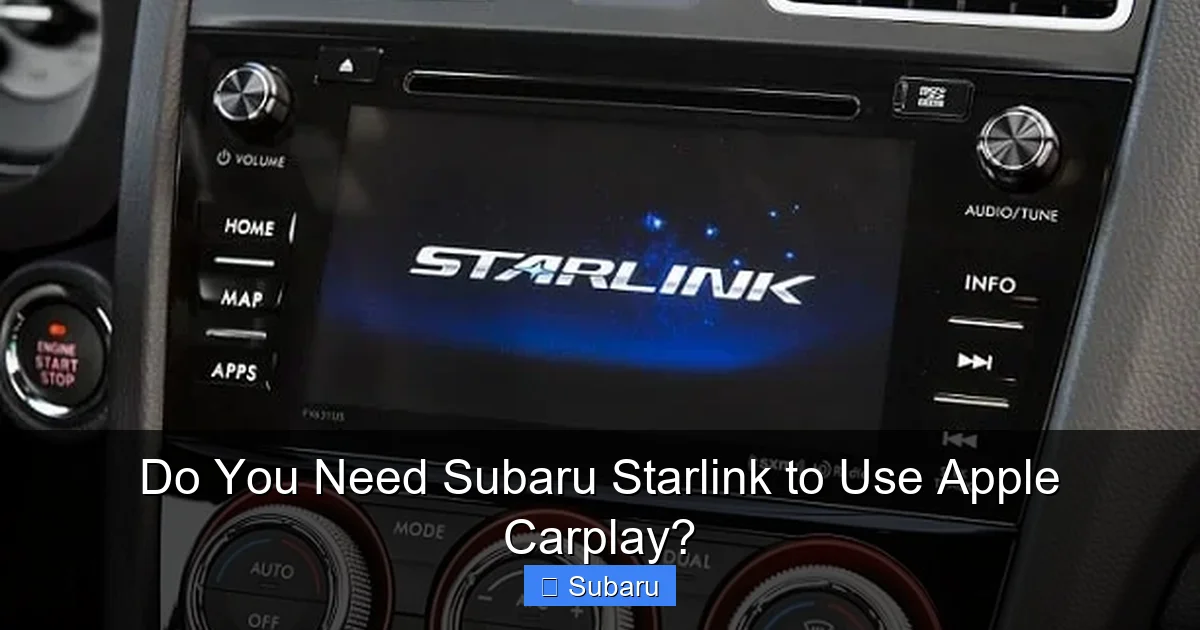
Yes—absolutely. Apple CarPlay operates independently of Subaru Starlink. Here’s why:
– Different Systems: CarPlay runs on the infotainment head unit, while Starlink uses a separate telematics control unit (TCU) for cellular connectivity.
– No Dependency: CarPlay doesn’t rely on Starlink’s cellular connection. It uses your iPhone’s data or Wi-Fi for internet access.
– No Subscription Needed: You don’t need to pay for Starlink to use CarPlay. Even if your Starlink trial expires, CarPlay continues to work.
Let’s say you buy a 2022 Subaru Outback Premium. It comes with wireless Apple CarPlay and a 3-year Starlink Safety & Security trial. After three years, if you choose not to renew Starlink, you can still use CarPlay for navigation, music, and calls. The only things you’ll lose are remote services like vehicle locator or automatic crash response.
Real-World Example: Using CarPlay Without Starlink
Imagine you’re driving your 2021 Forester on a road trip. You plug in your iPhone, and CarPlay loads instantly. You ask Siri to navigate to a national park, play your favorite playlist, and send a text to your friend. All of this works perfectly—even though your Starlink subscription lapsed six months ago.
Your phone uses its own cellular data for maps and streaming. The car’s infotainment system simply acts as a display and controller. No Starlink required.
What Happens If Starlink Is Disabled?
If you disable or never activate Starlink, here’s what changes:
– You can’t use the MySubaru app for remote features.
– No automatic crash notification or SOS button functionality.
– No Wi-Fi hotspot.
– No remote start (if your model supports it).
But again—CarPlay remains fully functional. You can still connect via USB or wirelessly, use Siri, and access all your favorite apps.
How to Set Up Apple CarPlay in Your Subaru
Setting up Apple CarPlay in your Subaru is straightforward. Here’s a step-by-step guide for both wired and wireless connections.
Wired CarPlay Setup
1. Ensure Compatibility: Confirm your Subaru model and trim support CarPlay (most 2017+ models do).
2. Update Your iPhone: Make sure your iPhone is running iOS 7.1 or later (ideally the latest version).
3. Use a Quality Cable: Use an Apple-certified Lightning or USB-C cable. Cheap cables can cause connection issues.
4. Plug In: Connect your iPhone to the USB port (usually in the center console).
5. Allow Access: When prompted on your iPhone, tap “Allow” to grant CarPlay access.
6. Launch CarPlay: The CarPlay interface should appear on your Subaru’s screen automatically.
Tip: If CarPlay doesn’t start, check your phone’s settings under General > CarPlay and ensure your vehicle is listed.
Wireless CarPlay Setup
1. Enable Bluetooth and Wi-Fi: Make sure both are turned on in your iPhone’s settings.
2. Pair Your Phone: Go to your Subaru’s infotainment system, select “Phone,” then “Add New Device.” Follow the prompts to pair via Bluetooth.
3. Enable Wireless CarPlay: On your iPhone, go to Settings > General > CarPlay, select your vehicle, and toggle on “Wireless.”
4. Enter the Vehicle: The next time you start your car, CarPlay should launch automatically when your iPhone is nearby.
Note: Wireless CarPlay may take a few seconds to connect. Keep your phone in your pocket or purse—no need to plug in.
Troubleshooting Common Issues
– CarPlay Not Appearing: Restart your iPhone and the infotainment system. Check for software updates.
– Connection Drops: For wireless, ensure your phone is close to the center console. Avoid metal objects or interference.
– Audio Not Working: Make sure the audio source is set to “CarPlay” in the infotainment menu.
– Siri Not Responding: Check microphone permissions in iPhone settings and ensure the car’s mic isn’t blocked.
Benefits of Using Apple CarPlay in Your Subaru
Using Apple CarPlay in your Subaru offers several advantages that enhance safety, convenience, and enjoyment.
Safer Driving
CarPlay reduces the need to handle your phone while driving. With large buttons, voice control, and integration with steering wheel controls, you can keep your eyes on the road. Siri handles texting, calling, and navigation, minimizing distractions.
Seamless Integration
CarPlay feels like a natural extension of your iPhone. Your contacts, music playlists, and navigation history sync automatically. If you’re already in the Apple ecosystem, the transition is smooth and intuitive.
Access to Favorite Apps
You’re not limited to Apple’s built-in apps. CarPlay supports popular third-party apps like:
– Spotify and Pandora for music
– WhatsApp and Telegram for messaging
– Waze and Google Maps for navigation
– Audible and Pocket Casts for audio content
This flexibility lets you customize your driving experience.
Regular Updates
Apple frequently updates CarPlay with new features, improved performance, and better app support. As long as your Subaru’s infotainment system receives software updates, you’ll benefit from these improvements.
No Monthly Fees
Unlike Starlink’s connected services, Apple CarPlay is free to use. There’s no subscription, no activation fee, and no hidden costs. Once your car supports it, you’re good to go.
Should You Get Subaru Starlink?
While you don’t need Starlink for CarPlay, it’s worth considering if you value connected features. Here’s a balanced look at the pros and cons.
Pros of Subaru Starlink
– Enhanced Safety: Automatic crash response and SOS button can be lifesavers in emergencies.
– Convenience: Remote start, door unlock, and vehicle locator save time and hassle.
– Wi-Fi Hotspot: Great for families or road trips—keeps passengers connected.
– Peace of Mind: Knowing help is just a button press away adds confidence, especially on long drives.
Cons of Subaru Starlink
– Subscription Cost: After the trial period, plans range from $100–$200 per year.
– Not Essential: Many features can be replicated with a smartphone and apps.
– Privacy Concerns: Some users worry about data collection and tracking.
– Redundant with CarPlay: If you rely on CarPlay for navigation and communication, some Starlink features may feel unnecessary.
Who Should Consider Starlink?
– Frequent travelers or rural drivers who want emergency support
– Families with kids who need in-car Wi-Fi
– People who live in extreme climates and use remote start often
– Those who value peace of mind and advanced safety features
If you mainly use your car for short commutes and rely on CarPlay for everything else, you might skip the subscription.
Future of CarPlay and Starlink in Subaru Vehicles
Subaru continues to evolve its infotainment and connectivity offerings. Recent models feature larger screens, faster processors, and improved wireless capabilities. The 2024 Subaru Ascent, for example, includes a 11.6-inch vertical touchscreen with enhanced CarPlay integration.
Looking ahead, we can expect:
– Wireless CarPlay on More Trims: As technology improves, even base models may offer wireless connectivity.
– Better Voice Recognition: Integration with Siri and Google Assistant will become more seamless.
– Over-the-Air Updates: Subaru may enable remote software updates, keeping systems current without dealership visits.
– Enhanced App Support: More third-party apps will gain CarPlay compatibility.
While Starlink will likely remain a premium feature, its role may shift toward deeper integration with CarPlay—such as sharing real-time traffic data or enabling cloud-based voice commands.
Conclusion
So, do you need Subaru Starlink to use Apple CarPlay? The answer is a clear and confident no. Apple CarPlay is a standalone feature that works independently of Subaru’s connected services. You can enjoy full access to navigation, music, messaging, and more—without ever activating or paying for Starlink.
That said, Starlink offers valuable safety and convenience features that some drivers find worthwhile. But if your priority is a seamless, distraction-free way to use your iPhone in the car, CarPlay delivers—no subscription required.
Whether you’re driving a used 2018 Legacy or a brand-new 2024 Crosstrek, understanding how these systems work helps you make the most of your Subaru. Use CarPlay for everyday functionality, and consider Starlink only if its connected features align with your lifestyle.
Ultimately, the choice is yours. But one thing’s for sure: you don’t need to pay for Starlink to enjoy the benefits of Apple CarPlay.
Frequently Asked Questions
Can I use Apple CarPlay if my Subaru Starlink subscription expires?
Yes, you can still use Apple CarPlay even after your Starlink subscription ends. CarPlay does not depend on Starlink services and will continue to work as long as your infotainment system supports it.
Does wireless Apple CarPlay require Subaru Starlink?
No, wireless CarPlay does not require Starlink. It uses your iPhone’s Bluetooth and Wi-Fi to connect directly to the infotainment system, independent of Subaru’s connected services.
Which Subaru models have both Apple CarPlay and Starlink?
Most Subaru models from 2017 onward offer both features, especially higher trims. Examples include the Outback, Forester, Crosstrek, Ascent, and Legacy. Always check your specific model and trim for confirmation.
Can I use Google Maps with Apple CarPlay in my Subaru?
Yes, Google Maps is fully compatible with Apple CarPlay. You can use it for navigation just like Apple Maps, with voice guidance and real-time traffic updates.
Do I need an iPhone to use Apple CarPlay in my Subaru?
Yes, Apple CarPlay only works with iPhones. Android users can use Android Auto, which is also supported on many Subaru models.
Is there a way to get CarPlay on an older Subaru without it?
Some older Subaru models can be upgraded with aftermarket head units that support CarPlay. However, this requires professional installation and may affect warranty or vehicle integration.
