
How to Turn Off Lane Departure Warning on a Subaru

Turning off the lane departure warning on a Subaru is simple and can be done in seconds using buttons on the steering wheel or dashboard. This feature helps prevent unintentional lane changes but may be distracting for some drivers—especially on winding roads or during heavy traffic.
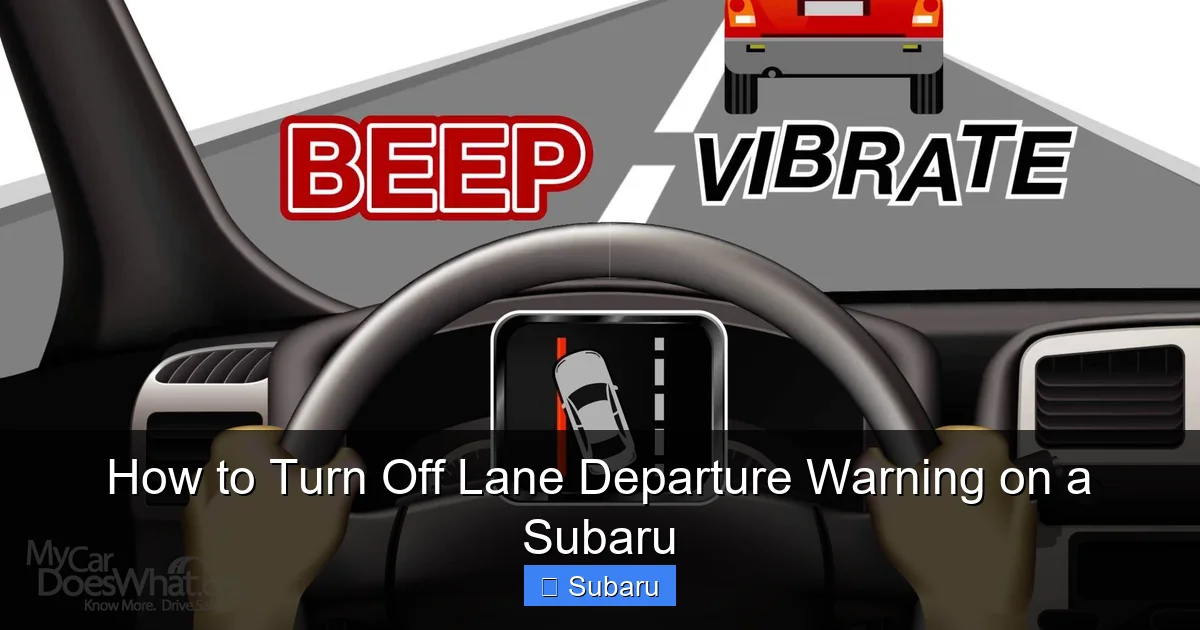
If you’ve ever been driving down a quiet country road or navigating through heavy rain only to have your Subaru suddenly beep and vibrate the steering wheel—you’re not alone. That’s the lane departure warning system doing its job. Designed to alert you when you unintentionally drift out of your lane without signaling, this safety feature has helped prevent countless accidents. But let’s be honest: sometimes it feels more like an annoyance than a helper.
Maybe you’re driving on a poorly marked rural road where lane lines fade in and out. Or perhaps you’re making a deliberate lane change in slow traffic and the system keeps triggering. Whatever the reason, you’re not stuck with constant alerts. The good news? Turning off lane departure warning on a Subaru is easier than you might think. And whether you drive a 2015 Outback or a 2023 Crosstrek, the process is straightforward once you know where to look.
In this guide, we’ll walk you through exactly how to disable lane departure warning on various Subaru models. We’ll cover everything from physical buttons to touchscreen menus, explain how the system works, and offer smart tips for when—and when not—to turn it off. By the end, you’ll have full control over this feature and know how to reactivate it when safety matters most.
Key Takeaways
- Understanding How to Turn Off Lane Departure Warning on a Subaru: Provides essential knowledge
📑 Table of Contents
- What Is Lane Departure Warning and How Does It Work?
- Why You Might Want to Turn Off Lane Departure Warning
- How to Turn Off Lane Departure Warning on Different Subaru Models
- Step-by-Step Guide with Examples
- When to Re-Enable Lane Departure Warning
- Common Mistakes and Troubleshooting
- Final Thoughts: Balancing Safety and Comfort
What Is Lane Departure Warning and How Does It Work?
Before we dive into turning it off, let’s take a moment to understand what lane departure warning actually does—and why Subaru includes it in nearly all modern vehicles.
Lane departure warning (LDW) is a driver assistance technology that uses a forward-facing camera—usually mounted near the rearview mirror—to monitor lane markings on the road. When the system detects that your vehicle is drifting out of its lane without the turn signal activated, it sends an alert. This alert can come in several forms: a beeping sound, a flashing icon on the dashboard, vibration in the steering wheel, or even a tug on the steering (in systems with lane keep assist).
Subaru integrates LDW as part of its EyeSight driver assistance suite, which also includes adaptive cruise control, pre-collision braking, and lane keep assist. The system is designed to act as a second set of eyes, especially during long drives or moments of driver fatigue. It’s particularly helpful on highways where high speeds make lane drifts more dangerous.
But here’s the catch: LDW isn’t perfect. It relies on clear lane markings. If you’re driving on a gravel road, a freshly paved street with temporary paint, or a highway under construction, the camera might misread the road. That’s when the system can become overly sensitive, triggering false alarms that distract rather than help.
For example, imagine you’re driving through a mountain pass with faded lane lines due to snow damage. Every time you drift slightly to avoid potholes, your Subaru beeps loudly. It’s not dangerous—you’re in full control—but the constant noise is frustrating. That’s a perfect scenario where temporarily disabling LDW makes sense.
Understanding how the system works helps you make smarter decisions about when to use it. It’s not about rejecting safety technology—it’s about using it wisely. And knowing how to turn it off gives you that control.
Why You Might Want to Turn Off Lane Departure Warning
Visual guide about How to Turn Off Lane Departure Warning on a Subaru
Image source: cararac.com
So, why would anyone want to disable a safety feature? After all, Subaru markets EyeSight as one of the most advanced driver aid systems on the market. But like any technology, it’s not one-size-fits-all. There are legitimate reasons why drivers choose to turn off lane departure warning—at least temporarily.
One of the most common reasons is driving on roads with poor or inconsistent lane markings. Rural areas, older highways, and construction zones often have faded, missing, or confusing lane lines. In these situations, the LDW system may trigger alerts even when you’re driving safely within your lane. This can be distracting and stressful, especially on long drives.
Another scenario is off-road or adventurous driving. If you take your Subaru Outback or Forester on dirt trails or forest roads, there are no lane markings at all. The system might constantly try to “correct” your path, leading to unnecessary warnings. While these vehicles are built for versatility, their safety systems are still tuned for paved roads.
Some drivers also find the alerts disruptive during heavy traffic. When you’re frequently changing lanes in stop-and-go conditions—like in a city or during a commute—the system may interpret quick, intentional lane changes as unintentional drifts. This can lead to a barrage of beeps and vibrations that break your focus.
Additionally, drivers with certain medical conditions or sensory sensitivities may find the auditory or tactile alerts overwhelming. For them, disabling LDW can reduce stress and improve the overall driving experience.
It’s also worth noting that some drivers simply prefer full manual control. They trust their own judgment and don’t want electronic systems interfering with their driving style. While this approach requires extra caution, it’s a valid preference—especially for experienced drivers on familiar roads.
Ultimately, turning off lane departure warning isn’t about rejecting safety. It’s about adapting the technology to your driving environment. The key is knowing when it’s appropriate to disable it and remembering to turn it back on when conditions change.
How to Turn Off Lane Departure Warning on Different Subaru Models
Visual guide about How to Turn Off Lane Departure Warning on a Subaru
Image source: mycardoeswhat.org
Now for the main event: how to actually turn off lane departure warning on your Subaru. The method varies slightly depending on your model year and whether your vehicle has the EyeSight system. But don’t worry—we’ll break it down by category so you can find the right steps for your car.
Models with a Physical Button (2015–2020)
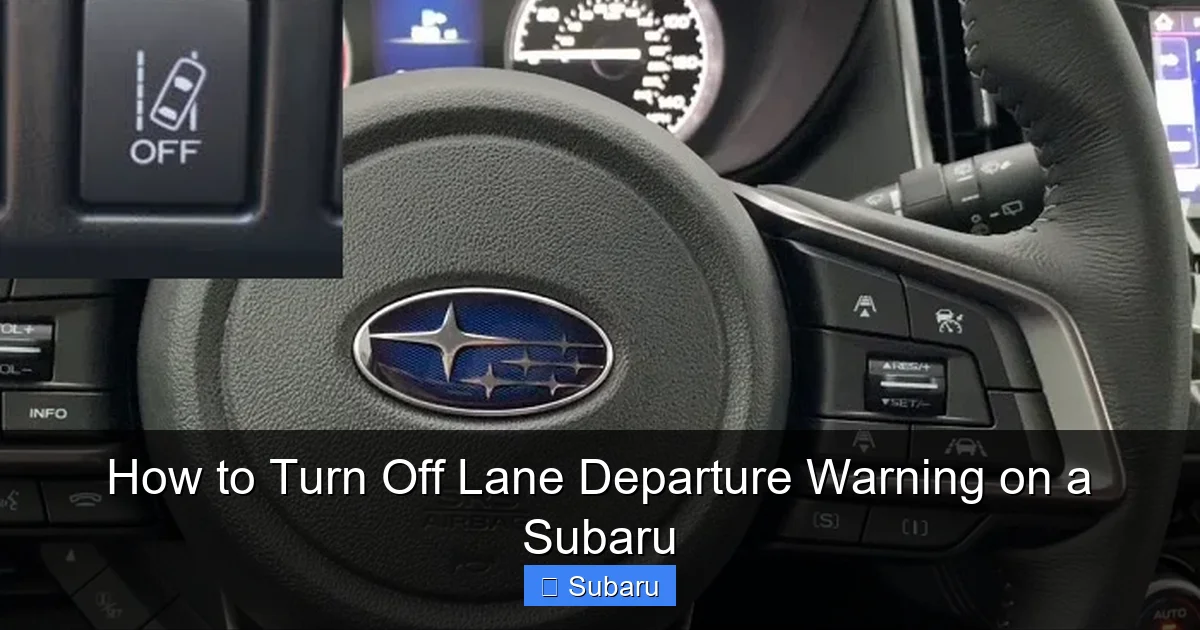
Many Subaru models from 2015 to 2020—including the Legacy, Outback, Forester, and Impreza—come with a dedicated button to disable lane departure warning. This button is usually located on the left side of the steering wheel or on the dashboard near the instrument cluster.
To turn off LDW:
- Start your vehicle and ensure it’s in park or neutral.
- Look for a button labeled “LDW,” “Lane Departure Warning,” or showing a car drifting out of a lane with an “X” over it.
- Press and hold the button for 1–2 seconds until you see a message on the dashboard saying “Lane Departure Warning Off” or a similar notification.
- The system is now disabled until you restart the vehicle or manually re-enable it.
For example, on a 2018 Subaru Outback, the LDW button is typically found on the steering column, just below the turn signal lever. A quick press turns it off, and the dashboard displays a grayed-out lane icon to confirm.
Models with Touchscreen Menu (2021 and Newer)
Newer Subaru models—especially those with updated EyeSight systems—often require you to disable lane departure warning through the infotainment touchscreen. This is common in the 2021+ Outback, Forester, Crosstrek, and Ascent.
Here’s how to do it:
- Turn on the ignition and wait for the touchscreen to load.
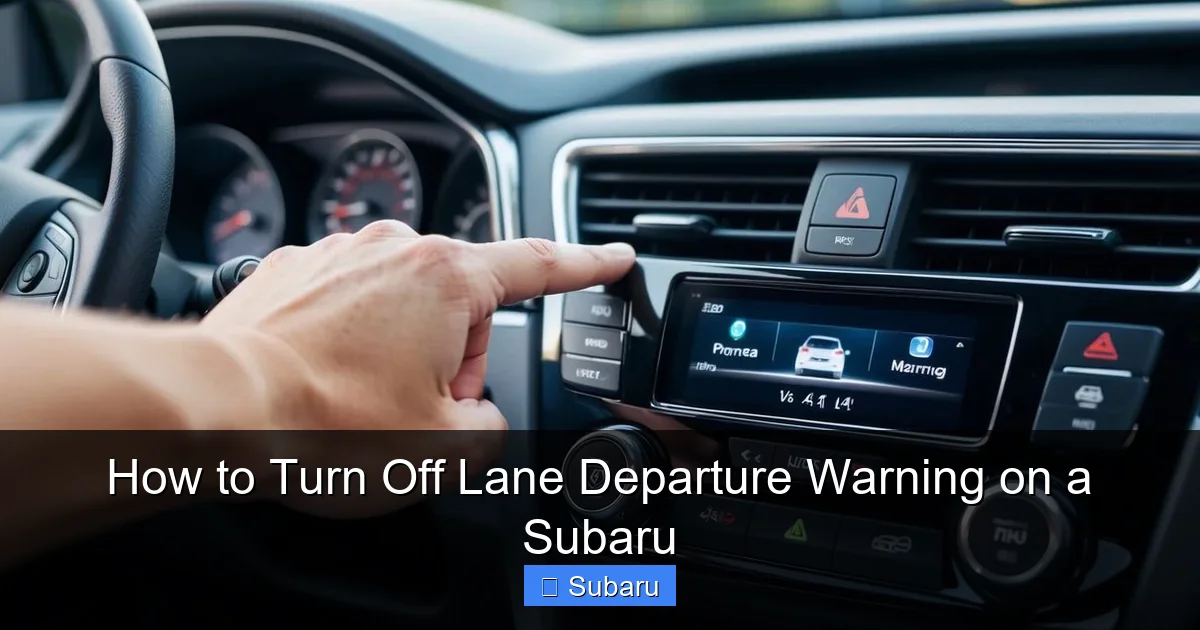
- Tap the “Settings” icon (usually a gear or wrench symbol).
- Navigate to “Driver Assistance” or “EyeSight Settings.”
- Select “Lane Departure Warning” or “Lane Keep Assist.”
- Toggle the switch to “Off.”
- A confirmation message will appear, and the system will remain off until you change the setting again.
On a 2023 Subaru Crosstrek, for instance, you’d go to Settings > Driver Assistance > Lane Departure Warning > Off. The menu is intuitive, but it may take a moment to find if you’re not familiar with the layout.
Vehicles Without EyeSight
Not all Subarus come equipped with EyeSight—especially base trims or older models. If your vehicle doesn’t have the EyeSight system, it likely doesn’t have lane departure warning at all. In that case, there’s nothing to turn off.
However, some non-EyeSight models may still have a basic LDW system. Check your owner’s manual or look for a button near the steering wheel. If you don’t see one, your car probably doesn’t have the feature.
Using the Multi-Function Display
Some Subaru models allow you to disable LDW through the multi-function display (MFD) in the instrument cluster. This is common in the Legacy and Outback.
To use this method:
- Press the “INFO” or “DISP” button on the steering wheel to cycle through display options.
- Navigate to the “Driver Assistance” or “Safety” menu.
- Select “Lane Departure Warning” and toggle it off.
- Confirm your choice when prompted.
This method is handy if you don’t want to use the touchscreen while driving. Just remember that changes made this way may only last until the next ignition cycle.
Temporary vs. Permanent Disable
It’s important to understand that most Subaru systems only disable lane departure warning temporarily. That means the feature will automatically reactivate the next time you start the car. This is a safety measure to ensure drivers don’t forget to turn it back on.
If you want to keep LDW off for an extended period—like during a long road trip on rural roads—you’ll need to disable it each time you start the vehicle. There’s currently no permanent “off” setting in Subaru’s factory software.
However, some third-party tools or dealership programming may allow longer-term deactivation. But we don’t recommend modifying your vehicle’s safety systems unless done by a certified technician.
Step-by-Step Guide with Examples
Visual guide about How to Turn Off Lane Departure Warning on a Subaru
Image source: koala.sh
Let’s walk through a real-world example to make this even clearer.
Imagine you’re driving a 2020 Subaru Forester on a weekend trip to the mountains. The roads are narrow, winding, and have faded lane markings due to weather damage. Every time you drift slightly to avoid potholes, the car beeps and the steering wheel vibrates. You’ve had enough—you want to turn off lane departure warning.
Here’s what you do:
- Pull over safely to the side of the road and come to a complete stop.
- Ensure the vehicle is in park and the parking brake is engaged.
- Look for the LDW button on the left side of the steering wheel. It’s a small, rectangular button with a lane icon.
- Press and hold the button for about two seconds.
- Watch the dashboard: a message will appear saying “Lane Departure Warning Off.”
- The system is now disabled. You can continue driving without alerts.
Now, let’s say you’re in a 2022 Subaru Outback with the updated touchscreen. You’re driving through a construction zone with temporary lane lines, and the system keeps triggering.
Here’s how to disable it:
- While parked, tap the “Settings” icon on the center screen.
- Scroll down and select “Driver Assistance.”
- Tap “Lane Departure Warning.”
- Toggle the switch to “Off.”
- A confirmation pop-up appears: “Lane Departure Warning has been turned off.”
- You’re all set—no more beeping in the construction zone.
These examples show how quick and easy it is to disable the system when needed. The key is knowing where to look and acting when it’s safe to do so.
When to Re-Enable Lane Departure Warning
Disabling lane departure warning isn’t a permanent solution—it’s a temporary adjustment. And just as important as knowing how to turn it off is knowing when to turn it back on.
You should re-enable LDW whenever you’re driving on well-marked highways, during long trips, or in conditions where fatigue or distraction could lead to unintentional lane drifts. The system is most valuable at higher speeds, where even a small drift can lead to a dangerous situation.
For example, if you’re about to merge onto an interstate after driving on rural roads, take a moment to re-enable the feature. The same goes for night driving, when visibility is reduced and lane markings are harder to see.
It’s also a good idea to turn LDW back on after construction zones or off-road adventures. Once you’re back on paved, clearly marked roads, the system can once again act as a helpful safety net.
Many drivers make it a habit to check their driver assistance settings at the start of each trip. This ensures that features like lane departure warning, adaptive cruise control, and pre-collision braking are active when needed.
Remember: safety systems are there to support you, not replace your attention. But when used correctly, they can significantly reduce the risk of accidents.
Common Mistakes and Troubleshooting
Even with clear instructions, things don’t always go as planned. Here are some common mistakes drivers make when trying to turn off lane departure warning—and how to fix them.
One frequent error is trying to disable LDW while the vehicle is in motion. Most systems require the car to be stopped or in park for safety reasons. If you press the button while driving, nothing will happen. Always pull over first.
Another issue is confusing lane departure warning with lane keep assist. These are two different features. LDW only alerts you when you drift. Lane keep assist actively steers the car back into the lane. On some models, you may need to disable both to stop all interventions.
If you can’t find the button or menu option, check your owner’s manual. Subaru occasionally changes the location or labeling of controls between model years. The manual will have the most accurate information for your specific vehicle.
Sometimes, the system may not respond due to a software glitch. In that case, try turning the car off and on again. A full ignition cycle can reset the system and restore normal function.
Lastly, if you’ve disabled LDW but still hear beeps or feel vibrations, double-check that you’ve turned off the correct feature. You may have only disabled the visual alert, not the auditory or haptic one. Go back into the settings and ensure all related options are off.
Final Thoughts: Balancing Safety and Comfort
At the end of the day, lane departure warning is a powerful tool—but it’s not infallible. Like any technology, it works best when used appropriately. Knowing how to turn it off gives you flexibility, while understanding when to use it keeps you safe.
Subaru designed these systems to enhance your driving experience, not complicate it. By learning how to manage features like LDW, you take control of your vehicle’s behavior and tailor it to your needs.
So the next time you’re on a bumpy backroad or navigating a confusing construction zone, don’t stress about the beeping. Just follow the steps, turn off lane departure warning, and enjoy the drive. And when you’re back on the highway, remember to turn it back on.
Your Subaru is built for adventure—and with the right settings, it can take you anywhere in comfort and confidence.
Frequently Asked Questions
Can I permanently turn off lane departure warning on my Subaru?
No, Subaru does not allow permanent disabling of lane departure warning through standard settings. The system will typically reactivate after each ignition cycle. For long-term deactivation, consult a certified Subaru technician.
Will turning off lane departure warning affect other safety features?
No, disabling lane departure warning only turns off that specific alert. Other EyeSight features like adaptive cruise control and pre-collision braking will continue to function normally.
Why won’t the lane departure warning button work?
The button may not respond if the vehicle is in motion or not in park. Ensure the car is stopped and try again. If it still doesn’t work, check for software glitches or consult your owner’s manual.
Does lane departure warning work in the rain or snow?
The system relies on clear lane markings, so heavy rain, snow, or dirt can reduce its effectiveness. It may trigger false alerts or fail to detect lanes in poor weather conditions.
Can I disable lane departure warning while driving?
For safety reasons, most Subaru models require the vehicle to be stopped or in park to disable LDW. Always pull over before making changes to driver assistance settings.
How do I know if my Subaru has lane departure warning?
Check for an LDW button on the steering wheel or look for EyeSight in your vehicle’s specifications. You can also refer to your owner’s manual or look for lane-related icons on the dashboard.
