
How to Turn Off the Maintenance Light on a Toyota

Turning off the maintenance light on a Toyota is simpler than you think—and you don’t need a mechanic to do it. With just a few button presses or a quick trip to your dashboard menu, you can reset the reminder and get back to driving with peace of mind.
If you’ve ever been driving along, minding your own business, when suddenly a little wrench icon or “MAINT REQD” message pops up on your dashboard, you’re not alone. That’s Toyota’s way of saying, “Hey, it’s time for some routine care.” But here’s the thing—once you’ve taken your car in for an oil change, tire rotation, or other scheduled service, that light doesn’t always go away on its own. And that can be annoying. You know the work’s been done, but that persistent reminder keeps flashing like a digital nag.
The good news? You don’t need to pay a mechanic $50 just to turn off a light. In most cases, you can do it yourself in under two minutes—right from your driver’s seat. Whether you drive a 2005 Camry or a 2023 RAV4 Hybrid, Toyota has built reset procedures into nearly every model. The exact steps vary slightly depending on the year and trim, but the core idea is the same: access the maintenance reset function through your dashboard controls.
In this guide, we’ll walk you through how to turn off the maintenance light on a Toyota, step by step. We’ll cover older models with analog dashboards, newer ones with touchscreens, and everything in between. You’ll learn why the light comes on, what it really means, and how to reset it safely—without accidentally triggering other systems. Plus, we’ll share tips to avoid common mistakes and explain when it’s actually time to see a professional.
So grab your keys, sit in the driver’s seat, and let’s get that light turned off—once and for all.
Key Takeaways
- Know your model year: Older Toyotas use a physical button reset method, while newer models rely on the touchscreen or multi-information display (MID).
- Timing matters: Always reset the maintenance light after completing the required service—like an oil change or tire rotation—to keep your records accurate.
- Use the trip meter: In many older models, the trip odometer button is key to accessing the reset sequence.
- Battery disconnection won’t work: Simply disconnecting the car battery won’t reset the maintenance light—Toyota’s system is designed to prevent accidental resets.
- Consult your owner’s manual: If you’re unsure, the manual has model-specific instructions and is the most reliable source.
- Professional tools aren’t always needed: Most maintenance lights can be reset manually—no OBD2 scanner or dealership visit required.
- Resetting doesn’t replace service: The light is a reminder—make sure the actual maintenance is done before turning it off.
📑 Table of Contents
- Why Does the Maintenance Light Come On?
- How to Reset the Maintenance Light on Older Toyota Models (2004–2012)
- How to Reset the Maintenance Light on Newer Toyota Models (2013–Present)
- Special Cases: Hybrid and Luxury Models
- What If the Light Won’t Turn Off?
- Tips to Avoid Common Mistakes
- When to See a Professional
- Conclusion
Why Does the Maintenance Light Come On?
Before we dive into the how-to, it’s important to understand why that light appears in the first place. The maintenance light—often labeled “MAINT REQD,” “SERVICE,” or shown as a wrench icon—is part of Toyota’s scheduled maintenance reminder system. It’s not a warning that something is broken. Instead, it’s a proactive nudge to keep your car in top shape.
Toyota vehicles are equipped with a maintenance minder system that tracks your driving habits, mileage, engine runtime, and even oil life. Based on this data, the car calculates when it’s time for routine service. This could be an oil change, air filter replacement, brake inspection, or tire rotation. The system is designed to be smarter than a simple mileage counter—it adapts to how you drive. For example, if you frequently drive in stop-and-go traffic or extreme temperatures, the light may come on sooner than the standard 5,000-mile interval.
When the light illuminates, it’s your cue to schedule service. But here’s the catch: the light won’t automatically turn off after the service is completed. That’s because the car doesn’t “know” the work was done—unless you tell it. That’s where the reset procedure comes in. By manually resetting the system, you’re essentially saying, “Yes, I’ve taken care of it. Start counting again.”
It’s also worth noting that the maintenance light is different from the check engine light. The check engine light indicates a potential mechanical or emissions issue and should never be ignored. The maintenance light, on the other hand, is purely a reminder. Still, it’s a good idea to address it promptly. Ignoring routine maintenance can lead to bigger problems down the road—like reduced fuel efficiency, engine wear, or even costly repairs.
So, while that little light might seem like a minor annoyance, it’s actually a helpful tool to keep your Toyota running smoothly for years to come.
How to Reset the Maintenance Light on Older Toyota Models (2004–2012)
Visual guide about How to Turn Off the Maintenance Light on a Toyota
Image source: i.ytimg.com
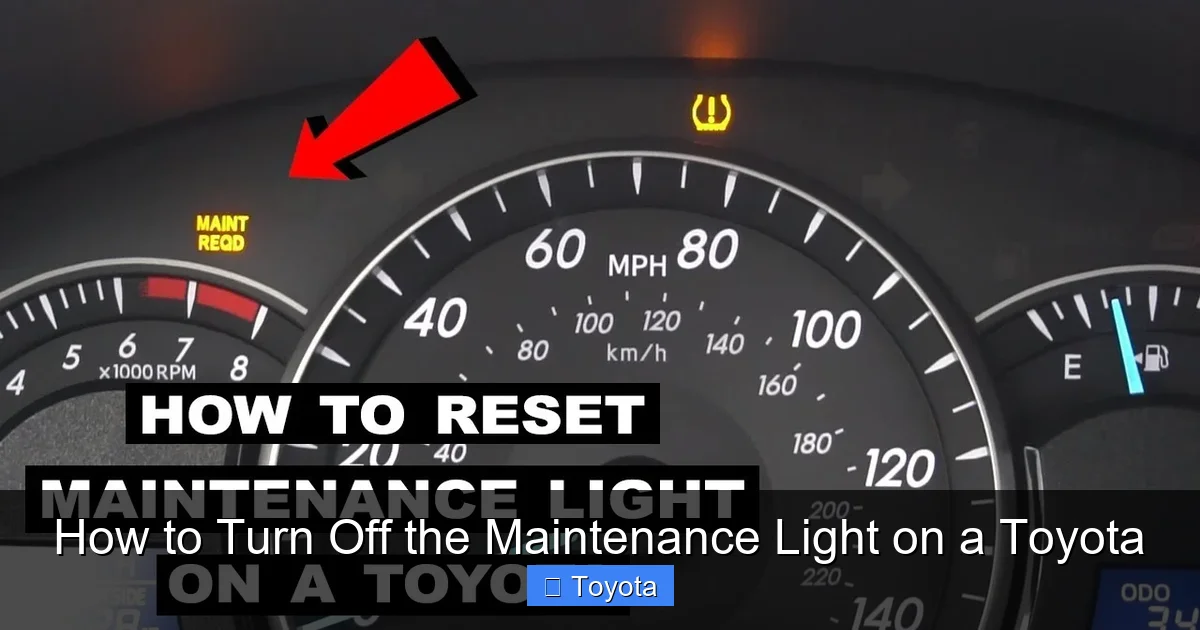
If you drive a Toyota from the mid-2000s to early 2010s—like a Camry, Corolla, Highlander, or Tacoma—you likely have a more traditional dashboard with physical buttons and a small LCD display. These models use a simple button-press sequence to reset the maintenance light. The process is straightforward, but it requires precise timing.
Step-by-Step Guide for 2004–2012 Models
1. **Turn the ignition to “ON” but don’t start the engine.**
Insert your key and turn it to the second position (where the dashboard lights up), but don’t crank the engine. You should see all the warning lights flash briefly.
2. **Locate the trip meter button.**
This is usually on the side of the speedometer or tachometer. It’s labeled “TRIP” or “ODO/TRIP.” Press it until the display shows “Trip A” or “Trip B.”
3. **Press and hold the trip button.**
While holding the button, turn the ignition back to “OFF,” then immediately back to “ON.” Keep holding the button throughout this process.
4. **Wait for the light to flash.**
After about 5–10 seconds, the maintenance light should begin to flash. Continue holding the trip button.
5. **Release and press again.**
Once the light starts flashing, release the trip button, then press and hold it again for another 3–5 seconds. The light should turn off completely.
6. **Turn off the ignition.**
Once the light is off, turn the key back to “OFF.” The reset is complete.
Tips for Success
– **Timing is everything.** If you turn the key too slowly or release the button too early, the reset won’t work. Practice the sequence a few times if needed.
– **Use Trip A or B.** Some models require you to be on a specific trip meter setting. If one doesn’t work, try the other.
– **Don’t start the engine.** The reset only works when the ignition is on but the engine is off.
For example, if you have a 2008 Toyota Camry, this method works like a charm. One owner reported that after an oil change at a local shop, the light stayed on. He followed these steps at home, and within 30 seconds, the light was gone. No return trip to the shop needed.
How to Reset the Maintenance Light on Newer Toyota Models (2013–Present)
Visual guide about How to Turn Off the Maintenance Light on a Toyota
Image source: i.ytimg.com
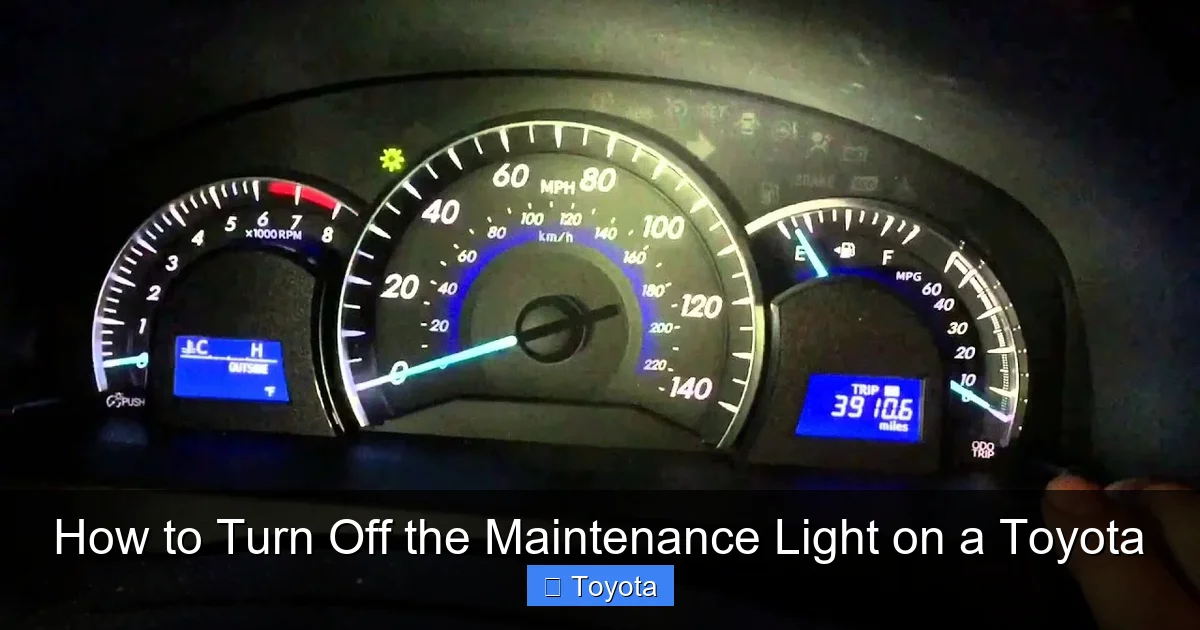
Starting around 2013, Toyota began integrating more advanced infotainment systems and digital displays into their vehicles. Models like the 2015 Camry, 2018 RAV4, and 2020 Corolla now use a menu-based system to reset the maintenance light. This method is even easier—no tricky button sequences required.
Using the Multi-Information Display (MID)
Most newer Toyotas have a small screen between the speedometer and tachometer, controlled by buttons on the steering wheel. Here’s how to use it:
1. **Turn the ignition to “ON.”**
Again, don’t start the engine—just power up the dashboard.
2. **Press the “DISP” or “INFO” button on the steering wheel.**
This will cycle through different display options. Keep pressing until you see “MAINTENANCE” or “SERVICE” on the screen.
3. **Navigate to the reset option.**
Use the arrow buttons to highlight “RESET” or “CLEAR.”
4. **Confirm the reset.**
Press and hold the “OK” or “ENTER” button for 3–5 seconds. You should see a confirmation message like “MAINTENANCE RESET” or the light will disappear.
5. **Turn off the ignition.**
Once confirmed, turn the key back to “OFF.”
Using the Touchscreen (Entune or Toyota Audio Multimedia)
If your Toyota has a central touchscreen (common in 2018 and newer models), you can reset the light through the settings menu:
1. **Turn on the ignition.**
Power up the system without starting the engine.
2. **Tap “Menu” or “Settings” on the screen.**
Look for a gear icon or “Vehicle Settings.”
3. **Select “Maintenance” or “Service.”**
You may need to scroll down or tap “More.”
4. **Choose “Reset” or “Clear Maintenance Light.”**
Confirm when prompted.
5. **Exit and turn off the ignition.**
The light should now be off.
For instance, a 2021 Toyota Highlander owner used the touchscreen method after a dealership oil change. The technician forgot to reset the light, but with a few taps on the screen, the issue was resolved in under a minute.
Special Cases: Hybrid and Luxury Models
Visual guide about How to Turn Off the Maintenance Light on a Toyota
Image source: vehiclebright.com
Toyota’s hybrid vehicles—like the Prius, Camry Hybrid, and RAV4 Hybrid—often have slightly different reset procedures due to their dual power systems. The same basic principles apply, but the steps may vary.
Resetting the Light on a Toyota Prius
The Prius uses a combination of the MID and steering wheel controls:
1. Turn the power to “ON” (press the power button without pressing the brake).
2. Use the steering wheel buttons to navigate to “MAINTENANCE.”
3. Select “RESET” and confirm.
4. Turn the power off.
Some Prius models (especially 2010–2015) may require you to press the “DISP” button multiple times to access the hidden menu. If the standard method doesn’t work, try cycling through all display options until you find the maintenance reset.
Luxury Models: Lexus and Toyota Crown
While Lexus is Toyota’s luxury brand, many of its models share platforms and systems with Toyota vehicles. The reset process for a Lexus ES or RX is nearly identical to a Toyota Avalon or Highlander. However, Lexus vehicles often have more detailed service menus and may require a longer confirmation hold.
For example, on a 2022 Lexus NX, you’d go to “Settings” > “Vehicle” > “Maintenance” > “Reset.” The system may ask for a second confirmation, so be patient.
What If the Light Won’t Turn Off?
Sometimes, despite following the steps correctly, the maintenance light refuses to reset. Don’t panic—there are a few common reasons this happens.
1. The Service Wasn’t Actually Completed
The most frequent cause? The maintenance wasn’t done. Maybe the oil wasn’t changed, or the technician forgot to reset the system. Double-check your service receipt. If the work wasn’t completed, the light won’t go off—even if you reset it manually.
2. Incorrect Reset Procedure
Every Toyota model has a specific sequence. Using the wrong steps—like trying the older button method on a 2020 model—won’t work. Always refer to your owner’s manual or a trusted online guide for your exact year and model.
3. Faulty Sensor or System Glitch
In rare cases, a malfunctioning oil life sensor or software glitch can prevent the reset. If you’ve tried the correct method multiple times and the light persists, it may be time to visit a Toyota service center. They can run a diagnostic scan to check for errors.
4. Battery Was Disconnected
Some people think disconnecting the car battery will reset the light. While this can reset certain systems, Toyota’s maintenance minder is designed to retain its data. In fact, disconnecting the battery may cause other issues—like losing radio presets or requiring a throttle body relearn.
5. Aftermarket Modifications
If your Toyota has been modified—especially with performance chips or aftermarket ECUs—the factory reset procedure may not work. In these cases, a professional scan tool may be needed.
Tips to Avoid Common Mistakes
Resetting the maintenance light seems simple, but small errors can lead to frustration. Here are some pro tips to ensure success:
– **Always reset after service.** Don’t wait weeks or months. Reset the light as soon as the work is done.
– **Use the correct trip meter.** Some models require “Trip A,” others “Trip B.” If one doesn’t work, try the other.
– **Don’t rush.** The timing in older models is critical. Practice the sequence a few times if needed.
– **Check your owner’s manual.** It’s the most reliable source for your specific vehicle.
– **Avoid battery disconnection.** It won’t reset the light and may cause other problems.
– **Keep records.** Even though the light is off, keep service receipts in your glove box or digital log.
When to See a Professional
While most maintenance lights can be reset at home, there are times when you should let a professional handle it:
– If the light comes back on immediately after resetting.
– If you see other warning lights (like check engine or ABS).
– If your vehicle has a complex hybrid or all-wheel-drive system.
– If you’re uncomfortable performing the reset yourself.
Toyota dealerships and certified mechanics have specialized tools that can access deeper system functions. They can also verify that all maintenance was completed correctly.
Conclusion
Turning off the maintenance light on a Toyota doesn’t have to be a headache. Whether you drive a classic Camry or a modern RAV4 Hybrid, the process is usually quick, free, and doable from your driveway. By understanding why the light comes on and following the correct reset procedure for your model, you can keep your dashboard clean and your car running smoothly.
Remember: the light is there to help you, not annoy you. It’s a reminder to take care of your vehicle—and when you do, resetting it is just a few button presses away. So the next time that little wrench pops up, don’t stress. Grab your keys, follow the steps, and get back to enjoying the ride.
Your Toyota deserves the best care—and so do you.
Frequently Asked Questions
Can I reset the maintenance light without going to a mechanic?
Yes, in most cases you can reset the maintenance light yourself using the dashboard controls. No special tools or dealership visit is needed.
Will disconnecting the battery reset the maintenance light?
No, disconnecting the battery will not reset the maintenance light on a Toyota. The system is designed to retain its data even when power is lost.
Why does the maintenance light come on before 5,000 miles?
The light is based on driving conditions, not just mileage. Frequent short trips, extreme temperatures, or heavy loads can trigger it earlier.
What’s the difference between the maintenance light and the check engine light?
The maintenance light is a service reminder, while the check engine light indicates a potential mechanical or emissions issue that needs immediate attention.
Can I reset the light if I didn’t do the service myself?
Yes, you can still reset the light after someone else performs the service—just make sure the work was actually completed.
What if the light won’t turn off after following the steps?
Double-check that the service was done, verify you’re using the correct method for your model, and consult your owner’s manual. If it persists, see a professional.