
How to Turn Off Automatic Headlights on a Toyota Corolla

Turning off automatic headlights on a Toyota Corolla is simple and can be done in seconds using the headlight control stalk. Whether you’re driving during the day or prefer manual control, this guide walks you through the process for various Corolla models and years.
If you’ve ever been driving your Toyota Corolla on a bright, sunny day only to notice your headlights flickering on without warning, you’re not alone. Many Corolla owners appreciate the convenience of automatic headlights—they turn on when it gets dark, helping improve visibility and safety. But sometimes, that same feature can be a bit too eager. Maybe you’re parked under a tree, driving through a tunnel, or simply prefer to control your lights yourself. Whatever the reason, knowing how to turn off automatic headlights on a Toyota Corolla is a useful skill that puts you back in the driver’s seat—literally and figuratively.
The good news? It’s surprisingly easy. Unlike some vehicles that bury this setting deep in a touchscreen menu, Toyota keeps things straightforward with a simple mechanical switch. No apps, no passwords, no confusing menus. Just a lever on the left side of your steering wheel that you can adjust in seconds. Whether you drive a 2010 Corolla or a brand-new 2024 model, the process is largely the same. This guide will walk you through every step, explain why you might want to disable auto lights, and help you understand how your car’s lighting system works so you can drive with confidence.
Key Takeaways
- Locate the headlight control stalk: Found on the left side of the steering wheel, this lever controls all lighting functions.
- Use the “OFF” position: Rotate the stalk to the “OFF” setting to disable automatic headlights completely.
- Switch to manual mode: Select “HEAD” for full manual control over when your headlights turn on and off.
- Understand sensor behavior: Automatic headlights rely on a light sensor; turning them off prevents unwanted activation in tunnels or at dusk.
- Check your model year: Older Corollas (pre-2014) may have different stalk designs, but the process remains similar.
- Battery considerations: Manually controlling lights helps prevent accidental drain if lights are left on.
- Safety first: Always ensure lights are on when visibility is low, even in manual mode.
📑 Table of Contents
- Understanding How Automatic Headlights Work in the Toyota Corolla
- Locating the Headlight Control Stalk on Your Corolla
- Step-by-Step Guide to Turning Off Automatic Headlights
- Why You Might Want to Disable Automatic Headlights
- Model-Specific Considerations
- Safety Tips When Driving with Manual Headlights
- Common Mistakes to Avoid
- Conclusion
Understanding How Automatic Headlights Work in the Toyota Corolla
Before we dive into turning them off, it helps to understand how automatic headlights actually function in your Toyota Corolla. These systems are designed to make driving safer and more convenient by automatically activating your headlights when ambient light levels drop—like at sunset, in fog, or when entering a tunnel. A small light sensor, usually located on the dashboard near the windshield or behind the rearview mirror, detects how much natural light is present. When it senses darkness, it sends a signal to the car’s electrical system to turn on the headlights.
This feature is especially helpful for drivers who forget to flip the switch or are driving in areas with rapidly changing light conditions. It also ensures that your taillights and dashboard lights come on at the same time, increasing your visibility to other drivers. In many modern Corollas, the automatic setting also activates the daytime running lights (DRLs) when it’s bright outside and full headlights when it’s dark.
However, the system isn’t perfect. Some drivers report that the sensor can be overly sensitive. For example, driving under heavy tree cover on a sunny afternoon might trick the sensor into thinking it’s darker than it actually is, causing the headlights to turn on unnecessarily. Others find that the delay between sensing darkness and activating the lights can be a few seconds—long enough to be annoying. And if you’re someone who likes full control over your vehicle’s functions, the idea of a sensor making decisions for you might feel a bit intrusive.
That’s where knowing how to turn off automatic headlights comes in handy. It gives you the power to decide when your lights are on, helping you avoid distractions, save battery life, and tailor your driving experience to your preferences.
Locating the Headlight Control Stalk on Your Corolla

Visual guide about How to Turn Off Automatic Headlights on a Toyota Corolla
Image source: bythirteen.com
The key to controlling your headlights—whether automatic or manual—lies in the headlight control stalk. This is a lever located on the left side of your steering wheel column. If you’ve never paid much attention to it, now’s the time to get familiar. It’s the same stalk you use to activate your turn signals, high beams, and windshield wipers, but it also houses the headlight settings.
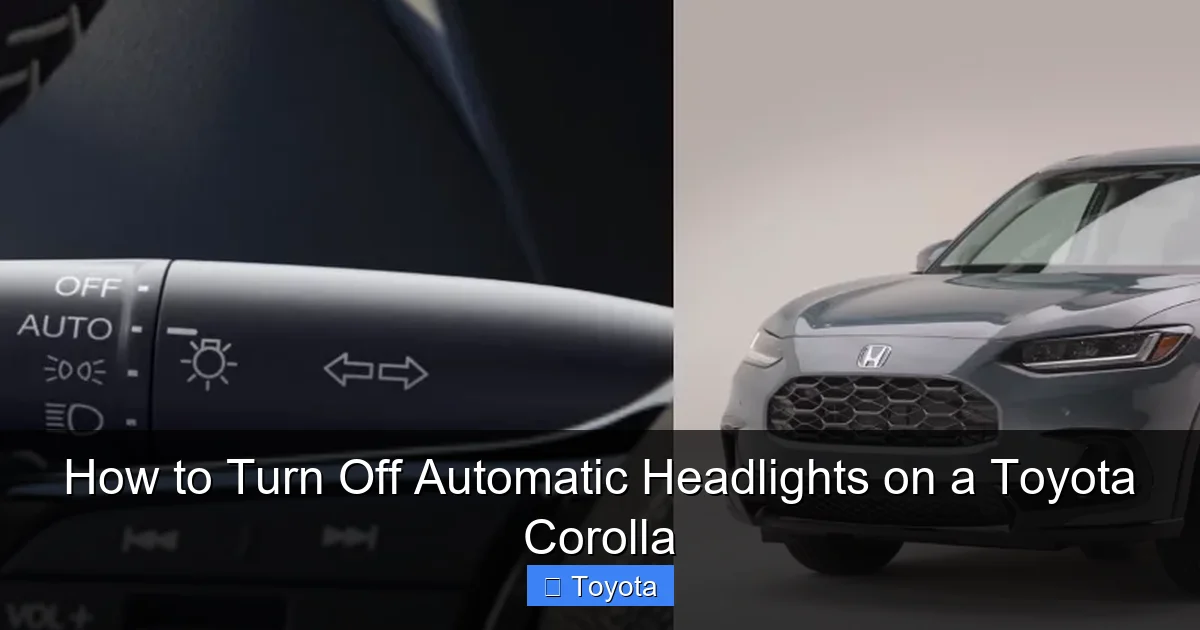
To find it, sit in the driver’s seat and look just below and to the left of the steering wheel. You should see a plastic lever that can be rotated and pushed in different directions. On most Toyota Corolla models from 2009 onward, this stalk has several positions marked with symbols or text. These typically include:
– **AUTO**: This is the automatic headlight setting. When selected, the car’s sensor controls when the headlights turn on and off.
– **OFF**: This position disables the headlights completely, regardless of light conditions.
– **PARK**: Activates only the parking lights (also called sidelights), which are dimmer than full headlights and are used when parked or in very low-traffic areas.
– **HEAD**: Turns on the full headlights manually. This is the setting you’ll use if you want to keep your lights on all the time, regardless of the sensor.
Some older Corolla models (like those from the early 2000s) may have slightly different labeling or a simpler switch design, but the core functions remain the same. For example, instead of “AUTO,” you might see a sun-and-moon icon, or the stalk might only have “OFF,” “PARK,” and “HEAD” positions with no automatic option.
It’s also worth noting that the stalk may have a secondary function when pulled toward you—this usually activates the high beams. Pushing it away typically triggers the windshield wipers. But for our purposes, we’re focusing on the rotational positions that control the headlights.
Step-by-Step Guide to Turning Off Automatic Headlights
Visual guide about How to Turn Off Automatic Headlights on a Toyota Corolla
Image source: askmyauto.com
Now that you know where the control stalk is and what the symbols mean, let’s walk through the actual process of turning off automatic headlights on your Toyota Corolla. The steps are simple and take less than 10 seconds.
Step 1: Turn the Ignition On
Before you can adjust the headlight settings, your car needs to be powered up. You don’t need to start the engine—just turn the key to the “ON” position or press the start button without pressing the brake (on push-button models). This activates the electrical systems, including the dashboard lights and headlight controls.
Step 2: Locate the Headlight Stalk
As mentioned earlier, find the lever on the left side of the steering wheel. It should be within easy reach of your left hand while driving.
Step 3: Rotate the Stalk to the “OFF” Position
Gently rotate the stalk clockwise or counterclockwise (depending on your model) until it clicks into the “OFF” position. You’ll usually feel a distinct detent or click when it locks in place. On some models, the “OFF” position is at the top or bottom of the rotation, so you may need to turn it fully in one direction.
Step 4: Confirm the Headlights Are Off
Look at your dashboard. If the headlights were previously on in auto mode, you should see the headlight indicator light disappear. Also, glance at the front of your car—the headlights should no longer be illuminated.
Step 5: Test in Different Light Conditions
To make sure the automatic feature is truly disabled, try driving or sitting in a dimly lit area (like a garage or at dusk). The headlights should remain off, even if it’s getting dark. This confirms that the sensor is no longer controlling the lights.
Optional: Use “HEAD” for Manual Control
If you don’t want the lights to come on automatically but still want them on for safety, rotate the stalk to the “HEAD” position instead of “OFF.” This gives you full manual control—your lights will stay on until you turn them off or switch back to “AUTO” or “OFF.”
Why You Might Want to Disable Automatic Headlights
Visual guide about How to Turn Off Automatic Headlights on a Toyota Corolla
Image source: wheelsjoint.com
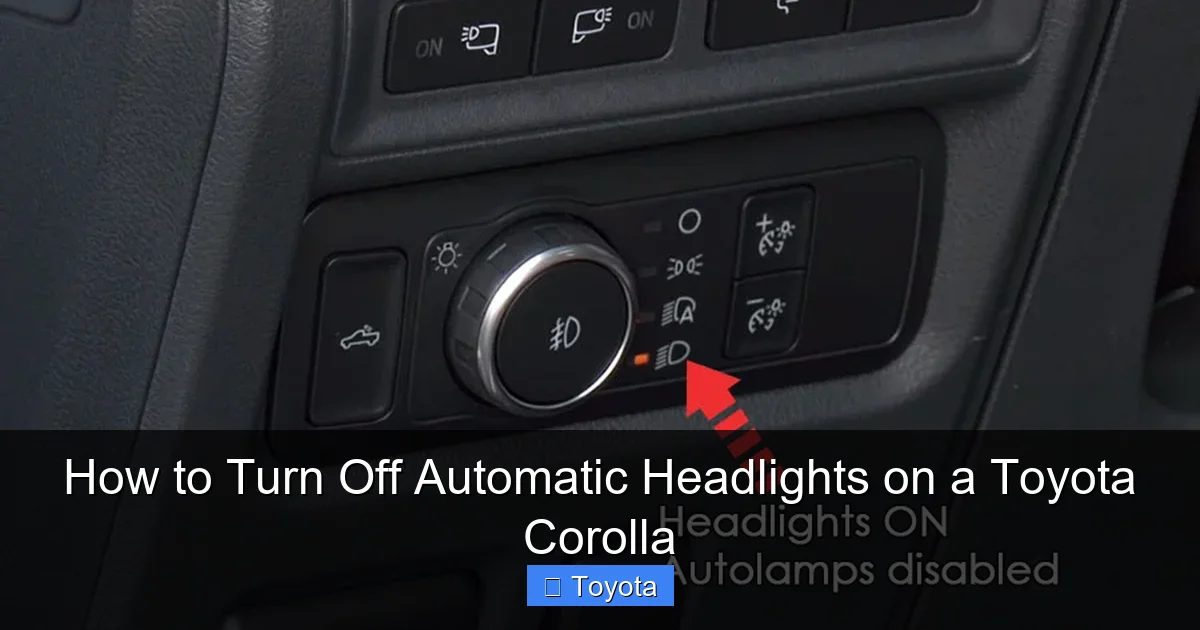
So why would anyone want to turn off a feature designed to improve safety? While automatic headlights are helpful, they’re not always ideal for every driver or situation. Here are some common reasons why Corolla owners choose to disable them:
Avoiding Unwanted Activation
As mentioned earlier, the light sensor can sometimes be too sensitive. Driving under dense tree cover, through parking garages, or even on overcast days can trigger the headlights to turn on when they’re not needed. This can be distracting, especially if the lights flicker on and off repeatedly.
Extending Battery Life
If you frequently start your car and let it idle (like when warming it up in winter), having the headlights on unnecessarily can drain the battery over time. By turning them off manually, you reduce the electrical load and help preserve battery health.
Personal Preference and Control
Some drivers simply prefer to be in full control of their vehicle’s functions. If you’re used to manually turning lights on and off, the automatic system might feel like an unnecessary complication. Disabling it gives you a more traditional driving experience.
Driving in Bright Conditions
On very bright days, especially in summer, the automatic system might not activate the headlights even in tunnels or shaded areas. While this is rare, some drivers feel safer knowing their lights are on at all times for maximum visibility.
Preparing for Car Shows or Photography
If you’re showcasing your Corolla at a car meet or taking photos, you might want to keep the headlights off to avoid glare or reflections. Turning off the automatic feature ensures they won’t unexpectedly turn on.
Diagnosing Electrical Issues
In rare cases, a malfunctioning light sensor or electrical glitch can cause the headlights to behave erratically. Temporarily disabling the automatic function can help determine whether the issue is with the sensor or another part of the system.
Model-Specific Considerations
While the basic process is similar across most Toyota Corolla models, there are a few nuances depending on the year and trim level. Let’s break it down by generation.
2009–2013 Toyota Corolla
These models typically have a simpler stalk design. The automatic setting may be labeled “AUTO” or represented by a sun-and-moon icon. The “OFF” position is usually at the top of the rotation. Some base trims may not have an automatic feature at all—only “OFF,” “PARK,” and “HEAD” positions.
2014–2018 Toyota Corolla
This generation introduced a more refined interior and updated stalk design. The “AUTO” setting is clearly marked, and the stalk has a smoother rotation. Some higher trims (like the LE Premium or SE) may include additional lighting features like automatic high beams, but the process for turning off auto headlights remains the same.
2019–2024 Toyota Corolla
The latest Corollas feature a more modern dashboard and improved lighting systems. The stalk is ergonomically designed and includes clear markings. On some models, the “AUTO” setting also controls the daytime running lights and fog lights (if equipped). Disabling auto headlights still involves rotating the stalk to “OFF,” but you may notice more responsive sensor behavior.
Hybrid Models
Toyota Corolla Hybrid models (available from 2020 onward) use the same headlight control system as their gasoline counterparts. The process for turning off automatic headlights is identical. However, hybrids may have slightly different electrical loads, so keeping lights off when not needed can help preserve battery efficiency.
Safety Tips When Driving with Manual Headlights
Once you’ve turned off automatic headlights, it’s important to remember that you’re now responsible for managing your lighting. Here are some safety tips to keep in mind:
– **Turn on headlights at dusk or in low visibility:** Even in manual mode, your lights should be on when it’s dark, foggy, or raining. This improves your visibility to others and helps you see the road better.
– **Use headlights in tunnels and parking garages:** These areas can be deceptively dark, even during the day. Flip the stalk to “HEAD” before entering.
– **Don’t forget to turn them off:** If you leave your lights on when parked, you could drain the battery. Make it a habit to check before exiting the car.
– **Consider using DRLs:** Daytime running lights (if your Corolla has them) can improve visibility during the day without the full power draw of headlights.
– **Check local laws:** Some regions require headlights to be on whenever windshield wipers are in use, regardless of light conditions.
Common Mistakes to Avoid
Even with a simple process, drivers sometimes make small errors. Here are a few to watch out for:
– **Confusing “PARK” with “OFF”:** The “PARK” position only turns on the parking lights, not the full headlights. If you want no lights at all, use “OFF.”
– **Forgetting to check the stalk after servicing:** If your car was recently serviced, a technician might have reset the headlight setting to “AUTO.” Always double-check after maintenance.
– **Assuming the sensor is faulty:** If your headlights turn on unexpectedly, it might just be the sensor doing its job. Try driving in full sunlight to see if they turn off.
– **Leaving the car in “AUTO” by accident:** If you prefer manual control, make it a habit to check the stalk each time you start the car.
Conclusion
Knowing how to turn off automatic headlights on a Toyota Corolla is a small but powerful skill that gives you greater control over your driving experience. Whether you’re trying to avoid unwanted light activation, preserve battery life, or simply prefer manual operation, the process is quick, easy, and accessible on nearly every Corolla model from the past 15 years.
By understanding how the headlight control stalk works and when to use each setting, you can tailor your car’s lighting to match your needs and driving conditions. Just remember: safety should always come first. Even with manual control, your headlights are a critical part of staying visible and safe on the road.
So the next time your Corolla’s headlights turn on at the slightest hint of shade, don’t stress—just reach for that stalk, rotate it to “OFF,” and enjoy the peace of mind that comes with being in control.
Frequently Asked Questions
Can I turn off automatic headlights permanently on a Toyota Corolla?
Yes, you can leave the headlight stalk in the “OFF” position indefinitely. This disables the automatic feature completely, and the headlights will only turn on if you manually switch to “HEAD” or “PARK.”
Will turning off automatic headlights affect my daytime running lights?
It depends on your model. On most Corollas, daytime running lights (DRLs) operate independently and may still function even with headlights off. However, in “AUTO” mode, DRLs typically turn off when full headlights activate.
Why do my headlights still turn on even when the stalk is in “OFF”?
This could indicate a faulty sensor, electrical issue, or a problem with the stalk itself. Try cycling the ignition and checking the stalk position. If the issue persists, have it inspected by a technician.
Is it legal to drive with automatic headlights turned off?
Yes, as long as you manually turn on your headlights when required by law—such as at night, in rain, or in low-visibility conditions. The law focuses on visibility, not how the lights are activated.
Do all Toyota Corolla models have automatic headlights?
No. Base trims on older models (pre-2014) may not include the automatic feature. Check your owner’s manual or look for the “AUTO” marking on the headlight stalk to confirm.
Can I re-enable automatic headlights after turning them off?
Absolutely. Simply rotate the headlight stalk back to the “AUTO” position. The system will resume normal operation, activating headlights based on ambient light levels.
