
How to Reset the Maintenance Light on a Toyota Highlander

Resetting the maintenance light on a Toyota Highlander is a simple DIY task that saves time and money. Whether you’ve just completed an oil change or routine service, this guide walks you through the exact steps for different model years—no dealership visit required.
So, you’ve just changed the oil in your Toyota Highlander—great job! You’ve got fresh oil, a new filter, and your SUV is purring like new. But then you turn the key, and there it is: that pesky little wrench icon or “Maintenance Required” message staring back at you from the dashboard. Don’t panic. It’s not a sign of trouble—it’s just your vehicle reminding you that it’s time for service. But since you’ve already taken care of it, now you need to reset that light.
Resetting the maintenance light on a Toyota Highlander is one of those small but satisfying tasks that makes you feel like a pro. No need to book an appointment with the dealership or pay $50 for something you can do in under two minutes. With the right steps—and a little patience—you can clear that reminder yourself. Whether you drive a 2003 Highlander or a brand-new 2024 model, this guide has you covered.
In this article, we’ll walk you through the exact process for every major Highlander generation. We’ll explain why the light comes on, what it means, and how to turn it off safely and correctly. You’ll also get tips to avoid common mistakes, like accidentally resetting the wrong setting or not holding the button long enough. By the end, you’ll know exactly how to reset the maintenance light on your Toyota Highlander—no guesswork, no frustration.
Key Takeaways
- Know your model year: Reset procedures vary slightly between 2001–2007, 2008–2013, 2014–2019, and 2020+ Highlander models.
- Use the trip odometer button: Most older models require cycling through trip modes while holding the button during ignition.
- Access the menu via the steering wheel controls: Newer Highlanders (2014+) use the info display and steering wheel buttons to navigate settings.
- Turn the ignition to “ON” but don’t start the engine: This is critical—starting the engine can prevent the reset from working.
- Confirm the reset: The maintenance light should disappear or reset to its default interval after successful completion.
- When in doubt, consult your owner’s manual: Toyota often updates procedures, and the manual is the most reliable source.
- Regular maintenance prevents warning lights: Staying on top of oil changes and inspections reduces the frequency of resets.
📑 Table of Contents
- Why Does the Maintenance Light Come On?
- Tools You’ll Need (Spoiler: It’s Just Your Keys)
- How to Reset the Maintenance Light on a 2001–2007 Toyota Highlander
- How to Reset the Maintenance Light on a 2008–2013 Toyota Highlander
- How to Reset the Maintenance Light on a 2014–2019 Toyota Highlander
- How to Reset the Maintenance Light on a 2020–2024 Toyota Highlander
- Common Mistakes and Troubleshooting Tips
- When to See a Professional
- Conclusion
Why Does the Maintenance Light Come On?
Before we dive into the how-to, let’s talk about the why. The maintenance light—often labeled as “MAINT REQD,” a wrench icon, or “Service Required”—is part of Toyota’s Intelligent Maintenance System. It’s not a warning that something is broken. Instead, it’s a proactive reminder based on time, mileage, or engine operating conditions.
Toyota designed this system to help owners stay on top of routine care. The light typically comes on every 5,000 to 10,000 miles, depending on your driving habits and the model year. For example, if you do a lot of short trips, stop-and-go traffic, or drive in dusty conditions, the system may trigger the light sooner than the standard interval.
The maintenance light is triggered by the vehicle’s onboard computer, which tracks things like engine runtime, oil quality (in some models), and mileage since the last reset. Once the threshold is reached, the light illuminates to prompt you to schedule service. Common services include oil and filter changes, tire rotations, brake inspections, and fluid top-offs.
It’s important to note that this light is separate from the “Check Engine” light. The Check Engine light indicates a potential mechanical or emissions issue that needs immediate attention. The maintenance light, on the other hand, is purely a reminder—like a digital nudge from your car saying, “Hey, it’s time for a check-up.”
Ignoring the maintenance light won’t damage your Highlander, but it can lead to bigger problems down the road. Skipping oil changes, for instance, can cause sludge buildup, reduced engine efficiency, and even engine wear. So while resetting the light is easy, don’t forget the actual maintenance that prompted it in the first place.
Tools You’ll Need (Spoiler: It’s Just Your Keys)
Visual guide about How to Reset the Maintenance Light on a Toyota Highlander
Image source: i.ytimg.com
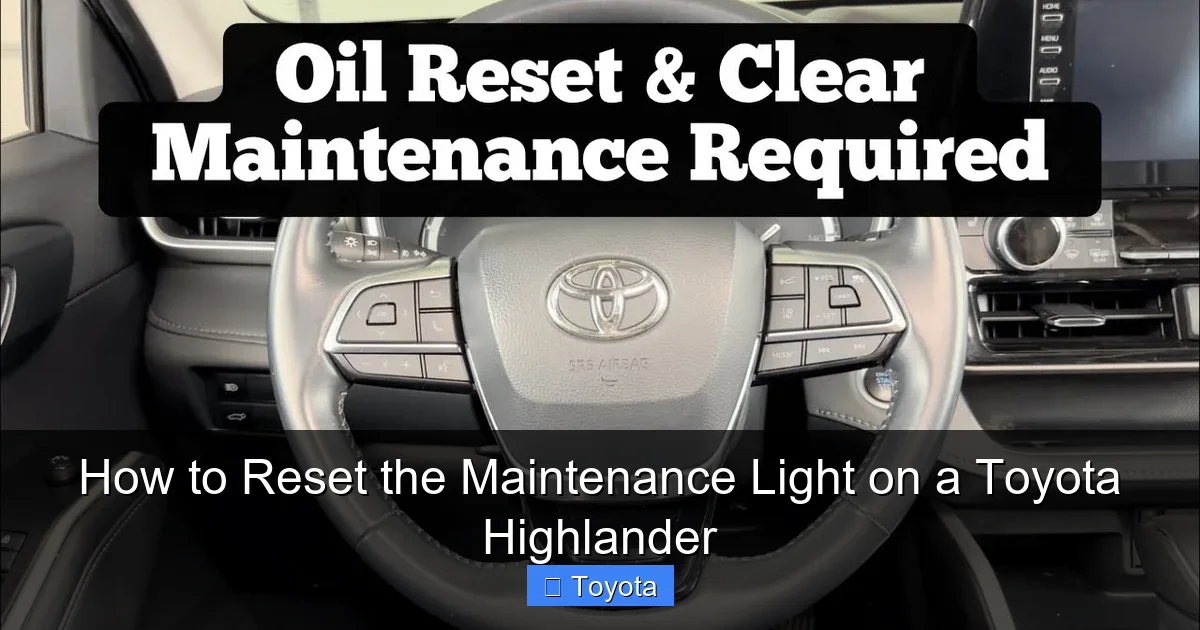
Here’s the best part: you don’t need any special tools to reset the maintenance light on your Toyota Highlander. No scan tools, no computers, no trips to the parts store. All you need is your key fob or ignition key and about 60 seconds of your time.
That said, there are a few things that can make the process smoother:
– A quiet environment: You’ll be listening for clicks and watching the dashboard, so a calm setting helps.
– Your owner’s manual: While we’ll give you step-by-step instructions, the manual is the official source and may include model-specific notes.
– A notepad (optional): If you’re resetting multiple systems (like tire pressure or oil life), jotting down steps can help.
One common mistake people make is trying to reset the light while the engine is running. Don’t do that. The reset procedure requires the ignition to be in the “ON” position—meaning the dashboard lights up—but the engine should remain off. Starting the engine can interrupt the process or prevent it from working altogether.
Also, make sure your battery is in good condition. A weak battery might not provide enough power for the dashboard to respond properly during the reset. If your Highlander has been sitting for a long time or you’ve had electrical issues, consider charging the battery first.
How to Reset the Maintenance Light on a 2001–2007 Toyota Highlander
Visual guide about How to Reset the Maintenance Light on a Toyota Highlander
Image source: i.ytimg.com
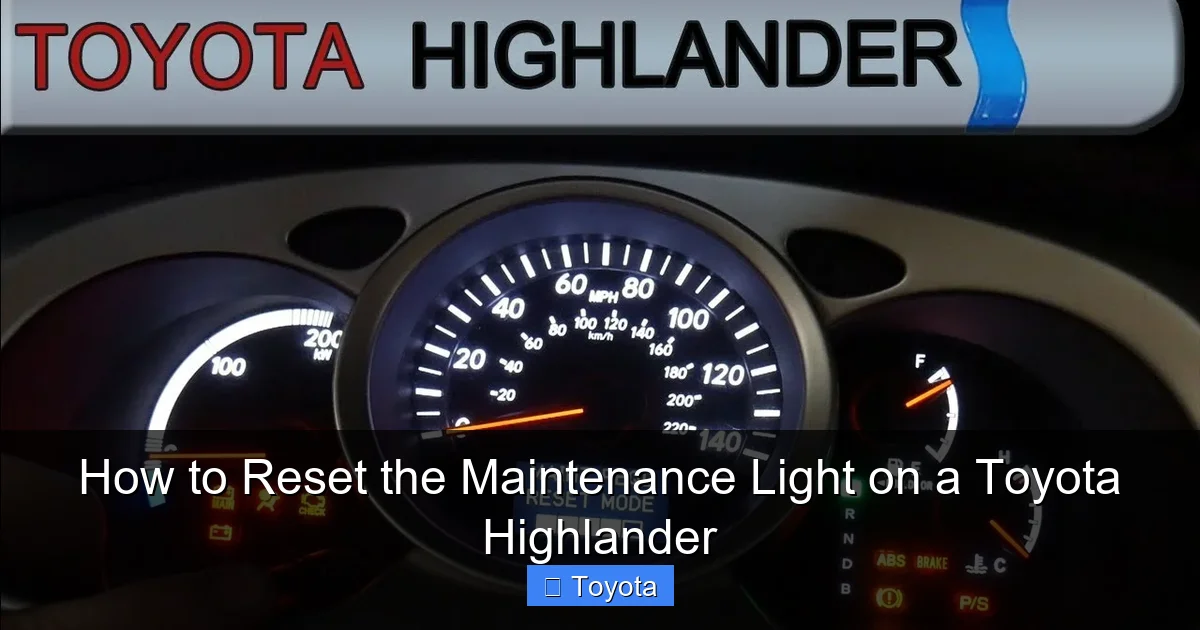
If you drive a first- or second-generation Highlander (2001–2007), the reset process is straightforward and relies on the trip odometer button. These models don’t have a digital menu system, so the reset is done manually through a sequence of button presses and ignition cycles.
Here’s how to do it:
Step 1: Turn the Ignition to “ON”
Insert your key into the ignition and turn it to the “ON” position. You’ll see all the dashboard lights illuminate, including the maintenance light. Do not start the engine—just turn it far enough that the electronics power up.
Step 2: Locate the Trip Odometer Button
Look at your instrument cluster. You’ll see a small button near the speedometer labeled “TRIP” or “ODO/TRIP.” This button cycles between trip A, trip B, and total mileage.
Step 3: Press and Hold the Trip Button
While the ignition is on, press and hold the trip odometer button. Keep it held down.
Step 4: Turn the Ignition to “OFF” and Back to “ON”
With the trip button still held down, turn the ignition back to “OFF.” Wait about two seconds, then turn it back to “ON.” Continue holding the trip button the entire time.
Step 5: Watch for the Light to Flash
After a few seconds, the maintenance light should begin to flash. This indicates the system is in reset mode. Keep holding the button.
Step 6: Release the Button When the Light Resets
Once the maintenance light turns off or resets to a longer interval (you might see “5000” or “10000” appear), release the trip button. The reset is complete.
Step 7: Turn Off the Ignition
Turn the key to “OFF” and remove it. Start the engine to confirm the light is gone.
Pro Tip: If the light doesn’t reset on the first try, don’t panic. Sometimes it takes a second attempt. Make sure you’re holding the button the entire time and that the ignition is cycling correctly.
How to Reset the Maintenance Light on a 2008–2013 Toyota Highlander
Visual guide about How to Reset the Maintenance Light on a Toyota Highlander
Image source: i.ytimg.com
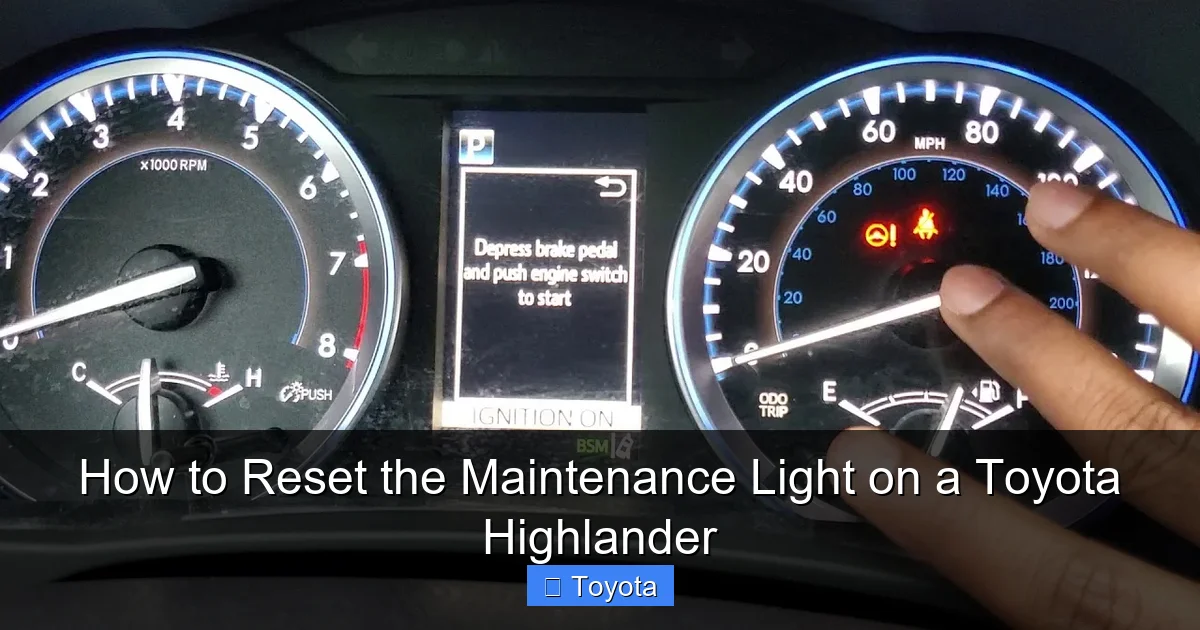
The 2008–2013 Highlander models introduced a slightly updated dashboard and a more refined reset process. While it still uses the trip odometer button, the sequence is a bit different and requires precise timing.
Step 1: Turn the Ignition to “ON”
As before, turn the key to “ON” without starting the engine. Wait for the dashboard to fully light up.
Step 2: Press the Trip Button to Select Trip A
Use the trip odometer button to cycle to “Trip A.” This is important—some models only reset when Trip A is selected.
Step 3: Turn the Ignition to “OFF”
Turn the key back to “OFF” and wait about five seconds.
Step 4: Press and Hold the Trip Button
Now, press and hold the trip button. While holding it, turn the ignition back to “ON.”
Step 5: Continue Holding Until the Light Resets
Keep holding the button. After about 10–15 seconds, the maintenance light should begin to count down from 5,000 or 10,000 miles. Once it reaches zero or resets, release the button.
Step 6: Confirm the Reset
Turn the ignition off and start the engine. The maintenance light should no longer appear.
Note: On some 2011–2013 models, the light may reset automatically after a successful oil change if the system detects new oil. However, manually resetting ensures it’s cleared.
How to Reset the Maintenance Light on a 2014–2019 Toyota Highlander
Starting in 2014, Toyota introduced a more advanced infotainment and dashboard system in the Highlander. These models use a digital display and steering wheel controls to navigate settings, including the maintenance reset.
Step 1: Turn the Ignition to “ON”
Turn the key or press the start button (without pressing the brake) to power up the dashboard.
Step 2: Use the Steering Wheel Controls
Look at the instrument cluster. You’ll see a small screen with menu options. Use the arrow buttons on the left side of the steering wheel to navigate.
Step 3: Access the “Settings” Menu
Scroll through the menu until you find “Settings” or “Vehicle Settings.” Press the “OK” or “Enter” button to select it.
Step 4: Find “Maintenance” or “Oil Maintenance”
Navigate to the “Maintenance” section. You may see options like “Oil Maintenance,” “Tire Rotation,” or “Reset All.”
Step 5: Select “Reset”
Choose the “Reset” option for oil maintenance. The system will ask for confirmation—select “Yes” or “OK.”
Step 6: Wait for Confirmation
The screen will display a message like “Maintenance Reset Complete” or the mileage will reset to the default interval (e.g., 5,000 or 10,000 miles).
Step 7: Exit the Menu
Press the “Back” button or wait for the system to return to the main screen. Turn off the ignition and start the engine to verify the light is off.
Tip: If you can’t find the maintenance menu, check your owner’s manual. Some 2014–2016 models require you to press and hold the “DISP” button on the steering wheel to access hidden menus.
How to Reset the Maintenance Light on a 2020–2024 Toyota Highlander
The latest Highlander models (2020 and newer) feature a fully digital instrument cluster and enhanced user interface. The reset process is intuitive and menu-driven, making it one of the easiest to perform.
Step 1: Turn the Ignition to “ON”
Press the start button (without pressing the brake) to power up the dashboard.
Step 2: Navigate to the “Vehicle Settings” Menu
Use the steering wheel controls to scroll to the “Vehicle” or “Settings” icon on the digital display.
Step 3: Select “Maintenance”
Tap on “Maintenance” and then choose “Oil Maintenance” or “Reset Maintenance Light.”
Step 4: Confirm the Reset
The system will prompt you to confirm. Select “Yes” or “Reset.”
Step 5: Wait for the Confirmation Message
The screen will show “Maintenance Reset” or a similar message. The mileage counter will reset to the next interval.
Step 6: Exit and Test
Turn off the ignition, start the engine, and check that the maintenance light is no longer visible.
Bonus Feature: Some 2022+ Highlanders allow you to set custom maintenance intervals. If you prefer oil changes every 7,500 miles instead of 5,000, you can adjust this in the same menu.
Common Mistakes and Troubleshooting Tips
Even with clear instructions, things can go wrong. Here are some common pitfalls and how to fix them:
1. The Light Won’t Reset
If the maintenance light stays on after following the steps, double-check that you didn’t start the engine during the process. Also, ensure you’re using the correct trip mode (Trip A) on older models.
2. The Dashboard Doesn’t Respond
A weak battery or faulty ignition switch can prevent the dashboard from powering up properly. Try jump-starting the vehicle or checking the battery voltage.
3. You Accidentally Reset the Wrong Setting
On newer models, be careful when navigating menus. Resetting “All Maintenance” might clear tire rotation or brake service reminders you didn’t intend to reset.
4. The Light Comes Back On Immediately
If the light returns right after resetting, it could mean the system didn’t register the reset. Try the process again, or check if your oil level is low—some models won’t reset if oil is below the minimum.
5. You Can’t Find the Menu
Refer to your owner’s manual. Toyota occasionally changes menu layouts between model years, and the manual will have the most accurate path.
When to See a Professional
While resetting the maintenance light is a DIY-friendly task, there are times when it’s best to consult a professional:
– If the light comes on frequently (every few hundred miles), it could indicate a sensor issue or oil consumption problem.
– If you’re unsure whether maintenance was done correctly—for example, if you didn’t change the oil but reset the light anyway.
– If your Highlander has a hybrid system (like the Highlander Hybrid), some reset procedures may require specialized tools.
In these cases, a Toyota-certified technician can diagnose the issue and ensure your vehicle is in top condition.
Conclusion
Resetting the maintenance light on your Toyota Highlander is a quick, easy way to keep your dashboard clean and your mind at ease. Whether you drive a classic 2003 model or a sleek 2024 hybrid, the process is designed to be user-friendly—no mechanic required.
By following the steps outlined in this guide, you can confidently reset the light after every oil change or service visit. Not only does this save you time and money, but it also helps you stay on top of your vehicle’s health. Remember: the maintenance light is there to help you, not hassle you. Treat it as a friendly reminder, not a warning.
So next time that little wrench icon pops up, don’t groan—smile. You’ve got this. Grab your keys, follow the steps, and enjoy the satisfaction of a job well done. Your Highlander will thank you with smooth rides, better fuel economy, and fewer surprises down the road.
Frequently Asked Questions
Can I reset the maintenance light without changing the oil?
Technically, yes—but it’s not recommended. The light is a reminder to perform maintenance, so resetting it without servicing your vehicle defeats its purpose and could lead to engine damage over time.
Will resetting the maintenance light affect my warranty?
No, resetting the light yourself does not void your warranty. However, always keep records of your maintenance to prove compliance with Toyota’s recommended service schedule.
Why does the maintenance light come on before 5,000 miles?
If you drive in severe conditions—like extreme heat, frequent short trips, or towing—the system may trigger the light early. This is normal and based on engine usage, not just mileage.
Can I reset the light using a scan tool?
Yes, professional scan tools can reset the maintenance light, but it’s unnecessary for most owners. The manual method works just as well and doesn’t require special equipment.
What if my Highlander has a push-button start?
The process is the same—press the start button without pressing the brake to turn the ignition to “ON.” Then follow the steps for your model year.
Does the maintenance light reset automatically after an oil change?
Some newer models with oil life monitoring systems may reset automatically if they detect fresh oil. However, manually resetting ensures accuracy and is recommended for all models.
