
Can You Update a Lexus Navigation System?

Yes, you can update a Lexus navigation system—and it’s easier than you think. Whether you drive a 2015 RX 350 or a 2023 NX, keeping your maps and software current ensures accurate directions, real-time traffic, and access to new points of interest. With official Lexus tools or third-party options, you’ll stay on the right path every time.
Key Takeaways
- Yes, Lexus navigation systems can be updated: Most models from 2010 onward support map and software updates to improve accuracy and functionality.
- Official updates come from Lexus Enform or the Lexus website: Use your VIN to access the correct update files and follow guided instructions.
- Updates improve safety and convenience: New roads, speed limits, and POIs help you avoid delays and find services faster.
- USB drives are the most common update method: Download updates to a formatted USB drive and plug it into your vehicle’s USB port.
- Third-party tools exist but come with risks: While some aftermarket software offers more features, they may void warranties or cause system errors.
- Update frequency matters: Aim to update your system at least once a year to stay current with road changes and software improvements.
- Professional installation is optional: Many updates are DIY-friendly, but dealerships can assist if you prefer hands-off service.
📑 Table of Contents
- Can You Update a Lexus Navigation System?
- Why Updating Your Lexus Navigation System Matters
- How Lexus Navigation Updates Work
- Step-by-Step Guide: How to Update Your Lexus Navigation System
- Alternative Update Options: Third-Party Tools and Dealership Services
- Common Issues and Troubleshooting Tips
- How Often Should You Update?
- Final Thoughts: Stay Connected, Stay Safe
If you’ve ever driven down a newly built road only to find your Lexus navigation system insisting you take a detour through a field, you’re not alone. Road networks evolve constantly—new highways open, traffic patterns shift, and businesses come and go. That’s why keeping your Lexus navigation system updated isn’t just a nice-to-have; it’s essential for accurate, stress-free driving.
The good news? Yes, you absolutely can update a Lexus navigation system. Whether you own a sleek ES sedan, a rugged GX SUV, or a sporty IS coupe, Lexus provides tools and resources to keep your onboard maps and software current. From official dealership services to downloadable updates via USB, the process is designed to be accessible—even for drivers who aren’t tech-savvy.
But here’s the catch: not all updates are created equal. Some are free, others require a fee. Some can be done in under 30 minutes, while others might need a visit to your local Lexus service center. Understanding your options—and knowing when and how to act—can save you time, frustration, and even money in the long run.
In this guide, we’ll walk you through everything you need to know about updating your Lexus navigation system. We’ll cover how updates work, where to get them, what tools you’ll need, and how to avoid common pitfalls. By the end, you’ll feel confident keeping your Lexus connected, informed, and ready for any journey.

Visual guide about Can You Update a Lexus Navigation System?
Image source: gearshifters.org
You might be thinking, “My GPS works fine—why bother updating it?” But consider this: the average U.S. city adds or modifies over 1,000 miles of roads each year. That means your navigation system could be missing critical information that affects your daily commute, weekend trips, or even emergency routes.
Improved Accuracy and Reliability
Outdated maps can lead to wrong turns, missed exits, or longer travel times. For example, if a new roundabout was installed near your office six months ago and your system still shows an old intersection layout, you might end up circling the block trying to find the right entrance. An updated system recognizes these changes and guides you correctly the first time.
Access to New Points of Interest (POIs)
Lexus navigation systems include databases of restaurants, gas stations, hospitals, parking lots, and more. When you update, you gain access to newly added POIs. Imagine driving through a new city and being able to find the nearest EV charging station or a highly rated coffee shop—because your system knows it exists.
Enhanced Safety Features
Modern updates often include safety-related data, such as school zones, speed camera locations, and accident-prone areas. Some newer Lexus models even integrate with real-time traffic services like Lexus Enform Dynamic Navigation, which reroutes you around congestion based on live data. Without updates, you miss out on these proactive safety benefits.
Software Stability and Bug Fixes
Like any software, navigation systems can have glitches—freezing screens, slow response times, or incorrect voice prompts. Lexus periodically releases firmware updates that fix these issues, improving overall performance and user experience.
Future-Proofing Your Vehicle
If you plan to keep your Lexus for several years, regular updates help maintain its value and functionality. A well-maintained infotainment system is a selling point if you ever trade in or sell your car. Plus, newer updates may unlock compatibility with smartphone integration features like Apple CarPlay or Android Auto, depending on your model year.

Visual guide about Can You Update a Lexus Navigation System?
Image source: gearshifters.org
Lexus uses a combination of proprietary software and third-party mapping data (primarily from HERE Technologies) to power its navigation systems. Updates typically fall into two categories: map data updates and system software (firmware) updates.
Map Data Updates
These are the most common type of update. They refresh the geographic information stored in your vehicle, including roads, addresses, landmarks, and POIs. Map updates are usually released twice a year—once in spring and once in fall—to reflect seasonal changes and infrastructure developments.
For example, if a major highway expansion was completed last winter, the spring update would include the new lanes, exit numbers, and service areas. Without this update, your system might still direct you to a closed ramp or an outdated rest stop.
System Software (Firmware) Updates
These updates improve the underlying operating system of your navigation unit. They can enhance touchscreen responsiveness, fix voice recognition bugs, add new menu options, or enable compatibility with newer devices. Firmware updates are less frequent but equally important for long-term usability.
Some firmware updates also enable new features. For instance, a 2020 firmware update for certain Lexus models introduced improved voice command support for navigation queries like “Find the nearest pharmacy” or “Navigate home.”
Update Delivery Methods
Lexus offers several ways to receive updates:
– Over-the-Air (OTA) Updates: Available on select newer models (typically 2020 and later), OTA updates download directly to your vehicle via Wi-Fi or cellular connection. You’ll receive a notification on your infotainment screen when an update is ready.
– USB Drive Updates: The most common method for older models. You download the update files from the Lexus website, transfer them to a formatted USB drive, and plug it into your car’s USB port.
– Dealership Installation: If you prefer not to handle updates yourself, your local Lexus service center can install them for you—often during routine maintenance visits.
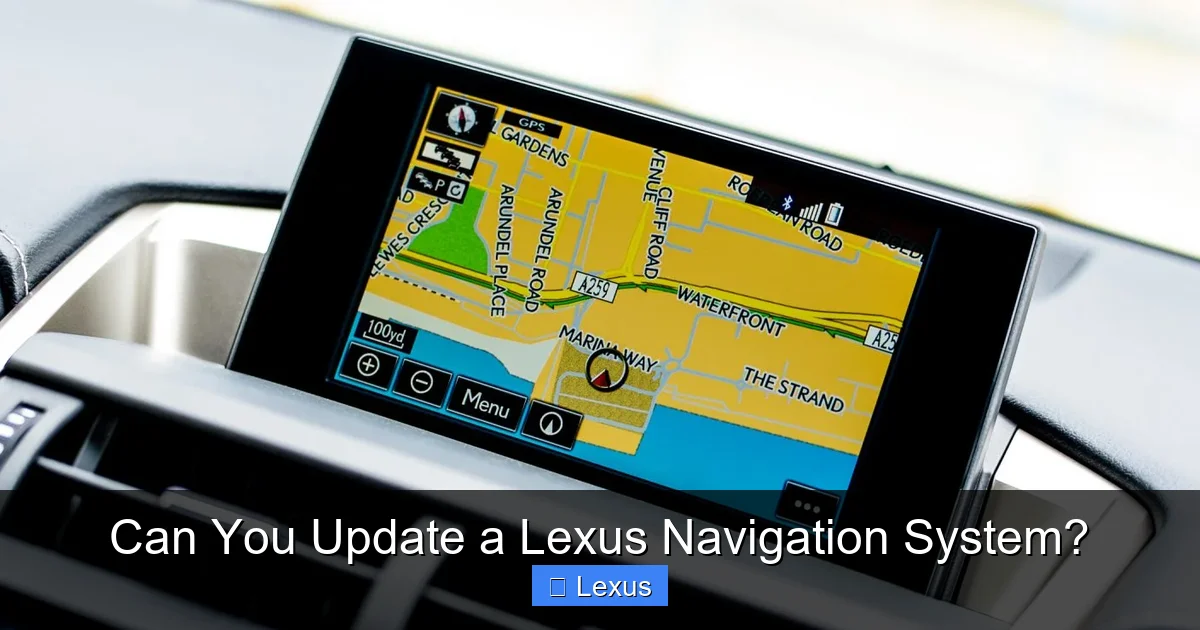
Visual guide about Can You Update a Lexus Navigation System?
Image source: mag.lexus.co.uk
Ready to update? Here’s a clear, step-by-step process that works for most Lexus models from 2010 onward. Always check your owner’s manual or the Lexus website for model-specific instructions.
Step 1: Identify Your System and Model Year
Not all Lexus navigation systems are the same. Older models (pre-2015) may use a disc-based system, while newer ones rely on embedded flash memory. Knowing your system type helps you choose the right update method.
To find your system info:
– Turn on your vehicle and go to the navigation screen.
– Look for “Settings” > “System Information” or “About.”
– Note the model year, navigation version, and software build number.
You’ll also need your Vehicle Identification Number (VIN), which is found on your dashboard (visible through the windshield) or on your registration documents.
Step 2: Visit the Official Lexus Update Portal
Go to the official Lexus navigation update website: [https://www.lexus.com/navigation](https://www.lexus.com/navigation). This is the safest and most reliable source for updates.
Enter your VIN when prompted. The site will verify your vehicle and show available updates. If no updates are listed, your system may already be current—or your model may not support user-installed updates.
Step 3: Download the Update Files
If an update is available:
– Click “Download” and choose the correct file for your region (e.g., North America, Europe).
– The file will typically be a large ZIP folder (500MB to 4GB), so ensure you have a stable internet connection.
– Save the file to your computer.
Step 4: Prepare a USB Drive
You’ll need a USB flash drive with at least 8GB of storage (16GB recommended). Follow these steps:
1. Format the USB drive to FAT32 (this is critical—NTFS or exFAT won’t work).
– On Windows: Right-click the drive > Format > File System: FAT32.
– On Mac: Use Disk Utility > Erase > Format: MS-DOS (FAT).
2. Extract the downloaded ZIP file and copy all contents to the root directory of the USB drive (not inside any folders).
3. Safely eject the USB drive.
Step 5: Install the Update in Your Vehicle
1. Start your Lexus and ensure the engine is running (or keep the ignition in “Accessory” mode). Updates require power and may take 20–60 minutes.
2. Insert the USB drive into the front USB port (usually in the center console).
3. On the infotainment screen, go to “Settings” > “System” > “Update” or “Software Update.”
4. Follow the on-screen prompts. The system will detect the update and begin installation automatically.
5. Do not turn off the vehicle or remove the USB drive during the process. Interrupting an update can corrupt the system.
Once complete, the system will restart. You’ll see a confirmation message, and your navigation should now reflect the latest maps and software.
Step 6: Verify the Update
After installation:
– Check the system version under “Settings” > “System Information.”
– Test navigation by entering a new address or searching for a recently opened business.
– If something seems off, restart the system or contact Lexus support.
Alternative Update Options: Third-Party Tools and Dealership Services
While the DIY USB method is straightforward, some drivers prefer alternatives—especially if they’re uncomfortable with technology or own an older vehicle.
Using Third-Party Navigation Software
Some companies offer aftermarket navigation updates or replacement systems that claim to provide more frequent updates or additional features (like Google Maps integration). However, proceed with caution:
– Compatibility Risks: Third-party software may not work seamlessly with your Lexus’s hardware or infotainment interface.
– Warranty Concerns: Installing unauthorized software could void your vehicle’s electronics warranty.
– Security Issues: Unofficial downloads may contain malware or compromise your vehicle’s network.
If you choose this route, research thoroughly and only use reputable providers. Many Lexus owners find that sticking with official updates provides the best balance of safety, reliability, and support.
Dealership Installation
Your local Lexus service center can handle updates for you—often at no extra cost if your vehicle is under warranty or you’re already in for maintenance. Benefits include:
– Professional installation with no risk of user error.
– Access to the latest firmware and diagnostic tools.
– Peace of mind knowing the job was done correctly.
However, dealership visits can be time-consuming, and some centers charge a fee for standalone update services (typically $50–$150). Call ahead to confirm pricing and availability.
Over-the-Air (OTA) Updates
If your Lexus supports OTA updates (common in 2020+ models with Lexus Enform), you may receive notifications directly on your screen. These updates download in the background when your car is parked and connected to Wi-Fi.
To enable OTA:
– Go to “Settings” > “Network” > “Wi-Fi” and connect to a trusted network.
– Ensure “Automatic Updates” is turned on in the system settings.
OTA updates are convenient but may take longer to download depending on your internet speed. They’re ideal for drivers who want minimal hassle.
Common Issues and Troubleshooting Tips
Even with careful preparation, things can go wrong. Here’s how to handle common problems:
USB Drive Not Recognized
– Ensure the drive is formatted to FAT32.
– Try a different USB port or a different drive.
– Re-download the update files—corrupted downloads are common.
Update Stalls or Fails
– Keep the engine running to maintain power.
– Avoid using other infotainment features during the update.
– If the screen freezes, wait at least 10 minutes before restarting.
Maps Still Outdated After Update
– Confirm you downloaded the correct regional update.
– Check that the update completed successfully (look for a confirmation message).
– Some POIs may take time to appear—restart the system or drive a few miles to refresh the database.
System Freezes or Crashes
– Perform a hard reset: Turn off the vehicle, disconnect the battery for 10 minutes, then reconnect.
– Contact Lexus support or visit a dealership if issues persist.
How Often Should You Update?
Lexus recommends updating your navigation system at least once per year. However, if you drive frequently in rapidly developing areas (like suburbs or new industrial zones), consider updating every 6 months.
Signs it’s time for an update:
– Your GPS frequently directs you to closed roads or missing turns.
– You notice new businesses or services that don’t appear in search results.
– You receive a notification from Lexus Enform about available updates.
Regular updates not only improve accuracy but also extend the life of your infotainment system by keeping it compatible with evolving technologies.
Final Thoughts: Stay Connected, Stay Safe
Updating your Lexus navigation system is a small task with big rewards. It’s about more than just avoiding wrong turns—it’s about safety, efficiency, and enjoying the full potential of your vehicle’s technology.
Whether you choose the DIY USB method, rely on OTA updates, or visit your dealership, the key is consistency. Make navigation updates part of your regular vehicle maintenance routine, just like oil changes or tire rotations.
And remember: your Lexus is designed to evolve with you. With each update, you’re not just refreshing a map—you’re ensuring that every drive is smoother, smarter, and more enjoyable.
So the next time you hit the road, rest assured: your Lexus knows the way—because you took the time to keep it current.
Frequently Asked Questions
Can I update my Lexus navigation system myself?
Yes, most Lexus owners can update their navigation system at home using a USB drive. Download the update from the official Lexus website, transfer it to a formatted USB, and follow the on-screen instructions in your vehicle.
How much does a Lexus navigation update cost?
Official map updates typically cost between $150 and $250 when purchased directly from Lexus. However, some dealerships offer free updates during service visits, and OTA updates on newer models are often included with your Enform subscription.
Do I need an internet connection to update my Lexus GPS?
You need internet access to download the update files to your computer, but the actual installation in your vehicle does not require Wi-Fi—unless you’re using an over-the-air (OTA) update on a compatible model.
What if my Lexus doesn’t have a USB port?
Older models (pre-2010) may use DVD-based navigation systems. In these cases, updates are delivered via replacement discs, which can be ordered through Lexus or installed at a dealership.
Will updating my navigation system affect other features?
No, navigation updates only modify map data and system software. They do not impact audio, climate control, or safety systems. However, always back up personal settings before updating, just in case.
Can I use Google Maps instead of updating my Lexus navigation?
Yes, if your Lexus supports Apple CarPlay or Android Auto, you can use Google Maps or Waze through your smartphone. However, built-in navigation often works better offline and integrates more seamlessly with voice commands and dashboard displays.
