
Why Won’t Apple Carplay Work in My Subaru?

Apple CarPlay not working in your Subaru can be frustrating, but it’s often fixable. From outdated software to faulty cables, we’ll walk you through the most common reasons and step-by-step solutions to get your infotainment system back on track.
Key Takeaways
- Outdated software is a top culprit: Both your iPhone and Subaru’s infotainment system need to be updated to support CarPlay functionality.
- USB cable quality matters: Using a non-MFi-certified or damaged cable can prevent CarPlay from connecting properly.
- Incorrect USB port usage: Not all USB ports in your Subaru support data transfer—only the ones labeled for Apple CarPlay will work.
- Bluetooth and Wi-Fi interference can disrupt connections: Ensure Bluetooth is enabled and Wi-Fi is turned off on your iPhone to avoid connection conflicts.
- Factory reset may be necessary: If all else fails, resetting your Subaru’s head unit can restore default settings and fix glitches.
- Compatibility varies by model and year: Older Subaru models may not support wireless CarPlay or require specific trim levels for full functionality.
- Apple settings must be configured correctly: CarPlay must be enabled in your iPhone’s settings under General > CarPlay.
📑 Table of Contents
Why Won’t Apple CarPlay Work in My Subaru? A Complete Troubleshooting Guide
You’re cruising down the highway, ready to fire up your favorite playlist or get turn-by-turn directions through Apple CarPlay in your Subaru—only to find it won’t connect. Frustrating, right? You’re not alone. Many Subaru owners experience issues with Apple CarPlay, whether it’s failing to launch, disconnecting randomly, or not showing up at all.
Apple CarPlay is designed to make driving safer and more convenient by mirroring key iPhone functions on your car’s infotainment screen. But when it doesn’t work, it can feel like a major setback. The good news? Most CarPlay problems in Subarus are fixable with a few targeted steps. Whether you drive a Forester, Outback, Crosstrek, or Ascent, this guide will help you diagnose and resolve the most common issues.
In this article, we’ll explore why Apple CarPlay might not be working in your Subaru, break down the root causes, and walk you through practical, step-by-step solutions. From software glitches to hardware limitations, we’ve got you covered. Let’s get your CarPlay up and running—so you can get back to enjoying a smarter, safer drive.
Understanding Apple CarPlay and Subaru Compatibility
Visual guide about Why Won’t Apple Carplay Work in My Subaru?
Image source: wheelsjoint.com
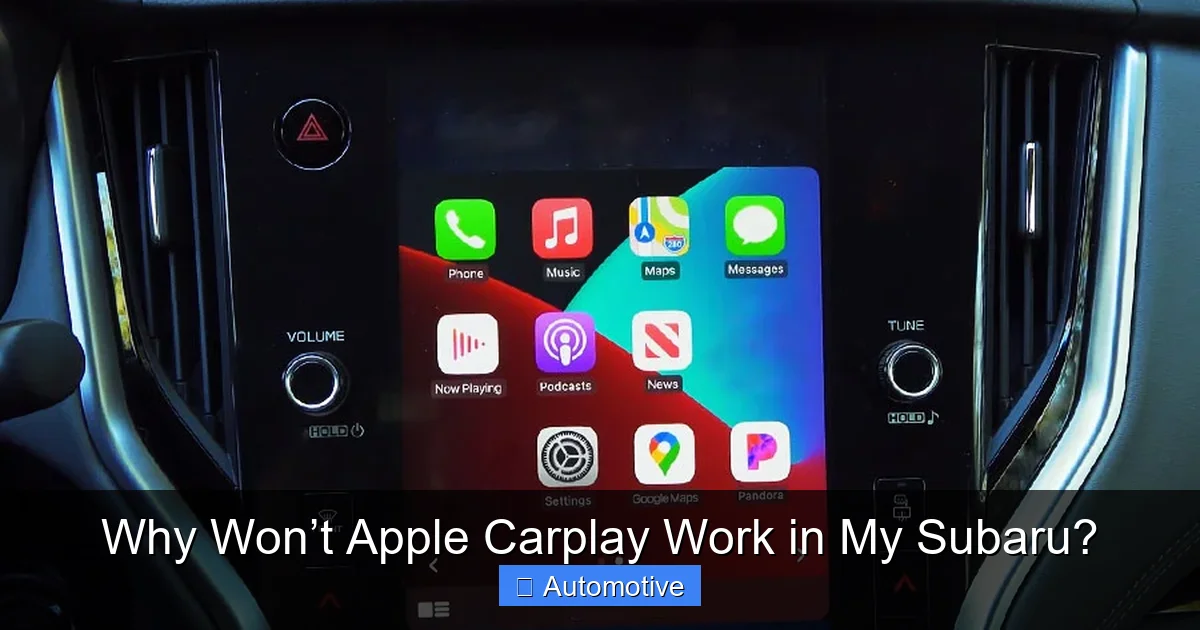
Before diving into fixes, it helps to understand how Apple CarPlay works with Subaru vehicles. CarPlay isn’t built into every car by default—it requires both hardware and software support. Subaru began integrating Apple CarPlay into its infotainment systems starting around 2016, but availability varies by model, trim level, and model year.
For example, the 2017 Subaru Outback offers CarPlay on most trims, but only if you have the optional Starlink Multimedia Plus or Premium system. Meanwhile, the 2023 Subaru Crosstrek includes CarPlay standard on nearly all trims. Knowing your exact model and infotainment system is the first step in troubleshooting.
CarPlay connects your iPhone to your Subaru via a USB cable (wired) or, in newer models, wirelessly. Wired CarPlay uses a Lightning-to-USB cable to transmit data, while wireless CarPlay relies on Bluetooth and Wi-Fi. Both methods require your iPhone to be running iOS 7.1 or later, though newer features need iOS 13 or higher.
Subaru’s implementation of CarPlay is generally reliable, but it’s not immune to bugs. The system runs on a modified version of Android or a proprietary OS, depending on the year, which can sometimes conflict with Apple’s strict certification standards. This means even small software mismatches can cause CarPlay to fail.
Another key point: not all Subaru USB ports support CarPlay. Some are designed only for charging, while others handle data transfer. Using the wrong port is one of the most common—and easily fixed—mistakes.
Which Subaru Models Support Apple CarPlay?
Apple CarPlay is available on most Subaru models from 2017 onward, but with some caveats:
- Subaru Outback: Available on 2017–2024 models with compatible Starlink systems.
- Subaru Forester: Standard on most trims from 2019 onward.
- Subaru Crosstrek: Available on 2018+ models; standard on higher trims.
- Subaru Ascent: Standard on all trims since its 2019 debut.
- Subaru Legacy: Supported on 2017–2024 models with upgraded infotainment.
- Subaru Impreza: Available on select trims from 2017 onward.
Older models, especially those before 2016, typically do not support CarPlay unless retrofitted with an aftermarket head unit. Even then, functionality may be limited.
Wired vs. Wireless CarPlay in Subaru
Most Subaru models support only wired Apple CarPlay. Wireless CarPlay was introduced in select 2020 and newer models, such as the 2020+ Outback and Ascent, but only on higher trims with the updated Starlink system.
If your Subaru doesn’t support wireless CarPlay, you’ll need to use a Lightning cable every time. This isn’t necessarily a bad thing—wired connections are often more stable and faster than wireless ones. However, it does mean you must keep a reliable cable in your car.
Wireless CarPlay users may face different issues, such as pairing problems or intermittent disconnections. These are usually related to Bluetooth interference or Wi-Fi settings on the iPhone.
Common Reasons Apple CarPlay Fails in Subaru
Visual guide about Why Won’t Apple Carplay Work in My Subaru?
Image source: i.ytimg.com
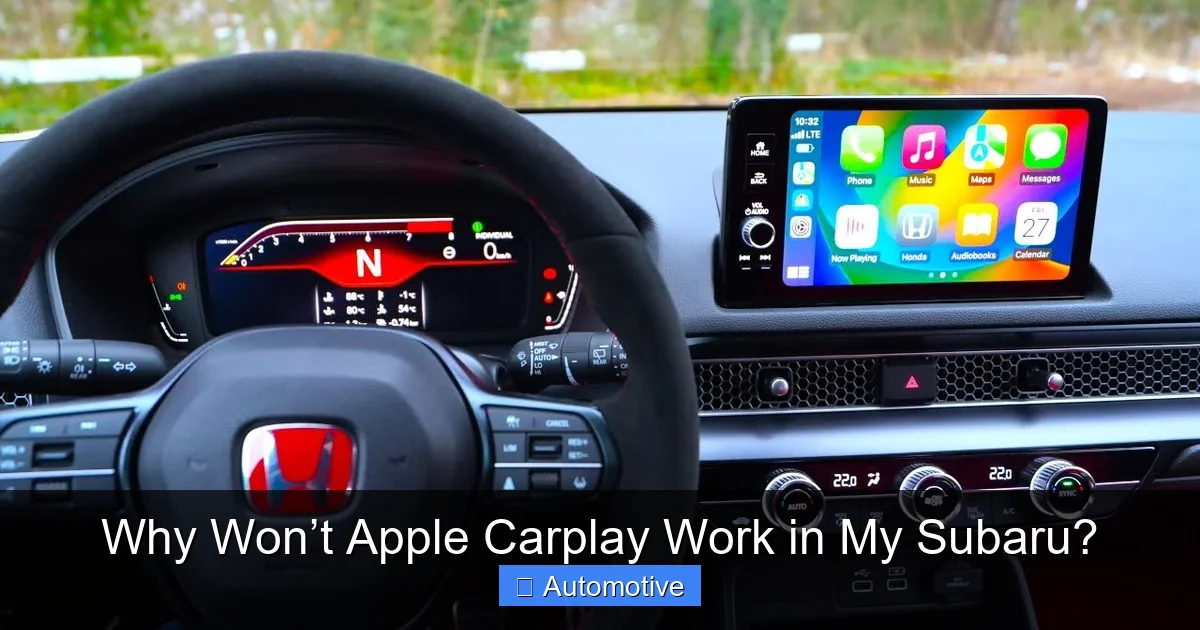
Now that you know the basics, let’s look at the most common reasons Apple CarPlay won’t work in your Subaru. Identifying the root cause is half the battle.
Outdated Software on iPhone or Subaru System
One of the top reasons CarPlay fails is outdated software. Apple frequently updates iOS to improve compatibility and fix bugs. If your iPhone is running an older version, it may not communicate properly with your Subaru’s infotainment system.
Similarly, Subaru periodically releases firmware updates for its Starlink system. These updates can fix CarPlay bugs, improve performance, and add new features. If your head unit hasn’t been updated in years, it might not support the latest CarPlay protocols.
For example, a 2021 Subaru Forester owner might find CarPlay suddenly stops working after updating to iOS 16. This could be because the car’s firmware hasn’t been updated to support the new iOS version. Subaru often releases patches months after Apple’s updates, so staying current is essential.
Using the Wrong or Damaged USB Cable
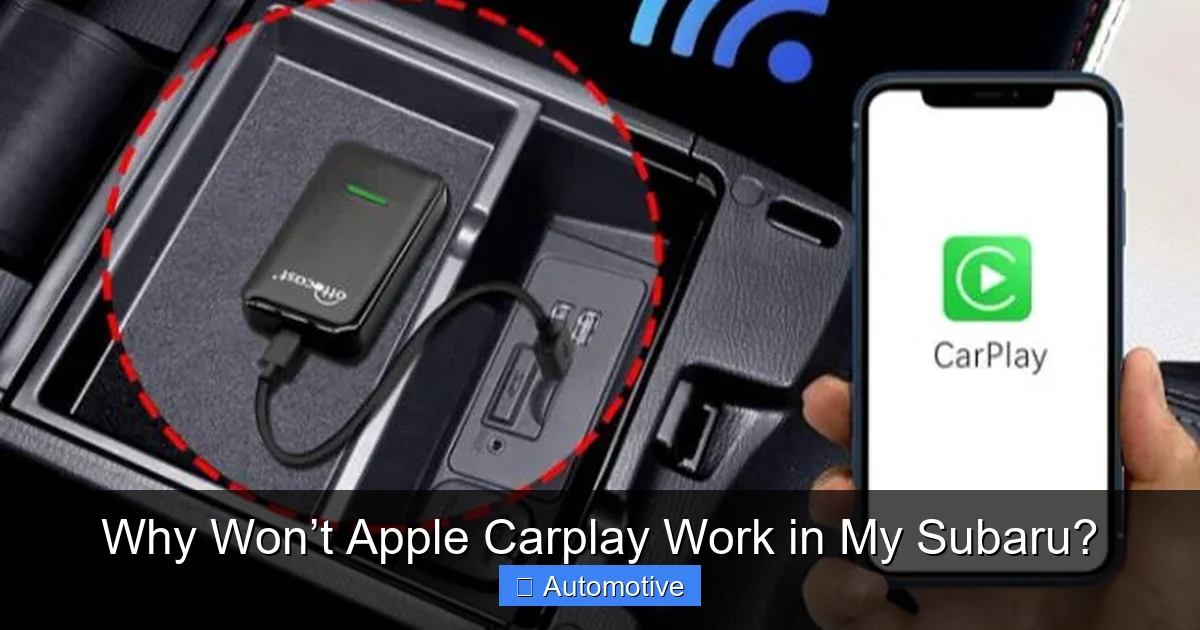
The USB cable you use matters—more than you might think. Apple CarPlay requires a high-quality, MFi-certified (Made for iPhone) Lightning-to-USB cable. Cheap or counterfeit cables often lack the proper data transfer capabilities and can cause connection failures.
Even genuine cables can wear out over time. Bent connectors, frayed wires, or loose ports can interrupt the data stream. If your cable only charges your phone but doesn’t launch CarPlay, it’s likely not transferring data properly.
Try using a different cable—preferably one that came with your iPhone or a certified third-party option like Anker or Belkin. If CarPlay works with the new cable, the old one was the problem.
Incorrect USB Port Selection
Subaru vehicles often have multiple USB ports, but not all are created equal. Only the USB port labeled “Apple CarPlay” or “Data” will support CarPlay functionality. The others are typically for charging only.
For example, in a 2022 Subaru Outback, the front USB port near the gear shifter is usually the CarPlay-compatible one. The rear USB ports in the center console are often power-only. Plugging your iPhone into the wrong port will result in charging but no CarPlay activation.
Check your owner’s manual or look for a small CarPlay icon next to the USB port. If you’re unsure, try each front port until CarPlay launches.
Bluetooth or Wi-Fi Interference
Even though wired CarPlay uses a USB connection, it still relies on Bluetooth for initial pairing and some functions like Siri. If Bluetooth is disabled on your iPhone or Subaru system, CarPlay may fail to start.
Additionally, having Wi-Fi turned on can sometimes interfere with CarPlay, especially in wireless setups. Apple recommends turning off Wi-Fi when using CarPlay to prevent conflicts.
To check, go to your iPhone’s Settings > Bluetooth and ensure it’s on. Also, verify that your Subaru’s Bluetooth is paired with your phone. If not, re-pair the devices.
CarPlay Disabled in iPhone Settings
It sounds obvious, but many users forget to enable CarPlay in their iPhone settings. If CarPlay isn’t turned on, your Subaru won’t detect it—even with a perfect cable and port.
To check:
- Open Settings on your iPhone.
- Tap General > CarPlay.
- Make sure your Subaru is listed and enabled.
- If not, tap “Add Car” and follow the prompts.
If your car isn’t listed, it may not be recognized due to a software or connection issue.
Infotainment System Glitches or Freezes
Like any computer, Subaru’s infotainment system can freeze or crash. A frozen screen, unresponsive buttons, or a system that won’t boot can prevent CarPlay from working.
This often happens after a software update or if the system overheats. A simple restart can often fix it.
To restart your Subaru’s head unit:
- Turn off the car and remove the key (or press the Start button without your foot on the brake).
- Wait 30 seconds.
- Turn the car back on and try connecting CarPlay again.
If the system remains unresponsive, a factory reset may be needed (more on that later).
Step-by-Step Troubleshooting Guide
Visual guide about Why Won’t Apple Carplay Work in My Subaru?
Image source: nerdtechy.com
Now that you know the common causes, let’s walk through a systematic approach to fixing Apple CarPlay in your Subaru.
Step 1: Check Your iPhone and Subaru Software
Start by ensuring both devices are up to date.
On your iPhone:
- Go to Settings > General > Software Update.
- Install any available updates.
On your Subaru:
- Visit the official Subaru website and enter your VIN to check for available updates.
- Download the update to a USB drive and install it via the infotainment system.
- Alternatively, visit a Subaru dealership for a free update.
Updating can resolve compatibility issues and improve performance.
Step 2: Use the Right USB Cable and Port
Grab a certified Lightning cable and plug it into the correct USB port—usually the front one labeled for CarPlay.
Avoid using extension cables or USB hubs, as they can weaken the signal.
If CarPlay still doesn’t launch, try a different cable or port.
Step 3: Enable CarPlay on Your iPhone
Double-check that CarPlay is enabled:
- Go to Settings > General > CarPlay.
- Ensure your Subaru is listed and active.
- If not, tap “Add Car” and follow the setup.
Also, make sure Siri is enabled, as CarPlay relies on it for voice commands.
Step 4: Restart Your iPhone and Subaru
A simple restart can clear temporary glitches.
On your iPhone:
- Hold the power and volume buttons until the slider appears.
- Slide to power off, wait 30 seconds, then turn it back on.
On your Subaru:
- Turn off the engine and remove the key.
- Wait 30 seconds, then restart the car.
Try connecting CarPlay again.
Step 5: Reset Network Settings on iPhone
If Bluetooth or Wi-Fi is causing issues, reset your network settings:
- Go to Settings > General > Transfer or Reset iPhone > Reset > Reset Network Settings.
- Enter your passcode and confirm.
- Reconnect to Wi-Fi and pair Bluetooth devices.
This clears saved networks and Bluetooth pairings, which can resolve conflicts.
Step 6: Perform a Factory Reset on the Subaru Head Unit
If nothing else works, a factory reset may be necessary. This will erase all saved settings, including Bluetooth pairings and radio presets, so back up any important data first.
To reset:
- Go to Settings on the infotainment screen.
- Look for “System” or “Reset” options.
- Select “Factory Reset” and confirm.
- Wait for the system to reboot.
After the reset, re-pair your phone and try CarPlay again.
Advanced Fixes and Professional Help
If you’ve tried everything and CarPlay still won’t work, it’s time to consider more advanced solutions.
Check for Known Subaru Recalls or Technical Service Bulletins (TSBs)
Subaru has issued several TSBs related to CarPlay issues. These are internal service notices that dealerships use to fix known problems.
For example, some 2018–2019 Outbacks had a bug where CarPlay would disconnect after a few minutes. Subaru released a firmware update to fix it.
Visit the National Highway Traffic Safety Administration (NHTSA) website or contact your local Subaru dealer to check if your vehicle is affected by any recalls or TSBs.
Visit a Subaru Dealership
If DIY fixes don’t work, a certified technician can diagnose hardware issues. Problems like a faulty USB port, damaged head unit, or software corruption may require professional repair.
Dealerships can also perform software updates that aren’t available to the public. They have access to Subaru’s diagnostic tools and can often fix issues in under an hour.
Consider an Aftermarket Head Unit
For older Subaru models without CarPlay support, upgrading to an aftermarket unit is an option. Brands like Pioneer, Kenwood, and Alpine offer units with built-in Apple CarPlay and Android Auto.
These systems often provide better performance and more features than factory units. However, installation can be complex and may void your warranty, so consult a professional.
Preventing Future CarPlay Issues
Once you get CarPlay working, take steps to keep it running smoothly.
Keep Software Updated
Regularly check for iOS and Subaru firmware updates. Set your iPhone to update automatically in Settings > General > Software Update > Automatic Updates.
Use High-Quality Accessories
Invest in a durable, MFi-certified cable and store it properly to avoid damage.
Clean USB Ports
Dust and debris can accumulate in USB ports, causing poor connections. Use a can of compressed air or a soft brush to clean them gently.
Avoid Extreme Temperatures
Heat and cold can affect both your iPhone and the infotainment system. Park in the shade or garage when possible, and avoid leaving your phone in direct sunlight.
Conclusion
Apple CarPlay not working in your Subaru can be a real headache, but it’s rarely a permanent problem. Most issues stem from outdated software, incorrect cables, or simple settings oversights. By following the troubleshooting steps in this guide—checking updates, using the right cable and port, enabling CarPlay, and restarting devices—you can resolve the majority of connection problems.
Remember, compatibility varies by model and year, so always verify your Subaru supports CarPlay. If you’ve tried everything and still face issues, don’t hesitate to visit a Subaru dealership for professional help.
With a little patience and the right approach, you’ll have CarPlay running smoothly in no time—so you can enjoy hands-free calls, music, and navigation on every drive.
Frequently Asked Questions
Why won’t Apple CarPlay work in my Subaru even though it’s supposed to support it?
This is often due to outdated software, a faulty USB cable, or using the wrong USB port. Check that both your iPhone and Subaru’s infotainment system are updated, and ensure you’re using a certified Lightning cable in the correct data port.
Can I use wireless Apple CarPlay in my Subaru?
Wireless CarPlay is only available on select 2020 and newer Subaru models with upgraded Starlink systems, such as the Outback and Ascent. Most Subarus still require a wired connection via USB.
Why does my iPhone charge but CarPlay won’t launch?
This usually means you’re using a charging-only USB port or a cable that doesn’t support data transfer. Try a different port—usually the front one labeled for CarPlay—and use an MFi-certified cable.
How do I reset my Subaru’s infotainment system?
Go to the Settings menu on your head unit, look for “System” or “Reset,” and select “Factory Reset.” This will restore default settings and may fix CarPlay issues, but it will erase saved data.
Will a software update fix my CarPlay problem?
In many cases, yes. Subaru releases firmware updates to improve compatibility with newer iOS versions. Check for updates via the Subaru website or visit a dealership for assistance.
Can I add Apple CarPlay to an older Subaru?
Factory CarPlay cannot be added to older models, but you can install an aftermarket head unit that supports it. Brands like Pioneer and Kenwood offer compatible systems, though professional installation is recommended.