
How to Reconnect a Car Battery

Reconnecting a car battery is a simple but crucial task that requires safety, precision, and the right order. Whether you’ve replaced your battery, cleaned the terminals, or simply disconnected it for maintenance, knowing how to reconnect it properly ensures your vehicle starts reliably and protects your electrical system.
Key Takeaways
- Safety first: Always wear protective gear like gloves and safety glasses to prevent acid burns or sparks.
- Correct connection order: Connect the positive terminal first, then the negative—this reduces the risk of short circuits.
- Clean terminals matter: Dirty or corroded terminals can cause poor connections and starting problems.
- Use proper tools: A wrench or socket set designed for battery terminals ensures a secure, tight connection.
- Check for damage: Inspect cables and terminals for wear, fraying, or corrosion before reconnecting.
- Reset electronics: Some vehicles may require radio codes or system resets after battery reconnection.
- Test the system: After reconnecting, start the car and check lights, dashboard, and accessories to confirm everything works.
📑 Table of Contents
- Why Reconnecting a Car Battery Correctly Matters
- Safety Precautions Before You Begin
- Step-by-Step Guide to Reconnecting a Car Battery
- What to Do After Reconnecting the Battery
- Troubleshooting Common Issues After Reconnection
- Tips for Maintaining Your Car Battery
- When to Call a Professional
- Conclusion
Why Reconnecting a Car Battery Correctly Matters
You’ve just replaced your old car battery, cleaned the terminals, or disconnected it for repairs—now it’s time to reconnect it. Sounds easy, right? Just clamp the cables back on and you’re good to go? Not quite. Reconnecting a car battery might seem like a no-brainer, but doing it wrong can lead to sparks, electrical damage, or even a fire. More importantly, an improper connection can prevent your car from starting or cause intermittent electrical issues down the road.
Think of your car’s battery as the heart of its electrical system. It powers everything from the ignition to the headlights, stereo, and onboard computers. When you reconnect it, you’re essentially “restarting” that system. If the connection is loose, corroded, or reversed, you risk damaging sensitive electronics or creating a dangerous situation. That’s why understanding the right steps—and the reasons behind them—is essential, whether you’re a weekend mechanic or a first-time car owner.
In this guide, we’ll walk you through how to reconnect a car battery safely and effectively. We’ll cover everything from safety precautions to the correct order of connections, troubleshooting tips, and what to do after the battery is back in place. By the end, you’ll feel confident handling this common maintenance task like a pro.
Safety Precautions Before You Begin
Before you even touch the battery, safety should be your top priority. Car batteries contain sulfuric acid and produce flammable hydrogen gas—both of which can be dangerous if mishandled. A single spark near the battery can ignite the gas, leading to an explosion. That’s why taking a few simple precautions can make a big difference.
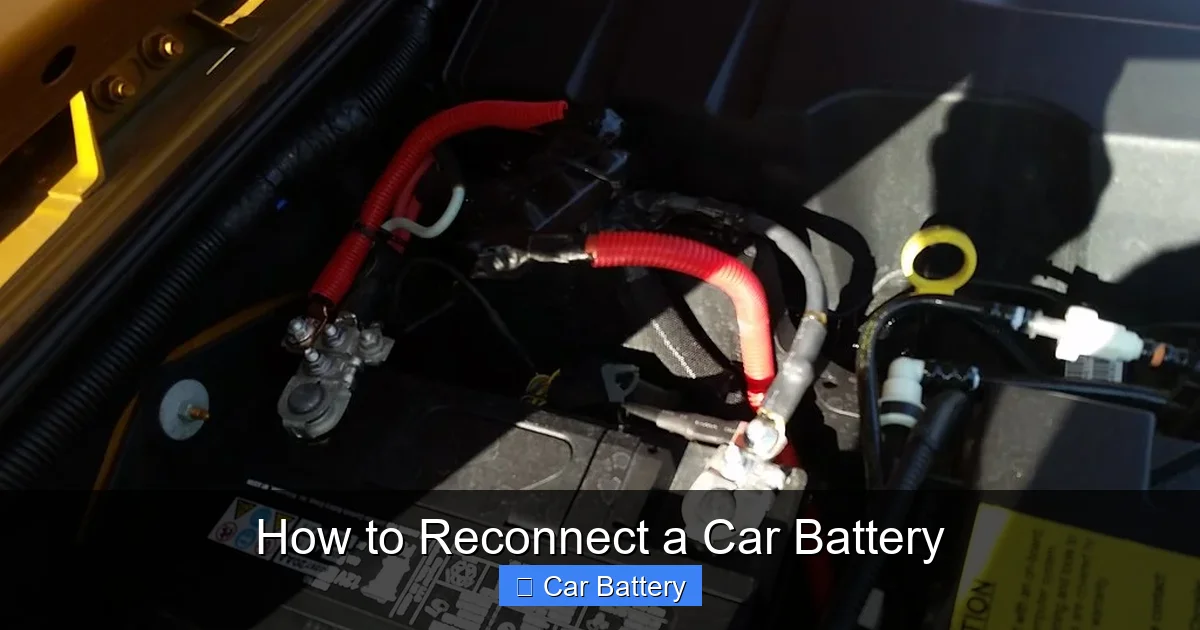
Visual guide about How to Reconnect a Car Battery
Image source: live.staticflickr.com
Wear Protective Gear
Start by putting on safety glasses and rubber or nitrile gloves. These protect your eyes and skin from battery acid, which can cause burns or irritation. Even if you’re just reconnecting the battery, accidental spills or splashes can happen—especially if the battery is old or damaged. Avoid wearing jewelry, especially rings or bracelets, as metal can conduct electricity and increase the risk of shock or short circuits.
Work in a Well-Ventilated Area
Always reconnect your car battery in a well-ventilated space, preferably outdoors or in a garage with the door open. This helps disperse any hydrogen gas that may have built up around the battery. Avoid working near open flames, sparks, or smoking—yes, even a lit cigarette can be dangerous near a car battery.
Turn Off the Ignition and Remove Keys
Make sure the car’s ignition is turned off and the keys are removed from the vehicle. This prevents accidental activation of electrical systems while you’re working. It also reduces the risk of short circuits if a tool slips and touches both terminals at once.
Inspect the Battery and Cables
Before reconnecting, take a close look at the battery and cables. Check for cracks, leaks, or bulging in the battery case—these are signs of damage and could indicate a faulty battery that needs replacement. Look at the cables and terminals for corrosion (a white, green, or blue powdery substance), fraying, or loose connections. If you see heavy corrosion, clean it off before reconnecting (we’ll cover cleaning in a later section).
Use the Right Tools
Use a wrench or socket set that fits the battery terminal nuts securely. Avoid using pliers, which can slip and cause sparks. A 10mm or 13mm socket is common for most cars, but check your vehicle’s manual if you’re unsure. Make sure your tools are clean and dry—moisture can increase conductivity and the risk of sparks.
Step-by-Step Guide to Reconnecting a Car Battery
Now that you’ve taken the necessary safety steps, it’s time to reconnect the battery. The process is straightforward, but the order in which you connect the terminals is critical. Follow these steps carefully to ensure a safe and successful reconnection.

Visual guide about How to Reconnect a Car Battery
Image source: vehq.com
Step 1: Position the Battery Correctly
If you’ve removed the battery completely, make sure it’s placed securely in the battery tray with the terminals aligned correctly. The positive terminal (marked with a “+” or colored red) should be on the side that connects to the red cable, and the negative terminal (marked with a “–” or colored black) should match the black cable. Never force the battery into place—if it doesn’t fit easily, double-check the orientation.
Step 2: Clean the Terminals (If Needed)
If you notice corrosion or dirt on the terminals, clean them before reconnecting. Mix a tablespoon of baking soda with a cup of water to create a cleaning solution. Use an old toothbrush or a dedicated terminal brush to scrub the terminals and cable ends. Rinse with clean water and dry thoroughly with a clean cloth. This ensures a solid electrical connection and prevents future corrosion.
Step 3: Connect the Positive Terminal First
This is the most important rule when reconnecting a car battery: always connect the positive terminal first. Why? Because the negative terminal is grounded to the car’s chassis. If you connect the negative first and your tool touches any metal part of the car while working on the positive, you could create a short circuit. By connecting the positive first, you minimize this risk.
Slide the positive (red) cable onto the positive terminal and tighten the nut securely with your wrench. Make sure the connection is snug but don’t over-tighten, as this can strip the threads or damage the terminal.
Step 4: Connect the Negative Terminal
Once the positive terminal is secure, move to the negative (black) cable. Slide it onto the negative terminal and tighten the nut. Again, ensure it’s tight but not overly so. A loose connection can cause starting problems or electrical issues, while over-tightening can damage the terminal.
Step 5: Apply Terminal Protector (Optional but Recommended)
To prevent future corrosion, consider applying a thin layer of terminal protector spray or petroleum jelly (Vaseline) to both terminals. This creates a barrier against moisture and acid fumes. Simply spray or dab a small amount on after the cables are connected. Avoid getting any on the metal contact points—just the outer surfaces.
Step 6: Secure the Battery
Most batteries are held in place by a clamp or bracket. Reattach this securely to prevent the battery from shifting while driving. A loose battery can tip over, spill acid, or disconnect cables—leading to dangerous situations. Make sure the hold-down is tight and the battery doesn’t move when you gently shake it.
What to Do After Reconnecting the Battery
You’ve successfully reconnected the battery—great job! But your work isn’t quite done. There are a few important steps to take after reconnecting to ensure everything is working properly and your vehicle is ready to go.
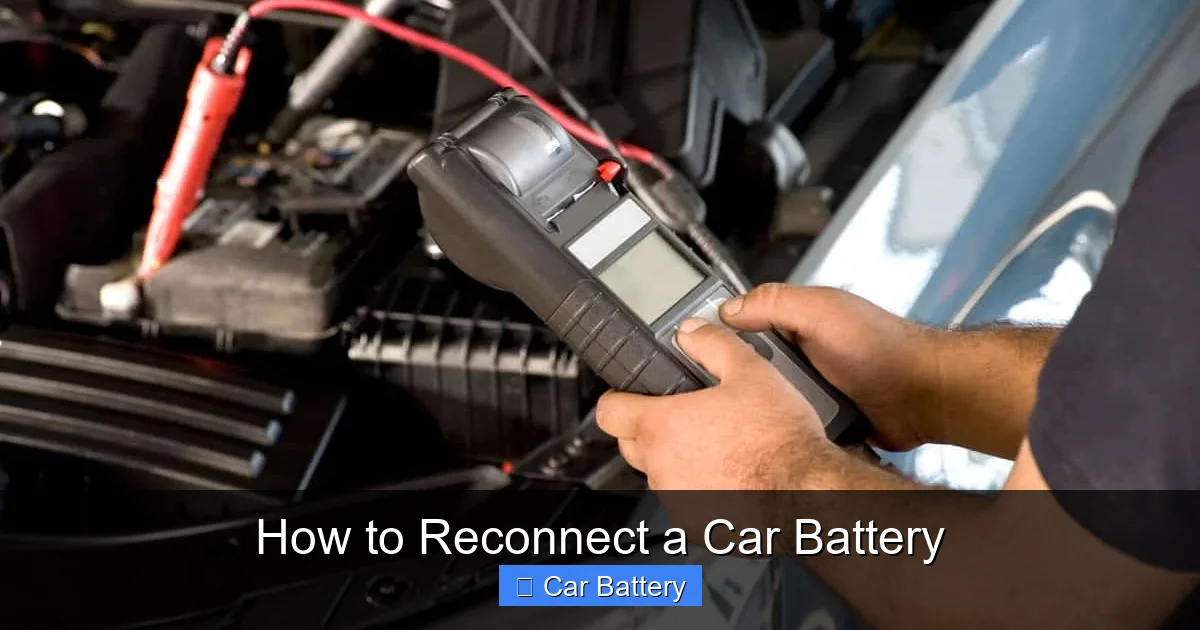
Visual guide about How to Reconnect a Car Battery
Image source: vehq.com
Start the Engine
Turn the ignition key and start the car. Listen for any unusual sounds, such as clicking or grinding, which could indicate a problem. If the engine doesn’t start, double-check your connections—make sure both terminals are tight and properly seated. If it still won’t start, there may be an issue with the battery, alternator, or starter.
Check Electrical Systems
Once the engine is running, test your vehicle’s electrical systems. Turn on the headlights, radio, windshield wipers, and air conditioning. Make sure all dashboard lights function correctly and there are no warning indicators. If something isn’t working, it could be due to a loose connection or a blown fuse.
Reset Electronic Features
Disconnecting and reconnecting a car battery can reset the vehicle’s onboard computer and electronic systems. This may require you to reset certain features, such as:
- The radio (you may need to enter a security code)
- Power windows (some cars require a reset procedure)
- Climate control settings
- Clock and trip meter
Check your owner’s manual for specific reset instructions. Some vehicles may also need a throttle body relearn or idle air control reset, especially if the car idles roughly after reconnection.
Take a Short Test Drive
After everything seems to be working, take the car for a short drive around the block. This allows the alternator to recharge the battery fully and ensures all systems are functioning under normal driving conditions. Pay attention to how the car accelerates, shifts, and handles—any unusual behavior could indicate an underlying issue.
Troubleshooting Common Issues After Reconnection
Even when you follow the steps correctly, problems can sometimes occur after reconnecting a car battery. Here are some common issues and how to fix them.
Car Won’t Start
If the engine doesn’t crank or turns over slowly, the first thing to check is the battery connections. Make sure both terminals are tight and free of corrosion. If the connections are good, test the battery voltage with a multimeter. A healthy battery should read around 12.6 volts when the car is off and 13.7–14.7 volts when the engine is running. If the voltage is low, the battery may be weak or the alternator may not be charging it properly.
Battery Light Stays On
If the battery or charging system warning light remains on after starting the car, it could indicate a problem with the alternator or voltage regulator. This light means the battery isn’t being charged while driving. Have the charging system checked by a professional as soon as possible to avoid a dead battery on the road.
Electrical Glitches or Reset Features
Some cars experience temporary glitches after a battery reconnection, such as erratic window operation, radio presets lost, or dashboard warnings. These are usually harmless and can be resolved by driving the car for 10–15 minutes to allow the computer to relearn settings. If problems persist, consult your owner’s manual or a mechanic.
Corrosion Returns Quickly
If you notice corrosion building up on the terminals again within a few weeks, it could be a sign of a leaking battery or overcharging. Check for cracks in the battery case or a swollen appearance. Also, have your alternator tested—if it’s putting out too much voltage, it can cause excessive gassing and corrosion.
Tips for Maintaining Your Car Battery
Reconnecting your battery correctly is just one part of battery care. To extend the life of your battery and avoid future issues, follow these maintenance tips.
Regularly Inspect Terminals
Check your battery terminals every few months for signs of corrosion, looseness, or damage. Clean them as needed using the baking soda method mentioned earlier. A little prevention goes a long way in avoiding starting problems.
Keep the Battery Clean and Dry
Wipe down the top of the battery with a dry cloth to remove dirt and moisture. This prevents current leakage and reduces the risk of corrosion. Avoid spraying water directly on the battery—use a damp cloth instead.
Secure the Battery Properly
A loose battery can vibrate excessively, leading to internal damage and shortened lifespan. Make sure the hold-down clamp is tight and the battery doesn’t move.
Drive Regularly
If you don’t drive your car often, the battery can lose charge over time. Consider using a battery maintainer or trickle charger to keep it topped up. Even a short drive once a week can help maintain charge.
Replace When Needed
Most car batteries last 3–5 years. If your battery is older than that or showing signs of weakness (slow cranking, dim lights), consider replacing it before it fails completely. A dead battery at the wrong time can leave you stranded.
When to Call a Professional
While reconnecting a car battery is a task most people can handle, there are times when it’s best to call a mechanic or roadside assistance.
- If you’re unsure about the correct connection order or feel uncomfortable working with electrical systems.
- If the battery is damaged, leaking, or swollen—this could be a sign of a serious issue.
- If the car still won’t start after proper reconnection and troubleshooting.
- If you notice a strong smell of sulfur (like rotten eggs), which could indicate a battery leak.
- If you’re working on a hybrid or electric vehicle, which may have high-voltage systems requiring specialized knowledge.
When in doubt, it’s always safer to get professional help. Your safety and the health of your vehicle are worth the extra cost.
Conclusion
Reconnecting a car battery might seem like a simple task, but doing it correctly is essential for your safety and your vehicle’s performance. By following the right steps—connecting the positive terminal first, cleaning corrosion, using proper tools, and testing the system afterward—you can ensure a reliable connection and avoid common pitfalls.
Remember, the key to success is preparation and attention to detail. Wear protective gear, work in a safe environment, and never rush the process. With the tips and techniques in this guide, you’ll be able to reconnect your car battery with confidence, whether you’re replacing it, cleaning terminals, or performing routine maintenance.
Taking care of your car’s battery not only keeps your vehicle running smoothly but also saves you time, money, and stress in the long run. So the next time you need to reconnect a car battery, you’ll know exactly what to do—safely and effectively.
Frequently Asked Questions
What order should I reconnect car battery terminals?
Always connect the positive terminal first, then the negative. This reduces the risk of sparks or short circuits. Reversing the order can damage electronics or cause injury.
Can I reconnect a car battery while the car is running?
No, never reconnect a battery while the engine is running. Always turn off the ignition and remove the keys before working on the battery to prevent electrical hazards.
Do I need to reset my car after reconnecting the battery?
Yes, some vehicles require resets for the radio, clock, or power windows. Check your owner’s manual for specific procedures. Most systems will relearn settings after a short drive.
How tight should battery terminal nuts be?
Terminal nuts should be snug but not over-tightened. Use a wrench to tighten until resistance increases, then give it a slight extra turn. Over-tightening can strip threads or crack terminals.
Why does my car battery keep losing charge after reconnection?
This could be due to a weak battery, faulty alternator, or parasitic drain. Have the charging system tested by a professional to identify the root cause.
Is it safe to reconnect a car battery in the rain?
It’s best to avoid working on a battery in wet conditions. Water increases the risk of electrical shock or short circuits. If you must, work under cover and keep tools and hands dry.
