
Why Is My Toyota Key Fob Not Working After Changing the Battery?

Replacing the battery in your Toyota key fob should be a quick fix, but it often leaves you stranded if the fob still doesn’t work. This is usually due to simple errors like incorrect battery installation, a needed electronic reset, or accidental damage during the battery swap. Sometimes, the issue points to a deeper problem with the fob’s internal circuitry or the car’s receiver. Don’t panic—most of these issues have straightforward solutions you can try at home before visiting a dealer.
Hey there, frustrated Toyota owner! You did the responsible thing. You noticed your key fob’s range shrinking or the buttons feeling sluggish, so you confidently opened it up, swapped in a fresh battery, and snapped it back together. You felt like a pro. But then… nothing. The unlock button does nothing. The panic alarm won’t sound. You stand there, key fob in hand, pressing buttons like a madperson, and your Toyota just stares back at you, completely unresponsive. What gives? You just gave it new life! Why is your Toyota key fob not working after changing the battery?
First, take a deep breath. This is one of the most common and maddening automotive puzzles, and it happens to Toyota owners with Camrys, Corollas, RAV4s, Highlanders, and even Land Cruisers. The good news is that the solution is almost always something simple you can fix yourself in under five minutes. The bad news is that the fix isn’t always *obvious*. The problem usually isn’t the new battery itself—it’s what happened during the swap or what needs to happen *after* the swap. Let’s crack this case together, step by step.
Key Takeaways
- Battery polarity is critical: Installing the new battery backward is the #1 reason a key fob fails after a battery change. The positive and negative ends must align perfectly with the contacts inside the fob.
- A reset is often required: Many Toyota key fobs lose their programming connection to the car when the battery is removed. You usually need to perform a simple synchronization procedure to re-establish the link.
- Physical damage is common: The small, fragile internal components or the battery contacts can be easily bent or broken if you’re not extremely careful when prying open the fob case.
- Check the car’s smart key system: Ensure the “Smart Key” deactivation switch (if equipped) hasn’t been accidentally flipped. Also, a dead car battery can sometimes cause key fob detection issues.
- Signal interference is possible: Other electronic devices, a damaged key fob case, or even a faulty car key system module can prevent the fob’s signal from being recognized after a battery change.
- When to seek professional help: If you’ve verified correct battery installation, attempted resets, and checked for damage, the fob’s internal chip or the car’s receiver may need diagnostics and reprogramming by a dealer or locksmith.
- Prevention is key: Always use the exact battery type specified in your owner’s manual and handle the fob’s internal circuit board by its edges to prevent static damage.
📑 Table of Contents
The Usual Suspects: Why a “New” Battery Doesn’t Mean a “Working” Fob
When you replace the battery in a modern Toyota smart key fob, you’re not just powering a simple radio transmitter. You’re reviving a small, sophisticated computer module that has an encrypted, one-to-one relationship with your car’s immobilizer system. That relationship can get “confused” or “broken” when you interrupt its power source. Here are the top reasons your fob is giving you the silent treatment.
1. The Battery Is Installed Backwards (Polarity Error)
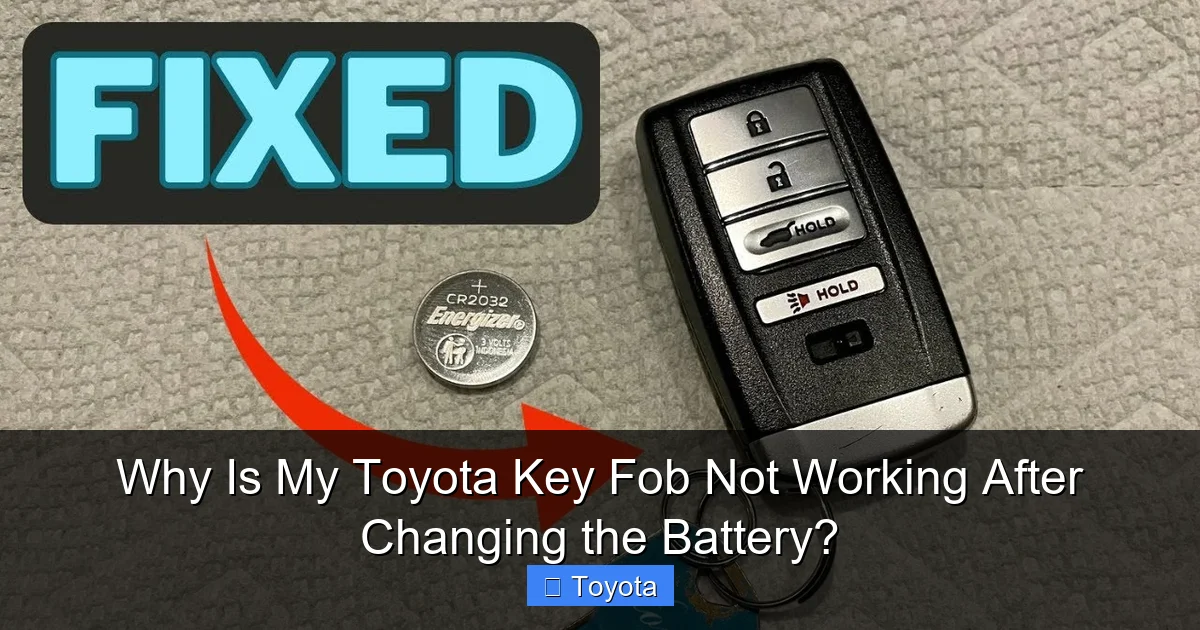
This is the classic, face-palm mistake. The tiny coin cell battery (usually a CR2032, but always check your manual) has a positive (+) side (the smooth, usually labeled side) and a negative (-) side (the side with the raised, nubbly rim). Inside the key fob, the contacts are specifically designed for one orientation. If you pop the battery in upside down, you’re not providing power—you might even be creating a tiny short circuit that trips the fob’s internal safety or just does nothing. The fob will act completely dead.
How to check: Open the fob back up again. Look at the battery. The flat, smooth side with the + symbol should be facing UP (toward the buttons/plastic case) in most Toyota fobs. The nubbly, negative side should be pressed against the metal spring or clip at the bottom of the compartment. If it’s reversed, flip it. This single fix solves a huge percentage of these problems instantly.
2. The Fob Needs a “Reset” or Re-Synchronization
Think of your key fob and your car as two friends who need to shake hands again after one of them took a nap (lost power). When you remove the battery, the fob’s volatile memory that stores its unique “handshake” code with the car can clear. You need to force them to re-introduce themselves. This isn’t reprogramming; it’s a simple, user-performed sync procedure that varies slightly by model year.
Common Toyota Key Fob Reset Procedure:
- Get inside the car and close all doors.
- Insert the key (the physical emergency key blade) into the driver’s door lock and turn it to the LOCK position, then back to UNLOCK. You should hear the doors lock and unlock.
- Now, press the LOCK button on the key fob. The doors should lock again. Press UNLOCK, and they should unlock.
- This sequence often forces the car’s system to recognize the fob’s signal again. For some newer models, you may need to sit in the driver’s seat, press the brake pedal, and then press the fob’s buttons while the key is in the ignition or the start button is pressed without the brake.
Consult your owner’s manual for the exact “Key Fob Registration” or “Remote Control Reset” procedure for your specific model year. It’s usually a few steps. If you can’t find your manual, a quick web search for “[Your Year & Model] key fob reset after battery change” will almost certainly yield the steps.
3. Accidental Damage During the Battery Swap
Toyota key fobs are marvel of miniaturization, and they’re also surprisingly fragile. The act of prying them open with a flathead screwdriver or a plastic pry tool can easily:
- Bend or break the tiny contact points where the battery touches the circuit board.
- Crack the delicate solder joints on the circuit board, especially around the battery clip.
- Damage the rubber gasket or seal, allowing moisture in later.
- Dislodge or scratch the infrared (IR) LED used for the backup start feature (on some models).
Even if the battery is perfect and installed correctly, a broken connection on the board means no power gets to the transmitter. Carefully inspect the battery compartment after re-installation. Are the metal springs or clips making firm contact with the flat sides of the battery? Is there any visible crack or debris on the green circuit board? If you see damage, the fob may need professional repair or replacement.
4. The “Smart Key” Deactivation Switch Was Hit
Many Toyota models with push-button start have a small, often overlooked switch—usually located in the glovebox or on the side of the steering column—called the Smart Key deactivation switch. Its purpose is to allow you to disable the smart key system (for valet parking, security, or if the fob battery is dead) and use the emergency key. If this switch gets bumped to the “OFF” position while you’re working on the fob, the car will completely ignore all smart key signals. It will act like the key fob is dead, even with a fresh battery.
How to check: Locate this switch. It’s often a small, unmarked toggle or slide switch. Your owner’s manual will have a diagram. Flip it to the “ON” or “Enable” position. Try your fob again immediately. This is a super simple fix that’s easy to miss. You can learn more about its location in our guide on where the Toyota Smart Key deactivation switch is located.
5. A Deeper Issue with the Car’s Receiver or Immobilizer
While less common right after a battery change, it’s possible the timing of the problem is a coincidence. The car has a keyless entry control module and an immobilizer antenna that “listens” for the fob’s signal. If that module has a fault, or if there’s a wiring issue, it won’t detect any fob—new battery or not. Similarly, if your car’s main 12V battery is very weak or dead, it can sometimes cause the low-voltage systems that power the keyless receiver to malfunction, leading to a “key not detected” message.
Symptom to watch for: If you try the reset procedure and the fob still does nothing, try the physical emergency key. Does it unlock the door? If yes, the mechanical lock works. If the car then starts with the fob inserted (on models with a slot) or after pressing the brake and start button (if the fob is inside), the issue is likely with the wireless signal detection. If the car won’t start even with the fob physically present, the problem might be broader. A message like “Key Not Detected” or “Place Key in Ignition” points to a receiver or immobilizer communication failure. We have a detailed article on why cars say key not detected that covers these systems.
The Step-by-Step Troubleshooting Guide: From “Duh” to “Dealer”
Okay, don’t just stand there pressing buttons. Let’s work through this logically. Follow these steps in order. You’ll likely solve it by Step 2 or 3.
Visual guide about Why Is My Toyota Key Fob Not Working After Changing the Battery?
Image source: i.ytimg.com
Step 1: The Absolute Basics
Before you even open the fob again, confirm:
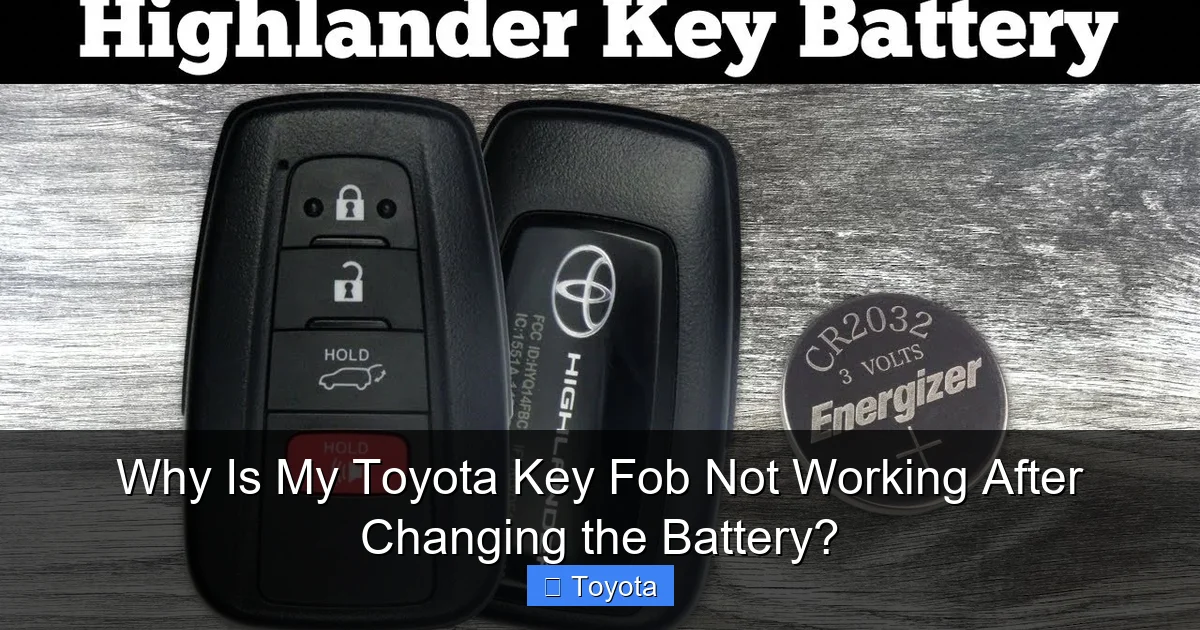
- You used the correct battery. CR2032 is most common, but some models use CR2025 or even a different type. Your owner’s manual specifies it. Using a cheap, off-brand battery can sometimes cause issues too.
- The new battery is actually new. It’s possible you got a dud from the pack. Try the old battery (if it still had some life) or a known-good new one from a different brand/store.
- You’re within range (a few feet) of the car, with no large metal objects blocking direct line-of-sight to the doors or trunk.
Step 2: Re-Inspect and Re-Install the Battery
Open the fob case again. Do this gently with a plastic pry tool if possible. Look inside:
- Confirm Polarity: Is the battery sitting flat? Is the smooth, positive (+) side facing the correct direction (usually up, toward the plastic top)?
- Check Contacts: Are the metal springs or clips clean and not corroded? Gently wipe them with a pencil eraser or isopropyl alcohol on a cotton swab if they look dirty.
- Ensure Firm Contact: When you close the case, does the battery get squeezed firmly between the contacts? There should be no wiggle room. Sometimes a slightly puffy battery or a misaligned clip prevents this.
Snap the two halves of the fob back together with firm, even pressure until you hear a click all around. Do not force it.
Step 3: Perform the Official Reset/Sync Procedure
This is the most crucial step that people miss. You must tell the car, “Hey, this is my key, please talk to it again.” Find the procedure for your specific vehicle. Here are two common examples:
- For many 2012-2020 models (e.g., Camry, Corolla, RAV4): With all doors closed, turn the key in the driver’s door lock to LOCK and then back to UNLOCK. Then press the LOCK button on the fob. The doors should lock. Press UNLOCK; they should unlock. You’ve now re-synced.
- For push-button start models (2014+): Sit in the driver’s seat with the fob in your pocket. Press the brake pedal, then press the ENGINE START/STOP button twice (without pressing the brake the second time). The car should go to “ON” mode (gauges light up) but not start. Then press the LOCK button on the fob. The doors should lock. This re-pairs the systems.
After the sync, test all buttons—lock, unlock, trunk release—from various distances. If it works, you’re golden! If not, proceed.
Step 4: Eliminate Other Culprits
If the reset failed, check these:
- Smart Key Switch: Find and toggle that deactivation switch. It’s a common oversight.
- Car Battery: A severely discharged car battery can cause all sorts of electronic gremlins, including key fob failure. Try jump-starting the car or checking the voltage. If the car’s dome lights are dim or the dash is acting weird, charge or replace the car battery first. A weak car battery can sometimes cause symptoms that mimic a bad key fob, which we explain in our article on whether a low key fob battery can cause a car not to start.
- Interference: Are you near a cell tower, strong radio antenna, or a bunch of other key fobs? Move to a different location, away from large metal structures or other electronics.
- Spare Key Fob: Does your spare fob work? If yes, the problem is definitely isolated to the fob you just changed. If the spare is ALSO dead, the problem is almost certainly with the car’s receiver or its main power.
Step 5: The Nuclear Option (and When to Use It)
If you’ve tried everything above and the fob is still dead, you have two last-ditch options:
- Complete Disconnect: Remove the battery from the fob and leave it out for 5-10 minutes. This drains all residual power from the fob’s capacitors, performing a “hard reset.” Reinsert the battery (double-check polarity!), close the case, and immediately perform the sync procedure from Step 3. Sometimes this deep power cycle is necessary.
- Seek Professional Help: If the fob is still unresponsive, the internal circuitry was likely damaged during opening, or the fob’s memory chip has failed. At this point, you need a Toyota dealer or a certified automotive locksmith. They can:
- Test the fob’s signal output with a specialized scanner.
- Check the car’s receiver module for codes.
- Reprogram or “pair” the fob to the car’s immobilizer system from scratch. This requires proprietary diagnostic software.
Replacing the fob at a dealer can be expensive ($200-$500+), but often they can repair the existing one if it’s just a broken solder joint or clip. Always get a quote first.
Prevention is Better Than Cure: Changing Your Toyota Key Fob Battery the Right Way
Now that you’ve suffered through this, let’s make sure it never happens again. Doing the battery change correctly the first time avoids 99% of these issues.
Visual guide about Why Is My Toyota Key Fob Not Working After Changing the Battery?
Image source: i.ytimg.com
Tools and Prep
You need: the correct new battery (CR2032 is standard for most 2012-2024 models), a small flat plastic pry tool (or a guitar pick), and optionally, a pair of tweezers. Never use a metal screwdriver if you can help it—it can slip and scratch the circuit board or plastic.
The Gentle Art of Opening the Fob
Most Toyota key fobs have a small seam where the two halves meet. There is often a hidden release button or slot. Look for a tiny hole or a seam along the side or back. Insert your plastic tool and gently twist. You should feel clips releasing one by one. Work your way around the perimeter. Do not force it. If it’s stuck, you’re likely at the wrong spot. Watch a YouTube video for your specific fob model—it’s the best visual guide.
Handling the Circuit Board
Once open, you’ll see the green circuit board. Never touch the gold contacts or the board itself with your fingers. Oils and static from your skin can damage components. Hold the fob by its plastic edges. If you need to move the board, touch only the plastic housing.
Battery Installation 101
Before you put the new battery in, look at the old one. Note exactly how it was seated. Which side was up? Which side had the spring? Replicate this perfectly. The battery should sit flat and secure. Give it a gentle wiggle—it shouldn’t move at all. The metal contacts must press firmly against the flat surfaces of the battery.
Reassembly and Immediate Sync
Before snapping the case shut, do a quick visual check. Is the rubber gasket (if there is one) sitting in its groove correctly? Is the circuit board aligned? Snap the case together with even pressure from all sides. You should hear a series of clicks as all the locking tabs engage. Do not over-squeeze. Then, immediately perform the sync procedure from Step 3 before you even walk away from the car. This ensures the fob is paired while the car’s system is in a receptive state.
When It’s Not the Fob: Exploring Car-Side Issues
If you’ve confirmed your freshly reset, correctly battery-powered fob is sending a signal (you can sometimes see a tiny red light blink on the fob when you press a button), but the car still ignores it, the fault lies with the vehicle. This is less common after a battery change but possible.
Visual guide about Why Is My Toyota Key Fob Not Working After Changing the Battery?
Image source: i.ytimg.com
The Car’s 12V Battery is the Silent Killer
Your car’s main battery doesn’t just start the engine. It powers every computer module, including the Keyless Entry Control Module. If your car battery is old, weak, or has a bad cell, its voltage can drop too low for these sensitive modules to operate correctly. The modules might reset or fail to power up, making them “deaf” to the key fob’s signal. The solution here is to test and, if needed, replace your car’s main battery.
Frequently Asked Questions
What is Why Is My Toyota Key Fob Not Working After Changing the Battery??
Why Is My Toyota Key Fob Not Working After Changing the Battery? is an important topic with many practical applications.
