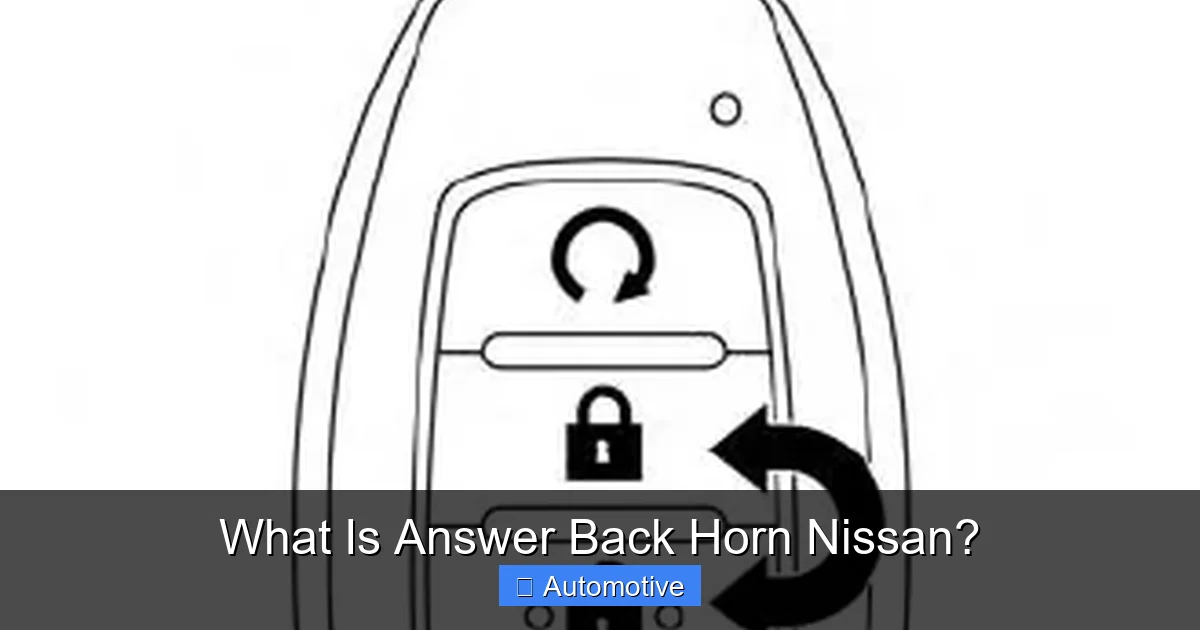
What Is Answer Back Horn Nissan?

Contents
- 1 Key Takeaways
- 2 What Is Answer Back Horn Nissan?
- 3 How Does the Answer Back Horn Work?
- 4 Benefits of the Answer Back Horn Feature
- 5 How to Customize or Disable the Answer Back Horn
- 6 Common Issues and Troubleshooting
- 7 Answer Back Horn in Popular Nissan Models
- 8 Conclusion
- 9 Key Takeaways
- 10 Frequently Asked Questions

Car Hydraulic Jack
Fuel Injector Cleaner

Car Sunshade for Windshield

Bluetooth FM Transmitter
The Answer Back Horn in Nissan vehicles is a smart feature that confirms remote key fob actions—like locking or unlocking doors—with a brief horn beep. It enhances security and convenience by giving drivers audible feedback, especially in crowded parking areas.
Key Takeaways
- What It Is: The Answer Back Horn is an audible confirmation system that responds when you use your Nissan key fob to lock, unlock, or locate your vehicle.
- How It Works: When you press a button on the key fob, the car’s horn emits a short beep (or series of beeps) to confirm the action was successful.
- Safety & Security Benefit: It helps prevent accidental lockouts and reassures you that your car is secure, especially in noisy or busy environments.
- Customizable Settings: Many Nissan models allow you to adjust or disable the horn response through the vehicle’s settings menu or by holding specific key fob buttons.
- Common Across Models: This feature is found in popular Nissan vehicles like the Altima, Rogue, Sentra, and Pathfinder, though availability may vary by trim and year.
- Troubleshooting Tips: If the horn doesn’t respond, check the key fob battery, ensure the feature is enabled, or consult your owner’s manual for model-specific guidance.
- Not a Standard on All Trims: Some base trims may not include the Answer Back Horn, so always verify features when purchasing or leasing a Nissan.
[FEATURED_IMAGE_PLACEHOLDER]
What Is Answer Back Horn Nissan?
Have you ever pressed the lock button on your Nissan key fob and wondered—did it actually work? Maybe you were in a busy parking garage, or it was late at night and you couldn’t see your car clearly. That’s where the Answer Back Horn comes in. It’s one of those small but incredibly useful features that makes daily driving a little less stressful.
The Answer Back Horn is Nissan’s way of saying, “Hey, I heard you!” When you press a button on your key fob—like lock, unlock, or panic—the car responds with a short, distinct horn beep. This isn’t just a random noise; it’s a deliberate confirmation that your command was received and executed. Think of it like a digital handshake between you and your vehicle.
This feature is especially helpful in situations where visual confirmation isn’t possible. Imagine trying to find your car in a sea of identical SUVs at the mall. You press the panic button, and instead of just flashing the lights, your Nissan lets out a loud, recognizable honk. Suddenly, you know exactly which direction to walk. Or picture this: you’re walking toward your car with your arms full of groceries, and you press the unlock button from 50 feet away. The horn beeps once—your signal that the doors are open and ready for you.
But the Answer Back Horn isn’t just about convenience. It also plays a role in safety and security. If you’re in a dimly lit parking lot and press the lock button, the horn gives you peace of mind that your car is secure. Without that sound, you might second-guess whether you locked it and end up walking back to check—potentially putting yourself at risk.
Over the years, Nissan has refined this feature across its lineup. While it started as a simple beep, newer models offer more nuanced responses. For example, some vehicles beep once when you lock the doors and twice when you unlock them. Others may combine the horn with flashing lights for even clearer feedback. And because every driver has different preferences, many Nissan models allow you to customize or even disable the horn response altogether.
In short, the Answer Back Horn is a small but smart addition that enhances both the usability and security of your Nissan. It’s one of those features you might not notice until you really need it—and then you’ll wonder how you ever lived without it.
How Does the Answer Back Horn Work?
At its core, the Answer Back Horn is a simple yet effective communication tool between your Nissan and its key fob. But how exactly does it function? Let’s break it down step by step.
When you press a button on your key fob—say, the lock button—a radio signal is sent from the fob to the car’s central control module. This module, often referred to as the body control module (BCM), processes the command and activates the appropriate system. In the case of locking, it sends power to the door locks to secure all entry points. But here’s where the Answer Back Horn comes into play: once the command is confirmed as successful, the BCM triggers the horn to emit a short, audible beep.
This process happens in milliseconds. You press the button, the car receives the signal, executes the action, and immediately responds with sound. It’s a closed-loop system designed to give you instant feedback. The horn doesn’t just sound randomly—it only activates after the system verifies that the requested action was completed.
Now, you might be wondering: what if the car doesn’t respond? That could mean a few things. Maybe the key fob battery is low and the signal isn’t strong enough. Or perhaps the car is out of range—most key fobs work within 50 to 100 feet, depending on obstacles like buildings or other vehicles. In some cases, the Answer Back Horn feature might be turned off in the vehicle settings. We’ll talk more about customization later, but it’s good to know that this feature isn’t always active by default on every model.
Another interesting aspect is the variation in horn patterns. On many Nissan vehicles, a single beep confirms that the doors have been locked. Two beeps usually mean the doors have been unlocked. This pattern helps drivers quickly understand what action was taken without having to look at the car. Some models even use three beeps for the panic alarm, making it easy to distinguish from regular lock/unlock commands.
It’s also worth noting that the Answer Back Horn works in conjunction with other feedback systems. For example, when you lock your car, you might see the turn signals flash once and hear the horn beep. This dual confirmation—visual and auditory—makes it even easier to know your car is secure. Similarly, when you press the trunk release button, some Nissans will beep once and flash the lights to confirm the trunk is open.
One common question is whether the horn will sound if the car is already locked or unlocked. The answer is usually no. The system is designed to respond only when a change in state occurs. So if your doors are already locked and you press the lock button again, the horn typically won’t beep. This prevents unnecessary noise and battery drain.
In vehicles with advanced keyless entry systems—like Nissan’s Intelligent Key—the Answer Back Horn can also respond to proximity-based actions. For instance, when you walk up to your car with the key in your pocket, the doors may unlock automatically. In some models, the horn will beep once to confirm the unlock, even though you didn’t press a button. This adds an extra layer of assurance that your car recognized your presence and responded accordingly.
Benefits of the Answer Back Horn Feature
So why does Nissan include the Answer Back Horn in so many of its vehicles? It’s not just a gimmick—it serves several practical purposes that improve the overall driving and ownership experience. Let’s explore the key benefits.
Enhanced Security and Peace of Mind
One of the biggest advantages of the Answer Back Horn is the sense of security it provides. When you’re walking away from your car at night or in a busy parking lot, it’s easy to doubt whether you actually locked it. Did I press the button hard enough? Was the signal received? The horn beep eliminates that uncertainty. It’s an immediate, unmistakable confirmation that your vehicle is secure.
This is especially valuable in high-crime areas or unfamiliar locations. Knowing your car is locked can reduce anxiety and help you focus on getting to your destination safely. Plus, if someone tries to tamper with your vehicle, the horn can act as a deterrent. Even a brief beep might draw attention and scare off potential thieves.
Convenience in Crowded or Noisy Environments
Imagine trying to find your car in a massive parking structure during a holiday sale. Hundreds of vehicles, all looking similar, and you can’t remember where you parked. You press the panic button on your key fob, and your Nissan responds with a loud, repeating horn. Suddenly, you can follow the sound straight to your car.
Even without using the panic function, the Answer Back Horn helps in everyday situations. If you’re standing near your car but can’t see the door handles clearly, a quick press of the unlock button followed by a beep tells you the doors are open. This is helpful when your hands are full, or when you’re wearing gloves and can’t feel the door handle.
Prevents Accidental Lockouts
We’ve all been there: you’re rushing to get inside, you press the lock button, and then you realize your keys are still in your hand—or worse, inside the car. Without the Answer Back Horn, you might not notice the mistake until it’s too late. But with the horn, you get instant feedback. If you press lock and hear a beep, you know the car is secured. If you don’t hear anything, you can check whether the doors are still open before walking away.
This simple feature can save you from the frustration—and cost—of a lockout. No more calling a locksmith or waiting for roadside assistance because you accidentally locked your keys inside.
Improved Accessibility for All Drivers
The Answer Back Horn isn’t just for convenience—it’s also an accessibility feature. For drivers with visual impairments, auditory feedback is crucial. The horn beep provides a reliable way to confirm actions without needing to see the car or its lights. This makes Nissan vehicles more inclusive and user-friendly for a wider range of drivers.
Even for those with normal vision, the horn adds an extra layer of confirmation that’s especially helpful in low-light conditions. You don’t need to strain your eyes to see if the lights flashed—you just listen for the beep.
Customization for Personal Preference
Another benefit is that many Nissan models allow you to customize the Answer Back Horn behavior. If you find the horn too loud or unnecessary, you can often disable it through the vehicle’s settings menu. Some drivers prefer to keep the lights flashing but turn off the sound, especially if they park in quiet neighborhoods or apartment complexes.
Conversely, if you want even more feedback, some systems let you adjust the volume or pattern of the horn. This flexibility ensures the feature works for your lifestyle, not against it.
Integration with Other Safety Systems
The Answer Back Horn doesn’t operate in isolation. It’s part of a broader ecosystem of safety and convenience features in Nissan vehicles. For example, it works alongside the vehicle’s anti-theft system, automatic door locks, and remote start functions. When you remote start your car on a cold morning, the horn might beep once to confirm the engine is running. This integration creates a seamless, intuitive experience for the driver.
How to Customize or Disable the Answer Back Horn
While the Answer Back Horn is a helpful feature, it’s not for everyone. Some drivers find the horn too loud, especially in quiet areas like residential streets or parking garages. Others may prefer to rely solely on visual cues like flashing lights. The good news is that many Nissan models allow you to customize or disable the horn response.
Using the Key Fob to Adjust Settings
One of the easiest ways to change the Answer Back Horn behavior is through the key fob itself. On many Nissan vehicles, you can toggle the horn on or off by holding specific buttons in a sequence. For example:
– Press and hold the LOCK and UNLOCK buttons simultaneously for about five seconds.
– The hazard lights may flash to indicate the setting has changed.
– Repeat the process to switch between horn on and horn off.
This method is quick and doesn’t require accessing the car’s infotainment system. However, the exact steps can vary by model and year, so it’s best to consult your owner’s manual for precise instructions.
Using the Vehicle’s Settings Menu
For newer Nissan models with touchscreen displays, you can adjust the Answer Back Horn through the settings menu. Here’s a general guide:
1. Turn on the ignition (you don’t need to start the engine).
2. Navigate to the Settings or Vehicle menu on the touchscreen.
3. Look for options like Door Lock Settings, Remote Key Settings, or Answer Back Horn.
4. Toggle the horn response on or off, or choose between different feedback options (e.g., horn only, lights only, or both).
Some models even let you customize the number of beeps or the volume of the horn. This level of control allows you to tailor the feature to your preferences.
Model-Specific Variations
It’s important to note that not all Nissan vehicles offer the same customization options. For example:
– The Nissan Altima (2020 and newer) allows you to disable the horn via the settings menu.
– The Nissan Rogue may require you to use the key fob method, as the touchscreen option isn’t always available.
– Older models, like the 2015 Sentra, might not offer any customization at all—the horn either works or it doesn’t.
Always check your owner’s manual or contact a Nissan dealer to confirm what options are available for your specific vehicle.
When to Disable the Horn
There are several situations where turning off the Answer Back Horn makes sense:
– You park in a quiet neighborhood and don’t want to disturb neighbors.
– You’re in a parking garage where horn sounds echo and cause confusion.
– You have sensory sensitivities and find sudden noises overwhelming.
– You frequently use the key fob in close proximity to the car, making the horn unnecessary.
On the flip side, you might want to keep the horn enabled if you often park in large lots, travel frequently, or have concerns about vehicle security.
Re-enabling the Feature
If you disable the horn and later decide you want it back, the process is usually the same as turning it off. Just repeat the key fob sequence or toggle the setting back on in the menu. The change takes effect immediately, so you’ll hear the confirmation beep the next time you use the key fob.
Common Issues and Troubleshooting
Even the most reliable features can sometimes act up. If your Nissan’s Answer Back Horn isn’t working as expected, don’t panic—there are several common causes and easy fixes.
Dead or Weak Key Fob Battery
The most frequent reason the horn doesn’t respond is a low battery in the key fob. When the battery is weak, the signal may not reach the car, or it might be too weak to trigger the horn. If you notice that the horn only works when you’re very close to the car, or if it’s inconsistent, try replacing the battery.
Most Nissan key fobs use a CR2032 battery, which is inexpensive and widely available. Replacing it is usually a simple process involving a small screwdriver or a coin to open the fob. Once the new battery is installed, test the horn again from a normal distance.
Feature Disabled in Settings
If the horn never beeps—even when you’re right next to the car—it’s possible the feature has been turned off. Check your vehicle’s settings menu or try the key fob toggle method described earlier. Sometimes the setting gets changed accidentally, especially if multiple people use the car.
Out of Range or Signal Interference
The Answer Back Horn only works within a certain range—typically 50 to 100 feet. If you’re too far away, the signal won’t reach the car. Also, obstacles like buildings, other vehicles, or electronic interference can block the signal. Try moving closer to the car or standing in a clearer line of sight.
Faulty Horn or Electrical Issue
In rare cases, the problem might be with the horn itself or the car’s electrical system. If the horn doesn’t sound at all—even when you press the panic button inside the car—there could be a blown fuse, a wiring issue, or a malfunctioning horn. This requires professional diagnosis and repair.
Model or Trim Limitations
Not all Nissan trims include the Answer Back Horn. Base models or older vehicles might not have the feature at all. If you’re unsure, check your owner’s manual or ask a Nissan dealer. They can confirm whether your specific model and year support the Answer Back Horn.
Software Glitches
On newer vehicles with advanced electronics, a software glitch could prevent the horn from responding. In some cases, a simple restart of the vehicle’s system—by turning the ignition off and on—can resolve the issue. If the problem persists, a dealership may need to update the vehicle’s software.
Answer Back Horn in Popular Nissan Models
The Answer Back Horn is a common feature across many Nissan vehicles, but its availability and behavior can vary. Here’s a look at how it works in some of the brand’s most popular models.
Nissan Altima
The Altima, one of Nissan’s best-selling sedans, includes the Answer Back Horn on most trims starting from the mid-level SV and above. Drivers can customize the horn response through the touchscreen settings. The system typically beeps once when locking and twice when unlocking. The feature works seamlessly with the Intelligent Key system, providing feedback even during passive entry.
Nissan Rogue
In the Rogue SUV, the Answer Back Horn is standard on most trims. It’s especially useful given the vehicle’s popularity in suburban and urban areas where parking can be challenging. The horn response can be adjusted using the key fob method, and some models allow you to choose between horn-only, lights-only, or both. The Rogue also integrates the horn with its remote start feature, giving a beep when the engine starts.
Nissan Sentra
The Sentra offers the Answer Back Horn on higher trims like the SR and Platinum. Base models may not include the feature, so it’s worth checking when shopping. When enabled, the horn provides clear confirmation for lock, unlock, and panic functions. Customization is possible through the settings menu on newer models.
Nissan Pathfinder
As a larger SUV, the Pathfinder benefits greatly from the Answer Back Horn, especially when parked in expansive lots. The feature is standard on most trims and works in tandem with the vehicle’s advanced security system. Drivers can disable the horn if desired, making it a flexible option for families and frequent travelers.
Nissan Maxima
The Maxima, Nissan’s flagship sedan, includes the Answer Back Horn as part of its premium experience. The system is highly customizable, with options for volume and pattern. The horn also integrates with the vehicle’s ambient lighting and sound system, creating a cohesive feedback experience.
Conclusion
The Answer Back Horn in Nissan vehicles is a small feature with a big impact. It’s more than just a noise—it’s a smart, user-friendly tool that enhances safety, convenience, and peace of mind. Whether you’re locking your car at night, finding it in a crowded lot, or simply wanting confirmation that your doors are secure, this feature delivers reliable feedback when you need it most.
From its simple operation to its customizable settings, the Answer Back Horn reflects Nissan’s commitment to practical innovation. It’s a testament to how thoughtful design can make everyday tasks easier and more secure. And while it might seem minor compared to advanced driver-assistance systems or hybrid powertrains, it’s the kind of detail that truly improves the ownership experience.
So the next time you press that lock button and hear a confident beep, remember: your Nissan isn’t just responding—it’s communicating with you. And in a world full of distractions, that little sound can make all the difference.
What is the Answer Back Horn in Nissan vehicles?
The Answer Back Horn is a feature that emits a short horn beep when you use the key fob to lock, unlock, or locate your Nissan. It confirms that the command was received and executed.
Can I turn off the Answer Back Horn?
Yes, on most Nissan models, you can disable the horn through the vehicle’s settings menu or by holding specific key fob buttons. Check your owner’s manual for exact steps.
Why isn’t my Nissan’s horn beeping when I lock the doors?
This could be due to a low key fob battery, the feature being disabled, or being out of range. Try replacing the battery or checking the settings.
Does the Answer Back Horn work with all Nissan models?
It’s available on most mid-to-high trims of popular models like the Altima, Rogue, and Sentra, but not all base trims include it. Verify with your dealer or owner’s manual.
Is the Answer Back Horn the same as the panic alarm?
No. The panic alarm triggers a loud, repeating horn to draw attention, while the Answer Back Horn is a brief confirmation beep for lock/unlock actions.
Can the horn beep if the car is already locked?
Typically, no. The horn only sounds when there’s a change in state—like locking an unlocked car. If it’s already locked, pressing the button again usually won’t trigger the horn.
This is a comprehensive guide about What Is Answer Back Horn Nissan?.
Key Takeaways
- Understanding What Is Answer Back Horn Nissan?: Provides essential knowledge
Frequently Asked Questions
What is What Is Answer Back Horn Nissan??
What Is Answer Back Horn Nissan? is an important topic with many practical applications.