How to Sell a Car on Facebook Marketplace
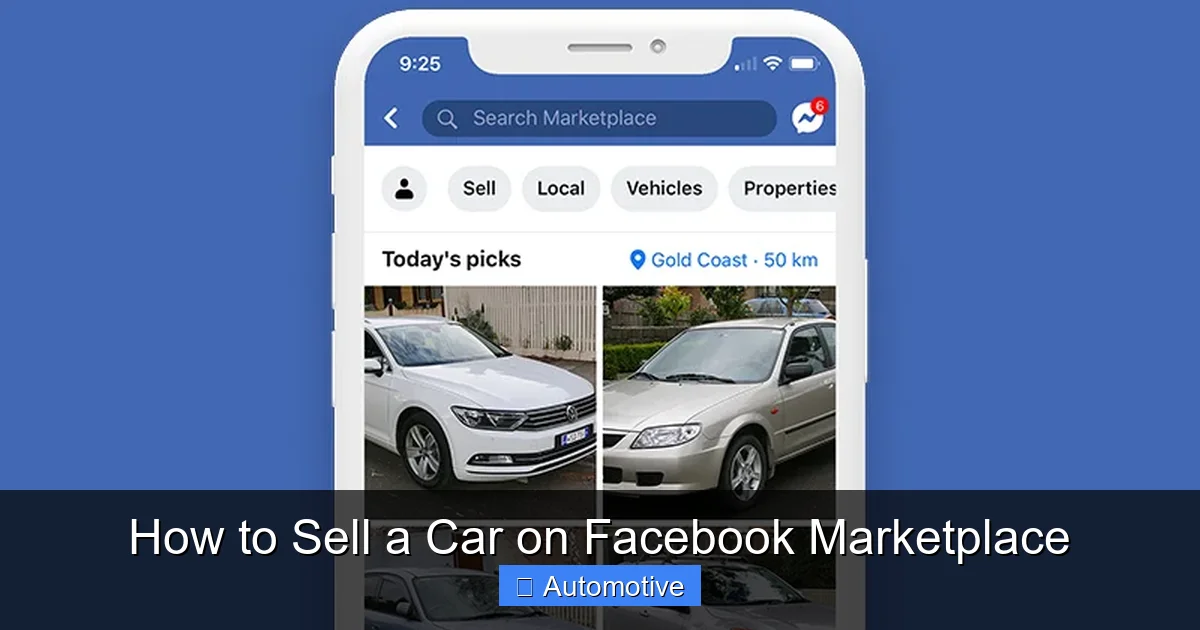
Selling a car on Facebook Marketplace is fast, free, and effective—if you do it right. This guide walks you through every step, from listing to closing the deal, with real tips to attract buyers and avoid scams.
So, you’ve decided to sell your car—and you’re thinking about using Facebook Marketplace. Smart move. With over 1 billion monthly active users, Facebook Marketplace is one of the most popular platforms for buying and selling vehicles. It’s free, easy to use, and connects you directly with local buyers. But while it sounds simple, selling a car online—especially on a social platform—comes with its own set of challenges.
Unlike dealerships or private classified sites, Facebook Marketplace blends social interaction with commerce. That means your listing isn’t just competing with other cars—it’s competing with memes, birthday posts, and vacation photos. To stand out, you need more than just a good car. You need a great listing, smart pricing, and a bit of strategy.
The good news? You don’t need to be a marketing expert or a tech wizard. With the right approach, you can sell your car quickly, safely, and for a fair price. This guide will walk you through every step—from preparing your vehicle to closing the deal—so you can navigate Facebook Marketplace like a pro.
In This Article
- 1 Key Takeaways
- 2 📑 Table of Contents
- 3 Why Choose Facebook Marketplace to Sell Your Car?
- 4 Step 1: Prepare Your Car for Sale
- 5 Step 2: Take High-Quality Photos
- 6 Step 3: Write a Compelling Listing
- 7 Step 4: Price Your Car Competitively
- 8 Step 5: Manage Inquiries and Communicate Effectively
- 9 Step 6: Arrange a Safe and Successful Test Drive
- 10 Step 7: Complete the Sale Legally and Securely
- 11 Final Tips for a Smooth Sale
- 12 Frequently Asked Questions
- 12.1 How long does it take to sell a car on Facebook Marketplace?
- 12.2 Can I sell a car on Facebook Marketplace for free?
- 12.3 What should I do if a buyer offers to overpay?
- 12.4 Do I need to provide a vehicle history report?
- 12.5 Can I sell a car that still has a loan on it?
- 12.6 What if the buyer doesn’t show up for the test drive?
Key Takeaways
- Create a detailed listing: Include clear photos, accurate mileage, vehicle history, and key features to build trust and attract serious buyers.
- Price competitively: Research similar models in your area using tools like Kelley Blue Book or Edmunds to set a fair, competitive price.
- Use high-quality photos: Take pictures in daylight, clean the car inside and out, and shoot from multiple angles to showcase its condition.
- Respond quickly and professionally: Prompt replies and polite communication increase your chances of a sale and help avoid scams.
- Meet safely: Always meet in public places, bring a friend, and consider using Facebook’s “Meet Safe” feature for added security.
- Complete the sale legally: Transfer the title, sign a bill of sale, and notify your DMV to avoid future liability.
- Avoid common pitfalls: Watch out for fake payment offers, overpayment scams, and buyers who delay or back out last minute.
📑 Table of Contents
- Why Choose Facebook Marketplace to Sell Your Car?
- Step 1: Prepare Your Car for Sale
- Step 2: Take High-Quality Photos
- Step 3: Write a Compelling Listing
- Step 4: Price Your Car Competitively
- Step 5: Manage Inquiries and Communicate Effectively
- Step 6: Arrange a Safe and Successful Test Drive
- Step 7: Complete the Sale Legally and Securely
- Final Tips for a Smooth Sale
Why Choose Facebook Marketplace to Sell Your Car?
There are plenty of ways to sell a car: trade it in at a dealership, list it on AutoTrader, or post it on Craigslist. But Facebook Marketplace has some unique advantages that make it a top choice for private sellers.
First, it’s free. Unlike many classified sites that charge listing fees or take a percentage of the sale, Facebook Marketplace doesn’t cost you a dime. You can post your car, update it, and message buyers without spending a cent.
Second, it’s local. Facebook Marketplace prioritizes local listings, so your car will appear to people in your city or nearby areas. That means fewer long-distance inquiries and more in-person test drives.
Third, it’s trusted. Because Facebook is a social network, buyers can see your profile, check your activity, and even ask mutual friends about you. This adds a layer of accountability that platforms like Craigslist often lack.
And finally, it’s convenient. You can manage your listing from your phone, respond to messages on the go, and even schedule meetups using Facebook’s built-in tools.
But it’s not all sunshine and rainbows. Facebook Marketplace also has downsides. Scammers are active, competition is high, and some buyers expect rock-bottom prices. That’s why knowing how to sell a car on Facebook Marketplace the right way is crucial.
Step 1: Prepare Your Car for Sale

Visual guide about How to Sell a Car on Facebook Marketplace
Image source: pickfu.com
Before you even think about taking photos or writing a description, you need to get your car ready. A well-prepared vehicle sells faster and for more money. Think of it like staging a house before an open house—first impressions matter.
Clean It Inside and Out
Start with a thorough cleaning. Wash the exterior, wax it if possible, and clean the wheels and tires. Use a clay bar to remove any embedded dirt or grime. A shiny, clean car looks well-maintained and cared for.
Inside, vacuum every corner, wipe down surfaces, and clean the windows. Remove any personal items—old receipts, air fresheners, or loose change. Consider using an odor eliminator if there’s any lingering smell from pets, smoke, or food.
If your car has minor scratches or dents, consider getting them touched up. A $50 paint repair can add hundreds to your selling price.
Gather All Documentation
Buyers will want to see proof that your car is in good condition and legally yours. Gather the following:
– The vehicle title (signed and ready to transfer)
– Recent maintenance records
– Warranty information (if applicable)
– Vehicle history report (like Carfax or AutoCheck)
– Registration and emissions test results (if required in your state)
Having these documents ready shows you’re serious and transparent. It also speeds up the sale process.
Get a Pre-Sale Inspection
Consider getting a pre-sale inspection from a trusted mechanic. This isn’t required, but it can give buyers peace of mind—and justify a higher price. A clean bill of health from a professional can be a powerful selling point.
You can even include a copy of the inspection report in your listing. For example: “Just passed a full inspection at ABC Auto—brakes, fluids, and tires all in great shape!”
Step 2: Take High-Quality Photos
Visual guide about How to Sell a Car on Facebook Marketplace
Image source: pickfu.com
Photos are the first thing buyers see—and they often decide whether to click on your listing based on them alone. A blurry, dark, or cluttered photo can kill interest instantly.
Shoot in Natural Light
Take your photos during the day, preferably in the early morning or late afternoon when the light is soft and even. Avoid direct sunlight, which can create harsh shadows and glare.
Park your car in a clean, uncluttered area—like a driveway or empty parking lot. Avoid busy streets, alleys, or places with distracting backgrounds.
Capture Key Angles
Take at least 8–10 photos that show your car from every angle:
– Front and rear views
– Both sides
– Interior (front and back seats, dashboard, trunk)
– Engine bay
– Close-ups of any damage or unique features
Make sure the car is clean and the interior is tidy. Open the doors and trunk to show space and condition.
Highlight Features and Condition
If your car has special features—like leather seats, a sunroof, or a premium sound system—make sure they’re visible in your photos.
Also, be honest about any flaws. Take clear photos of scratches, dents, or worn areas. This builds trust and prevents surprises during the inspection.
Pro tip: Use your phone’s HDR mode for better color and detail. Avoid filters or editing that makes the car look unrealistic.
Step 3: Write a Compelling Listing
Visual guide about How to Sell a Car on Facebook Marketplace
Image source: autoxloo.com
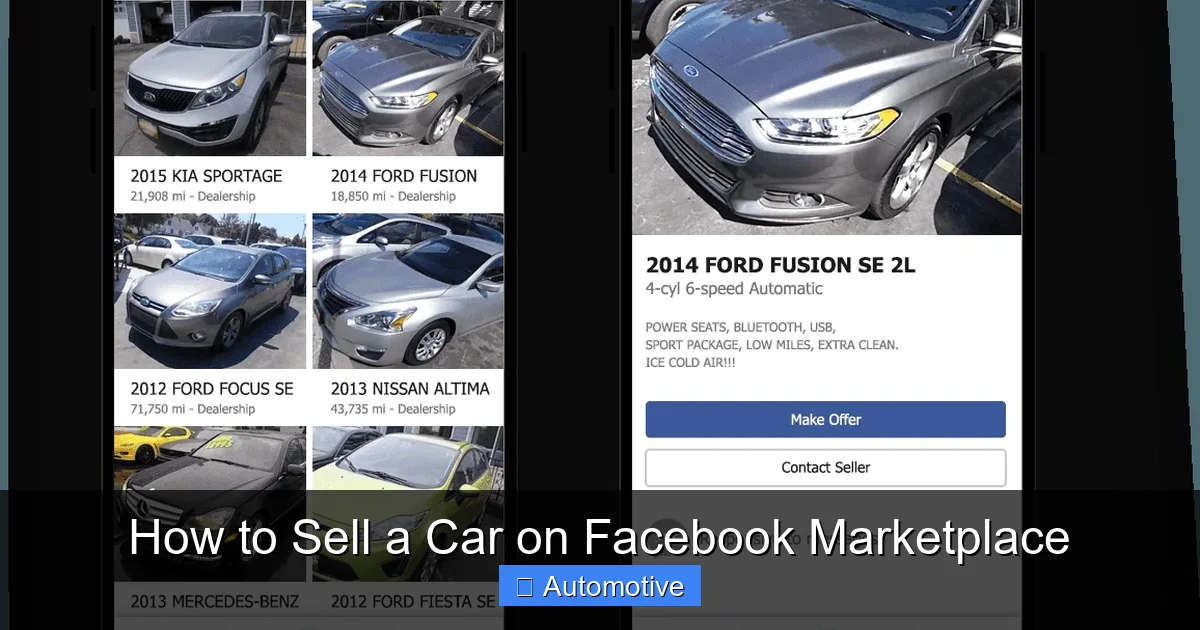
Your listing is your sales pitch. It needs to be clear, honest, and engaging. A great description can turn a casual browser into a serious buyer.
Start with a Strong Title
Your title should include the year, make, model, and key selling points. For example:
“2018 Honda Civic EX – Low Miles, Clean Title, One Owner”
Avoid vague titles like “Car for Sale” or “Nice Honda.” Be specific and include keywords buyers might search for.
Write a Detailed Description
In the description, include:
– Mileage
– Condition (excellent, good, fair)
– Ownership history (one owner, no accidents)
– Maintenance records
– Features (navigation, backup camera, heated seats, etc.)
– Reason for selling
Be honest. If the car has a small issue—like a worn brake pad or a minor oil leak—mention it upfront. Buyers appreciate transparency.
Use short paragraphs and bullet points for readability. For example:
- Only 42,000 miles
- Regular oil changes every 5,000 miles
- New tires installed 6 months ago
- Never smoked in
Include Keywords for Search
Facebook Marketplace uses search algorithms, so include relevant keywords naturally. Words like “low mileage,” “clean title,” “well-maintained,” and “excellent condition” help your listing appear in searches.
But don’t stuff keywords. Write for humans first, algorithms second.
Step 4: Price Your Car Competitively
Pricing is one of the most important factors in how quickly your car sells. Overprice it, and it’ll sit for weeks. Underprice it, and you lose money.
Research Comparable Listings
Look at similar cars in your area on Facebook Marketplace, AutoTrader, and Craigslist. Note the year, make, model, mileage, condition, and price.
Use tools like Kelley Blue Book (KBB) or Edmunds to get a fair market value. These sites consider your car’s condition, location, and features.
Adjust for Condition and Extras
If your car is in excellent condition with low mileage and extra features, you can price it at the higher end. If it has high mileage or needs repairs, price it lower.
For example, a 2018 Honda Civic with 40,000 miles and a clean history might be worth $18,000. But if it has 80,000 miles and a minor accident on record, $15,000 might be more realistic.
Leave Room for Negotiation
Most buyers will try to negotiate. Price your car slightly above your target to give yourself wiggle room. For example, if you want $16,000, list it at $16,500.
But don’t overdo it. A car priced too high will get ignored.
Step 5: Manage Inquiries and Communicate Effectively
Once your listing goes live, you’ll start getting messages. How you respond can make or break a sale.
Respond Quickly and Politely
Aim to reply within a few hours. Buyers often message multiple sellers and will move on if you’re slow.
Keep your tone friendly and professional. Avoid slang or overly casual language. For example:
“Hi! Thanks for your interest in the Civic. It’s in great shape and has been well-maintained. Are you available to see it this weekend?”
Ask Screening Questions
Not every inquiry is serious. Ask questions to filter out tire-kickers:
– “Are you looking to buy soon?”
– “Do you have financing ready?”
– “Have you seen similar cars in this price range?”
Serious buyers will answer honestly. Scammers or time-wasters often disappear.
Avoid Common Scam Tactics
Watch out for red flags:
– Buyers who want to pay with a cashier’s check or wire transfer
– Requests to ship the car
– Overpayment offers (“I’ll send you $20,000 and you refund the difference”)
– Buyers who refuse to meet in person
If something feels off, trust your gut. Facebook Marketplace has a reporting feature—use it.
Step 6: Arrange a Safe and Successful Test Drive
When a buyer wants to see the car, safety comes first.
Meet in a Public Place
Choose a busy, well-lit location like a police station parking lot, shopping center, or bank. Facebook even has a “Meet Safe” feature that suggests safe locations.
Bring a Friend
Never meet a buyer alone. Bring a family member or friend for backup.
Verify the Buyer’s Identity
Ask to see their driver’s license and confirm it matches their Facebook profile. You can also ask for a copy (redact sensitive info like address).
Supervise the Test Drive
Always ride along during the test drive. Don’t let the buyer drive alone.
Check that they have a valid license and insurance. Some sellers ask for a copy of their insurance card.
Have Documents Ready
Bring the title, registration, and any maintenance records. This shows you’re prepared and serious.
Step 7: Complete the Sale Legally and Securely
Once the buyer agrees to purchase, it’s time to finalize the deal.
Accept Secure Payment
Cash is the safest option. If the buyer wants to pay by check, make sure it’s a cashier’s check from a local bank—and wait for it to clear.
Avoid wire transfers, gift cards, or online payments like PayPal (unless it’s goods and services, not friends and family).
Sign the Title and Bill of Sale
Both you and the buyer must sign the title. Fill in the buyer’s name, sale price, and date.
Create a bill of sale that includes:
– Names and addresses of both parties
– Vehicle details (VIN, year, make, model)
– Sale price
– Date of sale
– Odometer reading
You can find free templates online or use your state’s DMV form.
Notify the DMV
In most states, you must notify the DMV within a few days of the sale. This protects you from liability if the buyer gets a ticket or causes an accident.
Some states require you to submit a release of liability form. Check your local DMV website for details.
Remove License Plates and Cancel Insurance
In most states, you keep your license plates. Remove them before handing over the car.
Cancel your insurance as soon as the sale is complete—don’t wait.
Final Tips for a Smooth Sale
Selling a car on Facebook Marketplace doesn’t have to be stressful. With the right preparation and mindset, it can be a smooth, even enjoyable process.
Here are a few final tips:
– Be patient. It may take a week or two to find the right buyer.
– Update your listing regularly. Refresh the photos or description if it’s not getting views.
– Be flexible with meeting times. Weekend and evening showings often attract more buyers.
– Stay positive. Even if you get lowball offers or no-shows, keep going. The right buyer is out there.
And remember: honesty is the best policy. A car that’s described accurately will sell faster and with fewer headaches.
Selling your car on Facebook Marketplace is a great way to get top dollar while connecting with local buyers. Just follow these steps, stay safe, and trust the process. Before you know it, you’ll be handing over the keys and waving goodbye to your old ride.
Frequently Asked Questions
How long does it take to sell a car on Facebook Marketplace?
It varies, but most cars sell within 1–3 weeks if priced right and well-presented. Factors like condition, price, and location play a big role.
Can I sell a car on Facebook Marketplace for free?
Yes, Facebook Marketplace is completely free to use. There are no listing fees or commissions, unlike some other platforms.
What should I do if a buyer offers to overpay?
This is a common scam. Never accept overpayment or agree to refund the difference. Only accept payment equal to the agreed sale price.
Do I need to provide a vehicle history report?
It’s not required, but providing a Carfax or AutoCheck report builds trust and can speed up the sale. Many buyers expect it.
Can I sell a car that still has a loan on it?
Yes, but you’ll need to pay off the loan before transferring the title. Some buyers may agree to pay the lender directly, but this requires coordination.
What if the buyer doesn’t show up for the test drive?
It happens. Send a polite follow-up message. If they don’t respond, move on to the next interested buyer. Don’t take it personally.



![How Much Does Auto Tint Cost [Calculator Included]](https://aautomotives.com/wp-content/uploads/2025/10/How-Much-Does-Auto-Tint-Cost-Calculator-Included-768x412.jpg "How Much Does Auto Tint Cost? [Calculator Included] 8")
![Window Tinting Laws in Virginia [Updated, 2023] What Every Driver Needs to Know Before Hitting the Road](https://aautomotives.com/wp-content/uploads/2025/10/Window-Tinting-Laws-in-Virginia-Updated-2023-What-Every-Driver-Needs-to-Know-Before-Hitting-the-Road-1-768x412.jpg "Do Window Tints Go On The Inside Or Outside? (Complete Expert Breakdown) 9")