How to Safely Disconnect a Car Battery
Disconnecting a car battery may seem simple, but doing it safely is crucial to avoid electrical damage, injury, or vehicle malfunctions. This guide walks you through the correct procedure, safety precautions, and what to expect afterward—so you can handle the task with confidence.
In This Article
- 1 Key Takeaways
- 2 📑 Table of Contents
- 3 Why Disconnecting a Car Battery Safely Matters
- 4 When Should You Disconnect Your Car Battery?
- 5 Tools and Safety Gear You’ll Need
- 6 Step-by-Step Guide to Safely Disconnect a Car Battery
- 7 What to Expect After Disconnecting the Battery
- 8 How to Safely Reconnect the Car Battery
- 9 Common Mistakes to Avoid
- 10 Final Tips for Long-Term Battery Health
- 11 Conclusion
- 12 Frequently Asked Questions
- 12.1 Can I disconnect my car battery while the engine is running?
- 12.2 Will disconnecting the battery reset my check engine light?
- 12.3 How long can I leave my car battery disconnected?
- 12.4 Do I need to reprogram my radio after disconnecting the battery?
- 12.5 Can I disconnect just one terminal instead of both?
- 12.6 What should I do if battery acid spills?
Key Takeaways
- Always disconnect the negative terminal first: This prevents short circuits and accidental sparks that could damage your car’s electronics or cause injury.
- Wear safety gear: Use gloves and safety glasses to protect against acid exposure and electrical shock.
- Turn off the engine and remove the key: Ensure the vehicle is completely powered down before starting any work.
- Use the right tools: A wrench or socket set that fits your battery terminals properly will prevent slipping and damage.
- Reconnect in reverse order: Attach the positive terminal first when reconnecting to minimize risk.
- Be aware of vehicle settings: Disconnecting the battery may reset radio presets, clocks, and onboard computers—have your radio code ready if needed.
- Dispose of old batteries responsibly: Take used batteries to a recycling center or auto parts store—never toss them in the trash.
📑 Table of Contents
- Why Disconnecting a Car Battery Safely Matters
- When Should You Disconnect Your Car Battery?
- Tools and Safety Gear You’ll Need
- Step-by-Step Guide to Safely Disconnect a Car Battery
- What to Expect After Disconnecting the Battery
- How to Safely Reconnect the Car Battery
- Common Mistakes to Avoid
- Final Tips for Long-Term Battery Health
- Conclusion
Why Disconnecting a Car Battery Safely Matters
You might think disconnecting a car battery is as simple as loosening a few bolts—but doing it wrong can lead to serious consequences. From frying your car’s sensitive electronics to causing sparks that ignite flammable gases, the risks are real. That’s why knowing how to safely disconnect a car battery is essential for every car owner, whether you’re replacing the battery, performing maintenance, or storing your vehicle long-term.
Modern vehicles are packed with computers, sensors, and electrical systems that rely on stable power. Even a brief short circuit can damage these components, leading to expensive repairs. Plus, car batteries contain sulfuric acid and produce hydrogen gas—both hazardous if mishandled. By following the right steps and safety practices, you protect not only your vehicle but also yourself.
Whether you’re a DIY enthusiast or just trying to save a trip to the mechanic, this guide will walk you through the entire process. We’ll cover everything from preparation and tools to reconnection and post-disconnection tips. By the end, you’ll feel confident tackling this common task safely and efficiently.
When Should You Disconnect Your Car Battery?
There are several common reasons you might need to disconnect your car battery. Understanding when it’s necessary helps you prepare properly and avoid unnecessary risks.
Visual guide about How to Safely Disconnect a Car Battery
Image source: rxmechanic.com
Routine Maintenance and Repairs
Many under-hood repairs—like replacing alternators, starters, or sensors—require disconnecting the battery. This cuts power to the system, preventing accidental shorts or shocks while you work. Even simple tasks like cleaning battery terminals or checking corrosion benefit from a disconnected battery.
Long-Term Vehicle Storage
If you’re storing your car for weeks or months (like during winter or travel), disconnecting the battery prevents slow drain from parasitic loads. Modern cars have clocks, alarms, and onboard computers that draw small amounts of power even when off. Over time, this can kill the battery. Disconnecting it preserves charge and extends battery life.
Replacing the Battery
Obviously, you’ll need to disconnect the old battery before installing a new one. But even here, safety matters. Rushing the process can lead to damaged cables or electrical issues. Taking your time ensures a clean swap.
Resetting the Vehicle’s Computer
Some drivers disconnect the battery to reset the engine control unit (ECU) after clearing error codes or troubleshooting issues. While this can work, it’s not always reliable—and may erase important adaptive learning data. Use this method cautiously and only when necessary.
Preventing Electrical Fires
In rare cases, a faulty battery or charging system can overheat or leak. If you notice swelling, leaking acid, or a burning smell, disconnect the battery immediately—but do so safely, from a distance if possible, and call a professional.
Tools and Safety Gear You’ll Need
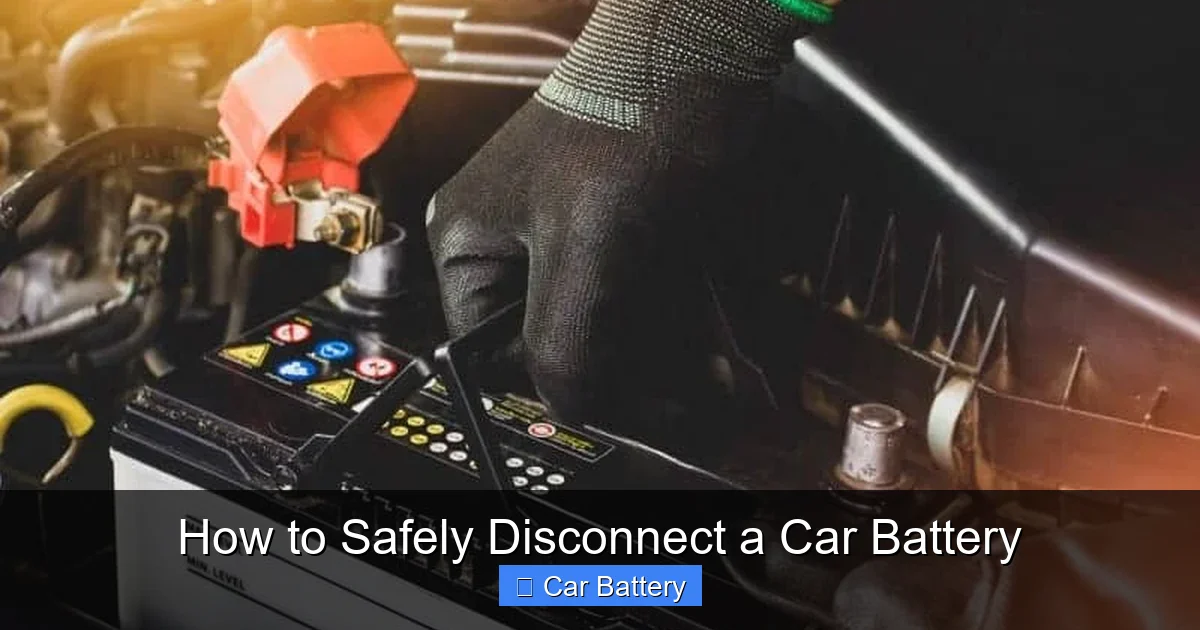
Before you touch a wrench to the battery, gather the right tools and protective equipment. Skipping this step is a common mistake that leads to accidents.
Visual guide about How to Safely Disconnect a Car Battery
Image source: rxmechanic.com
Essential Tools
- Wrench or socket set: Most car batteries use 10mm or 13mm nuts on the terminals. Make sure your wrench fits snugly to avoid slipping.
- Battery terminal puller (optional): If terminals are stuck, a puller helps remove them without damaging the posts.
- Wire brush or terminal cleaner: Useful for cleaning corrosion before or after disconnection.
- Baking soda and water (for cleanup): Neutralizes battery acid if spilled.
- Adjustable pliers (as backup): Helpful if terminals are hard to reach.
Safety Equipment
- Safety glasses: Protect your eyes from acid splashes or flying debris.
- Rubber or nitrile gloves: Prevent skin contact with battery acid and reduce electrical conductivity.
- Long sleeves and closed-toe shoes: Add an extra layer of protection.
- Well-ventilated workspace: Batteries emit hydrogen gas, which is flammable. Work in open air or a garage with the door open.
Optional but Helpful Items
- Battery terminal protectant spray: Prevents future corrosion.
- Memory saver device: Plugs into the OBD-II port to preserve radio settings and ECU data during disconnection.
- Flashlight: Helps you see clearly, especially in dim under-hood areas.
Having everything ready before you start saves time and reduces the chance of mistakes. Never rush—safety comes first.
Step-by-Step Guide to Safely Disconnect a Car Battery
Now that you’re prepared, let’s walk through the actual process. Follow these steps carefully to ensure a safe and successful disconnection.
Visual guide about How to Safely Disconnect a Car Battery
Image source: rxmechanic.com
Step 1: Park Safely and Turn Off the Engine
Park your car on a flat, stable surface away from traffic. Turn off the engine, remove the key, and engage the parking brake. If your car has a push-button start, make sure it’s fully powered down—no accessories should be running. This eliminates any live current flowing through the system.
Step 2: Locate the Battery
Most car batteries are under the hood, but some are in the trunk, under the rear seat, or even in the fender well (common in some European models). Check your owner’s manual if you’re unsure. Once found, clear away any debris or covers blocking access.
Step 3: Identify the Terminals
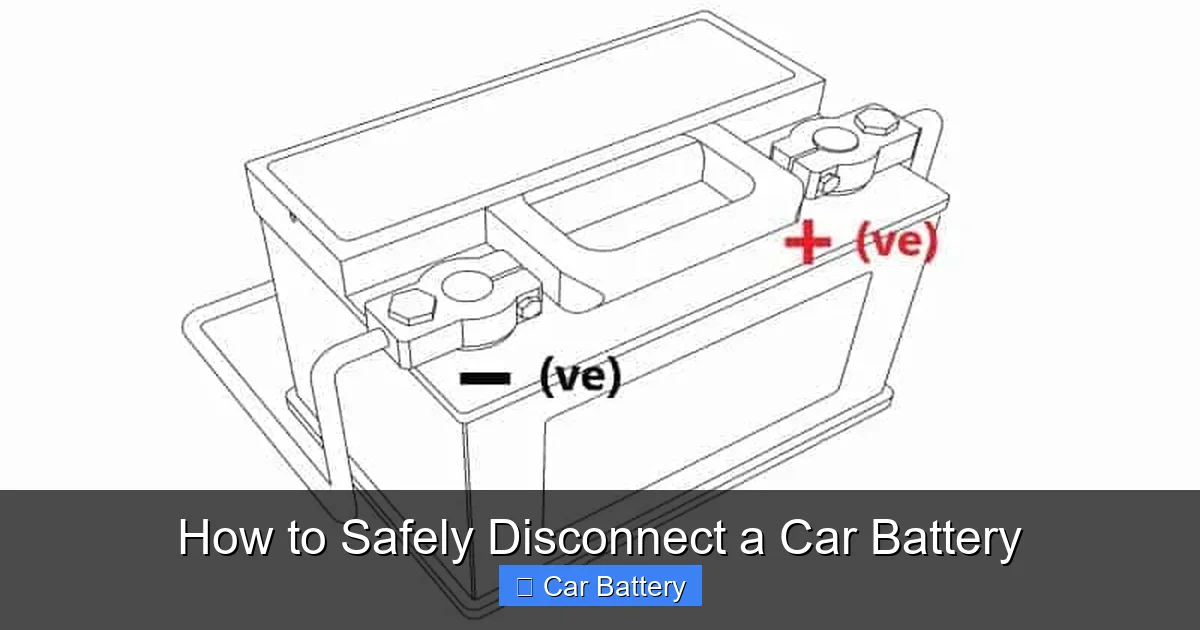
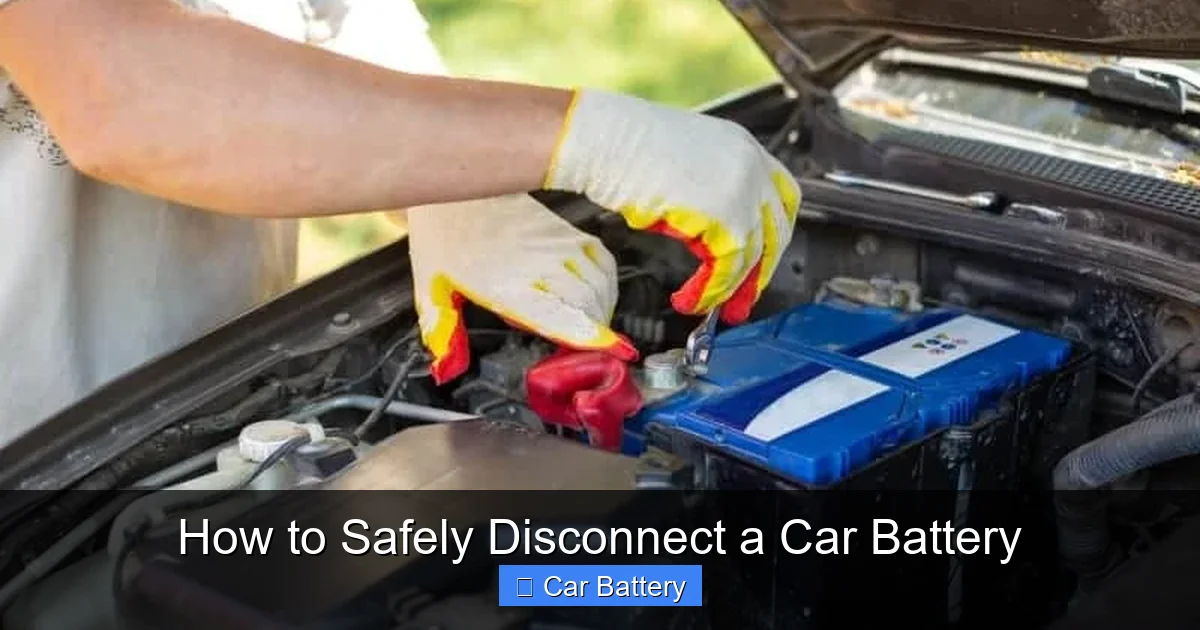
The battery has two terminals: positive (+) and negative (-). The positive is usually red and marked with a “+,” while the negative is black with a “–.” Some batteries have plastic covers over the terminals—remove them carefully.
Step 4: Disconnect the Negative Terminal First
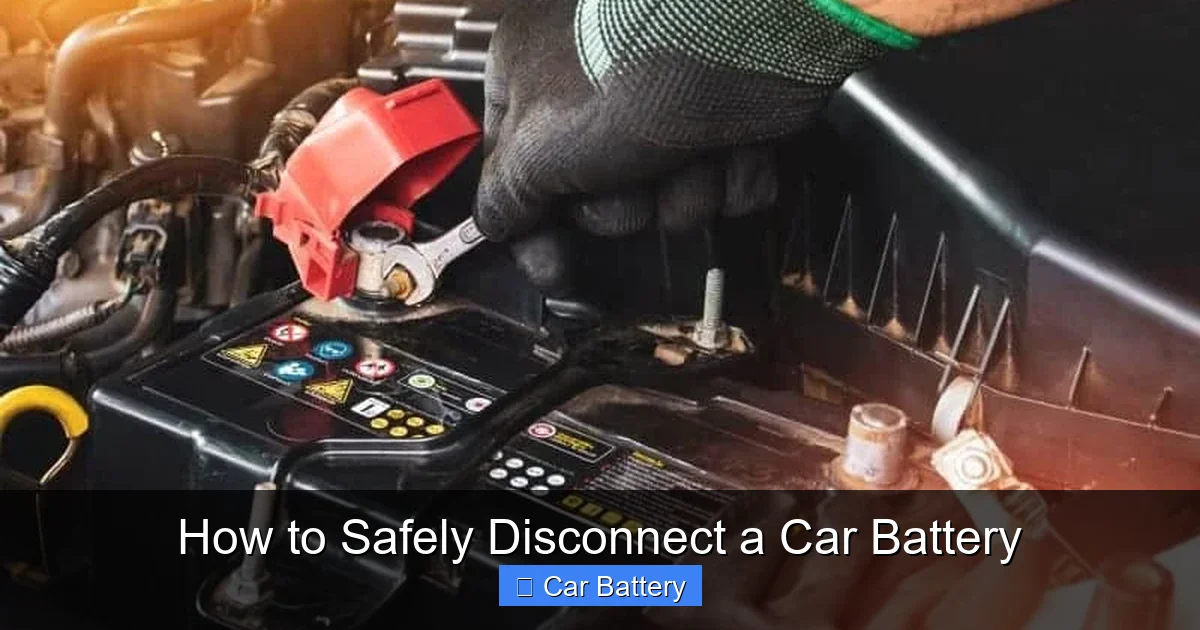
This is the most critical step. Always disconnect the negative terminal before the positive. Why? Because the negative terminal is connected to the car’s chassis (ground). If you disconnect the positive first and your wrench touches metal, it can create a short circuit—sparking, damaging electronics, or even causing a fire.
Use your wrench to loosen the nut on the negative terminal. Turn it counterclockwise until the clamp loosens. Once loose, wiggle the clamp gently and lift it off the battery post. Move it aside so it can’t accidentally touch the post again.
Step 5: Disconnect the Positive Terminal
Now, repeat the process with the positive terminal. Loosen the nut, remove the clamp, and secure it away from the battery. Some batteries have a protective cover over the positive terminal—lift it before loosening.
Step 6: Secure the Cables
Use a cable tie, zip tie, or tape to keep both cables away from the battery posts. This prevents accidental contact while you work. If you’re replacing the battery, you can now lift it out—most weigh 30–50 pounds, so use proper lifting technique or ask for help.
Step 7: Clean the Terminals (Optional but Recommended)
If you notice white or green crust (corrosion), mix a tablespoon of baking soda with a cup of water. Dip an old toothbrush or wire brush into the solution and scrub the terminals and clamps. Rinse with clean water and dry thoroughly. This improves conductivity when you reconnect.
Remember: Never let the baking soda solution drip into the battery cells—it can damage them.
What to Expect After Disconnecting the Battery
Disconnecting the battery isn’t the end of the process—there are a few things you should know about what happens next.
Loss of Electrical Settings
Your car’s computer will lose power, which means it may reset certain settings. Common examples include:
- Radio presets and clock time
- Power window and seat memory (in some vehicles)
- Engine idle speed and fuel trim adaptations
- Anti-theft system codes (if applicable)
If your car has a security system, you may need a radio code to reactivate the stereo. Check your owner’s manual or look for a card in the glove box. Some newer cars retain settings via backup capacitors, but don’t count on it.
Relearning Period for the Engine
Modern engines use adaptive learning to optimize performance. When power is restored, the ECU may take a few drive cycles to “relearn” optimal settings. You might notice slightly rough idle or reduced fuel economy at first—this is normal and usually resolves within a week.
Airbag and Safety System Warnings
In rare cases, disconnecting the battery can trigger warning lights for airbags or stability control. These usually clear after a short drive, but if they persist, have the system checked by a professional.
Using a Memory Saver
If you want to avoid losing settings, consider using a memory saver device. These plug into the OBD-II port (usually under the dashboard) and draw power from a 9V battery to keep the ECU alive during disconnection. They’re inexpensive and widely available online or at auto parts stores.
How to Safely Reconnect the Car Battery
When you’re ready to reconnect, follow the reverse order—but with one key difference: connect the positive terminal first, then the negative. This minimizes the risk of sparking near the battery, where flammable gases may be present.
Step 1: Clean and Inspect
Before reconnecting, check the terminals and cables for damage or corrosion. Clean if needed. Ensure the battery is securely seated in its tray and the hold-down clamp is tight.
Step 2: Connect the Positive Terminal
Place the positive clamp over the positive post and tighten the nut with your wrench. Make sure it’s snug but don’t over-tighten—this can strip the threads or crack the terminal.
Step 3: Connect the Negative Terminal
Now attach the negative clamp to the negative post and tighten securely. Again, avoid over-tightening.
Step 4: Apply Terminal Protectant (Optional)
Spray a thin layer of terminal protectant or petroleum jelly on the terminals to prevent future corrosion. This simple step can extend battery life.
Step 5: Test the System
Turn on the ignition (but don’t start the engine yet). Check that the lights, radio, and dashboard come on. Start the engine and listen for unusual noises. Let it idle for a few minutes to allow the system to stabilize.
If everything works, you’re good to go. If you see warning lights or the car won’t start, double-check your connections and ensure the battery is fully charged.
Common Mistakes to Avoid
Even experienced DIYers make errors when disconnecting car batteries. Here are the most common pitfalls and how to avoid them.
Disconnecting the Positive Terminal First
This is the #1 mistake. Always remove the negative terminal first. Reversing the order increases the risk of short circuits and sparks.
Using the Wrong Tools
A loose or incorrect wrench can slip, damaging the terminal or causing a spark. Use the right size and ensure a firm grip.
Touching Both Terminals at Once
Never let a metal tool touch both terminals simultaneously—this creates a direct short. Keep tools isolated and work one terminal at a time.
Ignoring Safety Gear
Battery acid can burn skin and eyes. Always wear gloves and safety glasses, even for quick jobs.
Forgetting to Secure Cables
Loose cables can fall back onto the battery posts, causing a short. Use tape or ties to keep them out of the way.
Over-Tightening Terminals
Excessive force can crack the battery casing or strip the terminal threads. Tighten just enough to hold firmly.
Disposing of Old Batteries Improperly
Car batteries contain lead and acid—hazardous materials. Never throw them in the trash. Take them to an auto parts store, recycling center, or hazardous waste facility.
Final Tips for Long-Term Battery Health
Disconnecting the battery is just one part of maintenance. To keep your battery in top shape, follow these best practices:
- Check terminals regularly: Look for corrosion and clean as needed.
- Keep the battery charged: Short trips don’t fully recharge the battery. Use a trickle charger if the car sits for long periods.
- Inspect the battery case: Cracks or swelling indicate a failing battery.
- Test battery health annually: Many auto shops offer free battery tests.
- Avoid extreme temperatures: Heat accelerates corrosion; cold reduces cranking power.
By taking care of your battery, you reduce the need for frequent disconnections—and extend the life of your vehicle’s electrical system.
Conclusion
Knowing how to safely disconnect a car battery is a valuable skill that every car owner should have. It’s not just about turning a wrench—it’s about protecting yourself, your vehicle, and your wallet from avoidable damage. By following the correct sequence, using the right tools, and wearing proper safety gear, you can complete the task with confidence.
Remember: disconnect the negative terminal first, reconnect the positive first, and always prioritize safety. Whether you’re replacing a battery, doing maintenance, or storing your car, these steps ensure a smooth and secure process. And when in doubt, don’t hesitate to consult your owner’s manual or seek professional help.
With this guide, you’re now equipped to handle one of the most common—and potentially risky—car maintenance tasks. Stay safe, stay informed, and keep your ride running smoothly.
Frequently Asked Questions
Can I disconnect my car battery while the engine is running?
No, never disconnect the battery while the engine is running. This can cause voltage spikes that damage the alternator, ECU, and other electronics. Always turn off the engine and remove the key first.
Will disconnecting the battery reset my check engine light?
It might temporarily turn off the light, but if the underlying issue isn’t fixed, the light will return. Disconnecting the battery clears stored error codes but doesn’t repair mechanical problems.
How long can I leave my car battery disconnected?
You can leave it disconnected for weeks or even months, but the battery may slowly lose charge. For long-term storage, consider using a battery maintainer or trickle charger.
Do I need to reprogram my radio after disconnecting the battery?
It depends on your vehicle. Some cars require a radio code to unlock the stereo after power loss. Check your owner’s manual or look for a code card in the glove box.
Can I disconnect just one terminal instead of both?
Technically yes, but it’s safer to disconnect both. Removing only the negative terminal reduces risk, but accidental contact with the positive terminal can still cause a short if the car’s chassis is grounded elsewhere.
What should I do if battery acid spills?
Neutralize the spill with baking soda and water, then rinse with clean water. Wear gloves and goggles. If skin or eyes are exposed, flush immediately with water and seek medical attention.