
How to Reset the Oil Change Light on a 2010 Dodge Ram

Contents
- 1 Key Takeaways
- 2 📑 Table of Contents
- 3 Why Resetting the Oil Change Light Matters
- 4 Understanding the 2010 Dodge Ram Oil Change System
- 5 Step-by-Step Guide to Resetting the Oil Change Light
- 6 Troubleshooting Common Issues
- 7 Maintaining Your 2010 Dodge Ram Beyond the Oil Change
- 8 Conclusion
- 9 Frequently Asked Questions


Resetting the oil change light on a 2010 Dodge Ram is quick and easy with the right steps. This guide walks you through the process, explains why it matters, and offers tips to keep your truck in top shape.
Key Takeaways
- Reset the light after every oil change: This ensures your truck’s maintenance reminder system stays accurate and helps you track service intervals.
- Use the ignition and gas pedal method: The most reliable way to reset the oil change light on a 2010 Dodge Ram involves turning the key and pressing the accelerator.
- No special tools required: You don’t need a scanner or mechanic—just your key and a few minutes of your time.
- Check your owner’s manual: Always refer to the official manual for model-specific instructions and safety tips.
- Don’t ignore the light: Even if you’ve changed the oil, the light won’t go off until manually reset, which can cause confusion later.
- Regular maintenance extends engine life: Resetting the light is part of a larger routine that keeps your Ram running strong for years.
- Watch for dashboard warnings: If the light won’t reset, it could signal a deeper issue—don’t ignore persistent alerts.
📑 Table of Contents
Why Resetting the Oil Change Light Matters
You’ve just changed the oil in your 2010 Dodge Ram. The engine is clean, the filter is new, and everything smells fresh. But when you turn the key, that annoying oil change light is still glowing on the dashboard. It’s not broken—it just needs to be reset. And while it might seem like a small thing, resetting the oil change light is actually an important part of vehicle maintenance.
This light isn’t just a nag from your truck—it’s a smart reminder system designed to help you keep up with regular oil changes. The 2010 Dodge Ram uses a maintenance minder that tracks engine runtime, driving conditions, and mileage to estimate when your next oil change is due. Once it triggers the light, it won’t turn off until you manually reset it, even if you’ve already done the service. Ignoring it can lead to confusion down the road. Was that oil change 3,000 miles ago or 5,000? Without a reset, you might delay service too long—or worse, change the oil too early and waste money.
Resetting the light also gives you peace of mind. It confirms that your truck’s computer knows the oil has been changed and will start counting down to the next interval. This simple step helps you stay on top of maintenance, protects your engine, and keeps your Ram running smoothly. Plus, it’s free, takes less than five minutes, and doesn’t require any special tools. So why not do it right?
Understanding the 2010 Dodge Ram Oil Change System
Before we dive into the reset process, it helps to understand how the oil change reminder system works in your 2010 Dodge Ram. Unlike older vehicles that rely solely on mileage, the 2010 Ram uses a more advanced algorithm to determine when an oil change is needed. This system considers factors like engine temperature, driving habits, idle time, and load to estimate oil life.
Visual guide about How to Reset the Oil Change Light on a 2010 Dodge Ram
Image source: static.cargurus.com
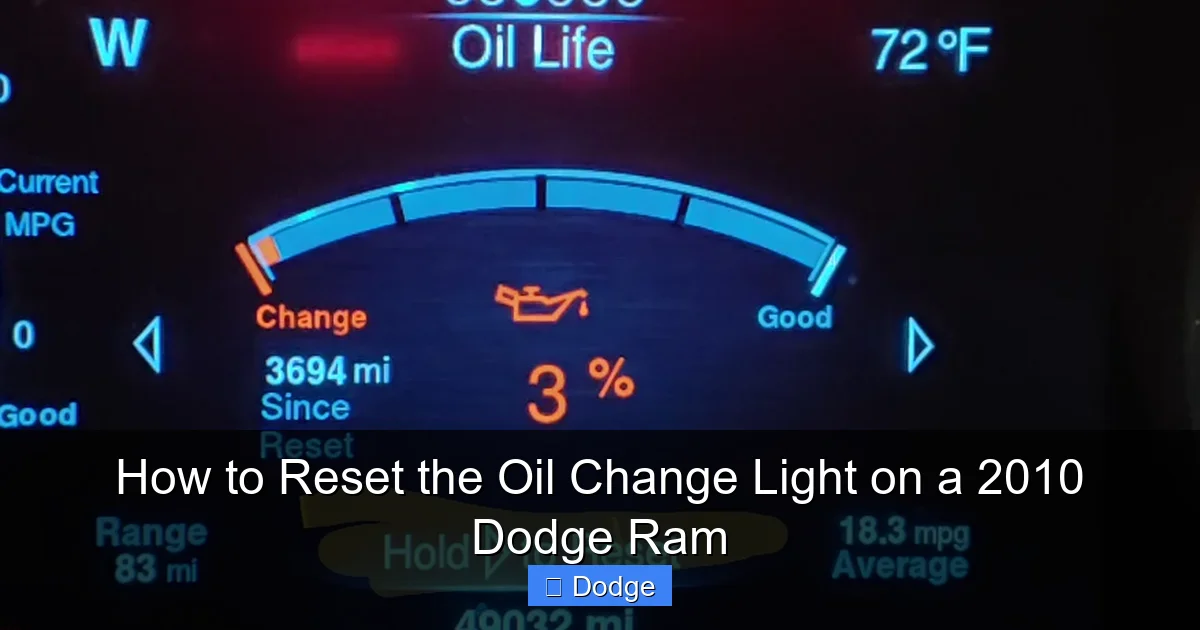
The oil change light—often labeled “Change Oil” or “Oil Change Required”—is part of the vehicle’s onboard diagnostics. It’s not just a timer; it’s a smart sensor that monitors real-world conditions. For example, if you frequently drive short distances in cold weather, the system may recommend an oil change sooner than if you mostly take long highway trips. This personalized approach helps ensure your engine gets the care it needs based on actual use.
When the system determines that oil life has dropped below a certain threshold—usually around 10%—the light will illuminate on the dashboard. It may also flash or stay solid, depending on how urgent the reminder is. Once the oil is changed, the system doesn’t automatically reset. That’s where you come in. By manually resetting the light, you’re telling the truck, “Yes, I’ve done the service—start counting again.” This keeps the system accurate and prevents false alarms in the future.
How the Maintenance Minder Works
The maintenance minder in your 2010 Dodge Ram is designed to reduce unnecessary oil changes while ensuring your engine stays protected. It calculates oil life based on a combination of engine revolutions, operating temperature, and driving patterns. For instance, frequent cold starts and stop-and-go traffic degrade oil faster than steady highway driving. The system accounts for this by adjusting the countdown accordingly.
You can check your current oil life percentage at any time by cycling through the instrument cluster display. Press the trip odometer button (usually on the dashboard or steering column) until you see “Oil Life” or a similar message. This gives you a real-time snapshot of how much life is left in your oil. When it drops below 15%, the system may begin to remind you more frequently. At 10% or lower, the light will stay on until reset.
It’s important to note that this system is not a substitute for regular inspections. Even if the light hasn’t come on, you should still check your oil level and condition every few weeks. Look for signs like dark, gritty oil or a burnt smell—these can indicate contamination or degradation. The maintenance minder is a helpful guide, but it’s not perfect. Use it as part of a broader maintenance routine, not the only tool in your toolbox.
When to Reset the Light
You should reset the oil change light immediately after completing an oil change—whether you did it yourself or had it done at a shop. There’s no need to wait, and delaying the reset can lead to confusion later. For example, if you reset it a week after the service, you might forget whether the light came on before or after the change. This makes it harder to track your maintenance schedule.
If you’re unsure whether the oil was actually changed, check the dipstick. Fresh oil should be amber or light brown and relatively clear. If it’s dark, sludgy, or smells burnt, it’s time for a change—even if the light hasn’t come on yet. Similarly, if you’ve driven more than 7,500 miles since the last change, consider resetting the light and changing the oil, regardless of what the system says. Most manufacturers recommend oil changes every 3,000 to 7,500 miles, depending on driving conditions.
Also, reset the light if you’ve replaced the oil filter but not the oil—or vice versa. While this isn’t ideal, it’s better to reset the system than leave it in an inaccurate state. Just make sure both the oil and filter are in good condition before resetting. And if you’re selling your truck, resetting the light shows the new owner that maintenance is up to date—a small detail that can boost resale value.
Step-by-Step Guide to Resetting the Oil Change Light
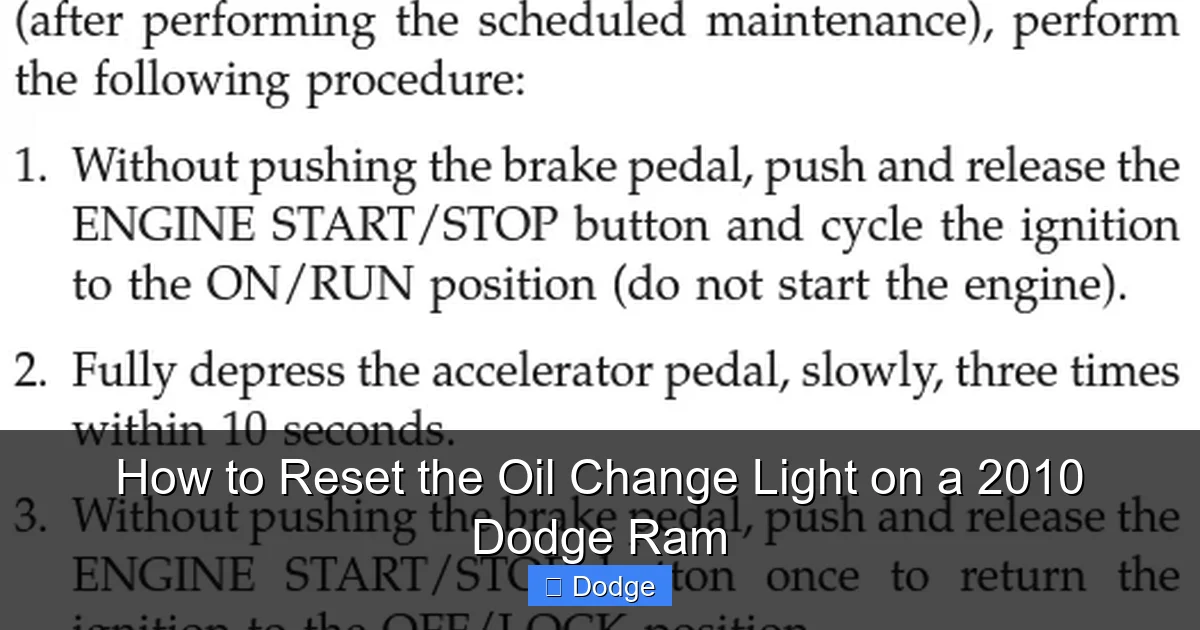
Now that you understand why and when to reset the oil change light, let’s get into the actual process. The good news? It’s simple, doesn’t require any special tools, and takes less than five minutes. Here’s how to reset the oil change light on a 2010 Dodge Ram using the ignition and gas pedal method—the most reliable and widely recommended approach.
Visual guide about How to Reset the Oil Change Light on a 2010 Dodge Ram
Image source: i.ytimg.com
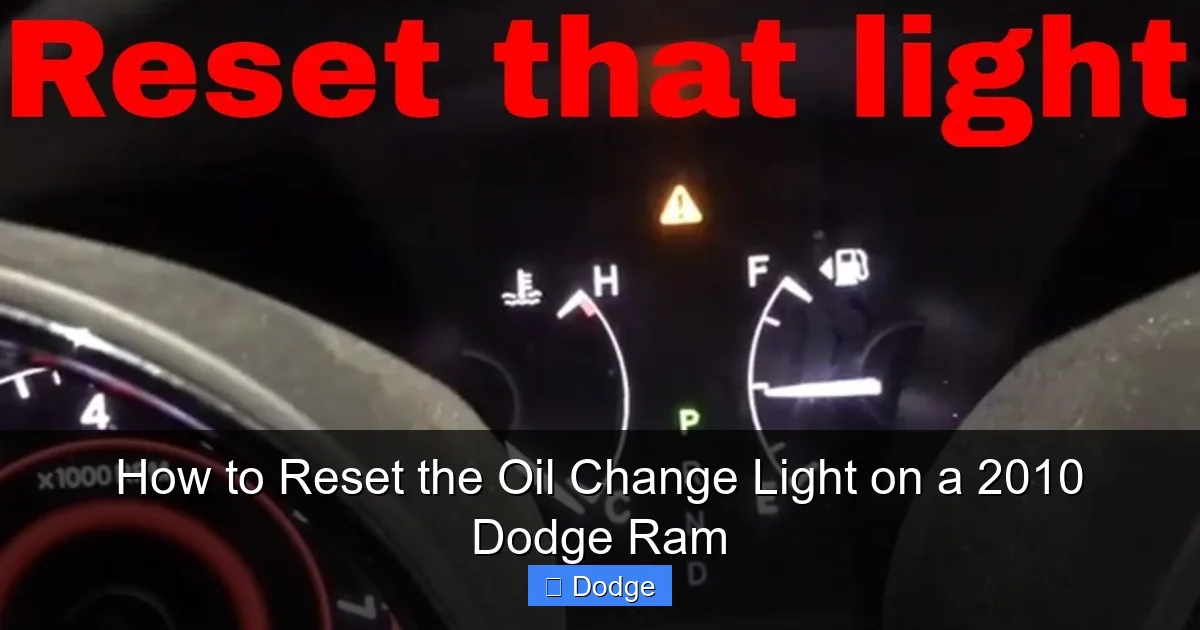
Start by making sure your truck is parked on a level surface, the engine is off, and the key is out of the ignition. This ensures safety and prevents any accidental starts during the process. Next, press and hold the gas pedal all the way to the floor. Keep it pressed—don’t let up. While holding the pedal down, insert the key into the ignition and turn it to the “ON” position. Don’t start the engine; just turn it so the dashboard lights up. You should see all the warning lights illuminate, including the oil change light.
Continue holding the gas pedal and the key in the “ON” position. After about 10 to 15 seconds, you’ll notice the oil change light begin to flash or blink. This is a sign that the reset process has started. Keep holding both the pedal and the key until the light turns off completely—usually within 30 seconds. Once it’s off, slowly release the gas pedal and turn the key back to the “OFF” position. Remove the key.
Now, start your engine. The oil change light should be off, and your truck should run normally. If the light comes back on immediately, the reset didn’t work. Don’t panic—just repeat the steps. Sometimes it takes a second try, especially if the pedal wasn’t held long enough or the key wasn’t turned at the right time. Make sure you’re following each step carefully and giving the system enough time to respond.
Alternative Method: Using the Trip Odometer
If the gas pedal method doesn’t work—or if you prefer a different approach—you can try resetting the light using the trip odometer button. This method is less common on the 2010 Dodge Ram but may work on certain trims or with specific instrument clusters. Start by turning the ignition to the “ON” position without starting the engine. Use the trip odometer button to cycle through the display until you see “Oil Life” or “Change Oil.”
Once you’re on the oil life screen, press and hold the trip odometer button for about 10 seconds. You should see the percentage reset to 100% or the message change to “Oil Life Reset.” If this happens, the light should turn off. Turn the key to “OFF,” wait a few seconds, then start the engine to confirm the reset. If the light remains off, you’re all set.
Keep in mind that this method isn’t guaranteed to work on all 2010 Dodge Rams. The gas pedal method is more reliable and is the one recommended by most mechanics and forums. If the trip odometer method fails, stick with the pedal approach. And if neither works, there may be an issue with the vehicle’s computer or sensors—more on that later.
Tips for a Successful Reset
To ensure a smooth reset, follow these practical tips. First, make sure the engine is completely off before starting. Turning the key to “ON” with the engine running won’t work and could confuse the system. Second, press the gas pedal all the way down—don’t just tap it. The system needs to detect full throttle input to initiate the reset.
Third, be patient. The reset process can take up to 30 seconds, and the light may flash several times before turning off. Don’t release the pedal or turn the key too soon. Fourth, try the process in a quiet environment. If you’re in a noisy garage or busy parking lot, it’s easy to miss the moment the light turns off. Find a calm spot where you can focus.
Finally, if the light won’t reset after multiple attempts, check your owner’s manual. Some models have slight variations in the procedure. You can also search online forums like Ram Trucks or Dodge Nation, where owners share tips and troubleshooting advice. And if all else fails, visit a dealership or trusted mechanic—they can reset it using a diagnostic tool if needed.
Troubleshooting Common Issues
Even with the right steps, sometimes the oil change light just won’t reset. Don’t worry—this happens more often than you’d think. The good news is that most issues are easy to fix with a little troubleshooting. Let’s go over the most common problems and how to solve them.
Visual guide about How to Reset the Oil Change Light on a 2010 Dodge Ram
Image source: res.cloudinary.com
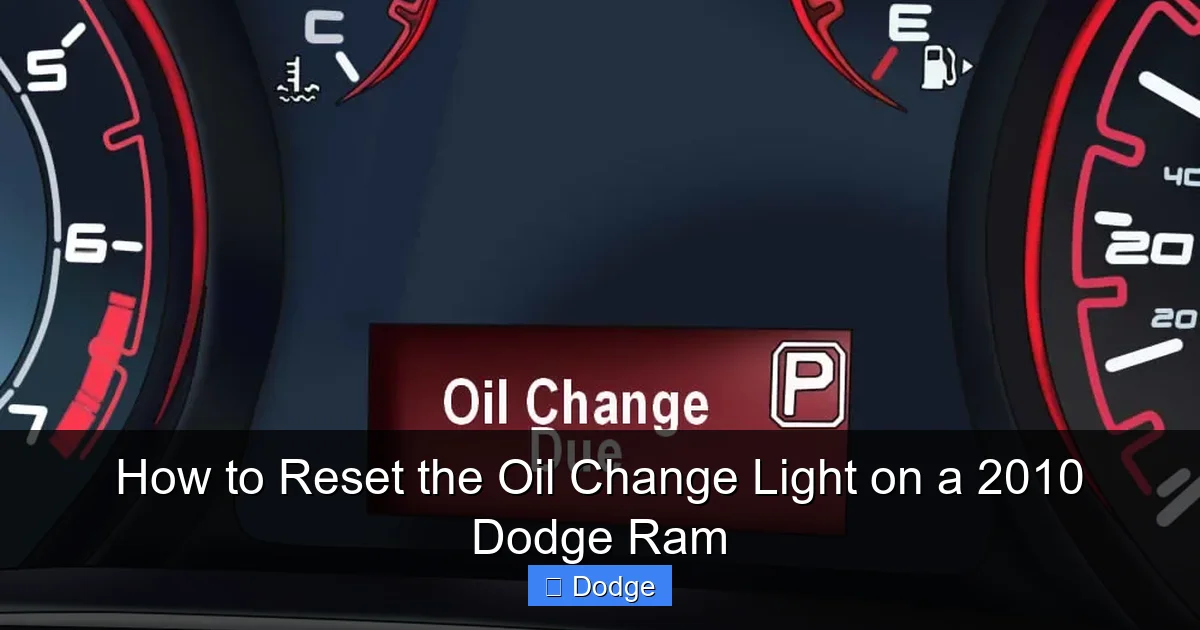
One of the most frequent issues is the light coming back on immediately after resetting. This usually means the reset didn’t take. Double-check that you held the gas pedal down the entire time and that the key was turned to “ON” (not “START”). Also, make sure the engine didn’t accidentally start during the process—this can interrupt the reset.
Another common problem is the light flashing but not turning off. This could indicate a weak battery or low voltage. The reset process requires a stable electrical system. If your battery is old or the alternator isn’t charging properly, the truck’s computer may not complete the reset. Try charging the battery or jump-starting the truck, then attempt the reset again.
If the light still won’t reset, there might be a fault in the vehicle’s sensors or computer. For example, a malfunctioning oil pressure sensor or faulty instrument cluster can prevent the system from recognizing the reset. In this case, a diagnostic scan tool is needed to check for error codes. Most auto parts stores offer free scans, or you can visit a mechanic.
When to Seek Professional Help
Most oil change light resets can be done at home, but there are times when you should call in a pro. If you’ve tried the reset multiple times and the light won’t stay off, it’s worth getting a professional opinion. A mechanic can run a full diagnostic to check for underlying issues like sensor failures, wiring problems, or software glitches.
Also, if you notice other warning lights—like the check engine light or oil pressure light—don’t ignore them. These could indicate a serious problem that goes beyond a simple reset. For example, low oil pressure can damage your engine if left unchecked. Always address multiple warning lights promptly.
Finally, if you’re not comfortable doing the reset yourself, there’s no shame in asking for help. Many quick-lube shops will reset the light for free when you get an oil change. It’s a small service that can save you time and stress. Just make sure they actually do it—some shops forget or assume you’ll handle it.
Maintaining Your 2010 Dodge Ram Beyond the Oil Change
Resetting the oil change light is just one part of keeping your 2010 Dodge Ram in great shape. To get the most out of your truck, you need a complete maintenance routine. This includes regular oil changes, filter replacements, fluid checks, and inspections. Think of it like taking care of your body—small habits add up to long-term health.
Start with the basics: change your oil and filter every 3,000 to 7,500 miles, depending on your driving. Use high-quality synthetic or conventional oil that meets Dodge’s specifications (usually 5W-20 or 5W-30). Check your owner’s manual for the exact recommendation. Also, inspect the oil level weekly using the dipstick. Low oil can cause engine damage, even if the light hasn’t come on yet.
Don’t forget other fluids. Check the coolant, brake fluid, power steering fluid, and transmission fluid regularly. Top them off as needed and replace them according to the maintenance schedule. For example, coolant should be changed every 60,000 to 100,000 miles, and brake fluid every 2–3 years. These fluids keep your truck running smoothly and prevent costly repairs.
Tires, brakes, and belts are also important. Rotate your tires every 5,000 to 7,500 miles to ensure even wear. Inspect brake pads and rotors for signs of wear, and replace them if they’re thin or warped. Check serpentine belts for cracks or fraying—a broken belt can leave you stranded. And don’t ignore the air filter. A dirty filter reduces fuel efficiency and engine performance.
Building a Maintenance Schedule
To stay on top of everything, create a simple maintenance schedule. Use a calendar, app, or notebook to track oil changes, tire rotations, and inspections. Set reminders on your phone so you never miss a service. For example, mark your calendar for an oil change every 5,000 miles or every six months—whichever comes first.
Also, keep a log of all services performed. Note the date, mileage, and what was done. This helps you track patterns and spot potential issues early. For instance, if your oil turns black after only 2,000 miles, you might be driving in harsh conditions and need more frequent changes. A log also adds value if you ever sell the truck.
Finally, listen to your truck. Unusual noises, vibrations, or smells can signal problems before they become serious. If something feels off, don’t wait for a warning light—get it checked out. A little attention now can save you thousands in repairs later.
Conclusion
Resetting the oil change light on your 2010 Dodge Ram is a quick, easy task that makes a big difference. It keeps your maintenance schedule accurate, helps you avoid confusion, and ensures your truck’s computer is working properly. With the gas pedal method, you can do it in under five minutes—no tools, no cost, no hassle.
But remember, the reset is just one piece of the puzzle. Regular oil changes, fluid checks, and inspections are what keep your Ram running strong for years to come. Treat your truck well, and it will treat you well. So the next time that oil change light comes on, don’t groan—just reset it, smile, and know you’re doing your part to keep your Dodge in top condition.
Frequently Asked Questions
How do I reset the oil change light on a 2010 Dodge Ram?
Turn the ignition to “ON” without starting the engine, press and hold the gas pedal all the way down, and wait for the oil change light to flash and turn off. This usually takes 10–30 seconds. Then turn the key off and start the engine to confirm the reset.
Can I reset the oil change light without a scanner?
Yes, you can reset it manually using the gas pedal method. No scanner or special tools are needed. Just follow the step-by-step process outlined in the guide.
Why won’t my oil change light reset?
Common reasons include not holding the gas pedal long enough, turning the key to “START” instead of “ON,” or a weak battery. Try the reset again, and if it still won’t work, check for electrical issues or consult a mechanic.
How often should I change the oil in my 2010 Dodge Ram?
Every 3,000 to 7,500 miles, depending on driving conditions. Frequent short trips, towing, or extreme temperatures may require more frequent changes. Always check your owner’s manual for specific recommendations.
Will the oil change light reset automatically after an oil change?
No, the light will not reset automatically. You must manually reset it using the gas pedal or trip odometer method, even if the oil has been changed.
What if the oil change light comes back on right after resetting?
This usually means the reset didn’t complete properly. Repeat the process, ensuring the gas pedal is fully pressed and the key is in the “ON” position. If it persists, there may be a sensor or computer issue.


