
How to Reset the Maintenance Light on a 2015 Toyota Camry

The maintenance light on your 2015 Camry is a helpful reminder, not a cause for panic. You can easily reset it yourself using the trip meter button or steering wheel controls after an oil change. However, resetting without performing the required service is unsafe and can damage your engine.
Key Takeaways
- The light is a mileage-based reminder: It illuminates after a set interval (typically 5,000 miles) to prompt for scheduled maintenance like oil changes.
- You must perform maintenance first: Always complete the required service (e.g., oil and filter change) before resetting the light. Resetting without service is dangerous.
- Two simple reset methods: You can reset the light using either the physical trip meter button on the dashboard or the steering wheel controls.
- It is not a diagnostic trouble code: This is different from the “check engine” light, which indicates a problem that needs diagnosis.
- Reset confirms service completion: The process tells your car’s computer that the maintenance has been done, starting a new service interval countdown.
- Consult your owner’s manual: Your manual provides the exact interval and procedures specific to your vehicle’s configuration.
- If it won’t reset, seek help: A persistent light after a correct reset attempt may indicate an electrical issue or a faulty sensor.
📑 Table of Contents
- Understanding Your Camry’s Maintenance Light: It’s Not a Monster
- Before You Begin: The Golden Rule and Your Tools
- Step-by-Step: The Official Reset Procedure for Your 2015 Camry
- After the Reset: Verification and Setting Your Next Interval
- Troubleshooting: What If the Light Won’t Reset or Comes Back On?
- Why This Matters: The Real Importance of Scheduled Maintenance
- Conclusion: You’ve Got This!
Understanding Your Camry’s Maintenance Light: It’s Not a Monster
Seeing that little wrench icon or “MAINT REQD” message light up on your dashboard can be momentarily annoying. But here’s the good news: on a 2015 Toyota Camry, this light is your car’s friendly way of saying, “Hey, it’s time for some routine love!” It is not an emergency signal. Think of it as a helpful kitchen timer, not a fire alarm. This system is purely mileage-based and programmed to illuminate after a predetermined number of miles since your last reset, typically every 5,000 miles for oil changes. It does not monitor oil life quality or other engine parameters; it simply counts miles. This is a crucial distinction. If you’re wondering how to reset the maintenance light on a 2015 Toyota Camry, the first step is understanding that you should only do so after you’ve actually completed the maintenance it’s reminding you about.
Many Camry owners confuse this “maintenance required” light with the more serious “check engine” light. The check engine light (usually a yellow engine-shaped icon) indicates a problem detected by the car’s computer, often related to emissions. The maintenance light is a simple countdown timer. Resetting it does not fix any underlying problems; it merely tells the timer to start counting again from zero. This is why performing the actual service—like draining the old oil, replacing the filter, and refilling with fresh oil—is non-negotiable before you clear the light. Skipping the work and just turning off the light is like silencing your smoke detector without checking for a fire. It’s a risky shortcut that can lead to premature engine wear or failure.
Before You Begin: The Golden Rule and Your Tools
Okay, you’re ready to tackle this. But before you go pressing buttons, let’s cover the essential prep work. The absolute golden rule is this: Do not reset the maintenance light if you have not performed the scheduled maintenance. For the 2015 Camry, the most common trigger is an oil and filter change. If you’re due for other services listed in your maintenance schedule (like tire rotation, air filter replacement, etc.), it’s best to complete those first. Resetting the light starts a fresh countdown, and you don’t want to miss those important services.

Visual guide about How to Reset the Maintenance Light on a 2015 Toyota Camry
Image source: oilreset.com
What You’ll (Almost) Never Need: Tools
The beauty of resetting the Camry’s maintenance light is its simplicity. You do not need any special tools, no OBD-II scanner (for this specific light), and no need to pop the hood. You will only need the ignition key and your finger. The entire process takes less than 30 seconds and can be done from the driver’s seat. This makes it a perfect DIY task for any Camry owner. However, having your owner’s manual nearby is a good idea for reference, as it confirms the exact procedure and service intervals for your specific trim level (LE, SE, XLE, etc.).
When is the Right Time to Reset?
The light will illuminate and stay on steadily once you exceed the maintenance interval. It will not blink; it’s a constant reminder. You should reset it immediately after a qualified technician (or you, if you’re a confident DIYer) completes the required service. If you have the work done at a quick-lube shop or dealership, they should reset it for you as part of the service. If they forget, don’t be shy—ask them to do it before you leave. If you do the work yourself in your garage, then you’ll need to know the steps. It’s also perfectly fine to drive a short distance (a few miles) after an oil change before resetting, as long as you do it promptly.
Step-by-Step: The Official Reset Procedure for Your 2015 Camry
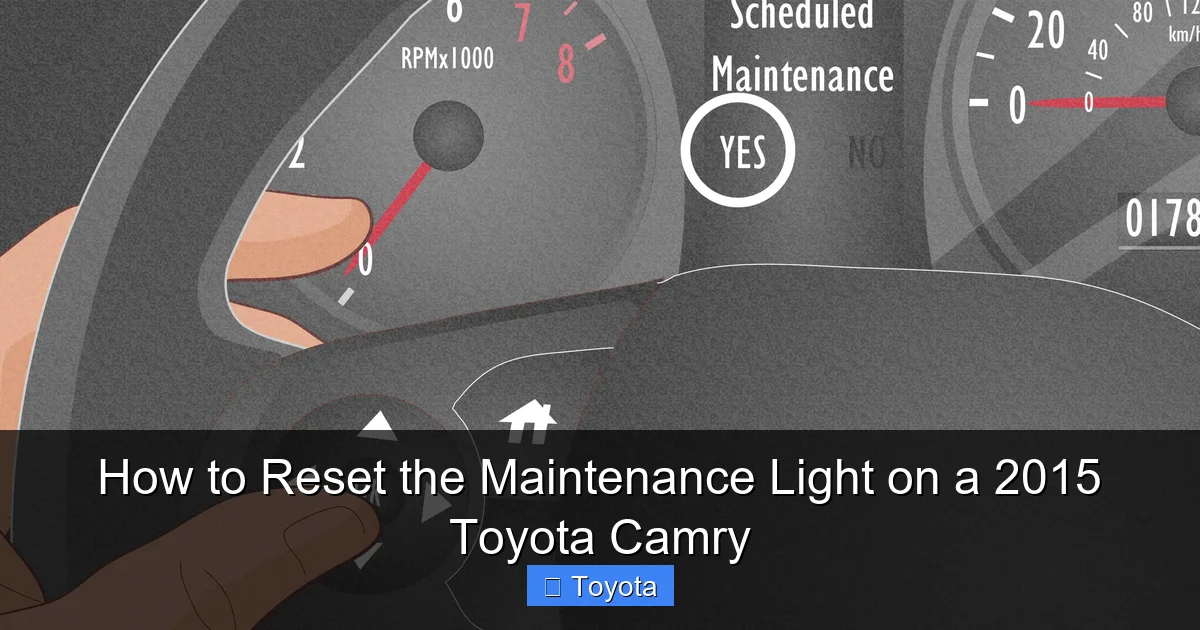
Now for the main event. The 2015 Camry offers two primary methods to reset the maintenance required light. Both are equally effective. Method 1 uses the traditional trip meter reset button on the instrument cluster. Method 2 uses the buttons on the steering wheel, which some drivers find more convenient. We’ll cover both in detail. The car must be in the “ON” position (all dashboard lights on, engine off) for either method to work. Do not attempt to do this with the engine running.
Visual guide about How to Reset the Maintenance Light on a 2015 Toyota Camry
Image source: wikihow.com
Method 1: The Classic Trip Meter Button Reset
This is the most universally known method and works on virtually all Camry models from this era. Here is the exact sequence:
- Insert your key into the ignition and turn it to the “ON” position (the position right before “START” where all the dash lights illuminate). Do not start the engine.
- Locate the trip meter reset button. On the 2015 Camry, this is a small, black button labeled “ODO/TRIP” or simply a knob, situated on the instrument cluster itself, just to the right of the speedometer. You may need to press it in or turn it, depending on your specific gauge cluster design.
- Press and hold the trip meter reset button. You should hold it for about 5-10 seconds.
- While holding the button, watch the dashboard display. The “MAINT REQD” light will begin to blink. After a few blinks, it will go out completely.
- Release the button. The light should now be off. You can turn the ignition off and then back on to verify that the light does not reappear.
Pro Tip: If the light does not blink and go out, ensure you are holding the button long enough. Some models require a solid 5-second hold. Also, make sure the car is in the “ON” position with all electronics powered, not in the “ACC” (accessory) position.
Method 2: Using the Steering Wheel Controls
Many 2015 Camrys, especially the SE and XLE trims, have steering wheel-mounted controls for the trip meter and odometer. If your car has these buttons, you can use this often easier method. The button layout typically includes a “MODE” or “DISPLAY” button and a “RESET” or “TRIP RESET” button.
- Again, turn the key to the “ON” position (engine off).
- Using the buttons on the left side of the steering wheel (behind the wheel), press the “MODE” or “DISPLAY” button repeatedly until the odometer display on the dash shows the “ODO” (odometer) reading, not a trip meter (A or B) reading. You need to be on the total odometer screen.
- Once “ODO” is displayed, press and hold the “TRIP RESET” button (it might be labeled with a left/right arrow or a reset symbol).
- Hold it for several seconds. The “MAINT REQD” light will blink a few times and then extinguish.
- Release the button. Turn the ignition off and back on to confirm.
Note: If your steering wheel controls are different or this doesn’t work, your car may not have this feature, or the button labels might vary. In that case, fall back to Method 1 using the dash-mounted button.
After the Reset: Verification and Setting Your Next Interval
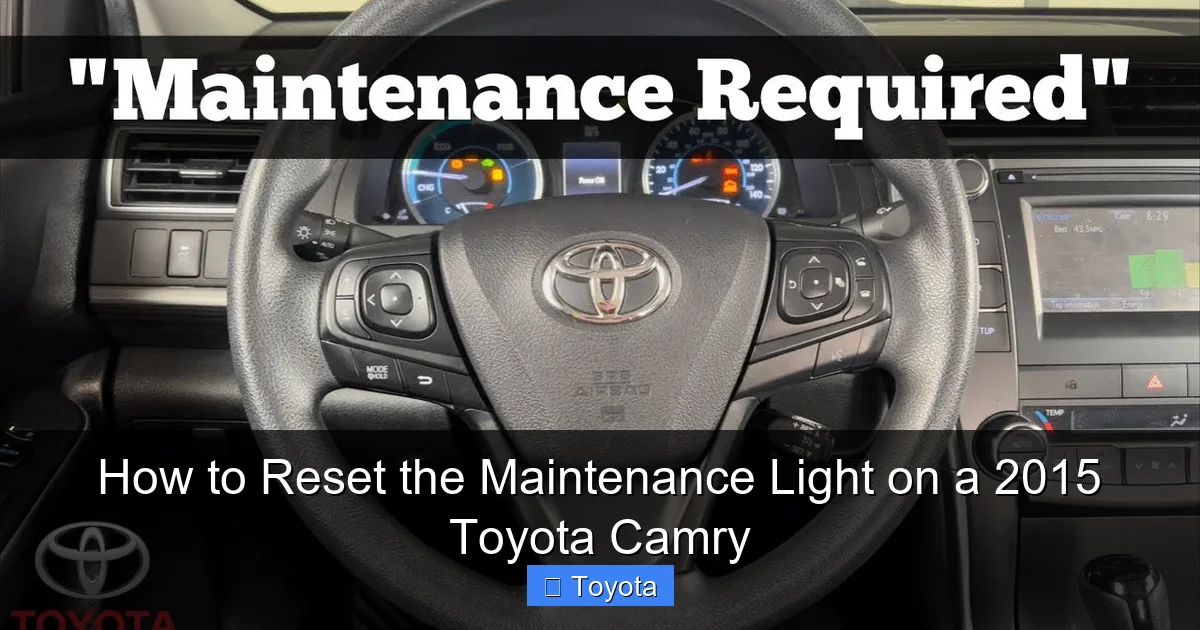
You’ve followed the steps, the light is off, and you feel a sense of accomplishment. Good! But your job isn’t quite done. It’s important to verify the reset was successful and understand what happens next.
Visual guide about How to Reset the Maintenance Light on a 2015 Toyota Camry
Image source: i.ytimg.com
How to Confirm the Light is Truly Reset
The simplest verification is to turn the ignition completely off, wait about 10 seconds, and then turn it back to the “ON” position. The dashboard will perform a bulb check, and all warning lights, including the maintenance light, should illuminate briefly and then turn off. The maintenance light should remain off. If it comes back on immediately or after a short drive, the reset likely failed or there is another issue. Double-check you held the button long enough and that you were on the correct odometer screen (for Method 2). If it still returns, proceed to the troubleshooting section below.
Your New Service Countdown Has Begun
Once reset, your Camry’s computer has stored a “0” for the maintenance interval. It will now begin counting miles again from that point. For a 2015 Camry with a conventional oil change interval, the light will not come back on until you drive approximately 5,000 miles from the reset point. If you have a model that uses synthetic oil or has a different recommended interval (like 10,000 miles), the timer will be set accordingly based on your last reset. This is why it’s vital to reset the light at the time of service. If you reset it a week before your oil change, you’ve just shortened your next service interval by that week’s mileage. Always reset it as the final step of your maintenance procedure.
Troubleshooting: What If the Light Won’t Reset or Comes Back On?
Sometimes, the process doesn’t go as smoothly as the instructions suggest. Don’t panic. Here are the most common issues and how to address them.
Scenario 1: The Light Doesn’t Blink or Turn Off
First, ensure you are doing the procedure correctly. Are you holding the button long enough? Is the car in the “ON” position (all dash lights on) and not just in “ACC”? Is your display on the main “ODO” screen and not a trip meter? For Method 2, some drivers find they need to cycle the “MODE” button a few times to get to the correct screen. Try both methods. If neither works, it’s possible the reset procedure for your specific sub-model or market is slightly different. Your owner’s manual is the ultimate authority here.
Scenario 2: The Light Resets but Comes Back On After Driving
This is a more curious problem. If the light goes out during the reset but reappears after you drive the car, there are a few possibilities. First, you may have accidentally not completed the reset fully—try it again. Second, and more importantly, it could indicate an underlying electrical issue or a fault in the instrument cluster itself. The maintenance light circuit might be shorting or the bulb could be failing in an unusual way. Third, and less likely, the car’s computer may have stored a fault code related to the maintenance reminder system itself. In this case, a professional diagnosis with a scan tool is needed. If you’ve correctly performed the maintenance and the light persistently returns, it’s time to visit a trusted mechanic.
Scenario 3: You’re Confusing It With Another Light
Is the icon definitely the wrench or “MAINT REQD”? Or is it the “CHECK ENGINE” light, a tire pressure warning, or an oil pressure light? These are all different and require different actions. The maintenance required light is usually a steady amber wrench or the text “MAINT REQD.” The check engine light is a yellow engine outline. An oil pressure warning is a red oil can. If you’re trying to reset the wrong light, the procedure will not work. For other warning lights, like an airbag light, the process is entirely different and often requires a professional scan tool—you can learn more about that specific issue in our guide on how to reset the airbag light on a Toyota Camry.
Why This Matters: The Real Importance of Scheduled Maintenance
Let’s circle back to the most critical point. The ability to reset the maintenance light on a 2015 Toyota Camry is a convenience, not a license to neglect your vehicle. That light exists to protect your investment. Your Camry’s engine is a complex, precision machine. The oil is its lifeblood. Over time, oil breaks down, loses viscosity, and becomes contaminated with metal shavings and combustion byproducts. Running on old oil is like running a marathon without water—it causes extreme friction, heat, and wear. This leads to sludge buildup, bearing failure, and ultimately, a very expensive engine replacement. The 5,000-mile (or as specified) interval is the maximum safe limit for oil change intervals under normal driving conditions. If you have severe driving conditions (extreme temps, dusty roads, frequent short trips), you may need to change oil more often.
Other services in your maintenance schedule are equally vital. Tire rotations ensure even tire wear, extending their life and maintaining safe handling. Air filter changes keep your engine breathing efficiently, saving fuel. Cabin air filter changes maintain your A/C performance and interior air quality. Brake inspections are a non-negotiable safety item. The maintenance light is a holistic reminder for this entire schedule. By resetting it only after completing the full suite of required services, you close the loop on responsible car ownership. You’re not just silencing a light; you’re actively preserving your Camry’s legendary reliability, fuel efficiency, and resale value. A well-maintained Camry with a complete service history is a joy to drive and commands a higher price when it’s time to sell or trade.
Conclusion: You’ve Got This!
Congratulations! You now possess the knowledge to confidently manage your 2015 Toyota Camry’s maintenance reminder. Remember the core sequence: perform the necessary service, turn the ignition to “ON” (engine off), locate the correct button (trip reset on the dash or steering wheel controls), and hold it until the light blinks out. Always verify the reset. This simple skill puts you in control of your vehicle’s care schedule. It’s a small act of maintenance that pays huge dividends in the long-term health of your car. While the process is straightforward, never lose sight of the reason behind the light. A reset is a bookmark, not an eraser. It marks the completion of good work, not the avoidance of it. Treat your Camry well, and it will reward you with years of smooth, dependable service. For owners of other Toyota models, the fundamental principle is identical, though button locations may vary—be sure to consult a model-specific guide, such as our instructions for resetting the maintenance light on a Toyota Avalon or a 2021 Toyota RAV4, for exact steps.
Frequently Asked Questions
Is it safe to reset the maintenance light without changing the oil?
No, it is not safe. The light is a reminder that your oil is likely degraded and no longer providing optimal protection. Resetting it without changing the oil means your engine will continue to run on old, contaminated oil, increasing the risk of accelerated wear and catastrophic failure.
What’s the difference between the maintenance required light and the check engine light?
The maintenance required light is a simple mileage counter for scheduled service like oil changes. The check engine light indicates a problem detected by the car’s computer, often related to emissions or engine performance, and requires diagnostic scanning to identify the fault.
Do I need any special tools or a scan tool to reset this light?
No. Resetting the maintenance light on a 2015 Camry is designed to be a simple, tool-free procedure for the owner. You only need your ignition key and to press the correct button on the dash or steering wheel for several seconds.
How often should the maintenance light come on?
For the 2015 Camry, it is typically programmed to illuminate every 5,000 miles as a reminder for an oil and filter change. However, always confirm your specific interval in the owner’s manual, as it can vary based on driving conditions and oil type.
What if I followed all the steps but the light still won’t turn off?
First, double-check you held the button long enough (5-10 seconds) and that the display was on the main “ODO” screen. If it still won’t reset, there may be an electrical fault or a problem with the instrument cluster. A mechanic can diagnose this with a scan tool.
Can I reset the light myself after a dealership service if they forgot?
Absolutely. It’s a good practice to verify all work is complete and lights are clear before leaving any service center. If they missed it, you can easily reset it using the steps provided. It’s a standard owner operation.
