
How to Reset the Maintenance Light on a 2014 Toyota Camry

Contents
- 1 Key Takeaways
- 2 📑 Table of Contents
- 3 Understanding Your Camry’s Maintenance Required Light
- 4 Critical Pre-Reset Checklist: Don’t Skip This!
- 5 The Step-by-Step Reset Procedure for a 2014 Toyota Camry
- 6 What to Do After the Reset: Verification and Next Steps
- 7 Troubleshooting: When the Light Won’t Reset or Comes Back On
- 8 Beyond the Reset: A Holistic View of Camry Maintenance
- 9 Conclusion: Empowerment Through Simple Maintenance
- 10 Frequently Asked Questions


The maintenance required light on your 2014 Toyota Camry is a helpful reminder that it’s time for routine service, typically an oil change. Resetting it is a simple process you can do yourself in under a minute using just your odometer button. However, it’s crucial to only reset the light after you’ve performed the necessary maintenance to avoid engine damage. This guide provides clear, model-specific instructions to turn off that light quickly and correctly.
That little wrench icon glowing on your dashboard can be a real nuisance. You know your 2014 Toyota Camry is a reliable workhorse, but that persistent maintenance required light seems to shout for attention. Before you panic or rush to a mechanic, take a deep breath. Resetting this light is one of the simplest DIY tasks you can perform on your Camry. It’s designed to be user-friendly, requiring no tools and less than 60 seconds of your time. This comprehensive guide will walk you through exactly what that light means, why you should only reset it after proper service, and the precise, step-by-step method for your specific model year. We’ll also cover common pitfalls and what to do if things don’t go as planned. Let’s get that light off your dash and restore your peace of mind.
Key Takeaways
- The light is a reminder, not a diagnosis: It indicates scheduled maintenance is due based on mileage/time, not a specific car problem.
- You must perform the service first: Always change the oil and filter, and complete any other due services before resetting the light.
- The process uses the odometer button: No special tools are needed; you use the “trip/odometer” reset button on your dashboard.
- Method is specific to 2014 Camry models: The procedure differs slightly from other years or Toyota models like the 2017 Toyota Highlander.
- A successful reset turns the light off completely: The wrench icon will disappear from the instrument cluster display.
- If the light returns quickly, investigate: A light that comes back on soon after a reset signals a potential issue with the service or the system.
- Consult your owner’s manual: It contains the definitive procedure and maintenance schedule for your specific vehicle.
📑 Table of Contents
- Understanding Your Camry’s Maintenance Required Light
- Critical Pre-Reset Checklist: Don’t Skip This!
- The Step-by-Step Reset Procedure for a 2014 Toyota Camry
- What to Do After the Reset: Verification and Next Steps
- Troubleshooting: When the Light Won’t Reset or Comes Back On
- Beyond the Reset: A Holistic View of Camry Maintenance
- Conclusion: Empowerment Through Simple Maintenance
Understanding Your Camry’s Maintenance Required Light
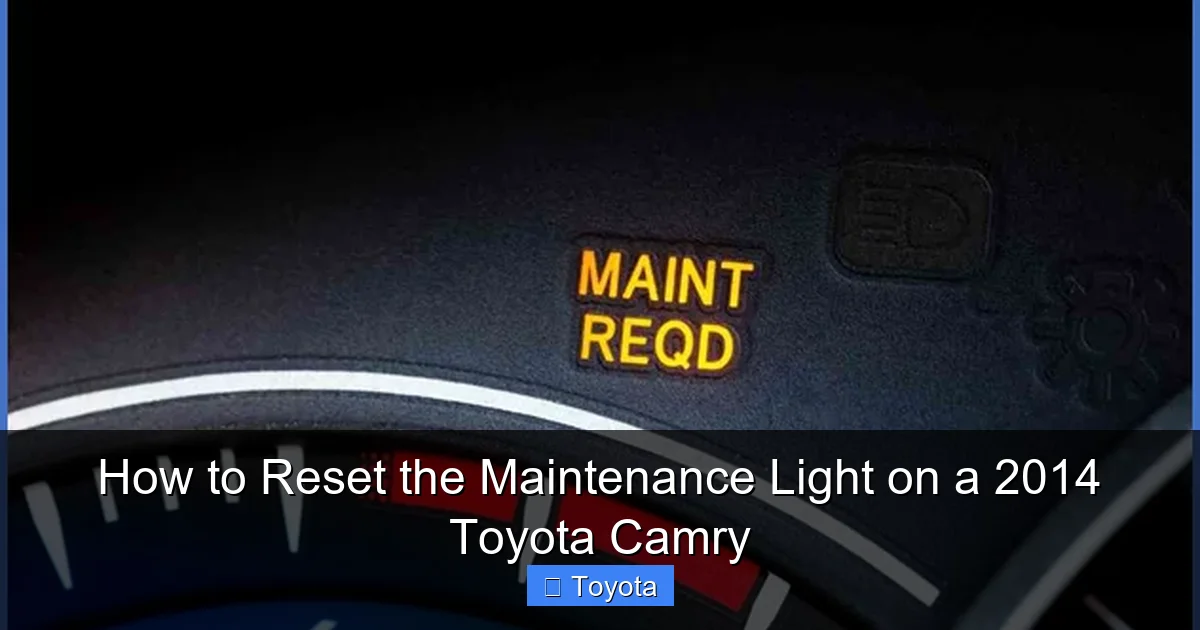
First, let’s clear up a major point of confusion. The maintenance required light (often depicted as a wrench or “MAINT REQD”) is not a check engine light. It’s not triggered by a fault code from an oxygen sensor or a loose gas cap. Instead, it’s a proactive, mileage-based reminder system programmed into your car’s computer. Think of it as your car’s built-in calendar alert.
What Exactly Does It Mean?
For your 2014 Camry, this light illuminates to remind you that it’s time for scheduled maintenance, most commonly an oil and filter change. Toyota’s system calculates this based on a combination of mileage and, in some systems, engine operating conditions. Once you’ve driven a certain number of miles (typically 5,000 for severe service or 7,500-10,000 for normal service from the last reset), the light will turn on. It’s a gentle nudge saying, “Hey, it’s been a while since my last tune-up; let’s keep me in top shape.” Ignoring it won’t cause immediate damage, but postponing essential maintenance like oil changes can lead to long-term engine wear. The system is designed so that after you complete the required service and follow the reset procedure, it starts its countdown all over again.
Critical Pre-Reset Checklist: Don’t Skip This!
Here is the most important rule in this entire guide: Never reset the maintenance light without first performing the required maintenance. Doing so is like erasing a reminder note without actually doing the task. You will forget, and your engine will suffer. The light is there to protect your investment. Before you even think about the reset procedure, ensure you have completed the following:
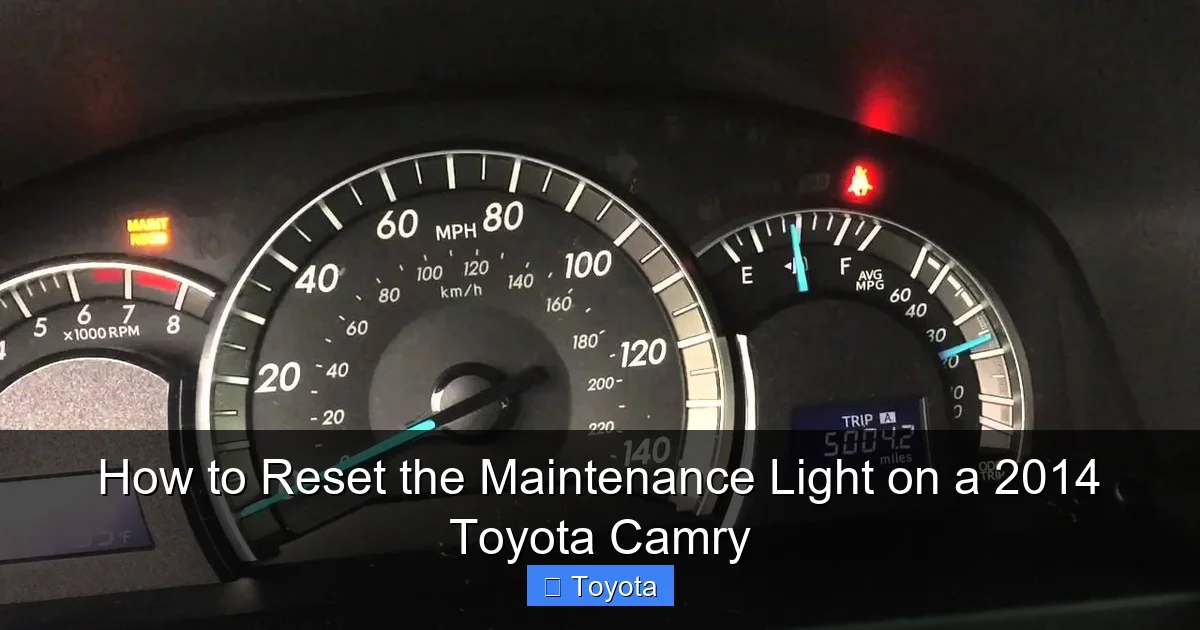
Visual guide about How to Reset the Maintenance Light on a 2014 Toyota Camry
Image source: i.ytimg.com
- Oil and Filter Change: This is the #1 reason the light comes on. Use the correct oil grade (likely 0W-20 for your 2014 Camry) and a quality filter.
- Tire Rotation: Often recommended at the same interval as the oil change.
- Multi-Point Inspection: Check fluids (coolant, brake, washer), belts, hoses, brakes, and battery.
- Replace Cabin Air Filter: A simple and often overlooked part of routine service.
If your Camry is due for other specific services based on its mileage (e.g., spark plugs at 100k miles, transmission fluid at 60k/120k), address those now. Completing all due work first ensures your reset is meaningful and your car is truly maintained. For a broader look at Toyota maintenance schedules, you might find our article on how to reset the maintenance required light on a Toyota helpful, as it covers general principles that apply here.
The Step-by-Step Reset Procedure for a 2014 Toyota Camry
Now, for the main event. Your 2014 Camry uses a specific sequence with the odometer/trip meter reset button located on the instrument cluster. This method is consistent across most 2012-2017 Camry models. The entire process takes about 30 seconds. Make sure your car is parked, the engine is off, and the key is in the “ON” position (the position right before starting, where all dash lights come on). Do not start the engine.
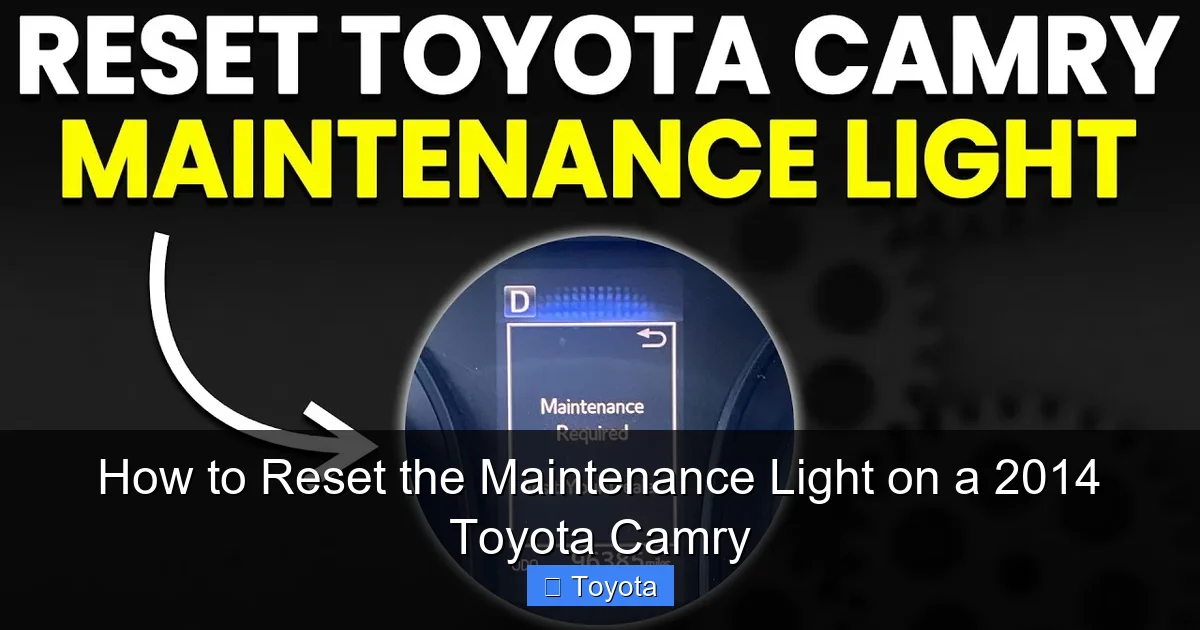
Visual guide about How to Reset the Maintenance Light on a 2014 Toyota Camry
Image source: i.ytimg.com
Method 1: Using the Odometer Button (Standard Procedure)
- Turn the ignition to the “ON” position. Press the engine start/stop button twice without touching the brake pedal, or insert the key and turn it to the “ON” position. Do not start the engine.
- Locate the “trip/odometer” button. This is the small button, often on the instrument cluster to the right of the speedometer, used to toggle between odometer and trip meter readings.
- Turn the ignition to the “OFF” position. Now, turn the key to “OFF” (or press the start button once to turn off the car).
- Press and hold the trip/odometer button. While continuing to hold the button down, turn the ignition back to the “ON” position (do not start). Keep holding the button.
- Watch the display. After a few seconds, you should see the odometer display change. It may show a series of dashes “—–” or the word “DONE.” The maintenance required light will begin to blink and then go out.
- Release the button. Once you see “DONE” or the light is off, you can release the button. Turn the ignition off and then back on to confirm the light stays off.
Pro Tip: If the sequence doesn’t work the first time, try it again. Ensure you are pressing and holding the correct button and performing the steps in the exact order: OFF -> hold button -> ON. The display change is your confirmation that the computer has entered reset mode.
What to Do After the Reset: Verification and Next Steps
You’ve followed the steps and the wrench icon has vanished. Excellent! But your job isn’t quite done. A proper reset procedure includes a quick verification and setting yourself up for the next service interval.
Confirming a Successful Reset
Turn your ignition fully off, wait about 10 seconds, and then turn it back to the “ON” position. The dashboard should illuminate normally, with no maintenance required light visible. Start the engine and let it run for a moment. The light should remain off. If it comes back on immediately or within a few drive cycles, you likely did not perform all the required service, or there is an issue with the reset procedure itself. Double-check your oil level and filter installation. A light that reappears quickly is a sign to re-evaluate, not to try resetting again blindly.
Resetting Your Service Interval Mindset
Now that the light is off, your car’s computer has started a new mileage countdown. Make a note in your calendar or maintenance log of your current mileage. This is your new baseline. For a 2014 Camry, the standard interval is often 5,000 miles for “severe” driving (mostly short trips, extreme temps) or up to 10,000 miles for “normal” driving. Since your car is now over a decade old, err on the side of caution and consider the 5,000-mile interval for oil changes, especially if your driving is mostly city-based. Remember, this reset procedure is for the maintenance reminder only. It does not affect or reset any other warning lights, like the check engine light, which requires a different diagnostic process. If you’re dealing with multiple lights, our guide on resetting the airbag light on a Toyota Camry addresses a completely separate system.
Troubleshooting: When the Light Won’t Reset or Comes Back On
Sometimes, the process doesn’t go smoothly. Here are the most common issues and their solutions.
Scenario 1: The Button Sequence Doesn’t Work
If you’ve tried the procedure multiple times and the light does not blink or the “DONE” message does not appear, first confirm you are using the correct button. On the 2014 Camry, it is specifically the trip meter/odometer reset button, not the “display” or “mode” button. Second, ensure your battery is not weak; a low-voltage situation can sometimes interrupt the reset sequence. Try the procedure with the car in a well-charged state. Finally, consult your owner’s manual—there is a tiny chance a software update or a different variant (like a hybrid) has a slightly altered method. For owners of other Toyota sedans, the process for a Toyota Avalon is nearly identical, which can provide reassurance if you’re familiar with that model.
Scenario 2: The Light Comes Back On Very Quickly
If the maintenance light reappears after just 100-200 miles, it’s a red flag. First, re-check your oil level with the dipstick. An improperly filled crankcase is a common reason. Second, verify that the oil filter was installed correctly and is not defective. Third, consider that the oil you used might not meet Toyota’s specifications (e.g., non-0W-20 synthetic in an engine that requires it). Finally, it’s possible the maintenance system itself has a fault, though this is rare. In this case, a scan with a professional diagnostic tool at a trusted shop is the next step to see if any other codes are stored.
Beyond the Reset: A Holistic View of Camry Maintenance
Resetting the light is the final, symbolic step in a maintenance routine. It shouldn’t be the first. Your 2014 Camry, if well-maintained, can easily surpass 250,000 miles. The maintenance light is just one part of a much larger picture of longevity.
Building a Real Maintenance Schedule
Don’t rely solely on the light. Use it as a backup reminder. Create a spreadsheet or use a maintenance tracking app. Log every service: date, mileage, what was done, and by whom. Cross-reference this with the severe/normal service schedule in your owner’s manual. For a 10-year-old vehicle, pay extra attention to:
- Coolant System: Check and flush coolant every 30,000-50,000 miles.
- Transmission Fluid: For the 6-speed automatic, consider a fluid and filter change every 60,000-100,000 miles.
- Brake Fluid: This is hygroscopic (absorbs water) and should be replaced every 2-3 years.
- Spark Plugs: Iridium plugs can last 120,000 miles, but check them at 100k.
- Timing Belt/Chain: Your 2014 Camry has a timing chain (lifetime), but the tensioner and guides should still be inspected.
By being proactive, you prevent small issues from becoming major, costly repairs. The simple act of resetting that light after genuine work is the capstone on a solid foundation of car care.
Conclusion: Empowerment Through Simple Maintenance
Congratulations! You now possess the knowledge to take control of one of the most common dashboard alerts on your 2014 Toyota Camry. Remember the core philosophy: the maintenance required light is a helpful assistant, not a nagging foe. It exists to create a disciplined service interval. By performing the actual oil change and other due services first, and then following the precise, button-press reset procedure, you complete the cycle. You’ve saved yourself a potential trip to the dealership or shop for a simple reset, which they might charge you for. More importantly, you’ve engaged with your vehicle’s needs, fostering a relationship of care that will reward you with years of reliable, trouble-free transportation. Keep this guide handy, perform your maintenance with intention, and enjoy the smooth, confident ride of a well-cared-for Camry. That glowing wrench is now just a thing of the past, replaced by the quiet confidence of a job well done.
Frequently Asked Questions
How often should the maintenance light come on?
The maintenance required light on a 2014 Toyota Camry is programmed to illuminate every 5,000 miles when driven under “severe” conditions (frequent short trips, extreme temperatures) or every 7,500-10,000 miles under “normal” conditions. It’s based on the oil change interval.
Can I reset the light without changing the oil?
Technically yes, but you should never do this. The light is a critical reminder that your engine oil is past its effective life. Resetting it without changing the oil risks engine damage from insufficient lubrication. Always perform the service first.
What if the light comes back on right after I reset it?
If the maintenance light returns within a few hundred miles, it usually means the service wasn’t completed correctly. Recheck your oil level and filter installation. If the problem persists, there may be an issue with the maintenance reminder system itself, requiring a professional diagnostic scan.
Is the “maintenance required” light the same as the “check engine” light?
No, they are completely different. The maintenance required light (wrench icon) is a simple mileage-based reminder for scheduled service like oil changes. The check engine light (engine icon) indicates a fault in the emissions or engine management system and requires a diagnostic trouble code scan to identify the problem.
Will resetting this light clear any other trouble codes?
No. The procedure to reset the maintenance required light only resets that specific reminder counter. It does not affect or clear any stored diagnostic trouble codes from the check engine light, ABS light, or airbag light. Those systems require their own specific reset procedures after repairs.
How long will the light stay off after a proper reset?
It will stay off until the next scheduled maintenance interval is reached, which is typically 5,000-10,000 miles from the mileage at which you performed the reset. The system counts down from the reset point, not from zero.







