How to Reset Maintenance Light on Toyota Avalon: Simple Steps for a Smooth Ride

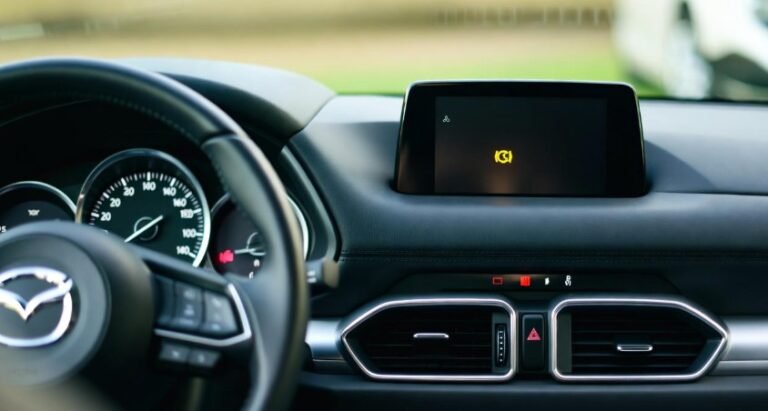
If you’ve been driving your Toyota Avalon for a while, you might have seen a little orange light flash on your dashboard — the maintenance light. It’s not exactly a sign of trouble, but rather a friendly reminder from your car that it’s time for routine service, such as an oil change or fluid check. However, what happens after you’ve completed your maintenance and that light still refuses to go away?
That’s where learning how to reset the maintenance light on Toyota Avalon comes in handy. Resetting this light is not just about clearing a symbol on your dashboard — it’s about keeping your vehicle’s service schedule accurate. By doing it yourself, you can save time, avoid unnecessary trips to the mechanic, and stay confident that your Avalon is running in top shape.
In this detailed guide, we’ll go over step-by-step instructions, simple precautions, and tips to ensure your reset process goes smoothly. Whether you’re a seasoned car owner or new to DIY maintenance, you’ll find this guide simple, relatable, and easy to follow.
In This Article
- 1 Understanding the Maintenance Light on Toyota Avalon
- 2 Why Resetting the Maintenance Light Is So Important
- 3 Preparation Before Resetting the Maintenance Light
- 4 Step-by-Step: How to Reset Maintenance Light on Toyota Avalon
- 5 Verifying the Reset Was Successful
- 6 Common Mistakes to Avoid During the Reset
- 7 Pro Tip: Reset the Light After Every Oil Change
- 8 When to Seek Professional Help
- 9 Advanced Tips for Maintaining Your Toyota Avalon
- 10 Maintenance Schedule Table for Toyota Avalon
- 11 Common Questions About Maintenance Light Reset
- 12 Personal Anecdote: Why Resetting Made My Avalon Feel New Again
- 13 Tips to Avoid Resetting Issues in the Future
- 14 Conclusion: Keep Your Toyota Avalon Running Smoothly
Understanding the Maintenance Light on Toyota Avalon
Before jumping into the reset process, it’s important to understand why this light appears. The maintenance required light in your Toyota Avalon is a built-in reminder. It usually illuminates every 5,000 miles or after a certain period — signaling it’s time for basic maintenance like an oil change, tire rotation, or filter replacement.
This light doesn’t necessarily mean there’s a mechanical issue. Think of it as your car’s gentle nudge — a way to keep you on schedule with essential upkeep. Ignoring it for too long might not cause immediate damage, but over time, it can lead to engine strain, reduced fuel efficiency, or even expensive repairs.
Toyota designed this system to ensure owners don’t lose track of regular maintenance. Once the maintenance is complete, the system needs a manual reset to start a new countdown for the next service. That’s exactly what you’ll learn to do next.
Why Resetting the Maintenance Light Is So Important
Resetting the maintenance light isn’t just about clearing an annoying dashboard icon — it’s about maintaining the accuracy of your car’s maintenance schedule. If you forget to reset it, the system will think your last service is still pending and may confuse future alerts.
Here’s why resetting the light matters:
-
✅ It ensures your maintenance tracking remains accurate.
-
✅ It helps you avoid unnecessary service reminders.
-
✅ It maintains the car’s resale value by keeping its service records in sync.
-
✅ It allows you to focus on the next genuine service date.
Imagine driving for months with the maintenance light still on — not only would it be distracting, but you could also miss an actual issue in the future since you’d start to ignore the warning. A quick reset brings back clarity and keeps your Avalon’s system functioning as intended.
Preparation Before Resetting the Maintenance Light
Just like any simple car fix, a little preparation can save you a lot of hassle. Resetting the Toyota Avalon maintenance light doesn’t require special tools, but knowing what to expect helps you get it right the first time.
Here’s what you should prepare before you start:
1. Find your car key or start button:
You’ll need to switch between ignition modes — specifically “On” and “Off” — so make sure your key or push-button start system is ready.
2. Locate the trip meter button:
This small button is usually found near your speedometer. It might be labeled “ODO” or “Trip.” This is the key to resetting the system.
3. Park safely:
Always do this reset while your vehicle is parked, the engine off, and the parking brake engaged. Safety first.
4. Allocate a few minutes:
The process itself takes less than two minutes, but it’s best not to rush.
A calm, focused approach ensures you don’t miss a step — and prevents having to redo the entire process.
Step-by-Step: How to Reset Maintenance Light on Toyota Avalon
Now let’s get into the actual process. These steps work for most Toyota Avalon models, especially from the mid-2000s onward. However, always refer to your owner’s manual for small differences between years.
Step 1: Turn the ignition to “On” (without starting the engine)
Insert the key and turn it to the “On” position — or press the Start/Stop button twice if your Avalon has push-button start. Make sure the engine itself isn’t running; the dashboard lights should be illuminated.
Locate the trip or odometer button near your dashboard display. Press and hold it firmly.
While keeping your finger on the trip button, turn the key back to the “Off” position (or press the start button once without your foot on the brake).
Now, turn the ignition to “On” again (but don’t start the car). Keep holding the trip button during this process. You’ll notice the maintenance light starting to flash.
Step 5: Wait for the light to disappear
Hold the button until the flashing stops — usually about 5 to 10 seconds. Once the light goes off, you can release the button. Congratulations! You’ve just reset the maintenance light on your Toyota Avalon.
Verifying the Reset Was Successful
After completing the reset, it’s always smart to double-check that the maintenance light actually turned off. Nothing’s more frustrating than realizing you missed a step and the light’s still staring at you.
Here’s how to verify:
-
Turn the ignition off, wait a few seconds, then turn it back on again.
-
Look at your dashboard — the maintenance required light should no longer appear.
-
If the light is gone, the reset was successful.
However, if the light comes back on or starts flashing again, repeat the process carefully. Some Avalons are sensitive to timing — if you release the trip button too early, it might not register.
In rare cases, the issue might be sensor-related or linked to an incomplete maintenance procedure. If you’ve double-checked your steps and the light still won’t turn off, it may be time to visit a certified Toyota technician for a diagnostic scan.
Common Mistakes to Avoid During the Reset
Even though resetting the Toyota Avalon maintenance light is simple, a few small mistakes can prevent success. Many drivers rush through the process, only to find the light blinking again minutes later.
Here are the most common mistakes to avoid:
-
Turning the ignition to the wrong mode: Make sure you’re in the “On” position, not “Accessory.” The wrong mode won’t trigger the reset.
-
Releasing the trip button too early: You need to hold it until the light completely disappears — that’s usually several seconds.
-
Not switching off the engine first: The engine must be off during the reset process.
-
Ignoring your maintenance schedule: Resetting the light before actually performing maintenance defeats its purpose.
By paying attention to these details, you’ll save yourself time and ensure the process works perfectly the first time.
Pro Tip: Reset the Light After Every Oil Change
Many Avalon owners forget this small but essential step. Once you’ve changed your oil or completed any routine maintenance, always reset the light immediately. Doing it right away helps keep your car’s service reminders accurate.
Here’s a quick routine to follow:
-
Perform your oil change.
-
Start your Avalon and let it idle for 30 seconds.
-
Turn it off, then perform the maintenance light reset steps outlined earlier.
By keeping this as part of your regular maintenance habit, you’ll maintain a clean, trustworthy dashboard and ensure your car remains in excellent condition year-round.
When to Seek Professional Help
Sometimes, even when you do everything right, that pesky maintenance light might refuse to go off. In such cases, don’t panic — it might not be your fault. There are times when a reset won’t work due to deeper issues, like sensor malfunctions or incomplete maintenance logs.
If you’ve tried the process twice and the light still won’t reset, it’s best to consult a certified Toyota service center. They can check for any diagnostic codes using a scan tool.
Professional technicians can:
-
Identify whether your maintenance system needs a software reset.
-
Inspect for sensor or electrical faults.
-
Confirm whether the maintenance reminder was triggered by something other than an oil change.
Getting expert help ensures you’re not just clearing the symptom, but addressing the real issue behind it.
Advanced Tips for Maintaining Your Toyota Avalon
Resetting the maintenance light is just one part of keeping your Avalon in top condition. To truly benefit from the maintenance system, it’s important to integrate a few advanced habits into your routine.
-
Track your oil changes manually: Even though the maintenance light reminds you, keeping a manual log of oil changes, tire rotations, and filter replacements helps you spot patterns and potential issues early.
-
Use quality fluids and filters: Your Avalon deserves the best. High-quality oil, transmission fluid, and filters reduce the strain on your engine and can prevent frequent maintenance alerts.
-
Check other dashboard alerts: Don’t focus solely on the maintenance light. Pay attention to tire pressure, battery, and check-engine lights. Each alert works together to give you a complete picture of your car’s health.
-
Perform regular self-inspections: A quick monthly inspection of belts, hoses, tire pressure, and fluid levels can save you from costly repairs later. Resetting the light becomes more meaningful when it accurately reflects a well-maintained vehicle.
By combining these habits with regular maintenance light resets, you ensure that your Toyota Avalon not only runs smoothly but also retains its value for years.
Maintenance Schedule Table for Toyota Avalon
Keeping your Avalon’s maintenance on schedule is easy when you know the key milestones. Here’s a simple maintenance table you can use alongside resetting your maintenance light:
| Service Type | Frequency | Notes |
|---|---|---|
| Engine Oil & Filter | Every 5,000 miles | Reset maintenance light after service |
| Tire Rotation | Every 5,000–7,500 miles | Helps maintain even tire wear |
| Brake Inspection | Every 10,000 miles | Check pads, discs, and brake fluid |
| Cabin & Engine Air Filter | Every 15,000–30,000 miles | Replace sooner in dusty environments |
| Coolant Flush | Every 50,000 miles | Helps prevent engine overheating |
| Transmission Service | Every 30,000–60,000 miles | Use manufacturer-recommended fluid |
Following this schedule keeps your Avalon running efficiently and ensures the maintenance light accurately reflects what’s due.
Common Questions About Maintenance Light Reset
Here are some frequently asked questions about the Toyota Avalon maintenance light that owners often have:
1. Can I reset the maintenance light without performing maintenance?
While technically possible, it’s not recommended. The light is a reminder for a reason. Resetting it without doing the work can lead to skipped maintenance and long-term damage.
2. How often does the maintenance light come on?
For most Toyota Avalons, the maintenance light illuminates every 5,000 miles or after approximately six months, whichever comes first.
3. Will resetting the light affect my warranty?
No, as long as the required maintenance has been performed. Resetting the light itself does not impact your vehicle warranty.
4. My light came back on after reset. What should I do?
Check if the maintenance was fully completed and repeat the reset process. If it persists, consult a certified Toyota technician.
5. Is the reset procedure different for push-button start models?
Slightly. Instead of turning a key, press the start button twice without pressing the brake to enter “On” mode, then follow the same steps using the trip meter button.
6. Can other dashboard lights interfere with the maintenance light reset?
Yes. If there are active check-engine or warning lights, the maintenance light reset may not register until those issues are resolved.
7. Does the maintenance light reset affect other systems?
No, it only resets the reminder for routine maintenance. Other electronic systems in your Avalon remain unaffected.
Personal Anecdote: Why Resetting Made My Avalon Feel New Again
I remember the first time I tried resetting the maintenance light on my Avalon. The light had been stubbornly blinking after a recent oil change. I followed the steps, but because I released the button too early, it didn’t reset. Frustrated, I paused, reviewed the steps, and tried again. That moment when the light finally disappeared — dashboard clean, no blinking orange — felt surprisingly satisfying.
It’s not just about aesthetics. Resetting the light gave me a sense of control and understanding of my car. Knowing I could handle this simple task myself meant I wasn’t dependent on a service center for every minor reminder. It reinforced the idea that keeping your Avalon in top condition isn’t complicated; it just requires awareness and consistency.
Tips to Avoid Resetting Issues in the Future
-
Always complete maintenance before resetting: Never bypass the required service. The light is a reminder for your vehicle’s health.
-
Hold the trip button firmly: Don’t rush; holding it long enough ensures the system registers the reset.
-
Check your vehicle’s manual: Minor differences exist between model years — it’s worth a quick reference.
-
Keep a service log: Track oil changes, tire rotations, and other maintenance for reference.
These small precautions make the process nearly foolproof and help your Avalon run smoothly for years.
Conclusion: Keep Your Toyota Avalon Running Smoothly
Resetting the maintenance light on your Toyota Avalon is more than just clearing a symbol on your dashboard. It’s about maintaining an accurate service schedule, ensuring your car’s longevity, and saving yourself unnecessary worry.
By following the step-by-step guide, verifying the reset, avoiding common mistakes, and incorporating advanced maintenance habits, you can take control of your vehicle’s upkeep. Remember, the maintenance light is your friend — a simple nudge to keep your Avalon performing at its best.
Take care of your car, reset the light after every service, and you’ll enjoy a smooth, reliable ride for years to come. Your Avalon deserves it, and so do you.