How to Replace Honda Civic Key Battery: Easy Steps for Quick Replacement
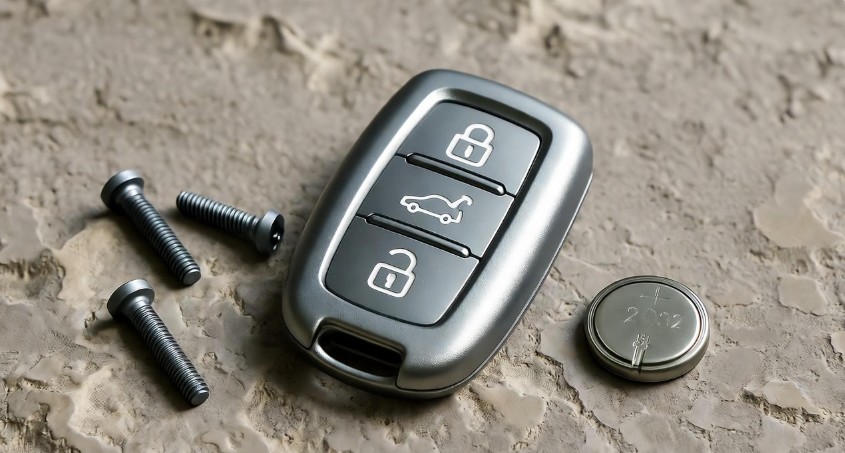
Owning a Honda Civic comes with the joy of smooth drives, reliable performance, and a key fob that puts convenience at your fingertips. But, like any electronic device, your Honda Civic key battery doesn’t last forever. One day, you might notice your key fob responding slowly or not unlocking your car at all. Don’t panic! Replacing the battery is surprisingly simple and something you can do yourself in just a few minutes. This guide will walk you through the process step by step, so you can regain full control of your car without the hassle of visiting a dealership.
Replacing the Honda Civic key battery is more than just a maintenance task. It’s about preserving convenience, avoiding emergencies, and saving money. Instead of getting stranded with a non-responsive key, you can take charge. With just a few tools and a little patience, you can have your key working like new again. Let’s explore the entire process, starting with checking your battery’s health.
In This Article
- 1 Checking the Battery Status
- 2 Gathering the Necessary Tools
- 3 Step-by-Step Battery Replacement Process
- 4 Inserting the New Battery
- 5 Tips for Smooth Battery Replacement
- 6 Testing the New Battery
- 7 Troubleshooting Potential Issues
- 8 Common Mistakes to Avoid
- 9 FAQs About Honda Civic Key Battery Replacement
- 10 Advantages of DIY Battery Replacement
- 11 Conclusion
Checking the Battery Status
Before rushing to buy a new battery, it’s important to assess whether your key fob truly needs a replacement. A dead or weak battery often shows subtle signs before completely failing. If you notice your key responding slowly, having intermittent connectivity, or your car’s remote start isn’t working properly, these are strong indicators that your battery is running low.
A simple test is to press the buttons while standing close to the car. If the car locks or unlocks inconsistently, that’s a red flag. Another tip is to observe the key fob’s LED light, if your model has one. A dim or flickering light is a classic sign that the battery is fading. By checking the battery status first, you ensure that you’re not replacing it unnecessarily. This approach saves you money and prevents frustration from fiddling with the wrong cause.
Gathering the Necessary Tools
Replacing a Honda Civic key battery requires very minimal equipment, but having the right tools is crucial for a smooth process. Here’s what you’ll need:
-
Small flathead screwdriver – for prying open the key fob cover.
-
CR2032 battery – the standard battery for Honda key fobs.
-
Small pliers – helpful for safely removing the old battery.
-
Electrical tape – optional, for securing the key cover after replacement.
You can find these tools at local hardware stores or online retailers. For the screwdriver, choose a small one with multiple heads to prevent scratching the key fob. For the battery, opt for a reputable brand to ensure long-lasting performance. Having the right tools not only makes the process easier but also reduces the risk of damaging your key fob.
Step-by-Step Battery Replacement Process
Replacing your Honda Civic key battery is a task anyone can handle with patience and a careful approach. Here’s the step-by-step guide to get it done efficiently.
Removing the Key Cover
The first step is to gently pry open the key fob. Locate the small slit or seam on the back of the key. Insert your small flathead screwdriver carefully into the slit. Twist gently to pop off the cover. Be mindful not to apply excessive force as this can crack the plastic. Think of it like opening a delicate jewelry box – a soft, careful touch is all that’s needed.
Accessing the Battery Compartment
Once the cover is removed, you’ll see the battery compartment clearly. Flip the key fob to reveal the compartment, usually marked with a “+” sign. This marking is critical for inserting the new battery correctly. Treat this step like peeking under the hood of a car for the first time – every detail matters. Take a moment to observe the layout, so the next steps go smoothly.
Removing the Old Battery
Using your small pliers, carefully remove the old battery. Note how it is positioned; the positive and negative sides are essential for proper functionality. Misplacing these can lead to a non-working key fob. Remove the battery slowly, avoiding any bending or twisting, which could damage the compartment or electrical contacts.
Inserting the New Battery
Now comes the exciting part: installing the new CR2032 battery. Place it in the compartment with the positive side facing up, aligning it with the markings inside. Press it gently until it sits securely in place. It should fit snugly without forcing it. This step is like placing the final piece in a puzzle – it just clicks into place when aligned correctly. Ensuring the proper orientation is vital because a wrongly placed battery is the most common reason a key fob won’t work after replacement.
Replacing the Key Cover
Finally, snap the key cover back onto the fob. Align all edges carefully, pressing lightly but firmly to secure it. Avoid using excessive force as it can crack the cover. Once done, your key fob looks as good as new and is ready for testing.
Tips for Smooth Battery Replacement
Replacing your Honda Civic key battery can feel intimidating if it’s your first time. Here are some tips to make it easier:
-
Handle the key fob gently; it’s a sensitive device.
-
Avoid exposing it to extreme temperatures.
-
Use a flat tool like a screwdriver or coin to open the fob without scratching.
-
Double-check battery orientation to prevent malfunction.
-
Take your time – rushing can lead to mistakes.
Remember, patience is your best friend here. Think of it as a small DIY project that, when done correctly, saves you a trip to the dealership and a few extra dollars.
Testing the New Battery
After replacing the Honda Civic key battery, it’s important to ensure everything is functioning properly before you put the key back in your pocket. Testing is straightforward but critical. Start by pressing the buttons on your key fob. The car should respond immediately – doors locking and unlocking without delay. If your model has a remote start feature, try engaging it to confirm the engine starts as expected.
Sometimes, even after replacing the battery, the key fob may respond sluggishly at first. This can happen if the battery contacts weren’t perfectly aligned. Open the key fob again briefly and ensure the battery is snug and properly positioned. Testing your key immediately after replacement not only confirms success but also gives you peace of mind, avoiding frustrating surprises when you need your car most.
Troubleshooting Potential Issues
Even with a careful replacement, a few hiccups can occur. Here’s how to troubleshoot the most common problems:
-
Battery fit and orientation: The most frequent issue is incorrect placement. Make sure the positive (+) side of the CR2032 battery aligns with the key fob markings. A loosely fitted battery can cause intermittent performance.
-
Key fob buttons not responding: If pressing the buttons yields no reaction, check for dirt or debris inside the compartment. Even small particles can block the connection. Cleaning the contacts gently with a soft cloth or cotton swab usually resolves this issue.
-
Professional help: If your key still doesn’t function after checking the fit and cleaning the contacts, there may be an internal problem unrelated to the battery. In this case, visiting an authorized Honda service center ensures proper diagnosis and repair, preventing further damage to your key fob.
By systematically troubleshooting, most issues can be resolved at home without expensive replacements.
Common Mistakes to Avoid
Replacing the Honda Civic key battery seems simple, but a few common mistakes can complicate the process. First, never force the key cover open with too much pressure – this can crack the plastic and make the fob difficult to close later. Second, inserting the battery backwards is a frequent oversight; always double-check the positive and negative markings. Third, avoid using low-quality batteries. Cheap alternatives often fail quickly and can even leak, damaging the key’s electronics. By being cautious and methodical, you can avoid these pitfalls and enjoy a smooth replacement experience.
FAQs About Honda Civic Key Battery Replacement
1. How often should I replace my Honda Civic key battery?
On average, a CR2032 battery lasts 2–3 years, depending on usage. If you notice slower response times, it’s a good idea to check and replace the battery promptly.
2. Can I replace the key battery without tools?
Technically, you can pry the key open with a coin, but using a small flathead screwdriver is safer and reduces the risk of damage.
3. What happens if I insert the battery backwards?
Inserting the battery incorrectly prevents the key fob from working. There’s no permanent damage, but you’ll need to reposition it correctly.
4. Is a CR2032 battery the only type I can use?
Yes, for most Honda Civic models, a CR2032 battery is standard. Using a different type may cause fitment issues or malfunction.
5. My key fob still doesn’t work after replacement – what should I do?
Double-check the battery orientation and contacts. If it still doesn’t function, consult a Honda service center as the issue may be internal.
6. Can extreme temperatures affect my key battery?
Absolutely. High heat or cold can reduce battery lifespan. Store your key fob in a temperate environment when possible.
7. Is it safe to replace the battery myself?
Yes! Following proper steps and handling the key fob carefully ensures a safe and successful replacement.
Advantages of DIY Battery Replacement
Replacing the Honda Civic key battery yourself comes with several advantages. First, it’s cost-effective – dealership replacements can be expensive. Second, it’s convenient, allowing you to fix the key whenever needed without waiting for service appointments. Third, it’s empowering – handling small DIY tasks builds confidence and saves time. With the right tools and knowledge, you gain independence and avoid unnecessary stress.
Conclusion
Replacing the Honda Civic key battery is a simple, quick, and cost-effective way to maintain your key fob’s functionality. By following the steps outlined above – checking battery status, gathering the necessary tools, carefully replacing the battery, testing, and troubleshooting – you can handle this task with confidence. Not only do you save money, but you also avoid the inconvenience of a non-responsive key at critical moments.
Remember to treat your key fob gently, use a high-quality CR2032 battery, and ensure proper orientation during installation. With these precautions, your key fob will continue to operate smoothly, giving you the convenience and reliability you’ve come to expect from your Honda Civic. By taking charge of this small maintenance task, you’re investing in peace of mind and uninterrupted driving enjoyment.