How to Put a Car Battery In
Replacing or installing a car battery might seem intimidating, but it’s a straightforward task when you know the right steps. With basic tools, safety precautions, and clear instructions, you can confidently put a car battery in without needing a mechanic.
In This Article
- 1 Key Takeaways
- 2 📑 Table of Contents
- 3 Introduction: Why Knowing How to Put a Car Battery In Matters
- 4 When Should You Replace Your Car Battery?
- 5 Tools and Materials You’ll Need
- 6 Step-by-Step Guide: How to Put a Car Battery In
- 6.1 Step 1: Park Safely and Turn Off the Engine
- 6.2 Step 2: Locate the Battery
- 6.3 Step 3: Disconnect the Negative Terminal First
- 6.4 Step 4: Disconnect the Positive Terminal
- 6.5 Step 5: Remove the Battery Hold-Down Clamp
- 6.6 Step 6: Lift Out the Old Battery
- 6.7 Step 7: Clean the Battery Tray and Terminals
- 6.8 Step 8: Install the New Battery
- 6.9 Step 9: Secure the Battery with the Hold-Down Clamp
- 6.10 Step 10: Reconnect the Terminals
- 6.11 Step 11: Apply Terminal Protector
- 6.12 Step 12: Test the Installation
- 7 Safety Tips and Best Practices
- 8 Troubleshooting Common Issues
- 9 Conclusion: Confidence in Car Battery Replacement
- 10 Frequently Asked Questions
Key Takeaways
- Safety first: Always wear protective gear like gloves and safety glasses to prevent injury from acid or sparks.
- Disconnect the negative terminal first: This reduces the risk of short circuits or electrical shocks during removal.
- Check compatibility: Ensure the new battery matches your vehicle’s make, model, and electrical requirements.
- Clean battery terminals: Use a wire brush and baking soda solution to remove corrosion before installation.
- Secure the battery properly: A loose battery can vibrate, leak, or cause electrical issues—always use the hold-down clamp.
- Reconnect terminals in reverse order: Attach the positive terminal first, then the negative, to complete the circuit safely.
- Test the system: Turn on the ignition and check lights, electronics, and engine performance after installation.
📑 Table of Contents
Introduction: Why Knowing How to Put a Car Battery In Matters
Imagine you’re running late for work, you turn the key in the ignition, and—nothing. The dashboard lights flicker weakly, the engine doesn’t turn over, and you realize your car battery is dead. It’s a frustrating situation, but one that millions of drivers face every year. While calling a mechanic is always an option, knowing how to put a car battery in yourself can save you time, money, and stress.
Replacing a car battery isn’t as complicated as it might seem. With the right tools, a little patience, and attention to safety, most people can complete the job in under 30 minutes. Whether you’re swapping out an old battery for a new one or installing a replacement after a jump-start, understanding the process empowers you to take control of your vehicle’s maintenance. Plus, it’s a skill that pays off every time your battery reaches the end of its life—typically every 3 to 5 years.
When Should You Replace Your Car Battery?
Before diving into how to put a car battery in, it’s important to know when replacement is necessary. Car batteries don’t last forever. Over time, they lose their ability to hold a charge due to chemical degradation, extreme temperatures, and regular use. Recognizing the signs early can prevent you from being stranded.

Visual guide about How to Put a Car Battery In
Image source: daganghalal.blob.core.windows.net
Common Signs Your Battery Needs Replacing
- Slow engine crank: If the engine takes longer than usual to start—especially in cold weather—it could mean the battery is weakening.
- Check engine or battery warning light: Many modern cars have dashboard indicators that alert you to electrical issues, including low battery voltage.
- Swollen or bloated battery case: Extreme heat can cause the battery casing to expand, indicating internal damage.
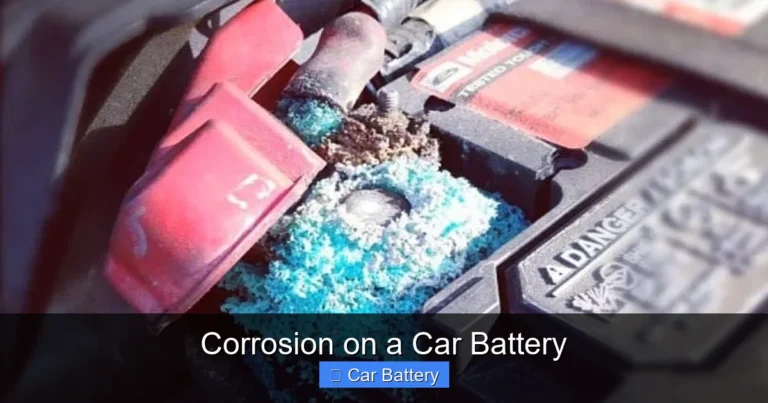
- Corrosion on terminals: A white, ashy buildup around the battery posts is a sign of leakage and reduced performance.
- Old age: If your battery is more than 4 years old, it’s wise to test it regularly. Most batteries last 3–5 years under normal conditions.
You can also use a multimeter to check the battery’s voltage. A healthy battery should read around 12.6 volts when the car is off and 13.7 to 14.7 volts when the engine is running. Anything below 12.4 volts suggests the battery is undercharged or failing.
Tools and Materials You’ll Need
Before you begin, gather all the necessary tools and materials. Having everything ready will make the process smoother and safer. You don’t want to be halfway through and realize you’re missing a wrench.
Visual guide about How to Put a Car Battery In
Image source: i.ytimg.com
Essential Tools
- Wrench or socket set: Most car batteries use 10mm or 13mm nuts on the terminals. A ratcheting wrench makes it easier to loosen tight connections.
- Safety gloves and goggles: Battery acid is corrosive and can cause burns. Protect your hands and eyes at all times.
- Wire brush or battery terminal cleaner: Used to clean corrosion from the terminals and cable ends.
- Baking soda and water: A simple solution (1 tablespoon baking soda per cup of water) neutralizes acid and cleans corrosion.
- Adjustable wrench or pliers: Helpful for stubborn terminals or clamps.
- New battery: Make sure it matches your vehicle’s specifications (size, type, and cold cranking amps).
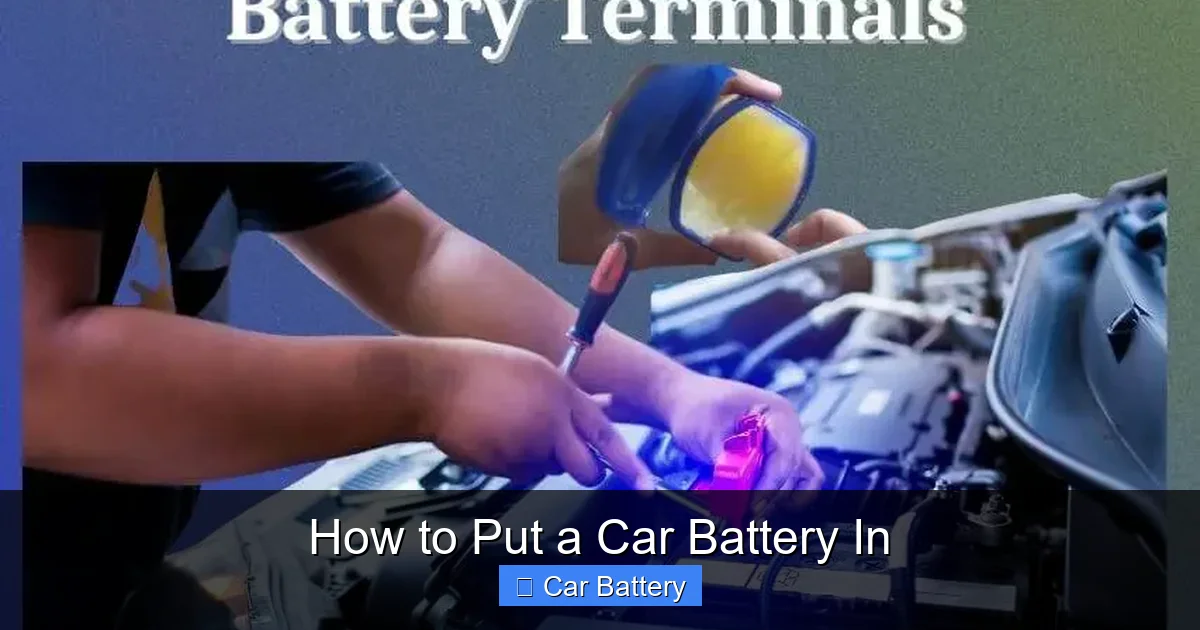
- Battery terminal protector spray or petroleum jelly: Prevents future corrosion.
Optional but helpful tools include a battery carrier strap (for heavy batteries), a memory saver (to preserve radio settings and computer data), and a torque wrench (to tighten terminals to the correct specification).
Step-by-Step Guide: How to Put a Car Battery In
Now that you’re prepared, let’s walk through the process of safely removing the old battery and installing the new one. Follow these steps carefully to avoid damage to your vehicle or injury to yourself.
Visual guide about How to Put a Car Battery In
Image source: m.media-amazon.com
Step 1: Park Safely and Turn Off the Engine
Start by parking your car on a flat, stable surface away from traffic. Engage the parking brake and turn off the engine. Remove the keys from the ignition to prevent accidental starts. If your car has a manual transmission, make sure it’s in gear. For automatics, leave it in “Park.”
It’s also a good idea to let the engine cool down if you’ve been driving. Hot components can increase the risk of burns, and a warm battery may vent gases more actively.
Step 2: Locate the Battery
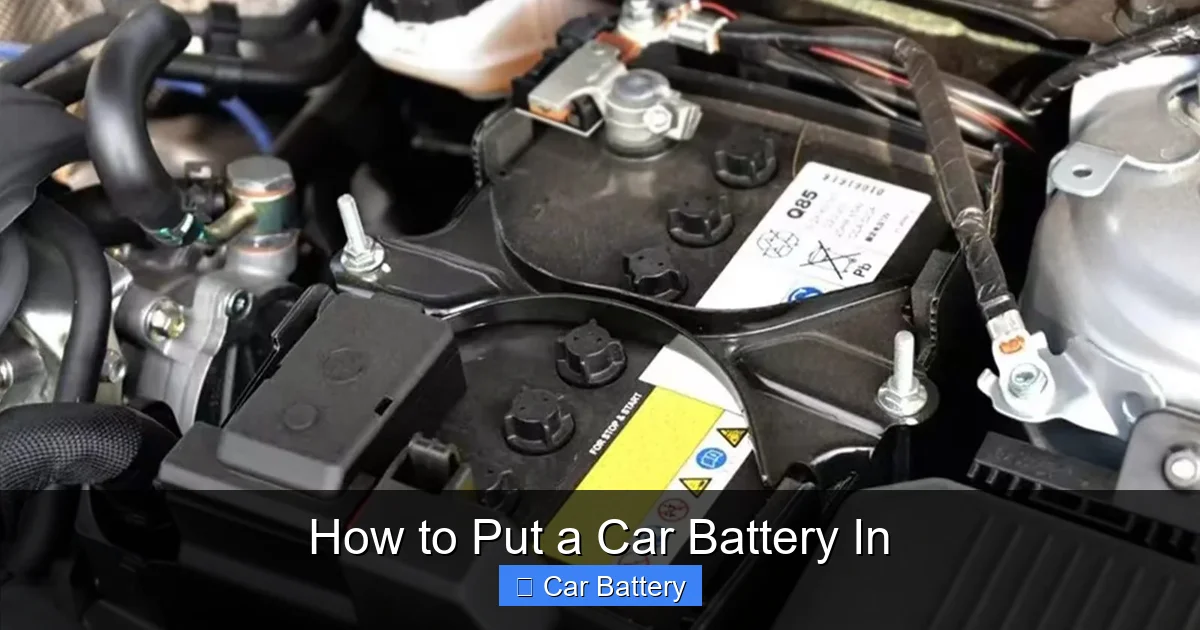
Most car batteries are located under the hood, usually on the driver’s or passenger’s side. However, in some vehicles—especially hybrids or luxury models—the battery may be in the trunk, under the rear seat, or even in the wheel well. Consult your owner’s manual if you’re unsure.
Once you find it, take a moment to inspect the area. Look for any signs of damage, leaks, or excessive corrosion. If the battery is cracked or leaking acid, handle it with extreme care and consider wearing additional protective gear.
Step 3: Disconnect the Negative Terminal First
This is a critical safety step. Always disconnect the negative terminal (marked with a “-” or colored black) before the positive one. Why? Because the negative terminal is connected to the car’s chassis (ground). Removing it first breaks the circuit and reduces the risk of sparks or short circuits if your tool accidentally touches metal.
Use your wrench to loosen the nut on the negative terminal clamp. Once it’s loose, wiggle the clamp gently to remove it from the battery post. Tuck it aside so it doesn’t touch the terminal or any metal part of the car.
Step 4: Disconnect the Positive Terminal
Now, move to the positive terminal (marked with a “+” or colored red). Loosen the nut and remove the clamp in the same way. Again, keep it away from the battery and any grounded metal.
Some batteries also have a plastic cover over the positive terminal. If yours does, lift it off before disconnecting.
Step 5: Remove the Battery Hold-Down Clamp
Most batteries are secured in place by a metal or plastic clamp that prevents them from moving while driving. This clamp is usually bolted to the battery tray or the car’s frame.
Use your wrench or socket set to remove the bolts holding the clamp. Once the clamp is loose, lift it off and set it aside. Be careful—some clamps are heavy or have sharp edges.
Step 6: Lift Out the Old Battery
Car batteries are heavy—typically 30 to 50 pounds—so use proper lifting technique. Bend your knees, keep your back straight, and lift with your legs. If the battery is stuck due to corrosion or age, gently rock it back and forth to loosen it.
If you’re struggling, consider using a battery carrier strap or asking someone to help. Never lift by the terminals—they’re not designed to support the weight.
Step 7: Clean the Battery Tray and Terminals
Before installing the new battery, take a moment to clean the battery tray and cable terminals. Corrosion can interfere with electrical connections and reduce performance.
Mix a solution of baking soda and water, then use a wire brush to scrub away any white or green buildup on the terminals and cable ends. Wipe the battery tray with a damp cloth to remove dirt and residue. Let everything dry completely before proceeding.
Step 8: Install the New Battery
Place the new battery into the tray, making sure it’s oriented correctly. The positive and negative terminals should match the positions of the cables. Most batteries have labels indicating which side is positive.
If the battery doesn’t sit flat, check for obstructions or misalignment. Never force it into place.
Step 9: Secure the Battery with the Hold-Down Clamp
Reattach the hold-down clamp and tighten the bolts securely. A loose battery can vibrate, crack, or short-circuit, leading to dangerous situations. Make sure the clamp holds the battery firmly without over-tightening, which could damage the casing.
Step 10: Reconnect the Terminals
Now it’s time to reconnect the cables—but in reverse order: positive first, then negative.
Slide the positive cable clamp onto the positive terminal and tighten the nut with your wrench. Then, attach the negative cable to the negative terminal and secure it. Double-check that both connections are snug but not overly tight—over-tightening can strip the threads.
Step 11: Apply Terminal Protector
To prevent future corrosion, apply a thin layer of battery terminal protector spray or petroleum jelly to the terminals. This creates a barrier against moisture and acid vapors.
Step 12: Test the Installation
Close the hood and start the car. Listen for a smooth engine crank and check that all electronics (lights, radio, dashboard) are working properly. If the car starts without issues, you’ve successfully installed the battery.
If the engine doesn’t start, double-check the terminal connections. Loose or reversed cables are common causes of failure.
Safety Tips and Best Practices
Working with car batteries involves risks, so always prioritize safety. Here are some essential tips to keep in mind:
Avoid Sparks and Flames
Batteries emit hydrogen gas, which is highly flammable. Never smoke, use open flames, or create sparks near the battery. Even a small spark from a wrench touching metal can ignite the gas and cause an explosion.
Don’t Tip the Battery
Car batteries contain sulfuric acid. If the battery tips over or is damaged, acid can leak out and cause severe burns. Always handle the battery upright and place it on a stable surface.
Dispose of Old Batteries Properly
Old car batteries are considered hazardous waste and should never be thrown in the trash. Most auto parts stores, recycling centers, and service stations accept used batteries for proper disposal or recycling. Many even offer a small credit toward a new battery.
Use the Right Battery
Not all batteries are created equal. Check your owner’s manual or the label on the old battery for the correct group size, cold cranking amps (CCA), and reserve capacity (RC). Using the wrong battery can lead to poor performance or damage to your vehicle’s electrical system.
Troubleshooting Common Issues
Even with careful installation, problems can arise. Here’s how to handle some common issues:
Car Won’t Start After Installation
If the engine doesn’t turn over, first check the terminal connections. Make sure they’re tight and correctly attached (positive to positive, negative to negative). If that’s not the issue, test the battery voltage with a multimeter. A new battery should read at least 12.6 volts.
Electronics Reset or Malfunction
Replacing the battery can reset your car’s computer, radio presets, and clock. This is normal. If your radio asks for a security code, consult your owner’s manual. For persistent electrical issues, a memory saver can help preserve settings during replacement.
Battery Keeps Dying
If your new battery dies frequently, there may be an underlying issue like a faulty alternator, parasitic drain, or loose belt. Have your charging system inspected by a professional.
Conclusion: Confidence in Car Battery Replacement
Learning how to put a car battery in is a valuable skill that every driver should have. It’s not just about saving money on mechanic fees—it’s about independence, preparedness, and understanding how your vehicle works. With the right tools, safety precautions, and step-by-step guidance, the process is simple and rewarding.
Remember, safety comes first. Always wear protective gear, disconnect the negative terminal first, and handle the battery with care. Take your time, follow the instructions, and don’t hesitate to ask for help if needed. Once the new battery is in place and secured, you’ll have peace of mind knowing you can handle this common maintenance task with confidence.
So the next time your car won’t start, don’t panic. Grab your wrench, put on your gloves, and take control. You’ve got this.
Frequently Asked Questions
Can I replace a car battery myself?
Yes, most people can replace a car battery themselves with basic tools and safety precautions. It’s a straightforward process that typically takes 20–30 minutes.
Do I need to disconnect both battery terminals?
Yes, you should disconnect both the negative and positive terminals. Always remove the negative terminal first to reduce the risk of electrical shock or short circuits.
What happens if I connect the battery terminals in the wrong order?
Connecting the positive terminal first can cause sparks or damage to your car’s electrical system. Always connect positive first when reinstalling, and negative last.
How often should I replace my car battery?
Most car batteries last 3 to 5 years. However, extreme temperatures, frequent short trips, and electrical loads can shorten their lifespan.
Can I use any battery for my car?
No, you should use a battery that matches your vehicle’s specifications, including group size, cold cranking amps (CCA), and terminal placement. Check your owner’s manual for details.
Is it safe to touch a car battery?
It’s safe to touch the battery casing, but avoid touching both terminals at the same time. Always wear gloves and goggles to protect against acid and corrosion.