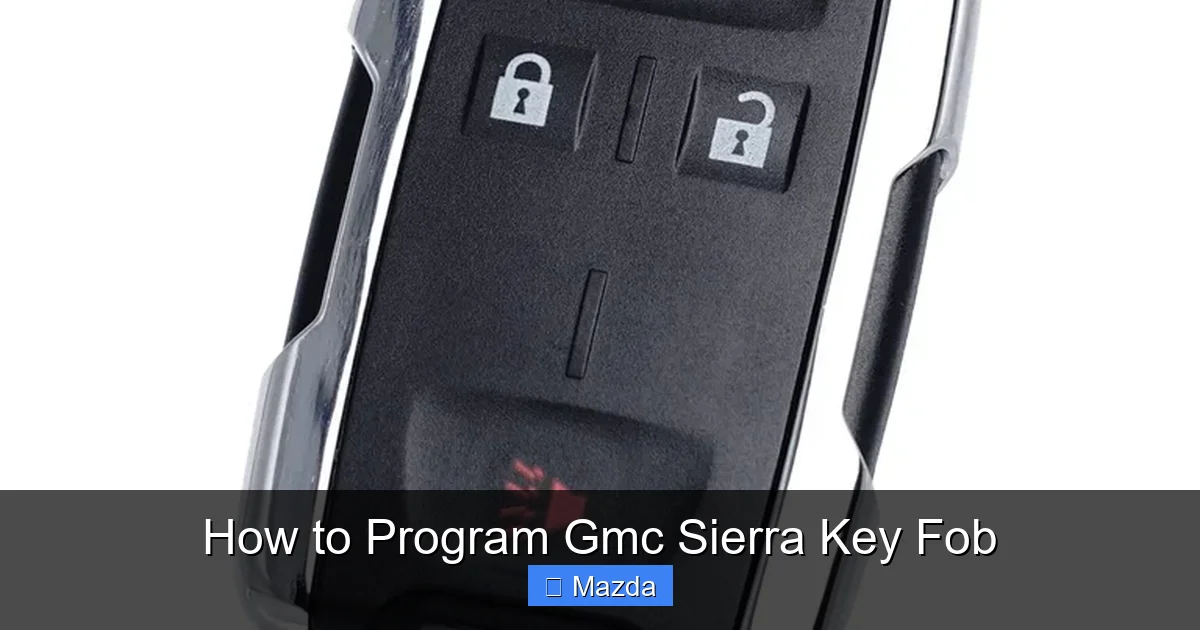
How to Program Gmc Sierra Key Fob

Contents
- 1 Key Takeaways
- 2 📑 Table of Contents
- 3 Introduction: Why You Might Need to Program Your Sierra’s Key Fob
- 4 Understanding Your Sierra’s Key System: It All Starts Here
- 5 Method 1: Onboard Programming (The DIY Hope)
- 6 Method 2: Professional Programming (The Reality for Modern Sierras)
- 7 Step-by-Step: Programming for Specific Sierra Generations
- 8 Troubleshooting: Why Your Programming Attempt Failed
- 9 Maintenance and Pro Tips for Your Sierra Key Fob
- 10 Frequently Asked Questions

Diesel Fuel Additive

Engine Flush Cleaner

Car Wireless Charger Mount

Car Battery Tester
Programming a GMC Sierra key fob can range from a simple 10-minute DIY task to requiring a professional dealer or locksmith. The method depends entirely on your Sierra’s model year and key type—older models with a physical key often allow onboard programming, while newer models with proximity keys almost always need specialized equipment. Always consult your owner’s manual first, as procedures vary. This guide breaks down every method, step, and consideration for 2026 Sierra owners.
Key Takeaways
- Your Sierra’s year and key fob type dictate the process: Pre-2010 models with a separate ignition key can often be programmed via the ignition cycle method. Post-2013 models with “Push-Button Start” and proximity keys almost always require a dealer or professional programmer with the proper scan tool.
- The “onboard” programming method is for specific, older key types only: If your Sierra has a traditional metal key that inserts into the fob, you might be able to program a replacement fob yourself by following a precise sequence of lock/unlock and ignition on/off cycles without any existing programmed key present.
- You will always need at least one working programmed key for most methods: For models that support “cloning” or adding a fob from an existing one, that working key must be present and functioning to teach the car’s system the new fob’s signal.
- A dead or weak key fob battery is the #1 cause of “unresponsive” fobs: Before assuming a programming issue, always replace the CR2032 or similar coin cell battery. A low battery can prevent the fob from sending a strong enough signal to be recognized by the vehicle.
- Professional programming costs vary: Expect $80-$150 for a basic fob programming at a dealer or locksmith. The cost of the fob itself is separate. For smart/proximity keys, the total (key + programming) can range from $200 to $500+ at a dealership.
- Aftermarket and universal remotes have significant limitations: They rarely work for the Sierra’s factory security/immobilizer system. They may operate door locks/trunk but will not start the engine. For full functionality, an OEM or OEM-equivalent fob is required.
- Always test all functions after programming: Lock/unlock doors, open the trunk, and test the panic button and remote start (if equipped). For push-button start models, ensure the engine starts and the key is detected inside the vehicle.
[FEATURED_IMAGE_PLACEHOLDER]
📑 Table of Contents
- Introduction: Why You Might Need to Program Your Sierra’s Key Fob
- Understanding Your Sierra’s Key System: It All Starts Here
- Method 1: Onboard Programming (The DIY Hope)
- Method 2: Professional Programming (The Reality for Modern Sierras)
- Step-by-Step: Programming for Specific Sierra Generations
- Troubleshooting: Why Your Programming Attempt Failed
- Maintenance and Pro Tips for Your Sierra Key Fob
Introduction: Why You Might Need to Program Your Sierra’s Key Fob
So, you’re standing beside your trusty GMC Sierra, key fob in hand, and it just… doesn’t work. The doors stay locked, the panic button is silent, and the “No Key Detected” message flashes on your dash. Your first thought might be a dead battery, and that’s often the fix. But if a fresh battery doesn’t bring your fob back to life, you’re likely facing a programming issue. Maybe you bought a used Sierra and only got one fob. Maybe your primary fob took a dive into a puddle. Or perhaps you just need a spare for convenience. Whatever the reason, understanding how to program a GMC Sierra key fob is essential knowledge for any Sierra owner.
The process isn’t a one-size-fits-all task. It’s a journey that depends heavily on your truck’s age and its specific key technology. A 2005 Sierra with a flip-key fob is a completely different animal from a 2024 Sierra Denali with a sleek, buttonless proximity key that lives in your pocket. This guide will be your comprehensive map for that journey in 2026. We’ll decode the jargon, walk through every possible method—from the hopeful DIY approach to the necessary professional route—and give you the confidence to make the right decision for your truck and your wallet.
Understanding Your Sierra’s Key System: It All Starts Here
Before you touch a single button, you need to identify your Sierra’s key system. GMC has used several technologies over the years. Getting this right is the most critical step. The wrong assumption here will lead to frustration and wasted time.
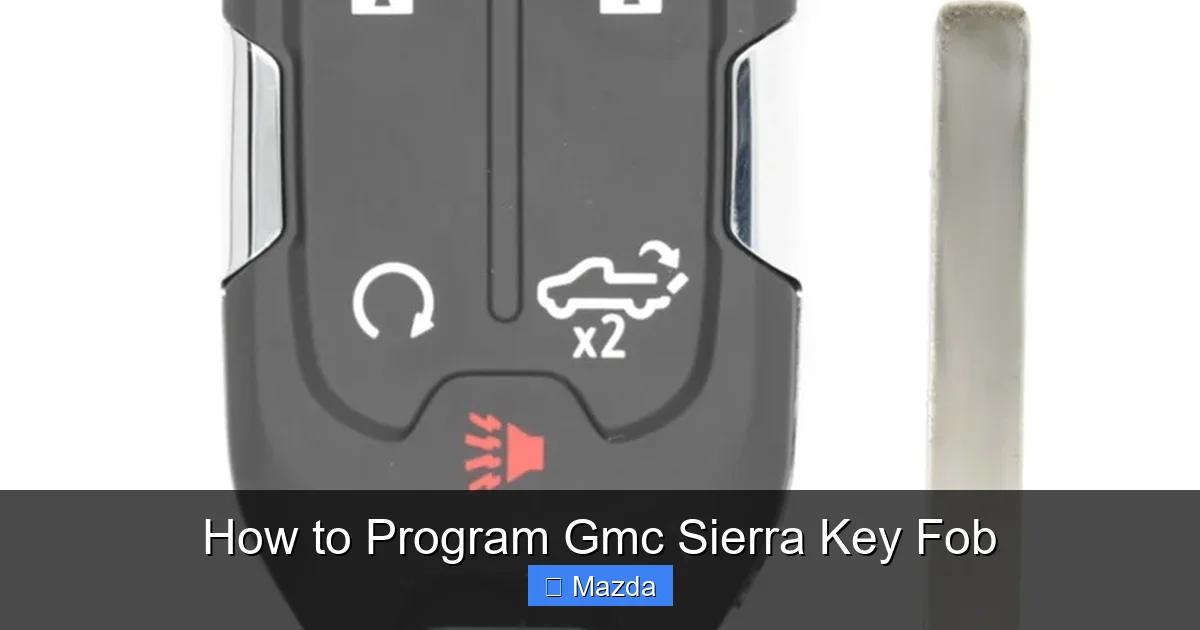
Visual guide about How to Program Gmc Sierra Key Fob
Image source: cdn11.bigcommerce.com
The Three Main Types of GMC Sierra Key Fobs
1. Traditional Key with Separate Fob (Pre-2010-ish): This is the classic setup. You have a separate, often rectangular, remote fob with lock/unlock/trunk buttons, and a separate metal key that physically inserts into the fob and then into the ignition cylinder. The fob uses radio frequency (RF) signals for the remote functions. The metal key itself is what turns the ignition and disengages the steering lock. The vehicle’s security system reads the chip embedded in the metal key blade when it’s inserted.
2. Integrated “Flip” or “Switchblade” Key (Approx. 2010-2018): This is a single unit. Press a button, and a metal key blade pops out. When you’re done, it folds back in. The remote buttons are on the fob housing. This key still has a physical blade that must be inserted into the ignition cylinder on non-push-start models. For push-start models in this era, the blade is often only used for the trunk or as a backup, with the fob’s proximity chip handling starting.
3. Smart Key / Proximity Key (Approx. 2013-Present): This is the modern standard. There is no visible key blade. It’s a small, solid fob (often with a hidden emergency blade inside). You keep it in your pocket or bag. To enter, you press a touch sensor on the door handle. To start, you press the ignition button while the key is inside the vehicle. The car constantly communicates with the key via encrypted radio signals. This is the most secure system but also the most difficult to program without dealer-grade equipment.
How to Identify Your Sierra’s System
Look at your key. Does it have a physical metal blade that comes out? Does your Sierra have a traditional ignition cylinder you insert a key into, or a circular “Start/Stop” button? The answers to these questions tell you everything. For a definitive answer, your owner’s manual is the ultimate source. The “Keys” or “Remote Keyless Entry” section will specify your system and often include the programming procedure if it’s user-performable. If you don’t have the manual, a quick VIN-specific search online can reveal your Sierra’s original key type.
Method 1: Onboard Programming (The DIY Hope)
This is the method everyone hopes for. It means you can program a new fob yourself, using only the truck and the new fob, with no special tools. However, this method is ONLY available on specific older Sierra models with the Traditional or early Integrated key systems that have a physical ignition cylinder. It is almost universally NOT available on push-button start models with proximity keys. If your 2026 Sierra has a push-button start, skip this section and go to Method 2.
Visual guide about How to Program Gmc Sierra Key Fob
Image source: noahthoughts.net
The onboard procedure uses a series of rapid, timed actions with the ignition switch and door locks to put the truck’s Body Control Module (BCM) into a “learn” mode. The truck then listens for a signal from a compatible fob and stores its unique code. The exact sequence varies by year, but the general principle is similar.
Standard Onboard Programming Steps (Verify in Your Manual!)
Prerequisite: You must have at least ONE already-programmed, working key fob for your Sierra. This procedure is for *adding* a fob, not for initial programming when zero keys exist. If you have zero working keys, you must go to a dealer or locksmith.
- Begin with all doors closed and unlocked. Sit in the driver’s seat with your existing programmed key and the new, unprogrammed key fob.
- Insert the working key into the ignition. Turn it to the “On” or “Run” position (the position right before starting the engine, where the dashboard lights come on). Do not start the engine.
- Cycle the ignition. Turn the key back to “Off” and then to “On” again. You must do this quickly—within 1-2 seconds per cycle. The exact number of cycles is critical. For many 2000-2007 GM trucks, it’s 8 times. The driver’s door will automatically lock and then unlock upon successful entry into programming mode. This is your cue. If the door doesn’t lock/unlock, you either did the cycles too slowly or your Sierra doesn’t support this method.
- Press any button on the new fob. Once the door locks/unlocks, immediately press and release any button on the new fob. The doors should lock and then unlock again to confirm the fob was learned.
- Repeat for additional fobs. If you have more than one new fob, press a button on each one within a few minutes of entering programming mode. The system will learn each unique code.
- Exit programming mode. Turn the ignition to “Off” and remove the key. Test all fobs. The new one(s) should now operate the locks and trunk.
⚠️ Critical Warning: This sequence is a common example. It is NOT universal. A 2005 Sierra’s procedure differs from a 2012’s. Using the wrong sequence will either do nothing or, in some cases, erase all other programmed fobs, leaving you with zero working keys. Your owner’s manual is the only authority. If you cannot find the procedure, it’s likely because your Sierra doesn’t support DIY programming for that key type.
Method 2: Professional Programming (The Reality for Modern Sierras)
For any GMC Sierra equipped with a proximity key (push-button start) and for many later models with integrated keys, onboard programming is a thing of the past. The security system is too sophisticated. Programming requires a direct connection to the truck’s computer network to “tell” it the new key’s unique, encrypted ID. This requires specialized, expensive hardware and software.
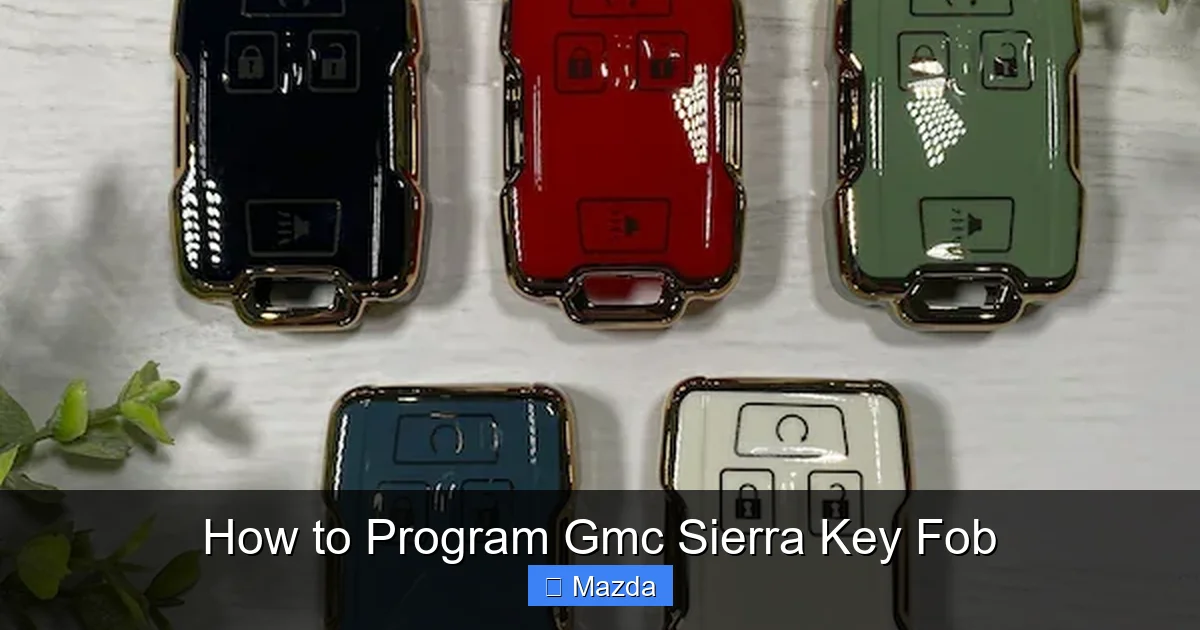
Visual guide about How to Program Gmc Sierra Key Fob
Image source: i.etsystatic.com
Who Can Do It? Dealership vs. Independent Locksmith
GMC Dealership: This is the most straightforward, albeit often most expensive, route. They have the official GM Tech 2 or newer MDI/Global Diagnostic System (GDS) scanners with the latest software and security access credentials. They can program any key, cut the emergency blade if needed, and provide a warranty. For a 2024-2026 Sierra with a proximity key, expect the key fob itself to cost $250-$400+ from the dealer, plus a programming fee of $80-$150. Total: $330-$550+.
Certified Automotive Locksmith: A reputable, mobile locksmith who is certified and equipped for modern GM vehicles is an excellent alternative. They invest in the same high-end programmers (like the Autel, Launch, or Snap-on tools with GM software) and often charge significantly less than a dealer—typically $80-$120 for programming. You can often provide your own key fob (purchased online from a reputable source like keylessentryremotefinder.com), which can save $100-$200 on parts. Always call ahead. Ask: “Do you have the capability to program a proximity key for a 202X GMC Sierra?”
The Professional Programming Process
Regardless of where you go, the professional process follows these steps:
- Proof of Ownership: You must provide your vehicle’s title, registration, and a photo ID. This is non-negotiable due to the risk of key theft.
- Connection: The technician connects their diagnostic scan tool to the OBD-II port under your Sierra’s dash.
- Vehicle Identification: The tool reads your Sierra’s VIN and confirms the key system type.
- Security Access: The technician uses their credentials to access the vehicle’s security module (often the BCM or Immobilizer Control Module).
- Key Programming: They follow the on-screen prompts. For a proximity key, this often involves placing the new key in the vehicle’s wireless charging pad or a specific location inside the cab to allow the system to read its signal. For a key with a blade, they may also need to cut the blade to match your ignition.
- Verification: They test all functions: lock/unlock, trunk, push-button start, and any other features like remote start or memory settings.
Step-by-Step: Programming for Specific Sierra Generations
Let’s get practical. Here’s what you need to know for the most common Sierra generations on the road in 2026.
For 2014-2023 (and likely 2024-2026) Sierras with Push-Button Start
These models use the “GM Passive Entry and Start” system with a proximity key fob (often called a “Fobik” or “Smart Key”). There is NO user-initiated onboard programming. You must use a professional with a scan tool. The key fob has a CR2032 battery that is user-replaceable. When replacing the battery, you do not need to reprogram the fob—the code is stored in a non-volatile memory chip. Just carefully open the fob, swap the battery, and reassemble.
For 2007-2013 Sierras with Integrated Flip Key & Push-Button Start
This is a transition period. Some of these models with push-button start still require professional programming. However, a few specific 2007-2010 models might have an obscure “two-key” onboard method where you use one programmed key and the new key to cycle the ignition. This is rare. Assume professional programming is required. If you have two working keys, you can sometimes add a third by inserting one working key, turning to “On,” then inserting the second working key while the first is still in, and following a sequence. This is highly model-specific.
For 1999-2006 Sierras with Traditional Key & Separate Fob
This is the golden era for DIY. These trucks almost always support the onboard “ignition cycle” method described earlier. The key fob is a separate device. Programming a new fob is typically done with the “8-cycle” method (turn ignition on/off 8 times, ending in “On,” then press button on fob). The door locks cycling is the confirmation. You can often find the exact procedure in your owner’s manual under “Remote Keyless Entry” or “Program Remote.” If you lose all programmed fobs, you will need a dealer to program at least one using their tool, as the onboard method requires an existing key.
Troubleshooting: Why Your Programming Attempt Failed
So you followed the steps exactly, but the new fob still doesn’t work. Don’t panic. Let’s diagnose.
Common Pitfalls and Solutions
- “The door didn’t lock/unlock to signal programming mode.” You likely cycled the ignition too slowly. The on/off cycles must be rapid—about one per second. Practice without a key first. Also, ensure all doors are closed and unlocked. A slightly ajar door can prevent the system from entering learn mode.
- “I programmed it, but it only works sometimes / has weak range.” First, replace the fob’s battery. A weak battery causes intermittent signals. Second, check for physical damage or water ingress inside the fob. If the fob has been dropped, the internal circuit board or button contacts may be damaged.
- “My Sierra says ‘No Key Detected’ even with a programmed fob in the car.” For proximity keys, the emergency blade inside the fob might be interfering. Some models require the blade to be fully retracted. Also, check the fob’s battery. A low battery can prevent the low-frequency “wake-up” signal from being sent. Keep other key fobs (like for another car) away from the Sierra—they can cause signal interference.
- “I have a new fob, but it only locks the doors, it won’t start the engine.” This is the classic sign of an aftermarket or “universal” remote. These devices clone the *remote control* signal for locks/trunk but do not contain the encrypted “immobilizer” code required to start the engine. You need an OEM or OEM-equivalent fob that has been properly programmed to your Sierra’s immobilizer system.
- “I lost my only working key. Now what?” This is your worst-case scenario. With zero programmed keys, the onboard method is impossible. You will need to have a dealer or locksmith cut a new key and program it to your Sierra’s system using their diagnostic tool. They will essentially “initialize” the system with the new key. Have your title and registration ready.
Maintenance and Pro Tips for Your Sierra Key Fob
A little care goes a long way in avoiding key fob headaches.
Battery Replacement: The Easiest Fix
Most Sierra key fobs use a standard CR2032 3V lithium coin battery. These last 2-4 years. When your fob’s range diminishes or the buttons require multiple presses, it’s time. To replace: locate the small seam on the fob, use a flat-head screwdriver or a plastic pry tool to gently separate the two halves. Do not force it. Remove the old battery, noting its orientation (+ side usually faces up). Insert the new battery exactly the same way. Snap the fob back together. No reprogramming is needed.
Protecting Your Investment
Key fobs are surprisingly fragile. The plastic can crack, and internal components are sensitive to shock and moisture.
- Use a Key Fob Case/Skin: A silicone or leather case absorbs impacts and prevents scratches. It’s a cheap insurance policy.
- Don’t Wash It: This sounds obvious, but many key fobs meet their end in a pants pocket that goes through the laundry. Remove your fob from your pockets before doing laundry.
- Keep Spares: Once you have a primary fob programmed, consider getting a second one programmed as a spare. The cost of the second fob and programming is far less than the stress and tow bill if you lose your only key in an inconvenient place.
- Store Away from Electronics: Don’t leave your key fob on a charging pad, near a router, or in a microwave. Strong electromagnetic fields can sometimes interfere with the fob’s internal circuitry.
When to DIY and When to Call a Pro: The Final Decision Tree
Ask yourself these questions in order:
- Does my Sierra have a push-button start? YES: You need a professional. Go to step 2. NO: Proceed to step 3.
- Do I have a working, programmed key fob? YES: A locksmith is your best, most affordable bet. NO: You must go to a dealer or a locksmith with full programming capability.
- Does my owner’s manual list an “Onboard Programming” procedure for my exact year and model? YES: Follow it precisely. You can DIY. NO: You likely need a professional. Try the “two-key” method if you have two working keys, but if that fails, seek professional help.
If you are ever unsure, a quick 5-minute phone call to a local locksmith or dealer’s service department (with your VIN handy) will give you a definitive answer and a price quote. It’s the best $0 you’ll spend.
Frequently Asked Questions
Can I program a GMC Sierra key fob myself?
It depends on your Sierra’s model year and key type. Trucks with a traditional ignition key (pre-2010) often have a user-programmable onboard method. However, any Sierra with a push-button start and proximity key (2013+) requires professional programming with a dealer or locksmith scan tool. Always check your owner’s manual first.
How much does it cost to program a GMC Sierra key fob?
If you already have a working key and your model supports DIY, the cost is just the price of the new fob ($30-$80 for a basic remote). For professional programming, expect $80-$150 for the service. For a modern proximity key, the fob itself costs $250-$500+, so the total (parts + labor) is typically $330-$650 at a dealership. Independent locksmiths are often 20-30% cheaper.
What happens if I lose my only GMC Sierra key fob?
You will need to have a new key cut and programmed by a dealership or a certified automotive locksmith. They will use your Sierra’s VIN to generate a new key code and then program it directly to your vehicle’s immobilizer system using their diagnostic equipment. You will need to provide proof of ownership (title and registration).
Why does my new key fob not start my Sierra’s engine?
This usually means you have an aftermarket or “universal” remote that only clones the signal for door locks. It lacks the encrypted immobilizer chip required to start the engine. You need an OEM or OEM-equivalent key fob that has been specifically programmed to your Sierra’s security system. For push-button start models, this programming can only be done with professional equipment.
Do I need to reprogram my Sierra key fob after changing the battery?
No. Replacing the coin cell battery (usually a CR2032) in your Sierra’s key fob does not erase its programming. The unique code is stored in a non-volatile memory chip. Simply open the fob, replace the battery with the correct orientation, and reassemble. All functions should work immediately.
Can I use a key fob from a different GMC Sierra?
No. Each key fob is uniquely programmed to a specific vehicle’s immobilizer system. You cannot simply swap fobs between Sierras. The fob must be “learned” by your Sierra’s computer. Even if you buy an identical fob for your year/make/model, it will be a “blank” that must be programmed to your specific truck before it will work.