

How to Program a Toyota Camry Key Fob

Contents
- 1 Key Takeaways
- 2 📑 Table of Contents
- 3 Introduction: Why Programming Your Toyota Camry Key Fob Matters
- 4 Understanding Your Toyota Camry Key Fob Types
- 5 Tools and Preparation: What You’ll Need
- 6 Step-by-Step Guide: Programming Older Toyota Camry Key Fobs (1998–2009)
- 7 Programming Newer Toyota Camry Key Fobs (2010 and Later)
- 8 Adding a Second or Third Key Fob
- 9 Common Mistakes and How to Avoid Them
- 10 When to Seek Professional Help
- 11 Conclusion: Take Control of Your Camry’s Key System
- 12 Frequently Asked Questions



Programming a Toyota Camry key fob doesn’t have to be complicated. Whether you’ve lost your remote, bought a used car, or just need a spare, this guide walks you through every method—from DIY programming to professional help—so you can get back on the road with confidence.
Key Takeaways
- Check your model year: Programming methods vary significantly between older and newer Camry models, especially pre- and post-2010.
- DIY programming works for some models: Certain Camry years allow self-programming using the ignition and door lock method—no tools required.
- Newer models require professional tools: Vehicles from 2010 onward typically need an OBD2 scanner or dealership assistance due to enhanced security systems.
- Always have two working keys: If you’re adding a third fob, most systems require at least two already-programmed remotes to complete the process.
- Battery replacement matters: A weak key fob battery can cause programming failure—always test or replace it first.
- Keep your owner’s manual handy: It contains model-specific instructions and warnings that can save time and frustration.
- When in doubt, visit a dealer or locksmith: Certified professionals have the tools and expertise to program your fob quickly and safely.
📑 Table of Contents
- Introduction: Why Programming Your Toyota Camry Key Fob Matters
- Understanding Your Toyota Camry Key Fob Types
- Tools and Preparation: What You’ll Need
- Step-by-Step Guide: Programming Older Toyota Camry Key Fobs (1998–2009)
- Programming Newer Toyota Camry Key Fobs (2010 and Later)
- Adding a Second or Third Key Fob
- Common Mistakes and How to Avoid Them
- When to Seek Professional Help
- Conclusion: Take Control of Your Camry’s Key System
Introduction: Why Programming Your Toyota Camry Key Fob Matters
Losing your car keys—or realizing your spare key fob isn’t working—can throw a wrench into your day. For Toyota Camry owners, the key fob isn’t just a convenience; it’s often essential for starting the car, unlocking doors remotely, and activating security features. Whether you’ve misplaced your original fob, purchased a used Camry with only one remote, or simply want a backup, knowing how to program a Toyota Camry key fob can save you time, money, and stress.
The good news? Depending on your Camry’s model year, programming a new key fob might be something you can do yourself—no dealership visit required. But here’s the catch: Toyota has changed its key fob programming methods over the years. Older models (typically 1998–2009) often support simple DIY procedures using just the ignition and door locks. Newer models (2010 and later), especially those with push-button start or smart key systems, usually require specialized diagnostic tools like an OBD2 scanner or professional assistance.
This guide will walk you through every step, from identifying your Camry’s key type to successfully programming a new fob—whether you’re doing it at home or seeking expert help. We’ll cover common pitfalls, troubleshooting tips, and safety precautions so you can handle the process with confidence.
Understanding Your Toyota Camry Key Fob Types
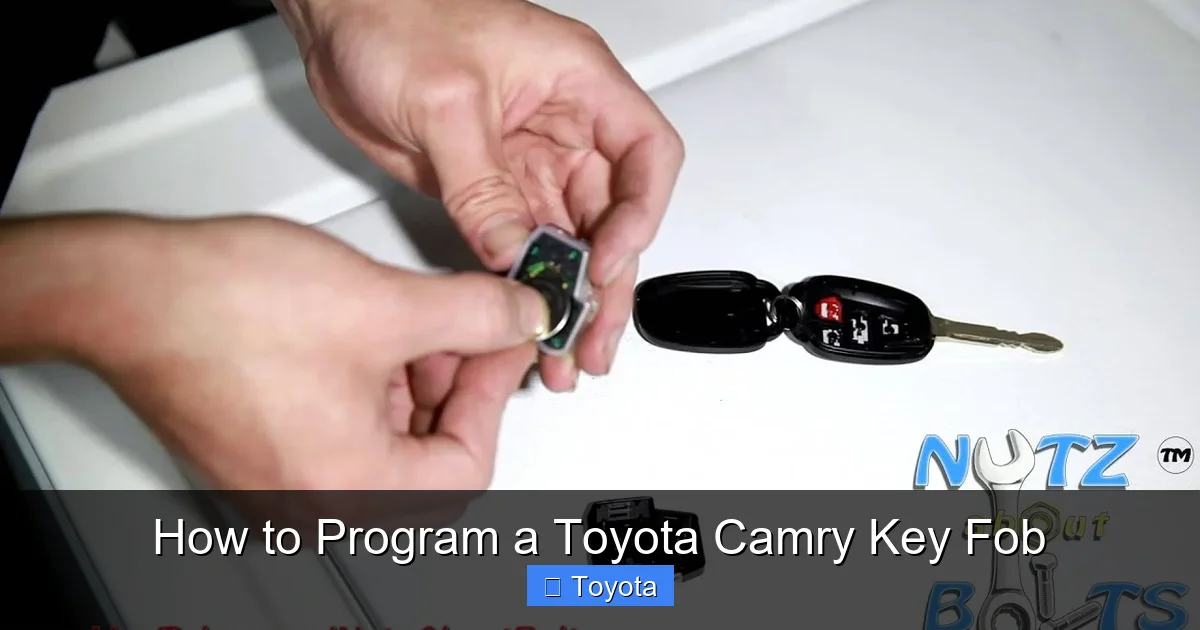
Visual guide about How to Program a Toyota Camry Key Fob
Image source: i.ytimg.com
Before diving into programming, it’s crucial to understand what kind of key fob your Camry uses. Not all Toyota remotes are created equal, and using the wrong method can lead to frustration—or even damage your vehicle’s electronics.
Traditional Remote Key Fob (Non-Transponder)
Found mostly in older Camry models (pre-2000), these basic remotes control door locks and trunk release but don’t have a chip for engine immobilization. They’re the easiest to program and often don’t require any special tools. If your Camry starts with a physical key turned in the ignition and the remote only locks/unlocks doors, this is likely your type.
Transponder Key Fob (Chip-Enabled)
Introduced in the early 2000s, transponder keys contain a small electronic chip inside the key blade. When you insert the key into the ignition, the car’s immobilizer system reads the chip to verify it’s authorized. These fobs usually have remote functions (lock/unlock) and require programming for both the remote and the chip. Most Camrys from 2000–2009 fall into this category.
Smart Key Fob (Keyless Entry & Push-Button Start)
Starting around 2010, many Toyota Camrys came equipped with smart key systems. These fobs allow you to unlock the car by touching the door handle and start the engine with a push button—no inserting a key needed. The fob communicates wirelessly with the car via radio frequency and encrypted signals. Programming these requires advanced diagnostic equipment and is generally not a DIY job.
Aftermarket vs. OEM Key Fobs
You’ll find two main types of replacement fobs: OEM (Original Equipment Manufacturer) and aftermarket. OEM fobs are made by Toyota and are guaranteed to work seamlessly with your vehicle. Aftermarket fobs are cheaper but may lack full functionality or require additional programming steps. For best results—especially with newer models—stick with OEM or dealer-recommended replacements.
Tools and Preparation: What You’ll Need

Visual guide about How to Program a Toyota Camry Key Fob
Image source: tomskey.com
Programming a Toyota Camry key fob isn’t just about following steps—it’s about being prepared. Rushing in without the right tools or knowledge can lead to failed attempts or even lock you out of your own car.
Essential Tools and Items
– A working key fob (if adding a new one): Most programming methods require at least one already-programmed fob to add another.
– New key fob (OEM recommended): Make sure it’s compatible with your Camry’s year and trim.
– Fresh batteries: Both in your existing fob and the new one. Weak batteries are a common cause of programming failure.
– Owner’s manual: Contains model-specific instructions and safety warnings.
– Pen and paper: To note down timing sequences or error codes.
– OBD2 scanner (for newer models): Devices like the Toyota Techstream or third-party scanners (e.g., Autel, Foxwell) may be needed for 2010+ models.
Safety and Precautions
– Always perform programming in a safe, well-lit area—preferably in your driveway or garage.
– Never attempt programming while the engine is running.
– Avoid doing this in extreme temperatures, as electronic components can behave unpredictably.
– If you’re unsure at any point, stop and consult a professional. Forcing a procedure can trigger error codes or disable your existing fobs.
Verify Compatibility First
Before buying a new fob, double-check that it matches your Camry’s specifications. Look up your vehicle’s VIN (Vehicle Identification Number) on Toyota’s official parts website or use a VIN decoder tool. Even within the same model year, different trims (LE, SE, XLE) may use different key systems.
Step-by-Step Guide: Programming Older Toyota Camry Key Fobs (1998–2009)

Visual guide about How to Program a Toyota Camry Key Fob
Image source: i.ytimg.com
If your Camry was made between 1998 and 2009, there’s a good chance you can program a new key fob yourself using a simple ignition and door lock sequence. This method works for transponder keys with remote functions but does not apply to smart key systems.
Method 1: The Ignition Cycling Method (Most Common)
This is the most widely used DIY method for older Camrys. It relies on cycling the ignition switch in a specific pattern to put the car into programming mode.
Steps:
- Sit in the driver’s seat and close all doors.
- Insert your working key into the ignition.
- Turn the key to the “ON” position (dashboard lights on, engine off) and back to “OFF” within 5 seconds. Do this five times total. On the fifth turn, leave the key in the “ON” position.
- Listen for a chime or watch for the door locks to cycle (lock and unlock automatically). This indicates the car is in programming mode.
- Within 40 seconds, press and hold the “LOCK” and “UNLOCK” buttons on your new fob simultaneously for 1–2 seconds.
- Release the buttons. The door locks should cycle again, confirming the fob is programmed.
- Turn the ignition to “OFF” and remove the key.
- Test the new fob by locking and unlocking the doors from outside the car.
Pro Tip: If the door locks don’t cycle after step 3, wait 10 seconds and repeat the ignition cycling. Timing is critical—don’t rush.
Method 2: Door Lock Toggle Method (Alternative)
Some older Camrys respond better to door lock manipulation instead of ignition cycling.
Steps:
- Close all doors and insert the working key.
- Turn the key to “ON” and immediately back to “OFF.”
- Remove the key.
- Press and release the door lock switch (on the driver’s door panel) six times within 30 seconds.
- Listen for a chime or watch for the locks to cycle—this means programming mode is active.
- Press any button on the new fob. The locks should cycle again.
- Test the fob outside the car.
Note: This method works best on 2002–2006 Camrys. Results may vary by exact model and region.
Troubleshooting Common Issues
– No response after cycling: Check the fob battery. Even a slightly weak battery can prevent signal transmission.
– Locks cycle but fob doesn’t work: Try reprogramming. Sometimes the first attempt fails due to timing.
– Only one fob works: You may have exceeded the system’s limit (usually 4 fobs). Reprogram all fobs together.
– Engine won’t start: If the key has a transponder chip, it may not be programmed correctly. Use a diagnostic tool or visit a locksmith.
Programming Newer Toyota Camry Key Fobs (2010 and Later)
Starting in 2010, Toyota introduced more advanced security systems, including encrypted smart keys and immobilizers that require electronic authentication. As a result, DIY programming becomes much more difficult—and often impossible—without professional tools.
Why DIY Methods Don’t Work
Newer Camrys use rolling code technology and encrypted communication between the fob and the car’s ECU (Engine Control Unit). This prevents unauthorized cloning and enhances security. The system also tracks each fob’s unique ID, meaning you can’t just “pair” a new one without registering it in the car’s database.
Additionally, many 2010+ Camrys have push-button start, which means there’s no physical ignition slot to cycle. This eliminates traditional programming methods that rely on turning a key.
Option 1: Use an OBD2 Scanner with Key Programming Function
If you’re tech-savvy and willing to invest in tools, an OBD2 scanner with Toyota-specific software can program new fobs.
Recommended Tools:
– Toyota Techstream (official dealer tool, expensive but reliable)
– Autel MaxiCOM MK808 or IM508
– Foxwell NT510 Elite
Steps (General Guide):
- Connect the scanner to the OBD2 port (usually under the dashboard near the steering wheel).
- Turn the ignition to “ON” (or press the start button without your foot on the brake).
- Launch the scanner software and select “Key Programming” or “Immobilizer Reset.”
- Follow on-screen prompts to add a new fob. You may need to enter a security code or VIN.
- Press buttons on the new fob when prompted.
- Wait for confirmation that programming is complete.
- Test all functions: lock/unlock, trunk release, and engine start.
Important: Always back up your current key data before programming. Some scanners allow you to save profiles in case something goes wrong.
Option 2: Visit a Toyota Dealership
The most reliable—but often most expensive—option is to visit an authorized Toyota service center. Dealers have access to Techstream software and genuine OEM parts, ensuring compatibility and security.
What to Expect:
– Cost: $150–$400 depending on model and location.
– Time: Usually 30–60 minutes.
– Requirements: You’ll need your vehicle registration, proof of ownership, and all existing keys.
Pro Tip: Call ahead and ask if they offer “key programming only” service. Some dealers charge less if you bring your own fob.
Option 3: Hire a Certified Automotive Locksmith
Many modern locksmiths specialize in car key programming and carry portable diagnostic tools. They’re often faster and cheaper than dealerships.
Benefits:
– Mobile service (they come to you)
– Lower cost ($100–$250)
– Experience with multiple vehicle brands
How to Find One:
– Search for “Toyota key programming near me”
– Check reviews on Google or Yelp
– Confirm they have tools for your Camry’s year and model
Adding a Second or Third Key Fob
If you already have one working key fob and want to add a spare, the process is usually simpler—but still depends on your model year.
For Older Models (1998–2009)
Most systems allow you to program up to four fobs. As long as you have one working remote, you can add others using the same ignition or door lock method described earlier.
Important Rule: You must program all desired fobs during the same session. If you program one, then try to add another later, the system may reject it. Always program all spares at once.
For Newer Models (2010+)
Adding a second fob still typically requires a scanner or professional help. However, some systems allow “on-board programming” if you have two working keys—but this is rare and model-specific.
Example: On certain 2012–2015 Camrys, inserting two working keys in sequence within 5 seconds can trigger a limited programming mode. But this isn’t guaranteed and often fails.
Best Practice
Always assume you’ll need professional assistance for newer models. Don’t risk bricking your immobilizer system by guessing.
Common Mistakes and How to Avoid Them
Even with careful preparation, things can go wrong. Here are the most frequent errors—and how to prevent them.
Using the Wrong Fob
Buying a fob that looks similar but isn’t compatible is a common mistake. Always match the part number (e.g., HYQ12BBY, GQ4-54T) to your original. Check the back of your current fob or consult your owner’s manual.
Ignoring Battery Health
A dying battery can mimic programming failure. Before starting, test your fob’s range. If it only works when held near the door, replace the battery (usually a CR2032 coin cell).
Rushing the Timing
Many DIY methods rely on precise timing—turning the key too fast or too slow can break the sequence. Use a stopwatch or count slowly (“one-one-thousand, two-one-thousand…”).
Not Having All Keys Present
If you’re replacing a lost fob and only have one working key, some systems won’t allow adding a new one without a scanner. Always keep at least one spare in a safe place.
Attempting to Program a Damaged Fob
Cracked casings, water damage, or worn buttons can prevent proper signal transmission. Inspect your fob before programming. If it’s physically damaged, replace it.
When to Seek Professional Help
While DIY programming is satisfying and cost-effective, there are times when calling in an expert is the smartest move.
Signs You Need a Pro
– Your Camry is 2010 or newer with push-button start
– You’ve tried multiple DIY methods and nothing works
– The car displays an “Immobilizer” or “Key Not Detected” warning
– You don’t have any working keys
– You’re uncomfortable handling electronic components
Choosing Between a Dealer and a Locksmith
| Factor | Dealership | Locksmith |
|——–|————|———–|
| Cost | Higher ($150–$400) | Lower ($100–$250) |
| Tools | Official Toyota software | Third-party scanners |
| Convenience | Appointment needed | Often mobile service |
| Warranty | Full OEM support | Varies by provider |
For peace of mind and guaranteed results, go with a dealer. For speed and savings, a certified locksmith is a great alternative.
Conclusion: Take Control of Your Camry’s Key System
Programming a Toyota Camry key fob might seem daunting at first, but with the right knowledge and preparation, it’s a manageable task—especially for older models. Understanding your key type, gathering the right tools, and following precise steps can save you hundreds of dollars and hours of frustration.
Remember: older Camrys (1998–2009) often support simple DIY methods using ignition cycling or door lock toggles. Newer models (2010+) usually require professional tools or assistance due to advanced security features. Always test your fob’s battery, keep your owner’s manual handy, and don’t hesitate to seek help when needed.
Whether you’re adding a spare, replacing a lost remote, or just want to be prepared, mastering key fob programming gives you greater control over your vehicle’s security and convenience. And now, with this guide in hand, you’re ready to tackle it like a pro.
Frequently Asked Questions
Can I program a Toyota Camry key fob myself?
Yes, but only for certain model years. Camrys from 1998 to 2009 often allow DIY programming using ignition or door lock methods. Models from 2010 and later usually require an OBD2 scanner or professional help due to advanced security systems.
Do I need two working keys to program a new one?
For older models, one working key is usually enough. For newer Camrys with smart keys, you typically need at least one programmed fob—or professional tools—to add a new one.
How much does it cost to program a Toyota Camry key fob?
DIY programming is free if you have the right fob and tools. Dealerships charge $150–$400, while certified locksmiths typically charge $100–$250.
What if my new key fob doesn’t work after programming?
First, check the battery. If that’s not the issue, try reprogramming. If it still fails, the fob may be incompatible or defective—contact the seller or a professional.
Can I use an aftermarket key fob for my Camry?
Yes, but OEM fobs are recommended for full functionality and reliability. Some aftermarket fobs may lack features or require extra programming steps.
Will programming a new fob erase my old ones?
Not usually. Most systems allow multiple fobs (up to 4). However, if you reprogram without including old fobs, they may stop working—so always program all desired remotes together.







