How to Mount Tv in Camper
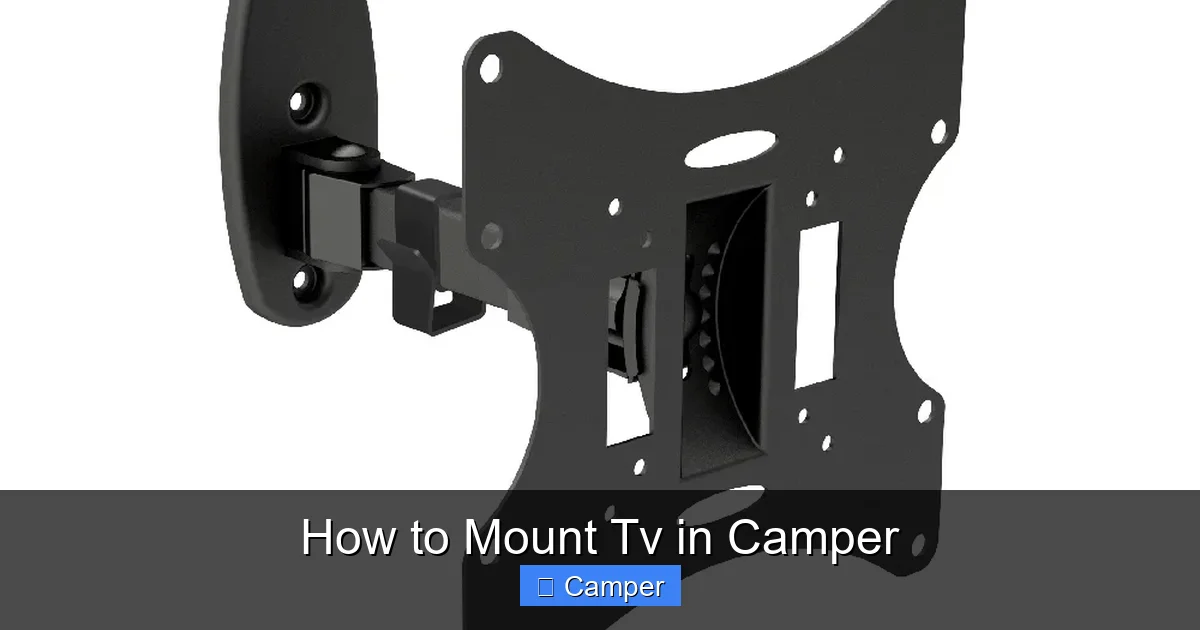
Mounting a TV in your camper can transform your travel experience, but it requires careful planning and the right tools. This guide walks you through choosing the right TV, selecting a secure mount, finding the perfect spot, and ensuring safe installation—so you can enjoy movies, shows, and streaming anywhere the road takes you.
In This Article
- 1 Key Takeaways
- 2 📑 Table of Contents
- 3 Why Mount a TV in Your Camper?
- 4 Choosing the Right TV for Your Camper
- 5 Selecting the Best TV Mount for Your Camper
- 6 Finding the Perfect Mounting Location
- 7 Step-by-Step Installation Guide
- 8 Power, Signal, and Streaming Setup
- 9 Safety Tips and Maintenance
- 10 Conclusion
- 11 Frequently Asked Questions
Key Takeaways
- Choose a lightweight, energy-efficient TV: Opt for LED or OLED models under 32 inches to save power and reduce strain on mounting hardware.
- Use a vibration-resistant mount: Standard mounts can fail on rough roads; look for RV-specific or heavy-duty articulating mounts designed for movement.
- Locate a stable, central wall area: Avoid curved walls, cabinets, or areas near doors; reinforce the wall if needed with backing plates or studs.
- Secure all cables and connections: Use cable management clips and surge protectors to prevent damage from vibrations and power surges.
- Test before hitting the road: Always do a shake test and road trial to ensure the TV stays firmly in place during travel.
- Consider power and signal sources: Plan for 12V/120V compatibility, antenna placement, and streaming device integration for seamless entertainment.
- Prioritize safety and visibility: Mount at eye level when seated and avoid blocking vents, windows, or emergency exits.
📑 Table of Contents
Why Mount a TV in Your Camper?
Imagine pulling into a scenic campsite at sunset, setting up your camper, and settling in with your favorite show or a movie under the stars. For many RV and camper owners, a TV isn’t just a luxury—it’s a way to unwind, stay connected, and enjoy downtime after a long day of travel or outdoor adventures. Whether you’re watching the news, streaming Netflix, or showing photos from your trip, having a TV in your camper adds comfort and convenience.
But mounting a TV in a camper isn’t as simple as hanging one on a home wall. Campers face unique challenges: constant movement, limited space, power constraints, and vibrations from travel. A poorly mounted TV can become a safety hazard, damage your walls, or even fall during transit. That’s why it’s essential to approach the project with care, the right tools, and a solid plan.
In this guide, we’ll walk you through every step of how to mount TV in camper—from choosing the right television and mount to installation, wiring, and safety checks. Whether you’re a full-time RVer or a weekend warrior, this comprehensive guide will help you create a secure, functional, and enjoyable entertainment setup in your camper.
Choosing the Right TV for Your Camper
Visual guide about How to Mount Tv in Camper
Image source: camperguide.org
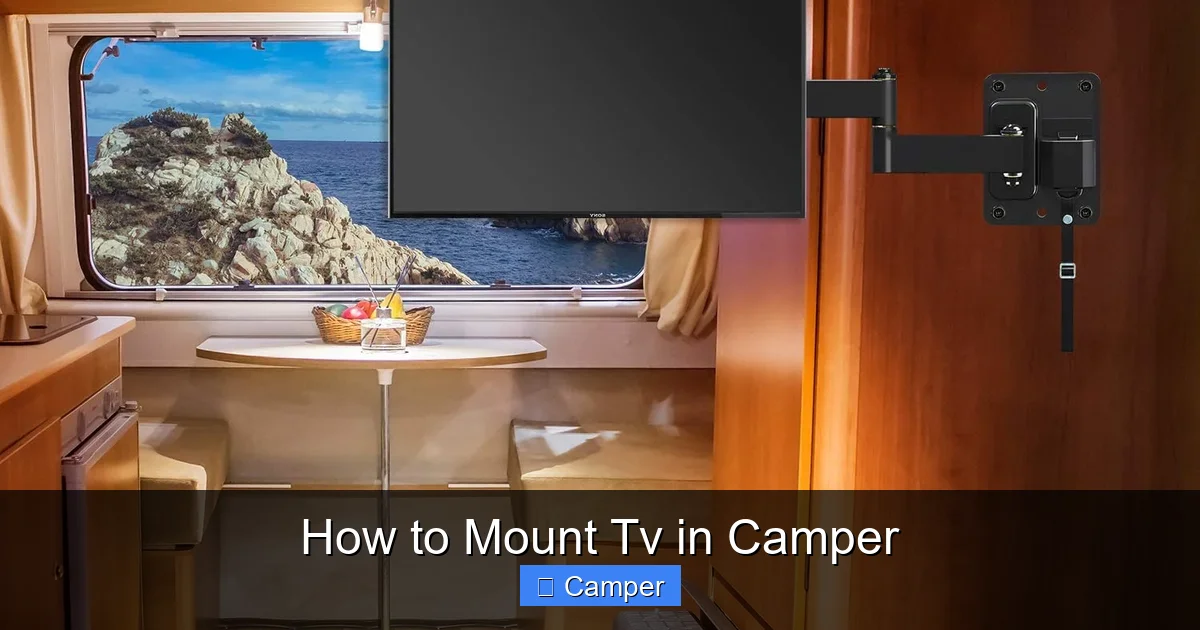
Not all TVs are created equal—especially when it comes to life on the road. When selecting a TV for your camper, you need to balance size, weight, power consumption, and durability. A TV that works perfectly in your living room might not survive the bumps and turns of a cross-country trip.
Size and Weight Considerations
Start with size. Most campers have limited wall space, so a TV between 24 and 32 inches is ideal. Anything larger may overwhelm the space or be difficult to mount securely. Also, keep weight in mind—heavier TVs put more strain on mounting hardware and walls, especially during travel.
For example, a 32-inch LED TV typically weighs around 10–15 pounds, while a 50-inch model can weigh 30 pounds or more. In a camper, every pound counts, and excess weight can affect fuel efficiency and handling.
Energy Efficiency and Power Source
Campers often rely on batteries, solar panels, or generators, so power consumption is a major concern. Look for TVs with low wattage ratings—many modern LED TVs use between 30 and 60 watts when in use. Some models even offer a “RV mode” or 12V compatibility, allowing them to run directly off your camper’s battery system.
Brands like LG, Samsung, and Vizio offer energy-efficient models, but double-check the specs. A TV that uses 50 watts might seem fine, but if you watch it for 4 hours a night, that’s 200 watt-hours—enough to drain a small battery quickly.
Durability and Vibration Resistance
Road vibrations are the enemy of electronics. A TV built for home use may have internal components that loosen over time due to constant shaking. Look for TVs marketed as “RV-ready” or “mobile-friendly.” These often have reinforced internal mounts and shock-absorbing features.
Alternatively, consider mounting your TV on a vibration-dampening platform or using rubber grommets between the mount and wall to reduce stress.
Smart Features and Connectivity
Most campers today want more than just over-the-air channels. Smart TVs with built-in Wi-Fi, streaming apps (like Netflix, Hulu, or Disney+), and HDMI ports are highly recommended. This lets you connect devices like Roku, Fire Stick, or gaming consoles.
However, remember that streaming requires a strong internet connection. If you’re boondocking in remote areas, consider a mobile hotspot or satellite internet solution to keep your entertainment flowing.
Selecting the Best TV Mount for Your Camper
Visual guide about How to Mount Tv in Camper
Image source: i.etsystatic.com
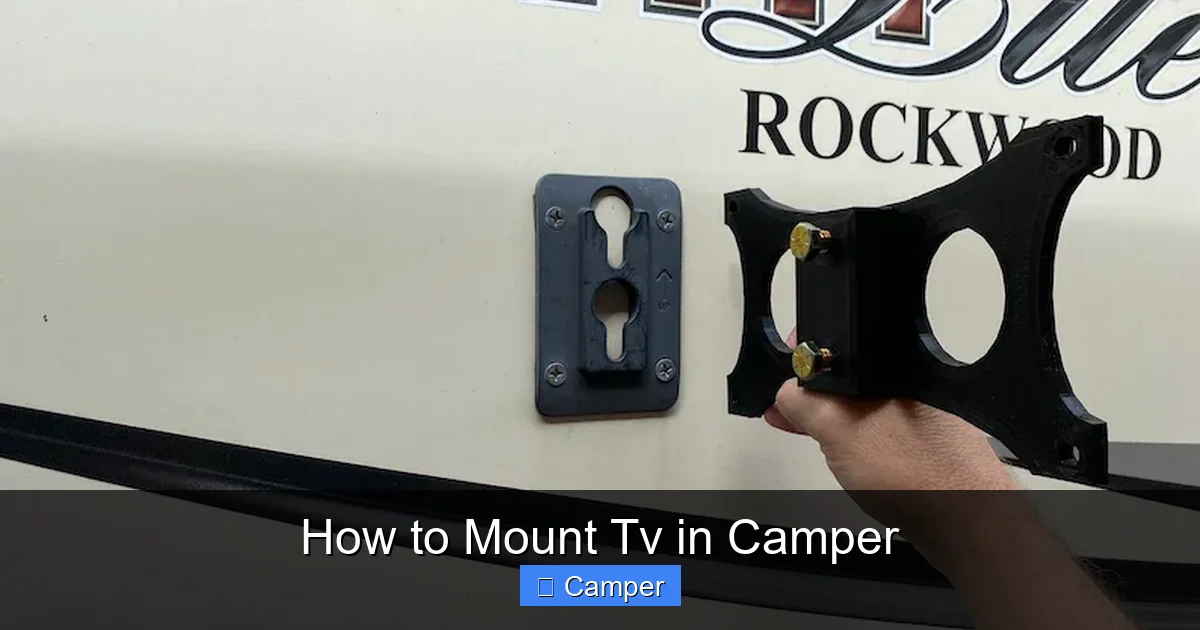
Once you’ve picked the perfect TV, the next step is choosing a mount that can handle the unique demands of camper life. A standard wall mount from your local hardware store won’t cut it—campers need mounts designed for movement, vibration, and limited space.
Types of TV Mounts
There are three main types of mounts to consider:
– **Fixed Mounts:** These hold the TV flat against the wall. They’re the most secure and vibration-resistant but offer no adjustability.
– **Tilting Mounts:** Allow you to angle the TV up or down for better viewing. Great if your TV is mounted high on the wall.
– **Full-Motion (Articulating) Mounts:** Let you pull the TV away from the wall, swivel it side to side, and tilt it. Ideal for flexible viewing angles but require more reinforcement.
For most campers, a tilting or light articulating mount works best. Full-motion mounts are tempting, but they add stress to the wall and increase the risk of failure during travel.
RV-Specific Mounts
Look for mounts labeled “RV,” “camper,” or “mobile use.” These are engineered to withstand constant motion and often include features like:
– Reinforced steel construction
– Locking mechanisms to secure the TV during travel
– Vibration-dampening pads
– Pre-drilled holes for easy installation
Brands like MORryde, Ultra-Fab, and SnapPad offer high-quality RV TV mounts. While they cost more than standard mounts, the added safety and durability are worth it.
Weight and Size Compatibility
Always check the mount’s weight and size capacity. A 32-inch TV might weigh 12 pounds, but with a mount and cables, the total load could exceed 20 pounds. Choose a mount rated for at least 1.5 times your TV’s weight to ensure safety.
Also, confirm the VESA pattern—the spacing of the screw holes on the back of your TV. Most small to mid-size TVs use 100x100mm or 200x200mm patterns, but always double-check your TV’s manual.
Finding the Perfect Mounting Location
Visual guide about How to Mount Tv in Camper
Image source: tvinstallation.us
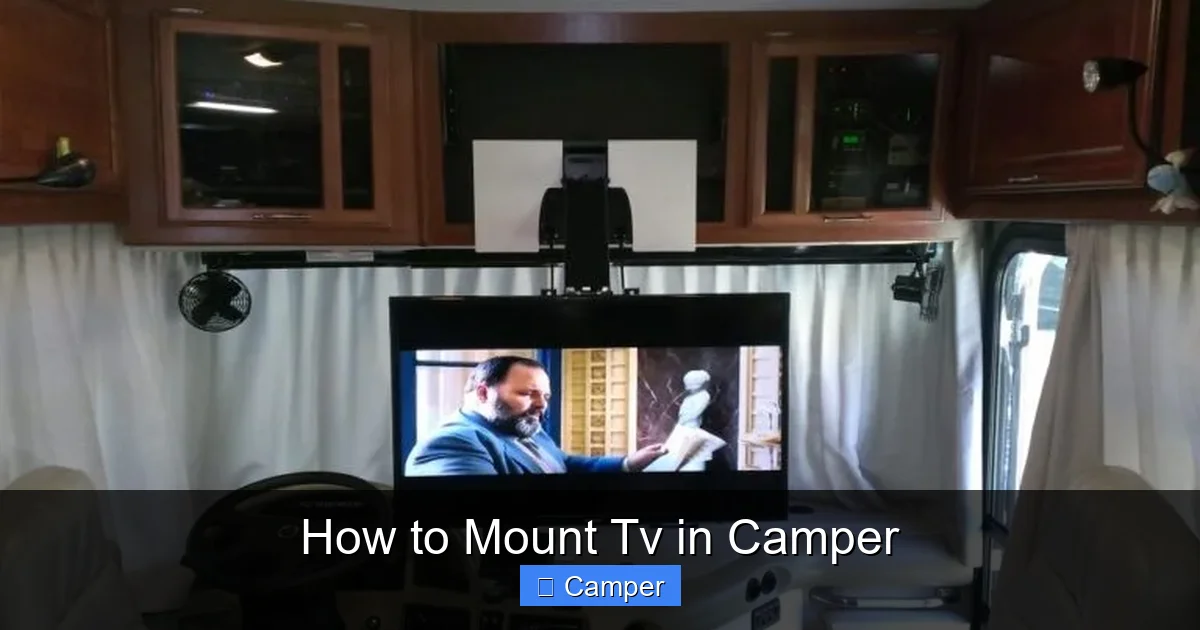
Where you mount your TV can make or break your viewing experience—and your camper’s safety. The ideal spot balances visibility, accessibility, and structural integrity.
Assessing Wall Strength and Structure
Camper walls are typically made of thin paneling over wood or metal framing. Unlike home walls, they often lack solid studs or drywall. This means you can’t just screw into any spot—you need to find a secure anchor point.
Use a stud finder to locate framing members. If you can’t find a stud in your desired location, you’ll need to reinforce the area with a backing plate—a piece of plywood or metal installed behind the wall to distribute the TV’s weight.
Avoid mounting on:
– Curved walls (common in older campers)
– Areas near doors, windows, or vents
– Cabinets or furniture that may shift
– Walls with plumbing or electrical lines behind them
Optimal Viewing Height and Angle
Mount your TV at eye level when seated. For most people, this is about 42 to 48 inches from the floor to the center of the screen. If you’re mounting above a dinette or couch, a tilting mount can help reduce glare and improve comfort.
Avoid placing the TV too high—it can cause neck strain and make the screen feel distant. Also, ensure the TV doesn’t block natural light or obstruct movement in the camper.
Clearance and Accessibility
Leave enough space around the TV for ventilation and access to ports. Most TVs need at least 2–3 inches of clearance on all sides to prevent overheating.
Also, consider how you’ll route cables. You’ll need access to power, HDMI, and antenna inputs. Plan for a clean, hidden cable path using conduit, clips, or raceways.
Step-by-Step Installation Guide
Now that you’ve chosen your TV, mount, and location, it’s time to install. Follow these steps carefully to ensure a safe and secure setup.
Gather Your Tools and Materials
Before you start, make sure you have:
– TV and mount
– Stud finder
– Level
– Drill and drill bits
– Screws and anchors (appropriate for your wall type)
– Measuring tape
– Pencil
– Cable management clips
– Surge protector or power inverter (if needed)
– Helper (optional but recommended)
Step 1: Mark the Mounting Location
Use a level and measuring tape to mark where the mount will go. Double-check the height and alignment. If you’re using a tilting or articulating mount, account for the extra space it will need when extended.
Step 2: Locate Studs or Reinforce the Wall
Run a stud finder along the wall. If you find a stud within 2–3 inches of your mark, you’re in luck—mount directly into it. If not, install a backing plate.
To add a backing plate:
1. Remove the wall panel in the target area.
2. Cut a piece of ½-inch plywood to fit behind the wall.
3. Screw the plywood into the framing.
4. Reattach the wall panel, drilling holes for the mount screws.
This creates a solid anchor point that can support the TV’s weight and resist vibration.
Step 3: Attach the Mount to the Wall
Hold the mount against the wall, aligning it with your marks. Use a level to ensure it’s straight. Drill pilot holes, then secure the mount with screws. If using a backing plate, use long wood screws. For thin walls without backing, use heavy-duty toggle bolts or snap toggles.
Step 4: Attach the TV to the Mount
Most mounts come with brackets that attach to the back of the TV. Secure these using the provided screws, then lift the TV and hook it onto the wall plate. Double-check that it’s locked in place.
If your mount has a locking feature, engage it now. This prevents the TV from shifting during travel.
Step 5: Route and Secure Cables
Connect your power cable, HDMI cables, and antenna. Use cable clips to secure wires along the wall or inside conduit. Avoid loose cables that could snag or get damaged.
Plug the TV into a surge protector, then connect the protector to your camper’s power system. If your TV requires 120V but your camper runs on 12V, use a power inverter.
Step 6: Test and Secure
Turn on the TV and test all functions. Adjust the angle if needed. Then, do a “shake test”—gently push on the TV to ensure it’s firmly mounted.
Take your camper for a short drive on a bumpy road. Check the TV and mount afterward for any loosening or damage.
Power, Signal, and Streaming Setup
A mounted TV is only useful if it has power and a signal. Here’s how to ensure your entertainment system works wherever you go.
Power Solutions
Most campers have a 12V DC system for lights and appliances, but TVs typically need 120V AC. You have a few options:
– **Use a Power Inverter:** Converts 12V battery power to 120V. Choose one with enough wattage (e.g., 300–500W) to handle your TV and other devices.
– **Run on Shore Power:** When plugged into a campground outlet, your TV can run directly off 120V.
– **Solar + Battery Setup:** If you have solar panels and a large battery bank, you can power your TV off-grid.
Always monitor your battery levels. Running a TV for hours can drain your system quickly, especially if you’re not connected to shore power.
Antenna and Signal Reception
For live TV, install a roof-mounted antenna like the Winegard Sensi or King Jack. These pull in local broadcast channels (ABC, CBS, NBC, FOX) for free.
Position the antenna for maximum signal—higher is better. Use a signal meter app on your phone to find the best direction.
Streaming and Internet Access
For Netflix, YouTube, or other streaming services, you’ll need internet. Options include:
– **Mobile Hotspot:** Use your smartphone or a dedicated hotspot device (like Verizon Jetpack or T-Mobile hotspot).
– **Wi-Fi Extender:** Devices like WeBoost or Winegard ConnecT boost campground Wi-Fi signals.
– **Satellite Internet:** For full-time RVers, services like Starlink offer reliable high-speed internet almost anywhere.
Pair your streaming device (Roku, Fire Stick, Apple TV) with your TV and connect via HDMI. Keep the device secured with Velcro or a small mount to prevent it from falling.
Safety Tips and Maintenance
Mounting a TV in a camper isn’t a “set it and forget it” project. Regular maintenance and safety checks are essential.
Secure the TV for Travel
Always lock the mount and, if possible, use a travel strap or bungee cord to keep the TV from swinging. Some RVers even remove the TV and store it during long trips.
Check Mounts and Screws Regularly
Vibrations can loosen screws over time. Every few months, inspect the mount and tighten any loose hardware.
Avoid Overloading Circuits
Don’t plug too many devices into one outlet. Use a power strip with surge protection and monitor your camper’s electrical load.
Protect from Moisture and Temperature
Extreme heat or cold can damage electronics. Avoid mounting TVs in areas exposed to direct sunlight or near heaters. Use a dehumidifier if you camp in humid climates.
Emergency Preparedness
Ensure your TV doesn’t block emergency exits or fire extinguishers. In case of an accident, you should be able to exit quickly and safely.
Conclusion
Mounting a TV in your camper opens up a world of entertainment possibilities—but it’s not something to rush. By choosing the right TV, using a vibration-resistant mount, finding a secure location, and planning for power and signal, you can enjoy movies, shows, and streaming wherever your adventures take you.
Remember, safety comes first. Reinforce your walls, secure all cables, and test your setup before hitting the road. With the right preparation, your camper TV will provide years of reliable entertainment.
So grab your tools, pick a cozy spot, and get ready to kick back with your favorite flick—under the stars, by the lake, or deep in the woods. Your perfect camper movie night is just a mount away.
Frequently Asked Questions
Can I use a regular wall mount in my camper?
No, standard wall mounts aren’t designed for constant movement and vibration. Use an RV-specific or heavy-duty mount with locking features and vibration resistance to ensure safety and durability.
What size TV is best for a camper?
A 24- to 32-inch LED TV is ideal. It’s compact, energy-efficient, and lightweight, making it perfect for small spaces and limited power systems.
Do I need a power inverter for my camper TV?
Yes, if your TV requires 120V AC and your camper runs on 12V DC. A power inverter converts battery power to usable electricity for your TV and other devices.
How do I get TV signal in remote areas?
Use a roof-mounted antenna for local broadcast channels and a mobile hotspot or satellite internet (like Starlink) for streaming services.
Can I mount a TV on a curved camper wall?
It’s not recommended. Curved walls lack structural support and can’t securely hold a TV. Reinforce with a flat backing plate or choose a different location.
How often should I check my TV mount?
Inspect the mount and screws every 2–3 months or after long trips. Vibrations can loosen hardware over time, so regular checks prevent accidents.