
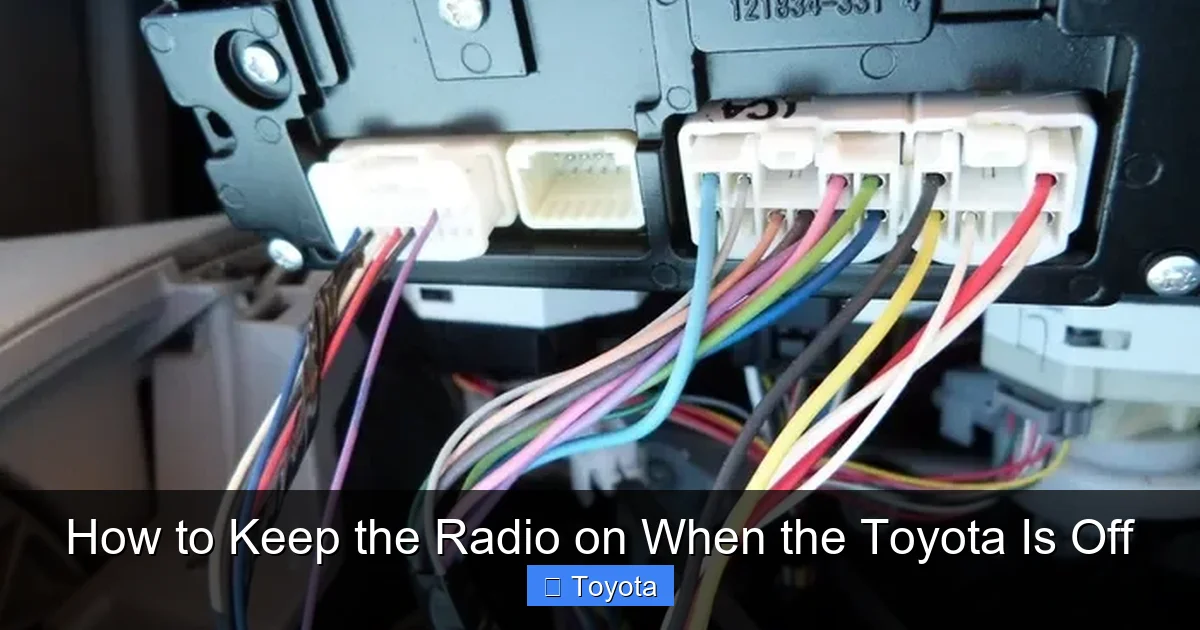
How to Keep the Radio on When the Toyota Is Off

Contents
- 1 Key Takeaways
- 2 📑 Table of Contents
- 3 Understanding Why the Radio Turns Off
- 4 Using Accessory Mode to Keep the Radio On
- 5 Aftermarket Solutions for Extended Radio Use
- 6 Smart Tips to Avoid Draining Your Battery
- 7 Model-Specific Features in Newer Toyotas
- 8 When to Avoid Keeping the Radio On
- 9 Conclusion
- 10 Frequently Asked Questions




Want to enjoy your favorite music or podcast while your Toyota is turned off? You’re not alone—many drivers seek ways to keep the radio running without draining the battery. This guide covers safe, effective methods to power your radio with the engine off, including accessory mode, aftermarket solutions, and battery-saving tips.
Have you ever pulled into a parking spot, turned off your Toyota, and just wanted to finish that song or listen to the end of a podcast? Maybe you’re waiting for someone, taking a break on a road trip, or simply enjoying a quiet moment in your car. But the moment you switch off the ignition, the radio shuts down too. It’s frustrating—especially when you’re in the middle of something good.
You’re not alone. Many Toyota owners face this issue. Unlike some vehicles that allow extended accessory use, most Toyotas are designed to cut power to the radio and other electronics once the engine is off. This is a safety and battery-saving feature, but it can feel limiting when you just want a few more minutes of music or news. The good news? There are several practical, safe ways to keep your radio on—even when your Toyota is off.
In this guide, we’ll walk you through everything you need to know about keeping your radio running without starting the engine. Whether you drive a Corolla, Camry, RAV4, or a rugged Tacoma, these tips apply across most Toyota models. We’ll cover built-in features, aftermarket upgrades, and smart battery management so you can enjoy your audio without worrying about a dead battery.
Key Takeaways
- Use Accessory Mode: Turn the key to the “ACC” position (or press the start button without pressing the brake) to power the radio while the engine is off.
- Avoid Long Idling: Extended radio use with the engine off can drain your car battery, especially in older Toyotas.
- Install a Power Inverter: A 12V to 120V inverter lets you run the radio and other devices using the car’s battery safely.
- Upgrade to a Dual-Battery System: Ideal for frequent off-grid use, this setup powers electronics without risking a dead main battery.
- Use a Portable Power Station: Charge a battery pack at home and plug your radio into it for clean, quiet power.
- Check Your Toyota’s Settings: Some newer models (like the RAV4 Hybrid or Camry) allow extended accessory time via the infotainment system.
- Monitor Battery Health: Regularly test your battery and alternator to ensure reliable performance when using accessories.
📑 Table of Contents
Understanding Why the Radio Turns Off
Before we dive into solutions, it’s important to understand why your Toyota cuts power to the radio when the engine is off. It’s not just a design quirk—it’s a deliberate feature meant to protect your vehicle’s electrical system.
When you turn the key to the “OFF” position (or press the start button with the brake not engaged), the vehicle’s electrical system goes into a low-power state. This prevents unnecessary drain on the 12-volt battery, which is responsible for starting the engine and powering essential systems like lights, sensors, and the ECU (engine control unit). If the radio—and other accessories—kept drawing power indefinitely, your battery could die within hours, especially if it’s older or already weak.
Toyota engineers design their vehicles with reliability and longevity in mind. That means they prioritize battery preservation over convenience in this case. Unlike some luxury brands or trucks with “camp mode” or “accessory timeout” features, most standard Toyotas don’t offer extended radio use by default.
However, this doesn’t mean you’re out of options. Modern Toyotas—especially hybrids and newer models—have more flexible electrical systems. For example, some 2020+ RAV4 Hybrids allow the radio to stay on for up to 45 minutes in accessory mode before automatically shutting off. This is a big improvement over older models, which might cut power after just 10–15 minutes.
So, while the radio turning off is a safety feature, it’s not a dead end. With a little know-how, you can work within the system—or enhance it—to keep your tunes playing.
Using Accessory Mode to Keep the Radio On
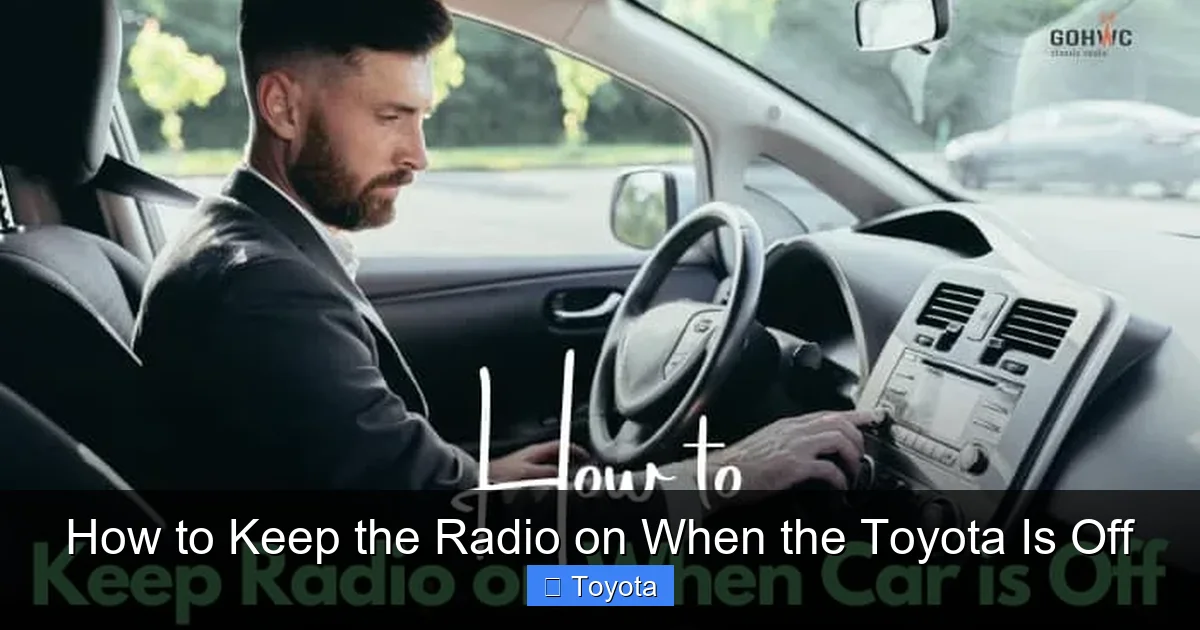
Visual guide about How to Keep the Radio on When the Toyota Is Off
Image source: thecarhow.com
The simplest and safest way to keep your radio on when your Toyota is off is by using the vehicle’s built-in accessory mode. This is a feature found in nearly every Toyota, from the compact Yaris to the full-size Tundra.
Accessory mode, often labeled “ACC” on traditional key ignitions, allows you to power the radio, climate controls, and other electronics without starting the engine. Here’s how to activate it:
If you have a key ignition:
– Insert the key and turn it to the second position (past “LOCK” and “ACC” is usually the first click, but in most Toyotas, the second position powers accessories).
– Do not turn it all the way to “ON” or “START”—that would engage the engine.
If you have a push-button start:
– Press the “Start” button once without pressing the brake pedal.
– The dashboard lights will come on, and the radio should power up.
– The engine will remain off.
This mode is perfect for short listening sessions—say, 10 to 20 minutes while you wait in the car, eat lunch, or take a break. Most Toyotas will keep the radio on in this mode for a limited time (typically 15–45 minutes, depending on the model and battery level), then automatically shut it off to prevent battery drain.
Tips for Maximizing Accessory Mode
To get the most out of accessory mode without risking a dead battery, follow these tips:
– Keep Sessions Short: Limit your radio use to under 20 minutes unless you’re sure your battery is strong.
– Turn Off Other Electronics: Avoid using headlights, seat heaters, or the AC fan while in accessory mode—these draw extra power.
– Check Your Battery Age: If your battery is more than 3–4 years old, it may not hold a charge well. Consider testing or replacing it.
– Use During Daylight: Avoid using accessory mode at night unless necessary—headlights and interior lights add significant drain.
For example, if you’re parked at a scenic overlook during a road trip, you can easily switch to accessory mode, tune into a local station, and enjoy the view—all without worrying about the engine running. Just remember to monitor the time and avoid leaving it on too long.
Aftermarket Solutions for Extended Radio Use
Visual guide about How to Keep the Radio on When the Toyota Is Off
Image source: i.ytimg.com
If accessory mode isn’t enough for your needs—maybe you’re camping, working remotely from your car, or just want longer listening sessions—there are several aftermarket solutions that can help.
These upgrades go beyond the factory setup and give you more control over your Toyota’s electrical system. While they require a bit more effort to install, they’re well worth it for frequent users.
Install a 12V Power Inverter
A 12V power inverter converts your car’s 12-volt DC power into 120-volt AC power—the kind used by household electronics. While most car radios run on DC, some aftermarket or upgraded audio systems (especially those with large amplifiers or subwoofers) may benefit from stable AC power.
More importantly, a power inverter lets you plug in a portable speaker, laptop, or even a small Bluetooth radio that runs on AC. This way, you’re not relying solely on the car’s built-in radio.
Here’s how it works:
– Plug the inverter into your Toyota’s 12V cigarette lighter or connect it directly to the battery.
– Plug your radio or speaker into the inverter.
– Turn on the inverter (some models auto-detect power draw).
Example: You’re parked at a beach and want to listen to music while reading. You plug a small Bluetooth speaker into a 100W inverter connected to your Toyota’s battery. The speaker plays your playlist for over an hour, and your car radio stays off—saving power.
Just be cautious: inverters draw power continuously, even when idle. Use them only when needed, and never leave them running overnight.
Use a Portable Power Station
A portable power station (also called a solar generator or battery pack) is a rechargeable battery you can charge at home and use to power devices in your car. It’s one of the cleanest and safest ways to keep your radio on without touching your Toyota’s electrical system.
These devices range from small 100Wh units (about the size of a lunchbox) to large 1000Wh+ models capable of running a mini-fridge. For radio use, a 200–300Wh unit is more than enough.
How to use it:
1. Charge the power station at home using a wall outlet or solar panel.
2. Plug your car radio’s power adapter (if it has one) or a 12V car charger into the power station.
3. Turn on the radio—no need to start the car.
Benefits:
– Zero risk to your car battery.
– Quiet and emissions-free.
– Can power other devices like phones, lights, or laptops.
Example: You’re waiting in your Toyota for your kids after soccer practice. Instead of idling the engine, you plug your phone into a portable power station and stream music through a Bluetooth speaker. The radio stays off, your battery stays strong, and you’re not burning fuel.
Popular brands include Jackery, EcoFlow, and Bluetti. Look for models with USB, AC, and 12V outputs for maximum flexibility.
Upgrade to a Dual-Battery System
For serious off-grid users—like overlanders, campers, or mobile workers—a dual-battery system is the ultimate solution. This setup adds a second, deep-cycle battery to your Toyota, dedicated solely to powering accessories like the radio, fridge, or lights.
The main (starting) battery remains untouched, so you’ll always be able to start your engine. The auxiliary battery powers your electronics, and it can be recharged via the alternator, solar panels, or a DC-DC charger.
How it works:
– A battery isolator or DC-DC charger prevents the auxiliary battery from draining the main one.
– When the engine runs, both batteries charge.
– When the engine is off, only the auxiliary battery powers accessories.
Installation Tips:
– Use a deep-cycle AGM or lithium battery (not a standard car battery).
– Install the isolator near the main battery.
– Run heavy-gauge wiring to avoid voltage drop.
– Consider a battery monitor to track charge levels.
This setup is common in Toyota 4Runners, Tacomas, and Land Cruisers used for overlanding. It’s more expensive and complex than other options, but it’s the most reliable for long-term use.
Smart Tips to Avoid Draining Your Battery

Visual guide about How to Keep the Radio on When the Toyota Is Off
Image source: jacobsmedia.com
No matter which method you use, battery health should always be a top priority. A dead battery can leave you stranded, and jump-starting isn’t always convenient.
Here are some smart tips to keep your Toyota’s battery in great shape while enjoying extended radio use:
Monitor Battery Voltage
A healthy 12V car battery should read around 12.6 volts when fully charged. If it drops below 12.2 volts, it’s partially discharged. Below 11.9 volts, it’s critically low and may not start your engine.
You can check voltage with a:
– Multimeter (available at auto parts stores for $10–$20)
– Built-in battery monitor (on some newer Toyotas)
– OBD2 scanner with battery monitoring features
Tip: Check your battery voltage before and after using the radio in accessory mode. If it drops significantly, limit future use or consider a battery upgrade.
Avoid Using the Radio in Extreme Temperatures
Cold weather reduces battery capacity—sometimes by 30–50% in freezing conditions. In hot weather, battery fluid evaporates faster, shortening lifespan.
If you’re parked in winter, avoid long radio sessions. In summer, park in the shade and use a windshield sunshade to reduce cabin heat, which can stress electrical components.
Turn Off Unnecessary Electronics
Even small drains add up. When using accessory mode, turn off:
– Interior lights
– Seat heaters
– Climate fan
– Phone chargers (unless essential)
Each of these can draw 1–5 amps. Over an hour, that’s 5–25 amp-hours—enough to drain a weak battery quickly.
Use a Battery Maintainer
If you frequently use your radio with the engine off, consider a battery maintainer (also called a trickle charger). These devices plug into a wall outlet and keep your battery at full charge when the car is parked for long periods.
They’re especially useful for:
– Seasonal vehicles
– Cars parked in garages for days
– Older Toyotas with aging batteries
Popular brands include Battery Tender and NOCO. Look for models with automatic shutoff and float mode to prevent overcharging.
Model-Specific Features in Newer Toyotas
Not all Toyotas are created equal when it comes to accessory power. Newer models—especially hybrids and vehicles with advanced infotainment systems—offer more flexibility.
Hybrid Models (Prius, RAV4 Hybrid, Camry Hybrid)
Toyota hybrids have a larger 12V battery and more sophisticated power management. Many allow extended accessory use without starting the engine.
For example:
– The 2021+ RAV4 Hybrid can keep the radio on for up to 45 minutes in accessory mode.
– The Prius Prime (plug-in hybrid) has a “Ready Mode” that powers the cabin and radio using the high-voltage battery, even when the gas engine is off.
Check your owner’s manual or Toyota’s website for your specific model’s capabilities.
Infotainment System Settings
Some newer Toyotas with Toyota Audio Multimedia (TAM) or Entune 3.0 systems allow you to adjust accessory timeout settings.
To check:
– Go to Settings > Vehicle > Accessory Power (exact menu varies by model).
– Look for options like “Accessory Timeout” or “Power Save Mode.”
– You may be able to extend the time or disable auto-shutoff (though this isn’t recommended for long-term use).
Note: Not all models have this feature. If you don’t see it, your vehicle likely uses a fixed timeout.
Remote Start Systems
If your Toyota has factory or aftermarket remote start, you can use it to briefly run the engine and recharge the battery while parked.
For example:
– Start the engine remotely from 50 feet away.
– Let it idle for 5–10 minutes to recharge the battery.
– Turn it off and switch to accessory mode.
This is a great way to “top off” the battery before a long listening session. Just be mindful of local idling laws and emissions.
When to Avoid Keeping the Radio On
While it’s tempting to leave the radio running, there are times when it’s best to avoid it—even with the engine off.
In Extreme Weather
– Winter: Cold reduces battery efficiency. Avoid long radio use unless you’re sure the battery is strong.
– Summer: Heat can damage electronics and reduce battery life. Park in shade and limit use.
In High-Theft Areas
Leaving the radio on (or any electronics) can draw attention. If you’re parked in a sketchy area, it’s safer to turn everything off.
With a Weak or Old Battery
If your battery is more than 4 years old or struggles to start the car in cold weather, avoid extended accessory use. A dead battery could mean a tow or jump-start.
During Long Parking Sessions
If you’re leaving your Toyota parked for days (e.g., at an airport), turn off all electronics. Even small drains can kill the battery over time.
Conclusion
Keeping the radio on when your Toyota is off doesn’t have to be a guessing game. With the right approach, you can enjoy your favorite music, podcasts, or audiobooks without risking a dead battery or damaging your vehicle’s electrical system.
Start with the simplest solution: use accessory mode for short listening sessions. It’s free, built-in, and safe. If you need more power, consider a portable power station or 12V inverter—both are affordable and easy to use. For serious off-grid needs, a dual-battery system offers the most reliability.
Always monitor your battery health, avoid extreme conditions, and respect your Toyota’s electrical limits. With these tips, you’ll never have to cut your favorite song short again.
Whether you’re waiting in the school pickup line, camping in the mountains, or just enjoying a quiet moment in your driveway, your radio can stay on—safely and efficiently.
Frequently Asked Questions
Can I leave my Toyota radio on overnight?
No, it’s not recommended. Even in accessory mode, leaving the radio on for hours can drain the battery and prevent your car from starting. Use a portable power station or dual-battery system for overnight use.
Will using accessory mode damage my Toyota’s battery?
Short sessions (under 20 minutes) are safe. However, extended use can drain the battery, especially if it’s old or weak. Always monitor voltage and avoid using other electronics at the same time.
Do all Toyotas have accessory mode?
Yes, nearly all Toyotas—whether key ignition or push-button start—have an accessory mode that powers the radio without starting the engine. Check your owner’s manual for details.
Can I use a power inverter with my Toyota radio?
Yes, but only if your radio has an AC adapter. Most factory radios run on 12V DC, so you’d need to plug the inverter into the car’s 12V outlet and use a compatible device.
How long can I keep the radio on in a Toyota RAV4 Hybrid?
Many 2020+ RAV4 Hybrids allow the radio to stay on for up to 45 minutes in accessory mode before auto-shutoff. This varies by model and battery level.
Is a portable power station better than using the car battery?
Yes, for most users. A portable power station protects your car battery, is quiet, and can power multiple devices. It’s ideal for short to medium listening sessions without engine use.







