How to Jump a Car Battery with a Charger
Jump-starting a car battery with a charger is a safe and reliable method when done correctly. This guide walks you through the entire process—from safety checks to connecting cables—so you can revive your dead battery without risking damage or injury.
In This Article
- 1 Key Takeaways
- 2 Introduction: Why Knowing How to Jump a Car Battery with a Charger Matters
- 3 Understanding Car Batteries and Why They Die
- 4 Safety First: Preparing to Jump a Car Battery with a Charger
- 5 Step-by-Step Guide: How to Jump a Car Battery with a Charger
- 6 Troubleshooting Common Issues
- 7 Tips for Maintaining Your Car Battery
- 8 When to Call a Professional
- 9 Conclusion: Be Prepared, Stay Safe, and Drive Confidently
- 10 FAQs
- 11 Key Takeaways
- 12 Frequently Asked Questions
Key Takeaways
- Safety first: Always wear safety goggles and gloves, and work in a well-ventilated area to avoid sparks or battery acid exposure.
- Use the right charger: Choose a compatible battery charger with the correct voltage (12V for most cars) and amperage settings.
- Inspect before connecting: Check the battery for cracks, leaks, or swelling—never charge a damaged battery.
- Follow the correct sequence: Connect the charger cables in the right order: red to positive, black to negative, and ensure the charger is off before plugging in.
- Charge gradually: Use a slow or trickle charge for deeply discharged batteries to prevent overheating and extend battery life.
- Test after charging: Start the engine and monitor the battery voltage with a multimeter to confirm it’s holding a charge.
- Know when to replace: If the battery won’t hold a charge after multiple attempts, it may be time for a replacement.
[FEATURED_IMAGE_PLACEHOLDER]
Introduction: Why Knowing How to Jump a Car Battery with a Charger Matters
We’ve all been there—you’re running late, you hop in the car, turn the key, and… nothing. Just a faint clicking sound or complete silence. Your car battery is dead. It’s frustrating, inconvenient, and can leave you stranded. But before you panic or call a tow truck, there’s a reliable solution: jump-starting your car battery with a charger.
Unlike traditional jump-starting using jumper cables and another vehicle, using a battery charger gives you more control, reduces risk, and is especially helpful when no other car is around. Whether you’re at home, in a parking lot, or on a quiet road, a portable battery charger can be a lifesaver. It’s a smart investment for any driver, and knowing how to use it properly can save you time, money, and stress.
This guide will walk you through everything you need to know about how to jump a car battery with a charger—safely, effectively, and with confidence. We’ll cover the tools you need, step-by-step instructions, safety precautions, troubleshooting tips, and answers to common questions. By the end, you’ll be equipped to handle a dead battery like a pro.
Understanding Car Batteries and Why They Die
Before diving into the how-to, it’s helpful to understand why car batteries die in the first place. Most modern cars use a 12-volt lead-acid battery to power the starter motor, ignition system, and electronics. These batteries are designed to deliver a burst of energy to start the engine and then recharge while the car runs.
However, several factors can cause a battery to lose its charge:
– Leaving lights or accessories on: Forgetting to turn off headlights, interior lights, or the radio can drain the battery overnight.
– Cold weather: Cold temperatures reduce a battery’s chemical efficiency, making it harder to deliver power.
– Old age: Most car batteries last 3–5 years. Over time, internal components degrade, reducing capacity.
– Parasitic drain: Faulty wiring or electronics that draw power even when the car is off can slowly kill the battery.
– Alternator failure: If the alternator isn’t charging the battery while driving, it will eventually die.
When a battery is completely dead (also called “deeply discharged”), it may not respond to a quick jump from another car. That’s where a battery charger comes in. Unlike jumper cables, which rely on another vehicle’s power, a charger connects directly to an electrical outlet and slowly restores the battery’s charge. This method is gentler on the battery and gives you more control over the process.
Types of Battery Chargers
Not all chargers are created equal. Here are the most common types you’ll encounter:
– Trickle Chargers: These deliver a slow, steady charge (usually 1–2 amps) over several hours. Ideal for maintaining a battery or reviving a deeply discharged one.
– Smart Chargers: These automatically adjust the charging rate based on the battery’s condition. They can detect voltage, prevent overcharging, and even desulfate old batteries.
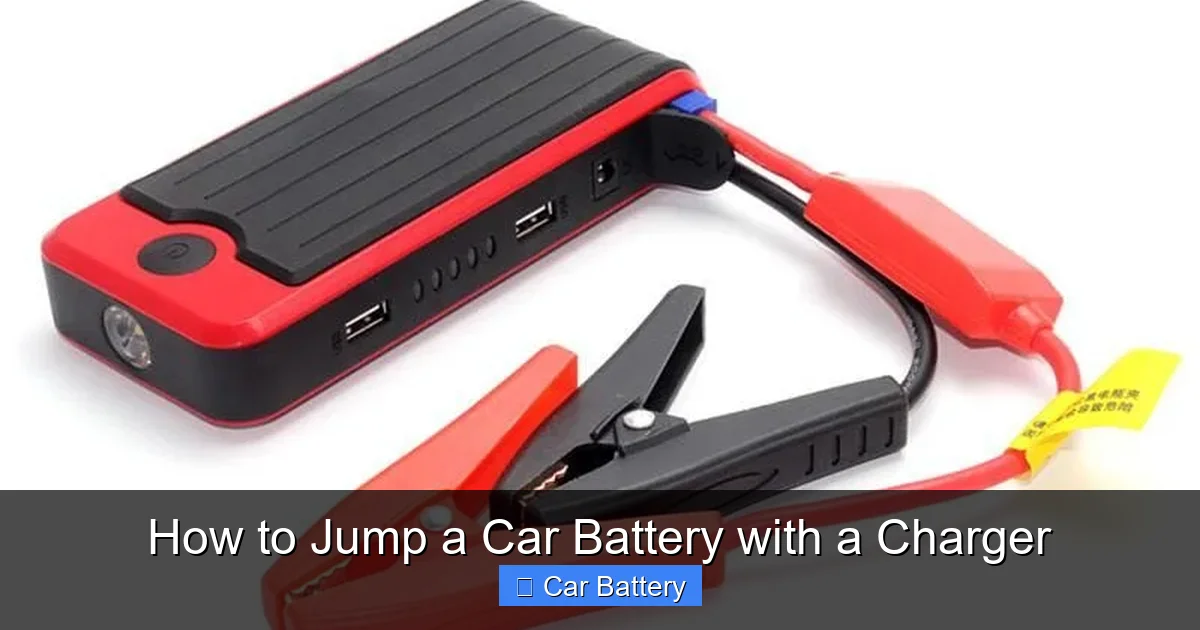
– Jump Starters with Charging Function: Portable devices that can both jump-start a car and charge a battery. Great for emergencies.
– Float Chargers: Designed for long-term maintenance, often used for seasonal vehicles like motorcycles or boats.
For most drivers, a smart charger is the best choice. It’s user-friendly, safe, and efficient. Look for one with at least 4–10 amps of output and safety features like reverse polarity protection and spark-proof clamps.
Safety First: Preparing to Jump a Car Battery with a Charger
Safety should always be your top priority when working with car batteries. Batteries contain sulfuric acid and produce hydrogen gas, which can be explosive. A single spark near the battery can ignite the gas, causing serious injury or damage.
Here’s how to prepare safely:
Wear Protective Gear
Always wear safety goggles and gloves. Acid can cause burns, and sparks can damage your eyes. If you’re working in cold weather, make sure your hands are dry and insulated.
Choose the Right Location
Work in a well-ventilated area, preferably outdoors or in a garage with the door open. Avoid enclosed spaces where gas can accumulate. Keep the area free of open flames, cigarettes, or anything that could create a spark.
Inspect the Battery
Before connecting anything, visually inspect the battery. Look for:
– Cracks or bulges in the casing
– Leaking fluid (a sign of internal damage)
– Corrosion around the terminals (white or blue powdery substance)
If you see any of these signs, do not attempt to charge the battery. It could be dangerous. In such cases, it’s best to replace the battery or consult a professional.
Turn Off the Charger and Car
Make sure the battery charger is turned off and unplugged before connecting it. Also, ensure the car is in park (or neutral for manual transmissions) and the ignition is off. Remove the keys to prevent accidental starts.
Check the Charger Settings
Set the charger to the correct voltage (usually 12V for cars) and choose an appropriate charging mode. For a dead battery, start with a slow or trickle charge setting. Avoid using high-amp settings unless the charger is designed for it—too much current too fast can overheat the battery.
Step-by-Step Guide: How to Jump a Car Battery with a Charger
Now that you’re prepared, let’s walk through the process step by step. This method works for most standard 12-volt car batteries.
Step 1: Locate the Battery
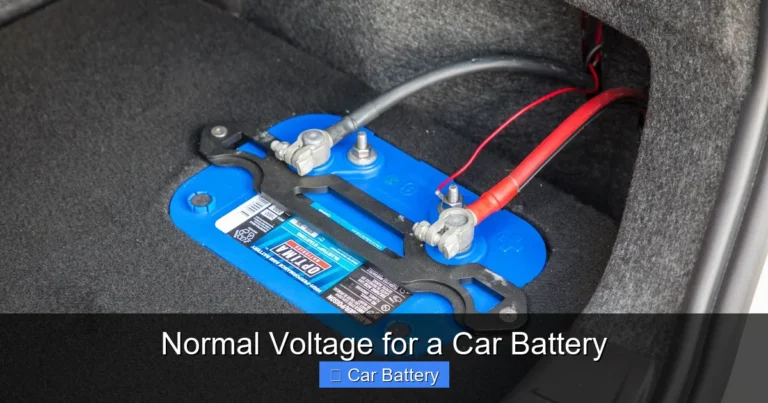
Open the hood and find the battery. It’s usually a rectangular box with two cables attached—one red (positive) and one black (negative). In some cars, the battery may be in the trunk or under a seat, especially in European models.
Step 2: Identify the Terminals
The positive terminal is marked with a “+” sign and usually has a red cover or cable. The negative terminal is marked with a “–” sign and typically has a black cable. Never mix them up—connecting the wrong way can damage the charger, the battery, or the car’s electrical system.
Step 3: Connect the Charger Cables
Follow this order:
1. Connect the red (positive) clamp to the positive terminal of the battery.
2. Connect the black (negative) clamp to the negative terminal of the battery.
Some smart chargers may allow you to connect the negative clamp to a grounded metal part of the car (like the engine block) instead of the negative terminal. This can reduce the risk of sparks near the battery. Check your charger’s manual for guidance.
Step 4: Plug in the Charger
Once the cables are securely attached, plug the charger into a grounded electrical outlet. Make sure the outlet is working and not overloaded. Avoid using extension cords if possible—they can reduce power and pose a tripping hazard.
Step 5: Turn On the Charger
Switch the charger on and select the appropriate charging mode. For a dead battery, start with a slow charge (2–4 amps). If your charger has an automatic mode, let it do the work—it will adjust the current as needed.
Step 6: Monitor the Charging Process
Let the battery charge for several hours. A deeply discharged battery may take 6–12 hours to fully recharge. Most smart chargers will display the battery’s voltage and charging status. Avoid leaving the charger unattended for long periods, especially if it’s not a smart model.
Step 7: Disconnect the Charger
When the charger indicates the battery is fully charged (usually 12.6V or higher), turn off the charger and unplug it from the outlet. Then, disconnect the cables in reverse order:
1. Remove the black (negative) clamp first.
2. Remove the red (positive) clamp second.
This reduces the risk of sparking.
Step 8: Test the Battery
Close the hood and try starting the car. If it starts smoothly, great! Let the engine run for at least 15–20 minutes to allow the alternator to recharge the battery further.
For peace of mind, use a multimeter to check the battery voltage. A healthy, fully charged battery should read around 12.6 volts when the car is off. If it drops below 12.4 volts, the battery may still be weak.
Troubleshooting Common Issues
Even with careful preparation, things don’t always go as planned. Here are some common problems and how to fix them:
The Charger Won’t Turn On
– Check the power outlet with another device.
– Ensure the charger is properly plugged in.
– Look for blown fuses in the charger (some models have replaceable fuses).
The Battery Isn’t Charging
– Verify the connections are tight and clean.
– Make sure the charger is set to the correct voltage and mode.
– If the battery is very old or sulfated, it may not accept a charge. Consider replacing it.
The Charger Shows an Error Code
Refer to the user manual. Common errors include reverse polarity, low voltage, or high resistance. Disconnect and recheck the connections.
The Battery Gets Hot
Stop charging immediately. Overheating can damage the battery or cause it to leak. Let it cool down and inspect for damage. If it’s swollen or leaking, replace it.
The Car Still Won’t Start After Charging
– The battery may be too damaged to hold a charge.
– The alternator might not be working.
– There could be a parasitic drain or faulty starter.
In these cases, have your car inspected by a mechanic.
Tips for Maintaining Your Car Battery
Prevention is better than cure. Here are some tips to keep your battery in top shape and avoid future dead battery situations:
Regularly Check the Battery
Inspect the terminals for corrosion every few months. Clean them with a mixture of baking soda and water, then rinse and dry. Apply a thin layer of petroleum jelly to prevent future buildup.
Drive Your Car Regularly
Short trips don’t give the alternator enough time to fully recharge the battery. Aim for at least 20–30 minutes of driving a few times a week.
Turn Off Accessories When Idling
Avoid using the radio, lights, or air conditioning when the engine is off. These draw power directly from the battery.
Use a Battery Maintainer
If you don’t drive often (e.g., for classic cars or seasonal vehicles), use a trickle charger or float charger to keep the battery topped up.
Replace Old Batteries
Don’t wait for a complete failure. If your battery is over 4 years old, consider replacing it proactively—especially before winter.
When to Call a Professional
While jump-starting with a charger is usually safe and straightforward, there are times when you should seek help:
– The battery is cracked, leaking, or swollen.
– You’re unsure about the connections or charger settings.
– The car still won’t start after a full charge.
– You suspect an electrical issue beyond the battery.
A professional mechanic can perform a load test to check the battery’s health and diagnose any underlying problems.
Conclusion: Be Prepared, Stay Safe, and Drive Confidently
Knowing how to jump a car battery with a charger is a valuable skill every driver should have. It’s safer than traditional jump-starting, more reliable for deeply discharged batteries, and gives you independence when you’re stranded. With the right charger, a few safety precautions, and this step-by-step guide, you can revive your dead battery with confidence.
Remember: always prioritize safety, use the correct equipment, and know when to call for help. A little preparation goes a long way. Keep a quality smart charger in your car or garage, and you’ll never be left powerless again.
FAQs
Can I use any charger to jump a car battery?
No, not all chargers are suitable. Use a 12-volt charger compatible with lead-acid batteries. Avoid using high-amp chargers unless designed for it, as they can damage the battery.
How long does it take to charge a dead car battery?
It depends on the charger and battery condition. A trickle charge may take 6–12 hours, while a smart charger can often revive a battery in 2–4 hours.
Is it safe to leave a battery charger unattended?
Smart chargers are generally safe to leave unattended, as they automatically shut off when the battery is full. Older models should be monitored regularly.
Can I charge a frozen battery?
No. Never charge a frozen battery—it can explode. Let it thaw completely in a warm, dry place before attempting to charge.
What if my car has a start-stop system?
Some start-stop vehicles use AGM (absorbent glass mat) batteries, which require a compatible charger. Check your owner’s manual or use a smart charger with AGM mode.
Do I need to disconnect the battery to charge it?
No, you can charge it in the car. However, disconnecting it can reduce the risk of electrical surges. If you do disconnect, remember to reset radio codes and settings.
This is a comprehensive guide about how to jump a car battery with a charger.
Key Takeaways
- Understanding how to jump a car battery with a charger: Provides essential knowledge
Frequently Asked Questions
What is how to jump a car battery with a charger?
how to jump a car battery with a charger is an important topic with many practical applications.