How to Clean Car Battery
Cleaning your car battery is a simple yet essential maintenance task that can prevent starting issues, improve electrical connections, and extend battery life. With basic tools and safety precautions, you can safely remove corrosion and keep your battery in top condition.
In This Article
- 1 Key Takeaways
- 2 Why Cleaning Your Car Battery Matters
- 3 Signs Your Car Battery Needs Cleaning
- 4 Safety Precautions Before You Begin
- 5 Tools and Materials You’ll Need
- 6 Step-by-Step Guide to Cleaning Your Car Battery
- 7 Preventing Future Corrosion
- 8 When to Call a Professional
- 9 Maintaining Your Battery for Long-Term Performance
- 10 Conclusion
- 11 FAQs
- 11.1 Can I clean my car battery without disconnecting it?
- 11.2 Is it safe to use vinegar to clean battery terminals?
- 11.3 How often should I clean my car battery?
- 11.4 Can dirty battery terminals cause my car not to start?
- 11.5 What should I do if my battery keeps corroding quickly?
- 11.6 Can I use WD-40 to clean battery terminals?
- 12 Key Takeaways
- 13 Frequently Asked Questions
Key Takeaways
- Safety first: Always wear gloves and goggles, and disconnect the negative terminal before cleaning to avoid shocks or sparks.
- Corrosion is common: White, green, or blue crust on terminals is normal but must be cleaned to maintain proper electrical flow.
- Use a baking soda solution: Mix 1 tablespoon of baking soda with 1 cup of water to neutralize battery acid and dissolve corrosion.
- Scrub gently with a wire brush: A dedicated battery terminal brush ensures thorough cleaning without damaging components.
- Reconnect properly: Reattach cables in reverse order (positive first, then negative) and apply dielectric grease to prevent future buildup.
- Regular maintenance helps: Inspect and clean your battery every 6 months or if you notice slow cranking or dim lights.
- Know when to replace: If corrosion returns quickly or the battery is over 3–5 years old, consider replacement.
Why Cleaning Your Car Battery Matters
Your car battery is the heart of your vehicle’s electrical system. It powers everything from the starter motor to the headlights, radio, and dashboard electronics. But over time, this vital component can become compromised—not because the battery itself is failing, but because of a buildup of corrosion and dirt on the terminals. This crusty residue might look harmless, but it can seriously interfere with the flow of electricity, leading to hard starts, dim lights, or even a complete failure to start.
Think of it like a clogged pipe in your home’s plumbing. Even if the water pressure is strong, a blockage restricts flow. Similarly, corrosion on battery terminals acts as an insulator, preventing the battery from delivering full power to your car’s systems. Cleaning your car battery isn’t just about appearances—it’s about maintaining reliable performance and avoiding unexpected breakdowns.
Many drivers overlook battery maintenance, assuming that if the car starts, everything is fine. But subtle signs like slow engine cranking, flickering interior lights, or a battery warning light on the dashboard can indicate poor connections due to dirty terminals. Regular cleaning helps prevent these issues and can even extend the life of your battery by ensuring it operates efficiently. Plus, it’s a quick, low-cost task that anyone can do at home with minimal tools.
Signs Your Car Battery Needs Cleaning
Before diving into the cleaning process, it’s important to recognize when your battery actually needs attention. Not every battery requires cleaning at the same interval—some may go months without issues, while others, especially in humid or salty environments, may corrode faster.
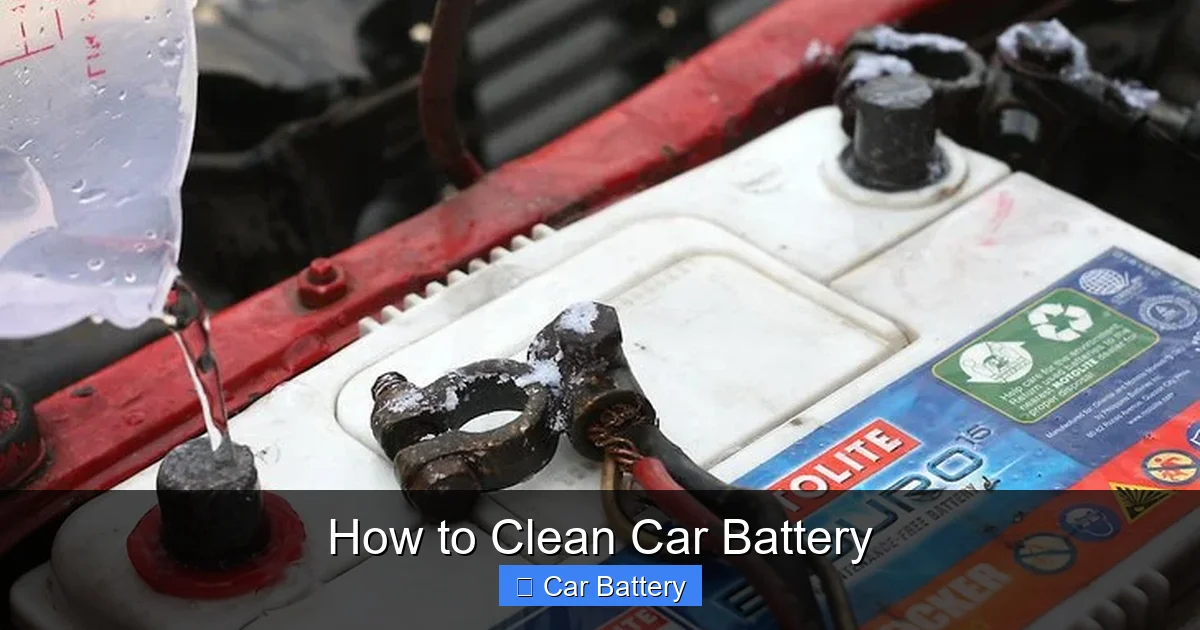
One of the most obvious signs is visible corrosion around the battery terminals. This usually appears as a white, green, or bluish powdery substance. It’s caused by a chemical reaction between the battery’s sulfuric acid and the metal terminals, often accelerated by heat, moisture, or exposure to road salt. If you see this crust forming, it’s time to clean.
Another red flag is difficulty starting your car. If the engine turns over slowly or requires multiple attempts to start, poor electrical contact due to dirty terminals could be the culprit. You might also notice that your headlights dim when you turn on the air conditioning or that your radio resets unexpectedly—both signs of inconsistent power delivery.
In some cases, the battery warning light on your dashboard may illuminate. While this can indicate a range of issues—from a failing alternator to a loose belt—it’s often triggered by voltage irregularities caused by corroded connections. If you’ve ruled out other electrical problems, cleaning the battery terminals is a smart first step.
Even if you don’t see visible corrosion, it’s a good idea to inspect your battery every six months, especially if you live in a coastal area or drive frequently in winter conditions where road salt is used. Preventive maintenance can save you from being stranded with a dead battery on a cold morning.
Safety Precautions Before You Begin
Cleaning a car battery isn’t dangerous if you take the right precautions, but it does involve handling potentially hazardous materials. Battery acid, hydrogen gas, and electrical currents all pose risks if mishandled. That’s why safety should be your top priority before you even open the hood.
First and foremost, always wear protective gear. Safety goggles are essential to protect your eyes from acid splashes or debris. Rubber or nitrile gloves will shield your hands from corrosive substances and prevent skin irritation. Long sleeves and closed-toe shoes are also recommended to minimize exposure.
Next, make sure your vehicle is turned off and the keys are removed from the ignition. This prevents accidental short circuits or sparks. Work in a well-ventilated area—preferably outdoors or in a garage with the door open—to avoid inhaling any fumes that may be released during cleaning.
Before disconnecting anything, locate the battery. In most cars, it’s under the hood, but in some models (like certain BMWs or Hondas), it may be in the trunk or under a seat. Once you’ve found it, identify the positive (+) and negative (-) terminals. The positive terminal is usually marked with a red cover or a “+” symbol, while the negative is black or marked with a “–”.
Now, here’s a critical step: always disconnect the negative terminal first. This reduces the risk of creating a short circuit if your tool accidentally touches both terminals or a grounded metal part. Use a wrench or socket that fits the terminal nut—typically 10mm or 13mm—and loosen it counterclockwise. Once loose, carefully wiggle the cable clamp off the terminal and tuck it aside so it doesn’t touch metal.
After the negative cable is disconnected, repeat the process with the positive terminal. Only then should you begin cleaning. Never skip this step—working on a live battery can result in sparks, burns, or even an explosion if hydrogen gas is present.
Tools and Materials You’ll Need
You don’t need a professional mechanic’s toolkit to clean your car battery. With a few basic supplies, you can get the job done safely and effectively. Most of these items are likely already in your garage or can be found at any auto parts store.
Start with safety gear: a pair of safety goggles and rubber gloves are non-negotiable. Next, gather your cleaning agents. A simple and effective solution is a mixture of baking soda and water. Mix one tablespoon of baking soda with one cup of warm water in a small container. This alkaline solution neutralizes the acidic corrosion and makes it easier to scrub away.
For scrubbing, you’ll need a wire brush—specifically a battery terminal brush. These are inexpensive tools designed with stiff bristles to clean both the inside of the cable clamps and the outside of the terminals. Avoid using steel wool or abrasive pads, as they can damage the metal surfaces.
You’ll also need a few rags or paper towels for wiping down the battery and terminals. A small spray bottle can help apply the baking soda solution more precisely, especially if corrosion is heavy. Some people prefer to use an old toothbrush for detailed cleaning around tight spaces.
To protect the terminals after cleaning, have a small container of dielectric grease or petroleum jelly on hand. This non-conductive grease prevents future corrosion by sealing out moisture and air.
Finally, keep a wrench or socket set ready for disconnecting and reconnecting the cables. Make sure it fits snugly to avoid stripping the nuts. A pair of pliers may also come in handy for stubborn clamps.
Optional but helpful tools include a battery terminal cleaner spray (available at auto stores), a multimeter to test voltage after cleaning, and a battery terminal protector spray for long-term defense.
Step-by-Step Guide to Cleaning Your Car Battery
Now that you’re prepared, it’s time to get your hands dirty—safely. Follow these steps carefully to clean your car battery thoroughly and restore optimal performance.
Step 1: Disconnect the Battery Cables
Start by ensuring the engine is off and the keys are out of the ignition. Open the hood and locate the battery. Identify the negative terminal (marked with a “–” or black cover) and use your wrench to loosen the nut. Turn it counterclockwise until the clamp can be lifted off. Place the cable aside, making sure it doesn’t touch any metal parts.
Repeat the process with the positive terminal (marked with a “+” or red cover). Always disconnect negative first, then positive. This sequence prevents accidental short circuits.
Step 2: Inspect for Corrosion and Damage
Once the cables are disconnected, take a close look at the terminals and the top of the battery. Look for white, green, or blue crust—this is corrosion. Also check for cracks, leaks, or bulging in the battery case. If you see any of these, the battery may need replacement, not just cleaning.
Step 3: Apply the Baking Soda Solution
Dip your wire brush or an old toothbrush into the baking soda solution. Gently scrub the terminals and the inside of the cable clamps. You’ll notice the solution fizzing—that’s normal and indicates it’s neutralizing the acid. For heavy buildup, let the solution sit for a minute before scrubbing.
If corrosion is stubborn, you can spray the solution directly onto the terminals using a spray bottle. Avoid getting the solution into the battery cells (the small caps on top), as this can damage the internal components.
Step 4: Scrub Thoroughly
Use the wire brush to scrub all surfaces until they’re clean and shiny. Focus on the contact points where the clamp meets the terminal. Any remaining corrosion can interfere with conductivity. Wipe away residue with a damp rag, then dry everything completely with a clean towel.
Step 5: Clean the Battery Case
While the terminals are clean, take a moment to wipe down the top of the battery. Use a damp cloth with a bit of baking soda solution to remove dirt, grease, and any spilled electrolyte. This helps prevent future corrosion and keeps the battery looking neat.
Step 6: Reconnect the Cables
Once everything is dry, reconnect the cables in reverse order: positive first, then negative. Tighten the nuts securely with your wrench, but don’t over-tighten, as this can strip the threads.
Step 7: Apply Dielectric Grease
Finally, apply a thin layer of dielectric grease or petroleum jelly to the terminals and clamps. This creates a protective barrier against moisture and air, reducing the chance of future corrosion.
Preventing Future Corrosion
Cleaning your battery is only half the battle—preventing corrosion from returning is just as important. Fortunately, there are several simple steps you can take to keep your terminals clean longer.
One of the most effective methods is applying a protective coating after cleaning. Dielectric grease, as mentioned earlier, is ideal because it’s non-conductive and repels water. You can also use commercial battery terminal protectors, which come in spray or brush-on formulas.
Another tip is to install battery terminal covers or boots. These rubber or plastic caps fit over the terminals and clamps, shielding them from moisture, dirt, and road salt. They’re inexpensive and easy to install—just slide them on after reconnecting the cables.
If you live in a humid or coastal area, consider checking your battery more frequently. Salt air accelerates corrosion, so monthly inspections during humid months can help catch buildup early.
Also, avoid overfilling your battery with water if it’s a serviceable type. Excess water can spill onto the terminals and cause corrosion. And if your battery is more than three years old, have it tested annually—older batteries are more prone to leaks and corrosion.
Finally, keep your engine bay clean. Dirt and grease can trap moisture and contribute to corrosion. A quick wipe-down during oil changes can go a long way.
When to Call a Professional
While cleaning your car battery is a DIY-friendly task, there are times when it’s best to leave it to the experts. If you notice any signs of battery damage—such as cracks, leaks, or a swollen case—do not attempt to clean it yourself. These could indicate internal failure, and handling a damaged battery can be dangerous.
Similarly, if corrosion returns within weeks of cleaning, it may signal a deeper issue, like a faulty alternator overcharging the battery or a seal leak. A professional mechanic can diagnose the root cause and recommend repairs or replacement.
If you’re uncomfortable working with car batteries or don’t have the right tools, there’s no shame in visiting a service center. Many auto shops offer free battery inspections and cleaning as part of routine maintenance.
And if your car still won’t start after cleaning, the problem may not be the battery at all. It could be a bad starter, alternator, or ignition switch. A professional diagnostic can pinpoint the issue quickly.
Maintaining Your Battery for Long-Term Performance
Cleaning your battery is just one part of a broader maintenance routine. To get the most out of your battery, adopt a few habits that support long-term health.
First, drive your car regularly. Short trips don’t give the alternator enough time to fully recharge the battery, which can lead to sulfation—a buildup of lead sulfate crystals that reduces capacity. If you only make short drives, consider using a battery maintainer or trickle charger.
Second, keep your battery securely mounted. Vibrations from a loose battery can damage internal plates and shorten its life. Check the hold-down clamp periodically to ensure it’s tight.
Third, monitor your electrical usage. Leaving lights, radios, or phone chargers on when the engine is off can drain the battery. Modern cars have systems to prevent this, but it’s still good practice to double-check before walking away.
Finally, have your battery tested annually, especially as it ages. Most auto parts stores offer free testing, and they can tell you the state of charge, cold cranking amps, and overall health. This helps you plan for replacement before a failure occurs.
Conclusion
Cleaning your car battery is a simple, cost-effective way to maintain your vehicle’s reliability and performance. By removing corrosion, ensuring tight connections, and applying protective measures, you can prevent starting issues, extend battery life, and avoid costly repairs down the road.
With just a few basic tools and a little time, you can keep your battery in top shape—no mechanic required. Remember to prioritize safety, follow the steps carefully, and inspect your battery regularly. A clean battery isn’t just about looks; it’s about peace of mind every time you turn the key.
Whether you’re a seasoned DIYer or a first-time car owner, this task is well within your reach. So the next time you pop the hood, take a moment to check those terminals. Your car—and your wallet—will thank you.
FAQs
Can I clean my car battery without disconnecting it?
No, you should always disconnect the battery before cleaning. Working on a live battery increases the risk of short circuits, sparks, or electrical shock. Always remove the negative terminal first, then the positive.
Is it safe to use vinegar to clean battery terminals?
Vinegar is acidic and can damage battery terminals over time. It’s better to use a baking soda solution, which is alkaline and safely neutralizes battery acid without harming metal components.
How often should I clean my car battery?
Inspect your battery every 6 months and clean it if you see corrosion. In harsh environments (coastal areas, winter climates), check every 3–4 months to prevent buildup.
Can dirty battery terminals cause my car not to start?
Yes, corrosion acts as an insulator and can block electrical flow. This may result in slow cranking, dim lights, or a complete failure to start, even if the battery is fully charged.
What should I do if my battery keeps corroding quickly?
Frequent corrosion may indicate a battery leak, overcharging alternator, or poor sealing. Have a mechanic inspect the battery and charging system to identify and fix the underlying issue.
Can I use WD-40 to clean battery terminals?
WD-40 is not recommended for battery cleaning. It can leave a residue that attracts dirt and may not effectively neutralize acid. Stick to baking soda and water for safe, effective cleaning.
This is a comprehensive guide about how to clean car battery.
Key Takeaways
- Understanding how to clean car battery: Provides essential knowledge
Frequently Asked Questions
What is how to clean car battery?
how to clean car battery is an important topic with many practical applications.