How to Change Battery in Car Key Fob
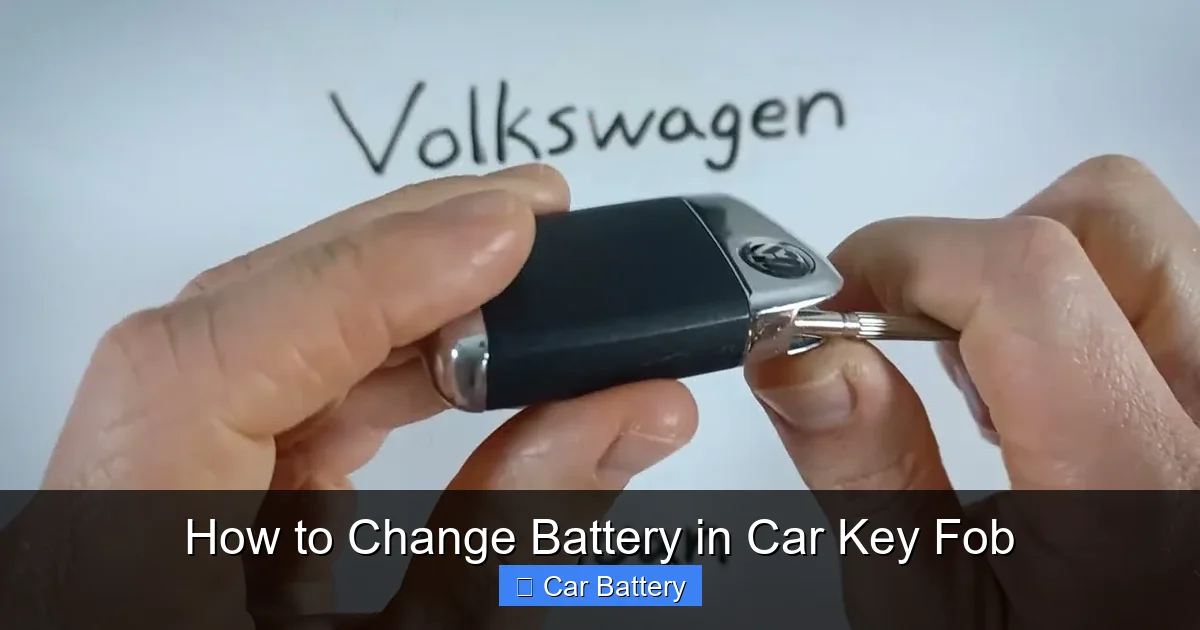
Changing the battery in your car key fob is easier than you think—and it can save you time and money. With the right tools and a few simple steps, you can restore your key fob’s function in under 10 minutes without visiting a dealership.
In This Article
- 1 Key Takeaways
- 2 📑 Table of Contents
- 3 Why Your Car Key Fob Battery Dies (And Why It Matters)
- 4 Signs Your Key Fob Battery Is Dying
- 5 Tools and Materials You’ll Need
- 6 Step-by-Step Guide: How to Change Battery in Car Key Fob
- 7 Troubleshooting Common Issues
- 8 Tips for Maintaining Your Key Fob
- 9 When to Replace the Entire Key Fob
- 10 Conclusion
- 11 Frequently Asked Questions
- 11.1 What type of battery does my car key fob use?
- 11.2 Can I use any flathead screwdriver to open my key fob?
- 11.3 How often should I replace my key fob battery?
- 11.4 What if my key fob still doesn’t work after changing the battery?
- 11.5 Can I replace the battery myself, or do I need a professional?
- 11.6 Is it safe to handle the battery with my fingers?
Key Takeaways
- Most key fobs use CR2032 batteries: These small, coin-shaped lithium batteries are widely available and affordable, making replacements simple and cost-effective.
- You don’t need special tools: A flathead screwdriver, butter knife, or even a coin is usually enough to open most key fob casings.
- Always handle the battery with care: Avoid touching the battery terminals with your fingers to prevent oil residue from reducing battery life.
- Reinsert the battery correctly: Pay attention to the positive (+) and negative (-) sides to ensure proper contact and functionality.
- Test the fob after replacement: Press each button to confirm the remote works before reassembling or storing the key.
- Keep your key fob clean: Dust and grime can interfere with internal components, so wipe it down occasionally with a dry cloth.
- Know when to seek help: If your fob still doesn’t work after a battery change, the issue may be internal damage or programming—consult your dealer or locksmith.
📑 Table of Contents
Why Your Car Key Fob Battery Dies (And Why It Matters)
We’ve all been there—you’re running late, you press the unlock button on your key fob, and nothing happens. No chirp, no flash, no satisfying click from the car doors. Your first thought might be, “Did I lock it?” But more often than not, the real culprit is a dead battery.
Car key fobs are small, wireless devices that communicate with your vehicle using radio signals. They let you lock, unlock, start the engine (in some models), and even open the trunk—all from a distance. But like any electronic device, they rely on a power source: a tiny battery tucked inside the fob. Over time, that battery loses its charge, especially if you use the fob frequently or leave it in extreme temperatures.
The good news? Replacing the battery is one of the easiest DIY fixes you can do. You don’t need to be a mechanic or tech expert. With a few basic tools and about five to ten minutes of your time, you can restore full functionality to your key fob. And best of all, it costs just a few dollars instead of the $50–$100 a dealership might charge for the same service.
In this guide, we’ll walk you through everything you need to know about how to change battery in car key fob—from identifying the right battery type to reassembling your fob safely. Whether you drive a Honda, Toyota, Ford, BMW, or any other brand, these steps apply to most modern key fobs. Let’s get started.
Signs Your Key Fob Battery Is Dying
Before you pop open your key fob, it’s helpful to confirm that a dead battery is actually the problem. Sometimes, the issue could be signal interference, a damaged fob, or even a problem with the car’s receiver. But in most cases, a weak or dead battery is the root cause.
Here are the most common signs that your key fob battery is on its last legs:
Reduced Range
One of the earliest warning signs is a noticeable drop in how far you can be from your car and still use the fob. If you used to unlock your car from 30 feet away but now have to be right next to the door, the battery may be weakening.
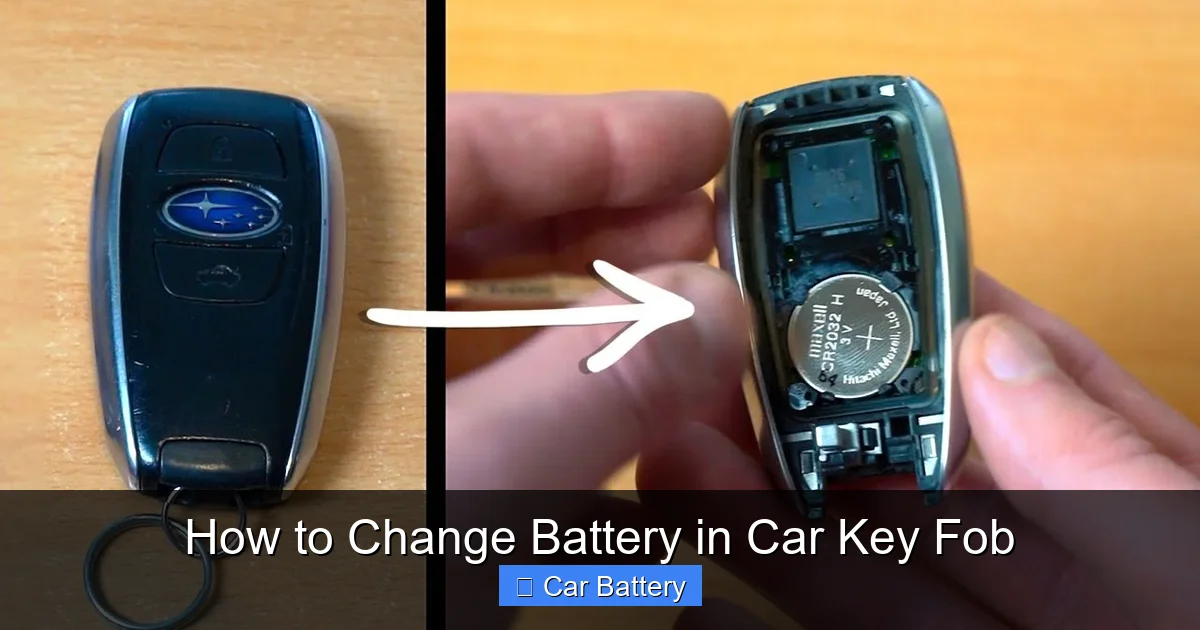
Visual guide about How to Change Battery in Car Key Fob
Image source: i.ytimg.com
Intermittent Response
You press the button, and sometimes it works—sometimes it doesn’t. This inconsistency is a classic symptom of a low battery. The fob is still sending a signal, but it’s too weak to be reliably received by the car.
Buttons Feel Stiff or Unresponsive
As the battery loses power, the internal circuitry may not respond as quickly. You might notice that the buttons require more pressure or don’t “click” as they used to.
Dashboard Warning Light
Some newer vehicles have a dashboard indicator that alerts you when the key fob battery is low. If you see a key-shaped icon or a message like “Key Fob Battery Low,” it’s time for a replacement.
Manual Key Still Works
If you can still unlock your car using the physical key blade (usually hidden inside the fob), but the remote functions don’t work, that’s a strong clue the battery is dead. The mechanical key doesn’t rely on power, so it remains functional even when the electronics fail.
If you’re experiencing any of these issues, don’t panic. In most cases, a simple battery swap will solve the problem. But before you start, let’s talk about the tools and materials you’ll need.
Tools and Materials You’ll Need
The beauty of changing a key fob battery is that you probably already have most of what you need at home. You don’t need a toolkit or specialized equipment. Here’s a quick checklist:
The Right Battery
The most common battery used in car key fobs is the CR2032. It’s a small, round, lithium coin cell about the size of a nickel. You can find these at drugstores, supermarkets, electronics stores, or online. A pack of two or three usually costs under $5.
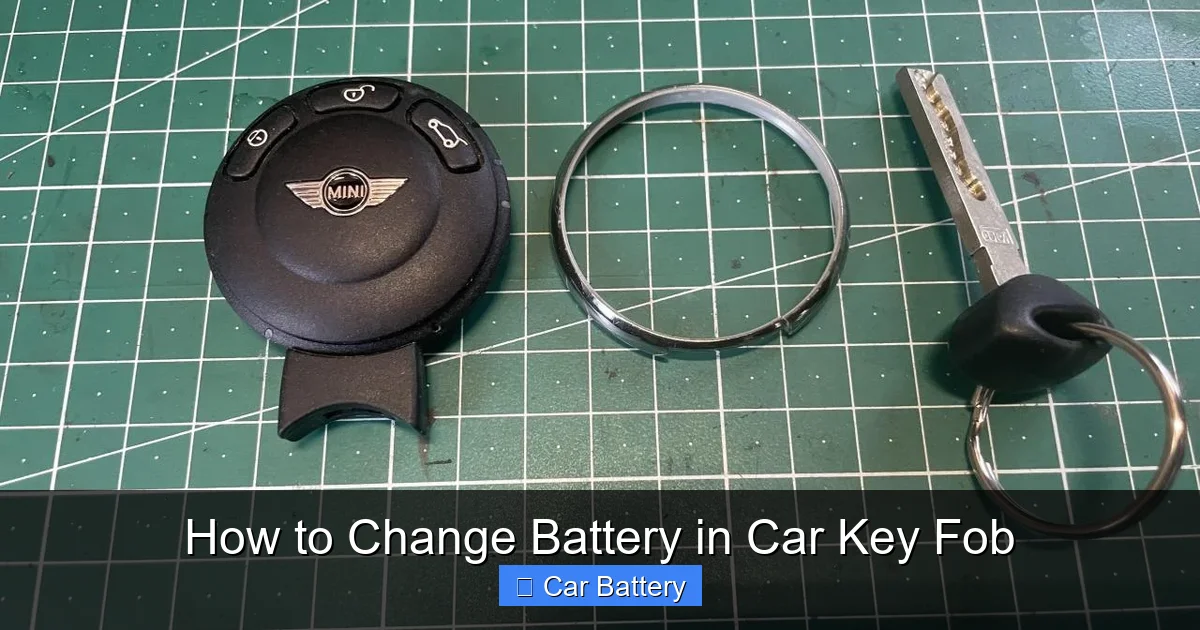
Visual guide about How to Change Battery in Car Key Fob
Image source: team-bhp.com
But not all fobs use the same battery. Some models—especially older or luxury vehicles—may use CR2025, CR2016, or even AA batteries. To be sure, check your owner’s manual or look up your car’s make, model, and year online. You can also take your old battery to a store and match it visually.
A Flathead Screwdriver or Butter Knife
Most key fobs have a small seam where the two halves of the casing meet. You’ll need something thin and flat to gently pry them apart. A flathead screwdriver works well, but if you don’t have one, a butter knife, a guitar pick, or even a strong plastic card can do the trick.
Avoid using anything too sharp or metal-heavy, as you don’t want to scratch or crack the plastic housing. If your fob has a release button or sliding mechanism, you may not need a tool at all—just press or slide as indicated.
A Clean, Well-Lit Workspace
Find a flat surface with good lighting. A kitchen counter or desk works perfectly. You’ll be handling small parts, so you don’t want to lose anything under the couch or in the carpet.
Optional: Tweezers or Needle-Nose Pliers
If the battery is stuck or hard to remove, tweezers can help you grip it safely. Just be gentle—lithium batteries can leak or rupture if punctured.
Optional: Compressed Air or Cotton Swab
If you notice dust or debris inside the fob, a quick blast of air or a dry cotton swab can help clean it out before reassembly.
Once you’ve gathered your supplies, you’re ready to begin. Let’s move on to the step-by-step process.
Step-by-Step Guide: How to Change Battery in Car Key Fob
Now that you’re prepared, let’s walk through the actual process of replacing your key fob battery. The steps are similar across most vehicles, but we’ll include tips for different fob styles along the way.
Step 1: Locate the Battery Compartment
Most key fobs have a seam running around the edge where the two halves connect. Look for a small notch, indentation, or release button. Some fobs have a sliding cover, while others require prying open.
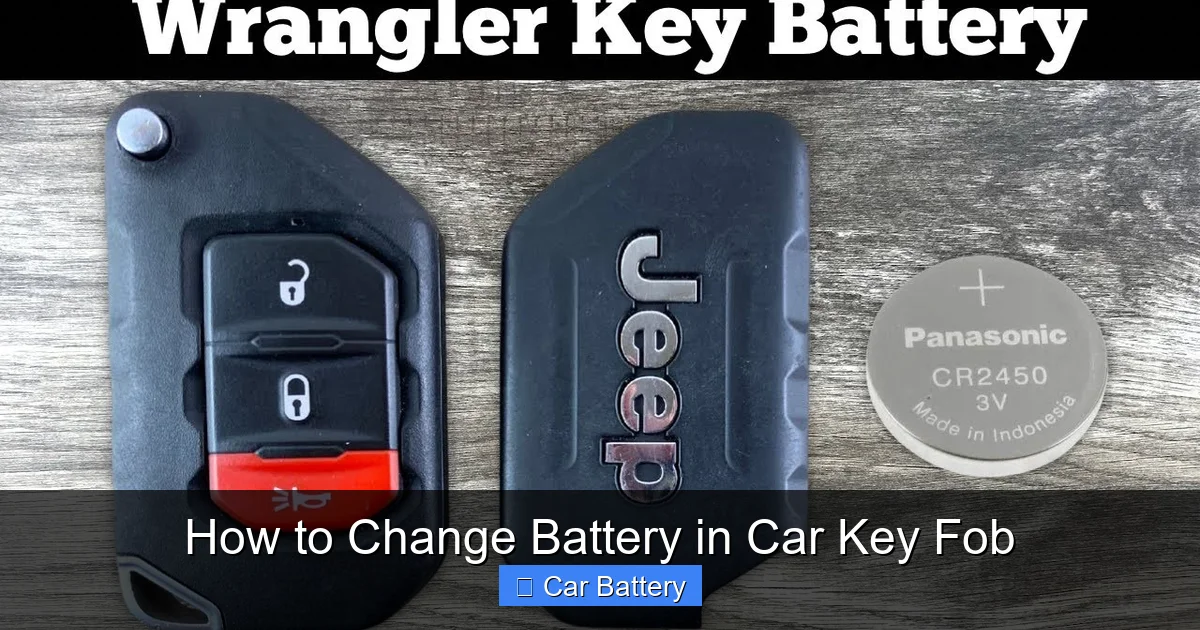
Visual guide about How to Change Battery in Car Key Fob
Image source: i.ytimg.com
For example, Honda and Acura fobs often have a small button on the side that you press to release the key blade. Once the blade is out, you can use it to gently twist and pop open the fob. Toyota and Lexus fobs may have a seam that you can separate with a flathead screwdriver.
BMW and Mercedes fobs sometimes have a small release button or a sliding panel. Check your owner’s manual if you’re unsure. Never force the fob open—gentle pressure is key.
Step 2: Open the Fob Carefully
Insert your flathead screwdriver or butter knife into the seam and gently twist to separate the two halves. Work your way around the edge slowly. The plastic clips can be fragile, so take your time.
If your fob has a release button, press it and slide or pull the cover off. Some fobs, like certain Ford models, have a removable back panel that slides out like a drawer.
Once the fob is open, you’ll see the battery seated in a small compartment. It’s usually held in place by a metal clip or plastic housing.
Step 3: Remove the Old Battery
Use your fingers, tweezers, or a small tool to lift the battery out. Note which side is facing up—usually the positive (+) side faces outward, but this can vary. Take a photo or make a mental note so you can insert the new one the same way.
Avoid touching the battery terminals with your bare fingers. The oils from your skin can reduce the battery’s lifespan. If you do touch it, don’t worry—just wipe it gently with a dry cloth.
Step 4: Insert the New Battery
Place the new battery into the compartment, matching the orientation of the old one. The positive (+) side typically faces up, but double-check the markings inside the fob or on the battery itself.
Press it gently into place. It should sit flat and secure. If it wobbles or doesn’t fit, you may have the wrong battery type or it’s upside down.
Step 5: Reassemble the Fob
Align the two halves of the fob and press them together until you hear a click. Make sure all the clips are secured and the seam is flush. If your fob has a sliding cover or release button, reattach it according to the manufacturer’s design.
Don’t force it. If it doesn’t close easily, check that the battery is seated properly and nothing is blocking the casing.
Step 6: Test the Fob
Stand near your car and press each button—lock, unlock, trunk, panic, etc.—to make sure they all work. If the car responds, you’re all set!
If it doesn’t work, double-check the battery orientation and ensure the fob is fully closed. Sometimes, the internal contacts need a moment to reconnect.
And that’s it! You’ve successfully changed the battery in your car key fob. It’s a quick, easy fix that can save you a trip to the dealership and keep your car secure.
Troubleshooting Common Issues
Even with careful handling, things don’t always go perfectly. Here are some common problems you might encounter—and how to fix them.
Fob Still Doesn’t Work After Battery Change
If your key fob remains unresponsive after replacing the battery, the issue might not be the battery at all. Possible causes include:
- Dirty or corroded contacts: Over time, the metal contacts inside the fob can get dirty or corroded. Use a cotton swab dipped in rubbing alcohol to gently clean them.
- Damaged fob: If the fob was dropped or exposed to water, internal components may be damaged. In this case, you may need a replacement fob.
- Programming issue: Some fobs lose their programming when the battery dies. You may need to reprogram it using your car’s ignition sequence (check your owner’s manual for instructions).
- Car receiver problem: Rarely, the issue is with the car’s receiver module. If multiple fobs don’t work, have your vehicle inspected.
Battery Doesn’t Fit or Won’t Stay in Place
If the new battery is loose or won’t seat properly, double-check the model number. A CR2032 is 3mm thick, while a CR2025 is 2.5mm—using the wrong one can cause fit issues.
Also, ensure the battery compartment isn’t damaged. If the clip is bent or broken, the battery may not make proper contact.
Fob Won’t Close Properly
This usually means something is blocking the casing—often the battery isn’t fully seated or a small piece of debris is in the way. Open the fob again, check the alignment, and try closing it slowly.
Buttons Feel Stiff After Reassembly
If the buttons don’t press smoothly, the internal rubber membrane may be misaligned. Open the fob and check that all components are in their correct positions before closing it again.
Key Blade Won’t Retract
Some fobs have a retractable key blade that can get stuck. Gently wiggle it or use a small tool to help it slide back into place. Avoid forcing it, as this can damage the mechanism.
If you’ve tried these fixes and your fob still isn’t working, it may be time to consult a professional. But in most cases, a little patience and attention to detail will get you back on track.
Tips for Maintaining Your Key Fob
Now that your key fob is working like new, here are some tips to keep it in top condition and extend the life of your next battery.
Keep It Clean
Dirt, dust, and moisture can seep into the fob and damage internal components. Wipe it down regularly with a dry or slightly damp cloth. Avoid using harsh chemicals or submerging it in water.
Avoid Extreme Temperatures
Don’t leave your key fob in direct sunlight, in a hot car, or in freezing conditions for long periods. Extreme heat or cold can degrade the battery and damage the electronics.
Store It Properly
When not in use, keep your key fob in a dry, cool place. Avoid tossing it in a purse or pocket with loose coins or keys, which can scratch the surface or press buttons accidentally.
Use a Key Fob Cover
A silicone or leather cover can protect your fob from drops, scratches, and wear. It also helps prevent accidental button presses.
Replace the Battery Proactively
Most key fob batteries last 3–5 years. If your fob is getting older, consider replacing the battery before it dies completely. This prevents being locked out unexpectedly.
Keep a Spare Battery Handy
Store an extra CR2032 battery in your glove compartment or emergency kit. You never know when you’ll need it—and it’s better to be prepared.
By following these simple maintenance tips, you can keep your key fob functioning reliably for years to come.
When to Replace the Entire Key Fob
While changing the battery fixes most issues, there are times when the entire fob needs to be replaced. Here’s how to know when it’s time for an upgrade.
Physical Damage
If your fob is cracked, waterlogged, or visibly damaged, the internal circuitry may be compromised. A new battery won’t fix structural problems.
Buttons No Longer Respond
Even with a fresh battery, if the buttons don’t register, the rubber contacts or circuit board may be worn out. This is common in older fobs.
Fob Was Lost or Stolen
If your key fob goes missing, replace it immediately for security reasons. Most dealerships can deactivate the old fob and program a new one.
Upgrading to a Newer Model
Some drivers choose to upgrade to a newer fob with additional features like remote start, proximity unlocking, or smartphone integration. This requires professional programming.
Replacing a key fob can cost $100–$400 depending on the vehicle and features. But for peace of mind and enhanced functionality, it’s often worth the investment.
Conclusion
Changing the battery in your car key fob is a simple, cost-effective way to restore functionality and avoid unnecessary stress. With just a few tools and a little patience, you can complete the job in minutes—no dealership visit required.
Remember to use the correct battery type, handle components gently, and test the fob thoroughly after reassembly. Keep your fob clean and protected, and replace the battery proactively to avoid being caught off guard.
Whether you drive a compact sedan or a luxury SUV, this skill is useful for every car owner. So the next time your key fob starts acting up, don’t panic—just grab a CR2032 and get to work. You’ve got this!
Frequently Asked Questions
What type of battery does my car key fob use?
Most car key fobs use a CR2032 lithium coin cell battery, but some models may use CR2025, CR2016, or even AA batteries. Check your owner’s manual or look up your vehicle’s specifications online to confirm.
Can I use any flathead screwdriver to open my key fob?
Yes, a small flathead screwdriver works well, but you can also use a butter knife, guitar pick, or plastic card. Avoid using anything too sharp or heavy to prevent damaging the fob’s plastic casing.
How often should I replace my key fob battery?
Most key fob batteries last 3–5 years, depending on usage. Replace it when you notice reduced range, intermittent response, or a dashboard warning light.
What if my key fob still doesn’t work after changing the battery?
Check the battery orientation, clean the contacts, and ensure the fob is fully closed. If it still doesn’t work, the fob may be damaged or need reprogramming—consult your dealer or a locksmith.
Can I replace the battery myself, or do I need a professional?
You can absolutely replace the battery yourself. It’s a simple DIY task that requires no special skills or tools. Only seek professional help if the fob is damaged or won’t respond after replacement.
Is it safe to handle the battery with my fingers?
It’s best to avoid touching the battery terminals, as skin oils can reduce its lifespan. If you do touch it, wipe it gently with a dry cloth before inserting it into the fob.