
How Do You Reset the Maintenance Light on a 2015 Toyota Rav4

The maintenance required light on your 2015 Toyota RAV4 is a helpful reminder for scheduled service, not an emergency. Resetting it is a simple, manual process you can do yourself after completing the necessary maintenance, like an oil change. This guide provides clear, step-by-step instructions to turn off that light, ensuring your dashboard is accurate. Remember, resetting the light does not perform the maintenance—it only acknowledges it has been done.
Key Takeaways
- The light is a mileage-based reminder: The maintenance required light illuminates based on a preset interval (typically every 5,000 miles) from your last reset, signaling it’s time for routine service like an oil change.
- You must perform the maintenance first: Never reset the light without completing the required service. The light is a critical tool for protecting your engine and ensuring your RAV4’s longevity.
- The reset is a manual, electronic process: It involves using the odometer/trip meter button on your dashboard to navigate the instrument cluster’s menu system. No special tools or software are needed.
- It’s different from the check engine light: The maintenance required light (often a wrench icon) is for scheduled service. The check engine light (usually an engine icon) indicates a potential problem that needs diagnosis.
- If the reset fails, consult a professional: If the procedure does not work, there may be an underlying electronic issue or a different procedure for your specific trim level, requiring a dealer or mechanic’s attention.
- Keep your service records: Document when you perform maintenance and reset the light. This builds a reliable history for your vehicle, which is valuable for warranty claims and future resale.
📑 Table of Contents
Your Dashboard’s Friendly Reminder: Understanding the Maintenance Light
That little wrench icon glowing on your 2015 Toyota RAV4’s dashboard isn’t trying to stress you out. It’s actually a faithful friend, a simple yet sophisticated reminder system built into your vehicle’s computer. Its job is to nudge you when it’s time for routine, scheduled maintenance—most commonly an oil and filter change. Think of it as your car’s way of saying, “Hey, I’ve been working hard. Let’s get me some fresh oil to keep running smoothly.” Unlike the ominous check engine light, which signals a potential malfunction, the maintenance required light is purely a mileage-based timer. It’s a proactive tool designed to help you stay on top of regular care, preventing small issues from becoming big, expensive problems. Ignoring it isn’t an option if you want your RAV4 to be a reliable companion for years to come. This guide will walk you through exactly how to silence that light after you’ve done the work, because resetting it without performing the service defeats its entire purpose.
How the System Works: A Mileage Timer in Your Dash
The system is beautifully simple. When you or your mechanic completes an oil change (or other scheduled service), the technician should reset the maintenance light. If they don’t, or if you do the work yourself, the light will remain off until your RAV4’s computer counts down another predetermined mileage interval—usually 5,000 miles from the last reset point. For a 2015 RAV4, this interval is standard for the 2.5L 4-cylinder engine (the most common engine for that model year). However, it’s always wise to double-check your owner’s manual for the exact schedule for your specific engine and driving conditions. The light doesn’t know if you used synthetic oil or conventional; it only knows the miles have added up. This is why the reset process is so important—it tells the computer, “The service is done. Start counting from zero again.”
Maintenance Required Light vs. Check Engine Light: Don’t Confuse Them!
This is a crucial distinction. The Maintenance Required light (the wrench) is your calendar alert. It comes on predictably after a set distance and goes out for a few seconds when you start the engine. The Check Engine light (the engine-shaped icon) is your car’s panic button. It can illuminate at any time for hundreds of reasons, from a loose gas cap to a failing catalytic converter. You should never ignore a check engine light, and you should never use the maintenance reset procedure to try and turn off a check engine light—it won’t work. They are two completely separate systems. If your check engine light is on, you need to use an OBD-II scanner to read the diagnostic trouble code. Our article on how to reset a check engine light on a Toyota covers that different process, but the core principle is the same: diagnose and fix the problem first.
Gearing Up: What You Need to Know Before You Start
Before you touch any buttons, there’s one non-negotiable rule: the required maintenance must be completed. This means if the light came on because you hit the 5,000-mile mark since your last oil change, you need to have that fresh oil and filter in the engine. Resetting the light without doing the work is like erasing a todo list without doing the tasks—it leads to engine wear and potential damage. Once the service is done, the reset process itself requires no tools, no apps, and no special knowledge. You just need your RAV4’s ignition key and about 30 seconds of quiet time.
Visual guide about How Do You Reset the Maintenance Light on a 2015 Toyota Rav4
Image source: i.ytimg.com
The Only “Tool” You Need: Your Ignition Key
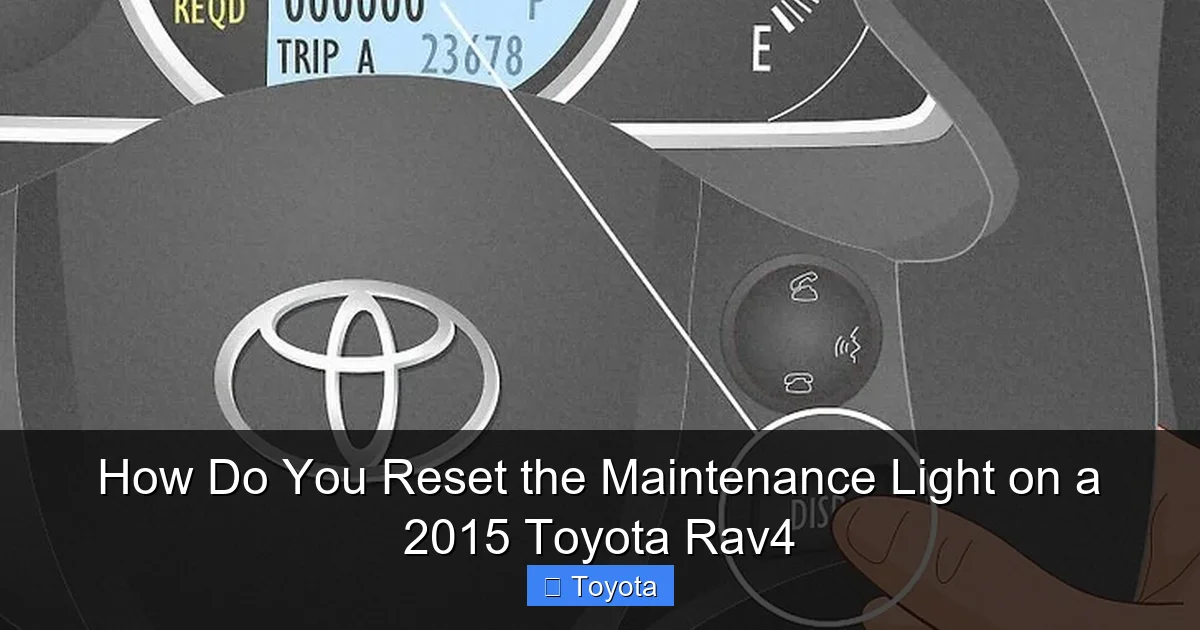
That’s right. The process for a 2015 RAV4 is performed entirely through the instrument cluster using the trip/odometer reset button. This button is typically located on the dashboard, near the speedometer and tachometer, often on the steering wheel stalk or on the dash itself. On the 2015 RAV4, you’ll find it on the right-hand side of the instrument panel, marked with a “Trip” or a reset symbol. You’ll use this button to cycle through the digital display menus. No wrenches, no screwdrivers, no laptops. It’s a testament to Toyota’s user-friendly design that this can be done so simply.
Confirming It’s the Right Light: A Quick Visual Check
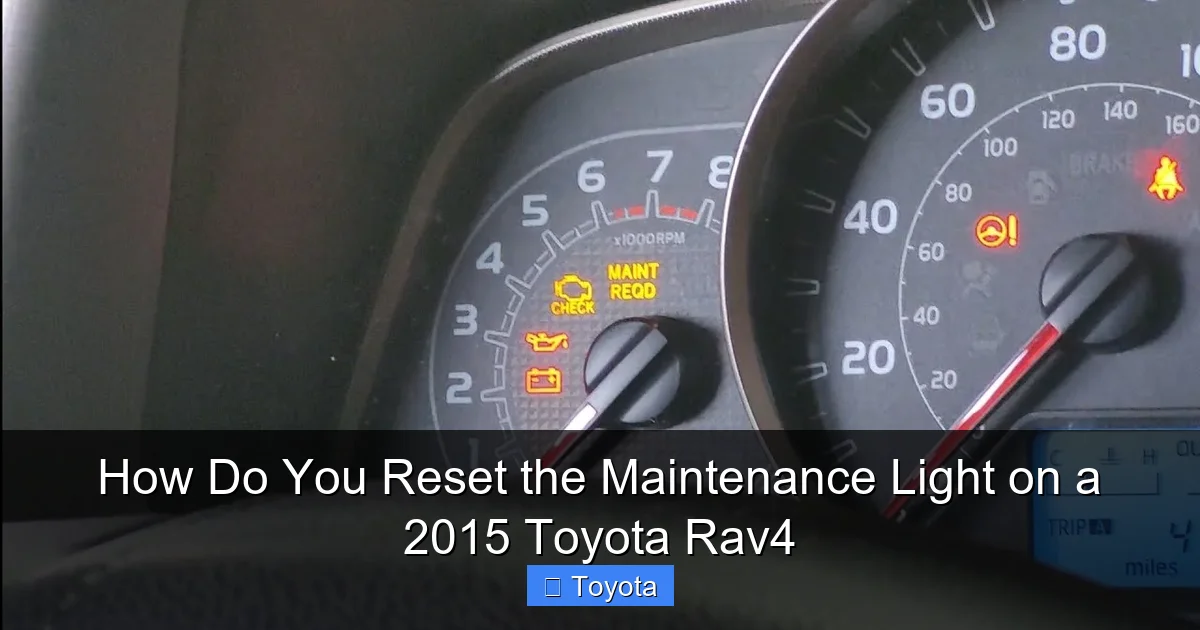
Make sure you’re looking at the correct indicator. On your 2015 RAV4, the maintenance required light is a small icon that looks like a wrench or a service symbol. It’s usually amber or yellow. It will illuminate solidly when you start the car (along with all other warning lights) for a system check, and then it should go out. If it stays on after that check, or if it comes on while you’re driving, that’s your signal. It will not blink or flash. A blinking light usually indicates a more serious issue with a different system. So, take a deep breath. That steady wrench is just your friendly service reminder, not a cause for immediate alarm.
The Step-by-Step Reset Procedure for Your 2015 RAV4
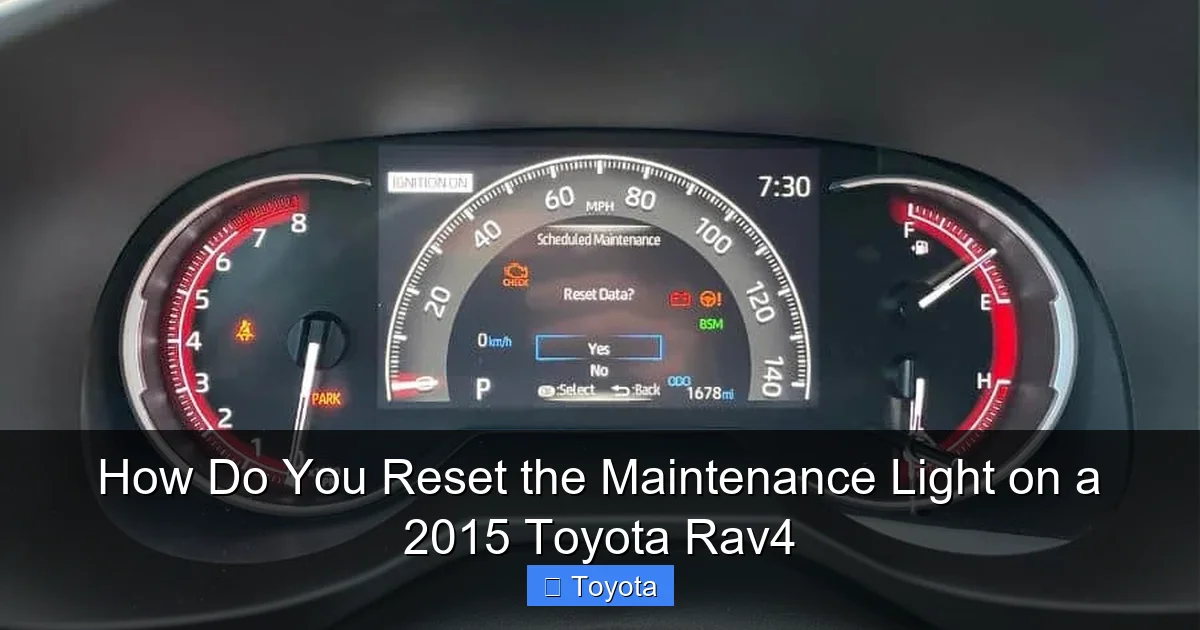
Now, for the main event. The process for the 2015 model year is straightforward and follows a specific sequence. It must be done with the ignition in the “ON” position but with the engine not running. Here is the detailed, foolproof method.
Visual guide about How Do You Reset the Maintenance Light on a 2015 Toyota Rav4
Image source: rav4hub.com
Method 1: The Standard Odometer Button Procedure
This is the primary and most reliable method for the 2015 RAV4. Follow these steps precisely:
- Turn the ignition to the “ON” position. This is the position right before you would crank the engine. Press the “Start/Stop” button once without touching the brake pedal (if you have the push-button start), or turn the key to the “ON” or “IG” position. All your dash lights should come on, but the engine remains off.
- Locate the trip/odometer reset button. It’s on the instrument cluster. Find the button labeled “Trip” or with a reset arrow symbol.
- Turn the ignition OFF. Now, turn the key back to the “OFF” position or press the start button to turn the car completely off.
- Press and hold the reset button. While holding the button down, turn the ignition back to the “ON” position (the same as step 1). Keep holding the button. You’ll see the odometer display begin to change or count down.
- Continue holding until the light blinks and goes out. After a few seconds (typically 5-10), the maintenance required light on your dash will start to blink, and then it will turn off completely. At this point, you can release the reset button.
- Start the engine to confirm. Turn the ignition off, then start the engine normally. The maintenance required light should illuminate briefly during the startup bulb check and then turn off. If it stays off, you’ve successfully reset it!
Pro Tip: If the light comes back on after a short drive, double-check that you held the button long enough for it to blink and go out. Sometimes it can take a little longer than expected.
What If It Doesn’t Reset? Troubleshooting Tips
If you’ve followed the steps exactly and the wrench light remains illuminated, don’t panic. First, try the procedure again from the very beginning. Ensure you are turning the ignition fully “ON” while holding the button, and that you hold it long enough to see the light blink. On some RAV4 trims, the sequence might be slightly different. For instance, you might need to set the display to the odometer (not the trip meter) before starting the sequence. If it still won’t reset, there could be a few reasons:
- An underlying electrical issue: A blown fuse related to the instrument cluster or a faulty button can interrupt the signal.
- The system needs a full cycle: Sometimes, after certain repairs, the car’s computer needs to go through a full drive cycle to recognize the reset. A short drive might help.
- Incorrect procedure for your specific VIN: While rare for a 2015, there can be minor variations. Your owner’s manual is the ultimate authority.
If repeated attempts fail, your next step is to consult a professional. A Toyota dealer or a trusted mechanic can use their diagnostic computer to not only reset the light but also verify the maintenance interval was properly cleared from the system’s memory. This is also a good time to consider if other dashboard lights are acting strangely, which could point to a larger electrical problem. For other Toyota models, the process can vary slightly, which is why we have specific guides, such as our article on resetting the maintenance light on a 2021 Toyota RAV4, to account for any design changes.
After the Reset: Your Next Steps for a Healthy RAV4
Congratulations! The pesky wrench is gone. But your job isn’t quite finished. The reset is the final administrative step in your maintenance routine. Now, it’s time to take care of the records and plan for the future.
Visual guide about How Do You Reset the Maintenance Light on a 2015 Toyota Rav4
Image source: wikihow.com
Verify the Reset and Take a Test Drive
As mentioned, start the engine and watch the dash. The light should come on for its normal startup check and then extinguish. Take your RAV4 for a short drive of 5-10 minutes. During this drive, pay attention to how it feels and sounds. Does the oil pressure seem normal? Are there any new noises? The reset should be permanent until the next 5,000-mile interval. If the light reappears during this test drive or shortly after, it means the reset did not take, and you should revisit the procedure or seek help.
Document Everything: Build Your Vehicle’s History
This is a habit every car owner should adopt. In a dedicated notebook, a spreadsheet, or a service record app, write down the date, mileage, and service performed (e.g., “Oil & filter change, 5W-20 synthetic, rotated tires”). Then, note the date and mileage when you successfully reset the light. This creates an unbroken chain of accountability for your vehicle’s care. If you ever decide to sell your RAV4, a complete, honest service history is a huge selling point that proves the car has been well-maintained. It also helps you anticipate future services. For example, if you just reset the light at 60,000 miles, you know your next major service (like spark plugs or transmission fluid) is likely coming up around 65,000 miles.
Understanding the Full Maintenance Schedule
The oil change is the most common trigger, but the maintenance required light on your 2015 RAV4 is programmed for the entire Toyota recommended service schedule. This schedule includes inspections of belts, hoses, brakes, suspension, fluid levels, and tire pressure, with more comprehensive services at 30,000, 60,000, and 90,000-mile intervals. When the light comes on, it’s your cue to review the full maintenance guide in your owner’s manual for your specific mileage. Did you just do an oil change, or is it also time for a cabin air filter replacement or a differential fluid service? Use the light’s warning as a prompt to be thorough. You can also find model-specific maintenance information on our site, like our guide for resetting the light on a Toyota Avalon, which follows a similar philosophy but may have different interval specifics.
Frequently Asked Questions (FAQs)
Can I reset the maintenance light without changing the oil?
Technically, yes, you can follow the button-press sequence to turn off the light. However, you should never do this. The light is a critical safeguard for your engine. Resetting it without performing the required service means you are driving without the fresh oil and inspections your engine needs, leading to accelerated wear and potential catastrophic failure. Always perform the maintenance first.
My 2015 RAV4 has a push-button start. Does the procedure change?
No, the procedure is the same. You do not need to have your foot on the brake or press the start button to crank the engine. Simply press the start button once (without touching the brake) to put the ignition in the “ON” or accessory position. All dash lights will come on. Then follow the steps: turn it off, hold the button, turn it back on while holding, etc.
What if the light comes back on immediately after I reset it?
If the maintenance required light illuminates again right after you’ve reset it, it means the reset was not successful. Go through the steps again very carefully. Ensure you are holding the trip meter reset button down before and while you turn the key to the “ON” position, and hold it until you see the light blink and go out. If it still returns, there may be an electrical fault or the system may need to be reset with a professional diagnostic tool.
Is it safe to drive with the maintenance required light on?
It is generally safe to drive for a short distance (a few hundred miles) to get the service done. The light is not an emergency warning like low oil pressure. However, you should schedule your oil change or inspection as soon as possible. Driving significantly beyond the recommended interval (e.g., 1,000+ miles) risks engine damage due to degraded oil and unknown component wear.
Does resetting the light affect my RAV4’s warranty?
No. Resetting the light is simply acknowledging that a maintenance milestone has been reached. It does not affect your warranty. What does affect your warranty is failing to perform the manufacturer-recommended maintenance as outlined in your owner’s manual. Keeping accurate service records (including light resets) is actually beneficial for warranty claims, as it proves you’ve upheld your end of the maintenance agreement.
My RAV4 has a multi-information display. Is the process different?
The process is fundamentally the same, but the button you use might be the “Menu” or “Enter” button on the steering wheel if your RAV4 is equipped with that feature. The core concept is: with ignition “ON” but engine off, you use a button to navigate to the maintenance reset menu in the digital display. The most fail-safe method is always to consult your owner’s manual’s index for “maintenance light reset” for your exact trim level. The physical trip button on the dash will work on all trims.
Frequently Asked Questions
What is How Do You Reset the Maintenance Light on a 2015 Toyota RAV4?
How Do You Reset the Maintenance Light on a 2015 Toyota RAV4 is an important topic with many practical applications.
