
Does the Toyota Corolla Have Apple Carplay?

The Toyota Corolla has included Apple CarPlay since 2019, making it easy to connect your iPhone for hands-free calls, music, navigation, and messaging. Most trims from 2019 onward support wired Apple CarPlay, with newer models offering wireless connectivity on higher-end versions.
If you’re considering a Toyota Corolla or already own one, you’ve probably wondered: *Does the Toyota Corolla have Apple CarPlay?* The short answer is yes—but with some important details depending on the model year and trim level. Apple CarPlay has become a must-have feature for many drivers who rely on their iPhones for navigation, music, and staying connected on the go. Fortunately, Toyota has embraced this technology in the Corolla, one of its most popular and reliable compact sedans.
The Toyota Corolla has long been praised for its fuel efficiency, safety ratings, and affordability. But in recent years, it’s also gained recognition for its modern tech features. Since 2019, Apple CarPlay has been a standard or available feature across most Corolla trims, helping drivers stay connected without compromising safety. Whether you’re commuting to work, running errands, or taking a road trip, having Apple CarPlay in your Corolla means you can access your favorite apps, get turn-by-turn directions, and answer messages—all while keeping your eyes on the road and hands on the wheel.
But not all Corollas are created equal when it comes to Apple CarPlay. The availability depends on the model year, trim level, and even the region where the vehicle was sold. For example, while the 2023 Corolla LE comes standard with wired Apple CarPlay, the base 2018 model does not support it at all. And if you’re eyeing a used Corolla, it’s essential to check the infotainment system and confirm compatibility before making a purchase. In this guide, we’ll break down everything you need to know about Apple CarPlay in the Toyota Corolla, from which models include it to how to set it up and get the most out of it.
Key Takeaways
- Apple CarPlay is standard on most Toyota Corolla models from 2019 onward. This integration allows seamless iPhone connectivity for navigation, music, and communication.
- Wireless Apple CarPlay is available on select higher trims starting in 2022. Models like the Corolla XSE and Limited offer this convenience without needing a cable.
- Wired Apple CarPlay requires a Lightning-to-USB cable. You’ll need to connect your iPhone directly to the car’s USB port for full functionality.
- Compatible with iOS 7.1 or later, but iOS 13+ recommended. Older iPhones may work, but newer operating systems ensure smoother performance and access to updated features.
- Works with popular apps like Apple Maps, Spotify, WhatsApp, and Google Maps. You can use voice commands via Siri to control apps without touching your phone.
- Not all older Corolla models support Apple CarPlay. Pre-2019 models generally lack this feature unless retrofitted with an aftermarket system.
- Regular software updates may improve compatibility and performance. Keeping both your iPhone and Corolla’s infotainment system updated ensures the best experience.
📑 Table of Contents
Which Toyota Corolla Models Include Apple CarPlay?
The inclusion of Apple CarPlay in the Toyota Corolla began in 2019, marking a significant upgrade in the car’s technology offerings. Before that, Toyota was slower than some competitors to adopt smartphone integration features, but the 2019 refresh brought the Corolla into the modern era with a redesigned interior and updated infotainment system.
Starting with the 2019 model year, Apple CarPlay became standard on all Corolla trims except the base L model in some markets. However, even the L trim often included it as part of a technology package or as a dealer-installed option. By 2020, Apple CarPlay was standard across the entire Corolla lineup in the United States, including the L, LE, SE, and XSE trims. This meant that no matter which version you chose, you could expect to connect your iPhone and use Apple CarPlay right out of the box.
In 2022, Toyota took things a step further by introducing wireless Apple CarPlay on higher trims like the XSE and Limited. This eliminated the need for a physical cable, allowing drivers to connect their iPhone simply by placing it on a wireless charging pad (if equipped) or enabling Bluetooth and Wi-Fi. Wireless connectivity offers greater convenience, especially for drivers who frequently enter and exit the vehicle.
It’s important to note that availability can vary by region. For example, in Europe and some Asian markets, Apple CarPlay may not be standard on all trims, or it might be offered as an optional upgrade. Always check the specific model and trim details for your country or consult a local Toyota dealer for accurate information.
Model Year Breakdown
Here’s a quick overview of Apple CarPlay availability by model year:
– **2018 and earlier:** No Apple CarPlay. These models use older Entune infotainment systems that do not support smartphone integration.
– **2019–2021:** Wired Apple CarPlay standard on most trims (LE, SE, XSE). Base L trim may require an upgrade or package.
– **2022–2024:** Wired Apple CarPlay standard on all trims. Wireless Apple CarPlay available on XSE and Limited trims.
– **2025 (expected):** Likely to continue with wireless Apple CarPlay on higher trims and possibly expanded to more models.
If you’re shopping for a used Corolla, aim for a 2019 or newer model to ensure Apple CarPlay compatibility. Even if the car doesn’t have it pre-installed, some aftermarket solutions can add the functionality, though this may void warranties or affect resale value.
How to Connect Apple CarPlay in Your Toyota Corolla

Visual guide about Does the Toyota Corolla Have Apple Carplay?
Image source: d39q3bqe976bgd.cloudfront.net
Connecting Apple CarPlay in your Toyota Corolla is straightforward, but the process differs slightly depending on whether you’re using a wired or wireless connection. Let’s walk through both methods step by step.
Wired Apple CarPlay Setup
Most Corolla models from 2019 to 2021, and even some 2022–2024 trims, use wired Apple CarPlay. Here’s how to connect:
1. **Ensure your iPhone is updated.** Make sure your iPhone is running iOS 7.1 or later, though iOS 13 or newer is recommended for the best experience.
2. **Use a certified Lightning cable.** Plug one end into your iPhone and the other into the USB port in your Corolla. This is usually located in the center console or dashboard.
3. **Wait for the system to recognize your phone.** The Corolla’s infotainment screen should display a prompt asking if you want to enable Apple CarPlay. Tap “Allow” on your iPhone if prompted.
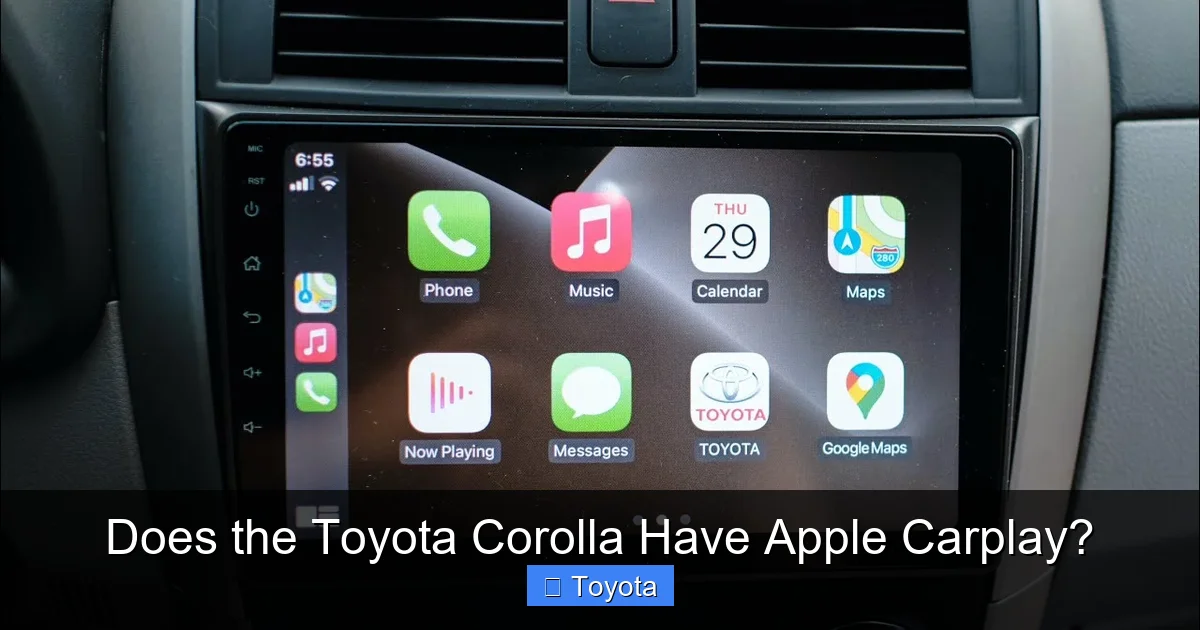
4. **Navigate to the CarPlay interface.** Once connected, the CarPlay home screen will appear on your car’s display. You can now access apps like Apple Maps, Music, Phone, Messages, and more.
5. **Use Siri for hands-free control.** Press and hold the voice command button on your steering wheel to activate Siri. You can ask for directions, send texts, or play music without touching your phone.
Tip: If CarPlay doesn’t appear, try unplugging and reconnecting the cable, or restart both your iPhone and the car’s infotainment system.
Wireless Apple CarPlay Setup (2022+ Models)
For Corolla models with wireless Apple CarPlay (typically XSE and Limited trims from 2022 onward), the process is even more convenient:
1. **Enable Bluetooth and Wi-Fi on your iPhone.** Both must be turned on for wireless CarPlay to work.
2. **Place your iPhone on the wireless charging pad (if equipped).** This helps maintain a strong connection and keeps your phone charged.
3. **Go to Settings > General > CarPlay on your iPhone.** Select your Corolla from the list of available vehicles.
4. **Follow the on-screen prompts.** You may need to confirm a pairing code on both your phone and the car’s display.
5. **Start driving.** Once paired, your iPhone will automatically connect to CarPlay whenever you enter the car (as long as Bluetooth and Wi-Fi are on).
Note: Wireless CarPlay uses more battery than wired, so keeping your phone on the charger is recommended during long drives.
What Can You Do with Apple CarPlay in the Corolla?
Visual guide about Does the Toyota Corolla Have Apple Carplay?
Image source: i.ytimg.com
Apple CarPlay transforms your Toyota Corolla’s infotainment system into a smart, iPhone-powered command center. It mirrors key functions of your iPhone on the car’s touchscreen, allowing you to stay connected while minimizing distractions.
Navigation and Maps
One of the most popular uses of Apple CarPlay is navigation. Apple Maps provides real-time traffic updates, turn-by-turn directions, and estimated arrival times. You can search for destinations using Siri or the touchscreen, and the system will guide you with clear visuals and voice prompts.
For example, if you say, “Hey Siri, take me to the nearest gas station,” CarPlay will instantly display nearby options and start navigation. You can also save frequent destinations like “Home” or “Work” for quick access.
Many users also prefer Google Maps or Waze, both of which are compatible with Apple CarPlay. Simply download the app on your iPhone, and it will appear in CarPlay once connected.
Music and Audio Streaming
Whether you’re a Spotify enthusiast, an Apple Music subscriber, or a podcast lover, Apple CarPlay lets you control your audio directly from the car’s screen. You can browse playlists, search for songs, or ask Siri to play your favorite station.
For instance, saying “Play my road trip playlist” will instantly start your curated mix. You can also adjust volume, skip tracks, or shuffle songs using the touchscreen or steering wheel controls.
Phone Calls and Messaging
Apple CarPlay supports hands-free calling and messaging. When a call comes in, you can answer or decline using the touchscreen or voice commands. For texts, Siri can read incoming messages aloud and let you reply with your voice.
For example, if you receive a message saying, “Running 10 minutes late,” you can respond by saying, “Tell them I’m on my way,” and Siri will send the reply. This keeps your focus on driving while staying in touch.
Third-Party App Support
In addition to Apple’s native apps, CarPlay supports a growing list of third-party apps, including:
– WhatsApp (for messaging)
– Audible (for audiobooks)
– Pandora, Amazon Music, and Deezer (for music)
– Google Maps and Waze (for navigation)
These apps appear on the CarPlay home screen once installed and enabled on your iPhone. However, not all apps are optimized for CarPlay, so functionality may vary.
Limitations and Considerations

Visual guide about Does the Toyota Corolla Have Apple Carplay?
Image source: i.ytimg.com
While Apple CarPlay is a fantastic feature, it’s not without limitations—especially in the Toyota Corolla.
No Android Auto on Most Models
One notable drawback is that Toyota has been slow to adopt Android Auto. As of 2024, most Corolla models do not support Android Auto, meaning Android users are left out unless they use alternative solutions like screen mirroring or aftermarket systems.
This can be a dealbreaker for households with both iPhone and Android users. If you’re an Android owner, you may need to rely on Bluetooth audio and manual navigation apps, which lack the integration and safety features of CarPlay.
Wired vs. Wireless Trade-Offs
Wired Apple CarPlay is reliable but requires you to plug in your phone every time. If you forget your cable or it breaks, you lose access. Wireless CarPlay is more convenient but can be slower to connect and may drain your battery faster.
Additionally, wireless CarPlay is only available on higher trims, which come at a higher price. If you’re on a budget, you may need to settle for the wired version.
Software Updates and Compatibility
Apple frequently updates CarPlay with new features and improvements. However, your Corolla’s infotainment system may not receive updates as quickly. This can lead to compatibility issues, especially after major iOS updates.
To avoid problems, keep both your iPhone and the car’s system updated. Check for software updates through the Toyota app or by visiting a dealership.
Tips for Getting the Most Out of Apple CarPlay
To maximize your Apple CarPlay experience in the Toyota Corolla, follow these practical tips:
– **Use a high-quality Lightning cable.** Cheap cables can cause connection issues or fail to charge your phone.
– **Enable “Do Not Disturb While Driving.”** This iOS feature silences notifications and sends automatic replies to messages, reducing distractions.
– **Customize your CarPlay home screen.** Rearrange app icons to prioritize frequently used apps like Maps or Music.
– **Keep your iPhone charged.** Especially with wireless CarPlay, battery drain can be significant. Use the car’s USB port or wireless charger.
– **Update regularly.** Check for iOS and infotainment system updates to ensure compatibility and access to new features.
– **Use Siri wisely.** Voice commands are safer than typing, so rely on Siri for navigation, messaging, and music control.
Conclusion
So, does the Toyota Corolla have Apple CarPlay? The answer is a resounding yes—for most models from 2019 onward. Whether you choose a budget-friendly LE or a feature-packed XSE, you’ll likely enjoy seamless iPhone integration that enhances safety, convenience, and entertainment.
From hands-free navigation to voice-controlled messaging, Apple CarPlay makes driving your Corolla smarter and more enjoyable. While wired connectivity is standard, wireless options on newer trims offer even greater convenience. Just remember to check your model year and trim level to ensure compatibility, and keep both your phone and car updated for the best experience.
If you’re in the market for a Corolla, prioritize 2019 or newer models to guarantee Apple CarPlay support. And if you already own one, take full advantage of this powerful feature to make every drive more connected and stress-free.
Frequently Asked Questions
Does the 2020 Toyota Corolla have Apple CarPlay?
Yes, the 2020 Toyota Corolla includes wired Apple CarPlay as standard on all trims, including the L, LE, SE, and XSE. You’ll need a Lightning cable to connect your iPhone.
Can I add Apple CarPlay to an older Toyota Corolla?
Apple CarPlay cannot be added to pre-2019 Corolla models through official Toyota updates. However, aftermarket infotainment systems with CarPlay support can be installed, though this may affect warranty and resale value.
Is wireless Apple CarPlay available on all Corolla trims?
No, wireless Apple CarPlay is only available on higher trims like the XSE and Limited starting in 2022. Most other trims require a wired connection.
Why isn’t Apple CarPlay working in my Corolla?
Common issues include a faulty cable, outdated iOS, or a need to restart the infotainment system. Ensure your iPhone is compatible and try reconnecting the cable or re-pairing wirelessly.
Can I use Google Maps with Apple CarPlay in the Corolla?
Yes, Google Maps is fully compatible with Apple CarPlay. Download the app on your iPhone, and it will appear in CarPlay once connected.
Does Apple CarPlay work with older iPhones?
Apple CarPlay requires iOS 7.1 or later, but for the best experience, use an iPhone 6s or newer with iOS 13 or later. Older devices may have limited functionality or performance issues.
