
What Is Mykey on a Ford F-150?

MyKey is Ford’s intelligent key system designed to promote safe driving habits, especially for new or young drivers. On the Ford F-150, it allows the administrator (usually a parent or fleet manager) to program a secondary key with specific restrictions like speed limits, audio volume caps, and mandatory seatbelt use. These settings help encourage responsible behavior behind the wheel while still allowing the vehicle to function normally for other drivers using the admin key.
So, you’ve got a Ford F-150. It’s a powerful, capable truck that can haul, tow, and tackle almost any job or adventure. But with great power comes great responsibility, especially if that truck is being driven by a new driver in your household or by multiple employees in your business. This is where a brilliant piece of Ford technology called MyKey comes into play. You might have seen the little key icon with a “MyKey” label on your key fob or heard the term at the dealership. But what exactly is MyKey on a Ford F-150, and more importantly, how can it work for you?
In the simplest terms, MyKey is Ford’s answer to a very common parental and fleet management concern: how do you encourage safe driving habits without constantly riding shotgun? It’s not a separate key with a chip that disables the engine. Instead, it’s a software-based feature built into your F-150’s onboard computer. You take one of your existing key fobs and, through a simple menu on your truck’s dashboard, designate it as a “MyKey.” Then, using your other, primary key (the “admin” key), you program a set of rules and restrictions that will automatically activate whenever the MyKey is used to start the truck. Think of it as a digital guardian angel for your pickup, enforcing rules you set the moment the engine turns over.
This system is incredibly clever because it leverages the truck’s own technology—its speed sensors, audio system, and seatbelt sensors—to create a customized driving environment. For a parent, it means you can set a 65 mph speed limit for your son or daughter’s first year of driving. For a small business owner, it might mean capping the audio volume to reduce distractions for delivery drivers. The goal isn’t to punish or cripple the vehicle; it’s to create a structured, lower-risk environment that helps new drivers build good habits that will last a lifetime. Let’s dive deep into everything MyKey on your Ford F-150, from setup to specific features, troubleshooting, and why it’s one of the most useful safety tools you’re probably not using enough.
Key Takeaways
- MyKey is a programmable safety feature: It lets an admin key holder set limits on a secondary key for a Ford F-150, such as maximum speed and audio volume.
- It’s designed for peace of mind: Primarily aimed at parents with teen drivers or businesses managing fleets to enforce safe driving policies.
- Settings are vehicle-specific and persistent: Once programmed, the restrictions remain active every time that specific MyKey is used to start the truck.
- It uses the vehicle’s existing systems: MyKey works with the F-150’s computer, speed control, and infotainment system to impose limits, not through separate hardware.
- An admin key is always required for changes: Only the primary, unrestricted key can program or erase MyKey settings, ensuring control stays with the owner/manager.
- MyKey provides clear warnings: The truck uses visual and audible alerts to remind the MyKey driver of active restrictions, like a speed limit chime.
- It can be temporarily overridden in emergencies: Features like traction control and the speed limiter can be overridden with full throttle in urgent situations for safety.
📑 Table of Contents
The Core Concept: How MyKey Works on Your F-150
Understanding MyKey starts with grasping its two-key system. Your Ford F-150 comes from the factory with at least two programmed key fobs. One of these will be your Administrator Key, often called the “admin key.” This is your master key—the one with no restrictions. The other can be programmed as a MyKey. The magic happens in the truck’s memory: when you insert the MyKey and start the truck, the vehicle’s computer recognizes that specific key’s unique ID and automatically applies the pre-set restrictions linked to it in the system.
The Admin Key vs. The MyKey: A Clear Division
The separation of duties between these two keys is fundamental. The admin key holds all the power. It is the only key that can:
- Access the MyKey programming menu in the truck’s settings.
- Change or erase existing MyKey settings.
- Start the vehicle without any of the MyKey restrictions active.
- Clear a MyKey (turning it back into a normal, unrestricted key).
This ensures that the person in charge—the parent, the vehicle owner, or the fleet supervisor—always retains ultimate control. The MyKey, once programmed, is a one-way street. It cannot change its own rules. It can only operate within the boundaries set by the admin. This design prevents a clever teen from trying to re-program their own key to remove the speed limiter; they’d need physical access to the admin key, which you, of course, keep secure.
Setting Up MyKey: A Step-by-Step Overview
Programming a MyKey on your F-150 is a straightforward process done entirely from the driver’s seat, but it does require your full attention. Here’s the basic flow:
- Start with the admin key: Insert your admin key and start the truck. Ensure all other keys are outside the vehicle.
- Navigate the menu: Use the steering wheel controls or the infotainment touchscreen to go to Settings > MyKey > Create MyKey.
- Confirm and program: The system will ask you to confirm. Once you do, it will prompt you to turn the truck off and remove the admin key.
- Insert the new key: Now, insert the key you want to program as the MyKey and start the truck. The system will recognize it and begin the programming sequence.
- Set the restrictions: The truck will guide you through the menu to select your desired settings (more on these in the next section). You’ll confirm each one.
- Save and finish: Once all settings are chosen, the MyKey is programmed. You’ll see a confirmation message. The truck may then prompt you to restart to apply all settings.
It’s crucial to do this when you have time to focus, as you’ll need to cycle the ignition and navigate menus. The system will also tell you how many keys are currently programmed as MyKeys, which helps you keep track.
The Heart of the System: What Can You Restrict with MyKey?
This is where MyKey transitions from a cool gadget to a genuinely powerful tool. Ford has thoughtfully selected a set of restrictions that address the most common high-risk behaviors for new or distracted drivers. On your F-150, you can program the following settings. Remember, these are all activated only when the MyKey is used to start the vehicle.
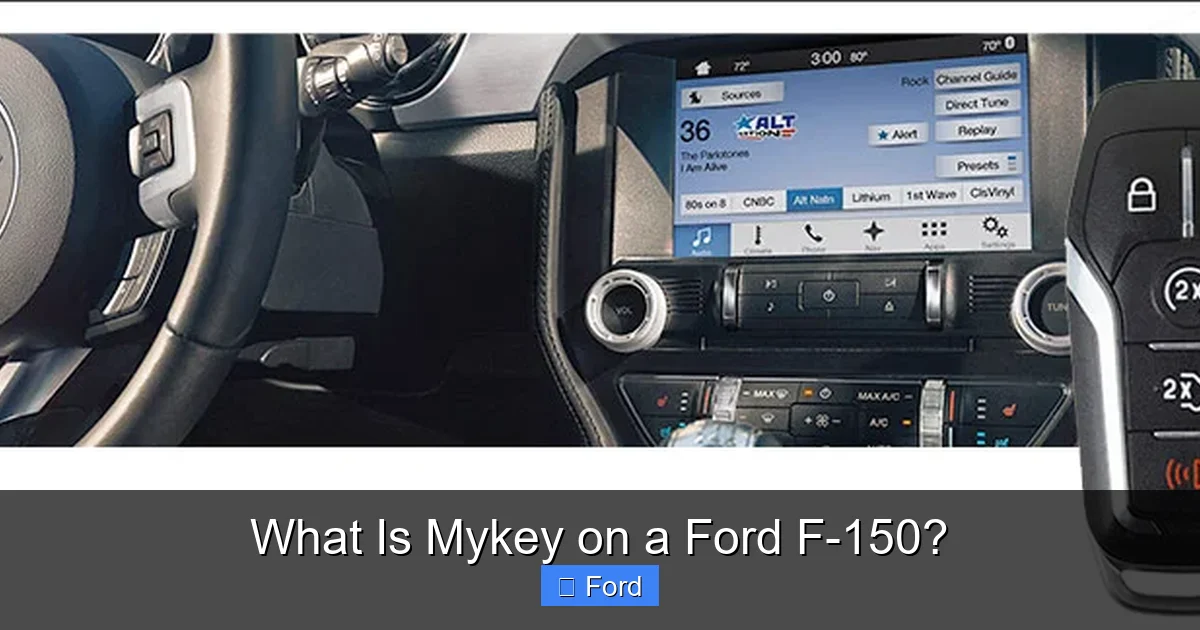
Visual guide about What Is Mykey on a Ford F-150?
Image source: herbchambers.s3.amazonaws.com
Speed Limiting: The Most Powerful Tool
This is the headline feature. You can set a maximum speed limit between 65 mph and 85 mph (the exact range may vary by model year and region). When the driver using the MyKey approaches this speed, the truck will not allow them to accelerate further. If they try, the accelerator pedal will become unresponsive, and a warning chime will sound in the cabin. This is a hard, non-overridable limit under normal driving conditions. It’s a profound physical barrier that a text message or “just this once” plea cannot bypass. For a teen on a highway or a driver on a long, monotonous stretch, this feature is a constant, reliable speed governor.
Audio Volume Limit: Silencing Distractions
We all know loud music or a blaring podcast can be a major cognitive distraction. With MyKey, you can set a maximum audio volume level. As soon as the MyKey driver tries to turn the volume past that preset point, the system will mute the sound. A message will appear on the screen saying something like “Volume Limited.” The driver can still listen to music, podcasts, or the radio, but it will be at a safe, pre-approved level that still allows for hearing outside noises like sirens or horns. You can set different limits for different MyKeys if you have multiple new drivers with different maturity levels.
Seatbelt Reminder: An Unignorable Prompt
The F-150’s standard seatbelt reminder chime is already persistent, but MyKey makes it even more assertive. When a MyKey is in use and the driver’s seatbelt is unbuckled, the warning message and chime will activate and cannot be silenced by any button press. In a standard truck, you can often turn off the chime after a few seconds by buckling and unbuckling or pressing a button. With MyKey, the system will keep reminding the driver until the belt is fastened. It also disables the ability to mute the audio system entirely until the driver’s seatbelt is buckled, creating a strong incentive to buckle up before hitting the road.
Early Low Fuel Warning: Preventing “Running on Empty”
Running out of gas is inconvenient and potentially dangerous. MyKey can give the MyKey driver an earlier, more frequent low-fuel warning. Instead of the standard warning that might come on at 50 miles to empty, the MyKey system can be set to activate the alert at a higher fuel level, say 75 miles to empty. This gives the driver more time and opportunity to find a gas station, preventing them from pushing their luck—a common habit among inexperienced drivers who misjudge range.
Programmable “Do Not Disturb” Mode
This is a fantastic feature for minimizing phone-related distractions. When enabled for a MyKey, it automatically blocks incoming text messages and sends automated replies (like “I’m driving, I’ll respond later”) while the vehicle is in motion. It can also silence other audible notifications from paired phones. This helps enforce a “no texting” policy without you having to constantly check. Note: the driver can still make and receive phone calls via Bluetooth, as that is generally considered a safer, hands-free activity.
Advanced Restraint System and Traction Control Can Be Disabled
This is a critical safety feature with a built-in safety net. You can program MyKey to prevent the driver from turning off advanced safety systems like the AdvanceTrac stability control and traction control system. In a normal F-150, a driver can press a button to disable these systems for specific situations like rocking a stuck truck. With MyKey active, that button press will have no effect; the systems will remain on, providing maximum electronic stability and traction assistance. However, Ford has engineered a crucial override: if the driver is at a complete stop and presses the accelerator pedal firmly to the floor (simulating an emergency maneuver), the system will temporarily disengage traction control to allow wheel spin for escape. This balances safety with the need for emergency mobility.
Who Benefits Most from Using MyKey?
While MyKey is a feature available to every F-150 owner, its value proposition is strongest for two specific groups: families with new drivers and business owners with vehicle fleets. Let’s explore why.
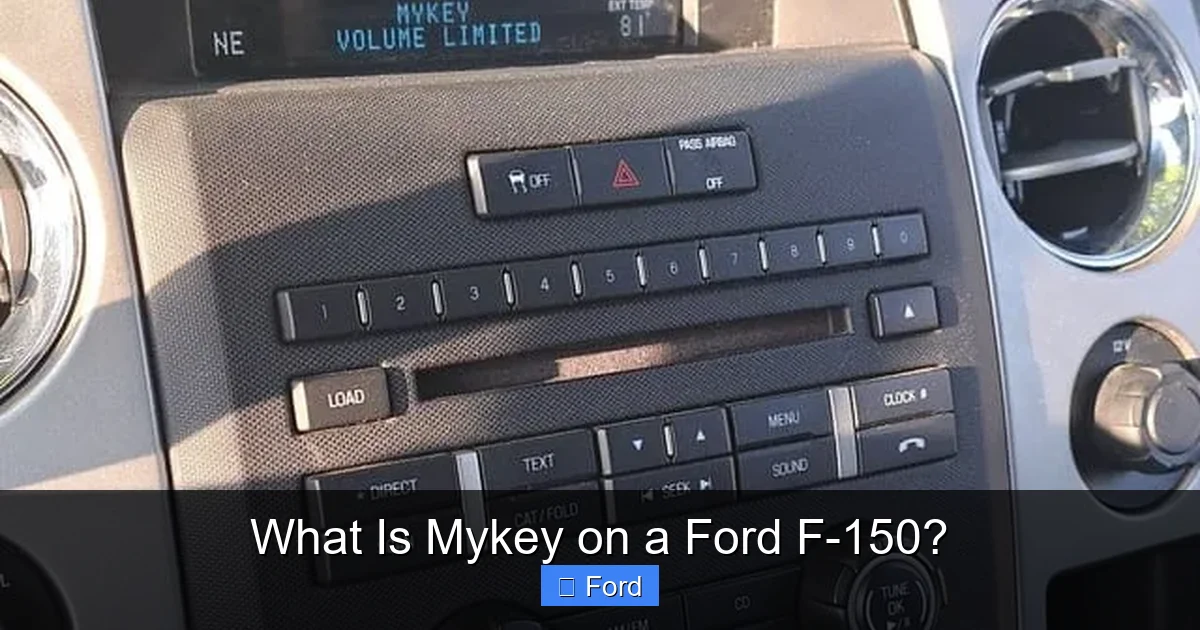
Visual guide about What Is Mykey on a Ford F-150?
Image source: roadmomentum.com
The Peace of Mind for Parents of Teen Drivers
Let’s be honest: handing the keys to a 16-year-old is one of the most nerve-wracking moments of parenthood. You’ve spent hours in the passenger seat teaching them to check mirrors, scan intersections, and maintain speed. But you can’t be there 24/7. MyKey acts as your digital extension. That speed limiter isn’t just about avoiding tickets; it’s about giving a new driver a massive margin of safety while they build experience. The brain of a teenager is still developing, particularly the parts responsible for risk assessment and impulse control. The audio volume limit and Do Not Disturb mode directly combat the siren call of a smartphone. The unignorable seatbelt reminder builds a lifelong habit. You are, in effect, programming the car to enforce the rules you’ve already discussed at home. It creates consistency. The teen learns that the car itself has boundaries, which can reduce arguments about “why can’t I go faster?” The answer becomes simple: “The truck won’t let me.” This shifts the dynamic from parent vs. child to a shared understanding that the rules are coming from the vehicle’s programming, making it less personal and more about safety.
A Fleet Manager’s Tool for Control and Cost Savings
For small businesses, tradespeople, or companies with a handful of service vehicles, MyKey is a stealthy but powerful management tool. When multiple employees use the same truck, you can’t monitor every trip. MyKey allows you to assign a specific key to a specific driver (or class of drivers) with restrictions tailored to your company’s safety policy and insurance requirements. The speed limiter can help reduce fuel consumption (aerodynamic drag increases exponentially with speed) and minimize wear-and-tear, directly impacting your bottom line. The audio limit promotes a professional, focused driving environment. The seatbelt policy enforcement can improve your company’s safety record and reduce liability. Furthermore, if a MyKey is lost, you simply program a new one with the same settings using your admin key—no need to re-key the entire ignition cylinder, which is a costly and time-consuming process. It’s an inexpensive, built-in fleet telematics-lite system.
MyKey vs. The Competition: A Quick Comparative Look
Ford wasn’t the first to market with a programmable key system, but MyKey has become a benchmark. Other manufacturers have their own versions, often with similar goals but different implementations. Understanding this landscape helps you appreciate what MyKey offers. For instance, some systems from other brands might integrate more deeply with telematics or offer geofencing (setting virtual boundaries). Ford’s approach is intentionally straightforward and robust, focusing on the core driver behaviors that lead to accidents. When comparing, you might look at features in other vehicles, like specific drive modes or safety buttons. For example, the functionality of a Super Track Pack button on a Dodge Charger is about unlocking performance, the absolute opposite of MyKey’s purpose. MyKey is about restriction for safety, not enhancement for performance. Similarly, understanding other systems’ limitations, like how a Trac system on a Toyota can be manually disabled, highlights MyKey’s ability to prevent that disablement for a MyKey driver. It’s a different philosophy: proactive limitation versus reactive driver control.
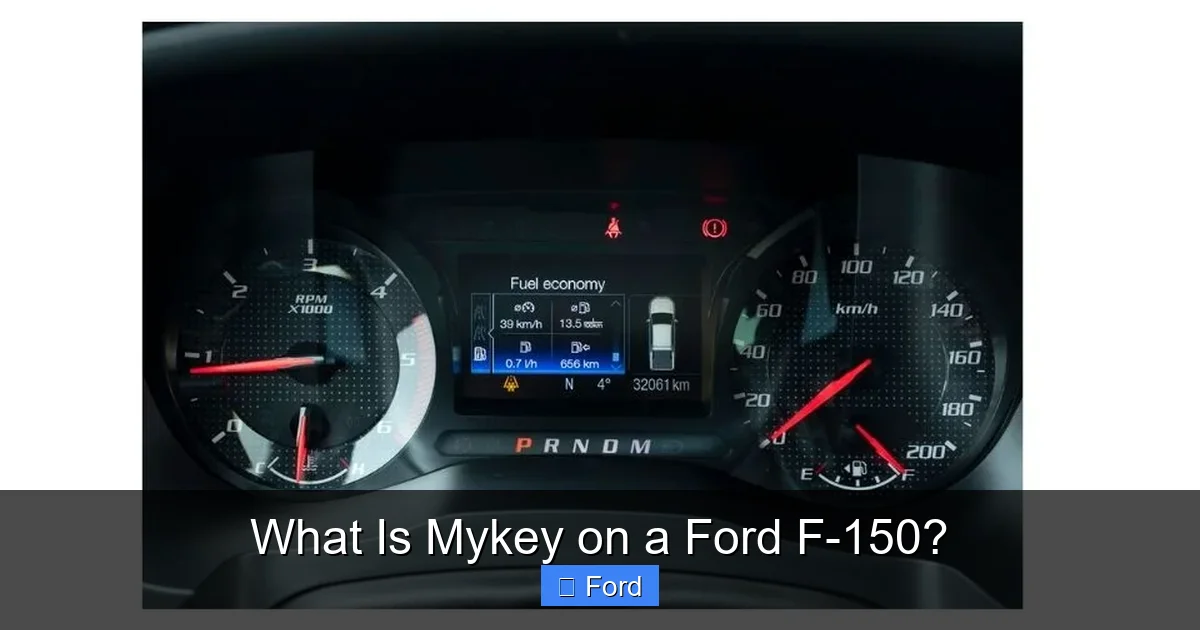
Visual guide about What Is Mykey on a Ford F-150?
Image source: f150advisor.com
Troubleshooting: Common MyKey Issues and Solutions
For all its brilliance, MyKey is a software system, and sometimes things don’t go as planned. Here are solutions to the most frequent hiccups F-150 owners encounter.
“MyKey Not Detected” or “MyKey Error” Messages
If your truck starts but immediately shows a warning that it can’t detect the MyKey, don’t panic. First, ensure you are using the correct key fob. The admin key will not trigger this error; it only appears when a MyKey is expected but not found. Check that the MyKey’s battery is good. A weak battery can sometimes cause communication issues. Try using the other MyKey if you have more than one programmed. If the problem persists, the MyKey may have become corrupted or unprogrammed. You’ll need to use your admin key to access the MyKey menu and either re-program that key or clear it and start fresh.
Settings Not Applying or Resetting
You painstakingly set a 70 mph limit, but the driver can still hit 80. Why? First, double-check that you used the MyKey to start the truck, not the admin key. This is the most common mistake. Second, ensure you saved the settings correctly in the programming menu. After setting all preferences, the system must be cycled (turned off and on) for all settings to fully engage. If settings still don’t stick, there may be an engine control module (PCM) issue, and a dealership may need to reflash the vehicle’s software.
Losing the Admin Key
This is a worst-case scenario. If you lose the sole admin key for your F-150, you effectively lose the ability to manage MyKeys. You cannot program new MyKeys, change settings, or erase existing MyKeys without it. The existing MyKeys will continue to operate with their last programmed settings, but you have no control. The solution requires a visit to the dealership. They will need to verify ownership and will likely have to replace and program an entirely new set of keys, which is an expensive process. Moral of the story: Keep your admin key(s) in a very secure, known location. Consider having two admin keys programmed from the start for redundancy.
MyKey Driver Can Still Exceed Speed Limit
Remember the emergency override? If a driver is traveling at or near the MyKey speed limit and they press the accelerator pedal firmly to the floor (typically 100% pedal travel), the truck will allow a brief burst of extra speed to complete a passing maneuver or avoid an obstacle. This is a safety feature. If the truck is consistently exceeding the limit under normal acceleration, the MyKey settings may not have been saved correctly, or there is a fault in the speed limiting system that requires diagnostic attention.
Conclusion: Is MyKey Right for You and Your F-150?
At the end of the day, MyKey on the Ford F-150 is a profoundly simple yet effective piece of behavioral technology. It doesn’t rely on nagging texts or constant supervision. It works silently and automatically in the background, using the truck’s own mechanical and electronic systems to create a safer driving envelope. For parents, it’s an investment in their child’s driving future and a massive reduction in daily anxiety. For businesses, it’s a low-cost tool for policy enforcement, risk mitigation, and asset protection.
The beauty of MyKey is its transparency. The driver knows exactly what the rules are—the speed limit is displayed on the dashboard, the volume stops at a certain point, and the seatbelt reminder is impossible to ignore. There’s no mystery, no feeling of being “spied on.” It’s just the truck operating as programmed. In a world of increasingly complex infotainment and driver-assist systems, MyKey stands out as a user-friendly, impactful feature that directly addresses the human element of driving safety. If your F-150 has this capability (it’s standard on most models from the late 2000s onward), taking 15 minutes to set it up is one of the most responsible things you can do with your vehicle. It transforms your powerful pickup from a potential instrument of risk into a guided learning platform, ensuring that the person behind the wheel develops skills and habits that will keep them—and everyone else on the road—safer for years to come.
Frequently Asked Questions
Can I have more than one MyKey programmed for my F-150?
Yes, you can program multiple MyKeys. The system allows you to create several restricted keys, each with its own settings (like different speed limits). You use the single admin key to program each new MyKey. This is useful for families with multiple teen drivers or fleets with several employee drivers.
Will MyKey affect my truck’s performance or towing capacity?
No. MyKey’s speed limiter only activates once the programmed maximum speed is reached. It does not restrict engine power or torque below that speed. Your F-150 will accelerate, tow, and haul normally up to the set limit. The traction control disable feature only prevents the driver from manually turning the system off; it does not reduce its effectiveness when active.
Can the MyKey driver override the speed limiter in an emergency?
Yes, but only in a specific way. If the driver is at the MyKey speed limit and needs to accelerate urgently (for a passing maneuver or to avoid a collision), pressing the accelerator pedal firmly to the floor will temporarily override the limiter, allowing the vehicle to exceed the set speed. This is a deliberate safety override to prevent the system from creating a hazard.
Does MyKey work with remote start?
Yes, but with a condition. If the truck is remote-started with a MyKey, it will operate normally. However, once the MyKey driver gets in and presses the brake pedal to shift out of park (the normal procedure), the MyKey restrictions will activate. The system is designed to recognize the MyKey’s presence and apply limits once the driver takes control.
What happens if I sell my F-150? Do I need to clear MyKey?
It’s highly recommended. Before selling or trading in your truck, you should use your admin key to access the MyKey menu and select “Clear All MyKeys.” This erases all programmed MyKey data and returns all keys to standard, unrestricted status. This protects your privacy (as MyKey settings are linked to your driving habits) and ensures the new owner starts with a clean slate.
Can I change MyKey settings without the admin key present?
No. This is the core security of the system. To access the MyKey programming menu, change a speed limit, adjust volume settings, or erase a MyKey, the truck must be started with the administrator key. The MyKey itself has no authority to make changes, ensuring the person in charge retains total control.
