How to Check the Bsd System on Hyundai

Your Hyundai’s Blind Spot Detection (BSD) system is a critical safety feature that alerts you to vehicles in your blind spots. Checking it regularly ensures it functions correctly when you need it most. This guide covers manual visual inspections, using basic diagnostic tools, interpreting warning lights, and simple maintenance steps. If the system malfunctions, understanding the basics can save you time and money before visiting a mechanic.
Key Takeaways
- BSD is a radar-based safety system: It uses sensors, typically in the rear bumper, to detect vehicles in adjacent lanes and provides visual/audible alerts.
- You can perform basic manual checks: Start with a visual inspection of sensors for dirt, damage, or obstructions, and test the indicator lights on the side mirrors.
- An OBD2 scanner is key for diagnostics: A basic scanner can read BSD-related trouble codes, pointing you toward the specific problem area.
- Common triggers include dirty sensors or misalignment: Often, a simple cleaning or recalibration after a bumper repair resolves the issue.
- System disablement is sometimes possible: BSD can usually be turned off via vehicle settings, but persistent warnings indicate a fault needing repair.
- Professional help is needed for complex issues: Sensor replacement or system recalibration often requires specialized tools and expertise.
- Hyundai and Kia share platform technology: Troubleshooting steps for a Kia’s BSD system are often identical for a Hyundai, as covered in our related guides.
📑 Table of Contents
- Introduction: Your Invisible Co-Pilot for Lane Changes
- Understanding Your Hyundai’s BSD System: How It Works
- Performing a Manual Visual and Functional Check
- Using Diagnostic Tools to Read BSD Trouble Codes
- Common BSD System Issues and Their Likely Causes
- When to Seek Professional Help: Calibration and Complex Repairs
- BSD System Maintenance and Best Practices
- Conclusion: Staying Safe with a Functional BSD
Introduction: Your Invisible Co-Pilot for Lane Changes
Changing lanes on a busy highway is one of the most routine yet riskiest maneuvers you perform while driving. You check your mirrors, you glance over your shoulder, but that tiny slice of road just beyond your peripheral vision—your blind spot—remains a potential hazard. This is where your Hyundai’s Blind Spot Detection (BSD) system comes into play. It’s not just a convenience feature; it’s a vital electronic co-pilot designed to monitor those hidden zones and alert you to unseen vehicles, significantly reducing the risk of a side-impact collision.
However, like any technology, the BSD system can develop faults. A dirty sensor, a loose connection, or a minor collision can trigger a warning light on your dashboard or cause the system to stop functioning. Knowing how to perform a basic check of your Hyundai’s BSD system empowers you as a vehicle owner. It helps you distinguish between a simple fix you can handle and a problem that requires a professional technician. This comprehensive guide will walk you through everything from understanding how BSD works to performing manual inspections and using diagnostic tools, ensuring your safety net is always intact.
Understanding Your Hyundai’s BSD System: How It Works
The Technology Behind the Alert
Before you can check the system, you need to understand what you’re looking at. Hyundai’s BSD system primarily uses radar-based sensors. These are typically embedded in the rear bumper, often on both the driver and passenger sides. The sensors emit radio waves that bounce off approaching vehicles in adjacent lanes. When a vehicle is detected within a preset range and closing speed, the system activates.

Visual guide about How to Check the Bsd System on Hyundai
Image source: cdn.cartipsdaily.com
The alert is usually two-fold. First, a small amber or orange icon, resembling a car seen from behind with radiating lines, illuminates in the corresponding side mirror or on the A-pillar. This is your visual cue. If you activate your turn signal to change lanes while a vehicle is in your blind spot, many systems will also emit a audible beeping or chime to provide an urgent, secondary warning. Some newer Hyundai models integrate this with the Rear Cross-Traffic Alert (RCTA), which uses the same sensors to warn you of traffic when backing out of a parking spot.
System Components and Their Roles
A fully functional BSD system relies on several key components working in harmony:
- Radar Sensors: The eyes of the system. They are housed in the rear bumper cover and are susceptible to damage from minor bumps and dirt accumulation.
- Control Module: The brain. It processes the raw data from the sensors, determines if a vehicle is a legitimate threat, and commands the alerts.
- Warning Indicators: The communication tools. These are the lights in your mirrors or on the dash.
- Wiring Harness: The nervous system. Connects the sensors to the control module. Connectors can corrode or wires can be damaged.
- Instrument Cluster Display: The message center. It will display a warning message like “Check BSD System” or show a persistent icon if a fault is detected.
Any failure within this chain can deactivate the system and trigger a warning. Your check process will involve inspecting each of these areas logically.
Performing a Manual Visual and Functional Check
Before you break out any tools, the most important check is a thorough visual and functional inspection. Many BSD issues are resolved not with a computer, but with a rag and some water.

Visual guide about How to Check the Bsd System on Hyundai
Image source: cdn.cartipsdaily.com
Step 1: The Dashboard Warning Light Check
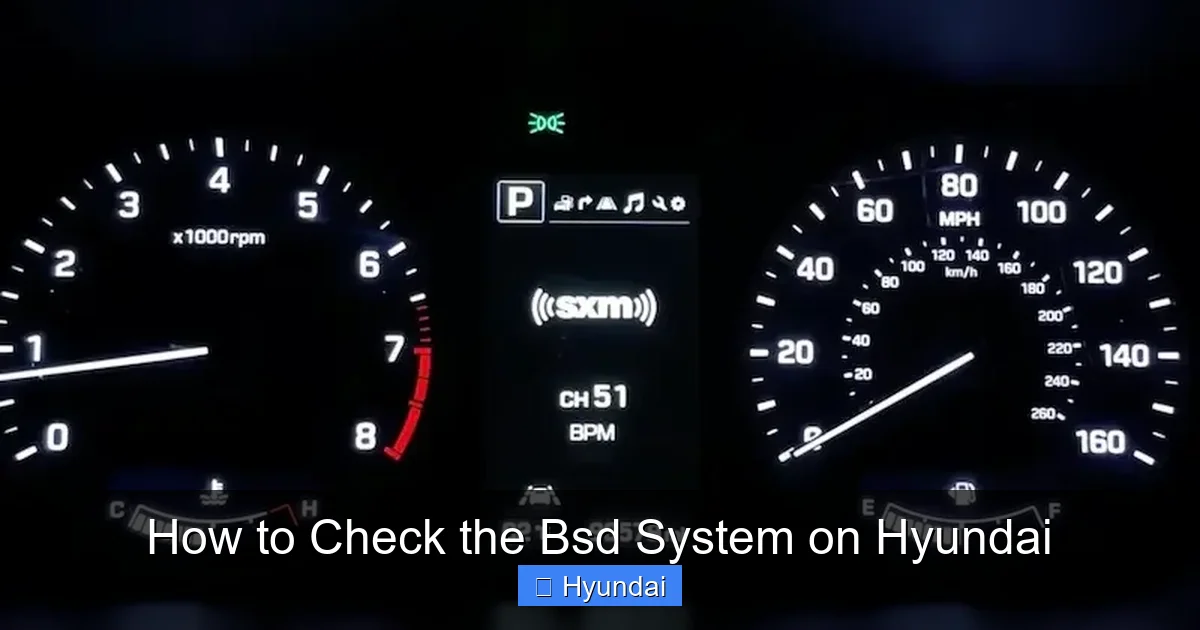
Start with your ignition. Turn your Hyundai to the “ON” position (all dash lights on, engine off). Look at your instrument cluster. You should see the BSD icon (a car with lines) illuminate briefly along with other tell-tale lights as a self-test. This bulb check confirms the indicator circuit is working. If the BSD light stays on solid after startup, or comes on while driving, the system has logged a fault and deactivated itself. This is your first clue that something is wrong.
Step 2: Physical Sensor Inspection
This is the most critical and often-neglected step. You need to access the rear bumper.
- Safety First: Park on a level surface, engage the parking brake, and ensure the vehicle is off.
- Locate the Sensors: Look at your rear bumper. You’ll typically see two small, rectangular, dark plastic covers (often black or dark gray) on the inner sides of the bumper, near the wheel wells. They are usually about the size of a deck of cards. Consult your owner’s manual for the exact location on your specific model year.
- Clean Thoroughly: Use a gentle car shampoo and a soft microfiber cloth to clean the area around the sensors. Remove all mud, road salt, bird droppings, and bug splatter. Avoid using high-pressure washers directly on the sensor covers, as this can force water into the connector and cause corrosion. A gentle spray is fine.
- Inspect for Damage: Once clean, closely examine the sensor covers. Look for cracks, deep scratches, or any signs of impact damage. A cracked cover can allow moisture ingress, shorting the sensor. Also, check the bumper itself for any misalignment. If the bumper was replaced or realigned after an accident, the sensors may no longer be pointing in the correct direction, rendering them ineffective.
Step 3: Functional Road Test
After cleaning and inspecting, take the car for a short, safe drive on a multi-lane road.
- Find a Test Scenario: Ideally, have a friend drive another car. On a quiet, straight stretch, have them drive in the lane next to you at a steady speed.
- Activate the System: As their car drifts into your blind spot zone (the area just behind and beside your vehicle), watch the corresponding indicator light in your side mirror. It should illuminate solidly.
- Test the Escalation: While their car is in your blind spot, activate your turn signal. The light should begin to flash, and you should hear an audible chime. This confirms the escalation logic is working.
- Test RCTA if Equipped: If your Hyundai has Rear Cross-Traffic Alert, find an empty parking lot. Back out of a parking spot slowly while watching the sides. Have a person walk behind you from either side. The system should flash the BSD icons and sound an alert.
If the lights do not activate during this controlled test, or if the warning light on the dash is on, you have a confirmed fault that needs deeper diagnosis.
Using Diagnostic Tools to Read BSD Trouble Codes
A manual check rules out the simple stuff. If the problem persists, you need to read the system’s memory. The BSD system, like your engine, logs Diagnostic Trouble Codes (DTCs) when it detects a malfunction.
Visual guide about How to Check the Bsd System on Hyundai
Image source: cdn.cartipsdaily.com
Choosing the Right Scanner
Not all OBD2 scanners are created equal. A basic “code reader” that only reads engine codes (P-codes) will not access the BSD system. You need a scanner that can communicate with the vehicle’s Advanced Driver Assistance Systems (ADAS).
- Entry-Level ADAS Scanners: Tools like the Autel MaxiCOM MK808 or Launch X431 series can access BSD and other ADAS modules on most Hyundai models from the 2010s onward.
- Professional-Grade Tools: Dealerships and advanced shops use systems like Hyundai’s own GDS (Global Diagnostic System) or high-end Snap-on tools.
- Smartphone Adapters: Some apps (like Torque Pro) with a Bluetooth OBD2 adapter can read basic codes, but their ability to access proprietary ADAS modules like BSD is very limited and often unreliable.
For a DIYer, investing in or borrowing a mid-to-high-level ADAS-capable scanner is the most practical way to get specific BSD fault codes.
The Diagnostic Process
Once you have a compatible scanner:
- Connect: Plug the scanner into the OBD2 port, usually under the dashboard near the driver’s knee.
- Select Vehicle: Choose Hyundai and your specific model/year.
- Navigate to ADAS/BSD: Instead of “Engine” or “Powertrain,” look for menus labeled “ADAS,” “Driver Assistance,” “Blind Spot,” or “Radar.”
- Read Codes: Select “Read DTCs.” The scanner will display codes like “C1567 – Left Rear Radar Sensor Communication Error” or “C1570 – BSD System Malfunction.” These codes are your roadmap. They tell you if the fault is with the left sensor, right sensor, the control module, or the wiring to a specific side.
- Clear Codes (After Fix):strong> Once you’ve addressed the issue (e.g., cleaned a connector, replaced a sensor), you can use the scanner to clear the codes. The system will then run its self-test and, if no faults are found, the warning light should go off.
Note: If you get codes related to calibration, this means the sensor’s alignment has been thrown off, often after a bumper repair. This requires a professional calibration procedure using specialized targets and tools.
Common BSD System Issues and Their Likely Causes
Based on common technician reports and owner forums, here are the frequent culprits behind a “Check BSD System” warning on a Hyundai.
1. Dirty or Obstructed Sensors
This is the number one cause. The rear bumper is a magnet for dirt, snow, ice, and mud. A thick layer of grime can completely block the radar waves. Aftermarket bumper guards or even a poorly installed trailer hitch can also obstruct the sensor’s field of view. Solution: Thoroughly clean the sensor area as described in the manual check section.
2. Damaged or Misaligned Sensors
A minor bump against a parking curb or another car’s corner can crack the plastic sensor cover or knock the sensor out of its precise factory alignment. The system may still “see” the sensor but get erroneous data, triggering a fault. Solution: Inspect for physical damage. Misalignment requires professional recalibration. Sensor replacement is needed for cracks.
3. Wiring Harness and Connector Issues
The wiring runs from the sensors along the inside of the rear bumper and up into the trunk. These wires can be pinched or chafed, especially if the bumper has been removed. The connectors themselves can corrode due to water intrusion. A “communication error” code almost always points here. Solution: Visually inspect wiring in the trunk and along the bumper for damage. Check connectors for corrosion; clean with contact cleaner if needed.
4. Software Glitches or Module Failures
Sometimes, the control module itself can have a software hiccup. A simple battery disconnect (negative terminal for 10 minutes) can sometimes reset the system. However, a failed module is rare but possible. Solution: Try a battery reset first. If the light returns immediately, the module may need to be reprogrammed or replaced by a dealer.
5. Interference from Aftermarket Accessories
Large metal bike racks, cargo carriers, or even certain types of trailer hitches mounted directly in the sensor’s path can block or reflect radar signals, confusing the system. Solution: Remove the accessory and see if the system returns to normal. Hyundai specifies clear zones around the bumper for BSD operation.
Important Related Insight: Hyundai and Kia are sister companies with extensive parts and platform sharing. The BSD systems in vehicles like the Hyundai Sonata and Kia Optima are often identical. Therefore, troubleshooting procedures and common failure points are directly transferable. If you’re researching fixes for your Hyundai, guides on how to fix the BSD system on a Kia Optima will provide highly relevant, step-by-step information for your Hyundai.
When to Seek Professional Help: Calibration and Complex Repairs
Your DIY check may reveal a problem you cannot fix yourself. Here are the scenarios that require a professional technician, typically at a Hyundai dealer or a well-equipped independent shop specializing in ADAS.
ADAS Calibration After Bumper Work
This is the most common professional service related to BSD. Any time the rear bumper is removed, the sensors are disconnected, or a sensor is replaced, a calibration is mandatory. This process uses a specialized calibration target (a specific pattern board) placed at a precise distance and angle in front of the vehicle. The scanner tool then instructs the sensors to “learn” their correct alignment. Without this, the system will not function correctly, even with new, clean sensors. Attempting a DIY calibration without the proper tools and targets is impossible.
Control Module Replacement and Programming
If diagnostic codes point to a faulty BSD control module, it must be replaced. The new module is not a simple plug-and-play part. It must be programmed or “paired” with your specific vehicle’s VIN using the dealer’s GDS system. This ensures it communicates correctly with the other vehicle modules.
Persistent Communication Errors
If you have codes indicating the scanner cannot communicate with a sensor, and you’ve verified the wiring harness is intact and connectors are clean, the fault may be internal to the sensor itself. Sensor replacement is straightforward but requires careful installation and subsequent calibration.
BSD System Maintenance and Best Practices
Preventative care is the best way to avoid BSD warnings and ensure your system is ready when you need it.
Regular Cleaning as Part of Your Wash Routine
Make cleaning the rear bumper sensor area a standard part of your car wash. Use a soft brush and soapy water to gently dislodge caked-on debris. Avoid abrasive scrubbing. During winter, rinse off road salt immediately after driving, as it is particularly corrosive and can damage sensor coatings and connectors.
Be Mindful After Rear-End or Bumper Impacts
Even a minor bump that doesn’t leave a visible dent can misalign sensors. If you have any kind of contact with the rear bumper area, it’s wise to have the BSD system checked by a professional, even if no warning light is on immediately. They can perform a diagnostic scan to ensure all sensors are communicating and aligned.
Understand System Limitations
BSD is an aid, not a replacement for safe driving. It may not detect motorcycles, small vehicles, or objects moving at vastly different speeds. It can be impaired by heavy rain, snow, or fog. Always perform the traditional shoulder check before committing to a lane change. Knowing the system’s limits prevents over-reliance and keeps you safe.
Address Warning Lights Immediately
Do not ignore a “Check BSD System” message. The system has deactivated itself for a reason. Driving with a non-functional BSD system means you’ve lost that layer of protection. Get it diagnosed and repaired promptly. While you’re researching fixes, you might also find useful information on maintaining other vehicle systems, such as how to check tire pressure on a Honda Civic, which is another critical safety check.
Conclusion: Staying Safe with a Functional BSD
Your Hyundai’s Blind Spot Detection system is a sophisticated piece of safety technology designed to make lane changes safer and less stressful. Checking it doesn’t require a mechanic’s expertise every time. By incorporating simple, regular visual inspections of the rear bumper sensors into your car care routine, you can catch the most common problem—dirt and obstruction—before it triggers a warning.
When a warning does appear, a systematic approach works best: start with the manual clean and inspection, then use a capable diagnostic scanner to read the specific trouble codes. These codes will tell you if you’re looking at a simple fix, a necessary calibration, or a component replacement that needs professional hands. Remember that for Hyundai, much of the BSD technology is shared with Kia vehicles, meaning repair guides and common issues are often identical. By understanding your system and performing these basic checks, you ensure that your invisible co-pilot is always watching your back, providing that crucial extra margin of safety on every journey.
Frequently Asked Questions
What does a “Check BSD System” warning mean on my Hyundai?
This warning means the car’s computer has detected a fault in the Blind Spot Detection system and has deactivated it for safety. The cause ranges from a dirty sensor to a damaged wiring harness or a failed sensor module.
Can I disable the BSD system on my Hyundai?
Yes, most Hyundais allow you to temporarily disable BSD through the vehicle settings menu on the infotainment screen or via a button on the steering wheel. However, if the system is disabled due to a fault, the warning light will remain on until the underlying issue is repaired and the codes are cleared.
Will a car wash or rain affect my BSD sensors?
Normal rain and car washes should not affect the sensors, as they are designed to be weatherproof. However, high-pressure washers aimed directly at the sensor covers for extended periods can potentially force water into connectors. The bigger issue is dirt, mud, and snow buildup that physically blocks the radar waves.
How often should I check my BSD system?
There’s no set service interval. It’s best to perform a quick visual check of the sensor areas during every regular car wash. If the warning light illuminates, you should investigate immediately.
Can I replace a faulty BSD sensor myself?
Physically removing and installing a new sensor is possible for a skilled DIYer, but it is not recommended for beginners. The sensor must be perfectly positioned. After replacement, a professional calibration using specialized equipment is absolutely required for the system to function. Skipping calibration will render the new sensor useless.
Is it safe to drive with a non-functional BSD system?
Yes, it is safe to drive the vehicle, but you have lost an important safety aid. You must rely solely on your mirrors and physical shoulder checks for lane changes. You should have the system diagnosed and repaired as soon as possible to restore this layer of protection.