Why Is My Mazda Beeping?

Your Mazda’s beeping is its way of talking to you—it’s a critical safety and maintenance communication system. These audible alerts range from simple reminders like an unfastened seat belt to serious warnings about engine or brake system faults. Never ignore a persistent or unusual beep pattern; quickly identifying the sound and its trigger is key to preventing damage and ensuring your safety on the road. This guide decodes every possible Mazda beep for 2024-2026 models.
That random, repetitive beeping from your dashboard isn’t your Mazda trying to annoy you—it’s literally talking to you. In the sophisticated world of modern Mazda vehicles, every chime, buzz, and beep is a carefully engineered signal with a specific meaning. Think of it as your car’s vocal cords, designed to get your attention for everything from a forgotten seat belt to a potentially catastrophic engine failure. Ignoring these sounds is like ignoring someone tapping your shoulder in an emergency; it’s a risk you don’t want to take. This comprehensive guide will transform you from a confused listener into a fluent interpreter of your Mazda’s audible language, covering every common beep scenario for 2024 through 2026 models.
Key Takeaways
- Beeps are your car’s voice: Mazda uses distinct audible tones for different alerts. Learning these patterns is like learning a new language for your vehicle’s health.
- Safety alerts are non-negotiable: Sounds for airbags, collision warnings, or brake failures require immediate, safe attention and often a professional diagnostic.
- Simple fixes solve most “nuisance” beeps: Issues like a latched seat belt, a key fob left in the car, or a low tire are often resolved in under a minute by the driver.
- Model and year matter: A beep in a 2024 CX-50 might mean something different than in a 2026 MX-5 due to evolving software and feature sets.
- Don’t guess, diagnose: Use the instrument cluster messages, your owner’s manual, or a professional scan tool to get the exact error code behind the beep.
- Some beeps can be customized: Features like Blind Spot Monitoring volume or chime timing for the Mazda Connect system can often be adjusted via the vehicle settings menu.
📑 Table of Contents
- Understanding Your Mazda’s Audible Language
- Safety First: Critical Alerts You Must Not Ignore
- Operational Beeps: Daily Driving Reminders
- Maintenance and System Warnings
- Technology and Infotainment Alerts
- Model-Specific Beeping Patterns (2024-2026)
- DIY Troubleshooting: When to Fix It Yourself vs. Visit a Pro
- Conclusion
Understanding Your Mazda’s Audible Language
Before we dive into specific sounds, it helps to understand the philosophy behind Mazda’s alert system. The goal is urgency without panic. A short, single beep is often a gentle reminder. A rapid, repeating series of beeps signals an immediate action is needed. A continuous, solid tone usually indicates a critical, active problem. Mazda engineers these sounds to be distinct enough to be recognizable even when you’re focused on driving. Your owner’s manual is the primary dictionary for this language, but we’re going to give you the cheat sheet right here.
The source of the beep is your first clue. Is it coming from the dashboard speaker? The door panel? The rear of the vehicle? This immediately narrows down the system involved—instrument cluster, door ajar sensor, or parking sensors. Furthermore, the timing is crucial. Does it happen when you start the car? When you turn it off? When you exceed a certain speed? When you shift into reverse? These contexts are the sentences that give the beep its full meaning.
The Evolution of Beeps: From Simple Buzzers to Smart Alerts
In older Mazdas, a beep was often a simple buzzer tied to a switch. Today, with the integration of the Mazda Connect infotainment system and a web of sensors, beeps are part of a networked conversation. Your car’s computer (ECU) might trigger a beep because a sensor told it something is wrong, and that information is also displayed on your center screen. For instance, the “Smart City Brake Support” (SCBS) activation is often accompanied by a beep and a visual icon. This multi-sensory approach ensures the message gets through. As we move into 2026 models, expect even more nuanced sounds, possibly with different pitches for different levels of urgency within the same system, like varying beeps for different distances detected by the 360-degree parking camera.
Safety First: Critical Alerts You Must Not Ignore
This is the most important category. These beeps are your car’s way of shouting “DANGER!” They should never be dismissed or permanently disabled. Addressing these immediately is about protecting yourself, your passengers, and other road users.
Visual guide about Why Is My Mazda Beeping?
Image source: jordistireshop.com
Airbag System (SRS) Warning Beep
The Sound: A series of rapid, loud beeps (often 5-6) that sounds immediately after starting the engine and continues for 10-15 seconds, or a single beep that repeats every time you start the car.
The Meaning: This is your Supplemental Restraint System (SRS) warning. The computer has detected a fault in the airbag circuit, a sensor, or the system’s ability to deploy. It means in a collision, the airbags may not function as intended.
What To Do: Do not drive the car. Have it towed to a certified Mazda dealer or a specialized auto electrician immediately. This requires a professional diagnostic scan tool to read the specific SRS fault code. Common causes include a faulty clock spring in the steering wheel, a damaged impact sensor, or a problem with a seat occupancy sensor.
Brake System Warnings
There are two primary brake-related beeps, and both are serious.
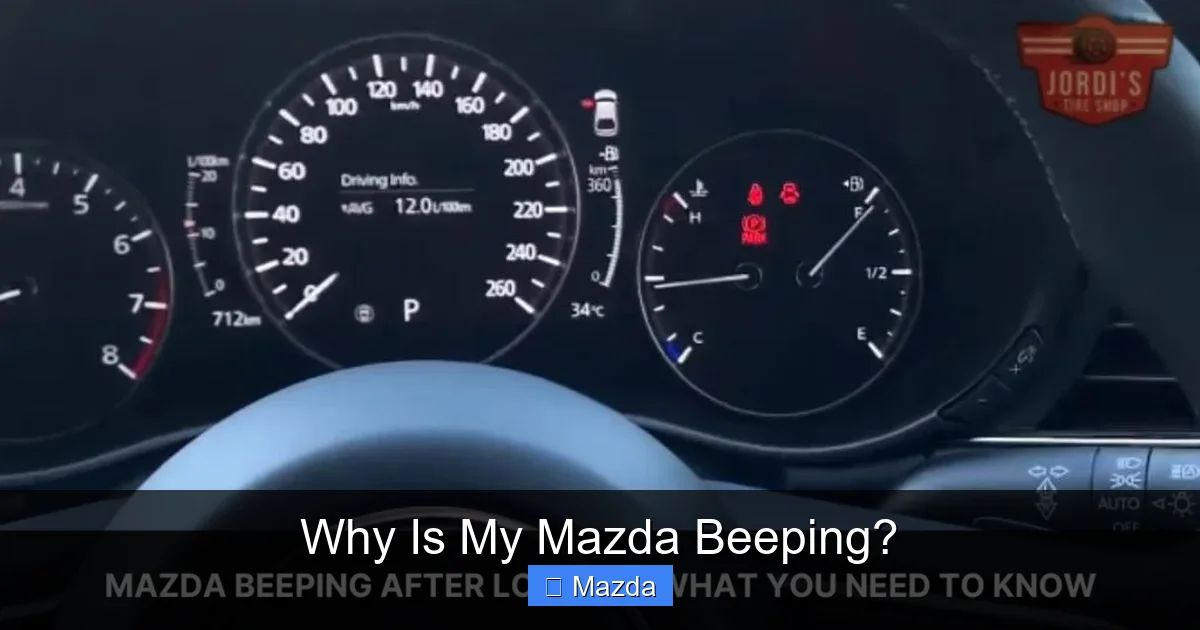
- The Parking Brake Beep: A steady, repeating beep (often paired with a “BRAKE” or “P” light on the dash) that sounds when you begin to drive with the parking brake engaged. This is a loud, insistent reminder. Simply lower the parking brake fully.
- The Brake Fluid / Wear Beep: A higher-pitched, intermittent beep that occurs while driving, often accompanied by a brake warning light (usually red or amber). This can signal critically low brake fluid (from a leak) or that the brake pads have worn down to their minimum thickness sensor. Pull over safely and call for assistance. Driving with compromised brakes is extremely dangerous.
Collision Mitigation Beeps (Smart City Brake Support / Mazda Radar Cruise Control)
The Sound: A rapid, escalating series of beeps that increases in frequency as a potential collision is detected. It’s often described as a “beep-beep-beep-beep” that gets faster.
The Meaning: Your forward-facing camera and/or radar sensor has determined an imminent frontal impact. This is the pre-crash alert. If you don’t react, the system may automatically apply the brakes.
What To Do: Immediately take your foot off the accelerator and prepare to brake firmly. Check your windshield for dirt, bugs, or snow that might be obscuring the camera lens near the rearview mirror. A malfunction in this system will typically illuminate a warning light (like a car with a star or “FCW” symbol) and require a sensor calibration at a dealer.
Operational Beeps: Daily Driving Reminders
These are the most common beeps you’ll encounter. They’re designed to make your routine driving smoother and safer, but they can become annoying if you don’t understand their trigger.
Visual guide about Why Is My Mazda Beeping?
Image source: jordistireshop.com
The Key Fob / Keyless Entry Family
Mazda’s keyless entry and push-button start system is a source of several familiar beeps.
- Inside Car Beep (When Exiting): A single, short beep when you open the driver’s door after turning off the engine, with the key fob still inside the vehicle. This is your “Don’t forget your keys!” alert. It’s a feature, not a bug! If you find it annoying, you can often disable it via the Mazda Connect settings menu under “Convenience” or “Door Locks.”
- Double Beep on Lock: When you lock the doors with the key fob, you usually hear a single beep and see the lights flash. A double beep indicates one or more doors, the trunk, or the hood are not fully latched. The car is telling you it couldn’t secure everything.
- Beep on Engine Start/Stop: If you press the START/STOP button without pressing the brake pedal (or clutch in a manual), you’ll hear a series of beeps and nothing will happen. This is a safety interlock. Also, if you try to start the car with a low or dead key fob battery, you’ll get a warning beep. Replacing the CR2025 coin cell in the fob usually solves it.
Blind Spot Monitoring (BSM) and Rear Cross Traffic Alert (RCTA)
The Sound: A distinct, solid “beep-beep” (usually from the speaker on the corresponding side of the vehicle) when you activate your turn signal and a vehicle is detected in your blind spot. For RCTA, it’s a faster series of beeps when reversing and traffic crosses behind you.
The Meaning: This is your blind spot assistant talking. It’s not angry; it’s helpful. The beep is intentionally different from other alerts so you associate it specifically with side/rear traffic.
What To Do: Check your mirrors and over your shoulder before changing lanes. The beep volume can usually be adjusted in the vehicle settings. If the beep sounds constantly even when no car is present, the radar sensors (located in the rear bumper corners) may be dirty, damaged, or misaligned. Clean them gently with soapy water. If the problem persists, a dealer can recalibrate them. Note: This is a common point of confusion across brands; for example, a similar alert in a Subaru operates on the same principle. You can learn about Subaru’s specific implementation here.
Parking Sensor / 360-Degree View Beeps
The Sound: A slow, intermittent beep when approaching an object while in reverse or sometimes in Drive (with front sensors). The beep increases in frequency as you get closer to the obstacle. A continuous solid tone means you are very close or touching.
The Meaning: This is your ultrasonic proximity sensors at work. They are your electronic spotters.
What To Do: Stop or steer away. The most common cause of false or constant beeping is dirty or covered sensors (by mud, snow, bike racks, or bumper stickers). Clean the sensor surfaces on the rear (and front) bumpers. If only one sensor is faulty, it might be damaged or have a loose connection.
Maintenance and System Warnings
These beeps are your car’s way of scheduling an appointment with your mechanic. They relate to the long-term health of your vehicle’s core systems.

Visual guide about Why Is My Mazda Beeping?
Image source: jordistireshop.com
Tire Pressure Monitoring System (TPMS)
The Sound: A single, short beep that sounds when you start the car, followed by a steady, repeating beep (or a chime) and a solid TPMS warning light (a cross-section of a tire with an exclamation point) on the dashboard. It may also beep once every time you start the car until the issue is fixed.
The Meaning: One or more tires has dropped below the recommended pressure (usually 25% low). This is a safety and efficiency issue.
What To Do: Check your tire pressures with a gauge when the tires are cold. Inflate them to the PSI listed on the sticker inside your driver’s door jamb. After driving for a few minutes, the system should reset and the beep/light will turn off. If the light flashes for 60 seconds then stays solid, it indicates a fault in the TPMS sensor itself, which needs to be replaced. For more on why tire pressure fluctuates, this guide explains common causes.
Oil Change / Maintenance Reminder
The Sound: A single, distinct beep that sounds once every time you start the engine after the vehicle has calculated it’s due for scheduled maintenance (like an oil change). It’s often accompanied by a message like “TIME FOR MAINTENANCE” or “OIL CHANGE” on the instrument cluster.
The Meaning: Your car’s oil life monitoring system has determined the oil has degraded to a certain percentage. This is based on engine revolutions, temperature, and driving habits, not just mileage or time.
What To Do: Schedule your service appointment. Once the maintenance is performed, the technician will reset the maintenance reminder system using a diagnostic tool. You can often reset it yourself via the Mazda Connect menu (Settings > Vehicle > Maintenance), but it’s best done after the actual service.
Other Fluid Levels (Engine Coolant, Washer Fluid)
These are usually less urgent beeps, often a single chime at startup with a corresponding warning icon (a thermometer for coolant, a windshield wiper for washer fluid). The meaning is literal: the reservoir is low. Top up the appropriate fluid. For coolant, only do this when the engine is completely cool. A recurring low coolant warning with no visible leak points to a more serious issue like a failing thermostat or water pump.
Technology and Infotainment Alerts
Your Mazda’s infotainment system, specifically the Mazda Connect interface, has its own set of auditory cues, many of which can be customized.
Mazda Connect Notification Beeps
These are the beeps for incoming calls, text messages (if paired and enabled), navigation prompts (“In 500 feet, turn right”), and speed limit warnings. A common complaint is a beeping for no apparent reason here. This is often caused by:
- A misconfigured notification setting in the Bluetooth phone pairing menu.
- A lingering calendar or alert from a previously paired phone.
- A faulty or intermittent Bluetooth connection causing the system to repeatedly try and reconnect.
- Software glitches in the infotainment unit itself.
What To Do: Go into Settings > Connectivity > Bluetooth and delete all previously paired devices. Re-pair your phone carefully. Check the “Notifications” settings within the Bluetooth menu to ensure only desired apps are allowed. A simple system reboot (hold the audio power/volume knob for 10 seconds) can also clear temporary glitches. If problems persist, it may be a deeper software issue. For comprehensive troubleshooting of Mazda app and connectivity issues that often manifest as random beeps, this detailed guide covers common pitfalls and fixes.
Driver Attention Alert
The Sound: A single, sharp beep (often from the steering column area) if the system detects signs of driver fatigue or inattention, like prolonged lack of steering input on highways. It may be accompanied by a coffee cup icon or “TAKE A BREAK” message.
The Meaning: The system, using steering torque sensors, believes you may be drowsy. It’s a safety nudge.
What To Do: Take it seriously. Pull over at a safe location and rest, stretch, or switch drivers. You can adjust the sensitivity of this system in the vehicle settings (Driver Alertness or Attention Assist).
Model-Specific Beeping Patterns (2024-2026)
While the core alert logic is shared across the lineup, some beeps are unique to certain models or trims due to unique features.
The MX-5 Miata: The Lightweight Alert
In the 2024-2026 MX-5, the “Soft Top Open” warning is very prominent. If you start driving with the soft top not fully latched, you’ll get a persistent beep and a message. It’s designed to prevent damage at speed. Also, due to its minimal sound insulation, all alerts can seem louder and more immediate than in a larger CX-9.
The CX-50 and CX-90: The Adventure & Family Command Centers
These larger crossovers are packed with standard and optional safety tech. You might encounter beeps for:
- Driver Monitoring (in some trims): An infrared camera watches for eye closure. A beep warns of potential drowsiness before the steering-based system activates.
- Front Cross Traffic Alert: When pulling out of a parking spot, this system (part of the i-Activsense suite) beeps if cross traffic is detected. It’s a feature not available on all base models.
- Traffic Sign Recognition: Some models will beep if you exceed the detected speed limit significantly.
The sheer number of sensors on these models means more potential beep sources. System-specific messages on the 8.8-inch display will help you pinpoint the source.
Electric & Hybrid Future (2026 Context)
For 2026, Mazda is expanding its electrified lineup. These vehicles introduce new auditory cues:
- EV Low Speed Pedestrian Alert: A synthesized, futuristic sound (often a gentle hum or chime) emitted externally when moving at low speeds (< 30 km/h) to alert pedestrians. You won't hear this inside the car.
- Charging Connection/Completion Beeps: Distinct sounds from the charging port area when a connector is properly locked, when charging starts, and when it’s complete.
- Regenerative Braking Level Change: Some models may have a subtle beep when changing regen levels via paddle shifters, though this is more common in other brands.
DIY Troubleshooting: When to Fix It Yourself vs. Visit a Pro
Armed with the knowledge of what the beep means, you can make a smart decision. Here’s a practical flowchart:
Step 1: Identify the Pattern and Source
Safely pull over if the beep is urgent. Can you tell if it’s from the front dash, door, or rear? Does it happen only when turning the key? Only when driving? Write down the exact pattern: 3 beeps? Continuous? Fast? Slow?
Step 2: Perform the 5-Minute Visual & Physical Check
Before you panic or call a mechanic, do this:
- Seat belts: Are all buckled, including the center rear?
- Doors, hood, trunk: Are they all fully latched? Give them a firm pull.
- Key fob: Is it inside the car? Is the battery low (fob buttons feel weak)?
- Tires: Visually check for a obviously flat or very low tire.
- Fluid levels: Check engine oil dipstick and coolant reservoir (only when cold).
- Windshield & Bumpers: Are the camera lens (near rearview mirror) and sensor areas (grille, bumper corners) clean and free of debris?
Fixing any of these will likely stop the beep instantly.
Step 3: Consult the Manual and Message Center
Your instrument cluster is not just for lights. Many Mazdas will display a clear text message along with the beep. “DOOR AJAR,” “LOW TIRE PRESSURE,” “CHECK BRAKE SYSTEM” are self-explanatory. The owner’s manual has a dedicated “Warning Lights and Buzzers” section with exact descriptions for your model year.
Step 4: The Reset Attempt (For Non-Critical Alerts)
For reminders like oil change or TPMS after you’ve addressed the issue, you may need to manually reset the system. Often, this is done through the vehicle settings menu on the center console screen. Search for “Maintenance Reset” or “TPMS Calibration.” Follow the on-screen prompts. If the beep returns immediately, the underlying problem wasn’t fixed (e.g., a TPMS sensor is still faulty).
Step 5: When to Call the Professionals
Seek immediate professional help for:
- Any beep accompanied by a red warning light (brake, battery, oil pressure, airbag).
- Beeps related to brake system, steering, or advanced safety systems (SCBS, BSM, RCTA) that persist after cleaning sensors.
- Intermittent beeps with no clear cause that point to electrical gremlins or failing control modules.
- Any beep that affects drivability, like a continuous “check engine” tone.
A certified Mazda technician will use a diagnostic scan tool (like the Mazda IDS) to read the specific fault code stored in the car’s computer. This code tells them exactly which sensor or system triggered the warning, saving hours of guesswork. For complex electrical or sensor issues, this is the only reliable path to a fix.
Conclusion
Your Mazda’s beeping is a vital lifeline of communication. It’s a feature designed with your safety and vehicle’s longevity in mind. By taking the time to learn these sounds—from the gentle reminder to the urgent warning—you move from being a passive recipient of alerts to an active manager of your car’s well-being. Remember the hierarchy: safety alerts first, operational reminders second, maintenance nudges third. Never ignore a red light or a rapid, repeating beep. For the more mundane sounds, a quick check of doors, belts, and fluids solves the vast majority. When in doubt, your owner’s manual is your best friend, and your trusted mechanic is your co-pilot. Staying attuned to your car’s voice ensures that every journey in your Mazda is a safe, confident, and beep-free (except when you want it to be) experience.
Frequently Asked Questions
Why does my Mazda beep 3 times when I lock it?
This is the “confirmation beep” that the doors are locked. A single beep means all is secure. A double beep means a door, trunk, or hood is still ajar and the car couldn’t lock that point. Check all access panels.
Why is my Mazda beeping while I’m driving, but no light is on?
This is tricky. First, safely note if the beep is constant or intermittent and its tone. Check the instrument cluster for any hidden messages. Common culprits are a loose fuel cap (causing a subtle emissions system beep), a temporary blind spot detection glitch from dirty sensors, or an infotainment notification from a paired phone. A diagnostic scan is needed if it persists.
Why does my Mazda beep when I turn the engine off?
The most common reason is the “Key Left Inside” warning. If you turn off the engine and open the driver’s door while the key fob is still inside, you’ll get a beep to remind you. Other reasons could be a “Park Not Engaged” warning (in automatics) or a “Door Ajar” alert that finally triggers after power cycles.
How do I stop the seat belt beep?
The legal and safe way is to buckle the seat belt. For the front passenger seat, ensure the occupant is buckled or the seat is unoccupied. Some models allow you to disable the front passenger belt reminder via the settings menu, but the driver’s belt chime is federally mandated and cannot be disabled. Never bypass this safety system.
What does a continuous, high-pitched beep mean?
A continuous tone, rather than a repeating series, is usually reserved for the most critical alerts. This is most often associated with a severe brake system issue (like critically low fluid or a major failure) or an airbag system fault. Pull over safely and turn off the engine immediately. Do not drive. Call for roadside assistance.
My Mazda’s beeping stopped on its own. Should I still worry?
Yes, potentially. An intermittent beep that resolves itself can indicate a sensor with a loose connection, a momentary glitch, or a problem that cycles (like a tire pressure that briefly dropped). The fault code may still be stored in the computer. If the beep was related to a safety system (airbag, brakes, collision warning), get it scanned professionally as soon as possible, even if the light is now off.