
Why Does My Toyota 4runner Say Maintenance Required?

Your Toyota 4Runner’s “Maintenance Required” message is not a warning of immediate danger; it’s a sophisticated, mileage-based reminder system for routine, scheduled maintenance like oil changes, tire rotations, and inspections. It illuminates based on pre-programmed intervals set by Toyota, typically after a specific number of miles or months since your last service. When it appears, you should plan to have your vehicle serviced soon according to the schedule in your owner’s manual. After a qualified technician performs the necessary work, they will reset the system. If the light comes on too soon after a service, it may indicate a problem with the reset procedure or a sensor issue that needs diagnosis.
So, you’re behind the wheel of your trusty Toyota 4Runner, the one that’s tackled trails and commutes with equal grit, and a new message glows on the dash: “MAINTENANCE REQUIRED.” Your heart might skip a beat. Is it serious? Is the engine about to quit? Should you pull over right now? Take a deep breath. In the vast majority of cases, this message is not a cry for immediate help. It’s your 4Runner’s way of tapping you on the shoulder, calendar in hand, saying, “Hey, it’s time for our check-up.” This system is a brilliant piece of planned obsolescence in the best possible way—it’s designed to keep your SUV running reliably for the long haul by ensuring critical maintenance never gets forgotten. Let’s break down exactly what this message means, why it appears when it does, and what your next steps should be to keep your 4Runner performing at its peak.
Key Takeaways
- It’s a Reminder, Not an Emergency: The “Maintenance Required” light indicates scheduled service is due, not a critical system failure like a check engine light.
- It’s Based on Time and Mileage: The system tracks both miles driven and the time since your last service, triggering at intervals defined by Toyota (e.g., every 5,000-10,000 miles).
- Common Triggers Include Oil Changes: The most frequent reason for the light is that your vehicle has reached the recommended oil change interval, but it also covers other services.
- You Must Reset It Manually After Service: A mechanic or you must perform a specific reset procedure using the odometer button; the light will not turn off on its own after the work is done.
- It Can Come On Prematurely: If the light appears soon after a service, it likely wasn’t reset correctly, or a fault exists in the maintenance reminder system module.
- Ignoring It Can Lead to Problems: While safe to drive for a short period, neglecting the reminder can lead to accelerated wear, poor performance, and voided warranty coverage for related components.
- Consult Your Owner’s Manual: Your manual provides the exact maintenance schedule (severe vs. normal) and the official reset procedure for your specific 4Runner model year.
📑 Table of Contents
- Understanding the “Maintenance Required” System: More Than Just an Oil Change Light
- Common Triggers: Why the Light Just Came On
- What to Do When the Light Comes On: Your Action Plan
- Resetting the “Maintenance Required” Light: The Crucial Final Step
- Troubleshooting: When the Light Comes On Too Soon or Won’t Reset
- When to Seek Professional Help: Beyond the Simple Reset
- Conclusion: Embracing the Reminder as a Tool for Longevity
Understanding the “Maintenance Required” System: More Than Just an Oil Change Light
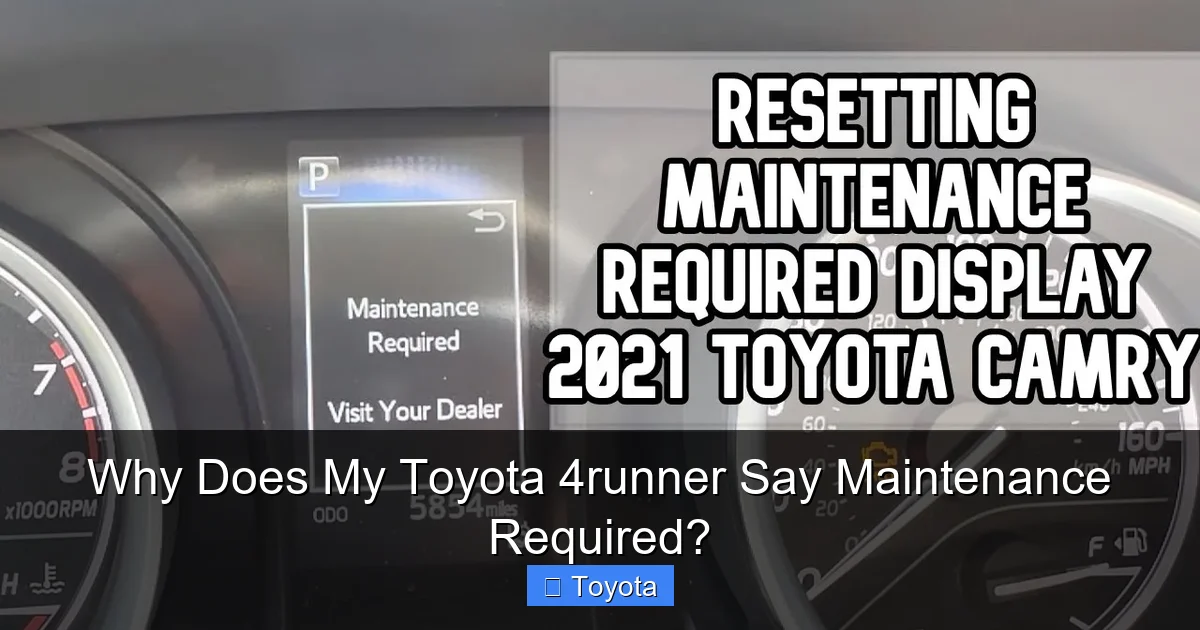
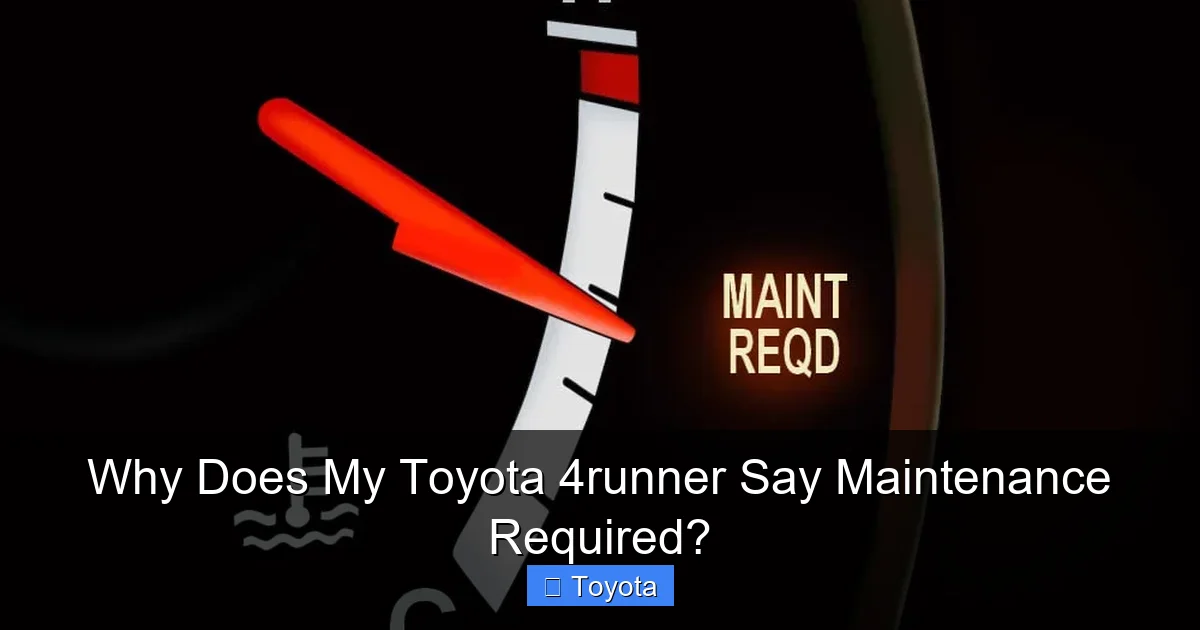
First, it’s crucial to understand what this system is and, perhaps more importantly, what it is not. Many drivers confuse the “Maintenance Required” light with the “Check Engine” light. They are entirely different beasts. The Check Engine light (MIL—Malfunction Indicator Lamp) illuminates when the engine computer detects a problem with the emissions system or engine operation that could increase pollutants. It’s a diagnostic alert. The “Maintenance Required” message, often displayed as text on the multi-information display in modern 4Runners, is a purely predictive, mileage-and-time-based reminder. It has no sensor input; it’s a software timer counting down from the last reset.
How the System Works: The Simple Math Behind the Message
Toyota engineers sat down and decided, based on extensive testing and engineering data, what the optimal service intervals are for the 4Runner’s various components. For example, they might determine that under “normal” driving conditions, an oil and filter change is needed every 5,000 miles or 6 months, whichever comes first. Under “severe” conditions (frequent short trips, extreme temperatures, dusty environments, towing), that interval might drop to 3,000 miles or 3 months. The system stores these intervals. When you or your technician performs the service and then resets the maintenance counter, the clock starts ticking again. Once the vehicle’s computer calculates that you’ve reached the pre-set mileage or time threshold, it triggers the “MAINTENANCE REQUIRED” message. It’s a simple, reliable, and foolproof way to ensure service intervals aren’t missed.
The Evolution of the Reminder: From Simple Light to Detailed Display
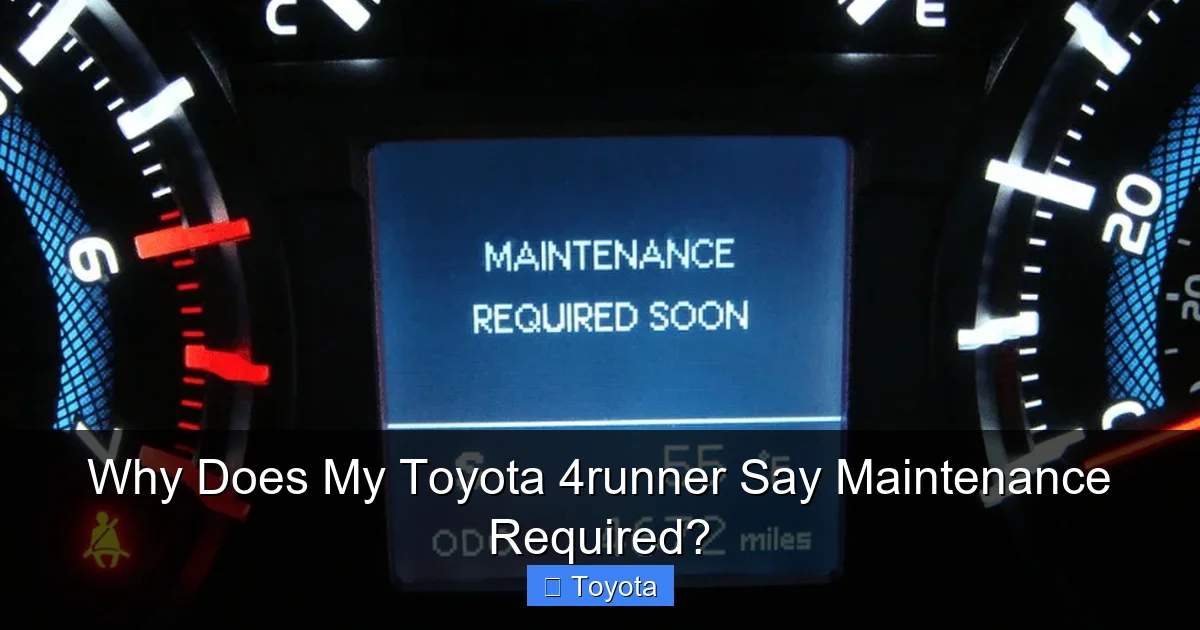
In older 4Runners (pre-2010s models), this was often a simple amber light shaped like a wrench that would illuminate on the dash. In newer models, especially from the fifth generation (2010+), the message is displayed in clear text on the LCD screen between the speedometer and tachometer. Some even provide a sub-menu that can tell you what service is due (e.g., “OIL & FILTER,” “TIRE ROTATION”). This is incredibly helpful for planning. The core principle, however, remains unchanged: it’s a countdown timer based on the last manual reset, not a live sensor reading of your oil’s condition or tire tread depth.
Common Triggers: Why the Light Just Came On
Now that we know what the system is, let’s explore the most common reasons why it’s currently glowing on your dash. Understanding the trigger helps you understand the urgency and the required action.
Visual guide about Why Does My Toyota 4runner Say Maintenance Required?
Image source: i.ytimg.com
The Usual Suspect: The Oil Change Interval
By a wide margin, the most common reason for the “MAINTENANCE REQUIRED” message to appear is that your 4Runner has reached the end of its prescribed oil change interval. Engine oil is the lifeblood of your vehicle, and its degradation over time and use is the single most important maintenance item. The system is programmed to remind you at the exact mileage or time interval that Toyota recommends for your specific model year and engine type (like the legendary 4.0L V6 or the newer 4.7L V8). If you’re the type who changes your own oil, this light serves as your official reminder that it’s time to drain the old stuff, replace the filter, and refill with the correct viscosity—often 0W-16 synthetic oil in later models for improved efficiency. If you use a quick-lube shop or dealership, they should reset this light for you as part of the service, but as we’ll discuss later, that step is sometimes missed.
The Full Service Portfolio: Beyond Just Oil
While the oil change is the primary trigger, the maintenance reminder system is typically configured for a full “maintenance schedule.” This means the light is also programmed to come on for other critical, time-based services. Depending on your 4Runner’s age and the specific service interval that was last reset, the reminder could be signaling that it’s time for:
- Tire Rotation: Essential for even tire wear, especially on a SUV that may see varied loads and highway driving. Usually due every 5,000 to 7,500 miles.
- Air Filter Replacement: A clogged engine air filter reduces power and fuel economy. Cabin air filter replacement is also often on the schedule.
- Brake Inspection: Even if pads have life left, a professional inspection can catch wear on rotors, calipers, and hardware.
- Fluid Checks/Top-Offs: Coolant, brake fluid, transmission fluid, power steering fluid, and windshield washer fluid are all inspected and serviced as needed.
- Comprehensive Inspection: A multi-point inspection checking belts, hoses, battery, suspension components, and lights.
The exact service package due is usually indicated in the vehicle’s display menu if you scroll through it, or it’s listed in your owner’s manual maintenance schedule chart.
Environmental and Driving Condition Factors
Remember the “normal” vs. “severe” service schedule? Your driving habits directly influence which schedule your 4Runner’s computer follows. If you frequently drive in stop-and-go traffic, make very short trips (where the engine doesn’t fully warm up), tow a trailer, drive in extremely hot or cold climates, or operate in dusty/salty conditions, your vehicle is considered to be under “severe” service. This shortens the maintenance intervals. The system itself doesn’t know your conditions; it’s just counting down from the last reset. However, the interval that was programmed at the last reset was likely chosen based on the technician’s assessment or your own input. If you’re a severe driver but are following the normal schedule, the light might come on “early” relative to your expectations, but it’s “on time” according to the more demanding schedule that protects your engine.
What to Do When the Light Comes On: Your Action Plan
Seeing that message doesn’t mean you need to panic and call a tow truck. It means you need to plan for maintenance. Here is a logical, step-by-step approach.
Visual guide about Why Does My Toyota 4runner Say Maintenance Required?
Image source: res.cloudinary.com
Step 1: Assess Your Immediate Situation
Are you on a long road trip, or are you a few miles from home? Is the vehicle operating normally—no strange noises, no loss of power, no smoke, no warning lights other than the maintenance reminder? If the answer is yes, you are generally safe to continue driving for a short, defined period. The light is a reminder, not an immobilizer. However, you should avoid placing excessive strain on the engine (like towing or hard acceleration) until the service is complete. Your immediate goal is to get to a safe location and schedule service. Do not ignore it for weeks or months. Driving significantly beyond the recommended oil change interval, for instance, risks catastrophic engine wear from oil sludge and insufficient lubrication.
Step 2: Check Your Owner’s Manual and Vehicle Display
Grab your owner’s manual (or find a digital copy). Find the “Maintenance/Maintenance Required” section and the official maintenance schedule chart. This will tell you exactly what services are due at the mileage interval that just triggered the light. Many 4Runners allow you to scroll through the display to see the specific code or message (e.g., it might say “OIL” or “MAINTENANCE A” or “B”). Cross-reference this with the manual. This knowledge empowers you when you call the shop. You can say, “My 4Runner’s maintenance light is on, and the display shows it’s due for Service B,” which immediately tells them what’s on the agenda.
Step 3: Schedule Service with a Trusted Professional
Whether you use a Toyota dealership, an independent mechanic, or perform the work yourself, you need to have the prescribed maintenance performed. For most owners, this means calling a shop, explaining the light is on, and booking an appointment. Be sure to mention your 4Runner’s model year, engine size, and mileage. A good shop will look up the exact Toyota Technical Service Bulletin and maintenance schedule for your vehicle. If you’re a DIY enthusiast, use this opportunity to thoroughly inspect your 4Runner. Check fluid levels, tire pressure and condition, brake pads, battery terminals, and belts. Replace the oil and filter with the manufacturer-recommended grade and type. If you’ve just changed the oil but the light is still on, you’ve likely missed the critical reset step, which we’ll cover next.
Resetting the “Maintenance Required” Light: The Crucial Final Step
This is the step that trips up countless owners and even some technicians. Performing the maintenance is only half the job. The system must be manually reset. If it’s not, the light will continue to glow, falsely implying the service is still needed. The reset procedure is a specific sequence using the trip/odometer reset button on your instrument cluster. It varies slightly by generation, but the concept is the same.
Visual guide about Why Does My Toyota 4runner Say Maintenance Required?
Image source: roadsumo.com
The Standard Reset Procedure (Most 4Runners, 2005-2023)
Here is the most common method. Ensure the ignition is in the “OFF” position. Press and hold the “ODO/TRIP” button (the one you use to toggle between odometer and trip meter). While continuing to hold the button, turn the ignition key to the “ON” position (the position right before starting, where all dash lights come on). Do not start the engine. Continue holding the button. The odometer display will change. It may show a series of dashes “—–” or a resetting counter. Keep holding the button until the display reads “000000” or shows “DONE” or the “MAINTENANCE REQUIRED” message extinguishes. This can take 10-30 seconds. Release the button, turn the ignition off, and then back on to verify the light is gone. For model-specific, detailed instructions with video references, your owner’s manual is the ultimate authority, or a targeted online search for your exact year and model will yield precise guides.
Why a Proper Reset Matters
Resetting the system tells the vehicle’s computer, “The maintenance for this interval has been completed. Start the countdown for the next interval now.” If you don’t reset it, two bad things happen. First, you’ll have a constant, annoying reminder on your dash, making it easy to eventually ignore real issues. Second, and more importantly, you lose the benefit of the system. The timer is now out of sync with the actual work performed. If a shop forgets to reset it, call them and ask them to walk you through it over the phone or schedule a quick visit to have them do it. It’s a 30-second task they should not charge for, as it’s part of the completed service.
Troubleshooting: When the Light Comes On Too Soon or Won’t Reset
Sometimes, the system doesn’t behave as expected. Here are the two most common quirks and what they mean.
“I Just Had Service! Why Is It Back?”
This is the #1 complaint. You left the shop 100 miles ago, and the light is already back on. The almost universal cause is that the maintenance reminder was not reset after the service was performed. It’s an honest mistake—the technician did the oil change, rotated the tires, handed you the keys, and simply forgot the final electronic step. This is incredibly common. Do not accuse the shop of doing shoddy work. Politely call them, explain the situation, and ask them to either guide you through the reset over the phone or bring it back so they can reset it. They will almost always do this gladly. If they resist, that’s a red flag about their attention to detail. This is a universal issue across many car brands, not just Toyota.
“I Reset It, But It Won’t Stay Off!”
If you’ve performed the reset procedure correctly and the light goes off, but then returns after a very short distance (say, 50-100 miles) or even immediately, you likely have a fault in the system. The most common culprit is a weak or dead battery. The maintenance reminder’s memory is stored in a volatile memory that requires constant battery power. If your battery is failing or has been disconnected, this memory can become corrupted. The system may think it’s at “zero” miles since last service and trigger the light immediately after a reset. The solution is to first ensure your battery is healthy and fully charged. Perform the reset procedure again. If the problem persists, there may be a fault in the instrument cluster or the body control module that stores the timer, requiring professional diagnosis with a scan tool.
When to Seek Professional Help: Beyond the Simple Reset
While the “Maintenance Required” light is usually benign, there are scenarios where you should involve a professional.
For Complex Services and Diagnostics
If your owner’s manual indicates that the current service interval includes more than just an oil and filter change—such as spark plug replacement, transmission fluid service, or differential fluid changes—these are tasks that often require special tools, knowledge, and disposal methods. A professional shop is equipped for this. Furthermore, if your 4Runner is exhibiting other symptoms (rough idle, poor fuel economy, strange noises) alongside the maintenance light, those issues need independent diagnosis. The light itself is not the cause; it’s just a calendar alert. The underlying performance issues are what need fixing.
If the Light Won’t Reset After Multiple Attempts
As mentioned, if a good battery and a correct reset procedure don’t solve the problem, the fault is electronic. A generic OBD2 scanner you buy at the auto parts store will not be able to access or reset the Toyota maintenance reminder system. This requires a professional-grade scan tool or a Toyota-specific diagnostic system (like Techstream) that can communicate with the vehicle’s Body Control Module (BCM) or Instrument Cluster to reset the maintenance counter and check for related fault codes. This is a job for a dealership or a well-equipped independent shop.
Conclusion: Embracing the Reminder as a Tool for Longevity
Your Toyota 4Runner’s “Maintenance Required” message is one of its most valuable features for longevity. It’s a direct line from the engineers who built your truck to you, the driver, ensuring that the rigorous demands of SUV ownership—from hauling gear to off-road adventures—don’t lead to premature wear. Think of it not as an annoyance, but as a built-in service advisor. When it illuminates, your action is simple: acknowledge it, consult your manual to know what’s due, schedule or perform that service promptly, and most critically, ensure the system is properly reset. By treating this reminder with the respect it deserves, you’re investing in the reliability, performance, and resale value of your 4Runner. You’re ensuring that the legend of the indestructible Toyota SUV remains true for your specific vehicle, mile after mile, adventure after adventure. So next time that message glows, smile. It’s your 4Runner asking for a little TLC so it can keep giving you its best.
Frequently Asked Questions
Is it safe to drive my 4Runner with the Maintenance Required light on?
Yes, for a limited time and distance. The light is a reminder for scheduled service, not an indication of an immediate failure. However, you should schedule service as soon as possible and avoid strenuous driving like towing until the maintenance is performed. Prolonged driving beyond the recommended interval, especially for oil changes, can cause engine damage.
How many miles can I drive after the Maintenance Required light comes on?
This depends entirely on what service is due. For an oil change, Toyota’s intervals are designed with a safety margin, so driving 500-1,000 miles beyond the trigger while awaiting an appointment is generally acceptable for modern engines using synthetic oil. For other services like timing belt replacement (on older models), the margin is far smaller. Always check your owner’s manual for the specific interval and treat the light as a prompt to book service within the next week or two.
Why does my Maintenance Required light keep coming back on after I reset it?
The most common reason is that the system was not actually reset correctly; the procedure must be followed exactly. If it’s done correctly and the light returns immediately or after very few miles, the most likely culprit is a weak or failing battery. The maintenance timer’s memory can become corrupted with low voltage. A battery voltage test and charge, followed by another reset attempt, often solves it. If not, there may be a fault in the system’s control module requiring professional diagnosis.
Does the Maintenance Required light mean I need an oil change?
Most frequently, yes. The oil change is the primary interval that triggers this reminder. However, the system is programmed for a full maintenance schedule. The light could also be signaling that other services are due, such as a tire rotation, air filter replacement, or a multi-point inspection. You can often scroll your vehicle’s display to see the specific service code, or you can reference the maintenance schedule chart in your owner’s manual to see what is due at your current mileage.
Can I reset the Maintenance Required light myself?
Yes, absolutely. The reset procedure is a manual process using the trip/odometer button on your steering column and the ignition switch. It does not require any special tools, just a specific button sequence. The exact steps vary slightly by model year, so consulting your owner’s manual is the best way to get the precise instructions for your 4Runner. It’s a simple 30-second task that any owner can learn.
Will the Maintenance Required light turn off by itself after I get the service done?
No. This is a critical point. The system is a one-way timer. It illuminates when the set interval is reached, but it has no way of knowing if you’ve actually performed the maintenance. The light will continue to shine until a person (you or a technician) manually performs the reset procedure. This is why it’s so important to confirm with your mechanic that they have reset the light before you leave the shop. If they forget, you must call them or do it yourself using the manual’s instructions.
