
What Kind of Battery Does a Toyota Rav4 Key Fob Take?

Your Toyota RAV4 key fob most commonly uses a CR2032 3-volt lithium coin battery. However, the exact battery can vary slightly depending on your RAV4’s model year and key fob style (standard, smart key, or hybrid key). Replacing it is a simple, inexpensive DIY task that takes under five minutes with a small flat-head screwdriver. Always handle the new battery by its edges to avoid contamination.
That little piece of plastic and metal in your hand is your command center. It locks, unlocks, and in many cases, starts your Toyota RAV4. When it stops working, the first thought is often a dead battery. But what kind of battery does a Toyota RAV4 key fob take? It’s a simple question with a straightforward answer for most owners, but with a few important details depending on your specific vehicle year and fob type. Let’s crack open the case and find out everything you need to know, from identification to installation, so you can get back on the road in minutes.
Key Takeaways
- Most Common Battery: The vast majority of Toyota RAV4 key fobs from the mid-2000s to present use a standard CR2032 3-volt lithium coin cell battery.
- Model Year Matters: Earlier RAV4s (pre-2006) and some specific market variants may use a different coin cell, like a CR2016 or CR2025, which are thinner and have less capacity.
- Key Fob Style is Key: The physical design of your fob—standard remote, Smart Key with push-button start, or a Hybrid-specific fob—determines the exact battery replacement procedure and sometimes the battery type.
- DIY Replacement is Easy: You do not need a mechanic or dealership. The process typically involves prying open a small seam on the fob’s back or side and swapping the old battery for a new one.
- Buy Quality Batteries: Purchase name-brand CR2032 batteries (like Duracell, Energizer, or Panasonic) from reputable retailers to ensure longevity and avoid premature failure.
- Handle with Care: Always touch the new battery only on its plastic sides. Oils and moisture from your fingers can corrode the battery contacts and shorten its life.
- Re-programming is Rarely Needed: For a simple battery swap, your RAV4 will not need to be re-programmed. The key fob’s memory is retained. Only if you replace the entire fob casing or circuit board would you need dealer assistance.
📑 Table of Contents
Decoding Your RAV4 Key Fob: It’s Not All the Same
Before we talk batteries, we need to talk fobs. The Toyota RAV4 has been in production since the mid-1990s, and its key technology has evolved significantly. The battery you need is directly tied to which generation of RAV4 you own and, more specifically, which style of key fob came with it. Picking the wrong battery or opening the fob incorrectly can lead to frustration. Let’s break down the three primary types you’ll encounter.
The Standard Remote Key Fob (The Most Common)
This is the classic, plastic remote with separate buttons for lock, unlock, trunk, and panic. It has a physical key blade that folds or slides out. This design was the standard for RAV4s from approximately model years 2006 through 2018. For these fobs, the battery is almost universally a CR2032. This is a 20mm diameter, 3.2mm thick, 3-volt lithium coin battery. It’s the most common coin cell in the world, used in everything from car remotes to computer motherboards and watches. Its popularity makes it extremely cheap and easy to find.
The Smart Key / Push-Button Start Fob
Starting with the fourth-generation RAV4 (2019 model year and newer), Toyota introduced its “Smart Key” system as standard for most trims. This fob is often slightly larger and more rounded. It doesn’t have a visible physical key (though a hidden emergency key is usually inside). Instead, you press a button on the door handle to lock/unlock, and there’s a dedicated push-button start inside the car. These fobs also use a CR2032 battery in the vast majority of cases. The internal layout is different, but the power source is the same. Some very early or specific market Smart Keys might use a CR2025, which is the same diameter but slightly thinner (2.5mm), but CR2032 is the safe bet for 2019+ RAV4s.
The Hybrid-Specific Key Fob
If you own a Toyota RAV4 Hybrid, your key fob might be identical to the standard Smart Key for your model year. However, in some early hybrid models or specific regions, Toyota used a fob with a slightly different shape or a dedicated “EV” mode button. Regardless of the minor cosmetic differences, the internal battery for RAV4 Hybrid key fobs from the last decade is also a CR2032. The hybrid system does not require a special or higher-voltage battery for the fob itself.
Older and Obscure Variants
For pre-2006 RAV4s (the first two generations), things get less uniform. Some very early models (late 1990s) used larger, less common batteries. For the 2001-2005 RAV4 with the standard remote fob, you might encounter a CR2016. This battery is the same 20mm diameter but only 1.6mm thick. It has less capacity and a shorter lifespan. It’s crucial to check your old battery’s markings before buying a replacement. If your fob is from the early 2000s, open it carefully and read the code printed on the circular battery itself. That is your absolute truth source.
The Universal Workhorse: The CR2032 Battery Explained
So, you’ve identified your fob as likely needing a CR2032. What makes this little disc so special? Understanding its specs helps you buy the right one and understand its lifespan.
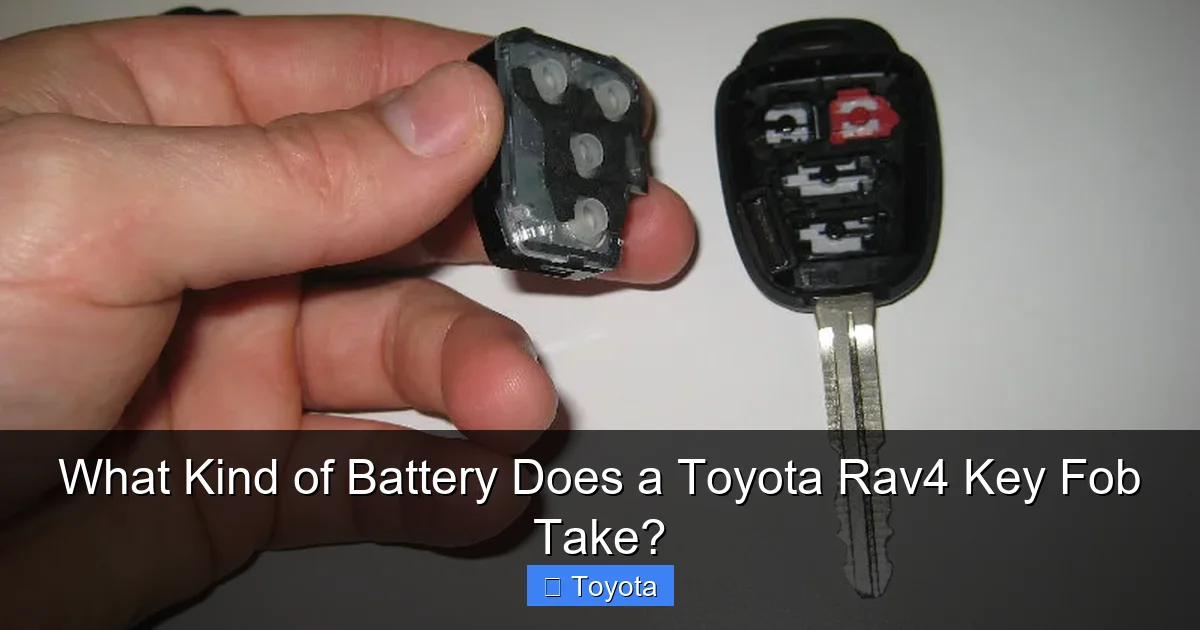
Visual guide about What Kind of Battery Does a Toyota Rav4 Key Fob Take?
Image source: paulstravelpictures.com
Technical Specs That Matter
The “CR” in CR2032 stands for Coin lithium, “R” indicates it’s a round cell, and “2032” is its size code: 20mm in diameter, 3.2mm in thickness. It provides a stable 3 volts of direct current. Its energy density is very high for its size, meaning it can power your fob’s radio transmitter (which needs a decent power burst to send a signal 50-100 feet) for years. A quality CR2032 in a key fob, with typical use (a few lock/unlock cycles per day), can last 3 to 5 years. Factors like extreme cold, frequent use, and a weak fob circuit can shorten this.
Where to Buy and What to Look For
Do not be tempted by generic, no-name batteries from the dollar store or a questionable online marketplace. While they may work initially, their voltage can sag quickly, and their construction is often inferior, leading to leaks that can destroy your key fob’s internal circuit board. Always buy from reputable brands like Duracell, Energizer, Panasonic, or Sony. You can find them at:
- Auto parts stores (AutoZone, Advance Auto Parts, O’Reilly)
- Big-box retailers (Walmart, Target, Home Depot)
- Electronics stores (Best Buy)
- Online retailers (Amazon—sold by reputable sellers)
A single battery costs between $2 and $5. Buying a multi-pack (e.g., 5 or 10) is often more economical per unit and gives you a spare for the future. It’s also wise to check the “use by” or manufacturing date on the package, as lithium batteries have a long but not infinite shelf life (often 10+ years).
Step-by-Step: How to Replace Your RAV4 Key Fob Battery
Now for the hands-on part. The process is incredibly simple, but the exact method depends on your fob style. Always work on a clean, well-lit surface with a small container to hold any tiny screws.
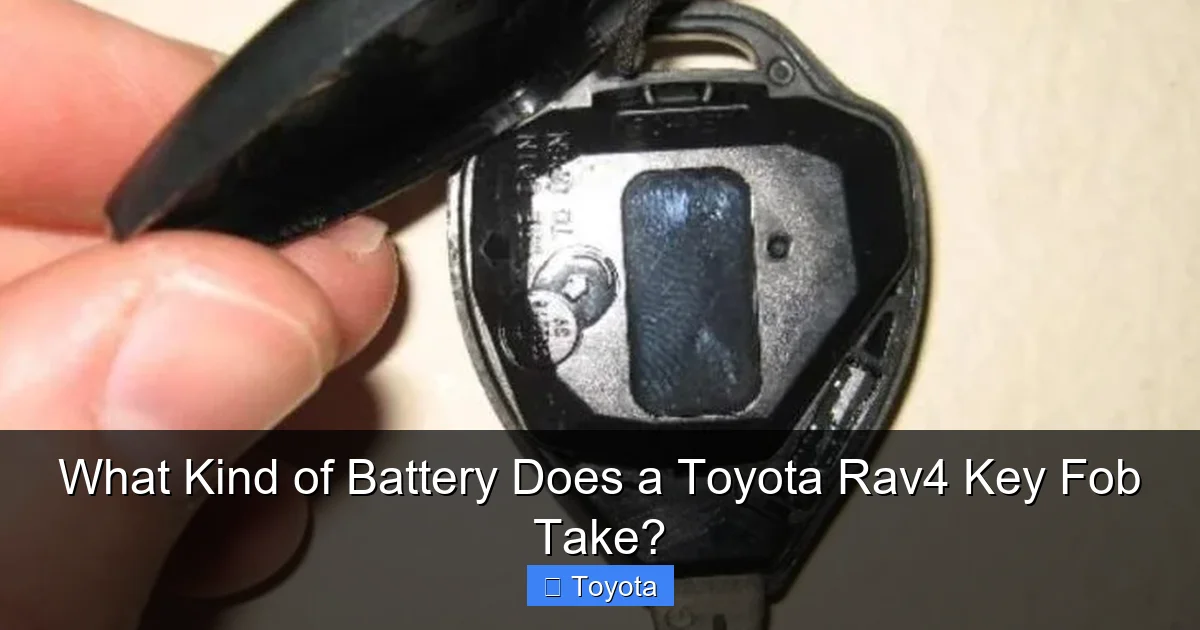
Visual guide about What Kind of Battery Does a Toyota Rav4 Key Fob Take?
Image source: trucksauthority.com
For the Standard Remote Fob (2006-2018 Style)
This is the easiest. Locate the small seam or slot on the back of the fob, usually near the key ring loop or on the side opposite the buttons. You need a small flat-head screwdriver or a plastic pry tool (like those used for phone screens). Gently insert the tool into the seam and twist. The back plastic cover will pop off. You’ll see the round CR2032 battery sitting in a white plastic holder. Note the orientation: the positive (+) side is almost always facing up (the side with the writing). Carefully pry the old battery out with the screwdriver tip, being gentle with the plastic clips. Insert the new battery the exact same way. Snap the back cover back on until it clicks. Test all buttons before reassembling everything.
For the Smart Key / Push-Button Start Fob (2019+ Style)
This fob requires a tiny screw to be removed. First, slide the hidden emergency key out of the fob (there’s a small button or slider on the side). At the base of the key slot, you’ll see a tiny Phillips head screw. Use a very small Phillips screwdriver (often the one from an eyeglass repair kit) to remove it. With the screw out, use your flat-head screwdriver or pry tool in the seam around the fob’s edge. The two halves of the fob will separate. Be careful, as a small circuit board and button pad are attached to the front half. The CR2032 battery will be visible on the back of the front half, often held in a clip. Pry the old battery out gently and replace it with the new one, positive side up. Carefully align the two halves and snap them together, then reinsert the tiny screw. Do not overtighten it.
Critical Tips to Avoid Disaster
Never force a fob open. If it doesn’t pop easily, check for a hidden screw you missed. Forcing it can break the plastic clips. When handling the new battery, never touch the flat metal faces with your bare fingers. The oils and acids on your skin can create a barrier that impedes electrical contact and promotes corrosion. Hold it by the edges or use a plastic tool. If you accidentally touch the metal, wipe it gently with a clean, dry cloth before installing. Finally, if your fob has water damage or a visibly corroded battery, clean the contact points in the battery holder with a cotton swab dipped in a tiny amount of isopropyl alcohol (90%+), let it dry completely, then install the new battery.
Troubleshooting: When a New Battery Isn’t the Fix
You’ve replaced the battery, but your RAV4 still doesn’t respond to the fob. Before you panic or head to the dealer, check these common issues.
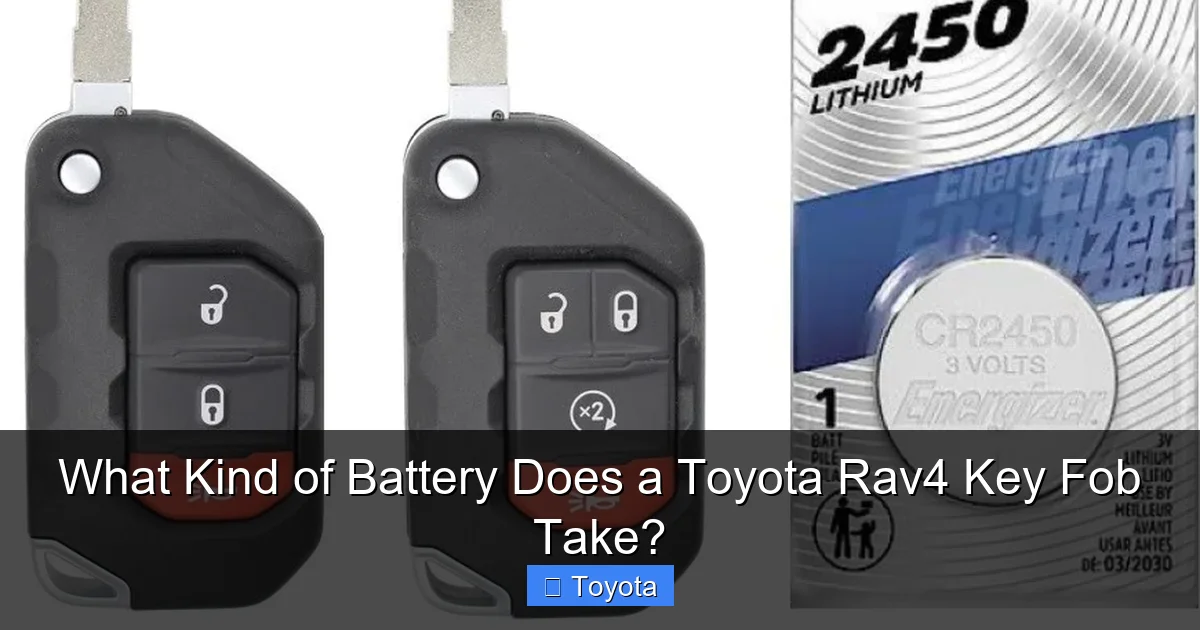
Visual guide about What Kind of Battery Does a Toyota Rav4 Key Fob Take?
Image source: i.ebayimg.com
Check Your Work First
The #1 mistake is installing the battery backward. The positive (+) side, which usually has writing on it, must face up (towards the fob’s buttons). If it’s in backward, the fob gets no power. Open it and double-check. Also, ensure the battery is seated firmly in its clip; a loose connection will cause intermittent failure.
The Hidden Emergency Key Interference
On Smart Key fobs, the emergency key is stored inside. If you left it inserted in the fob while trying to use the remote functions, it can sometimes interfere with the signal or drain the battery. Make sure the emergency key is fully removed and stored separately in your wallet or glove box.
Physical Damage or Water Intrusion
If your fob has been dropped, stepped on, or exposed to moisture (left on a wet car seat, in the rain), the internal circuit board could be damaged. Look for any visible cracks, corrosion (green/white crust), or bent components. A damaged fob will need to be replaced or professionally repaired.
The RAV4 Itself Might Be the Problem
Rarely, the issue is with the car’s receiver module. If you have two key fobs and both fail simultaneously after a battery change, the problem is likely with the car. Try the other fob. If it works, your replaced fob might have a faulty circuit. If neither works, the car’s keyless entry control module may have failed. This requires a diagnostic scan at a Toyota dealership or a qualified locksmith/auto electrician. Also, a weak car battery can sometimes cause erratic behavior with key fobs, as the car’s systems don’t have enough power to operate the receiver properly. If your car is slow to start or has other electrical gremlins, check the main battery first. You can learn more about your RAV4’s main battery health by reading our guide on what kind of battery a Toyota RAV4 takes.
Proactive Maintenance and Best Practices
Don’t wait for your key fob to die completely in a parking lot. A little prevention goes a long way.
Recognize the Warning Signs
You’ll get subtle hints before a total failure. The most common sign is having to press the lock/unlock button multiple times, or standing much closer to the car than usual for it to work. The range will gradually decrease. If you have a Smart Key, you might notice the push-button start becoming less responsive, requiring you to hold the fob directly against the start button. These are all clear signals the coin cell is nearing the end of its life.
Spare Keys and Battery Life
If you have a spare key fob, use it periodically. Letting a spare sit unused for years can actually be worse for its battery than regular use. The tiny, constant drain from the fob’s memory circuit will slowly sap a battery over 5-7 years. Swap spares with your primary fob every 6 months or so to keep both active and check their battery status. When you buy a new fob from the dealer, it often comes with a temporary battery that may not be the highest quality. Plan to replace that battery within a year as a precaution.
Environmental Enemies of Your Fob
Extreme temperatures are the #1 enemy of lithium coin cells. Leaving your fob on a scorching-hot dashboard or in a freezing cold garage during winter can accelerate battery drain. Try to keep your fob in a pocket, purse, or the center console where temperatures are more moderate. Also, avoid exposing it to high humidity or direct water. While the fob is water-resistant to a degree, it’s not waterproof. A soaked fob can short-circuit and kill both the battery and the electronics.
Conclusion: Empowerment Through Simple Knowledge
Knowing what battery your Toyota RAV4 key fob takes transforms a minor annoyance into a five-minute fix. For the overwhelming majority of RAV4 owners, the answer is the ubiquitous and inexpensive CR2032. By identifying your specific fob style, following the careful disassembly steps, and using a quality battery, you maintain complete control over your vehicle’s accessibility. This small act of DIY maintenance saves you time, money, and the inconvenience of a tow or dealer visit. It connects you more deeply with your vehicle, understanding that even its smallest components have a life cycle and a simple solution. Keep a spare CR2032 in your glove box, and you’ll never be locked out by a dead key fob battery again. Remember, the key to your RAV4’s reliability is often found in the details, from the fuel you put in the tank to the battery in your hand.
Frequently Asked Questions
What happens if my Toyota RAV4 key fob battery dies completely?
If the battery dies, the remote lock/unlock functions will stop working. For standard fobs, you can still use the physical emergency key to unlock the driver’s door. For Smart Key systems, you’ll need to hold the dead fob against the start button (if it has any residual charge) or use the hidden emergency key to enter and then insert the fob into the designated slot (if your model has one) to start the car. The car’s main 12V battery will remain unaffected.
Can I use a CR2025 or CR2016 instead of a CR2032?
You should always use the exact battery specified for your fob, which is almost always a CR2032. A CR2025 or CR2016 is thinner and has less capacity. While it might fit physically and make the fob work temporarily, it will die much faster and may not make proper contact with the metal clips, leading to intermittent failure. Always check the old battery’s marking to be certain.
How long does a replacement key fob battery typically last?
A high-quality CR2032 battery in a Toyota RAV4 key fob, under normal use, should last between 3 and 5 years. Factors like extreme temperatures (very hot or very cold climates), frequent use of the remote, and a weak fob circuit can shorten this lifespan to 1-2 years. If your new battery dies in under a year, there may be a parasitic drain issue with the fob itself.
Do I need to reprogram my RAV4 after changing the key fob battery?
No. For a simple battery replacement where you do not disturb the fob’s internal circuit board or programming chip, no re-programming is necessary. The fob retains its unique code to your vehicle. You simply reinstall the battery and it will work immediately. Re-programming is only required if you are adding a new, unused fob to the car’s system or replacing a lost fob.
My key fob works intermittently even after a new battery. What’s wrong?
Intermittent operation after a battery change usually points to one of three issues: 1) The new battery is installed backward (positive/negative reversed). 2) The battery is not seated firmly in its clip, causing a poor connection. 3) There is physical damage or corrosion on the fob’s circuit board or battery contacts from a previous leak or impact. Carefully re-open the fob and inspect everything.
Is it better to replace the battery myself or go to a dealer?
For the vast majority of RAV4 key fobs, DIY replacement is the better choice. It costs $2-$5 for the battery and takes 2-5 minutes. A dealership will charge a labor fee (often $50-$100) for a service that takes them seconds, plus the markup on the battery. The only time to go to a dealer is if your fob is physically damaged, waterlogged, or if you have lost all keys and need a new one programmed. For a simple battery, save your money and do it yourself.
