
How Do You Reset the Maintenance Light on a 2011 Toyota Matrix?

The maintenance required light on a 2011 Toyota Matrix is a reminder for scheduled service, not an emergency. You can reset it yourself in under 30 seconds using the trip meter/odometer button on the dashboard—no tools or scanner needed. The process involves turning the ignition on, navigating the display, and holding the button until the light blinks and resets. Always perform the actual oil change or service first, as resetting the light without completing maintenance is unsafe and defeats the system’s purpose.
That little wrench icon or “MAINT REQD” message glowing on your 2011 Toyota Matrix’s dashboard can be a source of mild anxiety. Is it serious? Do you need to drop everything and go to a mechanic? The good news is, for your Matrix, this light is almost always a simple, pre-programmed reminder for scheduled maintenance—most commonly an oil change—and you can reset it yourself in less than a minute after completing the service. This guide will walk you through everything you need to know, from what that light truly means to the exact button-press sequence, ensuring you drive with confidence and a clear dashboard.
Key Takeaways
- The light is a friendly reminder: The “MAINT REQD” light illuminates after 5,000 miles to remind you of scheduled maintenance, primarily oil changes, based on your driving habits.
- Reset only after service: You must complete the required maintenance (like an oil and filter change) before resetting the light. Resetting it without service is dangerous and misleading.
- No special tools needed: The reset is done manually using the vehicle’s odometer/trip meter button (often labeled “ODO/TRIP”) on the instrument cluster—no scan tool or mechanic is required.
- The process is universal for the model year: The 2011 Matrix uses the same straightforward, button-press reset procedure found in many Toyota models of that era, similar to the method for a Toyota Avalon.
- It resets the maintenance interval, not a fault: This is not a check engine light. It resets the mileage counter for the next service interval and does not diagnose any problems.
- If it returns quickly, investigate: If the light comes back on shortly after resetting (e.g., within 1,000 miles), it may indicate a problem with the maintenance tracking system or that the service wasn’t completed correctly.
- Consult your owner’s manual: Your manual provides the definitive procedure and service schedule for your specific vehicle.
📑 Table of Contents
Understanding Your Matrix’s Maintenance Required Light
Before we dive into the “how,” let’s clarify the “why.” The maintenance required system in your 2011 Toyota Matrix is not a diagnostic tool like the check engine light. It’s a mileage-based, predictive reminder system. Toyota designed it to help you stay on top of routine service that prevents major, costly repairs down the road.
What Exactly Triggers the Light?
The system is primarily governed by the Engine Control Module (ECM). It calculates a service interval based on a combination of factors:
- Mileage: The primary trigger. The system is typically set to remind you every 5,000 miles (or 8,000 kilometers) since the last reset.
- Time: Even if you don’t drive 5,000 miles in a year, many systems will illuminate the light after 12 months to ensure certain fluids and components are inspected.
- Driving Conditions: Some advanced systems (though less common in 2011 models) factor in severe driving conditions (short trips, extreme temps, dusty environments) which can accelerate wear and shorten service intervals.
When the ECM determines the preset interval has been reached, it sends a signal to illuminate the “MAINT REQD” light on your instrument panel. It’s a proactive “hey, it’s time!” not a reactive “something is broken!” alert.
Why You Should Never Ignore It
While it’s not an immediate emergency, ignoring this light is a false economy. The scheduled maintenance it reminds you of—especially regular oil changes—is the single most important thing you can do for your Matrix’s longevity. Fresh oil lubricates the engine, reduces friction, carries away heat and contaminants, and helps seal piston rings. Skipping this leads to sludge buildup, increased wear, and potentially catastrophic engine failure. Resetting the light without doing the work is like erasing a to-do list without doing the tasks—you’ll face the consequences later.
Essential Preparation Before You Reset
Resetting the light is the final, ceremonial step. The critical work must come first. Skipping this preparation is the most common mistake.
Visual guide about How Do You Reset the Maintenance Light on a 2011 Toyota Matrix?
Image source: alquilercastilloshinchables.info
Step 1: Perform the Required Service
Consult your owner’s manual for the exact service interval checklist. For most 2011 Matrix owners, this means:
- Oil and Filter Change: Use the correct oil grade (likely 5W-20 or 5W-30) and a high-quality filter.
- Tire Rotation: Promotes even tire wear.
- Basic Inspection: Check fluid levels (coolant, brake, washer), belts, hoses, brakes, and lights.
- Other Model-Specific Tasks: The manual will specify if your specific trim (e.g., XRS) has additional requirements.
Pro Tip: If you’re not a DIYer, take your Matrix to a trusted mechanic or quick-lube shop. Always get a receipt that lists the vehicle’s mileage at the time of service. This is your proof the work was done.
Step 2: Gather Your “Tools” (You Already Have Them)
For this reset, you need nothing more than:
- Your vehicle’s ignition key.
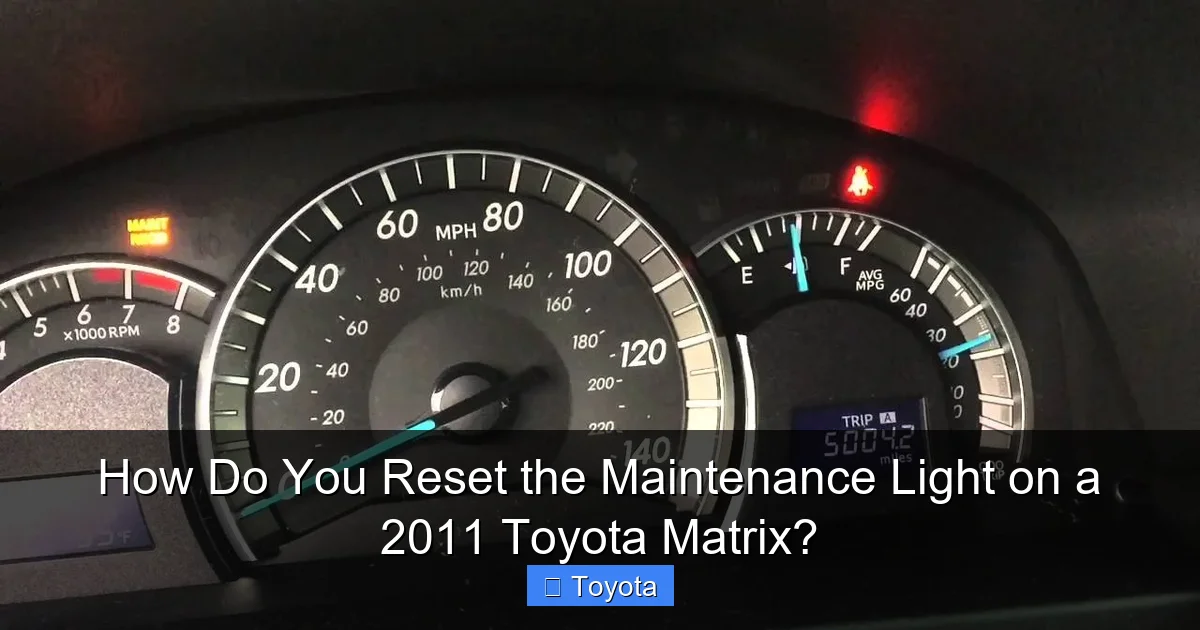
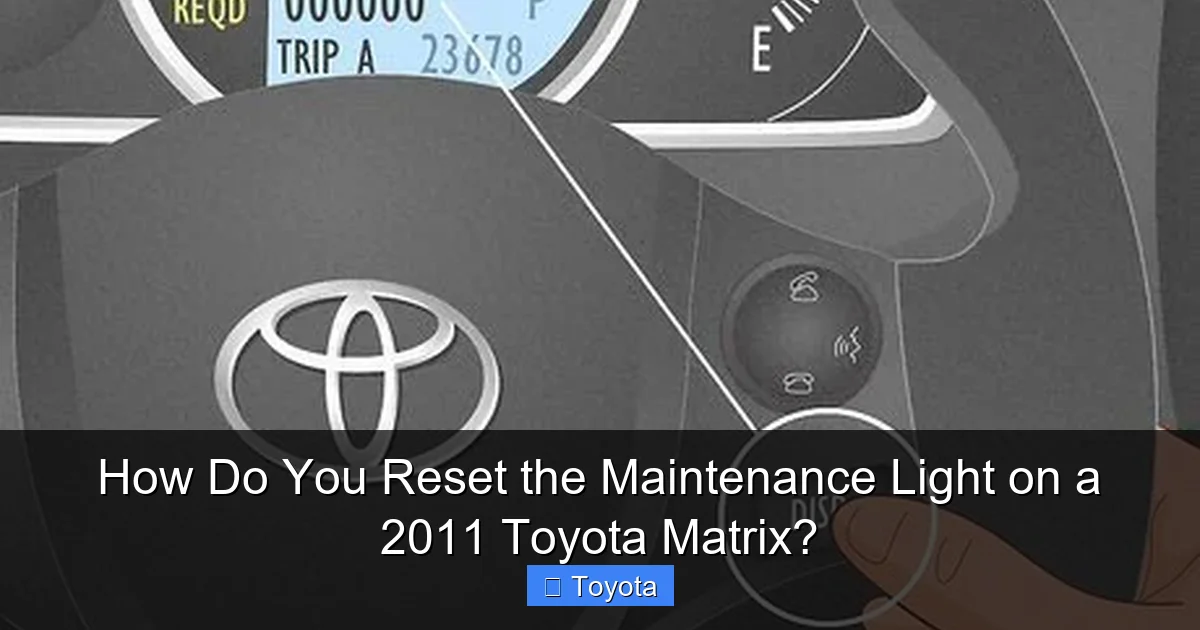
- The “ODO/TRIP” button. This is the small button on your instrument cluster, usually near the speedometer, used to toggle between the odometer and trip meter readings. On the 2011 Matrix, it’s typically a black or silver button on the gauge cluster itself, not on the steering wheel.
No wrenches, no scanners, no smartphone apps. The procedure is designed to be done by anyone.
The Step-by-Step Reset Procedure for a 2011 Toyota Matrix
Now, for the main event. The following sequence works for virtually all 2011 Toyota Matrix models, regardless of trim. The key is to follow the steps precisely and in order.
Visual guide about How Do You Reset the Maintenance Light on a 2011 Toyota Matrix?
Image source: images.squarespace-cdn.com
Detailed Button-Press Sequence
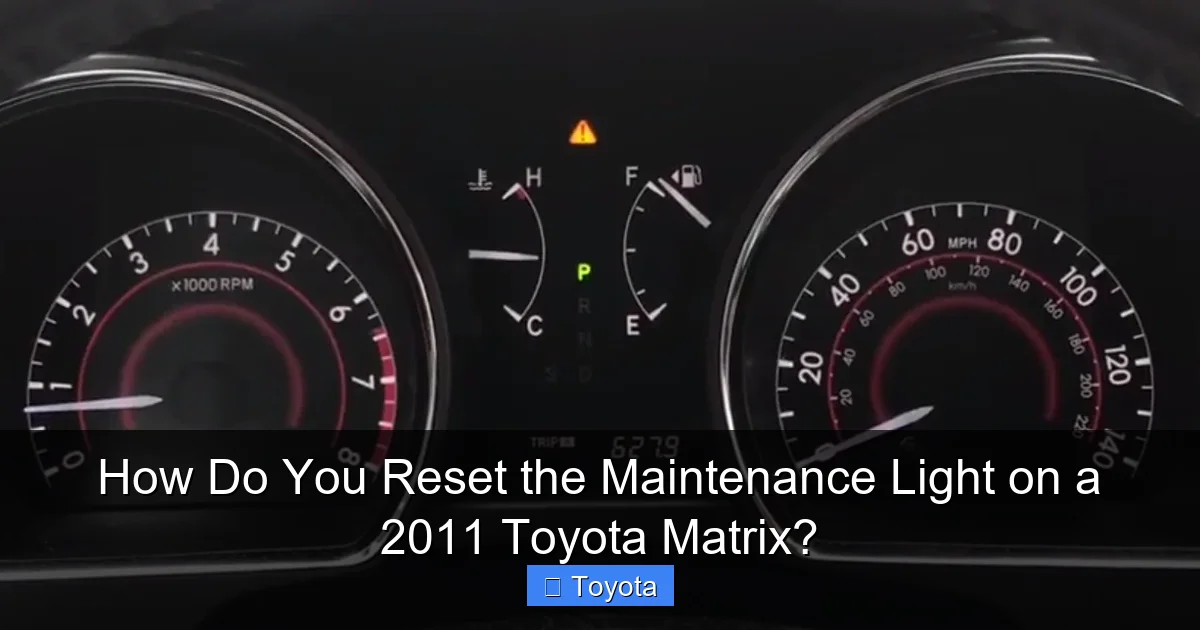
1. Turn the Ignition to the “ON” Position (Do Not Start): Insert your key and turn it to the position where the dashboard lights come on, but do not crank the engine. You’ll see all your warning lights illuminate, including the maintenance required light.
2. Ensure the Odometer is Displayed: Look at your instrument cluster. You need to see the total mileage (odometer reading), not the trip meter “A” or “B” reading. If you see “TRIP A” or “TRIP B,” quickly press the ODO/TRIP button once to cycle the display until the main odometer (total miles) is showing.
3. Turn the Ignition “OFF”: Now, turn the key back to the OFF position. The dash lights will go out.
4. Perform the Reset Sequence: This is the critical part. While the key is in the OFF position, press and HOLD DOWN the ODO/TRIP button.
5. Turn the Ignition Back to “ON” (While Still Holding the Button): While continuing to hold the ODO/TRIP button down, turn the key back to the ON position (where the dash lights come on). Keep holding the button.
6. Watch for the Blinking Light: After a few seconds (3-5 seconds), you should see the “MAINT REQD” light begin to blink. It may blink several times or go from solid to blinking. This is your confirmation that the reset sequence has been initiated.
7. Release the Button: Once you see the blinking, you can release the ODO/TRIP button.
8. Verify the Reset: The maintenance required light should now be OFF. It may stay off, or it might blink one more time and then go out. Start the engine and check that it remains off. You’ve successfully reset your maintenance light!
What If It Doesn’t Work?
If the light does not blink and remains on, try the sequence again. Common issues include:
- Not starting with the odometer display active (Step 2).
- Not holding the button long enough during the transition from OFF to ON.
- A slight variation in the procedure for some model years. Try holding the button down for a full 10 seconds after turning the key to ON.
If it still refuses to reset after several attempts, there could be an electrical glitch or the system may require a different procedure. In this case, a quick call to a Toyota dealer or a reputable independent shop can confirm the correct method for your specific VIN.
After the Reset: Confirmation and Next Steps
The reset is complete, but your job isn’t quite done. A couple of quick checks ensure everything is shipshape.
Visual guide about How Do You Reset the Maintenance Light on a 2011 Toyota Matrix?
Image source: wikihow.com
Confirming a Successful Reset
Turn your key to the ON position (engine off) and look for the “MAINT REQD” light during the bulb check. It should not illuminate. Start the engine. The light should stay off during operation. If it comes back on immediately, the reset likely didn’t take. If it comes back on after driving a short distance (say, 50-100 miles), it may indicate a problem with the system or that the service interval wasn’t properly recorded by the ECM. Double-check that you performed the correct procedure.
Resetting Your Mental Clock
Now that the light is off, your odometer-based countdown for the next service has begun. Make a note in your calendar or a maintenance log (physical or digital) of the current mileage. This helps you anticipate the next service instead of being surprised by the light again. The goal is to get the service done before the light comes on, keeping your engine in optimal condition.
Troubleshooting: When the Light Won’t Stay Off
Most of the time, the manual reset works flawlessly. But what if you’ve done the service and followed the steps, yet the light returns with a vengeance?
Scenario 1: The Light Comes Back On Very Quickly
If the “MAINT REQD” light reappears within 500-1,000 miles of a successful reset, it’s a red flag. Possible causes include:
- Faulty Oil Change: The oil filter wasn’t changed, the wrong oil was used, or the oil level is critically low.
- Faulty Sensor or Wiring: There could be an issue with the sensor that monitors oil life or the wiring to the ECM.
- ECM Glitch: Rarely, the engine computer may need to be rebooted or have a software update.
Action: Re-check your oil level with the dipstick. If it’s low, top it off. If the level is fine, revisit the shop that performed the service to verify the oil and filter were actually changed. If the issue persists, a professional diagnosis with a scan tool is needed to check for stored codes related to the maintenance system.
Scenario 2: The Light Won’t Reset at All
If you cannot get the light to blink and reset using the standard procedure, it might be due to:
- A different procedure for a specific market or fleet model.
- A blown fuse related to the instrument cluster.
- An underlying electrical issue.
Action: Consult your owner’s manual explicitly for the “Maintenance Reset” procedure. You can also search online forums for “2011 Toyota Matrix maintenance reset” to see if owners with your specific trim (Base, S, XRS) report a variation. As a last resort, a dealership can perform the reset with their proprietary diagnostic computer (Techstream), though this usually incurs a small fee.
The Big Picture: Maintenance vs. Diagnostics
It’s crucial to reiterate the distinction between the Maintenance Required light and other warning lights on your dash. Understanding this prevents unnecessary panic and misdiagnosis.
Maintenance Required Light (The Wrench or “MAINT REQD”)
This is a predictive, mileage-based reminder. It says, “Based on your mileage, it’s time for scheduled service.” It is not indicating a current fault. Resetting it is a simple acknowledgement that the service has been completed. The process for your Matrix is a manual, button-press affair because it’s a basic timer system.
Check Engine Light (The Engine Icon)
This is a reactive diagnostic warning. It means the ECM has detected a fault from a sensor or system (like an emissions issue, misfire, or fuel system problem). You cannot and should not reset this light without diagnosing and repairing the underlying problem. Simply clearing the code will cause it to return, and you may fail an emissions test or cause engine damage. Resetting the check engine light requires a scan tool to clear Diagnostic Trouble Codes (DTCs), a process completely different from the maintenance light reset. For context, the steps to reset a check engine light on a Toyota Corolla involve an entirely different process using a scanner or disconnecting the battery, not a simple button sequence.
Why This Matters for Your Matrix
By understanding that your Matrix’s “MAINT REQD” light is a simple countdown timer, you empower yourself to handle it yourself. It saves you time and money on unnecessary diagnostic fees. You become an active participant in your vehicle’s care, which is exactly what Toyota intended with this user-friendly system. This same principle applies to many other Toyota models; the exact button location might differ, but the logic is similar to resetting the light on a 2021 Toyota RAV4 or an older 2017 Toyota Highlander.
Frequently Asked Questions
Can I reset the maintenance light without changing the oil?
Technically yes, but you should never do this. The light is a critical reminder that your engine needs fresh oil and filter. Resetting it without performing the service is dangerous, as it allows dirty, degraded oil to circulate, causing excessive engine wear and potential failure. Always complete the maintenance first.
What if the maintenance light comes back on right after I reset it?
If it returns within a few hundred miles, first check your oil level with the dipstick. A low oil level can trigger the light. If the level is fine, it may indicate the previous reset was unsuccessful, or there’s a fault in the maintenance tracking system. Re-attempt the reset procedure carefully, and if it persists, have a professional check for any related fault codes.
Do I need any special tools or a scan tool to reset this light?
No. The 2011 Toyota Matrix uses a manual, button-press reset procedure that requires only your ignition key and the ODO/TRIP button on the dashboard. You do not need an OBD2 scanner or any mechanical tools for this specific reset. This is a key advantage of this system.
Is the maintenance required light the same as the check engine light?
No, they are completely different. The maintenance required light (often a wrench icon or “MAINT REQD”) is a simple mileage-based reminder for scheduled service like oil changes. The check engine light (an engine-shaped icon) indicates an active fault or malfunction in the engine or emissions system that needs diagnosis and repair. Their reset procedures are also entirely different.
How many miles can I drive after the maintenance light comes on?
While it’s not an immediate “stop driving” warning, you should schedule your oil change and service as soon as possible, ideally within 100-300 miles. The light indicates your oil is likely past its optimal service life. Driving long distances (e.g., 1,000+ miles) with the light on risks engine damage due to oil degradation and loss of protective additives.
My 2011 Matrix has a “Wrench” icon instead of “MAINT REQD.” Is the reset the same?
Yes. On some model years and markets, Toyota uses a generic wrench icon to represent the maintenance required reminder. The underlying system and the manual reset procedure using the ODO/TRIP button are identical. The process described in this guide will work for both the text “MAINT REQD” and the wrench symbol.
