
How Do You Reset the Maintenance Light on a Toyota Tundra 2024?

Resetting the maintenance light on your 2024 Toyota Tundra is a simple, DIY procedure you can do in under a minute using just your vehicle’s odometer button. This light is a service reminder, not a diagnostic trouble code, and resetting it after an oil change or other scheduled service clears the alert. Follow our comprehensive guide for the exact steps for both display types, crucial pre-reset checks, and what to do if the light returns.
Key Takeaways
- The maintenance light is a reminder, not an error: It illuminates based on a preset mileage or time interval to remind you of scheduled maintenance like oil changes, tire rotations, or inspections. Resetting it does not fix a mechanical problem.
- Always perform the required service first: Never reset the light without completing the necessary maintenance. Doing so can lead to engine damage, accelerated wear, and void your warranty.
- 2024 Tundra uses the standard Toyota reset procedure: The process involves turning the ignition on (not starting) and using the odometer/trip meter reset button to navigate the multi-information display. The exact steps vary slightly between digital and analog gauge clusters.
- A persistent light after a reset indicates a problem: If the maintenance required light comes back on shortly after resetting, it may mean the service wasn’t completed correctly, a sensor is faulty, or there’s an underlying issue that needs professional diagnosis.
- Consult your owner’s manual for specifics: While this guide covers the standard procedure, your 2024 Tundra’s manual is the ultimate authority and may include model-specific nuances or additional maintenance reminder systems.
- Resetting saves a dealership visit fee: Performing this simple task yourself after maintenance saves you time and money, as many service centers charge a small fee just to turn off the light.
[FEATURED_IMAGE_PLACEHOLDER]
📑 Table of Contents
- Understanding Your 2024 Toyota Tundra’s Maintenance Light
- Preparation: What You Need to Know Before You Start
- The Step-by-Step Reset Procedure for 2024 Toyota Tundra
- What to Do After the Reset: Verification and Next Steps
- Common Pitfalls and Troubleshooting Tips
- The Importance of Following Your Toyota Tundra’s Maintenance Schedule
- Conclusion: Empowerment Through Simple Maintenance
Understanding Your 2024 Toyota Tundra’s Maintenance Light
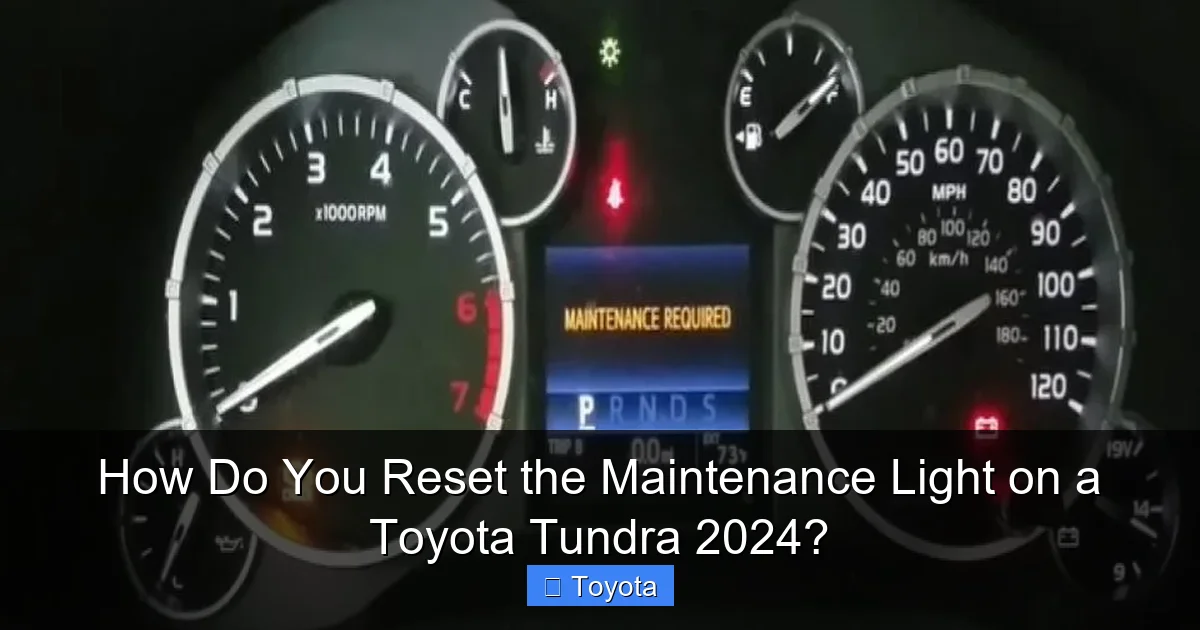
That small wrench icon or “MAINT REQD” message glowing on your dashboard isn’t a cause for panic. It’s your 2024 Toyota Tundra’s way of tapping you on the shoulder, saying, “Hey, it’s time for some love.” This maintenance required light is a pre-programmed reminder system, not a diagnostic trouble code like a check engine light. It’s based on a simple algorithm that tracks your mileage and the time since your last service. When your Tundra reaches a predetermined interval—typically every 5,000 to 7,500 miles for oil changes, or at specific time intervals for other services—the light will illuminate steadily to get your attention.
Think of it as your truck’s built-in service scheduler. Its sole purpose is to ensure you don’t miss critical maintenance that keeps your powerful Tundra running reliably for years to come. Ignoring it is like ignoring your phone’s battery low warning—eventually, things will stop working properly. But the good news? Once you’ve completed the necessary service—be it an oil change, tire rotation, or a full multi-point inspection—you can manually reset this light, clearing the reminder until the next interval. This reset is a straightforward process that takes less than 60 seconds and requires no special tools, just your fingers and a bit of know-how.
Before we dive into the “how-to,” it’s critical to understand the “why.” Resetting the light without performing the actual service is a serious mistake. You’re essentially telling your truck’s computer, “I took care of it,” when you didn’t. This can lead to catastrophic engine wear from old oil, unsafe tire conditions from neglect, and can even void parts of your warranty if you can’t prove maintenance was performed. Always, always complete the required work first.
Preparation: What You Need to Know Before You Start
Confirm the Required Service
The first and most important step happens before you even touch the ignition. What service does the light actually correspond to? Your 2024 Tundra’s maintenance schedule is detailed in the owner’s manual. Common triggers for the light include:
Visual guide about How Do You Reset the Maintenance Light on a Toyota Tundra 2024?
Image source: trucksauthority.com
- Oil & Filter Change: The most frequent reset, typically every 5,000-7,500 miles depending on driving conditions (severe vs. normal).
- Tire Rotation: Often paired with the oil change interval.
- Multi-Point Inspection: A comprehensive check of fluids, belts, brakes, etc.
- Air Filter Replacement: Engine and cabin air filters have their own service intervals.
- Specific Mileage Milestones: Services at 30k, 60k, 90k miles, etc., which are more extensive.
If you’re unsure what your truck is specifically asking for, check your maintenance log or the manual. If you just had an oil change at a quick-lube shop, confirm they used the correct oil grade and filter for your 2024 Tundra’s engine (likely 0W-20 for the V6 or V8).
Gather Your Tools (Spoiler: You Only Need Yourself)
For this reset, you don’t need a socket set, a scan tool, or a laptop. The process is designed to be done by any driver. You simply need:
- Your 2024 Toyota Tundra’s key fob or key.
- A clear view of the instrument cluster.
- A moment of quiet (so you can focus on the display menu).
Some older models or different trims might require a slightly different button combination, but the method below covers the vast majority of 2024 Tundra configurations. If your truck has a fully digital gauge cluster with a touchscreen menu for settings, the process might be done through the steering wheel controls or the touchscreen itself. We’ll cover the most common method using the physical odometer button.
The Step-by-Step Reset Procedure for 2024 Toyota Tundra
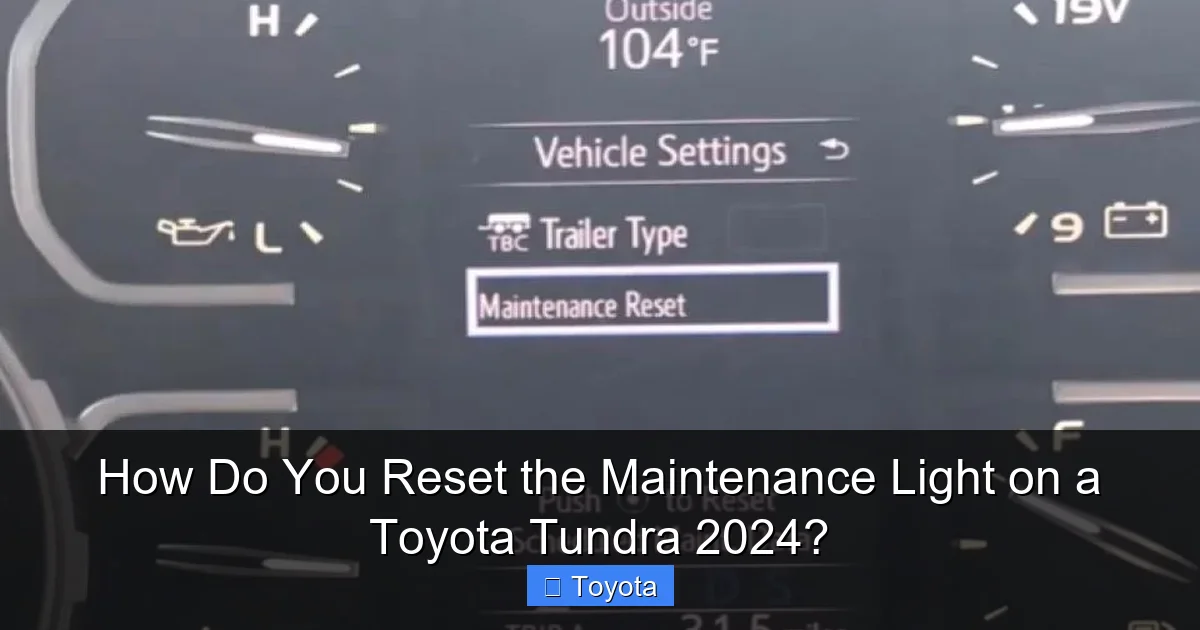
This is the core of your query. The procedure for the 2024 model year follows Toyota’s long-standing design but is executed via the vehicle’s multi-information display. There are two primary scenarios based on your truck’s gauge cluster style. Follow the steps that match your instrument panel.
Visual guide about How Do You Reset the Maintenance Light on a Toyota Tundra 2024?
Image source: mechanicguides.com
Method 1: For Trucks with a Digital Multi-Information Display (Most Common)
This applies to Tundras with a large LCD screen between the speedometer and tachometer that shows trip meters, fuel economy, and warnings.
- Turn the ignition OFF. Ensure your truck is in park (P) with the parking brake set.
- Press and hold the “ODO/TRIP” button. This is the button you normally press to toggle between your odometer and trip meter readings. It’s usually located on the instrument cluster itself, near the speedometer, or on the steering column stalk. Hold it down.
- While still holding the button, turn the ignition to the “ON” position. Do not start the engine. Turn the key to the position where the dashboard lights come on (or press the start button twice without touching the brake pedal on keyless models). Keep holding the ODO/TRIP button.
- Watch the display. After a few seconds, the odometer reading will disappear, and you should see a series of dashes “—–” or a menu prompt like “SETTING” or “MAINT RESET.”
- Release the button. Once you see the dashes or menu, you can let go.
- Press the button repeatedly to cycle through options. Tap the ODO/TRIP button to scroll through the menu items on the display. You are looking for an option that says “MAINTENANCE” or “MAINT RESET” or a wrench icon.
- Select the reset option. When the correct option appears on the screen, press and hold the button for about 2-3 seconds. You should see a confirmation message like “DONE,” “SET,” or the wrench icon will blink and then go out.
- Turn the ignition OFF and back ON. Turn the key to lock, then back to the ON position to verify the light is off. You can also start the engine to ensure it stays off.
Pro Tip: If you accidentally scroll past the maintenance option, just keep pressing the button—it will loop back around. If the menu doesn’t appear, ensure you’re holding the button before turning the ignition on and keep holding it for at least 5-6 seconds after turning the key on.
Method 2: For Trucks with a More Basic Gauge Cluster
Some base trim Tundras might have a simpler, non-digital cluster with a small display window. The process is very similar but may lack the full menu.
- Turn the ignition OFF.
- Press and hold the ODO/TRIP button.
- Turn the ignition to the “ON” position while holding the button.
- Continue holding until you see the maintenance required light blink. Instead of a full menu, you might simply see the wrench icon flash a few times, or the odometer display will show a series of zeros or dashes. This blinking indicates the system is in reset mode.
- Release the button. The light should go out. If it doesn’t, try the procedure again, holding the button for a longer duration (up to 10 seconds) after turning the ignition on.
- Verify the reset. Turn the ignition off and on again to confirm the light remains extinguished.
Important Note: The 2024 Tundra’s system is intelligent. If you try to reset the light before the required service interval has been reached (for example, at 4,000 miles when it’s set for 5,000), the reset may not work, or the light may come back on almost immediately. The system stores the mileage at the last reset. Ensure your truck’s odometer is at or past the mileage where the light originally came on.
What to Do After the Reset: Verification and Next Steps
You’ve followed the steps, the wrench is gone from your dash, and you feel a sense of accomplishment. Before you consider it a done deal, take these final verification steps.

Visual guide about How Do You Reset the Maintenance Light on a Toyota Tundra 2024?
Image source: oilreset.com
Immediate Verification
First, start your Tundra’s engine. Let it run for 10-15 seconds. Watch the instrument cluster as it performs its startup bulb check. The maintenance light should not illuminate during this sequence. If it does, the reset failed. Turn the truck off, wait 10 seconds, and try the procedure again, being extra careful to hold the button long enough to enter the reset mode.
Next, take a short drive—around the block is fine. Pay attention to the dashboard. The light should stay off. If it flickers or comes back on during this drive, it’s a sign that the reset was not accepted by the computer. This usually means one of two things: either the service interval hasn’t actually been met (your mileage is recorded incorrectly), or there is a deeper electrical or sensor issue preventing the system from being reset.
Documentation is Key
This is a crucial habit for any vehicle owner. Once the light is off, immediately document the service and reset in your maintenance log (physical book or digital app). Note the date, current mileage, and the service performed (e.g., “Oil & Filter Change, Tire Rotation – Reset MAINT Light”). This record is invaluable for your own reference and for proving maintenance history when you sell the truck. It also helps you predict the next service interval. For example, if you reset it at 7,500 miles, you can anticipate the next one around 15,000 miles.
Resetting vs. Diagnosing: Knowing the Difference
This is the most important concept to grasp. The maintenance required light is a predictive reminder. The check engine light (MIL – Malfunction Indicator Lamp) is a reactive diagnostic tool. Resetting one does nothing to the other. If your check engine light is on, you must diagnose and repair that issue with a scan tool before it will reset. If your maintenance light comes back on very quickly after a proper reset—say, within 100 miles—it is likely a system fault. In this case, a visit to a trusted mechanic or a Toyota dealership is warranted. They can use their professional diagnostic tools to see if the maintenance reminder module is functioning correctly or if there’s a communication error with the engine control unit (ECU). For more complex electrical issues, you might need to look into resources on resetting other systems, like how to reset the ECM on a Dodge Ram, though the principles of system communication are similar across modern vehicles.
Common Pitfalls and Troubleshooting Tips
Even with clear instructions, things can go wrong. Here’s how to navigate the most common issues Tundra owners face when trying to reset their maintenance light.
“The Light Won’t Go Out!”
This is the #1 frustration. Before you panic, work through this checklist:
- Did you complete the service? Be brutally honest. Did you change the oil? Did you rotate the tires? If not, do that first.
- Are you holding the button long enough? This is the most common error. You must hold the ODO/TRIP button down before turning the key to ON, and you must continue holding it for 5-10 seconds after the key is on until you see the dashes or menu. Don’t release it too early.
- Is your ignition in the correct position? You need “ON” (all dash lights on), not “START” (engine cranking). The engine must be off.
- Is your truck in Park (P)? The procedure will not engage if the transmission is not in Park. Ensure the parking brake is also set.
- Is the mileage actually at the interval? If you reset it at 4,800 miles but the system was programmed for 5,000, it may immediately reactivate. Drive a few more miles and try again.
- Try the 10-second hold method. For simpler clusters, try turning the key to ON while holding the button, and just keep holding it for a solid 10-12 seconds. Sometimes the menu appears very slowly.
“The Light Came Back On After 50 Miles!”
This indicates a failed reset or an unresolved issue. First, repeat the reset procedure carefully. If it happens again immediately after a correct reset, you have a system fault. Possible causes include:
- A faulty odometer/trip button that isn’t registering the long press.
- A glitch in the body control module (BCM) or instrument cluster itself.
- An underlying electrical issue draining or confusing the system.
At this point, it’s time to consult a professional. A Toyota technician can run a full diagnostic on the vehicle’s networks to identify the fault. Don’t keep resetting it endlessly while ignoring real service needs.
“My 2024 Tundra Has a Touchscreen. Is There Another Way?”
Excellent question. Some higher-trim 2024 Tunddas with large touchscreens may allow you to reset the maintenance reminder through the vehicle settings menu on the screen itself. The path is typically: Menu > Vehicle Settings > Maintenance > Maintenance Reset or something similar. You would then follow the on-screen prompts. However, the physical button method described above will almost always work regardless of trim level, as it accesses the instrument cluster’s internal computer directly. If you can’t find it in the touchscreen menu, fall back to the button method. Always refer to your owner’s manual for the definitive path for your specific VIN and trim.
The Importance of Following Your Toyota Tundra’s Maintenance Schedule
Resetting the light is just the final step. The real value lies in the maintenance it represents. Your 2024 Tundra is a heavy-duty truck, often used for towing, hauling, and demanding work. Sticking to its maintenance schedule is non-negotiable for longevity and reliability.
What’s Typically Due When the Light comes On?
For most 2024 Tundra owners, the first light will be for an oil and filter change. But as your truck ages, the intervals become more significant. Here’s a generalized view (always use your manual):
- Every 5,000-7,500 miles: Oil & filter change, tire rotation, basic inspection.
- Every 15,000-20,000 miles: Cabin air filter replacement, more detailed inspection of brakes, fluids, and belts.
- Every 30,000 miles: Engine air filter, possibly spark plugs (depending on engine), comprehensive inspection.
- Every 60,000 miles: Major service including transmission fluid (if applicable), differential fluid, coolant system check, and thorough examination of all major components.
Towing or severe driving (frequent short trips, extreme temperatures, dusty conditions) will shorten these intervals. The maintenance system in your 2024 Tundra is often adaptable and may adjust the reminder based on your driving style, but it’s still a baseline.
Consequences of Ignoring the Reminder
Let’s be clear: skipping maintenance is a false economy. That $50 oil change becomes a $5,000 engine rebuild if oil degrades and causes bearing failure. Neglected transmission fluid leads to slipping and catastrophic failure. Old, cracked belts can snap, leaving you stranded and potentially causing engine damage if the timing belt (on interference engines) breaks. The maintenance light is the cheapest insurance policy you have on your $40,000+ investment. Resetting it is merely acknowledging the work is done; the work itself is what protects your truck.
Furthermore, if your Tundra is under its original powertrain warranty, Toyota can deny a warranty claim for a failed component if they can prove you neglected the required maintenance outlined in your owner’s manual. Keeping meticulous records of service and resets is your best defense.
Conclusion: Empowerment Through Simple Maintenance
Knowing how to reset the maintenance light on your 2024 Toyota Tundra is more than just a party trick. It’s a fundamental piece of vehicle ownership knowledge that puts you in control. It saves you unnecessary dealership trips and fees for a 30-second task. It reinforces the habit of performing due diligence on your truck’s upkeep. Remember the golden rule: Service First, Reset Second. Never, ever reset the light as a shortcut to avoid maintenance. That small wrench icon is your Tundra’s voice, reminding you that a little care goes a long way in ensuring your truck remains the powerful, reliable workhorse you depend on. By following the clear steps outlined for your specific gauge cluster, you can confidently silence that reminder after each and every service, secure in the knowledge that your Tundra is properly maintained and ready for the next adventure. Keep this guide handy, consult your owner’s manual for your exact schedule, and enjoy the peace of mind that comes with a well-cared-for vehicle. If you ever feel unsure about the required service or if the reset procedure fails despite your best efforts, don’t hesitate to reach out to a certified Toyota technician—your truck’s long-term health is worth it.
Frequently Asked Questions
Can I drive my Tundra with the maintenance light on?
Yes, you can drive it for a limited time. The light is a reminder, not an immediate danger signal. However, you should schedule and complete the required service as soon as possible. Driving for hundreds of miles overdue on an oil change, for example, can cause significant engine wear.
How often will the maintenance light come on?
It depends on your truck’s programmed interval, which is typically every 5,000 to 7,500 miles for oil changes under normal driving conditions. The system calculates this based on mileage and sometimes time. Your owner’s manual specifies the exact schedule for your 2024 Tundra’s engine and driving conditions.
Do I need any special tools or a scan tool to reset the light?
No. The reset is designed to be done by the owner using only the vehicle’s odometer/trip meter button (or through the infotainment menu). You do not need an OBD-II scanner or any mechanical tools for this specific procedure.
Is resetting the maintenance light the same as clearing a check engine light?
No, they are completely different. The maintenance light is a simple mileage/time counter that you reset manually. The check engine light indicates a diagnostic trouble code stored by the engine computer, which requires a scan tool to read and diagnose the underlying problem before it can be cleared.
I just changed my oil myself. Can I reset the light right away?
Yes, absolutely. Once you have completed the oil and filter change with the correct oil and filter, you can immediately follow the reset procedure. This is a common reason for owners to perform the reset themselves after DIY maintenance. For other models, the process is often similar; you can learn how to reset the maintenance light on a Toyota Avalon or a Toyota Highlander, but always confirm the steps for your specific model year.
What if the light comes back on immediately after I reset it?
If the light returns within a very short distance (under 100 miles), it usually means the reset was not successful or the system has detected a fault. Double-check you followed the steps correctly, especially the button-hold duration. If it persists, there may be an issue with the reminder system itself, and you should have it inspected by a professional. For broader Toyota systems, understanding how to reset the maintenance required light on a Toyota can provide context, but your 2024 Tundra may have specific requirements.
