
How Do I Program a Genie Garage Door Opener to My Toyota Camry?

Programming your Genie garage door opener to your Toyota Camry is a straightforward process that leverages the car’s built-in HomeLink buttons. You’ll typically need your Genie remote control and access to the HomeLink buttons, usually found on the rearview mirror or sun visor. Follow these clear steps to sync your opener for seamless, keyless entry without ever leaving your vehicle.
How Do I Program a Genie Garage Door Opener to My Toyota Camry?
Picture this: you’re pulling into your driveway during a torrential downpour or a freezing winter night. The last thing you want to do is fumble for a separate garage door remote, get out of the warm, dry comfort of your Toyota Camry, and press a button on the wall. This is precisely why your Camry’s built-in HomeLink Universal Transceiver system exists. It’s designed to consolidate your remotes, and programming your Genie garage door opener to it is one of the easiest and most rewarding convenience upgrades you can make. This guide will walk you through every single step, from checking compatibility to troubleshooting, ensuring you can program your Genie opener to your Toyota Camry with complete confidence.
The process is remarkably simple, but it does require understanding the two main players: your vehicle’s HomeLink system and your Genie garage door opener’s technology. Whether you have a 2012 Camry or a 2023 model, the principles are the same. We’ll break it down into clear, actionable stages. By the end, you’ll wonder why you didn’t do it sooner. For owners of other Toyota models, the steps are generally identical, as the HomeLink interface is consistent across the lineup.
Key Takeaways
- Compatibility is Key: Most Toyota Camrys from the late 1990s onward feature HomeLink, and it works with nearly all modern Genie openers, including those with rolling codes.
- HomeLink Location: The HomeLink buttons are almost always located on the rearview mirror or the driver’s side sun visor in your Camry.
- Use the “Learn” Button: You must press the distinct colored “Learn” or “Program” button on your Genie opener’s motor unit, not the remote control buttons.
- Rolling Code Handling: Newer Genie openers use rolling codes, which require you to press the learn button twice during programming—once for the initial signal and once to set the code.
- Clear Previous Codes First: Always hold the HomeLink button for 20 seconds to erase any old signals before starting a new programming sequence.
- Multiple Door Systems: If you have multiple garage doors, you can program each to a separate HomeLink button (I, II, or III) by repeating the process for each door.
- No Remote? No Problem: If you’ve lost your Genie remote, you can often use a universal remote or purchase a replacement remote specifically for your Genie model to program the HomeLink.
📑 Table of Contents
- Understanding the Core Components: Your Camry’s HomeLink and Your Genie Opener
- Preparing Your Genie Garage Door Opener for the Programming Process
- Step-by-Step: Programming Your Genie Opener to HomeLink (Rolling Code & Fixed Code)
- Alternative Methods and Special Considerations
- Troubleshooting: Why Won’t My Genie Opener Program to My Camry?
- Maintaining and Optimizing Your Programmed System
- Conclusion: Enjoy the Seamless Integration
Understanding the Core Components: Your Camry’s HomeLink and Your Genie Opener
Before we touch a single button, it’s crucial to understand what we’re working with. Think of this as the “theory” section that makes the “practice” section foolproof. Your Toyota Camry has a small computer module, usually integrated into the rearview mirror or the driver’s visor, with three buttons labeled I, II, and III. This is your HomeLink system. It learns and stores radio frequency signals from other remotes, like your Genie garage door opener, and then retransmits them when you press the corresponding button.
Your Genie garage door opener has a motor unit mounted in your garage. On this unit, there is a crucial button, typically colored (often red, yellow, or purple) and labeled “Learn,” “Program,” or “Smart.” This button puts the Genie opener into a temporary programming mode, allowing it to accept a new signal from a remote—or in our case, from your Camry’s HomeLink. The interaction between these two components is the heart of the programming process.
Genie Opener Technology: Fixed Code vs. Rolling Code
This is the most important technical distinction. Older Genie openers (generally pre-1993) use a fixed code. The remote sends the same, unchanging code every time. Programming is a one-step process: you press the Genie learn button, then press the HomeLink button in your Camry. Done.
However, the vast majority of Genie openers made since the early 1990s use a rolling code (also called Security+ or Intellicode). This is a security feature where the code changes every single time you use the remote, preventing “code grabbing” by thieves. Programming a rolling code system requires an extra step. After the initial signal is learned, you must press the Genie learn button again to tell the opener to accept the new, rolling code signal from your Camry. Don’t worry; the steps below clearly differentiate between the two.
Locating the HomeLink Buttons in Your Toyota Camry
In virtually every Toyota Camry model year, the HomeLink buttons are in one of two places:
- The Rearview Mirror: Most commonly, the three buttons are embedded in the base of the rearview mirror assembly. They are small, usually black or gray, and may have a tiny house icon or the HomeLink logo.
- The Driver’s Sun Visor: In some model years, particularly older ones, the buttons are on a small panel on the driver’s side sun visor.
Consult your Camry’s owner’s manual for the exact location, but you’ll find them quickly with a glance. They are always within easy reach of the driver.
Preparing Your Genie Garage Door Opener for the Programming Process
Now, let’s get your Genie opener ready. You’ll need physical access to the motor unit, which is mounted on the ceiling of your garage. You’ll likely need a sturdy ladder. Safety first: ensure the garage door is completely closed and the opener is powered on (the unit should have a lit LED).

Visual guide about How Do I Program a Genie Garage Door Opener to My Toyota Camry?
Image source: geniedoortips.com
Step 1: Locate and Identify the “Learn” Button
Once you’re on the ladder, look at the side or back of your Genie motor unit. You’re searching for a button that is distinctly colored—common colors are red, yellow, orange, purple, or green. It will be labeled “Learn,” “Program,” “Smart,” or have an icon of a radio wave or a person learning. This is not the large button you press to open the door; that’s the wall control. This is a small, often recessed button you might need a pen or paperclip to press comfortably. On many modern Genie models, you may need to remove a small plastic cover to access it.
Pro Tip: If you have trouble finding it, your Genie model number is on a sticker on the motor unit. A quick online search for “[Your Genie Model Number] learn button location” will yield images and diagrams.
Step 2: Clear Any Existing Codes from Your Camry’s HomeLink
This is a critical step that many people skip, leading to frustration. Your Camry’s HomeLink buttons may have old signals stored from a previous owner or a different garage door. We must erase them first. The process is the same for all three buttons:
- Press and hold the desired HomeLink button (I, II, or III) you wish to use. Do not release it.
- Watch the indicator light on the button. It will start as a solid color (often amber or red) and will begin to blink slowly after about 10 seconds.
- Continue holding the button. After approximately 20 seconds total, the indicator light will change to a rapid blink or go out completely. This means the memory for that button is cleared.
- Release the button. You have now created a clean slate for your Genie opener.
Repeat this clearing process for any other HomeLink buttons you plan to program. It’s good practice to clear all three before starting.
Step-by-Step: Programming Your Genie Opener to HomeLink (Rolling Code & Fixed Code)
With your Genie opener accessible and your HomeLink button cleared, we’re ready to program. The steps differ slightly based on your Genie’s technology. We’ll cover both scenarios.

Visual guide about How Do I Program a Genie Garage Door Opener to My Toyota Camry?
Image source: garagedoorpedia.com
Programming for a Rolling Code Genie Opener (Most Common)
If your Genie opener was made in the last 25-30 years, this is almost certainly your method. The rolling code requires that initial “handshake” followed by a confirmation.
Part 1: Train the HomeLink Button to the Opener’s Signal
- Stand in your garage with your Toyota Camry. You should be able to see the Genie motor unit from inside the car, or have a helper inside the car.
- Have your Genie remote control handy. You will use it as a signal source.
- In your Camry, press and hold the cleared HomeLink button (I, II, or III) you want to program. The indicator light will come on solid.
- While still holding the HomeLink button, have your helper (or you, if you can reach) press and release the button on your Genie remote control. Hold the remote about 1-3 inches from the HomeLink button area on the mirror/visor.
- Watch the HomeLink indicator light. It should begin to blink rapidly, changing from a solid state to a fast blink. This means it has learned the signal from the Genie remote. Release both buttons on the Camry and the remote.
Part 2: Sync the HomeLink with the Genie Opener’s Learn Button
- Now, go to your Genie motor unit on the ladder. Press and release the colored “Learn” button. The indicator light on the motor unit (usually a small LED near the button) will turn on steadily or start blinking, depending on the model. You have about 30 seconds to complete the next step.
- Return to your Camry and press and release the same HomeLink button (I, II, or III) you just trained. Do not hold it; just a quick press and release.
- The Genie motor unit’s light should blink a few times and then go out, or you will hear two distinct clicks. This indicates the HomeLink signal has been accepted and stored as a valid rolling code transmitter.
- Test it! Press the programmed HomeLink button in your Camry. The garage door should operate smoothly. If it doesn’t, repeat Part 2 (pressing the learn button on the Genie, then the HomeLink button).
Programming for a Fixed Code Genie Opener (Rare)
If you have an extremely old Genie opener that does not have a learn button and uses dip switches on the remote and motor unit, the process is simpler but less common today.
- On your Genie motor unit, locate the row of small switches (dip switches). Note their positions (on/off).
- In your Camry, press and hold the desired HomeLink button.
- While holding the HomeLink button, press the button on your Genie remote. The HomeLink light will blink rapidly.
- Release both buttons. The HomeLink button should now be programmed. You may need to manually set the dip switches on the Genie motor unit to match the remote, but most fixed-code systems programmed via remote are now fully set. Consult your Genie manual if this simple method fails.
Important Note: If your Genie opener has a learn button, you must use the rolling code method above, even if it’s an older unit. The presence of a learn button indicates rolling code capability.
Alternative Methods and Special Considerations
What if your Camry doesn’t have a built-in HomeLink system? Or what if your Genie remote is lost? We have solutions.
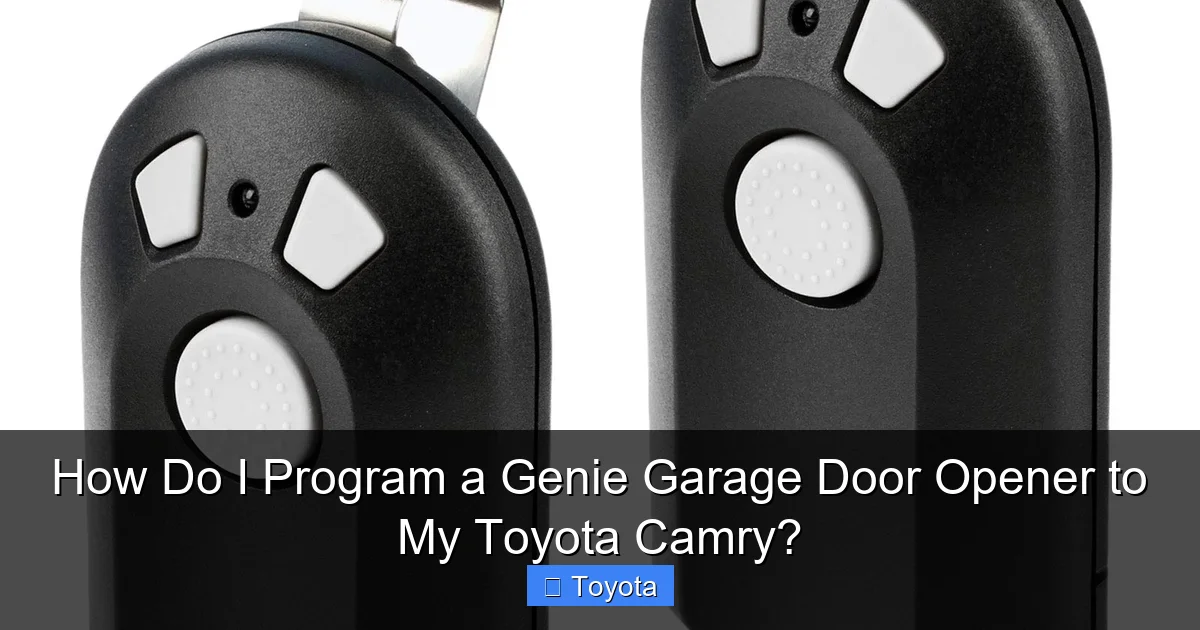
Visual guide about How Do I Program a Genie Garage Door Opener to My Toyota Camry?
Image source: geniedoortips.com
Adding HomeLink to a Camry Without Factory Buttons
Some base-model Camrys from certain years might not have the factory-installed HomeLink mirror. You have two excellent options:
- Aftermarket HomeLink Visor Kit: Toyota sells an official HomeLink kit that installs onto the driver’s sun visor. It includes the button panel and the necessary wiring harness. Installation is usually plug-and-play and very simple. This is the cleanest OEM solution.
- Universal Aftermarket Mirror: Many auto parts stores and online retailers sell replacement rearview mirrors with built-in HomeLink buttons. These are universal-fit mirrors that install in place of your existing mirror. They often include a compass and temperature display as added features.
Once one of these systems is installed, the programming steps are identical to those described above.
Using a Universal Remote as a Bridge
If your Genie remote is lost or broken, you can purchase a universal garage door remote that is compatible with Genie openers (brands like Chamberlain, LiftMaster, and others often work). Program this universal remote to your Genie opener first, following its instructions. Then, use that universal remote as the signal source in the “Part 1” step of the rolling code programming process above. You are essentially using the universal remote to teach your Camry’s HomeLink the signal.
Programming Multiple Garage Doors or Gates
Your Camry has three HomeLink buttons. You can program each one to a different device:
- Button I: Primary Garage Door
- Button II: Secondary Garage Door or Gate
- Button III: Another Gate or even a different Genie opener on a separate property
Simply repeat the entire programming sequence (clearing the button first, then the two-part rolling code process) for each device on its respective button. The systems are independent.
Troubleshooting: Why Won’t My Genie Opener Program to My Camry?
Even with careful steps, things can sometimes go wrong. Here’s a diagnostic guide for the most common hiccups.
Issue: The HomeLink Button’s Light Doesn’t Blink or Change When I Hold It
Diagnosis: This usually means the button wasn’t cleared properly, or there’s a physical issue with the HomeLink module.
- Solution: Re-clear the button. Hold it for a full 20-25 seconds until the light definitely changes to a rapid blink or turns off. Ensure you’re holding it long enough.
- If clearing fails, try a different HomeLink button (I, II, or III). One button may have a fault.
- Check your Camry’s fuse for the interior/mirror circuit. A blown fuse can disable the HomeLink system.
Issue: The Garage Door Moves But Doesn’t Complete Its Cycle (Starts, Then Stops)
Diagnosis: This is classic of a rolling code incompatibility. The initial signal was learned (Part 1), but the second sync with the learn button (Part 2) either didn’t happen or failed.
- Solution: Go back to your Genie opener. Press and release the learn button. You have 30 seconds. Then, go to your Camry and press and release the HomeLink button once. Do not hold it. You should hear a click from the Genie unit and see its light blink. If not, repeat. Ensure you are pressing the same HomeLink button you trained in Part 1.
Issue: Nothing Happens at All When I Press the Programmed HomeLink Button
Diagnosis: The signal wasn’t learned at all, or the learn button step was missed entirely.
- Solution: Start over completely. Clear the button. Then, perform both parts of the rolling code sequence in quick succession. Part 1 (using the remote) and Part 2 (pressing the Genie learn button, then the HomeLink button) are both mandatory for rolling code systems.
- Ensure you are using the correct Genie remote. If you have multiple remotes, use the one that currently operates the door.
- Check the batteries in your Genie remote. A weak remote signal can be hard for HomeLink to learn.
Issue: My Genie Opener Has a “Learn” Button But It’s Not Working
Diagnosis: Some older Genie models have a learn button that must be pressed twice for programming.
- Solution: After pressing the learn button the first time (for Part 1), press it again before the 30-second timer expires. Then press the HomeLink button. This double-press is required on certain legacy models. Consult your Genie manual if this is the case.
Maintaining and Optimizing Your Programmed System
Once successfully programmed, your Genie-Camry connection should be reliable for years. A little maintenance ensures it stays that way.
Battery Care for Your Genie Remote
Even though you’re using HomeLink, keep your Genie remote’s battery fresh. A weak battery can cause the initial “training” signal (Part 1) to be too faint for HomeLink to learn properly. Use a high-quality CR2032 or similar battery as specified in your Genie manual. Replace it every 1-2 years as a preventive measure.
What to Do After a Power Outage
Garage door openers, including Genie units, typically lose their programmed remotes during a prolonged power outage. The memory is volatile. If this happens:
- Unplug your Genie motor unit from the ceiling for 10 seconds, then plug it back in. This resets the unit.
- You will need to reprogram all your remotes and the HomeLink button from scratch. Follow the rolling code steps above. Your Camry’s HomeLink memory is unaffected; it still holds the signal, but the opener has forgotten it.
This is a normal reset procedure and not a fault.
Reprogramming for a New Home or New Opener
If you move or replace your Genie opener, the process is identical to the initial setup. Always remember to clear the HomeLink button first. The old signal from your previous opener is irrelevant and must be erased.
Final Pro Tip: For any deep troubleshooting or if you suspect a faulty HomeLink module in your Camry, a visit to your Toyota dealership’s service department is the best course. They have diagnostic tools specifically for the HomeLink system. For Genie-specific issues, contact Genie customer support or a certified Genie dealer. They can often provide model-specific guidance over the phone.
Conclusion: Enjoy the Seamless Integration
Programming your Genie garage door opener to your Toyota Camry transforms a daily chore into a single, effortless button press from the driver’s seat. It’s a perfect example of how modern vehicle technology is designed to simplify your life. The key is understanding the simple dance between your car’s HomeLink button and your Genie opener’s learn button, especially if you’re dealing with a rolling code system. Remember the golden rules: always clear the HomeLink memory first, use the Genie learn button (not the remote buttons) for the final sync, and don’t hesitate to repeat the steps if the first attempt fails. With this knowledge, you’re not just programming a garage door; you’re unlocking a new level of convenience in your Camry. Now, every time you come home, your car and your garage will work in perfect harmony.
Frequently Asked Questions
Is my Toyota Camry compatible with a Genie garage door opener?
Yes, virtually all Toyota Camry models from the mid-to-late 1990s onward are compatible with Genie openers thanks to the standard HomeLink Universal Transceiver system. The only requirement is that your Camry’s HomeLink buttons are functional.
What if I have two different Genie garage doors? Can I program both?
Absolutely. Your Camry has three HomeLink buttons (I, II, III). You can program each button to a separate Genie opener or even a different brand’s opener. Simply repeat the entire programming sequence for each door on a different button.
My Genie opener has a learn button, but the programming keeps failing. What am I doing wrong?
>The most common mistake is skipping the second step for rolling code systems. After training the HomeLink button with your Genie remote (Part 1), you must press the learn button on the Genie motor unit, then quickly press the HomeLink button in your Camry (Part 2). Ensure you press the HomeLink button only once and release it promptly after pressing the Genie learn button.
Do I need my Genie remote control to complete the programming?
Yes, for the initial training step (Part 1), you need a working Genie remote that currently operates your door. The HomeLink system learns the signal from that remote. If your remote is lost or broken, you’ll need to obtain a replacement remote for your specific Genie model first, or use a universal remote programmed to your Genie opener.
Can I program the HomeLink without a ladder? I can’t reach my Genie opener.
Unfortunately, for the final sync step (pressing the learn button on the Genie motor unit), you must have physical access to the opener on the garage ceiling. You will need a step ladder. If you are unable to do this safely, consider asking a family member for assistance or hiring a handyman for a few minutes of help.
Why does my garage door open but not close when I use the HomeLink button?
This almost always indicates the rolling code programming was incomplete. The initial signal was learned (so it opens), but the second sync with the learn button never happened (so the opener doesn’t recognize the rolling code for closing). Go back to your Genie unit, press the learn button, and within 30 seconds, press the programmed HomeLink button in your Camry once. You should hear a click from the Genie unit confirming acceptance.
