
How Do I Reset the Maintenance Light on a 2015 Toyota Corolla?

If your 2015 Toyota Corolla’s maintenance light is on, it signals scheduled service is due. After performing the required maintenance, you can reset the light yourself in under a minute using the odometer button. This guide provides clear, step-by-step instructions to clear the wrench icon and keep your maintenance tracker accurate, saving you a trip to the dealer.
Hey there, fellow Toyota Corolla driver! So, you fire up your trusty 2015 Corolla, and there it is—that little wrench icon glaring at you from the dashboard. Annoying, right? But don’t sweat it. That maintenance required light is actually your car’s friendly nudge, saying, “Hey, it’s time for some routine care!” In your 2015 Corolla, this light typically comes on every 5,000 miles or six months, whipping you about oil changes, tire rotations, and other scheduled goodies. Once you’ve had the work done—whether you did it yourself or visited your mechanic—you’ll need to reset that light. Otherwise, it’ll just keep haunting you every time you start the car. The good news? Resetting it is a breeze. You don’t need any fancy tools or a dealership visit. In this guide, I’ll walk you through the entire process, from understanding what the light means to executing the reset with confidence. We’ll also troubleshoot if things go sideways and share tips to keep your Corolla purring for years. Let’s dive in and get that wrench icon off your dash!
Key Takeaways
- The maintenance light is a service reminder, not an emergency: It illuminates based on mileage or time intervals for oil changes and other routine tasks.
- Always perform maintenance before resetting: Reset the light only after completing the factory-recommended service to avoid engine damage.
- No tools are required for the reset: The process uses only the odometer/trip meter button on your dashboard.
- The reset procedure is model-specific: While similar across Toyotas, the 2015 Corolla has a unique sequence; follow steps precisely.
- A persistent light may indicate an issue: If the light returns quickly or won’t reset, consult a mechanic for potential sensor problems.
- Regular maintenance extends your Corolla’s life: Adhering to the schedule ensures reliability, fuel efficiency, and resale value.
📑 Table of Contents
What is the Maintenance Light and Why Does It Come On?
First things first, let’s demystify that wrench symbol. In your 2015 Toyota Corolla, the maintenance required light is part of the car’s onboard computer system. It’s not a warning light like the check engine light; it’s a simple reminder based on a preset maintenance schedule. Toyota designed it to help you stay on top of regular service without having to track mileage and dates manually. The system counts down from the last reset, and when it hits zero—usually after 5,000 miles or six months—the light pops on.
Why does this matter? Well, skipping maintenance can lead to bigger problems down the road. Old oil loses its lubricating properties, causing engine wear. Worn-out filters reduce efficiency. Ignoring tire rotations might lead to uneven tread and poor handling. The light is your first line of defense against neglect. It’s a proactive tool, not a reactive alarm. So, when you see it, plan for an oil change, inspect fluids, check brakes, and review other items in your owner’s manual. After all, a well-maintained Corolla can easily surpass 200,000 miles. That’s the Toyota way!
The Science Behind the Light
Your Corolla’s computer uses a combination of mileage and time to trigger the light. It’s not smart enough to know if you actually changed the oil; it just knows the interval has passed. That’s why resetting it after service is crucial. If you don’t reset it, the system thinks you haven’t done the maintenance and will keep reminding you. Think of it like a kitchen timer—you set it for 30 minutes, and when it dings, you reset it after cooking. Same idea here. The reset tells the computer, “Service is complete; start counting anew.” This system is standard across many Toyota models, but the reset procedure can vary slightly by year and model. For instance, resetting the maintenance light on a Toyota Yaris might use a different button combination, but the principle is identical.
Common Misconceptions
Some folks mistake the maintenance light for the check engine light. Big difference! The check engine light (usually a yellow engine icon) signals an emissions or engine problem that needs immediate attention. The maintenance light (a wrench) is purely a service reminder. Another myth? That you can ignore it for a few thousand miles. While your Corolla won’t explode if you drive with it on, you’re risking accelerated wear. Also, some think resetting the light without doing service is harmless. Not true—it defeats the system’s purpose and can void warranties if neglected. So, always service first, reset second. If you’re unsure about your Corolla’s specific schedule, consult the owner’s manual or talk to a trusted mechanic. And hey, if you ever need to reset other lights, like the check engine light on a Toyota Corolla, that’s a different process involving diagnostic tools—but that’s a story for another day.
When Should You Reset the Maintenance Light?
Timing is everything. You should reset the maintenance light only after you’ve completed the recommended service. This isn’t a trick to avoid maintenance; it’s the final step in the process. Here’s when to do it:

Visual guide about How Do I Reset the Maintenance Light on a 2015 Toyota Corolla?
Image source: i.ytimg.com
- Immediately after an oil change: This is the most common trigger. Since oil changes are due every 5,000 miles, reset the light right after the new oil and filter are installed.
- After any scheduled service: If you’ve done tire rotations, brake inspections, fluid top-ups, or replaced the cabin air filter, reset the light to sync the computer with your maintenance history.
- When you perform DIY maintenance: Changed the oil yourself? Great! Reset the light before you drive off.
- If the light comes on prematurely: Rare, but sometimes a glitch or sensor issue might trigger it early. Still, verify service is up to date before resetting.
Never reset the light without doing the work. It’s like erasing a to-do list without completing tasks—you’ll forget something important. Plus, if you sell your car, a reset light might mislead the buyer about its maintenance history. Honesty is the best policy with your vehicle.
Signs That Service is Actually Due
How do you know it’s not just a false alarm? Check your mileage and last service date. The 2015 Corolla’s maintenance schedule is straightforward: every 5,000 miles for oil and filter, with additional checks at 10,000, 15,000, etc. intervals. Your owner’s manual has a detailed chart. Also, listen to your car. Unusual noises, decreased fuel economy, or sluggish performance can signal it’s time, even if the light isn’t on yet. But if the light is on, assume service is needed unless you just had it done. And remember, if you drive in severe conditions—like extreme heat, stop-and-go traffic, or dusty areas—you might need more frequent service. Toyota’s “severe” schedule shortens intervals, so adjust accordingly.
What Happens If You Delay Resetting?
Nothing catastrophic short-term, but it defeats the system’s purpose. The light will stay on, becoming a constant distraction. More importantly, you might lose track of when the next service is due because the computer’s countdown is paused until reset. So, if you reset it a week late, your next interval is still 5,000 miles from the reset point, not from the original due date. That’s fine, but it’s easy to forget. My advice: reset it right after service, so the timer starts fresh. It takes 30 seconds—why not? Also, some newer models have maintenance reminders on the multi-information display; resetting ensures those are accurate too. For general tips on Toyota maintenance lights, our guide on resetting the maintenance required light on a Toyota covers broader models and scenarios.
Step-by-Step: Resetting the Maintenance Light on a 2015 Toyota Corolla
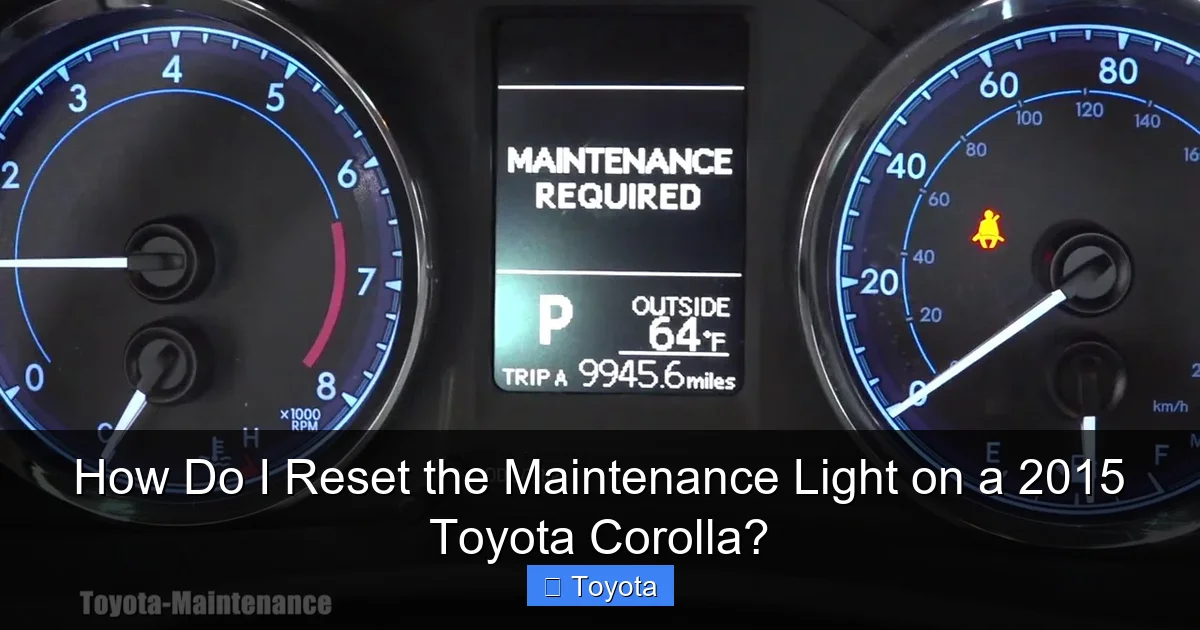
Alright, the moment you’ve been waiting for! Resetting the maintenance light on your 2015 Corolla is straightforward, but you need to follow the steps exactly. The process uses the odometer/trip meter button located on the dashboard, near your speedometer. No tools, no hood popping—just a few button presses. Here’s how to do it:
Visual guide about How Do I Reset the Maintenance Light on a 2015 Toyota Corolla?
Image source: i.ytimg.com
Preparation: Ensure the Car is Ready
Before you start, make sure:
- The car is parked safely with the parking brake on.
- The engine is off. Don’t try this while running.
- The ignition is in the “ON” position (turn the key to “ACC” or press the start button without braking).
- The maintenance light is on. If it’s off, you don’t need to reset!
The Reset Procedure
- Turn the ignition on: Insert your key and turn it to the “ON” position (the dashboard lights should illuminate, but the engine remains off). If you have a push-button start, press the button twice without touching the brake pedal.
- Locate the odometer button: Find the button on your instrument cluster. On the 2015 Corolla, it’s usually labeled “ODO/TRIP” or has a reset symbol. It’s near the speedometer, often on the steering wheel stalk or the dash itself. You’ll use this to cycle through displays.
- Switch to the odometer display: Press the button repeatedly until the multi-information display shows the total odometer reading (not the trip meter). You should see a number like “12345 miles.” If you see “Trip A” or “Trip B,” keep pressing until you get the full odometer.
- Access the reset mode: Now, turn the ignition off. Wait about 2-3 seconds.
- Turn the ignition back on while holding the button: Press and hold the odometer button, then turn the key to “ON” again (or press the start button twice). Keep holding the button.
- Watch for the reset confirmation: After a few seconds, the display should change. You might see dashes “—–” or the maintenance light blink. Continue holding the button until the wrench icon disappears and the odometer reading reappears. This can take 5-10 seconds.
- Release the button: Once the light is off and the odometer shows, let go of the button. Turn the ignition off, then start the engine to verify the light stays off.
That’s it! You’ve reset the light. If the wrench icon comes back on after a few drives, double-check that you held the button long enough or that no other issues are present. Sometimes it takes a couple of tries. For visual learners, video tutorials online can help, but the text steps are reliable. Note: This procedure is specific to the 2015 Corolla. If you have a different year, like a 2021 RAV4, the steps might vary slightly—check our guide on resetting the maintenance light on a 2021 Toyota RAV4 for that model.
Tips for Success
To avoid frustration:
- Do it in daylight: Dashboard displays can be hard to read in the dark.
- Be patient with the button hold: Don’t rush; hold until you see the change.
- If it fails, restart: Turn everything off, wait 10 seconds, and try again.
- Consult your owner’s manual: It has the exact procedure for your VIN, just in case.
Once reset, your Corolla’s computer starts a new 5,000-mile countdown. Mark your calendar or set a phone reminder for the next service. Proactive maintenance is key to longevity. And if you ever need to reset other lights, like the battery light on a Toyota Corolla, that’s a separate issue often related to the charging system—so don’t confuse them.
Troubleshooting: What If the Light Won’t Reset?
So you followed the steps, but that wrench is still glaring at you? Don’t panic. There are a few reasons this might happen, and most are easy to fix. Let’s troubleshoot common hiccups.
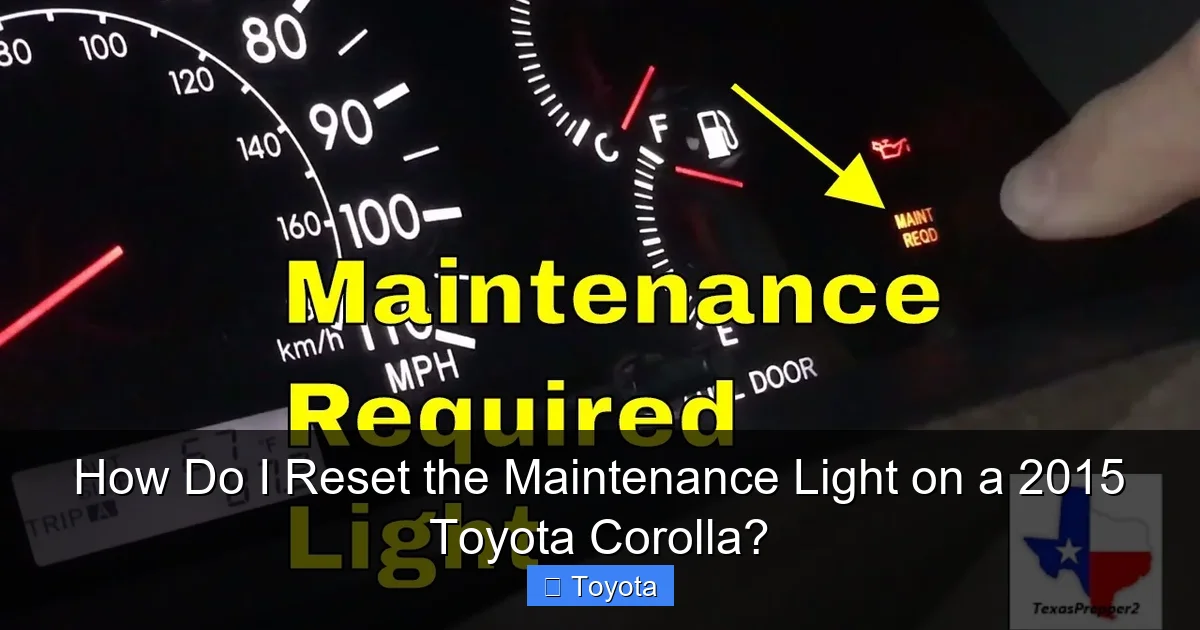
Visual guide about How Do I Reset the Maintenance Light on a 2015 Toyota Corolla?
Image source: i.ytimg.com
Common Reasons for Reset Failure
- Incorrect procedure: Maybe you didn’t hold the button long enough, or you were in the trip meter display instead of the odometer. Double-check the steps above. The 2015 Corolla requires the odometer view before turning the key off and on while holding the button.
- Low battery voltage: If your car battery is weak, the computer might not reset properly. Try jump-starting or charging the battery, then retry.
- Faulty sensor or switch: Rare, but possible. The maintenance light system relies on sensors that track mileage. A malfunction could prevent resetting. If you’ve tried multiple times, it might be time for a professional diagnosis.
- Light was already reset: Sometimes, after service, the mechanic might have reset it, but you didn’t notice. Verify by turning the ignition on and off a few times; if it stays off, you’re good.
- Other warning lights present: If the check engine light is on simultaneously, it might interfere. Address that first—resetting the maintenance light won’t fix underlying engine issues.
Advanced Steps if Basic Reset Fails
If the simple method didn’t work, try this:
- Ensure the car is in “Park” and all accessories are off.
- Disconnect the negative battery terminal for about 5 minutes. This resets the car’s computer entirely. Reconnect, then try the reset procedure again. Note: Disconnecting the battery might reset radio presets and clock, so be prepared to reprogram those.
- Use an OBD2 scanner. Some advanced scanners can reset maintenance lights. If you have one, plug it into the OBD2 port (under the dash), navigate to the maintenance reset option, and follow prompts. This is overkill for most but useful if you own a scanner.
If all else fails, visit a Toyota dealer or a reputable mechanic. They have proprietary tools to reset the system and can check for underlying issues. Don’t keep driving with the light on if you suspect service wasn’t completed—it’s better to be safe than sorry. For other Toyota models, like a Highlander, the process might differ; our article on resetting the maintenance light on a Toyota Highlander covers those variations.
When to Seek Professional Help
Don’t hesitate to call a pro if:
- The light resets but comes back on within a few days or miles.
- You’re uncomfortable with the steps.
- Multiple dashboard lights are illuminated.
- You notice performance issues like rough idling or poor acceleration.
A mechanic can run diagnostics to ensure all sensors are working and that no other systems are failing. Sometimes, a simple software update from the dealer is needed—especially if your car’s computer is outdated. But for most 2015 Corollas, the DIY method works flawlessly. So, keep at it, and you’ll likely succeed.
Pro Tips for Corolla Maintenance and Light Management
Now that you know how to reset the light, let’s talk about staying ahead of the game. A little prevention goes a long way with your Corolla. Here are some insider tips to keep your maintenance light—and your car—happy.
Keep a Maintenance Log
Even though the computer tracks mileage, a physical log is gold. Note the date, mileage, and services performed (oil change, tire rotation, etc.). This helps you verify when the next service is due and proves maintenance history if you sell the car. You can use a notebook, spreadsheet, or apps like “myCARFAX.” When you reset the light, jot it down. It creates a clear record and reduces guesswork.
Understand Your Corolla’s Service Schedule
The 2015 Corolla has a detailed maintenance schedule in the owner’s manual. It’s not just oil every 5,000 miles. At 10,000 miles, you might need an air filter replacement; at 30,000, spark plugs and fuel filter. Knowing this helps you anticipate needs and budget. For severe driving conditions—frequent short trips, hot climates, dusty roads—Toyota recommends shorter intervals. Adjust accordingly. If you’re unsure, a quick chat with your mechanic can clarify. And for other Toyota models, schedules vary; our guide on resetting the maintenance required light on a Toyota Tacoma, for example, might have different intervals due to truck usage.
Use Quality Parts and Fluids
When servicing, opt for Toyota-approved oil (0W-20 for most 2015 Corollas), filters, and parts. Cheap alternatives can cause wear or trigger sensors. If you DIY, buy from reputable brands. If you go to a shop, ask about the parts they use. Good maintenance practices ensure the light only comes on when truly needed, not because of subpar service.
Monitor Other Dashboard Lights
The maintenance light is just one of many. Get familiar with all your Corolla’s indicators: check engine, tire pressure, ABS, airbag, etc. Each has a different meaning and reset procedure. For instance, if your tire pressure light is on, you need to inflate tires and reset the TPMS sensor—not related to the maintenance light. But knowing them all helps you diagnose issues faster. If you ever need to reset the check engine light on a Toyota Corolla, remember it requires fixing the underlying problem first, not just turning it off.
Leverage Technology
Some 2015 Corollas have a maintenance reminder on the multi-information display that shows “Service” or “Oil Change.” Use it! It’s more specific than the wrench icon. Also, consider setting calendar alerts on your phone for service milestones. Apps like “Toyota Owners” can send reminders based on your VIN. Technology makes maintenance management effortless.
Don’t Ignore Unusual Symptoms
Even if the maintenance light is off, pay attention to your car. Strange noises, vibrations, or leaks are red flags. Regular inspections—every few months—can catch issues before they escalate. A well-maintained Corolla rarely has surprise breakdowns. And if you ever reset the light but notice it comes back immediately, stop driving and get it checked. It might indicate a failed service or a deeper problem.
Conclusion
There you have it—the complete guide to resetting the maintenance light on your 2015 Toyota Corolla. It’s a simple yet vital skill for any car owner. Remember: the light is your friend, not a foe. It’s there to help you maintain your vehicle’s health and avoid costly repairs. By following the steps outlined—turn on ignition, switch to odometer display, turn off, hold button while turning on—you can clear that wrench icon in under a minute. Always reset only after performing the required service, and keep a log of your maintenance activities. If you run into trouble, don’t hesitate to seek professional help; it’s better to be safe. With this knowledge, you’re empowered to keep your Corolla running smoothly for miles and miles. So, next time that light pops on, you’ll know exactly what to do. Happy driving, and may your Corolla stay reliable!
Frequently Asked Questions
How often does the maintenance light come on a 2015 Toyota Corolla?
The maintenance light typically illuminates every 5,000 miles or six months, whichever comes first, based on the factory maintenance schedule. It’s a reminder for oil changes and other routine services.
Can I reset the maintenance light without changing the oil?
Technically yes, but it’s not recommended. The light is a reminder that service is due; resetting it without performing maintenance defeats its purpose and can lead to engine damage. Always service first, then reset.
What if the maintenance light comes back on after resetting?
If the light returns quickly, it may indicate incomplete service, a faulty sensor, or an underlying issue. Recheck that all maintenance was performed correctly, and if it persists, consult a mechanic for diagnosis.
Is the reset procedure the same for all Toyota Corolla years?
No, the procedure can vary by model year. The 2015 Corolla uses the odometer button method described here. Newer or older models might have different steps, so always refer to your owner’s manual.
Do I need any special tools to reset the light?
No tools are required. The reset is done using only the odometer/trip meter button on your dashboard. It’s a simple, tool-free process that takes less than a minute.
Will disconnecting the battery reset the maintenance light?
Disconnecting the battery can reset the car’s computer, including the maintenance light, but it’s not the recommended method. It may also erase radio presets and clock settings. Use the specific button sequence instead for a clean reset.