
How to Adjust the Steering Wheel on a Tesla Model Y

Adjusting your Tesla Model Y’s steering wheel is a simple yet critical task for ensuring a comfortable and safe driving experience. Using the touchscreen interface, you can easily modify tilt and telescopic positions to suit your posture. Save these settings to your driver profile for instant personalization every time you get behind the wheel.
Getting comfortable behind the wheel of your Tesla Model Y is about more than just adjusting the seat. The steering wheel is your primary connection to the car, and its position has a huge impact on your driving comfort, control, and even safety. Unlike traditional cars with a physical lever, your Model Y uses a sleek, electronic system. Learning how to adjust the steering wheel on a Tesla Model Y is quick and intuitive, once you know where to look. This guide will walk you through every step, from the basic movements to saving your perfect setup for whenever you drive.
Key Takeaways
- Electronic Controls: The Tesla Model Y uses a fully electronic steering wheel adjustment system controlled via the central touchscreen.
- Two Axes of Movement: You can adjust both the tilt (up/down angle) and telescopic (in/out reach) of the steering wheel.
- Driver Profiles: All adjustment settings are saved to your selected driver profile, allowing multiple users to have their perfect position recalled instantly.
- Safety First: Proper adjustment reduces driver fatigue, improves control, and ensures optimal airbag deployment in case of an accident.
- Integration with Other Systems: Steering wheel position is often synchronized with power seat and side mirror adjustments for a complete ergonomic setup.
- No Manual Override: There is no physical lever or crank; all adjustments are made through the vehicle’s software interface.
- Accessory Compatibility: Aftermarket steering wheel covers or custom wraps do not interfere with the adjustment mechanism but should be installed correctly.
📑 Table of Contents
- Understanding the Electronic Steering Wheel Adjustment System
- Step-by-Step: Adjusting Tilt and Telescopic Positions
- Memory Settings and Driver Profiles: A Complete Personalized Experience
- Safety and Ergonomic Best Practices
- Troubleshooting Common Adjustment Issues
- Customization and Accessories: Enhancing Your Grip and Style
- Conclusion: Your Perfect Driving Position Awaits
Understanding the Electronic Steering Wheel Adjustment System
Your Tesla Model Y does away with the old mechanical adjustment stalks found in many cars. Instead, it relies on an electronic motor housed within the steering column. This motor precisely moves the wheel up and down (tilt) and in and out (telescopic) based on your commands. The entire process is managed by the vehicle’s computer and initiated through the main touchscreen display. This design keeps the interior clean and minimalist, which is a hallmark of Tesla’s philosophy. It also allows for the settings to be perfectly saved and recalled within your driver profile.
Why Electronic Adjustment?
The move to electronic controls offers several advantages. First, it enables seamless integration with driver profiles. Your seat, mirrors, and steering wheel can all move to your preferred positions with a single tap. Second, it allows for more granular and precise adjustments. You can make tiny movements to get the wheel exactly where you want it. Finally, it eliminates the physical clutter of levers and handles, contributing to the Model Y’s spacious, uncluttered cabin feel. When you need to adjust the steering wheel on a Tesla Model Y, you’re simply sending a command to a small, powerful motor.
Locating the Controls
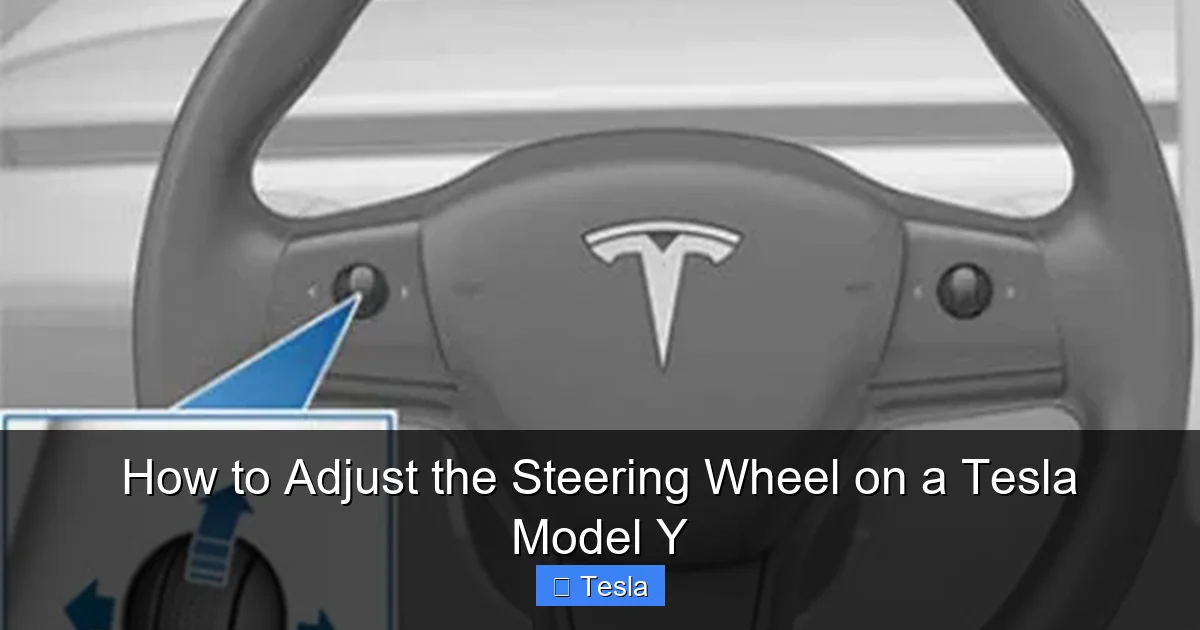
You won’t find a lever on the steering column. All steering wheel adjustments are accessed through the central touchscreen. The path is consistent: tap the ‘Controls’ icon (the car symbol) on the bottom dock, then select ‘Steering Wheel’ from the menu. Some Model Y vehicles may also have a quick-adjust button on the left side of the steering column itself. If present, pressing this button will bring up the same on-screen adjustment interface, allowing for faster access without navigating menus. However, the primary and guaranteed method is always via the main touchscreen menu.
Step-by-Step: Adjusting Tilt and Telescopic Positions
Now, let’s get into the actual process. Adjusting your steering wheel properly is a two-part dance: getting the angle right (tilt) and then setting the distance from your body (telescopic). It’s best to start with your seat adjusted to a comfortable driving position first, as your reach to the pedals will determine your ideal steering wheel placement.
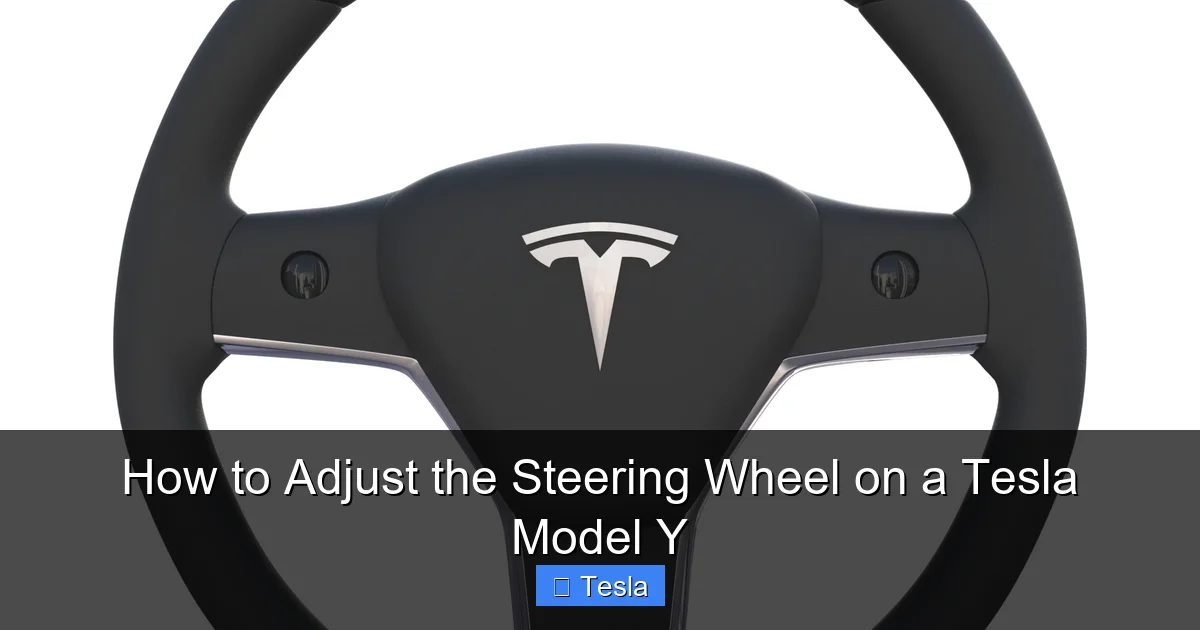
Visual guide about How to Adjust the Steering Wheel on a Tesla Model Y
Image source: assets.superhivemarket.com
Accessing the Steering Wheel Adjustment Menu
With your Model Y parked and in ‘Park’ mode, look at the bottom of the center touchscreen. You’ll see a row of icons: the car for ‘Controls,’ a battery for ‘Charging,’ etc. Tap the Controls icon (it looks like a small car). A menu will slide out from the left side of the screen. Scroll through the list of options until you find Steering Wheel. Tap it. You will now see a dedicated screen with four large arrow buttons: an up/down pair for tilt and an in/out pair for telescopic adjustment. There is also a ‘Reset’ button here to return the wheel to its default position.
Adjusting Tilt (Up and Down Angle)
The tilt adjustment changes the angle of the steering wheel rim. You want the center of the wheel to point directly at your chest, not your face or stomach. A good rule of thumb is that when you place your hands at the 9 and 3 o’clock positions (or 8 and 2 for some), your wrists should be slightly above your elbows, not bent sharply. Use the up and down arrow buttons on the screen. Each press moves the wheel in small increments. Make many small adjustments rather than a few large ones to find your perfect angle. Watch the wheel move as you press the buttons. Stop when the wheel is angled so you can see the instrument cluster (the small screen behind the wheel) clearly without craning your neck.
Adjusting Telescopic (In and Out Reach)
Telescopic adjustment moves the entire steering wheel assembly closer to you or further away. This is crucial for achieving the correct arm bend. Your elbows should have a slight bend (about 15-30 degrees) when your hands are on the wheel. You should not have to fully extend your arms to reach the wheel, nor should you be hugging it tightly. Use the in (toward you) and out (away from you) arrow buttons. Start by moving it all the way out, then gradually bring it in until you achieve that comfortable, slightly bent arm position. Ensure you can still comfortably reach and operate the turn signal and wiper stalks on the column without stretching or crowding.
Finalizing and Saving Your Position
Once you have both tilt and telescopic positions set, take a moment to sit naturally. Place your hands on the wheel. Can you reach the pedals and see the displays clearly? Is your posture upright with shoulders relaxed? If something feels off, make micro-adjustments. When you are completely satisfied, your work is not yet done. The system will remember this position, but only if it’s tied to your driver profile. If you haven’t already, go to the ‘Driver Profiles’ menu (also under ‘Controls’) and create a profile with your name. The current steering wheel position, along with seat and mirror settings, will be saved to that profile. The next time you select your profile, the wheel will automatically move to this saved position.
Memory Settings and Driver Profiles: A Complete Personalized Experience
The real magic of the Tesla Model Y’s adjustment system is its integration with driver profiles. This feature is a game-changer for households with multiple drivers. Instead of each person manually readjusting the seat, mirrors, and steering wheel every time they drive, a single tap recalls their entire personalized cockpit setup.
Visual guide about How to Adjust the Steering Wheel on a Tesla Model Y
Image source: tesery.com
Setting Up and Using Driver Profiles
To create a profile, go to Controls > Driver Profiles. Tap ‘Add New Driver,’ enter a name, and you’re set. The system will ask if you want to save the current settings (seat, mirrors, steering wheel) to this new profile. Say yes. Now, whenever that profile is active—selected from the top-right corner of the touchscreen or via the Tesla phone app—all those settings will be applied the moment the car recognizes you (via key fob, phone key, or PIN). This includes the precise steering wheel position you just adjusted. It’s incredibly convenient and ensures everyone gets their optimal driving position every single time.
Synchronization with Seat and Mirrors
When you adjust the steering wheel, it’s part of a holistic ergonomic picture. For the best results, always adjust your seat first. Start with seat height, hip point, and backrest angle so you can reach the pedals comfortably with a slight knee bend. Then, adjust the steering wheel. Finally, set your side mirrors to eliminate blind spots. When you save all this to a profile, it becomes a one-button solution. Some drivers even create a “Easy In/Out” profile that moves the seat and steering wheel back to make entering and exiting the car easier, which then returns to the driving position when put in Drive.
Safety and Ergonomic Best Practices
Proper steering wheel adjustment isn’t just about comfort; it’s a fundamental safety practice. The correct position maximizes your control of the vehicle, reduces fatigue on long drives, and ensures that critical safety systems like the airbag function as intended.
Visual guide about How to Adjust the Steering Wheel on a Tesla Model Y
Image source: cdn.shopify.com
The Ideal Steering Wheel Position
There’s been debate over the years about hand positions (9 and 3 vs. 10 and 2), but the consensus with modern airbags and steering systems is that the 9 and 3 o’clock position (or slightly lower at 8 and 4) is generally safest and most ergonomic. Your steering wheel adjustment should facilitate this. The wheel should be positioned so your arms are relaxed, and you can turn it from full lock to full lock without straining or crossing your arms. Your line of sight should be over the top of the wheel, not through it, allowing you to see the road and the instrument cluster clearly. If you have to look down or stretch to see the displays, the wheel is too low or too far away.
Adjusting for Different Drivers and Conditions
A taller driver will likely need the telescopic adjustment all the way out and possibly less tilt. A shorter driver will need it all the way in and more tilt upward. Always let each driver adjust the wheel for themselves. Additionally, consider your driving conditions. For spirited driving on winding roads, some prefer the wheel slightly closer for quicker movements. For long highway cruises, a slightly more relaxed position might be preferable. The ability to quickly adjust the steering wheel on a Tesla Model Y means you can fine-tune it for any scenario. Remember, if you add a thick steering wheel cover, it effectively increases the wheel’s diameter, which might mean you need to adjust the telescopic position slightly closer to maintain the same arm bend.
Troubleshooting Common Adjustment Issues
While the system is robust, you might occasionally encounter a hiccup. Most issues are minor and can be resolved with simple steps.
Steering Wheel Adjustment Controls Unresponsive
If the on-screen arrows do nothing when you press them, first ensure the vehicle is in ‘Park’ and not in any drive mode. The system locks out adjustments while moving for safety. Next, check your touchscreen for any pop-up messages or warnings. A simple restart of the touchscreen (holding down the scroll wheels on the steering wheel for about 10 seconds) often resolves temporary software glitches. If the problem persists, a full power cycle of the vehicle (sitting inside, go to Controls > Safety & Security > Power Off, wait a few minutes, then press the brake pedal or open a door) can reboot all vehicle modules and restore function.
Steering Wheel Position Not Saving to Profile
If you adjust the wheel but it doesn’t remember the position when you switch profiles or restart the car, double-check that you saved the settings to the correct active profile. When you make adjustments, the active profile icon in the top-right should have a small dot or line indicating it’s being modified. After adjusting, go back to the Driver Profiles menu and ensure the profile shows as ‘Modified’ or explicitly tap ‘Save’ if that option is available. Sometimes, a software update can reset saved positions, so re-saving after an update is normal.
Resetting to Factory Defaults
If your steering wheel is in an extreme position and you can’t figure out how to get it back, don’t panic. In the ‘Steering Wheel’ adjustment menu, there is a Reset button. This will return the wheel to its factory default position. You can then readjust it from there. This is also useful if you’ve made changes you don’t like and want a clean slate. For more persistent issues, a ‘Factory Reset’ of the vehicle’s settings (found under Controls > Safety & Security) will reset all profiles and preferences, including steering wheel positions, to their original state.
Customization and Accessories: Enhancing Your Grip and Style
Once you have the perfect position, you might want to enhance the feel and look of the steering wheel itself. The Model Y’s standard wheel is functional, but many owners choose to add aftermarket accessories for better grip, a different aesthetic, or improved comfort during those long drives.
Aftermarket Steering Wheel Covers and Grips
A popular and easy modification is a steering wheel cover. These come in materials like leather, Alcantara, or rubberized compounds. They can improve grip, reduce wear on the original wheel, and add a personal touch. When choosing a cover, ensure it’s sized correctly for the Model Y’s 14.5-inch wheel diameter. Installation is usually a simple stretch-over process. Remember that a thicker cover will effectively make the wheel feel larger, which might require a minor tweak to your telescopic adjustment to maintain the same arm bend. Always buy from reputable brands to ensure the cover doesn’t slip while driving.
Full Interior Customization and Wraps
For a more dramatic transformation, some owners opt for a full interior wrap or specific steering wheel wrap. This involves applying a vinyl film directly to the surface of the wheel, changing its color or texture completely—perhaps from the standard plastic to a carbon fiber look or a vibrant color. This is a more involved, often professional, job to ensure a perfect, bubble-free finish. If you’re considering this level of customization, it’s wise to research costs and installers. Our detailed guide on how much it costs to wrap a Tesla Model Y breaks down material and labor expenses for a full interior transformation, including the steering wheel. For those wanting the ultimate breakdown of potential costs, from basic to premium materials, the ultimate cost guide to wrapping a Tesla Model Y is an invaluable resource that covers all scenarios.
Window Tint and Glare Reduction
While not directly related to the adjustment mechanism, the environment around your steering wheel matters. Sun glare can make it difficult to see the wheel or the touchscreen controls. A high-quality window tint can significantly reduce glare and heat entering the cabin, making your driving experience more comfortable and your steering wheel position easier to maintain without squinting. Professional tinting also protects your interior from UV damage. If you’re already thinking about customizing your Model Y’s interior, pairing a steering wheel modification with new window tint creates a cohesive, finished look. You can explore the specific costs and benefits of tinting your Tesla Model Y in our dedicated article on how much it costs to tint a Tesla Model Y.
Conclusion: Your Perfect Driving Position Awaits
Mastering how to adjust the steering wheel on a Tesla Model Y is one of the first and most important steps in truly making your electric SUV your own. It’s a quick, painless process through the touchscreen that pays dividends in daily comfort and safety. Remember to adjust it in tandem with your seat, save the setup to your driver profile, and re-adjust anytime you share the car. The system is designed for effortless personalization. Once you have your perfect position dialed in, you can consider those final touches—a cover for better feel, or a wrap for style—knowing the foundation of a great drive is already solid. Take a few minutes today to fine-tune your wheel. Your shoulders and your focus will thank you on every journey.
Frequently Asked Questions
Can I adjust the Tesla Model Y steering wheel while the car is moving?
No, for safety reasons, the steering wheel adjustment system is locked out while the vehicle is in any drive mode (Drive, Reverse, Neutral). All adjustments must be made when the car is in ‘Park’ and stationary.
How do I reset my steering wheel position to the factory default?
Go to Controls > Steering Wheel on the touchscreen. In that menu, you will find a ‘Reset’ button. Tapping this will immediately return the steering wheel to its original factory-set position.
Will adjusting the steering wheel affect Autopilot or Full Self-Driving functionality?
No, adjusting the physical position of the wheel does not affect the Autopilot or FSD software systems. However, it is critical that the wheel is positioned so your hands are on it for the driver monitoring system to detect your presence and ensure you are ready to take control at any moment.
What should I do if the steering wheel adjustment controls on the touchscreen are not responding?
First, ensure the car is in ‘Park.’ Then, try restarting the touchscreen by holding down both scroll wheels on the steering wheel for about 10 seconds. If that fails, perform a full vehicle power cycle via Controls > Safety & Security > Power Off. If the issue persists, contact Tesla Service.
How many different driver profiles can I create to save steering wheel positions?
The Tesla Model Y allows for a large number of driver profiles, typically up to 10 or more. Each profile independently saves its own steering wheel, seat, mirror, and climate preferences.
Is there any way to manually adjust the steering wheel if the electronic system fails?
No, there is no manual override or mechanical release lever for the steering wheel adjustment on a Tesla Model Y. It is a fully electronic system. In a complete failure scenario, the wheel would be stuck in its last position, and service would be required to restore function.
