
Does the Subaru Crosstrek Have Remote Start

The Subaru Crosstrek does offer remote start, but availability depends on the model year, trim level, and optional packages. Most 2020 and newer models include it via the STARLINK Safety Plus & Security package or as a dealer-installed accessory.
If you’re shopping for a Subaru Crosstrek—or already own one—you’ve probably wondered: *Does the Subaru Crosstrek have remote start?* It’s a fair question. In today’s world, where convenience meets technology, being able to warm up your car on a freezing morning or cool it down before a summer drive is more than a luxury—it’s almost an expectation.
The good news? Yes, the Subaru Crosstrek *can* have remote start. But here’s the catch: it’s not standard across the board. Whether your Crosstrek comes with this feature depends on several factors, including the model year, trim level, and whether you’ve opted for certain packages or accessories. Subaru has gradually rolled out remote start capabilities over the past few years, making it increasingly accessible—but still not universal.
In this guide, we’ll break down everything you need to know about remote start in the Subaru Crosstrek. We’ll cover which models include it, how it works, how to activate it, and what your options are if your vehicle doesn’t come equipped. Whether you’re braving snowy mountain roads or navigating city traffic, understanding your Crosstrek’s remote start capabilities can make your daily drives smoother, safer, and far more comfortable.
Key Takeaways
- Remote start is available on select Crosstrek models: Starting in 2020, Subaru began offering remote start on higher trims and with certain packages.
- STARLINK Safety Plus & Security is key: This subscription-based service enables remote engine start, climate control, and vehicle alerts via smartphone app.
- Not standard on all trims: Base models like the 2024 Crosstrek Base typically don’t include remote start unless upgraded or equipped with optional tech.
- Dealer-installed remote start options exist: If your Crosstrek didn’t come with factory remote start, you can add it through Subaru dealers using genuine accessories.
- Works with key fob or smartphone: Depending on setup, you can start your Crosstrek using the physical key fob (with extended range) or the MySubaru app.
- Climate control activates automatically: When remote started, the system turns on heating or cooling based on outside temperature for comfort upon entry.
- Subscription required for full app features: While basic remote start may work with the fob, advanced functions like GPS tracking and alerts require a paid STARLINK plan.
📑 Table of Contents
- What Is Remote Start and Why Does It Matter?
- Which Subaru Crosstrek Models Have Remote Start?
- How Does Remote Start Work on the Subaru Crosstrek?
- STARLINK Safety Plus & Security: The Key to Full Remote Start Features
- Can You Add Remote Start to a Crosstrek That Doesn’t Have It?
- Tips for Using Remote Start Effectively
- Common Misconceptions About Remote Start
- Final Thoughts: Is Remote Start Worth It for Your Crosstrek?
What Is Remote Start and Why Does It Matter?
Remote start is a feature that allows you to start your vehicle’s engine from a distance—typically using a key fob or a smartphone app. Once activated, the engine runs for a set period (usually 5 to 15 minutes), allowing the cabin to heat up or cool down before you get in. This is especially useful in extreme weather conditions.
Imagine stepping out of your house on a -10°F winter morning. Instead of scraping ice off your windshield and shivering while the engine warms up, you press a button on your key fob from inside your home. Your Crosstrek starts, the heater kicks in, and by the time you walk to the garage, your car is toasty and ready to go. That’s the magic of remote start.
But it’s not just about comfort. Remote start can also improve safety and vehicle longevity. In cold climates, warming up the engine helps lubricate internal components more effectively, reducing wear. In hot weather, pre-cooling the cabin reduces the strain on your air conditioning system and makes driving more pleasant—especially for children or pets.
For Subaru owners, who often live in regions with harsh winters or variable climates, remote start is more than a nice-to-have—it’s a practical tool that enhances the overall ownership experience.
Which Subaru Crosstrek Models Have Remote Start?
Visual guide about Does the Subaru Crosstrek Have Remote Start
Image source: images.simplepart.com
Now, let’s get into the specifics. Not every Subaru Crosstrek comes with remote start out of the box. The availability has evolved significantly over the years, so it’s important to know what to look for based on your model year and trim.
2020 and Newer Models: The Turning Point
Starting with the 2020 model year, Subaru began offering remote start as part of the STARLINK Safety Plus & Security package. This was a major shift. Prior to 2020, remote start was rare on the Crosstrek and usually required aftermarket installation.
For 2020 and newer Crosstreks, remote start is typically available on the following trims:
– Premium
– Sport
– Limited
The Base trim usually does *not* include remote start unless you add the optional STARLINK package or install it separately.
2024 Subaru Crosstrek: What’s Changed?
The 2024 Subaru Crosstrek continues this trend. The Base model still lacks standard remote start, but it becomes available when you step up to the Premium trim or higher. The Sport and Limited trims come with more advanced tech packages that include remote start functionality.
Additionally, the 2024 Crosstrek offers improved integration with the MySubaru app, making remote start even more convenient. With a compatible smartphone and an active STARLINK subscription, you can start your car, lock or unlock doors, check fuel levels, and even locate your vehicle—all from your phone.
Older Models (2019 and Earlier): Limited Options
If you’re driving a 2019 or older Crosstrek, factory remote start was not commonly offered. Some higher-end trims or special editions might have included it, but it was far from standard. In most cases, owners of older models who want remote start will need to rely on dealer-installed accessories or third-party systems.
That said, Subaru has made it easier in recent years to retrofit older vehicles with genuine remote start kits. We’ll cover those options later in this guide.
How Does Remote Start Work on the Subaru Crosstrek?
Visual guide about Does the Subaru Crosstrek Have Remote Start
Image source: copilotsearch.com
So, your Crosstrek has remote start—great! But how do you actually use it? The process varies slightly depending on whether you’re using the key fob or the MySubaru app.
Using the Key Fob
If your Crosstrek came with remote start enabled via the key fob, here’s how it works:
1. Press the **lock button** on your key fob once to lock the doors.
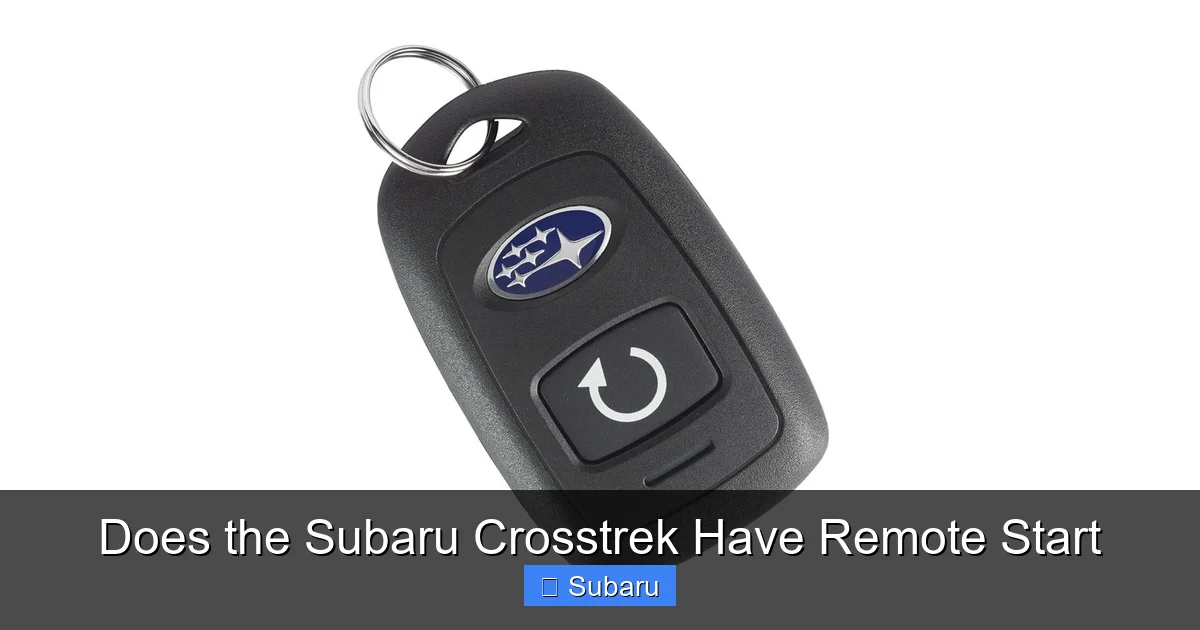
2. Within 3 seconds, press and hold the **remote start button** (usually a circular arrow or “START” icon) for about 2–3 seconds.
3. The vehicle will start, and the hazard lights will flash to confirm.
4. The engine will run for 10 minutes by default (this can sometimes be adjusted in settings).
5. To extend the runtime, press the remote start button again before the timer expires.
Once you approach the vehicle, simply press the brake pedal and shift into gear to drive off. The engine will remain running.
Using the MySubaru App
For Crosstreks equipped with the STARLINK Safety Plus & Security package, remote start is also available through the MySubaru app. Here’s how:
1. Open the MySubaru app on your smartphone.
2. Log in with your account (you’ll need to register your vehicle first).
3. Tap the “Remote Start” button on the home screen.
4. Confirm the action when prompted.
5. Your Crosstrek will start, and you’ll receive a notification.
The app also lets you:
– Set climate preferences (e.g., “Heat” or “Cool”)
– View remaining runtime
– Stop the engine remotely
– Check vehicle status (doors locked, fuel level, etc.)
One major advantage of the app is range—there’s no limit. As long as you have cell service, you can start your car from across town, at the airport, or even from another state.
Automatic Climate Control Activation
When you remote start your Crosstrek, the system automatically activates the climate control based on the outside temperature. If it’s cold, the heater and seat warmers (if equipped) will turn on. If it’s hot, the A/C and rear defroster will engage. This ensures maximum comfort the moment you enter the vehicle.
You can also customize these settings through the MySubaru app or your vehicle’s infotainment system, depending on the model.
STARLINK Safety Plus & Security: The Key to Full Remote Start Features
Visual guide about Does the Subaru Crosstrek Have Remote Start
Image source: accessorides.com
To unlock the full potential of remote start—especially app-based functionality—you’ll need the STARLINK Safety Plus & Security package. This is a subscription-based service that enhances your Crosstrek’s connectivity and safety features.
What Does STARLINK Include?
The STARLINK Safety Plus & Security package offers:
– Remote engine start via MySubaru app
– Remote door lock/unlock
– Vehicle locator and stolen vehicle recovery
– Maintenance alerts and service scheduling
– SOS emergency assistance
– Automatic collision notification
There are two tiers:
– **Safety Plus**: Includes emergency services and maintenance alerts.
– **Safety Plus & Security**: Adds remote start, door control, and anti-theft features.
Remote start is only available with the **Security** tier, so make sure you’re enrolled in the right plan.
Subscription Costs and Free Trials
Subaru typically offers a **free trial period** (usually 30 to 90 days) when you purchase a new Crosstrek with STARLINK. After that, you’ll need to pay a monthly or annual fee.
As of 2024, the STARLINK Safety Plus & Security plan costs around **$15–$20 per month** or **$150–$200 per year**, depending on promotions and region.
While this is an added expense, many owners find the convenience and peace of mind worth the cost—especially if they live in areas with extreme weather.
How to Activate STARLINK
If your Crosstrek is eligible, activating STARLINK is simple:
1. Download the MySubaru app.
2. Create an account and register your vehicle using the VIN.
3. Follow the prompts to activate your free trial.
4. Once activated, you can use remote start and other features immediately.
If you’re unsure whether your vehicle is equipped, check your window sticker, owner’s manual, or contact your local Subaru dealer.
Can You Add Remote Start to a Crosstrek That Doesn’t Have It?
What if your Crosstrek didn’t come with remote start? Don’t worry—you’re not out of luck. Subaru offers several ways to add this feature, even on older or base models.
Dealer-Installed Remote Start Kits
Subaru dealers sell and install genuine remote start systems designed specifically for the Crosstrek. These kits are engineered to integrate seamlessly with your vehicle’s electronics and are covered under warranty when installed by a certified technician.
There are two main types:
– **Key Fob Remote Start**: Adds a secondary fob with remote start capability. Works within a limited range (usually 500–1,000 feet).
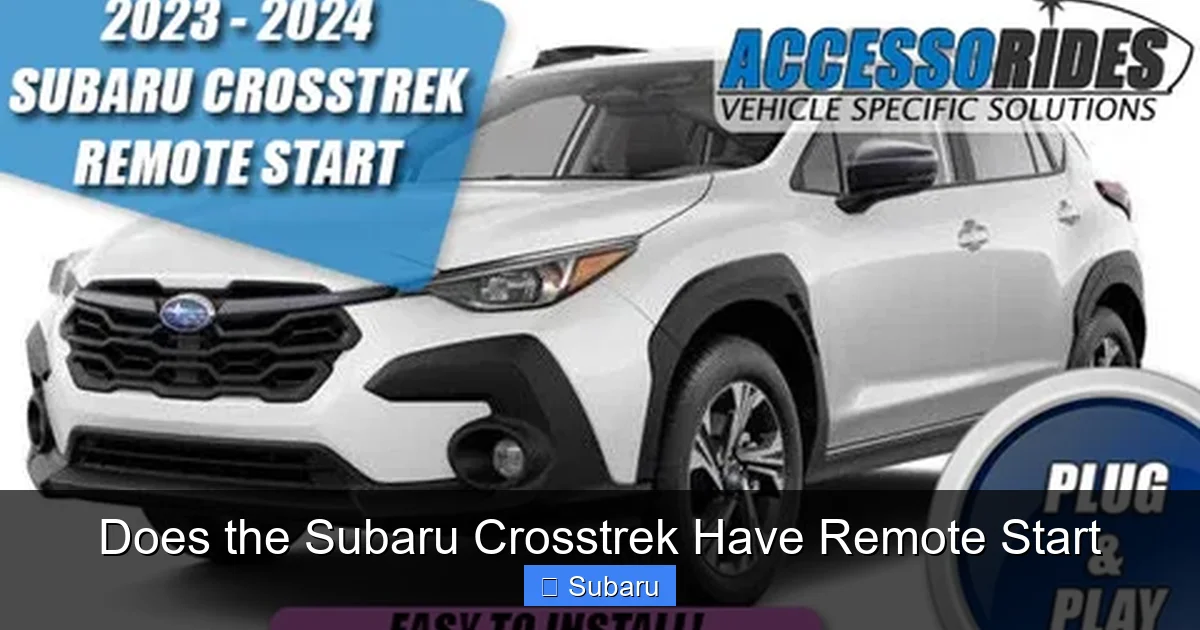
– **Smartphone-Enabled Remote Start**: Requires the STARLINK system and MySubaru app. Offers unlimited range and additional features.
Prices vary, but expect to pay **$300–$600** for parts and installation, depending on the system and your location.
Aftermarket Options
If you prefer a third-party solution, companies like Viper, Compustar, and Fortin offer aftermarket remote start systems that work with the Crosstrek. These can be more affordable and sometimes offer longer range or additional features like two-way communication.
However, there are downsakes:
– May void certain warranties
– Installation can be complex
– May not integrate with factory climate or security systems
– Could interfere with Subaru’s electronics if not installed properly
For most owners, we recommend sticking with Subaru-approved systems to ensure compatibility and reliability.
DIY Installation: Not Recommended
While it’s technically possible to install a remote start system yourself, we strongly advise against it—especially on modern vehicles like the Crosstrek. The electrical system is complex, and improper installation can lead to:
– Electrical shorts
– Battery drain
– Malfunctioning safety systems
– Voided warranties
Unless you’re a certified automotive technician, leave it to the pros.
Tips for Using Remote Start Effectively
Now that you know how to get and use remote start, here are some practical tips to make the most of it:
1. Use It in Extreme Weather
Remote start shines in cold winters and hot summers. On freezing mornings, start your Crosstrek 10–15 minutes before you plan to leave. This gives the engine time to warm up and the cabin to heat. In summer, pre-cooling the interior can prevent that dreaded “oven effect” when you first get in.
2. Don’t Overuse It
While remote start is convenient, idling your engine for long periods wastes fuel and increases emissions. Limit runtime to 10 minutes or less unless absolutely necessary. Also, avoid remote starting in enclosed spaces like garages—carbon monoxide is a serious hazard.
3. Check Local Laws
Some cities and states have restrictions on idling vehicles. For example, in California, you can’t idle a vehicle for more than 5 minutes in most areas. Be aware of local regulations to avoid fines.
4. Keep Your App Updated
If you use the MySubaru app, make sure it’s always up to date. Software updates often include bug fixes, security improvements, and new features that enhance remote start performance.
5. Monitor Battery Health
Remote start systems draw power from your car’s battery. If your battery is old or weak, frequent remote starts can drain it. Consider having your battery tested annually, especially before winter.
6. Use the “Climate Timer” Feature (If Available)
Some newer Crosstreks allow you to schedule remote start times through the app. For example, you can set your car to start at 7:00 AM every weekday. This is perfect for commuters who want their car ready at the same time each day.
Common Misconceptions About Remote Start
Despite its growing popularity, there are still some myths and misunderstandings about remote start. Let’s clear them up.
Myth 1: Remote Start Drains the Battery Quickly
While remote start does use battery power, modern systems are designed to be efficient. The engine runs for a short time, and the alternator recharges the battery once the car is running. As long as your battery is in good condition, you shouldn’t notice a significant drain.
Myth 2: It’s Only for Cold Climates
Remote start is just as useful in hot weather. Pre-cooling your car can prevent heatstroke, protect electronics, and make driving more comfortable. It’s not just for snowbirds!
Myth 3: It’s Easy to Steal a Remote-Started Car
Subaru’s remote start systems include security features to prevent theft. For example, the engine will shut off if someone tries to drive away without the key fob inside. Additionally, the MySubaru app requires authentication, and the vehicle can be tracked if stolen.
Myth 4: All Crosstreks Have It
As we’ve covered, remote start is not standard on all trims or model years. Always check your vehicle’s specs or consult your dealer to confirm.
Final Thoughts: Is Remote Start Worth It for Your Crosstrek?
So, does the Subaru Crosstrek have remote start? The answer is: *it can*. With the right trim, package, or accessory, your Crosstrek can offer this convenient, comfort-boosting feature.
For new buyers, we recommend opting for the Premium trim or higher if remote start is important to you. It’s often bundled with other desirable features like upgraded infotainment, better audio, and advanced safety tech.
For current owners, adding remote start through a dealer-installed kit is a smart upgrade—especially if you live in a climate with extreme temperatures.
At the end of the day, remote start isn’t just about luxury. It’s about making your daily routine easier, safer, and more enjoyable. Whether you’re defrosting your windshield from the warmth of your kitchen or cooling down your car before a summer road trip, this feature adds real value to the Subaru Crosstrek experience.
And with Subaru’s continued investment in connected technology through STARLINK, the future of remote start—and remote vehicle control—looks brighter than ever.
Frequently Asked Questions
Does every Subaru Crosstrek come with remote start?
No, remote start is not standard on all Subaru Crosstrek models. It’s typically available on Premium, Sport, and Limited trims from 2020 onward, especially when equipped with the STARLINK Safety Plus & Security package.
Can I add remote start to my older Crosstrek?
Yes, you can add remote start to older Crosstrek models using dealer-installed Subaru accessories or aftermarket systems. Subaru offers genuine kits that integrate with your vehicle’s electronics.
Do I need a subscription to use remote start?
If you’re using the MySubaru app for remote start, yes—you’ll need an active STARLINK Safety Plus & Security subscription. However, key fob-based remote start may work without a subscription, depending on the setup.
How far away can I start my Crosstrek remotely?
With the key fob, range is typically 500–1,000 feet. With the MySubaru app, there’s no distance limit—you can start your car from anywhere with cellular service.
Will remote start work if my battery is low?
Remote start may not function if your car battery is weak or below a certain voltage. It’s best to maintain a healthy battery, especially in cold weather when remote start is most useful.
Can I schedule my Crosstrek to start automatically?
Yes, if your vehicle is connected to the MySubaru app and you have an active STARLINK subscription, you can use the “Climate Timer” feature to schedule remote start times in advance.
