
How to Reset Mpg on a Toyota Highlander

Resetting the MPG (miles per gallon) on your Toyota Highlander is quick and easy, helping you track fuel efficiency accurately. Whether you’ve just filled up or want to monitor performance after maintenance, this simple process ensures your trip computer reflects real-time data.
Key Takeaways
- Why Reset MPG Matters: Resetting your MPG helps you monitor fuel efficiency over specific trips or after changes like tire pressure or oil changes.
- Two Main Methods: You can reset MPG using the steering wheel controls or the multi-information display (MID) buttons, depending on your Highlander’s model year.
- Model Year Differences: Older models (2001–2013) use physical buttons, while newer ones (2014–present) rely on touch-sensitive or menu-driven controls.
- Trip A vs. Trip B: Most Highlanders have two trip odometers—resetting one lets you compare fuel economy across different driving conditions.
- Automatic Reset After Refuel: Some newer Highlanders automatically suggest an MPG reset when you refuel, but manual control gives more accuracy.
- Common Mistakes to Avoid: Don’t confuse the trip odometer reset with the main odometer—only trip data can be reset.
- When to Reset: Best done right after filling up your gas tank for the most accurate fuel economy readings.
📑 Table of Contents
Why Resetting MPG on Your Toyota Highlander Is Important
If you’ve ever filled up your Toyota Highlander and noticed the fuel economy reading seems off, you’re not alone. The MPG (miles per gallon) display on your dashboard is a helpful tool—but only if it’s tracking the right data. Over time, the average MPG reading can become skewed by old trips, idling, or changes in driving habits. That’s why knowing how to reset MPG on a Toyota Highlander is such a valuable skill.
Resetting your MPG gives you a fresh start. It allows you to monitor how efficiently your SUV is running under current conditions. Whether you’ve just rotated your tires, switched to premium fuel, or started a long road trip, a reset ensures your fuel economy data reflects real-world performance. Think of it like hitting the “refresh” button on your car’s brain—clean, accurate, and ready to go.
Many drivers don’t realize that the MPG reading is tied to the trip odometer. Every time you drive, the car calculates how far you’ve gone and how much fuel you’ve used. But if you don’t reset it, that data keeps piling up. For example, if you drove 500 miles with low fuel efficiency and then start a new trip with better mileage, the average might still look poor. Resetting gives you a clean slate so you can see true improvements.
Benefits of Regular MPG Resets
There are several practical reasons to reset your MPG regularly. First, it helps you spot trends. Are you getting better mileage in the city or on the highway? Has your fuel economy improved after a tune-up? Without resetting, it’s hard to tell. Second, it keeps you informed about your vehicle’s health. A sudden drop in MPG could signal a problem like a clogged air filter, underinflated tires, or a failing oxygen sensor.
Another benefit is trip planning. If you’re heading out on a long drive, resetting your MPG at the start lets you track exactly how much fuel you’re using. This can help you estimate costs and plan refueling stops. Plus, it’s satisfying to see your fuel economy climb as you drive efficiently—especially if you’re trying to save money at the pump.
Finally, resetting MPG is just good car maintenance hygiene. It’s one of those small habits that keeps your vehicle running smoothly. Just like checking your tire pressure or changing your oil, it’s a simple step that pays off in the long run.
Understanding Your Toyota Highlander’s Dashboard Display
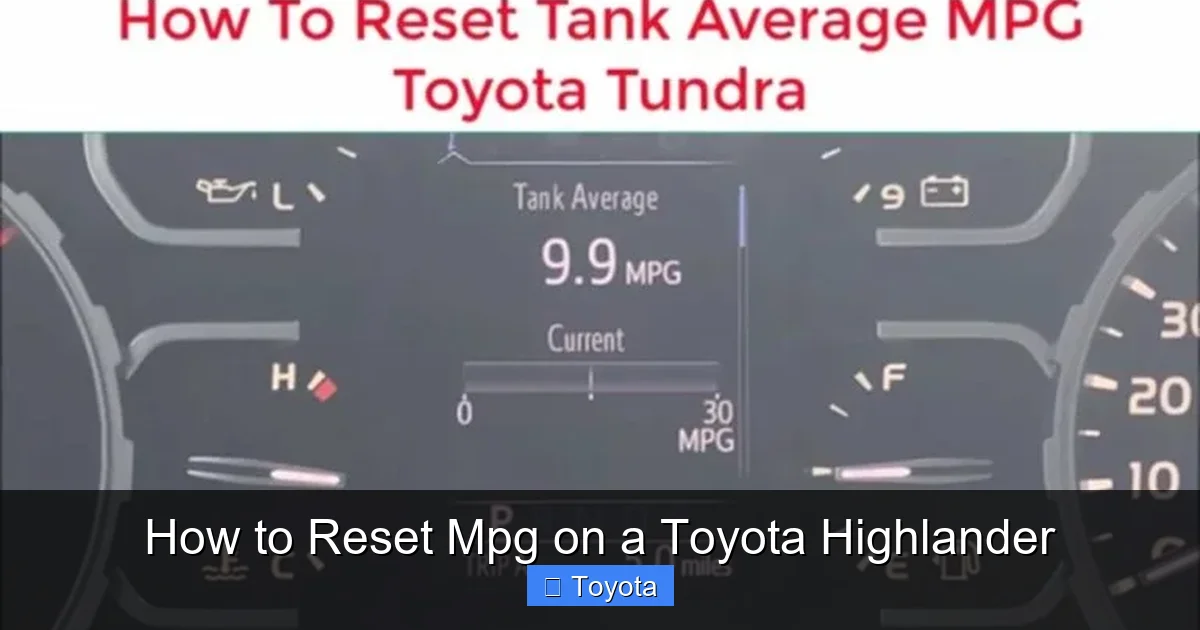
Visual guide about How to Reset Mpg on a Toyota Highlander
Image source: diycarexpert.com
Before you reset your MPG, it helps to understand what you’re looking at. The Toyota Highlander comes equipped with a multi-information display (MID) that shows a variety of data, including speed, fuel level, outside temperature, and—most importantly—fuel economy.
The MPG reading typically appears as “Avg MPG” (average miles per gallon) or “Inst MPG” (instantaneous miles per gallon). The average is calculated over the life of the current trip, while the instantaneous shows your fuel efficiency in real time based on current driving conditions. Most drivers rely on the average for long-term tracking.
Your Highlander also has two trip odometers: Trip A and Trip B. These track distance separately from the main odometer and can be reset independently. When you reset Trip A or Trip B, the associated MPG reading also resets. This is useful if you want to compare fuel economy between different types of driving—like city vs. highway or before and after maintenance.
Where to Find the MPG Display
The location of the MPG display varies slightly depending on your Highlander’s model year and trim level. On most models from 2014 onward, the information is shown in the center of the instrument cluster, between the speedometer and tachometer. It’s usually a digital screen that cycles through different data points when you press a button.
On older models (2001–2013), the display might be smaller and located near the bottom of the instrument panel. Some trims also include a heads-up display (HUD) that projects MPG and other info onto the windshield, but this is less common.
To view the MPG, you may need to press a button on the steering wheel or dashboard to cycle through the display options. Look for labels like “DISP,” “INFO,” or “TRIP.” Once you find the screen showing “Avg MPG,” you’re in the right place to reset it.
How the Trip Computer Works
The trip computer in your Highlander is essentially a mini-computer that collects data from various sensors. It monitors engine speed, vehicle speed, fuel injector pulses, and more to calculate fuel consumption. This data is then used to estimate your MPG.
The system updates continuously, so your average MPG changes as you drive. For example, if you’re stuck in traffic and idling, your MPG will drop. If you hit the highway and maintain a steady 60 mph, it will rise. The longer you drive without resetting, the more these fluctuations average out.
One thing to note: the MPG reading is an estimate. It’s based on sensor data and algorithms, not a direct measurement of fuel flow. So while it’s very accurate for most purposes, it might not match exactly what you calculate manually by dividing miles driven by gallons used at the pump.
Step-by-Step Guide: How to Reset MPG on a Toyota Highlander
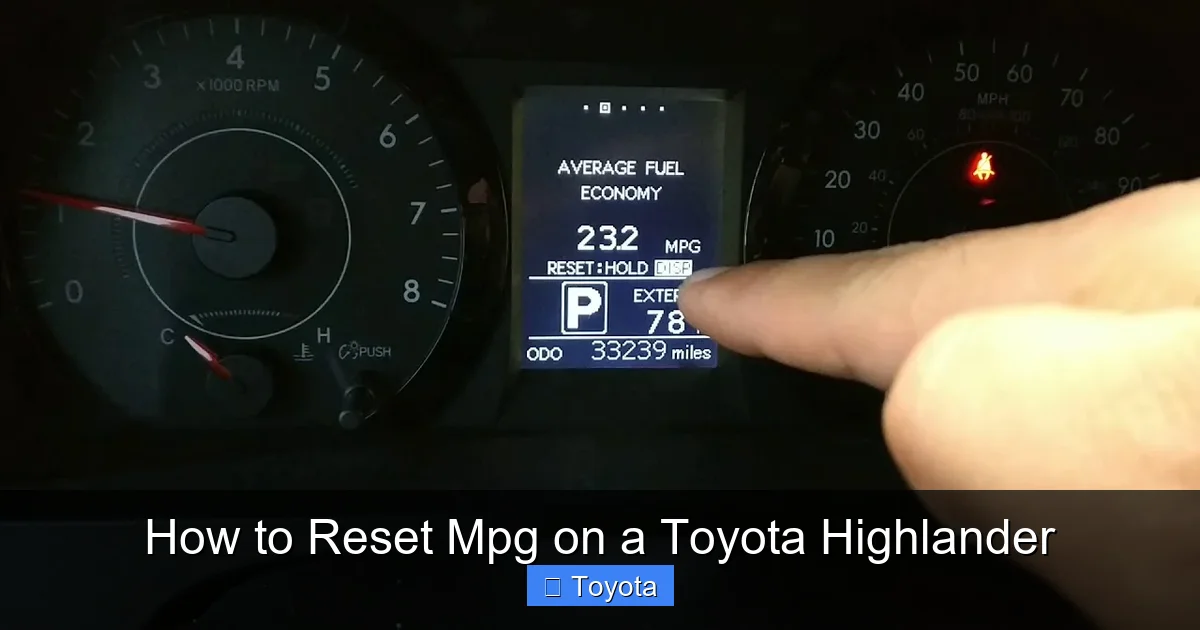
Visual guide about How to Reset Mpg on a Toyota Highlander
Image source: i.ytimg.com
Now that you understand why and where the MPG display is, let’s get into the actual process. The steps vary slightly depending on your Highlander’s model year, but the core idea is the same: access the trip odometer and reset it.
We’ll cover both older and newer models to make sure you can follow along, no matter what year your Highlander is.
For 2014–2024 Toyota Highlander Models
If you have a newer Highlander (2014 or later), the process is straightforward and uses the steering wheel controls. Here’s how to do it:
1. **Turn on the ignition** – You don’t need to start the engine, but the car should be in the “ON” position so the dashboard lights up.
2. **Locate the steering wheel controls** – On the left side of the steering wheel, you’ll find a cluster of buttons. Look for one labeled “DISP” or “INFO.”
3. **Press the “DISP” or “INFO” button** – Keep pressing it until you see the trip odometer screen. You’ll likely cycle through options like outside temperature, average speed, and fuel economy.
4. **Select Trip A or Trip B** – Use the up/down arrows (if available) or keep pressing “DISP” until you land on Trip A or Trip B. The screen should show something like “Trip A: 123.4 mi” and “Avg MPG: 28.5.”
5. **Press and hold the “DISP” or “TRIP” button** – Once you’re on the trip screen, press and hold the button for about 3–5 seconds. You’ll see the trip mileage and MPG reset to zero.
6. **Confirm the reset** – The display should now show “Trip A: 0.0 mi” and “Avg MPG: 0.0.” You’ve successfully reset your MPG.
Pro tip: Do this right after filling up your gas tank. That way, your next MPG reading will reflect fuel used from a full tank, giving you the most accurate measurement.
For 2001–2013 Toyota Highlander Models
Older Highlanders use physical buttons on the dashboard instead of steering wheel controls. Here’s how to reset MPG on these models:
1. **Turn the ignition to “ON”** – Again, you don’t need to start the engine.
2. **Find the trip reset button** – Look on the instrument panel, usually near the speedometer. It’s a small button labeled “TRIP” or “ODO/TRIP.”
3. **Press the button to cycle to Trip A or Trip B** – Each press changes the display. Stop when you see the trip odometer you want to reset.
4. **Press and hold the button** – Hold it down for about 3–5 seconds until the trip mileage and MPG reset to zero.
5. **Release and confirm** – The screen should now show “0.0” for both distance and fuel economy.
Note: Some older models may require you to press the button multiple times to enter reset mode. If nothing happens the first time, try pressing it again while holding.
Using the Multi-Information Display (MID) Menu
On some trims, especially higher-end ones like the Limited or Platinum, you may have a more advanced MID with a menu system. In this case, the reset process might involve navigating through options.
1. **Press the “MENU” button** on the steering wheel.
2. **Use the arrow keys** to scroll to “Vehicle Information” or “Trip Computer.”
3. **Select “Trip A” or “Trip B.”**
4. **Choose “Reset”** from the submenu.
5. **Confirm the reset** when prompted.
This method is more interactive but follows the same principle: access the trip data and reset it.
Automatic Reset Feature (Newer Models)
Some 2020 and newer Highlanders come with an automatic reset suggestion. After you refuel, the system may display a message like “Reset Trip A?” on the screen. If you press “Yes,” it will reset both the trip odometer and MPG.
This is convenient, but it’s not always accurate. The car might not detect a full tank correctly, or you might want to reset at a different time. For the most control, it’s still best to manually reset when you choose.
Tips for Accurate MPG Tracking
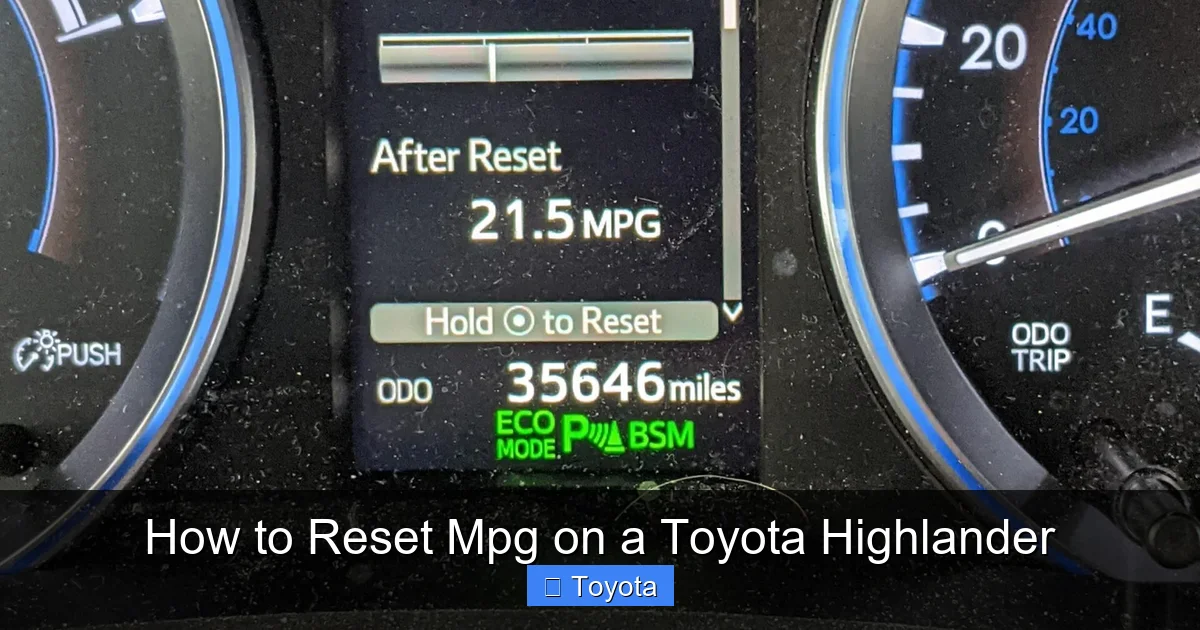
Visual guide about How to Reset Mpg on a Toyota Highlander
Image source: thecarhow.com
Resetting your MPG is just the first step. To get the most accurate and useful data, follow these best practices:
Reset After Every Fill-Up
The best time to reset your MPG is right after you fill up your gas tank. This ensures that your fuel economy reading reflects fuel used from a full tank. If you reset in the middle of a tank, your MPG will be skewed because the car doesn’t know how much fuel was actually used.
For example, if you reset after driving 200 miles on a half-tank, the system will assume you started with a full tank. That means it will underestimate your fuel efficiency.
Use Trip A for Daily Driving, Trip B for Long Trips
Many drivers use Trip A to track daily commutes and Trip B for road trips. This way, you can compare fuel economy between different types of driving. Just remember to reset the appropriate trip before starting.
Check Tire Pressure Regularly
Underinflated tires can reduce fuel economy by up to 3%. Check your tire pressure monthly and inflate to the recommended PSI (found on the driver’s door jamb). Properly inflated tires not only improve MPG but also extend tire life and improve safety.
Drive Smoothly
Aggressive driving—like rapid acceleration and hard braking—can lower your MPG by 15–30% on highways and 10–40% in stop-and-go traffic. Try to accelerate gently, maintain a steady speed, and anticipate stops.
Keep Up with Maintenance
A well-maintained Highlander runs more efficiently. Replace air filters, spark plugs, and fuel filters as recommended. A dirty air filter alone can reduce fuel economy by 10%.
Use the Right Fuel
Toyota recommends using regular unleaded gasoline (87 octane) for most Highlanders. Using premium fuel won’t improve performance or MPG unless your specific model requires it (like some hybrid trims).
Common Mistakes and Troubleshooting
Even simple tasks can go wrong if you’re not careful. Here are some common mistakes and how to fix them.
Accidentally Resetting the Main Odometer
Never try to reset the main odometer—it’s not possible and could damage your vehicle’s computer. Only Trip A and Trip B can be reset. If you’re unsure which screen you’re on, look for labels like “Trip” or “Avg MPG.” The main odometer shows total miles and cannot be changed.
Button Not Responding
If the reset button doesn’t work, make sure the ignition is on. Some models won’t allow resets unless the car is in “ON” mode. Also, check if the button is sticky or damaged. In rare cases, a software glitch may require a dealership reset.
MPG Doesn’t Reset
If the trip mileage resets but the MPG doesn’t, you may need to drive a short distance for the system to recalibrate. The car needs to collect new data before it can display a new average.
Display Shows “—” or “ERR”
This usually means the system is initializing or there’s a sensor issue. Turn the car off and back on. If the problem persists, have a technician check the fuel system sensors.
When to Seek Professional Help
In most cases, resetting MPG is a DIY task. But if you notice consistent inaccuracies—like the MPG reading dropping suddenly or not updating at all—it could signal a deeper issue.
Possible causes include:
– Faulty fuel level sensor
– Malfunctioning mass airflow (MAF) sensor
– Issues with the engine control unit (ECU)
If you’ve tried resetting multiple times and the problem continues, it’s time to visit a Toyota service center. They can run diagnostics and ensure your Highlander is running efficiently.
Conclusion
Knowing how to reset MPG on a Toyota Highlander is a small skill with big benefits. It helps you track fuel efficiency, spot maintenance issues, and drive more economically. Whether you have an older model with physical buttons or a newer one with touch controls, the process is quick and easy.
By resetting your MPG after every fill-up and following good driving habits, you’ll get the most accurate data and keep your Highlander running smoothly. It’s one of those simple habits that pays off every time you hit the road.
So next time you fill up, take 10 seconds to reset your trip odometer. Your wallet—and your car—will thank you.
Frequently Asked Questions
Can I reset the main odometer on my Toyota Highlander?
No, the main odometer cannot be reset. It shows the total miles your vehicle has traveled and is permanently recorded. Only Trip A and Trip B can be reset.
Why does my MPG reading seem inaccurate?
The MPG display is an estimate based on sensor data. Factors like tire pressure, driving style, and fuel quality can affect accuracy. For the best reading, reset after filling up and drive normally.
Do I need to reset MPG every time I drive?
No, but it’s best to reset after each fill-up. This gives you the most accurate fuel economy reading for that tank of gas.
Will resetting MPG affect my warranty or vehicle data?
No, resetting the trip odometer and MPG is a normal function and doesn’t affect your warranty or stored vehicle data.
My Highlander won’t let me reset the trip meter. What’s wrong?
Make sure the ignition is on and the engine is off. Some models require the car to be in “ON” mode. If it still doesn’t work, check for a faulty button or consult your owner’s manual.
Can I reset MPG while driving?
It’s not recommended. For safety, always reset your MPG when the vehicle is parked and the ignition is on.