
How to Check Tire Pressure on the Toyota App

Checking your tire pressure on the Toyota app is quick, easy, and essential for vehicle safety and performance. With just a few taps, you can monitor tire health in real time, receive alerts, and ensure optimal fuel efficiency and handling.
Key Takeaways
- Real-time tire monitoring: The Toyota app provides live updates on tire pressure, helping you stay proactive about maintenance.
- Easy setup and access: Once your vehicle is connected, checking tire pressure takes less than a minute from your smartphone.
- Safety and efficiency benefits: Proper tire pressure improves fuel economy, extends tire life, and reduces the risk of blowouts.
- Automatic alerts: Get instant notifications if tire pressure drops below recommended levels, even when you’re not driving.
- Compatible with most newer Toyota models: Features vary by year and trim, but most vehicles from 2018 onward support tire pressure monitoring via the app.
- No tools required: Unlike manual checks, the app eliminates the need for gauges or visiting a service station.
- Integration with other vehicle features: Tire pressure data syncs with maintenance reminders and trip planning tools in the app.
📑 Table of Contents
- Why Tire Pressure Matters for Your Toyota
- Getting Started: Setting Up the Toyota App
- How to Check Tire Pressure on the Toyota App
- Understanding Tire Pressure Alerts and Notifications
- Benefits of Using the Toyota App for Tire Monitoring
- Troubleshooting Common Issues
- Tips for Maintaining Optimal Tire Pressure
- Conclusion
Why Tire Pressure Matters for Your Toyota
You might not think about your tires often, but they’re one of the most critical components of your Toyota. They’re the only part of your vehicle that touches the road, and their condition directly affects safety, comfort, and performance. One of the simplest yet most overlooked aspects of tire care is maintaining proper air pressure. Underinflated or overinflated tires can lead to poor handling, reduced fuel efficiency, uneven tread wear, and even dangerous blowouts—especially at high speeds.
That’s where the Toyota app comes in. Designed to make vehicle ownership easier and smarter, the app gives you instant access to vital information about your car, including real-time tire pressure readings. Whether you’re preparing for a long road trip or just heading to the grocery store, knowing your tire pressure is within the recommended range gives you peace of mind. And the best part? You don’t need to carry a tire gauge or stop at a gas station. With the Toyota app, you can check your tire pressure anytime, anywhere—right from your phone.
Getting Started: Setting Up the Toyota App
Before you can check your tire pressure on the Toyota app, you’ll need to make sure everything is set up correctly. The process is straightforward, but it requires a few initial steps to link your vehicle to your smartphone. First, download the official Toyota app—available for both iOS and Android devices—from the App Store or Google Play. Once installed, open the app and create a Toyota Owner account if you don’t already have one. This account will store your vehicle information, maintenance history, and app preferences.
Visual guide about How to Check Tire Pressure on the Toyota App
Image source: themegavehicle.com
Linking Your Vehicle to the App
After logging in, tap the “Add Vehicle” button and enter your Toyota’s VIN (Vehicle Identification Number). You can find the VIN on your vehicle’s dashboard (visible through the windshield), on the driver’s side door jamb, or in your owner’s manual. The app will verify the VIN and pull up your vehicle’s details. Next, you’ll need to enable remote services. This may require a subscription to Toyota’s Connected Services, which is often included for a limited time when you purchase a new vehicle. If your subscription has expired, you can renew it through the app or contact Toyota customer support.
Ensuring Compatibility
Not all Toyota models support tire pressure monitoring via the app. Generally, vehicles from 2018 onward with Toyota Safety Sense™ (TSS) and compatible telematics systems are eligible. If your car has a Tire Pressure Monitoring System (TPMS) dashboard light, there’s a good chance it’s compatible. You can confirm compatibility by checking your owner’s manual or visiting the Toyota website and entering your VIN. Once your vehicle is successfully linked and services are active, you’re ready to start monitoring your tire pressure remotely.
How to Check Tire Pressure on the Toyota App
Now that your app is set up and your vehicle is connected, checking your tire pressure is as simple as opening the app and navigating to the right section. The Toyota app features a clean, user-friendly interface that makes it easy to find what you need. Here’s a step-by-step walkthrough to help you check your tire pressure quickly and accurately.
Visual guide about How to Check Tire Pressure on the Toyota App
Image source: tacomaexplorer.com
Step 1: Open the Toyota App
Launch the Toyota app on your smartphone. If you’re not already logged in, enter your credentials. Once inside, you’ll see a dashboard with various options like “Remote Start,” “Lock/Unlock,” “Vehicle Status,” and “Maintenance.” Look for the “Vehicle Status” or “Tire Pressure” section—this is where your real-time tire data will appear.
Step 2: Access the Tire Pressure Monitor
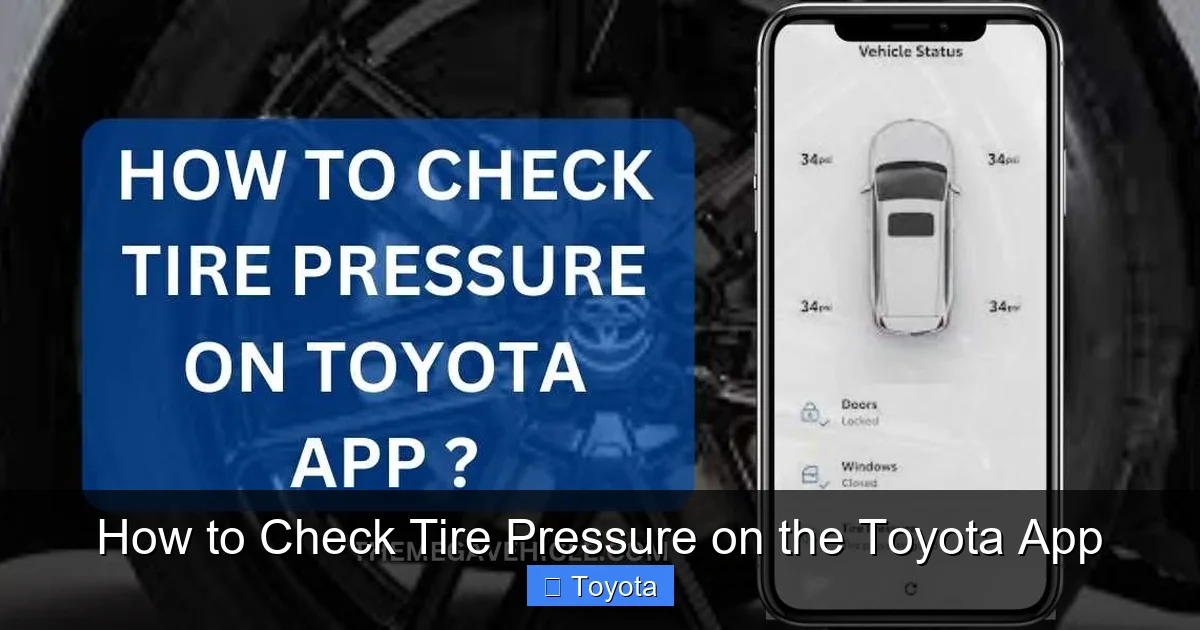
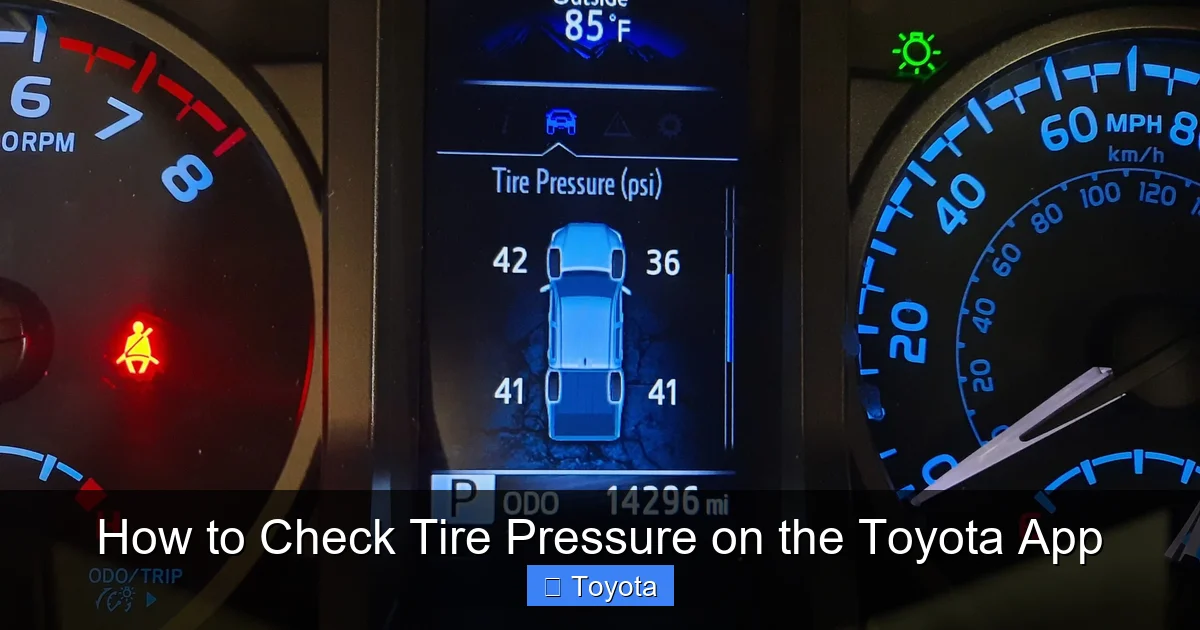
Tap on “Vehicle Status” or a similar option. Depending on your model and app version, you may see a visual representation of your car with each tire labeled (e.g., Front Left, Front Right, Rear Left, Rear Right). Each tire will display its current pressure in PSI (pounds per square inch). The app may also use color coding: green for normal, yellow for low, and red for critically low pressure.
Step 3: Review the Readings
Compare the displayed pressure values to the recommended PSI for your Toyota. This information is usually found on a sticker inside the driver’s side door jamb or in your owner’s manual. For example, many Toyota models like the Camry, RAV4, or Corolla recommend a tire pressure of 32–35 PSI when cold. If any tire shows a pressure significantly below this range, you’ll need to add air. The app may also provide a summary message like “All tires are properly inflated” or “Low pressure detected in rear right tire.”
Step 4: Take Action if Needed
If the app indicates low pressure, don’t ignore it. Drive to the nearest gas station with an air pump or use a portable tire inflator. After adding air, wait a few minutes and check the pressure again—either manually with a gauge or by refreshing the app. Note that the app readings may take a short time to update after changes are made. For best accuracy, check tire pressure when the tires are cold (i.e., the car hasn’t been driven for at least three hours).
Understanding Tire Pressure Alerts and Notifications
One of the standout features of the Toyota app is its ability to send proactive alerts about your tire pressure. These notifications help you stay on top of maintenance without having to remember to check manually. When your tire pressure drops below the recommended threshold, the app can send a push notification to your phone, even if you’re miles away from your vehicle. This is especially useful for detecting slow leaks or temperature-related pressure changes.
Visual guide about How to Check Tire Pressure on the Toyota App
Image source: i.ytimg.com
How Alerts Work
The Toyota app syncs with your vehicle’s onboard TPMS, which continuously monitors air pressure in each tire. If a significant drop is detected—typically 25% below the recommended level—the system triggers an alert. This alert is then transmitted to the app via Toyota’s secure cloud network. You’ll receive a message like “Low tire pressure detected in front left tire. Please check and inflate.” Some models also send email or text alerts if you’ve enabled those preferences.
Customizing Notification Settings
You can tailor how and when you receive tire pressure alerts. Go to the app’s settings menu and look for “Notifications” or “Alerts.” From there, you can choose to receive alerts for low pressure, system malfunctions, or both. You can also set quiet hours to avoid disturbances at night. If you have multiple drivers in your household, consider sharing the app access so everyone stays informed. These customizable features make the app a versatile tool for families, fleet managers, or anyone who values proactive vehicle care.
Benefits of Using the Toyota App for Tire Monitoring
Using the Toyota app to check tire pressure offers numerous advantages over traditional methods. While manually checking tires with a gauge is still a reliable practice, the app adds convenience, accuracy, and peace of mind. Let’s explore the key benefits that make this feature a game-changer for Toyota owners.
Convenience and Time Savings
Imagine being able to check your tire pressure while sipping coffee at home or waiting in line at the store. With the Toyota app, you don’t need to kneel on the pavement or hunt for a working air pump. A few taps on your phone give you instant access to all four tire readings. This is especially helpful during busy mornings or when you’re preparing for a long drive. No more guessing or hoping your tires are okay—you’ll know for sure.
Improved Safety and Performance
Properly inflated tires are essential for safe driving. Underinflated tires increase stopping distance, reduce steering responsiveness, and generate excess heat, which can lead to blowouts. Overinflated tires, on the other hand, offer a harsher ride and are more prone to damage from potholes or debris. By monitoring pressure through the app, you ensure your Toyota handles optimally in all conditions—rain, snow, or dry pavement.
Enhanced Fuel Efficiency
Did you know that underinflated tires can reduce your fuel economy by up to 3%? That might not sound like much, but over time, it adds up. Properly inflated tires reduce rolling resistance, meaning your engine doesn’t have to work as hard to move the vehicle. This translates to better gas mileage and fewer trips to the pump. For eco-conscious drivers or those with long commutes, this is a significant benefit.
Extended Tire Life
Tires that are consistently underinflated wear out faster, especially on the outer edges. This uneven wear shortens tire lifespan and increases replacement costs. By using the app to maintain correct pressure, you promote even tread wear and get the most out of your investment. Many Toyota owners report getting 10,000–15,000 extra miles from their tires simply by staying on top of inflation.
Integration with Other Vehicle Features
The tire pressure feature doesn’t work in isolation. It’s part of a broader ecosystem within the Toyota app that includes maintenance reminders, trip planning, and remote vehicle controls. For example, if the app detects low tire pressure, it may suggest scheduling a service appointment or remind you to check your spare tire. This holistic approach to vehicle care helps you stay organized and proactive.
Troubleshooting Common Issues
While the Toyota app is designed to be reliable, you may occasionally encounter issues when checking tire pressure. These problems are usually easy to resolve with a few troubleshooting steps. Here are some common scenarios and how to fix them.
App Not Showing Tire Pressure Data
If the app displays “No Data” or “Unavailable” under the tire pressure section, first check your internet connection. The app needs a stable Wi-Fi or cellular signal to communicate with your vehicle. If your connection is fine, try refreshing the screen or restarting the app. If the issue persists, ensure your vehicle is within range of cellular coverage—remote features may not work in remote areas or underground parking.
Delayed or Inaccurate Readings
App readings may lag behind real-time conditions, especially after driving or temperature changes. Tire pressure fluctuates with ambient temperature—typically dropping about 1 PSI for every 10°F decrease. For the most accurate reading, check your tires when they’re cold. If the app shows inconsistent values, compare them with a manual gauge. If there’s a significant discrepancy, contact Toyota support—there may be a sensor issue.
TPMS Light On but App Shows Normal Pressure
Sometimes the dashboard TPMS light illuminates even when the app reports normal pressure. This could indicate a sensor malfunction, a dead battery in the tire sensor, or a system calibration issue. In such cases, visit a Toyota service center for a diagnostic check. The app is a helpful tool, but it’s not a replacement for professional inspection when warning lights appear.
Subscription or Connectivity Problems
If you’re unable to access remote features, your Connected Services subscription may have expired. Check your account status in the app and renew if necessary. Also, ensure your vehicle’s telematics system is activated—some models require a one-time setup at the dealership. If all else fails, reach out to Toyota customer support for assistance.
Tips for Maintaining Optimal Tire Pressure
Even with the convenience of the Toyota app, it’s important to adopt good habits for tire maintenance. Here are some practical tips to keep your tires in top shape year-round.
Check Pressure Monthly
Make it a habit to check your tire pressure at least once a month, even if the app shows everything is fine. Seasonal temperature changes can affect pressure, and small leaks may develop over time. Use the app as your primary tool, but also keep a portable tire gauge in your glove compartment for backup.
Adjust for Load and Driving Conditions
If you’re carrying heavy cargo or towing a trailer, you may need to increase tire pressure slightly. Refer to your owner’s manual for load-specific recommendations. Similarly, if you’re driving in extreme heat or cold, monitor pressure more frequently. The app can help you track these changes over time.
Don’t Forget the Spare Tire
Many drivers overlook the spare tire, but it’s just as important as the others. A flat spare is useless in an emergency. Use the app or a manual gauge to check your spare tire every few months, especially before long trips.
Rotate and Inspect Tires Regularly
Proper inflation is just one part of tire care. Rotate your tires every 5,000 to 7,500 miles to ensure even wear. During rotation, have a technician inspect for damage, punctures, or uneven tread patterns. The Toyota app can remind you when it’s time for rotation based on your mileage.
Use Quality Air Sources
When adding air, use a reliable pump with a built-in gauge. Some gas station pumps are inaccurate or poorly maintained. For best results, invest in a digital tire inflator with automatic shutoff—this ensures you don’t overinflate.
Conclusion
Checking tire pressure on the Toyota app is a simple yet powerful way to enhance your driving experience. It puts essential vehicle information at your fingertips, helping you stay safe, save money, and get the most out of your Toyota. From real-time monitoring to automatic alerts, the app transforms tire maintenance from a chore into a seamless part of your routine. Whether you’re a daily commuter, weekend adventurer, or family driver, this feature is a valuable tool that supports smarter, safer driving.
By taking a few minutes to set up the app and understand its features, you’re investing in your vehicle’s longevity and your own peace of mind. Remember, proper tire pressure isn’t just about compliance—it’s about performance, efficiency, and safety. So the next time you reach for your keys, open the Toyota app and give your tires a quick check. Your car—and your wallet—will thank you.
Frequently Asked Questions
How often should I check my tire pressure using the Toyota app?
It’s recommended to check your tire pressure at least once a month, even if the app shows normal readings. Seasonal temperature changes and slow leaks can affect pressure over time.
Does the Toyota app work with all Toyota models?
The app’s tire pressure feature is available on most Toyota vehicles from 2018 onward with Toyota Safety Sense and compatible telematics systems. Check your owner’s manual or the Toyota website to confirm compatibility.
Can I check tire pressure when my car is off?
Yes, the Toyota app can display the last known tire pressure readings even when the vehicle is off. However, real-time updates require the car to be on or recently driven.
What should I do if the app shows low tire pressure?
If the app indicates low pressure, add air to the affected tire using a gas station pump or portable inflator. Recheck the pressure after a few minutes and ensure it matches the recommended PSI for your vehicle.
Why is my TPMS light on but the app shows normal pressure?
This could indicate a sensor malfunction, dead battery in the tire sensor, or a system error. Visit a Toyota service center for a professional diagnosis and repair.
Do I need a subscription to use the tire pressure feature?
Yes, access to remote features like tire pressure monitoring requires an active Toyota Connected Services subscription, which is often included for a limited time with new vehicles.
