
How to Turn Off Lane Assist on a Toyota Camry

Turning off lane assist on a Toyota Camry is simple and can be done in seconds using the steering wheel controls or infotainment system. Whether you’re driving on winding roads or prefer full manual control, this guide covers every method for recent and older models.
If you’ve ever been driving your Toyota Camry and felt that sudden tug on the steering wheel when you drifted slightly out of your lane—even when you didn’t want to change lanes—you’ve experienced lane assist in action. While this feature is designed to enhance safety by helping prevent unintentional lane departures, it’s not always welcome. Maybe you’re navigating a tight country road, parking in a crowded lot, or simply prefer having full control over your vehicle. Whatever the reason, knowing how to turn off lane assist on a Toyota Camry is a valuable skill for any driver.
The good news? It’s easier than you might think. Toyota has made the process straightforward across most recent Camry models, though the exact steps can vary depending on your vehicle’s year, trim level, and whether it’s equipped with Toyota Safety Sense (TSS). This comprehensive guide will walk you through every method—from using the steering wheel controls to navigating the touchscreen menu—so you can disable lane assist quickly and confidently. We’ll also cover why you might want to turn it off, what to expect after disabling it, and how to reactivate it when needed.
Whether you’re a new Camry owner or have been driving one for years, this article will give you the knowledge and confidence to manage your vehicle’s advanced driver assistance systems like a pro. Let’s dive in.
Key Takeaways
- Lane assist can be turned off temporarily or permanently depending on your Toyota Camry model and year, giving you flexibility based on driving conditions.
- Use the steering wheel buttons or touchscreen menu to access the vehicle settings and disable lane departure warning and lane keeping assist features.
- The process varies slightly between model years, especially between pre-2018 and post-2018 Camrys due to updates in Toyota Safety Sense (TSS).
- Disabling lane assist does not affect other safety systems like automatic emergency braking or adaptive cruise control, which remain active unless separately turned off.
- You may need to re-disable lane assist after each ignition cycle on some models, as it often resets to “on” by default for safety reasons.
- Understanding when to use or disable lane assist improves driving comfort and safety—especially on rural roads, construction zones, or during parking maneuvers.
- Always consult your owner’s manual for model-specific instructions, as features and menu layouts can differ between trims and regions.
📑 Table of Contents
- What Is Lane Assist on a Toyota Camry?
- Why You Might Want to Turn Off Lane Assist
- How to Turn Off Lane Assist on a Toyota Camry (Step-by-Step)
- What Happens When You Turn Off Lane Assist?
- When Should You Re-Enable Lane Assist?
- Tips for Managing Lane Assist Effectively
- Common Mistakes to Avoid
- Conclusion
What Is Lane Assist on a Toyota Camry?
Before we get into the “how,” it’s important to understand the “what.” Lane assist—also known as Lane Departure Alert (LDA) or Lane Keeping Assist (LKA)—is a safety feature included in Toyota Safety Sense (TSS), a suite of driver assistance technologies found in most modern Toyota vehicles, including the Camry.
Lane assist works by using a forward-facing camera mounted near the rearview mirror to monitor lane markings on the road. If the system detects that your vehicle is beginning to drift out of its lane without the turn signal activated, it will respond in one of two ways, depending on your Camry’s configuration:
– Lane Departure Alert (LDA): This version simply alerts you with a visual warning on the dashboard and/or an audible chime. Some models may also provide a gentle vibration in the steering wheel.
– Lane Keeping Assist (LKA): This more advanced version actively intervenes by applying slight steering corrections to help guide the vehicle back into the lane.
Both systems are designed to reduce the risk of side-swipe collisions and run-off-road accidents, especially during highway driving or when driver fatigue sets in. However, they’re not perfect. On poorly marked roads, during heavy rain or snow, or in construction zones where lane lines are temporary or confusing, lane assist can become overly sensitive or even counterproductive.
That’s why Toyota gives drivers the option to turn it off—because sometimes, human judgment is better than automated intervention.
Why You Might Want to Turn Off Lane Assist
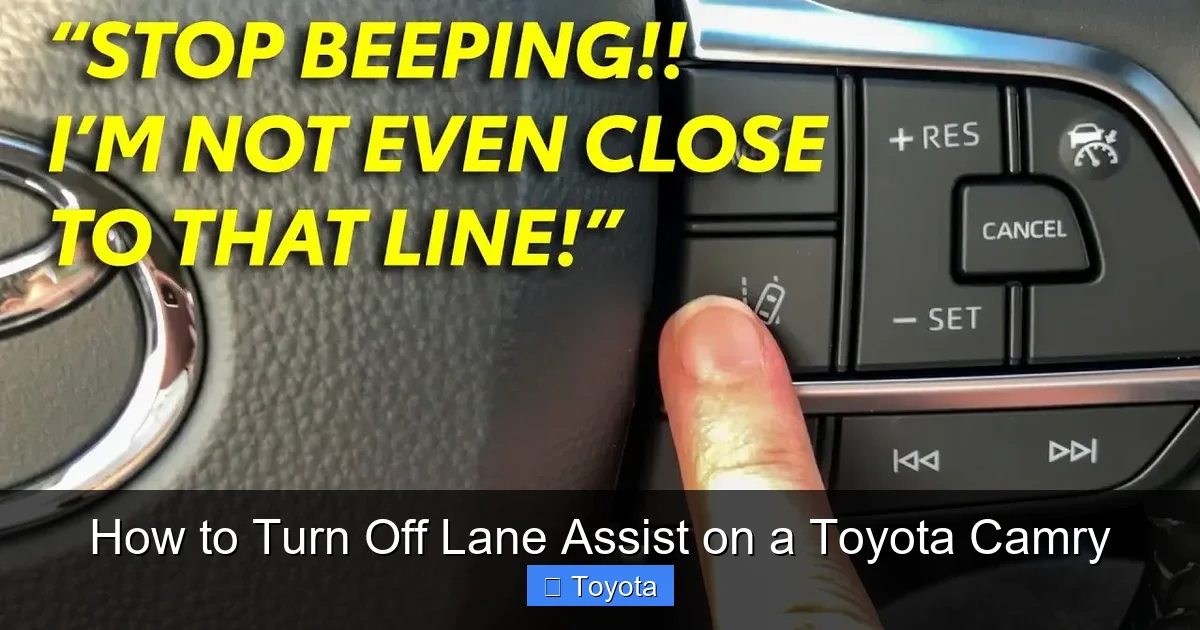
Visual guide about How to Turn Off Lane Assist on a Toyota Camry
Image source: diycarexpert.com
While lane assist is a helpful safety tool in many situations, there are plenty of legitimate reasons why you might want to disable it—at least temporarily. Here are some common scenarios where turning off lane assist makes sense:
Driving on Rural or Winding Roads
If you frequently drive on narrow, curvy roads with faded or nonexistent lane markings—like backroads in the countryside—lane assist can become more of a nuisance than a help. The system may misinterpret curves as lane departures and constantly correct your steering, making the drive feel jerky or unnatural.
Parking or Low-Speed Maneuvers
When parallel parking or navigating tight spaces in a parking garage, you often need to drift slightly over lane lines. Lane assist may interpret this as an unintentional drift and trigger warnings or steering corrections, which can be distracting and frustrating.
Construction Zones and Temporary Road Layouts
Roadwork areas often have temporary lane markings, cones, or uneven surfaces that confuse the camera. In these cases, lane assist might react unpredictably, pulling the wheel when you’re actually driving correctly.
Personal Preference and Driving Style
Some drivers simply prefer full control over their vehicle. If you’re an experienced driver who values tactile feedback and manual input, the subtle interventions of lane assist might feel intrusive.
Towing or Carrying Heavy Loads
When towing a trailer or carrying a heavy load, your Camry’s handling changes. The added weight can cause the vehicle to drift slightly, triggering lane assist more frequently. Disabling it can reduce unnecessary alerts.
Testing or Performance Driving
If you’re taking your Camry to a track day or practicing advanced driving techniques, you’ll want all automated systems turned off to get a true feel for the car’s behavior.
It’s worth noting that turning off lane assist doesn’t mean you’re sacrificing safety—it just means you’re taking responsibility for lane discipline. As long as you’re alert, use your turn signals, and stay aware of your surroundings, you can drive safely without the system’s help.
How to Turn Off Lane Assist on a Toyota Camry (Step-by-Step)
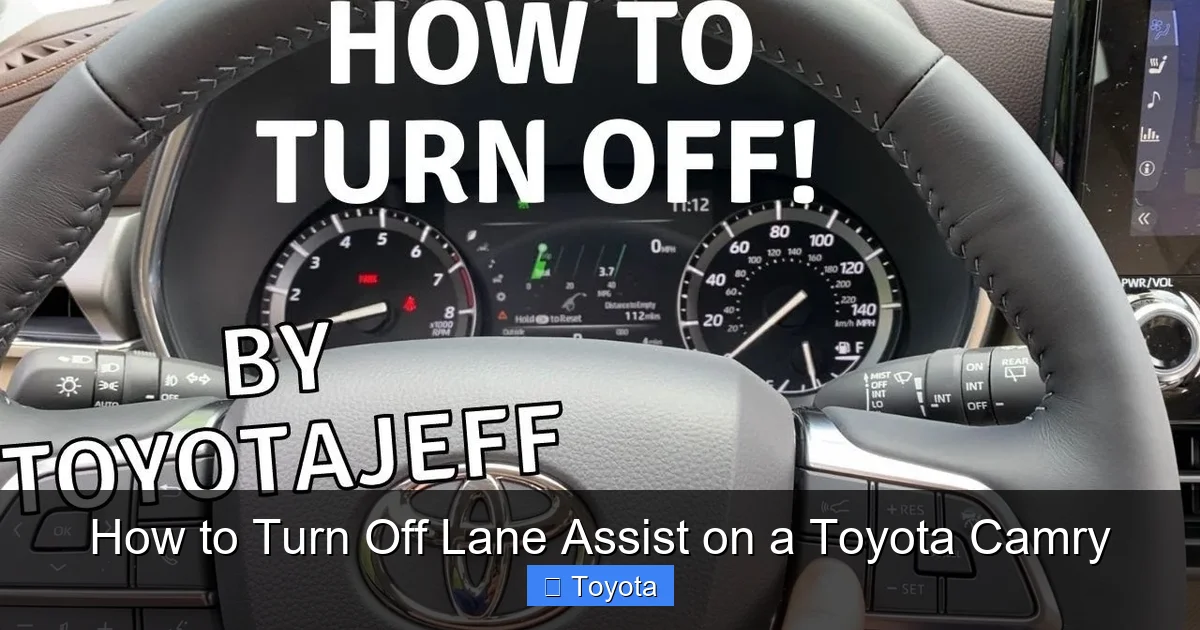
Visual guide about How to Turn Off Lane Assist on a Toyota Camry
Image source: i.ytimg.com
Now for the main event: how to actually turn off lane assist on your Toyota Camry. The process is quick and can usually be completed in under a minute. However, the exact steps depend on your Camry’s model year and whether it uses Toyota Safety Sense (TSS) 1.0, 2.0, or 2.5+. Below, we’ll break it down by generation and interface type.
For 2018–2020 Toyota Camry (TSS 2.0)
Most 2018 to 2020 Camrys come equipped with Toyota Safety Sense 2.0, which includes Lane Departure Alert with Steering Assist. Here’s how to turn it off:
1. Start your vehicle and ensure the dashboard is fully powered on.
2. Press the “MENU” button on the right side of the steering wheel. This will open the multi-information display (MID) on your instrument cluster.
3. Navigate to “Settings” using the arrow buttons. Scroll down and select “Vehicle Settings.”
4. Select “Safety & Driving Assistance” from the list.
5. Choose “Lane Departure Alert” or “Lane Keeping Assist,” depending on your trim.
6. Toggle the setting to “Off.” You’ll see a confirmation message on the screen.
Once disabled, you’ll no longer receive steering corrections or audible alerts for lane departures. Note that this setting may reset to “on” after you turn the car off and back on, so you may need to repeat the process each time you drive.
For 2021–2024 Toyota Camry (TSS 2.5+)
The 2021 and newer Camrys feature Toyota Safety Sense 2.5+, which includes enhanced lane assist capabilities. The menu system is slightly updated, but the process remains similar:
1. Turn on the ignition (you don’t need to start the engine, but the electronics must be active).
2. Press the “MENU” button on the steering wheel to access the MID.
3. Go to “Settings” > “Vehicle” > “Safety & Driving Assistance.”
4. Select “Lane Departure Alert” or “Lane Keeping Assist.”
5. Switch the toggle to “Off.”
Alternatively, on models with a larger touchscreen (8-inch or 9-inch), you can use the infotainment system:
1. Tap the “Menu” icon on the home screen.
2. Select “Settings” > “Vehicle” > “Safety & Driving Assistance.”
3. Find “Lane Departure Alert” and turn it off.
Again, the system may revert to “on” after restarting the vehicle, so be prepared to disable it again if needed.
For 2015–2017 Toyota Camry (TSS-P or Earlier Systems)
Older Camrys (2015–2017) may have Toyota Safety Sense-P (TSS-P) or even earlier versions of lane assist. The process is a bit different:
1. Press the “DISP” button on the steering wheel to cycle through the display options until you reach the settings menu.
2. Use the arrow keys to navigate to “Settings” > “Vehicle Settings.”
3. Look for “Lane Departure Alert” or “LDA.”
4. Select “Off” to disable the feature.
On some trims, there may be a physical button on the dashboard or center console labeled “LDA” or “Lane Assist.” Pressing and holding this button for a few seconds can also toggle the system on or off.
Using the Quick Access Button (If Available)
Some higher-trim Camrys (like the XSE or Limited) include a dedicated “LDA” or “Lane Assist” button on the steering wheel or dashboard. If your vehicle has this:
– Press and hold the button for 2–3 seconds until you see a message on the dashboard confirming that lane assist is off.
This is the fastest method, but it’s not available on all models.
Important Notes
– The setting may not be permanent. Many Toyota vehicles reset safety features to “on” after each ignition cycle as a safety precaution. Always check the status before driving if you’ve previously turned it off.
– Disabling lane assist does not disable other systems. Features like Pre-Collision System (PCS), Dynamic Radar Cruise Control (DRCC), and Automatic High Beams will continue to function unless individually turned off.
– You can re-enable it anytime by following the same steps and toggling the setting back to “on.”
What Happens When You Turn Off Lane Assist?

Visual guide about How to Turn Off Lane Assist on a Toyota Camry
Image source: m.media-amazon.com
Once you’ve successfully turned off lane assist, you’ll notice an immediate change in your driving experience. Here’s what to expect:
No More Steering Corrections
The most obvious difference is that your Camry will no longer gently tug the steering wheel when you drift toward a lane line. You’ll have full, uninterrupted control over the direction of the vehicle.
No Visual or Audible Alerts
You won’t see the lane departure warning icon flash on the dashboard, and you won’t hear the beeping or chime that usually accompanies it. The system is completely silent.
Dashboard Indicator
On most models, a small icon (often a car with lane lines) will appear on the instrument cluster with a slash through it, indicating that lane assist is disabled. This serves as a reminder that the feature is off.
Driving Feel
Many drivers report that their Camry feels “freer” or more responsive with lane assist off, especially on winding roads or during spirited driving. However, this also means you’re solely responsible for staying in your lane—so stay alert.
Safety Implications
While turning off lane assist removes an extra layer of protection, it doesn’t make your car unsafe. You’re simply relying on your own awareness and skills. As long as you’re a cautious driver, this is perfectly fine—and sometimes preferable.
When Should You Re-Enable Lane Assist?
Just because you can turn off lane assist doesn’t mean you should leave it off all the time. There are situations where re-enabling it is a smart move:
Highway Driving
On long highway trips, especially during nighttime or in heavy traffic, lane assist can help prevent drowsy or distracted driving. The gentle reminders can keep you centered and reduce fatigue.
Poor Weather Conditions
In rain, fog, or snow, visibility drops and lane markings may be harder to see. Lane assist can act as a backup, helping you stay in your lane when your own vision is limited.
Unfamiliar Roads
If you’re driving in a new city or on roads with confusing layouts, having lane assist active can provide an extra layer of confidence.
After a Break or Rest Stop
If you’ve been driving for hours and feel tired, turning lane assist back on can help compensate for reduced alertness.
The key is flexibility. Use lane assist when it helps, and turn it off when it hinders. Being able to toggle it on and off gives you the best of both worlds.
Tips for Managing Lane Assist Effectively
To get the most out of your Toyota Camry’s lane assist system—whether it’s on or off—here are some practical tips:
Know Your Model Year
Familiarize yourself with your Camry’s specific safety suite. Check your owner’s manual or look for “Toyota Safety Sense” decals on the windshield or door jambs.
Practice the Disable Process
Try turning lane assist off and on a few times in a safe, empty parking lot. This will help you remember the steps and build confidence.
Use Voice Commands (If Available)
On newer Camrys with advanced infotainment systems, you may be able to say, “Hey Toyota, turn off lane assist” to disable the feature hands-free.
Check for Software Updates
Toyota occasionally releases software updates that improve the performance of safety systems. Visit your local dealer or use the Toyota app to check for updates.
Don’t Rely Solely on Technology
Even with lane assist on, always keep your hands on the wheel, eyes on the road, and mind focused on driving. No system replaces attentive driving.
Consider Your Driving Environment
If you mostly drive in urban areas with clear lane markings, keep lane assist on. If you frequently travel on rural or poorly marked roads, you may prefer to leave it off.
Common Mistakes to Avoid
Even with the best intentions, drivers sometimes make errors when managing lane assist. Here are a few pitfalls to watch out for:
Assuming It’s Off Permanently
Many drivers turn off lane assist once and assume it stays off. But on most Toyotas, it resets to “on” after restarting the car. Always double-check before driving.
Confusing It with Other Systems
Lane assist is different from blind spot monitoring, rear cross-traffic alert, or adaptive cruise control. Turning off one doesn’t affect the others—but make sure you’re disabling the right feature.
Ignoring the Dashboard
If you see a warning light or message about lane assist, don’t ignore it. It could indicate a camera blockage (like dirt or snow) or a system malfunction.
Disabling It in Dangerous Conditions
Avoid turning off lane assist during heavy rain, snow, or at night unless absolutely necessary. The system can be a valuable aid in low-visibility situations.
Not Reading the Manual
Every Camry model is slightly different. Your owner’s manual has the most accurate, up-to-date instructions for your specific vehicle.
Conclusion
Turning off lane assist on a Toyota Camry is a simple yet powerful way to take back control of your driving experience. Whether you’re navigating tight parking spaces, cruising down a scenic backroad, or just prefer a more hands-on feel, knowing how to disable this feature gives you flexibility and peace of mind.
The process is quick, reversible, and varies slightly depending on your Camry’s year and trim—but with the steps outlined in this guide, you’ll be able to manage it like a pro. Remember, lane assist is a helpful tool, not a requirement. Use it when it supports your driving, and turn it off when it doesn’t.
Ultimately, the goal is safer, more confident driving—whether that’s with or without automated assistance. So go ahead, customize your Camry’s settings to match your style, and enjoy the ride.
Frequently Asked Questions
Can I permanently turn off lane assist on my Toyota Camry?
No, most Toyota Camry models do not allow permanent disabling of lane assist. The system typically resets to “on” after each ignition cycle for safety reasons. You’ll need to turn it off again each time you drive.
Will turning off lane assist affect other safety features?
No, disabling lane assist only turns off the lane departure warning and steering correction functions. Other systems like automatic emergency braking, adaptive cruise control, and blind spot monitoring remain active unless separately disabled.
Why does my Camry keep turning lane assist back on?
This is normal behavior. Toyota designs its safety systems to reset to “on” after the vehicle is turned off and restarted. It’s a safety feature to ensure drivers don’t accidentally leave critical systems disabled.
Can I turn off lane assist using voice commands?
On newer Camry models with advanced infotainment systems and voice recognition, you may be able to say, “Hey Toyota, turn off lane assist.” However, this feature depends on your specific trim and software version.
What should I do if lane assist won’t turn off?
First, ensure you’re following the correct steps for your model year. If the issue persists, check for a blocked camera (near the rearview mirror) or visit a Toyota dealer—there may be a software glitch or sensor problem.
Is it safe to drive with lane assist turned off?
Yes, it’s safe as long as you remain alert and attentive. Lane assist is an aid, not a necessity. Many experienced drivers prefer to disable it in certain conditions, such as rural roads or parking lots.