
How to Turn Off the Toyota Pre-collision System

Wondering how to turn off the Toyota Pre-collision System? You can disable it temporarily using the vehicle’s dashboard controls—but it resets every time you restart the car. This guide walks you through the steps, explains why the system exists, and shares important safety tips to keep in mind.
If you’ve ever been driving your Toyota and suddenly heard a loud beep, seen a flashing warning light, or felt the brakes engage unexpectedly, you’ve likely experienced the Toyota Pre-collision System in action. This advanced safety feature is designed to help prevent accidents by detecting vehicles, pedestrians, or obstacles in your path and warning you—or even applying the brakes—if a collision seems imminent. While it’s a lifesaving technology, there are times when you might want to turn it off. Maybe you’re driving through a car wash, towing a trailer, or navigating tight off-road trails where false alerts are common. Whatever the reason, knowing how to turn off the Toyota Pre-collision System can be useful—but it’s important to do so responsibly.
In this guide, we’ll walk you through everything you need to know about disabling the Pre-collision System in your Toyota. We’ll cover the step-by-step process for different models, explain why Toyota made it temporary, and share practical tips to help you decide when—and when not—to turn it off. Whether you drive a Camry, RAV4, Highlander, or Prius, this article will give you the confidence to manage your vehicle’s safety systems safely and effectively.
Key Takeaways
- You can temporarily disable the Toyota Pre-collision System using the steering wheel or dashboard controls, but it will reactivate automatically when you restart the vehicle.
- The system is designed to enhance safety by detecting potential collisions and applying brakes or alerting the driver—disabling it reduces protection.
- Disabling is not permanent—Toyota intentionally made it reset on ignition to encourage safe driving habits.
- Use caution when turning it off—only do so in specific situations like off-roading, car washes, or when towing, where false alerts may occur.
- Different Toyota models may have slightly different menus—always refer to your owner’s manual for model-specific instructions.
- The Pre-collision System includes multiple features such as forward collision warning, automatic emergency braking, and pedestrian detection.
- Reactivating the system is simple—just restart the car or manually turn it back on through the settings menu.
📑 Table of Contents
What Is the Toyota Pre-collision System?
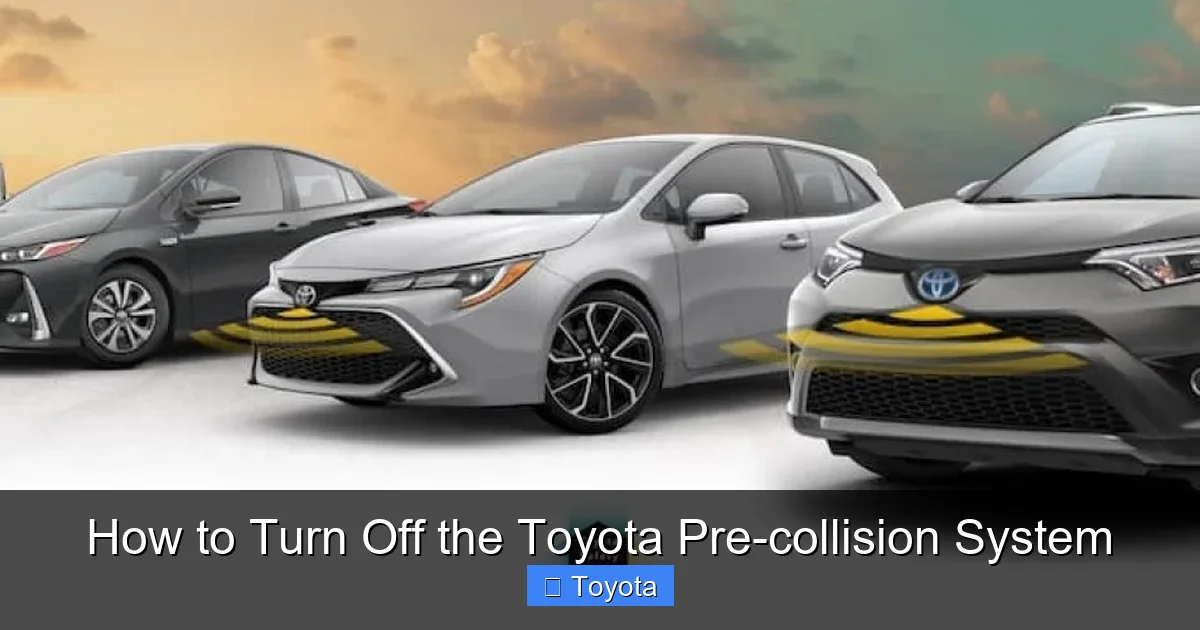
The Toyota Pre-collision System (PCS) is one of the core components of Toyota Safety Sense (TSS), a suite of advanced driver-assistance features designed to reduce the risk of accidents and enhance overall driving safety. First introduced in the mid-2010s, PCS has evolved with each new generation of Toyota vehicles, becoming more accurate and responsive over time. At its core, the system uses a combination of cameras and radar sensors—typically mounted near the front grille and windshield—to monitor the road ahead.
When the system detects a potential collision with a vehicle, pedestrian, or cyclist, it first issues a visual and audible warning to alert the driver. If the driver doesn’t respond in time, the system can automatically apply the brakes to reduce speed or even bring the vehicle to a complete stop, depending on the situation. Some newer models also include features like steering assist, which can help guide the vehicle away from danger.
It’s important to understand that the Pre-collision System is not meant to replace attentive driving. Instead, it acts as a second set of eyes, especially in moments when distraction, fatigue, or poor visibility might compromise your reaction time. According to the National Highway Traffic Safety Administration (NHTSA), vehicles equipped with forward collision warning and automatic emergency braking—like Toyota’s PCS—can reduce rear-end collisions by up to 50%. That’s a significant safety improvement, which is why Toyota has made it standard on nearly all new models since 2018.
How the System Works
The Toyota Pre-collision System operates using a forward-facing camera and millimeter-wave radar. These sensors continuously scan the road ahead, measuring the distance and relative speed of objects in your path. The system’s software analyzes this data in real time, determining whether a collision is likely based on your speed, following distance, and the movement of other objects.
For example, if you’re driving at 40 mph and the car in front suddenly brakes, the PCS will calculate the time to impact. If that time drops below a certain threshold—usually around 2–3 seconds—the system will trigger a warning. This usually appears as a flashing icon on the dashboard, accompanied by a beeping sound. If you still don’t brake, the system may pre-charge the brakes and apply partial braking to reduce speed. In more severe cases, it can perform full automatic braking to avoid or mitigate a crash.
Modern versions of the system also include pedestrian and cyclist detection, which uses image recognition technology to identify people crossing the road or riding bikes. This is especially helpful in urban environments or during low-light conditions when visibility is reduced.
Why Toyota Includes This Feature
Toyota’s decision to include the Pre-collision System as standard equipment reflects a broader industry shift toward proactive safety. Unlike passive safety features—such as airbags and seatbelts—that protect you during a crash, active safety systems like PCS aim to prevent accidents from happening in the first place. This aligns with Toyota’s “Mobility Teammate Concept,” which envisions vehicles that work alongside drivers to create a safer, more efficient driving experience.
The system is particularly valuable in common driving scenarios: heavy traffic, sudden stops, distracted driving, or poor weather conditions. For instance, if you’re looking down at your phone and fail to notice the car ahead slowing down, the PCS can intervene before it’s too late. Similarly, if a child runs into the street chasing a ball, the system may detect the movement and apply the brakes faster than a human could react.
While no system is perfect—false alerts can occur in certain situations—the overall safety benefits far outweigh the occasional inconvenience. That’s why Toyota has made it difficult to permanently disable the Pre-collision System, requiring drivers to re-enable it each time the vehicle is started.
Why You Might Want to Turn It Off
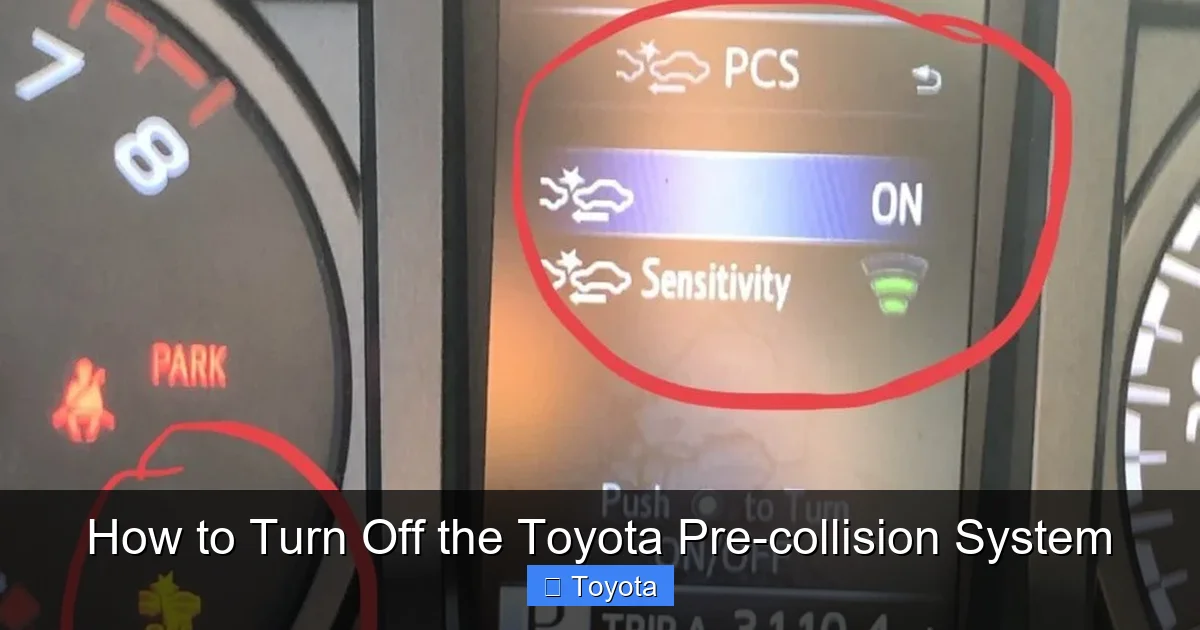
Visual guide about How to Turn Off the Toyota Pre-collision System
Image source: twstatic.net
Despite its safety benefits, there are legitimate reasons why you might want to temporarily disable the Toyota Pre-collision System. These situations typically involve environments or driving conditions where the system may trigger false alerts or interfere with normal operation. Understanding when it’s appropriate to turn it off—and when it’s not—is key to using your vehicle safely and effectively.
One of the most common reasons drivers disable the system is during automatic car washes. Many modern car washes use conveyor belts or robotic arms that move your vehicle through the wash cycle. In these cases, the Pre-collision System may detect the moving equipment as an obstacle and trigger an emergency stop, potentially damaging the wash machinery or your vehicle. Turning off the system before entering the wash can prevent this issue.
Another scenario is off-roading or driving on unpaved roads. On rough terrain, the sensors may pick up rocks, branches, or uneven ground as potential hazards, leading to unnecessary warnings or braking. This can be frustrating and even dangerous if the system intervenes at a critical moment, such as when navigating a narrow trail or climbing a steep incline.
Towing is another situation where disabling the system may be helpful. When pulling a trailer, boat, or camper, the added length and weight can affect how the sensors interpret the road ahead. The system might misjudge distances or detect the trailer as an obstacle, especially during sharp turns or when backing up. While some Toyota models have trailer-specific settings, others require you to turn off PCS entirely to avoid false alerts.
Additionally, some drivers report sensitivity issues in heavy rain, snow, or fog. While the radar component is generally reliable in poor weather, the camera-based detection can struggle with visibility. This may lead to erratic warnings or reduced system performance. In such cases, temporarily disabling the system—while remaining extra cautious—can reduce driver distraction.
It’s also worth noting that some drivers simply find the alerts annoying or overbearing, especially on long highway drives where the system may frequently detect vehicles in adjacent lanes. While this doesn’t pose a safety risk, the constant beeping and flashing lights can be irritating. In these cases, turning off the system for a short period may improve the driving experience—though it’s important to remember to re-enable it afterward.
When You Should NOT Turn It Off
While there are valid reasons to disable the Pre-collision System, it’s crucial to avoid turning it off during normal driving conditions. The system is designed to protect you in moments when you might not be able to react in time. Disabling it unnecessarily increases your risk of a collision, especially in high-speed or high-traffic environments.
For example, never turn off the system during highway driving, in heavy traffic, or in areas with frequent pedestrian activity. These are precisely the situations where the Pre-collision System is most valuable. Similarly, avoid disabling it at night or in poor weather unless absolutely necessary—your visibility is already reduced, and the system can provide an extra layer of protection.
Also, be cautious about disabling the system if you’re feeling tired, distracted, or under the influence of medication that affects your reaction time. In these cases, the Pre-collision System can act as a critical backup, helping you avoid accidents that might otherwise occur due to human error.
Ultimately, the decision to turn off the system should be based on the driving environment, not personal preference. If you’re unsure whether it’s safe to disable it, err on the side of caution and leave it on.
How to Turn Off the Toyota Pre-collision System
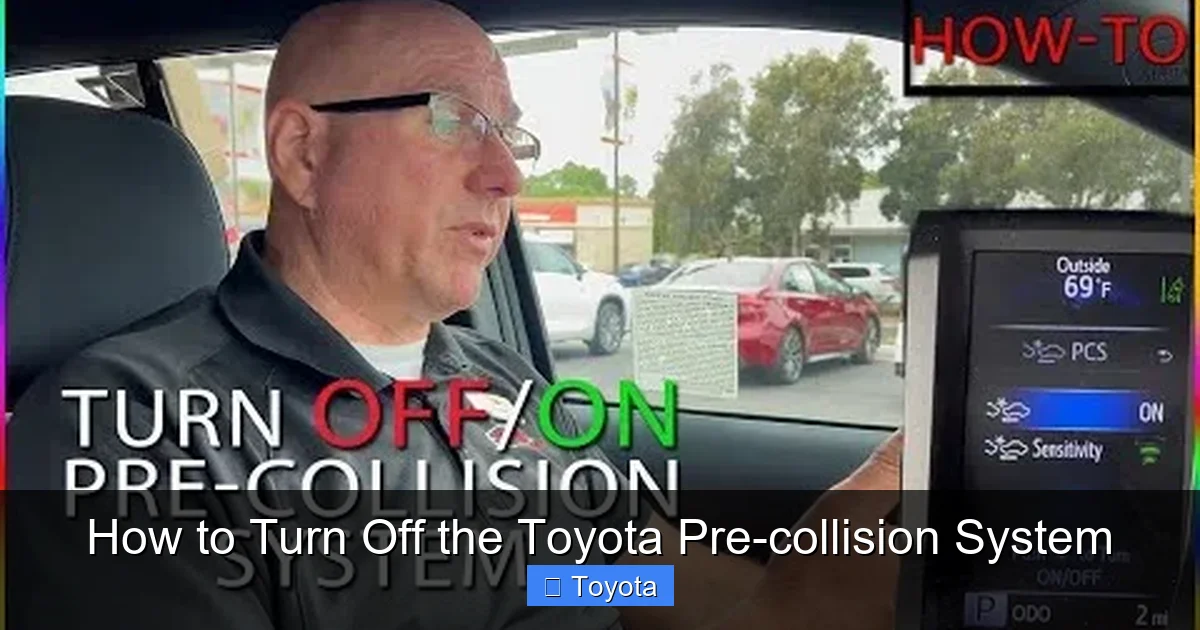
Visual guide about How to Turn Off the Toyota Pre-collision System
Image source: thecarhow.com
Turning off the Toyota Pre-collision System is a straightforward process, but the exact steps can vary slightly depending on your vehicle’s model, year, and infotainment system. Most modern Toyotas use a combination of steering wheel controls and the central display screen to access safety settings. Below, we’ll walk you through the general method that applies to most models, followed by specific instructions for popular vehicles.
General Step-by-Step Guide
1. **Start your vehicle** – Make sure the engine is running or the ignition is in the “ON” position. The system cannot be disabled when the car is off.
2. **Access the main menu** – Use the steering wheel controls (usually the arrow buttons or touchpad) to navigate to the main menu on your instrument cluster or central display. Look for options like “Settings,” “Vehicle Settings,” or “Safety.”
3. **Navigate to Safety Settings** – Scroll through the menu until you find “Toyota Safety Sense,” “Pre-collision System,” or “Driver Assistance.” This may be under a submenu like “Safety & Security” or “Advanced Settings.”
4. **Select Pre-collision System** – Once you’ve found the PCS option, select it. You’ll typically see a toggle switch or checkbox labeled “On” or “Off.”
5. **Turn it Off** – Toggle the switch to “Off.” You may see a confirmation message or warning reminding you that the system is disabled. Confirm your choice.
6. **Verify the change** – Look for a warning light on the dashboard (usually a yellow or orange icon with a car and collision symbol). If the system is off, this light may remain illuminated or flash briefly.
7. **Restart to re-enable** – Remember, the system will automatically reactivate the next time you turn off and restart the vehicle. There is no permanent off setting.
Model-Specific Instructions
While the general process is similar across models, some Toyotas have slight variations. Here’s how to disable the Pre-collision System on some of the most popular models:
**Toyota Camry (2018–2024):**
– Press the “Menu” button on the steering wheel.
– Navigate to “Settings” > “Vehicle” > “Toyota Safety Sense.”
– Select “Pre-collision System” and toggle it off.
**Toyota RAV4 (2019–2024):**
– Use the steering wheel controls to go to “Settings.”
– Choose “Safety & Security” > “Pre-collision System.”
– Switch it to “Off.”
**Toyota Highlander (2020–2024):**
– Access the main menu via the center display.
– Go to “Settings” > “Vehicle” > “Safety.”
– Find “Pre-collision System” and disable it.
**Toyota Prius (2016–2024):**
– Press the “Setup” button on the dashboard.
– Navigate to “Vehicle Settings” > “Pre-collision System.”
– Toggle it off.
**Toyota Tacoma (2020–2024):**
– Use the steering wheel to access “Settings.”
– Go to “Safety” > “Pre-collision System.”
– Turn it off.
Always consult your owner’s manual for the most accurate instructions, as menu layouts can change with software updates.
Using the Physical Button (If Available)
Some older Toyota models or trims may include a physical button to disable the Pre-collision System. This button is usually located on the dashboard, near the steering column, and may be labeled “PCS OFF” or feature a collision warning icon. Pressing this button will temporarily disable the system, and a warning light will appear on the dashboard. As with the menu method, the system will reactivate after the next ignition cycle.
If your vehicle has this button, it’s a quick and easy way to turn off the system without navigating through menus. However, not all models include this feature, so check your owner’s manual to confirm.
Important Warnings and Safety Tips
Visual guide about How to Turn Off the Toyota Pre-collision System
Image source: dealerinspire-image-library-prod.s3.us-east-1.amazonaws.com
While it’s technically possible to turn off the Toyota Pre-collision System, doing so comes with significant responsibilities. This system is a critical part of your vehicle’s safety net, and disabling it—even temporarily—reduces your protection on the road. Here are some essential warnings and tips to keep in mind.
First and foremost, **only disable the system when absolutely necessary**. Situations like car washes, off-roading, or towing are valid reasons, but everyday driving is not. The system is designed to work in real-world conditions, including rain, fog, and nighttime driving. Turning it off during normal commutes increases your risk of a preventable accident.
Second, **always re-enable the system after the situation ends**. For example, if you turned it off for a car wash, make sure to restart your vehicle afterward so the system comes back online. Similarly, if you disabled it while off-roading, reactivate it before returning to paved roads. Many drivers forget this step, leaving themselves unprotected without realizing it.
Third, **be aware of the limitations of the system**. The Pre-collision System is not infallible. It may not detect motorcycles, animals, or stationary objects in certain conditions. It also may not function properly if the sensors are dirty, obstructed, or damaged. Regularly clean the front grille and windshield to ensure optimal performance.
Fourth, **do not rely on the system to compensate for poor driving habits**. Speeding, tailgating, or distracted driving cannot be corrected by technology. The Pre-collision System is a supplement to safe driving, not a replacement for it.
Finally, **inform other drivers if they’ll be using your vehicle**. If you’ve disabled the system and someone else is about to drive your Toyota, make sure they know it’s turned off—and why. This prevents confusion and ensures they understand the reduced level of safety assistance.
How to Reactivate the System
Reactivating the Toyota Pre-collision System is just as simple as turning it off—and in most cases, it happens automatically. Since the system is designed to reset every time you restart the vehicle, you don’t need to manually turn it back on after most trips. However, if you want to re-enable it without restarting the car, you can do so through the same menu you used to disable it.
Simply navigate back to the “Pre-collision System” setting in your vehicle’s menu and toggle it back to “On.” The system will immediately begin monitoring the road ahead, and the warning light (if illuminated) should turn off. You may hear a brief confirmation beep or see a message indicating that the system is active.
If the system does not reactivate after restarting the vehicle, check for any dashboard warning lights or error messages. This could indicate a sensor issue, such as dirt, ice, or damage. In such cases, clean the sensors or consult a Toyota service center for inspection.
Conclusion
The Toyota Pre-collision System is a powerful safety feature that can help prevent accidents and save lives. While it’s possible to turn it off temporarily using your vehicle’s settings menu or a physical button, it’s important to do so only in specific, justified situations—and always re-enable it afterward. Remember, the system resets every time you restart your car, so there’s no permanent off switch by design.
By understanding how the system works, when to disable it, and how to manage it safely, you can make the most of your Toyota’s advanced safety technology. Whether you’re navigating a car wash, tackling off-road trails, or simply want to reduce annoying alerts, this guide gives you the knowledge to take control—responsibly.
Drive safely, stay alert, and let your Toyota’s Pre-collision System be the backup it was designed to be.
Frequently Asked Questions
Can I permanently turn off the Toyota Pre-collision System?
No, you cannot permanently disable the Toyota Pre-collision System. It automatically reactivates every time you restart the vehicle. This is a safety feature designed to ensure the system is always active when driving.
Will turning off the Pre-collision System affect other safety features?
Disabling the Pre-collision System only turns off forward collision warning and automatic emergency braking. Other Toyota Safety Sense features like lane departure alert and adaptive cruise control may remain active, depending on your model.
Why does my Pre-collision System keep beeping for no reason?
False alerts can occur due to dirty sensors, reflections, or objects like road signs. Clean the front grille and windshield, and ensure nothing is blocking the camera or radar. If the issue persists, have it checked by a technician.
Can I turn off the Pre-collision System while driving?
Yes, you can disable the system while driving using the menu or button. However, it’s recommended to do so only when safe, such as when pulling over or in low-risk environments like a car wash.
Does the Pre-collision System work in the rain or snow?
Yes, the radar component works well in most weather conditions. However, heavy rain, snow, or ice can affect camera-based detection. Keep sensors clean for optimal performance.
What should I do if the Pre-collision System warning light stays on?
A persistent warning light may indicate a malfunction or blocked sensor. Clean the front area and restart the vehicle. If the light remains, visit a Toyota service center for diagnosis.
