
How to Charge a Tesla Rental Car

Charging a Tesla rental car is simple and convenient, thanks to Tesla’s extensive Supercharger network and third-party charging options. With the right apps, planning, and knowledge, you can enjoy a seamless electric road trip without range anxiety.
Key Takeaways
- Use Tesla’s Supercharger network: Fast, reliable, and widely available, Superchargers are the best option for quick top-ups during long drives.
- Download essential apps: Tesla app, PlugShare, and ChargePoint help locate chargers, check availability, and manage payments.
- Understand charging speeds: Level 1 (slow), Level 2 (moderate), and DC Fast Charging (rapid) affect how quickly your Tesla gains range.
- Plan your route in advance: Use in-car navigation or apps to map charging stops and avoid running low on battery.
- Know your rental agreement: Some companies include charging costs; others may charge extra or require you to return the car with a full battery.
- Carry adapters and cables: While Teslas come with mobile connectors, having adapters for non-Tesla chargers adds flexibility.
- Monitor battery levels: Keep at least 20% charge to avoid being stranded and allow time for unexpected delays.
📑 Table of Contents
- Why Charging a Tesla Rental Car Doesn’t Have to Be Scary
- Understanding Tesla Charging Basics
- Using Tesla’s Supercharger Network
- Alternative Charging Options for Tesla Rentals
- Planning Your Route and Charging Stops
- Rental-Specific Considerations
- Tips for a Smooth Charging Experience
- Conclusion: Enjoy the Ride
Why Charging a Tesla Rental Car Doesn’t Have to Be Scary
Renting a Tesla can be an exciting experience—sleek design, instant torque, and that satisfying silence as you glide down the highway. But for many first-time electric vehicle (EV) drivers, the idea of charging a Tesla rental car brings up questions and even a little anxiety. “What if I run out of power?” “Where do I plug it in?” “How much will it cost?” These are all valid concerns, but the truth is, charging a Tesla rental is easier than you might think.
Thanks to Tesla’s well-developed infrastructure and user-friendly technology, keeping your rental charged is more convenient than ever. Whether you’re driving across state lines or just exploring the city, there are plenty of options to keep your Tesla juiced up. The key is knowing where to look, how to use the tools at your disposal, and planning ahead—just like you would with a gas-powered rental.
In this guide, we’ll walk you through everything you need to know about charging a Tesla rental car. From understanding different charging levels to using apps that make finding stations a breeze, we’ve got you covered. By the end, you’ll feel confident hitting the road in your electric rental, knowing exactly how to stay powered up along the way.
Understanding Tesla Charging Basics
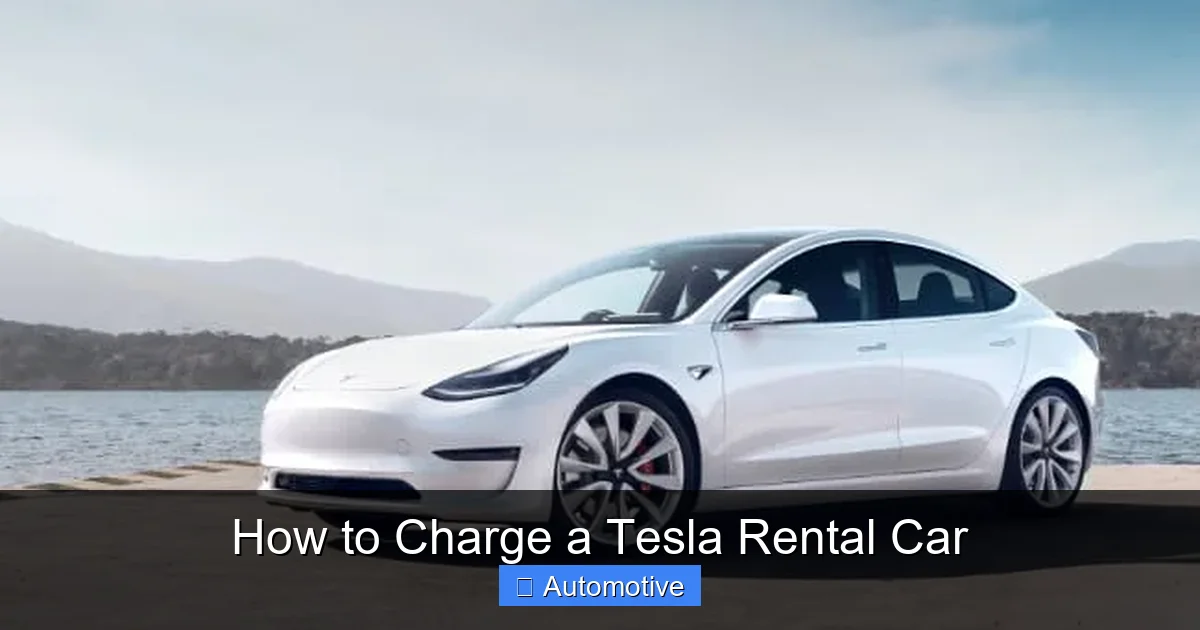
Visual guide about How to Charge a Tesla Rental Car
Image source: teslarentalcars.com.au
Before you plug in, it helps to understand how Tesla charging works. Unlike filling up a gas tank, charging an EV involves different speeds, connector types, and locations. Let’s break it down in simple terms.
Types of Charging: Level 1, Level 2, and DC Fast Charging
There are three main levels of EV charging, each offering different speeds and use cases.
Level 1 Charging is the slowest. It uses a standard 120-volt household outlet—the same kind you plug your lamp or phone charger into. While it’s convenient because you can use almost any outlet, it only adds about 3–5 miles of range per hour. This is fine for overnight charging at a hotel or Airbnb, but not practical for quick top-ups during a road trip.
Level 2 Charging is much faster. These chargers use 240-volt circuits (like those for dryers or ovens) and can add 20–30 miles of range per hour. You’ll find Level 2 chargers at hotels, shopping centers, workplaces, and public parking lots. Many Tesla rentals come with a Mobile Connector that can plug into a Level 2 outlet, making this a great option for longer stops.
DC Fast Charging (Supercharging) is the fastest way to charge a Tesla. These are the Tesla Superchargers you’ve probably seen along highways. They can add up to 200 miles of range in just 15–20 minutes. Superchargers are ideal for long-distance travel and are strategically placed along major routes. Most Tesla rentals allow you to use Superchargers, and some rental companies even include a free charging session or two.
Tesla’s Proprietary Connector vs. Adapters
One of the advantages of driving a Tesla is that it uses a proprietary charging connector in North America. This means you can plug directly into Tesla Superchargers and Destination Chargers without needing an adapter. However, if you want to use non-Tesla Level 2 chargers (like those from ChargePoint or EVgo), you’ll need an adapter.
Most Tesla rentals come with a Mobile Connector and sometimes a J1772 adapter, which lets you plug into standard Level 2 stations. It’s a good idea to check what’s included when you pick up the car. If not, you can usually rent one from the company or buy a compatible adapter online.
Battery Range and Real-World Performance
Tesla models vary in range, but most modern rentals offer between 250 and 350 miles on a full charge. However, real-world range depends on several factors: speed, weather, terrain, and use of climate control. For example, driving at high speeds on the highway or using the heater in cold weather can reduce range by 20–30%.
That’s why it’s smart to plan for less than the advertised range. If your Tesla says it has 300 miles, aim to recharge when you hit 100–150 miles remaining. This gives you a comfortable buffer and avoids the stress of searching for a charger at the last minute.
Using Tesla’s Supercharger Network
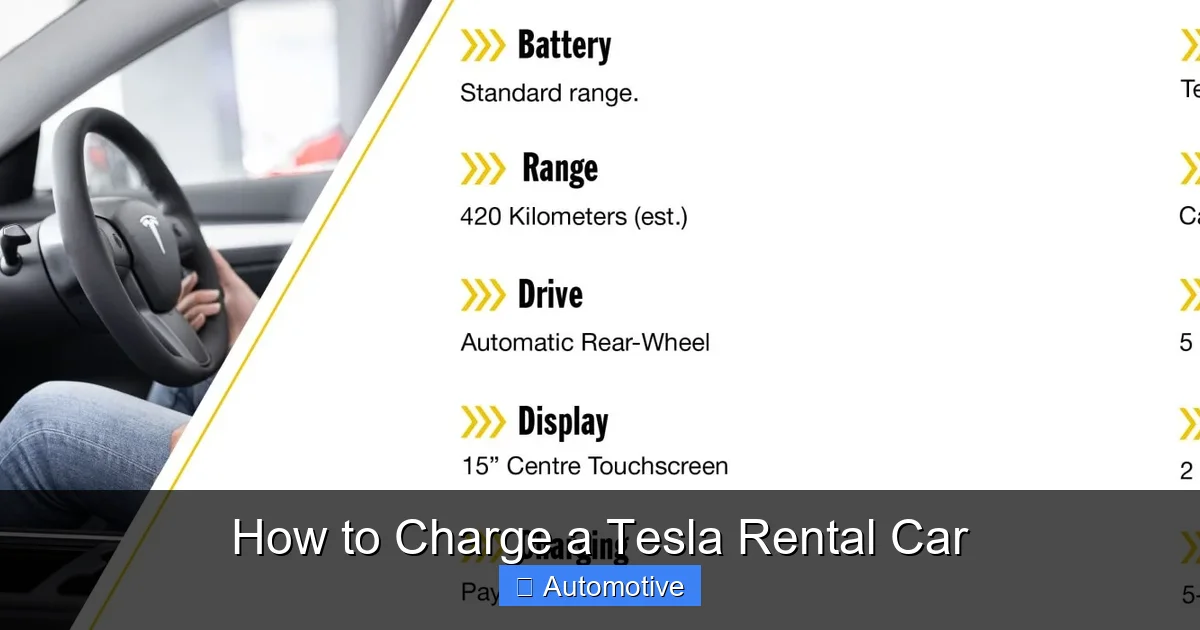
Visual guide about How to Charge a Tesla Rental Car
Image source: eastcoastcarrentals.com.au
When it comes to charging a Tesla rental car, the Supercharger network is your best friend. These high-speed chargers are designed for convenience, speed, and reliability—perfect for travelers.
How to Find and Use a Supercharger
Finding a Supercharger is easy. The Tesla navigation system automatically shows nearby Superchargers and estimates how long it will take to charge based on your current battery level and destination. Simply enter your destination, and the car will suggest optimal charging stops along the way.
When you arrive at a Supercharger station, the process is straightforward:
- Park in a designated Supercharger spot.
- Open the charge port (either manually or via the Tesla app).
- Plug in the connector—no need to swipe a card or use an app.
- The charging session starts automatically.
You can monitor the progress on the car’s touchscreen or through the Tesla app. Most sessions take 20–40 minutes, depending on how much charge you need.
Cost of Supercharging a Rental Tesla
Supercharging isn’t free, but it’s often cheaper than gas. Prices vary by location and time of day, but you can expect to pay between $0.25 and $0.50 per kWh. For example, adding 100 miles of range might cost around $10–$15.
Some rental companies include a certain amount of free Supercharging in the rental agreement, while others charge you separately. Be sure to ask about this when booking. Also, note that Tesla sometimes offers “free Supercharging” promotions for new owners—but these usually don’t apply to rentals.
Tips for Efficient Supercharging
To make the most of your Supercharger stops:
- Charge to 80%: Charging slows down significantly after 80%, so it’s often faster to stop more frequently and charge to 80% than to wait for a full charge.
- Use off-peak hours: Charging during non-peak times (early morning or late night) can be cheaper and less crowded.
- Combine charging with breaks: Use the 20–30 minutes to stretch, grab a coffee, or use the restroom. It’s a great way to recharge yourself while the car recharges.
Alternative Charging Options for Tesla Rentals
Visual guide about How to Charge a Tesla Rental Car
Image source: image6.slideserve.com
While Superchargers are ideal for long trips, you’ll often rely on other charging options during your rental period—especially if you’re staying overnight or exploring urban areas.
Destination Chargers and Level 2 Stations
Tesla’s Destination Charging program partners with hotels, restaurants, and shopping centers to offer free Level 2 charging. These are slower than Superchargers but perfect for topping up while you sleep or shop.
To find Destination Chargers, use the Tesla app or in-car navigation. Look for the “Destination Charging” filter. Many upscale hotels and resorts offer this service, so it’s worth calling ahead to confirm availability.
Public Charging Networks (ChargePoint, EVgo, Electrify America)
If you’re near a non-Tesla charging station, you can still charge your rental—provided you have the right adapter. Networks like ChargePoint, EVgo, and Electrify America have thousands of stations across the U.S.
Here’s how to use them:
- Download the network’s app (e.g., ChargePoint, EVgo).
- Create an account and add a payment method.
- Use the app to locate a nearby station and start a session.
- Plug in using your J1772 adapter (if needed).
Keep in mind that non-Tesla chargers may have different pricing models—some charge per kWh, others by the minute. Always check the rates before plugging in.
Home and Hotel Charging
If you’re staying at a hotel or Airbnb with a garage or driveway, you might be able to charge using a standard outlet (Level 1) or a 240-volt outlet (Level 2). Many vacation rentals now advertise EV charging as an amenity.
Before you arrive, ask the host or hotel if they have a charging setup. If they do, bring your Mobile Connector. If not, a standard outlet can still give you a few extra miles overnight—just don’t expect a full charge.
Planning Your Route and Charging Stops
One of the biggest advantages of driving a Tesla is its built-in trip planner. But even with smart technology, a little planning goes a long way—especially when you’re in a rental car with unknown battery health or charging habits.
Using Tesla’s In-Car Navigation
Tesla’s navigation system is one of the most advanced in the industry. When you enter a destination, it calculates the most efficient route, including recommended Supercharger stops. It even factors in current traffic, elevation changes, and weather to estimate energy use.
For example, if you’re driving from Los Angeles to San Francisco (about 380 miles), the car might suggest stopping at a Supercharger in Santa Barbara or San Luis Obispo. It will show you how long to charge at each stop to reach your destination with a safe buffer.
Using Third-Party Apps for Backup
While Tesla’s navigation is excellent, it’s smart to have a backup plan. Apps like PlugShare and A Better Routeplanner (ABRP) offer detailed maps of all charging stations—Tesla and non-Tesla alike.
PlugShare lets you filter by charger type, speed, and availability. You can also read user reviews to see if a station is working or busy. ABRP is great for long trips because it lets you customize your route based on your car’s efficiency, driving style, and charging preferences.
Tips for Avoiding Range Anxiety
Range anxiety—the fear of running out of charge—is common among new EV drivers. But with a few simple habits, you can drive with confidence:
- Start with a full charge: Always begin your trip with 90–100% battery.
- Keep at least 20% charge: This gives you time to find a charger if plans change.
- Check charger status before leaving: Use apps to confirm a station is operational and not occupied.
- Have a backup plan: Know the location of the next two charging options in case one is full or broken.
Rental-Specific Considerations
Renting a Tesla comes with unique considerations that don’t apply to owning one. Here’s what to keep in mind.
Charging Policies and Fees
Not all rental companies treat charging the same way. Some include a full charge at pickup and expect the same at return. Others may charge a “fuel fee” if you return the car with less than 80% battery.
Always read the rental agreement carefully. Ask:
- Is the car delivered with a full charge?
- Do I need to return it charged?
- Are there fees for using Superchargers?
- Can I use third-party chargers?
Some companies, like Tesla’s own rental program (where available), offer more flexible policies. Others, like traditional car rental agencies, may have stricter rules.
Returning the Car: Charging Requirements
Many rental companies require you to return the Tesla with at least 80% charge—similar to returning a gas car with a full tank. If you don’t, they may charge a refueling fee, which can be steep (sometimes $50 or more).
To avoid this:
- Plan your last charging stop near the return location.
- Use a nearby Supercharger or Level 2 station the night before.
- Allow extra time in case the charger is busy or slow.
If you’re returning the car to an airport, check if there are charging stations nearby. Many major airports now have EV chargers in parking garages.
What to Do If You Run Low on Charge
Even with the best planning, things can go wrong. If you’re running low on battery and can’t find a charger, stay calm. Here’s what to do:
- Use the Tesla app to locate the nearest charging station—even if it’s 10–15 miles away.
- Drive slowly and use “Chill” mode to conserve energy.
- Turn off climate control and unnecessary features.
- If you’re in a remote area, call roadside assistance—many rental companies offer EV-specific help.
Most importantly, don’t panic. Tesla’s navigation will always show you the closest option, and help is usually not far away.
Tips for a Smooth Charging Experience
Charging a Tesla rental car doesn’t have to be complicated. With a few smart habits, you can make the process effortless and even enjoyable.
Download the Right Apps
Before you hit the road, download these essential apps:
- Tesla App: Lets you monitor charge level, start/stop charging, and locate Superchargers remotely.
- PlugShare: Shows all public chargers, including user reviews and real-time status.
- ChargePoint or EVgo: For accessing non-Tesla Level 2 and DC fast chargers.
- Google Maps or Waze: Can show EV charging stations and help with navigation.
Having these apps on your phone ensures you’re never more than a tap away from finding a charger.
Carry the Right Equipment
While most Tesla rentals come with a Mobile Connector, it’s wise to confirm what’s included. Ideally, you should have:
- Mobile Connector (for Level 1 and Level 2 charging)
- J1772 adapter (for non-Tesla Level 2 stations)
- CCS adapter (if available, for use with Electrify America fast chargers)
If your rental doesn’t include these, ask the company if they can provide them—or consider renting from a provider that specializes in EVs.
Be Mindful of Charging Etiquette
When using public chargers, especially busy ones, be considerate of other drivers:
- Don’t leave your car plugged in longer than necessary.
- Move your car once charging is complete.
- Avoid blocking multiple charging spots.
- If a station is full, don’t wait indefinitely—move on to the next one.
Good charging etiquette helps everyone have a better experience.
Conclusion: Enjoy the Ride
Charging a Tesla rental car is not only doable—it’s often more convenient than refueling a gas car. With a vast network of Superchargers, user-friendly apps, and smart in-car navigation, Tesla has made electric travel accessible to everyone, even renters.
The key is preparation. Know your charging options, plan your route, and keep an eye on your battery level. Use the tools at your disposal—apps, adapters, and rental policies—to your advantage. And remember, every charging stop is a chance to stretch, grab a snack, and enjoy the journey.
So the next time you rent a Tesla, don’t let charging worries hold you back. Embrace the electric experience, explore with confidence, and enjoy the quiet, smooth ride that only a Tesla can offer. The future of driving is here—and it’s easier to charge than you think.
Frequently Asked Questions
Can I charge a Tesla rental car at home?
Yes, if you have access to a standard 120-volt outlet (Level 1) or a 240-volt outlet (Level 2), you can charge your Tesla rental at home. Just make sure you have the Mobile Connector and permission from the rental company.
Do I need a special app to charge a Tesla rental?
The Tesla app is helpful for monitoring charge status and locating Superchargers, but it’s not required. You can also use third-party apps like PlugShare or ChargePoint to find and pay for public charging stations.
How much does it cost to charge a Tesla rental car?
Charging costs vary. Supercharging typically costs $0.25–$0.50 per kWh, while Level 2 public chargers may charge by the hour or kWh. Some rental companies include charging in the fee, so always check your agreement.
What happens if I return the Tesla with a low battery?
Many rental companies charge a refueling fee if the car is returned with less than 80% charge. To avoid this, plan a charging stop near your return location and allow extra time.
Can I use non-Tesla chargers with a rental Tesla?
Yes, as long as you have the right adapter (like J1772 for Level 2 stations). Most rentals include a Mobile Connector, but confirm what’s provided before you leave.
How long does it take to charge a Tesla rental car?
Charging time depends on the method: Level 1 adds 3–5 miles per hour, Level 2 adds 20–30 miles per hour, and Superchargers can add 100+ miles in 15–20 minutes. Plan accordingly based on your needs.
