
How to Turn on a Nissan Car with a Key Remote

Turning on a Nissan car with a key remote is easy once you know the right steps. Whether your model uses a traditional key fob or a push-button start system, this guide walks you through everything—from battery checks to emergency overrides—so you can start your vehicle confidently and safely.
Key Takeaways
- Most modern Nissan vehicles use push-button start systems activated by a key remote. You don’t need to insert a physical key—just have the fob nearby and press the start button.
- Ensure your key fob battery is charged to avoid starting issues. A weak battery can prevent the car from detecting the remote, even if it’s inside the cabin.
- Keep the key fob within the vehicle’s interior for the engine to start. The system uses proximity sensors, so the fob must be inside the car, not left outside.
- If the key fob battery dies, use the physical key blade or emergency start procedure. Many Nissan models include a hidden key and a backup method to start the car manually.
- Always press the brake pedal when starting a Nissan with a push-button system. This safety feature prevents accidental ignition and ensures the transmission is in Park or Neutral.
- Regular maintenance of your key fob extends its life and reliability. Clean the fob, avoid dropping it, and replace the battery every 1–2 years.
- If your car won’t start, check the gear selector, brake pedal, and fob placement first. Most issues are simple fixes and don’t require a mechanic.
📑 Table of Contents
- Introduction: The Modern Way to Start Your Nissan
- Understanding Nissan’s Key Remote System
- Step-by-Step: How to Turn On a Nissan Car with a Key Remote
- Troubleshooting Common Issues
- Maintaining Your Key Remote for Long-Term Reliability
- Safety and Security Tips
- Conclusion: Mastering Your Nissan’s Key Remote System
Introduction: The Modern Way to Start Your Nissan
Remember the days when starting a car meant fumbling for keys, inserting them into the ignition, and turning with a satisfying click? Those days are fading fast—especially with Nissan’s shift toward smart, keyless entry and push-button start systems. Today, turning on a Nissan car with a key remote is as simple as walking up to your vehicle, getting in, and pressing a button. No twisting, no jingling, just seamless convenience.
But while this technology makes life easier, it can also be confusing if you’re new to it or if something goes wrong. Maybe your car won’t start even though the fob is inside. Or perhaps you’re renting a Nissan and aren’t sure how the system works. Don’t worry—you’re not alone. In this guide, we’ll walk you through every step of how to turn on a Nissan car with a key remote, covering everything from basic operation to troubleshooting common issues. Whether you drive a Sentra, Altima, Rogue, or Pathfinder, the process is similar across most modern Nissan models.
Understanding Nissan’s Key Remote System
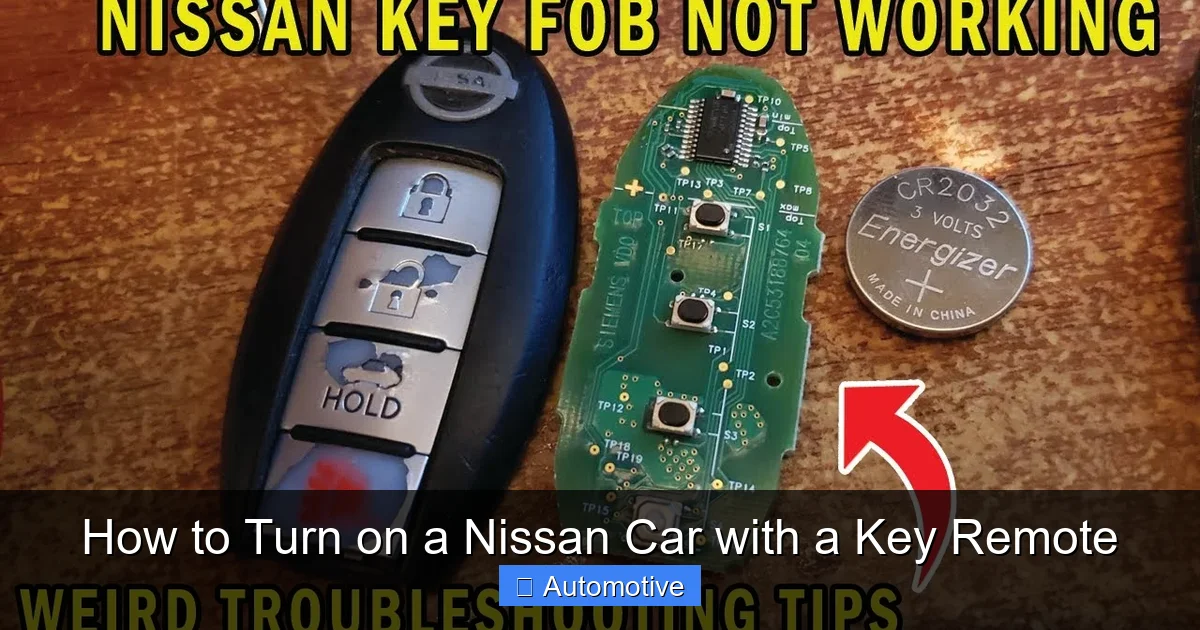
Before we dive into the steps, it’s important to understand how Nissan’s key remote system actually works. Unlike older cars that rely solely on a physical key, most Nissan vehicles produced in the last decade use a combination of a wireless key fob and an electronic ignition system. This setup allows for keyless entry, push-button start, and enhanced security features.
Visual guide about How to Turn on a Nissan Car with a Key Remote
Image source: i.ytimg.com
What Is a Key Remote?
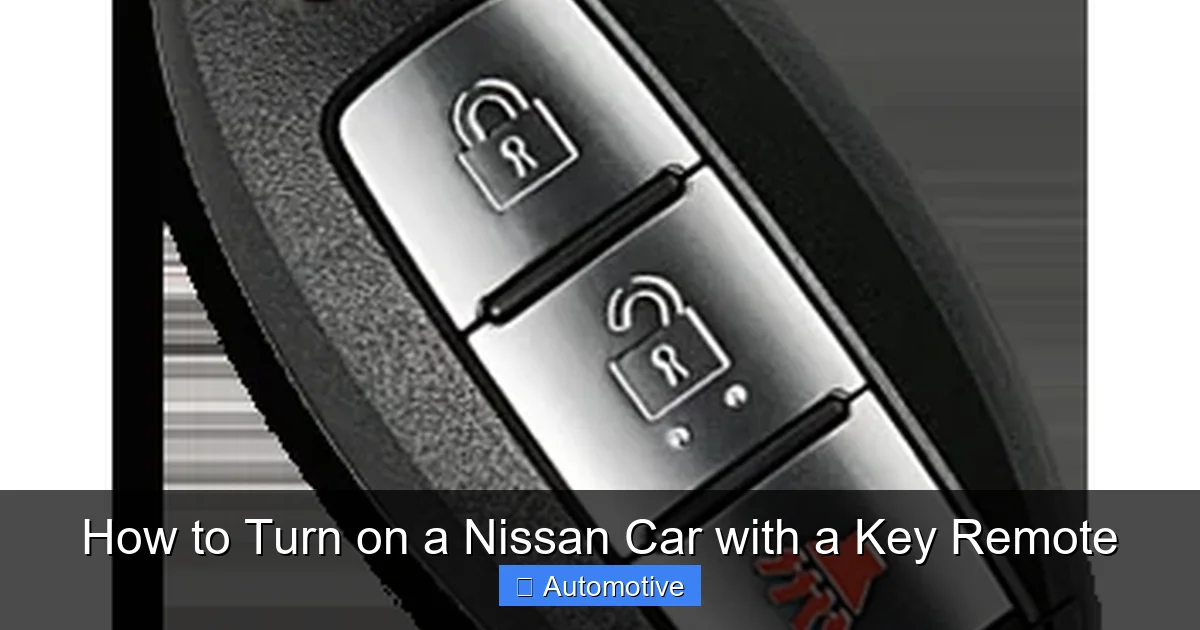
A key remote—also called a key fob—is a small, handheld device that communicates with your car via radio frequency signals. It typically has buttons for locking, unlocking, opening the trunk, and sometimes activating the panic alarm. But its most important function? Enabling you to start the engine without ever touching a key.
Modern Nissan key fobs are designed to be detected by the car’s onboard computer when they’re inside the vehicle. This means you can leave the fob in your pocket, purse, or even on the passenger seat, and the car will still recognize it. The system uses low-frequency antennas placed throughout the cabin to confirm the fob’s presence.
Types of Nissan Key Remotes
Not all Nissan key fobs are the same. Depending on your model and trim level, you might have one of several types:
- Standard Key Fob with Push-Button Start: This is the most common type. It has buttons for lock, unlock, trunk, and panic, and works with a dashboard-mounted start button. Examples include the fobs used in the Nissan Altima and Sentra.
- Intelligent Key Fob: Found in higher-end models like the Nissan Maxima or Rogue Platinum, this fob allows for hands-free entry. Simply walk up to the car with the fob in your pocket, and the doors unlock automatically. You can also start the car by pressing the button while the fob is nearby.
- Key Fob with Remote Start: Some Nissan models, especially SUVs like the Pathfinder, come with remote start capability. This lets you start the engine from up to 1,000 feet away using the fob, which is great for warming up the car in winter or cooling it in summer.
Regardless of the type, the core principle remains the same: the car must detect the key fob inside the cabin to allow the engine to start. This prevents theft and ensures only authorized users can operate the vehicle.
Step-by-Step: How to Turn On a Nissan Car with a Key Remote
Now that you understand the basics, let’s walk through the actual process of starting your Nissan. The steps are straightforward, but there are a few key details that can make or break the experience.
Visual guide about How to Turn on a Nissan Car with a Key Remote
Image source: carkeyspro.com
Step 1: Ensure the Key Fob Is Inside the Vehicle
This might sound obvious, but it’s the number one reason people can’t start their Nissan. The car’s system is designed to only allow ignition when the key fob is detected inside the cabin. If you leave the fob outside—say, in your pocket while you’re walking away—the car won’t start.
So before you even sit down, make sure the fob is with you. It can be in your hand, pocket, bag, or even on the seat next to you. The car’s sensors are sensitive enough to pick it up as long as it’s within a few feet of the driver’s seat.
Step 2: Press the Brake Pedal
Once you’re seated, press and hold the brake pedal with your foot. This is a critical safety feature. Nissan’s push-button start system requires the brake to be depressed before the engine can turn over. If you don’t press the brake, pressing the start button will do nothing—or worse, it might trigger accessory mode instead of ignition.
Why is this important? It prevents accidental starting, especially if the car is in gear. Imagine pressing the start button while the car is in Drive—that could cause a sudden lurch. By requiring the brake, Nissan ensures the vehicle is safely stopped before ignition.
Step 3: Press the Start Button
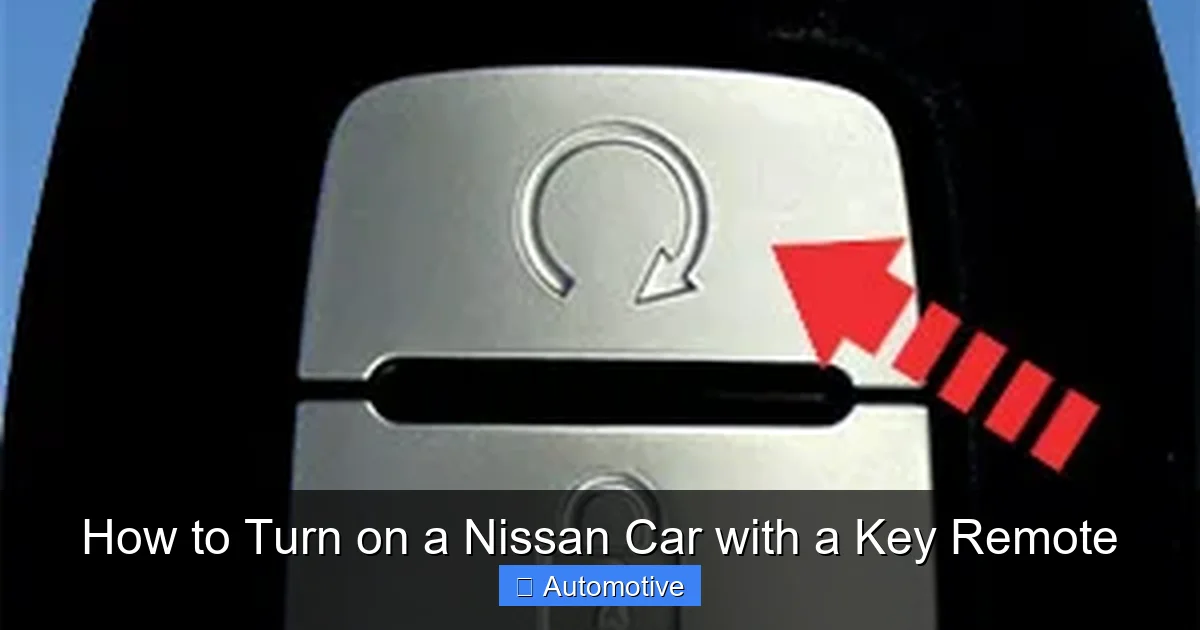
With the brake pedal held down, locate the start button. It’s usually on the right side of the steering column or near the gear shifter, and it’s marked with a circular arrow or the word “START.” Press it firmly once.
You should hear the engine crank and start within a second or two. If it doesn’t start immediately, don’t panic—press the button again. Sometimes a second attempt is needed, especially in cold weather.
Step 4: Release the Button and Brake
Once the engine is running, release the start button and take your foot off the brake pedal. The car is now on and ready to drive. You’ll see the dashboard lights stabilize, and the gear shifter will unlock if it was in Park.
That’s it! You’ve successfully turned on your Nissan using the key remote. The whole process takes less than 10 seconds once you’re familiar with it.
Pro Tips for Smooth Starting
- Keep the fob away from metal objects: Metal can interfere with the signal. Avoid placing the fob on a metal surface like a car roof or toolbox.
- Don’t hold the fob near your head: Your body can block the signal. Keep it in a pocket or bag instead.
- Use the fob’s range wisely: Most fobs work within 3–5 feet inside the car. If you’re sitting in the back seat, move closer to the front.
Troubleshooting Common Issues
Even with the best technology, things don’t always go smoothly. If your Nissan won’t start with the key remote, don’t assume the worst. Most issues have simple fixes.
Visual guide about How to Turn on a Nissan Car with a Key Remote
Image source: wheelsjoint.com
Issue 1: Car Won’t Start Despite Fob Being Inside
If you’ve followed all the steps and the engine still won’t turn over, the problem is likely one of the following:
- Weak or Dead Fob Battery: The most common culprit. Even if the fob can unlock the doors, a low battery might not provide enough power to start the engine. Try replacing the battery (usually a CR2032 coin cell).
- Fob Not Detected: The car’s sensors might not be picking up the signal. Try moving the fob closer to the start button or placing it in the designated fob holder (if your model has one).
- Transmission Not in Park or Neutral: The car won’t start if it’s in Drive or Reverse. Make sure the gear shifter is fully in Park (for automatics) or Neutral (for manuals).
- Brake Pedal Not Fully Pressed: If your foot isn’t pressing the brake hard enough, the system won’t register it. Press firmly and try again.
Issue 2: Key Fob Battery Is Dead
What if your fob battery dies completely? You’re not stranded. Most Nissan key fobs have a hidden physical key blade that can be used to unlock the door manually. Here’s how:
- Locate the small release button or switch on the fob (usually on the side).
- Press it to eject the metal key blade.
- Use the blade to unlock the driver’s door manually.
- Once inside, place the fob in the designated emergency start location—often a small slot near the start button or cup holder.
- Press the brake and start the car as usual.
This backup method ensures you’re never truly locked out, even with a dead fob.
Issue 3: Push-Button Start Malfunctions
In rare cases, the start button itself might fail. If pressing it does nothing—no lights, no response—there could be an electrical issue. Check the following:
- Fuses: A blown fuse in the ignition circuit can disable the start button. Consult your owner’s manual to locate and check the relevant fuses.
- Battery Voltage: A weak car battery can prevent the system from functioning. If the dashboard lights are dim or flickering, jump-start the car or replace the battery.
- Software Glitch: Sometimes, the car’s computer needs a reset. Try turning the car off, waiting 30 seconds, and trying again.
If none of these solutions work, it’s time to visit a Nissan service center. But in most cases, the problem is something simple you can fix at home.
Maintaining Your Key Remote for Long-Term Reliability
Like any electronic device, your Nissan key fob needs a little care to keep working properly. A little maintenance goes a long way in preventing starting issues down the road.
Replace the Battery Regularly
Most key fob batteries last 1–2 years, depending on usage. If you notice the range decreasing or buttons becoming less responsive, it’s time for a replacement. Here’s how:
- Use a small flathead screwdriver or coin to pry open the fob casing.
- Remove the old battery (note its orientation).
- Insert a new CR2032 battery with the positive side facing up.
- Snap the fob back together.
Always use a high-quality battery from a reputable brand. Cheap batteries may leak or fail prematurely.
Keep the Fob Clean and Dry
Dirt, moisture, and grime can damage the internal circuitry. Wipe the fob with a dry cloth regularly, and avoid exposing it to water. If it gets wet, dry it thoroughly before using.
Avoid Dropping or Exposing to Extreme Temperatures
Key fobs are durable but not indestructible. Dropping them can crack the casing or dislodge internal components. Similarly, leaving the fob in a hot car or freezing trunk can degrade the battery and electronics.
Store the fob in a cool, dry place when not in use. If you have multiple keys, consider using a key organizer to prevent damage.
Test the Remote Functions Monthly
Don’t wait until you’re in a hurry to find out the fob isn’t working. Once a month, test all the buttons—lock, unlock, trunk, panic—to ensure they’re functioning. This helps catch issues early.
Safety and Security Tips
While keyless entry and push-button start are convenient, they also come with security considerations. Here’s how to protect your Nissan and your key fob.
Prevent Relay Attacks
Criminals can use relay devices to amplify the fob’s signal, tricking the car into thinking the key is nearby. To prevent this:
- Store the fob away from doors and windows: Keep it in a Faraday pouch or metal box when not in use.
- Turn off keyless entry (if available): Some Nissan models allow you to disable proximity unlocking in the settings.
- Use a steering wheel lock: A visible deterrent can discourage thieves.
Never Leave the Fob in the Car
Even though the car won’t start without the fob inside, leaving it in the vehicle increases the risk of theft. If a thief breaks in, they could drive away. Always take the fob with you.
Be Mindful of Remote Start Risks
If your Nissan has remote start, avoid using it in enclosed spaces like garages. Carbon monoxide buildup can be deadly. Only use remote start in well-ventilated areas.
Conclusion: Mastering Your Nissan’s Key Remote System
Turning on a Nissan car with a key remote is a simple, modern convenience—once you know how it works. From ensuring the fob is inside the cabin to pressing the brake and start button, the process is designed to be safe, intuitive, and reliable. With a little understanding and regular maintenance, you can enjoy seamless starts every time you get behind the wheel.
Remember, most starting issues are minor and fixable. A dead fob battery, incorrect gear position, or weak brake press are easy to resolve with the tips in this guide. And if you ever find yourself locked out or unable to start, know that Nissan has built-in backup systems to help you out.
So the next time you slide into your Nissan, fob in pocket, and press that start button, you’ll do it with confidence. You’re not just starting a car—you’re using smart technology that makes driving safer and more enjoyable. Welcome to the future of automotive convenience.
Frequently Asked Questions
Can I start my Nissan without the key fob?
No, you cannot start a Nissan with a push-button ignition unless the key fob is detected inside the vehicle. The system is designed for security and will not allow the engine to turn over without the fob present.
What do I do if my key fob battery is dead?
Use the hidden physical key blade to unlock the door manually, then place the fob in the emergency start location (usually near the start button) and press the brake and start button as usual.
Why won’t my Nissan start even with the fob inside?
Common reasons include a weak fob battery, the transmission not being in Park or Neutral, or the brake pedal not being fully pressed. Check these factors first before seeking professional help.
Can I drive my Nissan if the key fob battery dies?
Yes, as long as the fob is inside the car and you use the emergency start method. The car will run normally, but you’ll need to replace the battery soon to restore full remote functionality.
How far away can I be and still start my Nissan with the remote?
For standard key fobs, the fob must be inside the vehicle to start the engine. However, if your model has remote start, you can start the car from up to 1,000 feet away using the fob.
Is it safe to leave my key fob in the car?
No, it’s not safe. Leaving the fob in the car increases the risk of theft, as a thief could break in and drive away. Always take the fob with you when you exit the vehicle.
