
How to Unplug an Electric Car Charger on a Hyundai

Unplugging an electric car charger on a Hyundai is simple but requires attention to safety and proper procedure. This guide walks you through the correct steps for different Hyundai EV models, common mistakes to avoid, and troubleshooting tips to ensure a smooth charging experience every time.
Key Takeaways
- Always stop charging before unplugging: Use the Hyundai app, charging station interface, or vehicle controls to safely end the charging session before removing the plug.
- Press the release button firmly: Most Hyundai EV chargers have a physical button or latch that must be pressed to disengage the locking mechanism.
- Pull straight out, don’t twist: Avoid twisting or yanking the cable—this can damage the port or connector over time.
- Check for charging status lights: Confirm the charging light on your Hyundai has turned off or changed color before attempting to remove the plug.
- Store the cable properly: Coil the charger cable neatly and return it to its holder to prevent tripping hazards and wear.
- Know your model’s specifics: Hyundai Kona Electric, Ioniq 5, and Ioniq 6 may have slight differences in port location and unplugging procedures.
- Use the Hyundai app for remote control: The Blue Link app lets you monitor and stop charging remotely, making unplugging safer and more convenient.
📑 Table of Contents
- Introduction: Why Properly Unplugging Matters
- Understanding Your Hyundai’s Charging System
- Step-by-Step Guide to Unplugging Your Hyundai Charger
- Model-Specific Unplugging Tips
- Common Mistakes and How to Avoid Them
- Troubleshooting: What to Do If the Plug Won’t Come Out
- Safety Tips for Charging and Unplugging
- Conclusion: Mastering the Art of Unplugging
Introduction: Why Properly Unplugging Matters
Charging your Hyundai electric vehicle (EV) is one of the most routine—and important—parts of ownership. Whether you’re plugging in at home, at work, or at a public charging station, the process should be smooth, safe, and hassle-free. But while plugging in might feel intuitive, unplugging an electric car charger on a Hyundai requires a bit more attention to detail. Doing it incorrectly can lead to damaged ports, tripping hazards, or even safety risks like electric shock or connector damage.
Many new EV owners assume that unplugging is as simple as pulling the cable out like a regular phone charger. But EV charging involves high-voltage systems and smart locking mechanisms designed to prevent accidental disconnection during charging. That’s why understanding the correct procedure is essential—not just for convenience, but for the longevity of your vehicle and charger.
In this guide, we’ll walk you through everything you need to know about how to unplug an electric car charger on a Hyundai. From the basics of charging port locations to model-specific instructions and troubleshooting tips, we’ve got you covered. Whether you drive a Hyundai Kona Electric, Ioniq 5, or Ioniq 6, this guide will help you unplug safely and confidently every time.
Understanding Your Hyundai’s Charging System
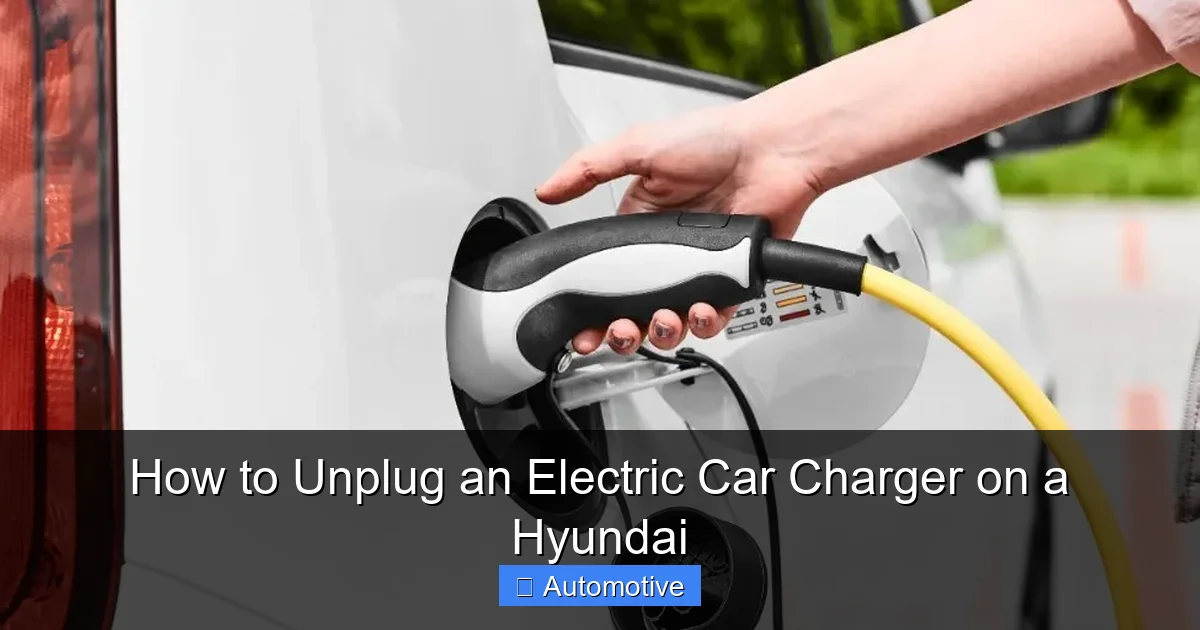
Visual guide about How to Unplug an Electric Car Charger on a Hyundai
Image source: i0.wp.com
Before you even think about unplugging, it’s important to understand how your Hyundai’s charging system works. Hyundai electric vehicles use either AC (Alternating Current) or DC (Direct Current) charging, depending on the station and your vehicle’s capabilities. Most home chargers and public Level 2 stations use AC charging, while fast chargers (like those from Electrify America or EVgo) use DC fast charging.
Each charging session involves a handshake between the charger and your vehicle. This communication ensures that power is delivered safely and efficiently. When you plug in, your Hyundai sends signals to the charger to confirm compatibility, battery status, and charging parameters. The charger then locks the connector into place to prevent accidental removal while current is flowing.
This locking mechanism is a critical safety feature. It prevents the plug from being yanked out mid-charge, which could cause arcing, damage the port, or even pose a fire risk. That’s why you can’t just pull the plug out like you would with a laptop charger. Instead, you must first tell the system to stop charging and release the lock.
Charging Port Locations on Hyundai EVs
The location of the charging port varies slightly between Hyundai models, so it’s helpful to know where to look:
- Hyundai Kona Electric: The charging port is located on the front-left side of the vehicle, near the headlight. It’s protected by a small door that swings open when you press the release button inside the car or use the key fob.
- Hyundai Ioniq 5: The port is on the rear-left side, just above the rear wheel. It features a sleek, integrated design with a soft-close door and LED lighting for nighttime visibility.
- Hyundai Ioniq 6: Similar to the Ioniq 5, the charging port is on the rear-left side. It’s slightly more streamlined and includes a built-in light for easier access in the dark.
Knowing where your port is helps you approach the charger correctly and avoid fumbling around in the dark or in tight parking spaces.
Types of Charging Connectors
Hyundai EVs use two main types of connectors:
- Type 1 (J1772): Used for AC charging at home and most public Level 2 stations. This is the standard connector in North America and has a rounded shape with five pins.
- CCS (Combined Charging System): Used for DC fast charging. It’s larger and combines the J1772 connector with two additional DC pins at the bottom. This allows for much faster charging speeds.
Both connectors have locking mechanisms, but the CCS connector is more robust due to the higher power levels involved. Always ensure you’re using the correct cable for the charging station you’re at.
Step-by-Step Guide to Unplugging Your Hyundai Charger
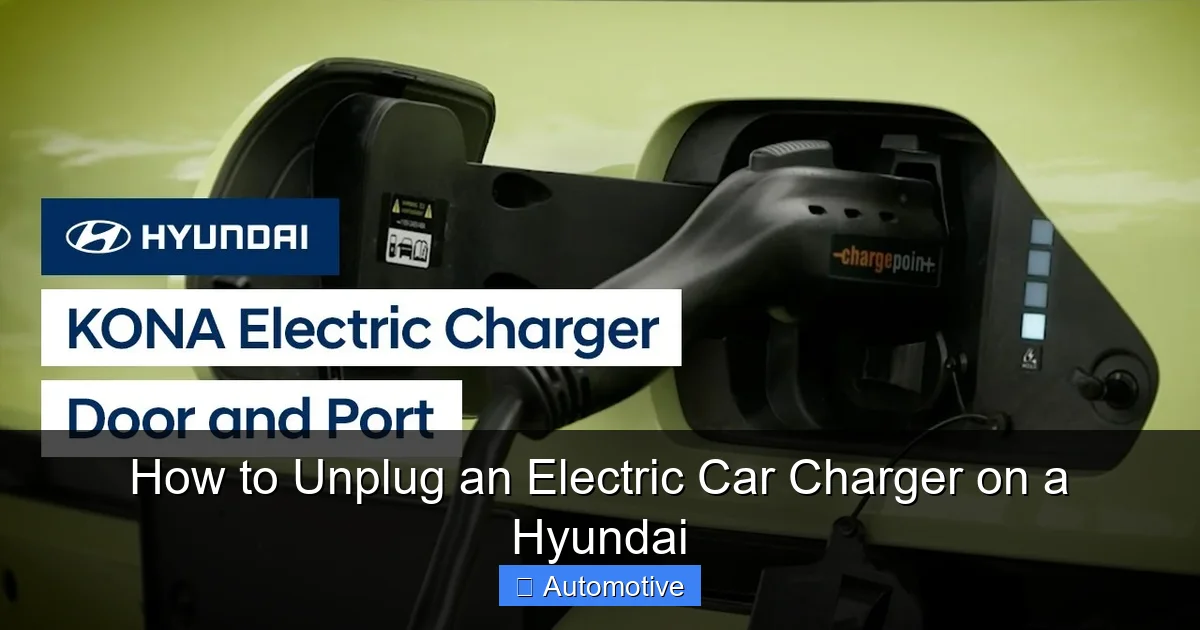
Visual guide about How to Unplug an Electric Car Charger on a Hyundai
Image source: i.ytimg.com
Now that you understand the basics, let’s walk through the actual process of unplugging your Hyundai EV charger. Follow these steps carefully to ensure a safe and smooth experience.
Step 1: Stop the Charging Session
Never attempt to unplug while the charger is actively delivering power. Doing so can damage the connector, the vehicle’s charging port, or the charging station. Instead, you must first stop the charging session. There are several ways to do this:
- Use the Hyundai Blue Link App: Open the app on your smartphone, select your vehicle, and tap “Stop Charging.” This sends a signal to the vehicle to end the session and release the lock.
- Press the Stop Button on the Charger: Most public charging stations have a physical “Stop” or “End Session” button on the display. Press it to terminate charging.
- Use the In-Car Display: On the Hyundai’s infotainment screen, navigate to the charging menu and select “Stop Charging” or “Disconnect.”
- Wait for Automatic Stop: If you’ve set a charging timer or reached your desired battery level, the car may stop charging automatically.
Once the charging session is stopped, the vehicle will send a signal to unlock the connector. You’ll usually see a change in the charging status light—often from solid green or blue to off or blinking.
Step 2: Confirm the Charging Light Has Changed
Before touching the charger, always check the charging status light on your Hyundai. This light is typically located near the charging port or on the dashboard. Here’s what to look for:
- Solid Green/Blue: Charging is active. Do not unplug.
- Blinking Green/Blue: Charging is in progress but may be paused or interrupted.
- Off or Red: Charging has stopped. It’s safe to unplug.
If the light is still on or blinking, wait a few seconds and check again. Sometimes there’s a brief delay between stopping the session and the physical unlock.
Step 3: Press the Release Button
Once charging has stopped and the light confirms it, it’s time to remove the plug. Locate the release button on the charging handle. This is usually a small, recessed button near the top or side of the connector.
Press the button firmly—don’t tap it lightly. You should feel or hear a click as the locking mechanism disengages. On some CCS connectors, you may need to press and hold the button while pulling.
If the button doesn’t respond, don’t force it. Check that charging has truly stopped. Sometimes the system needs a moment to process the stop command.
Step 4: Pull the Plug Straight Out
With the release button pressed, gently pull the connector straight out of the charging port. Do not twist, yank, or pull at an angle. Twisting can damage the pins inside the port, and yanking can strain the cable or break the latch.
Use both hands if the cable is heavy or stiff. Hold the connector (not the cable) to avoid putting stress on the wires inside.
Step 5: Close the Charging Port Door
After removing the plug, close the charging port door securely. This protects the port from dirt, moisture, and debris. On some models, the door may close automatically, but it’s always good to double-check.
Step 6: Store the Charger Cable Properly
If you’re using a public charger, return the cable to its holder or holster. Coil it neatly to prevent tripping hazards and avoid dragging it on the ground, which can wear out the insulation.
For home chargers, store the cable in a dry, cool place. Avoid leaving it exposed to extreme temperatures or direct sunlight for long periods.
Model-Specific Unplugging Tips
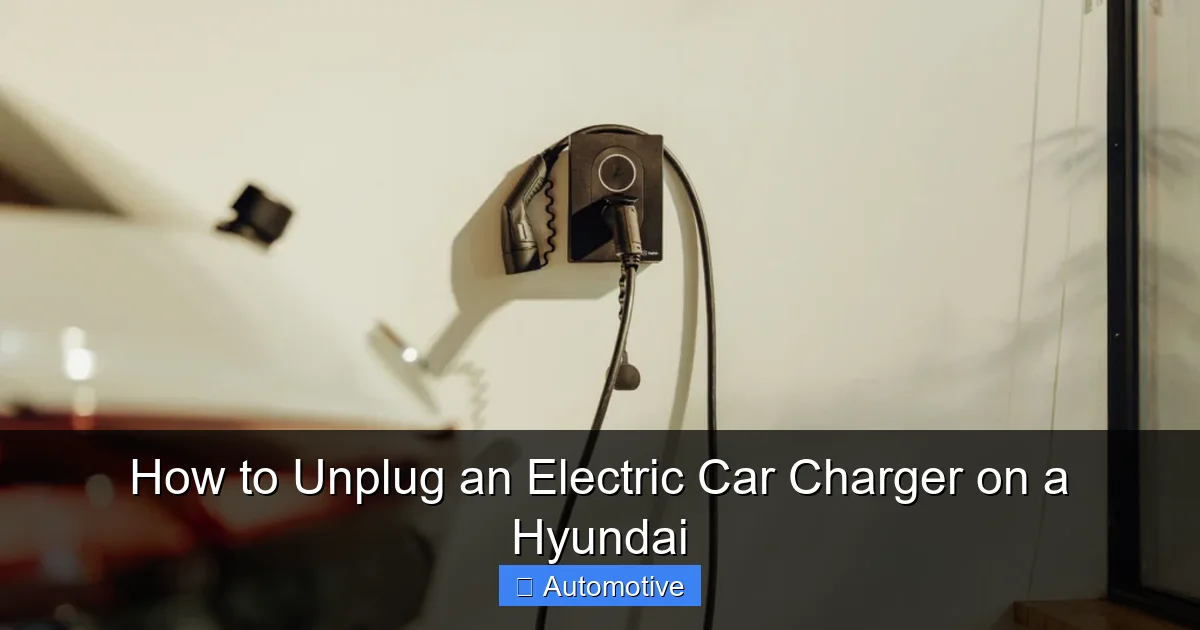
Visual guide about How to Unplug an Electric Car Charger on a Hyundai
Image source: wepoweryourcar.com
While the general process is similar across Hyundai EVs, there are some nuances depending on your model. Here’s what to know:
Hyundai Kona Electric
The Kona Electric uses a J1772 connector for AC charging and CCS for DC fast charging. The charging port is on the front-left side, which can be tricky in tight parking spots. When unplugging:
- Use the Blue Link app to stop charging remotely, especially if you’re parked close to a wall or another vehicle.
- The release button is on the top of the J1772 handle. Press it firmly and pull straight out.
- The port door is spring-loaded—close it gently to avoid slamming.
Hyundai Ioniq 5
The Ioniq 5 has a more advanced charging system with bidirectional charging capabilities (V2L, V2G). The CCS port is on the rear-left side and features a soft-close door with LED lighting.
- The release button is integrated into the handle. Press it and pull smoothly.
- If using V2L (vehicle-to-load), ensure all external devices are disconnected before unplugging.
- The Ioniq 5 may take a few extra seconds to unlock after stopping charging due to its advanced electronics.
Hyundai Ioniq 6
The Ioniq 6 shares many features with the Ioniq 5, including the rear-left CCS port and LED lighting. However, its aerodynamic design means the port is slightly more recessed.
- Take care not to scrape the paint when inserting or removing the connector.
- The charging port door is motorized on some trims—wait for it to close completely.
- Use the 12.3-inch infotainment screen to monitor charging status and stop the session if needed.
Common Mistakes and How to Avoid Them
Even experienced EV drivers can make mistakes when unplugging. Here are some common pitfalls and how to avoid them:
Pulling the Plug While Charging
This is the most dangerous mistake. Forcing the plug out while power is flowing can cause arcing, damage the connector, or even start a fire. Always stop charging first.
Twisting or Yanking the Cable
EV charging cables are thick and heavy. Twisting or pulling at an angle can damage the internal wires or the locking mechanism. Always pull straight out.
Ignoring the Charging Light
Relying solely on the app or charger display can be risky. Always check the vehicle’s charging light to confirm the session has ended.
Forgetting to Close the Port Door
Leaving the port open exposes it to the elements. Rain, snow, or dirt can cause corrosion or electrical issues over time.
Not Using the Release Button
Some drivers try to pull the plug without pressing the release button, thinking it’s stuck. This can break the latch. Always press the button first.
Troubleshooting: What to Do If the Plug Won’t Come Out
Sometimes, the charger won’t unplug even after you’ve followed all the steps. Here’s how to handle common issues:
The Release Button Doesn’t Work
If pressing the button doesn’t release the lock:
- Double-check that charging has stopped. Wait 10–15 seconds and try again.
- Use the Blue Link app to send a stop command remotely.
- If the app doesn’t work, try unlocking the car with the key fob—some models require the vehicle to be unlocked to release the charger.
The Plug Is Stuck
If the connector feels stuck:
- Don’t force it. Forcing can damage the port.
- Gently wiggle the connector while pressing the release button.
- Check for debris or ice in the port—especially in cold weather.
- If all else fails, contact Hyundai roadside assistance or the charging network’s support line.
The Charging Light Won’t Turn Off
If the light remains on after stopping charging:
- Restart the vehicle by turning it off and on.
- Check for software updates via the infotainment system.
- Contact Hyundai service if the issue persists—it could indicate a fault in the charging control module.
Safety Tips for Charging and Unplugging
Safety should always be your top priority when dealing with high-voltage systems. Here are some essential tips:
- Keep hands dry: Never handle the charger with wet hands or in the rain without proper protection.
- Inspect the cable: Look for cracks, fraying, or damage before each use.
- Use certified chargers: Only use chargers and cables that are compatible with your Hyundai and meet safety standards.
- Avoid extension cords: Never use extension cords with EV chargers—they can overheat and cause fires.
- Charge in well-ventilated areas: Especially when using fast chargers, ensure there’s adequate airflow around the vehicle.
Conclusion: Mastering the Art of Unplugging
Unplugging an electric car charger on a Hyundai might seem like a small task, but it’s a critical part of owning and operating an EV. By following the correct steps—stopping the session, confirming the status light, pressing the release button, and pulling straight out—you protect your vehicle, your charger, and yourself.
Remember, every Hyundai model has its own quirks, so take the time to familiarize yourself with your specific vehicle. Use the Blue Link app to your advantage, and always prioritize safety over speed. With practice, unplugging will become second nature.
Whether you’re a new EV owner or a seasoned driver, this guide ensures you’ll never struggle with unplugging again. Charge smart, drive safe, and enjoy the journey—one unplugged charge at a time.
Frequently Asked Questions
Can I unplug my Hyundai EV charger while it’s still charging?
No, you should never unplug while charging is active. Always stop the session first using the app, charger interface, or vehicle controls to avoid damage or safety risks.
Why won’t my Hyundai charger unplug even after stopping charging?
This could be due to a delayed unlock, a stuck latch, or a software glitch. Try restarting the vehicle, using the app to stop charging again, or gently wiggling the connector while pressing the release button.
Do I need to unlock my Hyundai to remove the charger?
Some models require the vehicle to be unlocked for the charger to release. If the plug won’t come out, try unlocking the car with the key fob or app.
Is it safe to charge my Hyundai in the rain?
Yes, Hyundai EVs and certified chargers are designed to be safe in wet conditions. However, always ensure your hands are dry and avoid touching electrical components with wet hands.
How do I know when it’s safe to unplug my Hyundai EV?
Check the charging status light near the port. When it turns off or changes color (e.g., from green to red or blinking), it’s safe to unplug.
Can I use any charger with my Hyundai EV?
You can use any J1772 (AC) or CCS (DC) compatible charger, but always ensure it’s certified and in good condition. Avoid damaged or uncertified equipment.
